Every digital marketer has faced the moment when campaign data just does not add up. You launched ads across Meta, Google, and TikTok, your UTM parameters are in place, but conversions in your analytics dashboard tell a different story than what your ad platforms report. The gap between what you track and what actually happened is widening, and it is costing you budget and confidence.
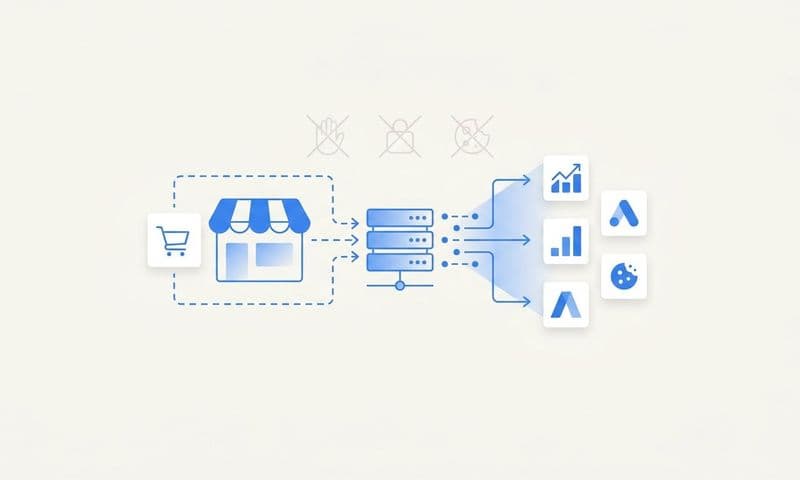
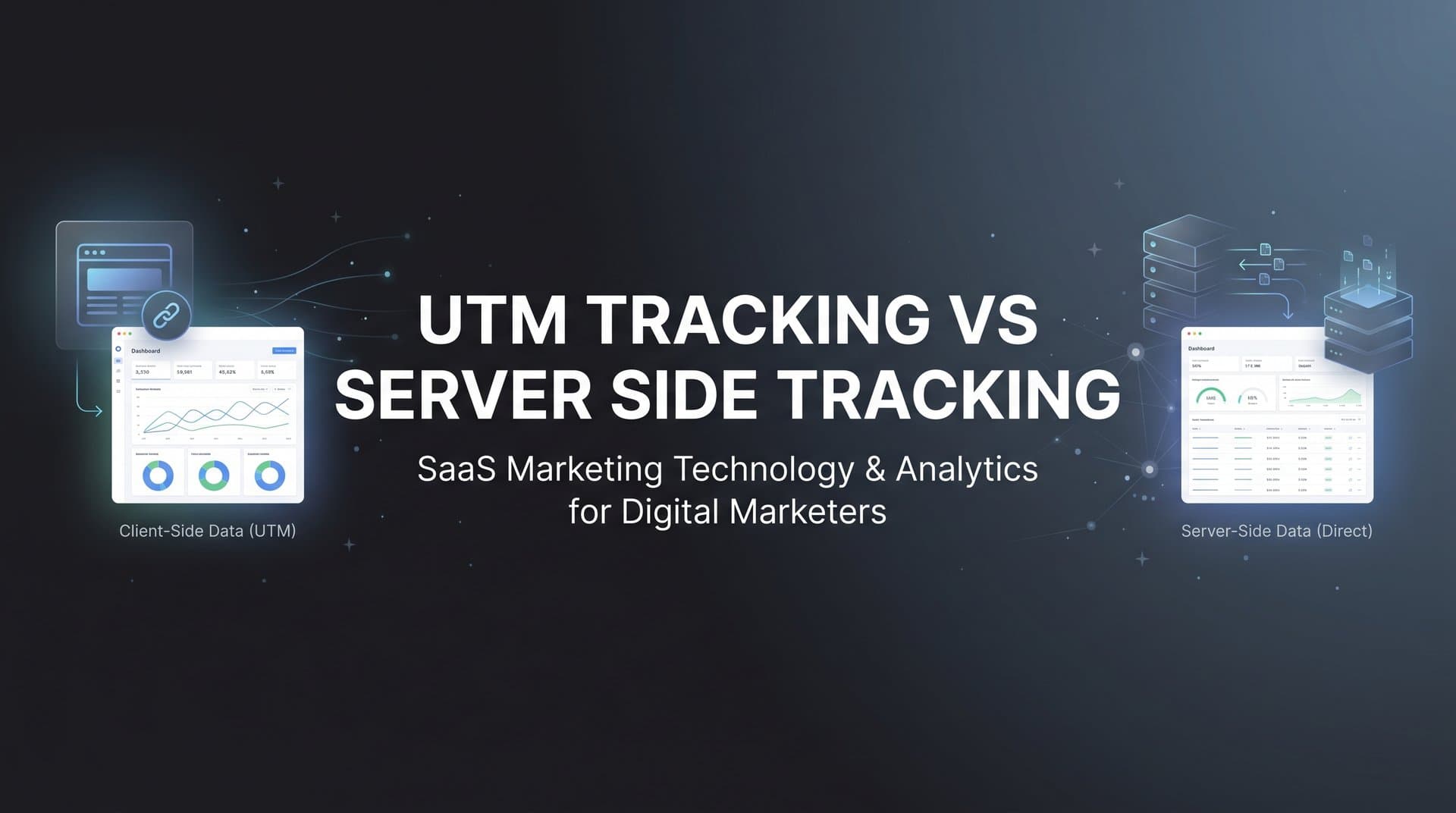
The root of this problem often comes down to how you collect tracking data in the first place. UTM tracking and server side tracking represent two fundamentally different approaches to understanding your marketing performance. UTM parameters ride along in browser URLs, tagging traffic sources so your analytics tools can sort visitors by campaign, medium, and source. Server side tracking, on the other hand, sends conversion and event data directly from your server to ad platforms and analytics tools, bypassing the browser entirely.
Neither method is inherently better. The right choice depends on your tech stack, your advertising goals, your data accuracy needs, and how much control you want over what gets tracked. In many cases, the smartest move is combining both approaches strategically.
This guide walks through seven actionable strategies to help you evaluate UTM tracking vs server side tracking, implement each method effectively, and build a hybrid system that captures every meaningful touchpoint across your customer journey.
1. Map Your Data Gaps Before Choosing a Tracking Method
The Challenge It Solves
Most teams jump straight into implementation without understanding where their current tracking breaks down. The result is a patchwork of tools that still leave significant blind spots. Before you can choose the right tracking method, or combination of methods, you need a clear picture of where data is falling through the cracks in your existing setup.
The Strategy Explained
Start with a structured audit of your current tracking stack. Compare the conversion numbers reported in your ad platforms against what shows up in your analytics tool and your CRM. If those three sources tell meaningfully different stories, you have a data gap worth investigating.
Common sources of data loss include ad blockers preventing pixel fires, Safari's Intelligent Tracking Prevention (ITP) shortening cookie lifespans, iOS privacy prompts limiting cross-app tracking, and users who convert on a different device than the one they clicked the ad on. Each of these gaps points toward a specific solution, and understanding server side vs client side tracking is a critical first step in preventing you from over-engineering your tracking stack.
Implementation Steps
1. Pull conversion data from each ad platform (Meta, Google, TikTok) and compare it side by side with your analytics tool and CRM for the same time period.
2. Segment your audience by device and browser to identify where discrepancies are largest. Heavy iOS or Safari traffic typically correlates with bigger gaps.
3. Check whether your current pixel or tag implementation fires consistently across all pages and conversion events using a tag auditing tool or browser extension.
4. Document the gap size by channel and conversion type so you can prioritize which tracking holes to close first.
Pro Tips
Pay particular attention to your highest-value conversion events. If a purchase or demo request is being underreported, that directly affects how your ad platform's bidding algorithm allocates budget. Fixing high-value conversion tracking first delivers the most immediate impact on campaign performance and gives you cleaner data for every decision that follows.
2. Master UTM Parameters for Campaign-Level Clarity
The Challenge It Solves
UTM parameters are powerful, but only when used consistently. Without a standardized naming convention, your analytics reports become a mess of inconsistent labels, making it nearly impossible to compare performance across campaigns, channels, or time periods. Inconsistency at the tagging level cascades into unreliable reporting at every level above it.
The Strategy Explained
UTM parameters are URL tags that tell your analytics platform where a visitor came from and which campaign drove them. The five standard parameters are source, medium, campaign, term, and content. If you are new to this concept, our guide on what is UTM tracking covers the fundamentals in depth. When applied consistently, they give you campaign-level clarity that server side tracking alone cannot provide, because server side tracking tells you that a conversion happened, but UTMs tell you which specific ad or campaign gets credit.
Building a governance system around UTM usage is what separates teams that get clean data from teams that spend hours cleaning messy data. This means creating a shared naming convention document, a URL builder template everyone uses, and a review process that catches inconsistencies before campaigns go live.
Implementation Steps
1. Define your naming convention for each parameter. Decide on lowercase versus uppercase, how you handle spaces (use hyphens or underscores), and what abbreviations are acceptable across your team.
2. Build a centralized UTM URL builder spreadsheet or use a tool that enforces your naming rules automatically so no one can go rogue with custom labels.
3. Create a master taxonomy document that lists approved values for source, medium, and campaign naming patterns. Distribute it to every team member and agency partner who touches campaign URLs.
4. Audit active campaigns monthly to catch any UTM parameters that deviate from your standard and correct them before they contaminate your historical data.
Pro Tips
Never use UTM parameters on internal links. Tagging links within your own site resets the original traffic source attribution, making it look like your homepage or blog is generating conversions when the credit belongs to the ad that brought the visitor in the first place. Keep UTMs strictly for external traffic sources.
3. Deploy Server Side Tracking to Recover Lost Conversions
The Challenge It Solves
Browser-based tracking is increasingly unreliable. Ad blockers, cookie restrictions, and Apple's App Tracking Transparency framework have created an environment where a meaningful portion of conversions never get recorded by client-side pixels. Every missed conversion is a signal your ad platform never receives, which means its bidding algorithm is operating on incomplete information and likely misallocating your budget.
The Strategy Explained
Server side tracking moves the data collection process off the user's browser and onto your server. Instead of relying on a pixel to fire in the browser, your server sends conversion events directly to ad platforms via their APIs, such as Meta's Conversions API (CAPI) or Google's offline conversion imports. Understanding the differences between server side tracking vs pixel tracking is essential for grasping why this approach is so effective. Because the browser is no longer in the loop, ad blockers and cookie restrictions cannot interfere.
This approach is particularly effective for recovering conversions from iOS users, Safari browsers, and anyone running privacy-focused extensions. The data that reaches your ad platforms becomes more complete, which directly improves how their machine learning models optimize your campaigns.
Implementation Steps
1. Identify which ad platforms you need to connect to via server side APIs. Meta's Conversions API and Google's enhanced conversions are the most common starting points for paid advertisers.
2. Set up a server side event stream that captures your key conversion events, such as purchases, form submissions, or demo requests, and sends them to each platform's API endpoint.
3. Use event deduplication logic to prevent double-counting when both your browser pixel and server side event fire for the same conversion. Most platforms support a unique event ID for this purpose.
4. Test your implementation by comparing server side reported events against your CRM records to confirm the data is flowing accurately before scaling your campaigns.
Pro Tips
Server side tracking works best when you pass enriched customer data alongside the conversion event, including hashed email addresses and phone numbers when available. This helps ad platforms match the conversion to a specific user with higher confidence, improving your match rate and the quality of the optimization signal you are sending back to the algorithm. For a deeper dive, explore the full range of server side tracking benefits for advertisers.
4. Feed Better Data Back to Ad Platform Algorithms
The Challenge It Solves
Ad platform algorithms are only as smart as the data you feed them. When your conversion tracking is incomplete or delayed, the bidding AI makes decisions based on a distorted view of reality. It may over-invest in audiences that look like converters but are not, or pull back from segments that are actually driving revenue because the conversion signal never arrived.
The Strategy Explained
Conversion syncing takes server side tracking a step further by continuously feeding enriched conversion data back to Meta, Google, and other platforms in near real time. This is sometimes called closing the loop between your CRM and your ad platforms. Understanding server side conversion tracking is key to implementing this effectively. Instead of the platform only seeing a pixel fire, it receives a complete, verified conversion event with customer matching data attached.
The result is a stronger optimization signal. When Meta's algorithm knows exactly which ad led to a verified purchase, it can find more people who look like that buyer. When Google's Smart Bidding receives accurate conversion values, it can adjust bids more precisely. Better input data produces better algorithmic output, which translates directly into lower cost per acquisition and higher return on ad spend over time.
Platforms like Cometly are built specifically for this use case, connecting your ad platforms, CRM, and website to send enriched, conversion-ready events back to Meta, Google, and more, improving targeting and ad ROI without requiring deep engineering resources.
Implementation Steps
1. Connect your CRM to your server side tracking infrastructure so that verified conversion events, not just pixel fires, are what get sent to your ad platforms.
2. Include conversion value data wherever possible. Sending a revenue amount alongside the conversion event allows platforms to optimize for high-value customers rather than just any conversion.
3. Enable enhanced matching features on each platform, which use hashed customer identifiers to improve the match rate between your conversion events and platform users.
4. Monitor your event match quality scores in Meta's Events Manager and Google's tag diagnostics regularly to confirm your data quality is improving over time.
Pro Tips
If your sales cycle is longer than a few days, consider syncing downstream conversion events like qualified leads or closed deals back to your ad platforms, not just the initial form fill. This teaches the algorithm to optimize for the customers who actually generate revenue, not just the leads that never convert.
5. Build a Hybrid Tracking Architecture for Full-Funnel Visibility
The Challenge It Solves
Relying on either UTM tracking or server side tracking alone leaves you with an incomplete picture. UTMs tell you which campaign drove traffic but struggle to attribute conversions that happen across sessions or devices. Server side tracking captures accurate conversion data but does not inherently tell you which ad creative or campaign keyword deserves credit. You need both layers working together to understand the full customer journey.
The Strategy Explained
A hybrid architecture layers UTM parameters on top of server side tracking so that campaign-level context travels alongside accurate conversion data. When a user clicks an ad tagged with UTM parameters, those values get captured and stored, typically in a first-party cookie or your own database. When that user later converts, the server side event fires and carries the stored UTM data with it, connecting the conversion to the originating campaign even if the browser session has ended or the user switched devices.
This approach gives you the best of both worlds: the organizational clarity of UTM attribution and the measurement accuracy of server side tracking. Our server side tracking setup guide walks through the technical steps in detail. It is the foundation of how modern multi-touch attribution platforms like Cometly operate, connecting every touchpoint from the first ad click through to closed revenue in a single unified view.
Implementation Steps
1. Set up first-party cookie storage on your own domain to capture UTM parameters at the moment of click and persist them across the session and beyond.
2. Pass stored UTM values as custom parameters in your server side conversion events so that every conversion carries its originating campaign context.
3. Connect your CRM to store UTM data alongside lead and customer records so you can attribute revenue to specific campaigns even weeks after the initial click.
4. Use a multi-touch attribution tool that ingests both UTM data and server side conversion events to model the full customer journey across all touchpoints.
Pro Tips
Store UTM parameters in your own database rather than relying solely on browser cookies. First-party cookies can still be cleared or limited by browser settings, but a server-side record of the UTM values tied to a user ID or session ID gives you a durable attribution anchor that survives browser restrictions.
6. Validate Tracking Accuracy With Cross-Platform Reconciliation
The Challenge It Solves
Even a well-built tracking stack drifts over time. Platform updates, code changes, and new campaign configurations can silently break tracking without anyone noticing until the data has been wrong for weeks. Without a regular reconciliation process, you may be making budget decisions based on numbers that no longer reflect reality.
The Strategy Explained
Cross-platform reconciliation means regularly comparing conversion data across your ad platforms, analytics tool, and CRM to identify discrepancies and trace them back to their source. Leveraging server side tracking analytics can make this process significantly more reliable. Some level of variance between platforms is expected and normal. Ad platforms count view-through conversions, attribution windows differ, and deduplication logic varies. What you are looking for are unexpected gaps or sudden changes that signal a tracking problem.
Building a reconciliation habit into your weekly or monthly reporting process keeps your tracking stack honest. It also gives you the confidence to trust your data when making scaling decisions, because you have verified that the numbers are grounded in reality.
Implementation Steps
1. Create a reconciliation dashboard that pulls conversion data from each ad platform, your analytics tool, and your CRM into a single view for the same time period.
2. Set acceptable variance thresholds for each data source based on known differences in attribution models and counting logic. Flag anything that falls outside those thresholds for investigation.
3. Run a reconciliation check after every major campaign launch or website change to catch any tracking breakage before it affects a full reporting cycle.
4. Document the root cause and resolution for every discrepancy you find. Over time, this creates a troubleshooting reference that makes future investigations faster.
Pro Tips
Your CRM is usually the most reliable source of truth for actual conversions because it records verified actions like closed deals or completed purchases. When ad platform numbers diverge significantly from CRM data, start your investigation there. The CRM tells you what really happened; everything else is an attempt to attribute credit for it.
7. Future-Proof Your Tracking Stack for Privacy-First Marketing
The Challenge It Solves
The tracking landscape is not getting simpler. Third-party cookie deprecation, evolving browser privacy features, and ongoing regulatory changes are systematically closing the door on the tracking methods that marketers have relied on for years. Teams that do not adapt their infrastructure now will face increasingly severe data gaps as privacy restrictions tighten further.
The Strategy Explained
Future-proofing your tracking stack means shifting your foundation toward first-party data collection and server side infrastructure, both of which are resilient to browser restrictions and regulatory changes. First-party data belongs to you. It is collected directly from your users with their consent, stored on your own systems, and not subject to the same limitations as third-party tracking methods. Understanding why server-side tracking is more accurate helps illustrate why this shift is so important.
Server side tracking is inherently more durable than client-side tracking in a privacy-first environment because it does not depend on the browser to pass data. When you combine first-party data collection with server side event delivery, you build a tracking foundation that remains functional even as browser policies continue to evolve.
Tools like Cometly are designed with this shift in mind, using server side tracking and conversion syncing to maintain data accuracy regardless of what happens at the browser level, giving you a reliable attribution foundation as the privacy landscape continues to change.
Implementation Steps
1. Audit your current tracking for third-party cookie dependencies and identify which conversion events would break if those cookies were no longer available.
2. Migrate your highest-priority conversion events to server side delivery so they are no longer dependent on browser-based tracking mechanisms.
3. Build first-party data collection into your key conversion flows by capturing user identifiers like email addresses at the point of conversion and storing them in your own database.
4. Review your data collection practices to ensure they align with user consent expectations, not from a compliance perspective, but from a trust-building perspective with your audience.
Pro Tips
Invest in your own customer data infrastructure now rather than waiting for a platform change to force your hand. Teams that have already built robust first-party data pipelines and server side tracking systems will have a significant competitive advantage as browser restrictions continue to tighten, because their attribution data will remain accurate while competitors scramble to adapt.
Putting It All Together
Choosing between UTM tracking and server side tracking is not an either-or decision. The most effective marketing teams use both methods strategically, with UTMs handling campaign-level organization and server side tracking ensuring accurate conversion data reaches both your analytics tools and your ad platform algorithms.
Here is a practical implementation sequence to get started. Begin by auditing your current data gaps so you know exactly where tracking breaks down. Then standardize your UTM taxonomy so your campaign tagging is clean and consistent across every team member and channel. From there, implement server side tracking to recover the conversions that browser-based methods miss, and connect that data back to your ad platforms so their bidding AI can optimize with confidence.
Layer your UTM data on top of server side conversion events to build a hybrid architecture that gives you full-funnel visibility from the first ad click through to closed revenue. Set up a regular reconciliation process to keep your data honest, and shift your infrastructure toward first-party data collection to stay ahead of privacy changes that are still coming.
Platforms like Cometly bring these layers together by connecting your ad platforms, CRM, and website into a single attribution view with built-in server side tracking and conversion syncing. Whatever tools you choose, the priority is clear: build a tracking architecture that captures every meaningful touchpoint, feeds accurate data to the algorithms that spend your budget, and gives you the confidence to scale what is actually working.
Ready to elevate your marketing game with precision and confidence? Discover how Cometly's AI-driven recommendations can transform your ad strategy. Get your free demo today and start capturing every touchpoint to maximize your conversions.