

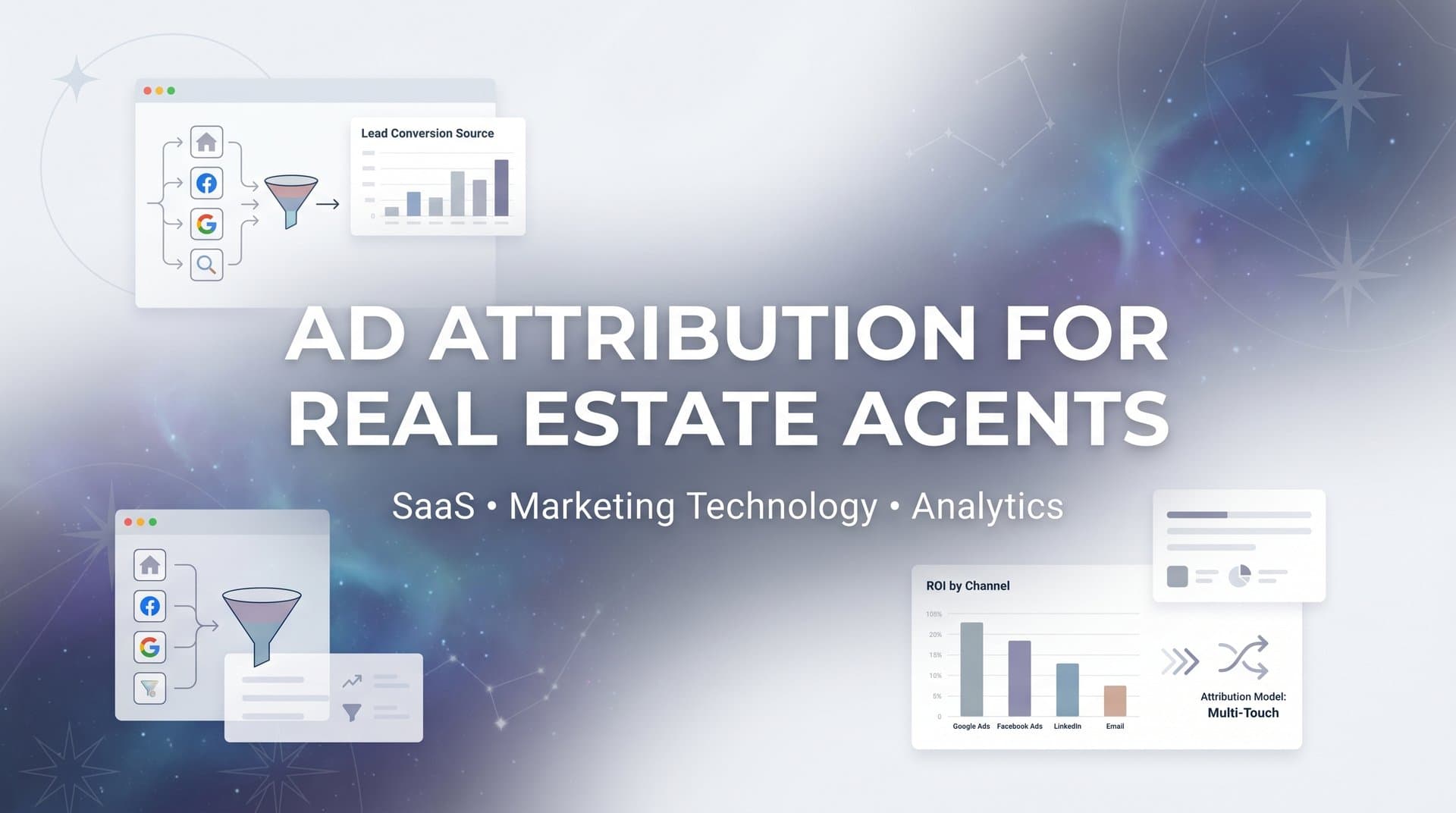
Real estate agents often run ads across multiple platforms at once. You might have a Google Ads campaign targeting "homes for sale in [city]," a Meta campaign showcasing virtual tours, and a Zillow listing driving clicks to your website. Leads come in through phone calls, form fills, and live chats. But when a buyer finally closes on a property three months after their first click, which ad actually deserves the credit?
Without proper ad attribution, most real estate agents are left guessing. They pour money into campaigns that look busy but cannot say with confidence which ones are generating actual closings.
The long sales cycles in real estate make this problem especially difficult. A lead might click a Facebook ad in January, visit your site through Google in February, and finally submit a contact form in March. If you are only looking at last-click data, you are missing the full picture. Platform-native reporting in tools like Meta Ads Manager and Google Ads typically tracks conversions within short attribution windows, often seven to twenty-eight days. In real estate, that window barely covers the first conversation.
This guide walks you through exactly how to set up ad attribution for your real estate business, step by step. You will learn how to connect your ad platforms, track the full buyer journey from first click to closed deal, and use that data to make smarter budget decisions. Whether you are a solo agent running your own ads or part of a team with a dedicated marketing budget, these steps will help you stop wasting ad spend and start scaling what actually works.
Step 1: Map Your Real Estate Lead Sources and Conversion Events
Before you touch a single pixel or tracking tag, you need a clear picture of where your leads come from and what actions actually matter. Skipping this step is the most common reason attribution setups fail. You end up tracking some things but missing others, and the data you collect tells an incomplete story.
Start by listing every ad platform you currently use or plan to use. For most real estate agents, that list includes Google Ads, Meta (Facebook and Instagram), Zillow Premier Agent, Realtor.com, YouTube, and increasingly TikTok. Each of these platforms sends traffic to different destinations, and each one needs to be accounted for in your attribution setup.
Next, define what counts as a conversion in your business. This is where real estate differs significantly from e-commerce. You are not just tracking a purchase button click. Your conversion events likely include:
Form submissions: Contact forms, listing inquiry forms, and buyer consultation requests on your website or landing pages.
Phone calls: Calls generated from ads, call tracking numbers on your website, or click-to-call buttons on mobile listings.
Scheduled showings: Appointments booked through tools like Calendly, Acuity, or your CRM's scheduling feature.
CRM entries: When a lead gets added to your pipeline, regardless of how they came in.
Closed deals: The ultimate conversion. A lead that becomes a client who closes on a property.
Now document the typical buyer journey in your market. In real estate, the path from first ad click to closing can span thirty to one hundred twenty days or longer. That timeline matters because it determines how far back your attribution window needs to reach. If you only look at the last seven days of data, you will never see the full journey. Understanding attribution window performance is critical to getting this right.
Create a simple spreadsheet with columns for each lead source, the conversion events associated with it, and the typical time lag between first contact and closing. This document becomes your attribution blueprint. It ensures nothing gets missed during setup and gives you a reference point when you are reviewing data later and something looks off.
The key insight here: you cannot attribute what you do not track. Most agents miss offline conversions entirely, especially phone calls and in-person showings. If a buyer calls you directly after seeing your Google ad and eventually closes, that deal will never appear in your attribution data unless you have call tracking in place. Map it all before you build anything.
Step 2: Install Tracking Across Your Website and Landing Pages
With your lead sources and conversion events mapped, it is time to put the technical infrastructure in place. This step is about making sure every meaningful action a visitor takes on your website gets captured and connected back to the ad that brought them there.
Start by setting up tracking pixels and tags for each ad platform you identified in Step 1. That means installing the Meta Pixel for your Facebook and Instagram campaigns, the Google Ads conversion tag for your Google campaigns, and any other platform-specific tags you need. These tags fire when visitors land on your pages and take actions, sending that data back to the respective ad platforms.
Here is where many real estate agents run into a problem: browser-based pixels are increasingly unreliable. Since Apple's iOS privacy updates, a significant portion of Safari traffic on iPhones and iPads no longer passes data to third-party pixels. Add ad blockers into the mix, and you can end up with large gaps in your tracking data. The solution is server-side tracking.
Server-side tracking works differently from pixel-based tracking. Instead of relying on the visitor's browser to send data to ad platforms, a server-to-server connection handles that communication directly. This means the data gets through even when a user has ad blockers enabled or is on a privacy-restricted browser. For real estate agents running campaigns to mobile users, this is especially important since a large share of property searches happen on iPhones.
Place tracking on every key page in your funnel, not just the homepage. Real estate websites have several pages where conversions happen, and missing any of them means missing attribution data:
Individual property listing pages: Where visitors often click to inquire or schedule a showing.
Contact and inquiry forms: Track both the form page view and the successful submission.
Scheduling pages: If you use an online booking tool, make sure the confirmation page fires a conversion event.
Thank-you and confirmation pages: These are your most reliable conversion signals. A visitor who reaches a thank-you page has completed an action.
If your website uses a third-party IDX integration to display MLS listings, pay special attention here. Many IDX providers load content in iframes or on subdomains, which can break standard pixel tracking. You may need to work with your IDX provider or use server-side solutions to track activity on those pages accurately.
Finally, implement UTM parameters consistently across every ad and every link. UTM parameters are small tags added to URLs that tell your analytics tools exactly where a visitor came from. Every campaign, every ad set, and every individual ad should have UTM tags that identify the source, medium, campaign name, and ad creative. To understand how UTM tracking compares to dedicated solutions, explore the differences between UTM tracking and attribution software. Without UTMs, your attribution platform cannot distinguish between a click from your Google campaign and a click from your Zillow listing. Consistency here is everything.
Step 3: Connect Your CRM to Close the Attribution Loop
Tracking website behavior is only half the picture. The other half lives in your CRM, and this is where most real estate attribution setups fall short.
Think about the gap between a lead clicking your ad and that lead closing on a property. In that window, they might visit your website multiple times, have several phone conversations, attend two or three showings, and go through an offer process. All of that activity gets recorded in your CRM. But if your CRM is not connected to your attribution platform, none of that downstream data flows back to inform your ad performance analysis.
The result: you can see which ads generated leads, but you cannot see which ads generated leads that actually closed. That distinction is everything in real estate, where lead quality varies enormously. A campaign might generate fifty leads in a month. If forty-eight of those leads are tire-kickers who never book a showing, and two are serious buyers who close within ninety days, the campaign's true value looks very different depending on whether you are measuring lead volume or revenue generated. This is why tracking attribution for lead generation is so essential for agents.
Start by identifying which CRM your business uses. Common choices in real estate include Follow Up Boss, kvCORE, LionDesk, HubSpot, and Salesforce. Most modern attribution platforms support direct integrations with these tools, and some offer webhook-based connections for custom or less common CRM setups.
Once connected, map your CRM pipeline stages to attribution events. A typical real estate pipeline might look like this:
New Lead: First contact captured, lead enters the CRM.
Showing Scheduled: Lead has agreed to view a property.
Offer Submitted: Lead has moved to active buyer status.
Deal Closed: Transaction complete, revenue realized.
When these pipeline stage changes flow back to your attribution platform automatically, you can answer the question that actually matters: which ad campaigns are generating closed deals, and what is the cost per closed deal for each one? If you use Salesforce, a dedicated Salesforce attribution integration can streamline this entire process.
This connection also enables you to extend your attribution window to match the real length of your sales cycle. Instead of being limited to a seven-day or thirty-day window, you can trace a closed deal back to the original ad click from three months ago. That is the kind of insight that changes how you allocate your budget.
For teams using custom CRM setups or proprietary tools, webhooks offer a flexible integration path. A webhook sends a notification to your attribution platform whenever a specific event occurs in your CRM, such as a deal stage change. Your developer or your CRM provider can typically configure this without extensive custom coding.
Step 4: Choose the Right Attribution Model for Real Estate
Attribution models determine how credit for a conversion gets distributed across the touchpoints in a buyer's journey. Choosing the wrong model for real estate does not just give you inaccurate data. It actively misleads your budget decisions.
Last-click attribution, which is the default in most ad platforms, assigns one hundred percent of the credit for a conversion to the final touchpoint before the conversion event. In e-commerce, where someone clicks an ad and buys something in the same session, this can be reasonable. In real estate, it is almost always wrong.
Here is why: a buyer who closes on a property in March might have first encountered your brand through a YouTube ad in January. They clicked a retargeting ad on Instagram in February. They Googled your name directly in March and submitted a contact form. Under last-click attribution, Google gets all the credit. YouTube and Instagram get none. You might cut your YouTube budget because it "is not converting," when in reality it was the first touchpoint that introduced this buyer to your brand.
Let's break down the models most relevant to real estate:
First-Touch Attribution: Gives all credit to the first ad or channel that brought the lead in. This is useful for understanding which campaigns are best at generating awareness and bringing new prospects into your funnel. It is a good model for evaluating top-of-funnel campaigns like YouTube ads or broad-audience Meta campaigns.
Linear Attribution: Distributes credit equally across every touchpoint in the journey. If a buyer interacted with four ads before closing, each ad gets twenty-five percent of the credit. This model is simple and avoids over-crediting any single channel, but it treats all touchpoints as equally important, which is rarely accurate.
Multi-Touch Attribution: Assigns weighted credit to different touchpoints based on their role in the journey. Common versions include time-decay (more credit to touchpoints closer to the conversion) and position-based (extra credit to the first and last touchpoints, with the middle touchpoints sharing the remainder). For a deeper dive into how these models compare, read about single source versus multi-touch attribution models. For real estate, multi-touch attribution typically gives the most accurate picture because it acknowledges that different ads play different roles across a long buying journey.
The practical recommendation: start with multi-touch attribution as your primary model. Then compare the results against what your individual ad platforms are reporting natively. You will almost certainly see discrepancies, and those discrepancies reveal where platform-reported data is overstating or understating performance. Understanding why attribution data does not match across platforms will help you interpret these differences correctly.
Comparing models side by side also shows you how your budget allocation would change under different assumptions. That comparison alone is often enough to justify a significant shift in where you invest your ad spend.
Step 5: Sync Conversion Data Back to Your Ad Platforms
Most marketers think of attribution as a one-way street: ad platforms send traffic, you track what happens, and you analyze the results. But there is a second direction that is equally important, and most real estate agents miss it entirely.
Feeding accurate conversion data back to your ad platforms improves their algorithms and targeting. Meta, Google, and other platforms use machine learning to optimize who sees your ads. They are constantly asking: which users are most likely to convert? The answer they use is based on the conversion signals you send them. If the only signal you send is a form submission, the algorithm optimizes for people likely to fill out forms. That is not the same as optimizing for people likely to close on a property.
This is where conversion sync changes the game. When a lead progresses through your CRM pipeline, those stage changes get sent back to the ad platform as conversion events. When a lead goes from "new lead" to "showing scheduled," that event fires. When a deal closes, that event fires. The platform's AI now knows not just who submitted a form, but who actually became a buyer. Over time, it uses that data to find more users who match the profile of your actual clients, not just your form-fillers. This approach is central to effective real estate marketing attribution.
For real estate, this distinction matters enormously. Lead quality in real estate varies widely. A tire-kicker who clicks your ad out of curiosity and a serious buyer who is pre-approved and ready to move in sixty days might both submit the same contact form. Without downstream conversion data flowing back to the platform, the algorithm treats them identically. With conversion sync in place, the algorithm learns to prioritize users who look like your serious buyers.
Server-side event delivery is the most reliable way to make this work. Browser-based conversion tracking can be blocked or lost in transit due to privacy restrictions, but server-to-server communication bypasses those limitations. Your conversion data reaches the ad platform reliably, which means the algorithm gets a more complete and accurate signal to work with.
Set up conversion sync for every meaningful pipeline stage, not just the final closed deal. Each stage gives the algorithm additional signal about what a high-quality lead looks like at different points in the journey. The more data you feed it, the better it gets at finding the right audience for your campaigns.
Step 6: Analyze Performance and Reallocate Your Ad Budget
With tracking installed, your CRM connected, and conversion data flowing in both directions, you now have something most real estate agents never have: a clear, honest picture of which ads are actually driving closed deals.
The most important metric to focus on is cost per closed deal, broken down by platform, campaign, and ad creative. Cost per lead is a vanity metric in real estate. A campaign that generates leads at ten dollars each sounds great until you realize none of those leads ever book a showing. A campaign that generates leads at fifty dollars each might look expensive until you see that one in four of them closes. The second campaign is the better investment by a wide margin.
Use your attribution dashboard to look for patterns across your data. Which platforms are associated with leads that move through the pipeline fastest? Which ad creatives tend to attract buyers who are further along in their decision-making process? Which campaigns generate high inquiry volume but low showing rates, suggesting a mismatch between the ad's promise and the reality of what you offer? A real-time ad performance tracking setup helps you spot these patterns as they emerge rather than weeks later.
When you identify underperforming campaigns, do not just pause them. Investigate why they are underperforming. Sometimes the issue is audience targeting. Sometimes it is the creative or the offer. Sometimes a campaign is genuinely top-of-funnel and its value only shows up when you look at assisted conversions across the full journey.
AI-powered recommendation tools can surface optimization opportunities that would be easy to miss when reviewing data manually. These tools analyze patterns across your campaigns and flag areas where budget reallocation or creative changes are likely to improve results. For busy agents managing multiple campaigns across multiple platforms, leveraging real-time marketing performance insights is genuinely useful.
Set a recurring schedule to review your attribution data. Weekly reviews work well for active campaigns with significant daily spend. Biweekly reviews are reasonable for smaller budgets or slower markets. The key is consistency. Real estate markets shift quickly, and a campaign that was performing well in March might need adjustment by May as inventory levels and buyer demand change.
Your Attribution Checklist and Next Steps
Ad attribution for real estate agents is not a one-time setup. It is an ongoing process that becomes more valuable as more data flows in. The more closed deals you track back to their original ad touchpoints, the more accurately you can predict which campaigns will drive future closings.
Here is a quick-reference checklist of everything covered in this guide:
Step 1: Map all lead sources and define every conversion event, from form fills to closed deals.
Step 2: Install tracking pixels and server-side tracking across your website, listing pages, and landing pages. Use UTM parameters on every ad link.
Step 3: Connect your CRM to your attribution platform and map pipeline stages to attribution events so downstream revenue data flows back automatically.
Step 4: Choose a multi-touch attribution model that reflects the length and complexity of the real estate buying journey. Compare it against platform-native data to spot gaps.
Step 5: Set up conversion sync to feed closed-deal data back to Meta, Google, and other platforms so their algorithms can optimize for actual buyers, not just clicks.
Step 6: Review your attribution dashboard on a regular schedule, focus on cost per closed deal, and reallocate budget toward campaigns with the best close rates.
The shift from guessing to knowing which ads drive actual closings is what separates agents who scale their marketing confidently from those who are always wondering where their leads went.
Start with the foundational steps: map your sources and get tracking installed. Then build toward full multi-touch attribution with CRM integration and conversion sync. Each layer you add makes the picture clearer and your decisions more defensible.
Cometly is built to help real estate agents and their marketing teams accomplish all of these steps in a single platform. From server-side tracking that captures data even when browsers block pixels, to CRM integration that connects ad clicks to closed deals, to AI-powered recommendations that surface optimization opportunities across every campaign, Cometly gives you the complete attribution infrastructure your real estate business needs. Get your free demo today and start capturing every touchpoint to maximize your conversions.



