Online stores today run ads across Meta, Google, TikTok, email, and more. But when a customer finally converts, which touchpoint actually deserves the credit? Without proper attribution tracking, ecommerce brands end up making budget decisions based on incomplete or misleading data.
Platform-reported metrics frequently double-count conversions, ignore cross-device journeys, and lose visibility entirely when cookies get blocked. The result is wasted ad spend on channels that look good on paper but fail to drive real revenue.
Attribution tracking for online stores solves this by connecting every click, visit, and purchase back to the marketing source that influenced it. When done right, it reveals the true ROI of each campaign and gives you the confidence to scale what works and cut what does not.
Privacy changes have made this more urgent than ever. Apple's App Tracking Transparency framework significantly reduced the data available to ad platforms, and ongoing shifts around third-party cookies in Chrome have created real uncertainty for browser-based tracking. First-party data and server-side infrastructure are no longer optional extras. They are the foundation of accurate ecommerce attribution.
In this guide, we will walk through seven actionable strategies that ecommerce marketers can use to build accurate, reliable attribution tracking. From setting up server-side infrastructure to feeding better data back into ad platform algorithms, each strategy builds on the last to give you a complete, trustworthy picture of what is driving your revenue.
1. Build a Server-Side Tracking Foundation First
The Challenge It Solves
Browser-based tracking has become increasingly unreliable. Ad blockers prevent pixels from firing, Safari's Intelligent Tracking Prevention limits cookie lifespans, and iOS privacy changes have reduced the data that flows back to ad platforms. For online stores relying on standard pixel-based tracking, this means a growing share of conversions simply go unrecorded. Your reported ROAS looks worse than reality, and your optimization algorithms are flying partially blind.
The Strategy Explained
Server-side tracking moves the data collection process off the user's browser and onto your own server. Instead of relying on a pixel in the browser to fire and transmit data, your server captures the event directly and sends it to your analytics and ad platforms. This approach bypasses ad blockers entirely and is not affected by browser-level cookie restrictions.
For ecommerce, this means purchase events, add-to-cart actions, and checkout steps are recorded with far greater consistency. A proper ecommerce attribution tracking setup gives you a more complete dataset, which improves every downstream decision you make, from budget allocation to audience targeting.
Implementation Steps
1. Audit your current tracking setup to identify which events are being captured browser-side and which are missing due to ad blockers or cookie restrictions.
2. Set up a server-side event pipeline that captures key ecommerce events, including purchases, initiating checkout, and adding items to cart, directly from your order management or backend system.
3. Connect your server-side events to your attribution platform so that all downstream reporting and analysis draws from this more reliable data source rather than pixel-based data.
Pro Tips
Prioritize purchase and checkout events first since these are the conversions that matter most for budget decisions. Once those are stable, expand to earlier funnel events. Use a platform like Cometly that is purpose-built for server-side tracking so you are not stitching together custom infrastructure from scratch.
2. Map the Full Customer Journey Across Every Touchpoint
The Challenge It Solves
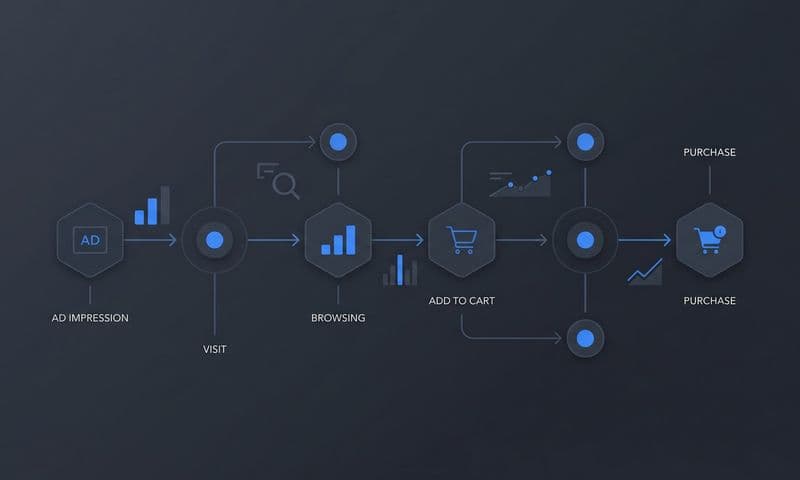
Most ecommerce purchases do not happen on the first visit. A shopper might discover your brand through a TikTok ad, return via a Google search a few days later, open a promotional email, and finally convert after clicking a retargeting ad on Meta. If your attribution only credits the last click, you are systematically undervaluing every touchpoint that warmed up the buyer along the way. This leads to poor channel investment decisions and eventually weakens your top-of-funnel reach.
The Strategy Explained
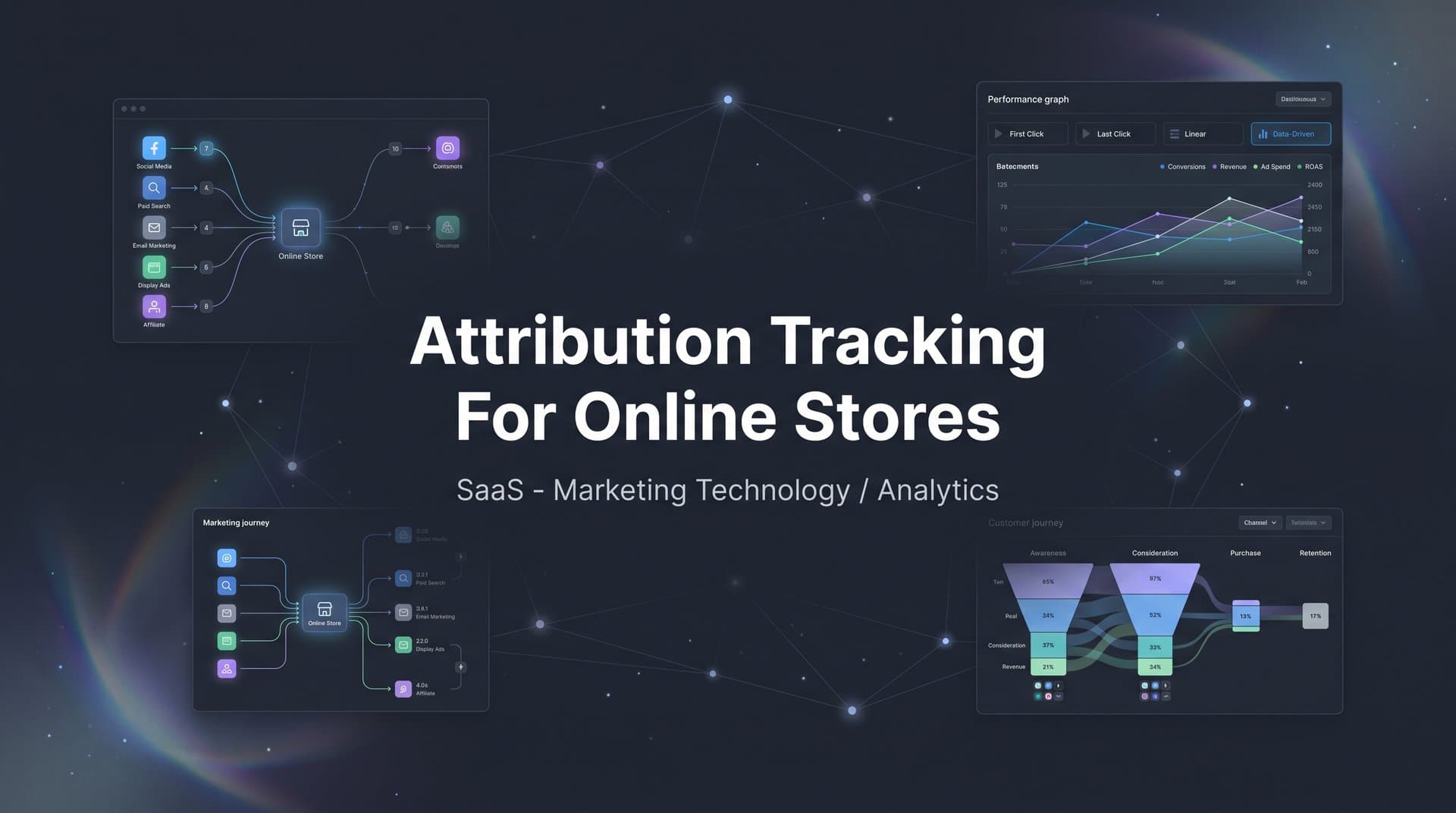
Multi-touch attribution assigns credit across all the interactions that contributed to a conversion rather than giving it all to one. By implementing this approach, you get a realistic view of how your marketing channels work together. Some channels are excellent at generating awareness. Others excel at re-engaging warm audiences. Multi-touch attribution lets you see each channel's role clearly instead of forcing them to compete for a single credit.
For online stores with longer or more complex purchase journeys, this shift in perspective can completely change how you think about channel investment and creative strategy.
Implementation Steps
1. Implement consistent UTM parameters across every campaign and channel so that traffic sources are identified accurately from the first click to the last.
2. Use an attribution platform that stitches together sessions across devices and visits, connecting the dots between a customer's first ad interaction and their eventual purchase.
3. Review your multi-touch attribution reports to identify which channels consistently appear early in the journey versus late, and use this to inform how you structure your funnel.
Pro Tips
Do not just look at which channels convert. Look at which channels initiate journeys. A channel that rarely gets last-click credit might be responsible for introducing a large portion of your buyers to your brand. Cometly's multi-touch attribution captures and connects every touchpoint so none of these influences go unrecognized.
3. Sync Verified Conversions Back to Ad Platforms
The Challenge It Solves
Ad platform algorithms are only as smart as the data you feed them. When pixel-based conversion tracking misses purchases due to ad blockers or privacy restrictions, platforms like Meta and Google optimize toward an incomplete signal. They may target users who look similar to partial conversion data rather than your actual buyers. This reduces targeting efficiency and inflates cost per acquisition over time.
The Strategy Explained
Conversion APIs, such as Meta's Conversions API and Google's Enhanced Conversions, allow you to send server-side purchase events directly back to the ad platforms. This improves match rates between your customer data and the platform's user base, which sharpens audience targeting and algorithmic optimization.
When you sync verified, enriched conversion data, the platform's algorithm learns from your real buyers rather than a degraded proxy signal. Reliable conversion tracking for ecommerce stores directly improves the quality of your lookalike audiences, your bid optimization, and your overall campaign efficiency.
Implementation Steps
1. Enable Meta's Conversions API and Google's Enhanced Conversions for your store, connecting them to your server-side event data rather than relying solely on browser pixels.
2. Include enriched customer data with your conversion events where permitted, such as hashed email addresses, to improve match rates between your conversions and platform user profiles.
3. Monitor event match quality scores within each platform's reporting interface and troubleshoot any drops in match rate promptly.
Pro Tips
Deduplicate events carefully. If you are sending both a browser pixel event and a server-side event for the same purchase, platforms can double-count unless deduplication logic is in place. Cometly's Conversion Sync feature handles this automatically, sending clean, enriched data back to Meta, Google, and other platforms without duplication issues.
4. Compare Attribution Models to Find Your Truth
The Challenge It Solves
No single attribution model is perfect for every store or every decision. Last-click attribution overvalues retargeting and undervalues awareness channels. First-click attribution does the opposite. Linear models spread credit evenly, which may not reflect the actual influence of each touchpoint. If you only ever look at one model, you are making budget decisions through a narrow and potentially distorted lens.
The Strategy Explained
Running multiple attribution models side by side gives you a richer understanding of how each channel contributes at different stages of the funnel. You might use last-click attribution to evaluate your bottom-funnel retargeting campaigns while using a linear or time-decay model to assess the broader impact of your prospecting channels.
The goal is not to find the one true model but to use model comparisons as a diagnostic tool. When two models tell very different stories about a channel's value, that discrepancy is worth investigating. It often reveals something meaningful about how that channel fits into your overall customer journey.
Implementation Steps
1. Access your attribution platform's model comparison view and run at least two models simultaneously, such as last-click and linear, to see how credit shifts across channels.
2. Identify channels where the difference between models is largest. These are the channels whose true contribution is most ambiguous and most worth investigating further.
3. Use model comparison data in your budget review meetings rather than defaulting to a single platform's reported numbers, which are almost always self-reported and biased toward that platform's own touchpoints.
Pro Tips
Be cautious about letting any single ad platform's attribution model drive your budget decisions. Each platform has an incentive to claim as much credit as possible for conversions. An independent attribution software for ecommerce stores gives you a neutral, cross-platform view that no individual ad platform can provide.
5. Unify Your Ad Platform and CRM Data in One Dashboard
The Challenge It Solves
Many ecommerce teams manage their marketing data in silos. Meta performance lives in Ads Manager, Google data lives in Google Ads, email metrics sit in their email platform, and actual order data lives in Shopify or a CRM. When these systems do not talk to each other, it becomes nearly impossible to answer the most important question in marketing: which spend is actually driving revenue?
The Strategy Explained
Centralizing all your marketing and sales data in a single dashboard eliminates the need to manually reconcile reports from multiple platforms. Investing in strong marketing analytics for online stores lets you tie ad spend directly to revenue outcomes rather than relying on platform-reported conversions, which often do not match what shows up in your order management system.
This unified view also makes it easier to spot anomalies. If Meta is reporting strong conversion volume but your actual order count has not moved, a centralized dashboard surfaces that discrepancy immediately rather than letting it go unnoticed for weeks.
Implementation Steps
1. Connect all your active ad platforms to a single attribution and analytics tool that pulls spend, impression, click, and conversion data into one place.
2. Integrate your CRM or order management system so that actual revenue data flows into the same dashboard alongside your ad spend data.
3. Build a standard reporting view that shows cost, attributed revenue, and ROAS side by side for every active channel so your team has a consistent reference point for all budget discussions.
Pro Tips
Cometly's analytics dashboard is designed specifically for this kind of unified view. It connects your ad platforms, CRM, and website tracking in one place so you can analyze performance across every channel without toggling between tabs or exporting spreadsheets. This kind of clarity is what separates data-driven teams from teams that are just reacting to platform notifications.
6. Use AI-Powered Insights to Optimize Budget Allocation
The Challenge It Solves
Even with accurate attribution data in place, identifying the right budget moves across dozens of campaigns and ad sets is a time-consuming process. Patterns that are obvious in hindsight can be easy to miss when you are managing high volumes of data manually. By the time you spot a declining campaign or an underinvested winner, you may have already left significant revenue on the table.
The Strategy Explained
AI-powered tools can analyze your attribution data continuously and surface optimization opportunities that would take a human analyst hours to find. Instead of reviewing every campaign manually, you get prioritized recommendations based on actual performance signals. Effective cross-platform attribution tracking ensures these recommendations account for the full picture rather than just one channel at a time.
This is not about removing human judgment from the process. It is about making sure human judgment is applied where it matters most, on strategic decisions rather than on sifting through data to find what needs attention.
Implementation Steps
1. Ensure your attribution data is clean and complete before relying on AI recommendations. AI insights are only as good as the data they are built on, which is why the earlier strategies in this guide matter so much.
2. Use an AI tool that integrates directly with your attribution data rather than one that analyzes platform-reported metrics in isolation. Recommendations based on platform data will inherit all the same biases and gaps that platform reporting contains.
3. Act on AI recommendations systematically. Set a weekly cadence for reviewing suggestions, testing the highest-confidence ones, and tracking the impact of each change.
Pro Tips
Cometly's AI Ads Manager and AI Chat features are built to surface exactly these kinds of insights. You can ask natural language questions about your campaign data and get recommendations grounded in real attribution signals rather than platform-reported vanity metrics. This turns your attribution data from a reporting tool into an active optimization engine.
7. Audit and Validate Your Attribution Data Regularly
The Challenge It Solves
Attribution setups are not fire-and-forget systems. Tracking tags break when websites get updated. UTM parameters get dropped or misconfigured. New campaigns launch without proper tracking in place. Over time, these small gaps accumulate and quietly degrade the quality of your data. By the time the problem becomes obvious, weeks or months of decisions may have been based on faulty attribution.
The Strategy Explained
A regular audit cadence keeps your attribution data honest. The core of this practice is comparing your tracked conversions against your actual order data on a consistent basis. If your attribution platform is recording significantly fewer conversions than your order management system, there is a gap somewhere in your tracking. Reviewing reliable ecommerce attribution tracking solutions can help you identify and close those gaps before they compound into larger data quality problems.
Audits also help you catch attribution drift, where the model or setup that worked well six months ago is no longer reflecting your current marketing mix accurately because your channels or customer journeys have evolved.
Implementation Steps
1. Set a monthly calendar reminder to compare your attribution platform's recorded conversions against actual orders in your ecommerce backend or CRM. Any significant discrepancy warrants investigation.
2. Review your UTM parameter coverage across all active campaigns. Check that every paid campaign is tagged correctly and that the tags are passing through to your attribution system without being stripped or truncated.
3. Test your server-side event pipeline by placing test orders and confirming that the purchase event fires correctly and appears in your attribution dashboard and in the relevant ad platform event managers.
Pro Tips
Document your audit findings over time. A log of what you found and what you fixed creates an invaluable reference for troubleshooting future issues and for onboarding new team members. It also helps you identify recurring problems, which often point to a systemic issue in your tracking setup that deserves a more permanent fix rather than a repeated patch.
Putting It All Together
Implementing strong attribution tracking for your online store is not a one-time project. It is an ongoing practice that compounds in value over time. Each strategy in this guide builds on the one before it, creating a foundation that becomes more powerful as your data matures.
Start with server-side tracking since every other strategy depends on accurate data collection at the source. From there, map your full customer journey and sync verified conversions back to ad platforms so their algorithms optimize toward your real buyers. Compare attribution models to understand the true contribution of each channel, and unify your data in a single dashboard so your team always has a consistent, reliable view of performance.
As your attribution data becomes more robust, let AI surface the optimization opportunities you might miss manually. And commit to regular audits so your setup stays accurate as your store and marketing mix evolve.
Platforms like Cometly are purpose-built to help ecommerce brands execute all of these strategies in one place. From server-side tracking and multi-touch attribution to conversion sync and AI-powered recommendations, Cometly gives you everything you need to stop guessing and start scaling based on real data.
Ready to see what accurate attribution can do for your store? Get your free demo today and start capturing every touchpoint to maximize your conversions.