

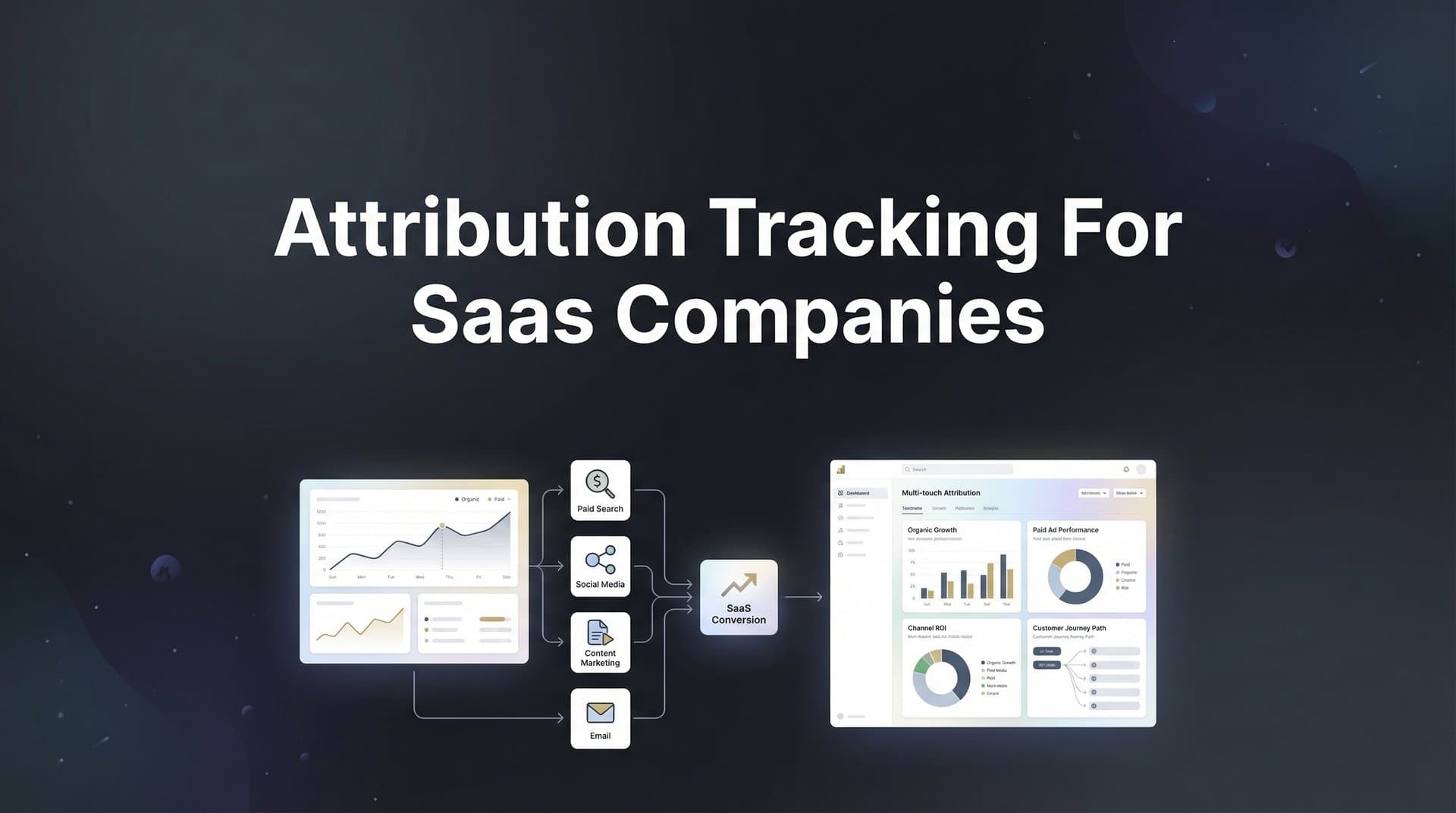
You're running paid ads across Meta, Google, and LinkedIn. Demos are being booked. Trials are starting. Deals are closing. But when your CFO asks which campaigns actually drove revenue last quarter, you're left piecing together spreadsheets and making educated guesses.
This is the attribution nightmare that keeps SaaS marketers up at night.
Unlike e-commerce where someone clicks an ad and buys within minutes, SaaS sales cycles stretch across weeks or months. A prospect might discover you through a LinkedIn ad, return via Google search, download a whitepaper, attend a webinar, request a demo, start a trial, and finally convert after three sales calls. Traditional tracking tools break down completely when faced with this complexity.
The result? You're flying blind. You can't confidently scale what's working because you don't actually know what's working. You're making million-dollar budget decisions based on incomplete data that only shows the last click before conversion, ignoring the five touchpoints that happened before it.
Here's what makes SaaS attribution especially challenging: your prospects switch devices constantly, ad blockers strip tracking data, iOS privacy features block pixels, and the gap between lead generation and revenue recognition can span months. By the time a deal closes, the attribution trail has gone cold.
But it doesn't have to be this way.
This guide walks you through implementing attribution tracking that actually works for SaaS companies. You'll learn how to capture every touchpoint from initial ad click through closed deal, connect your marketing spend to actual revenue, and build dashboards that show exactly which campaigns drive MRR growth. Whether you're managing a six-figure ad budget or scaling past seven figures, these seven steps will give you the visibility you need to optimize with confidence.
Let's turn your attribution black box into a crystal-clear revenue engine.
Step 1: Map Your SaaS Customer Journey and Define Key Conversion Events
Before you can track attribution, you need to know what you're tracking. This means documenting every meaningful step a prospect takes on their path from stranger to paying customer.
Start by listing every touchpoint in your funnel. For most SaaS companies, this includes: initial ad click, landing page visit, content download, pricing page view, demo request, demo completion, trial signup, product usage milestones, sales call scheduled, opportunity created, and deal closed. Your specific journey might include additional steps like webinar attendance, case study downloads, or free tool usage.
Now comes the critical part: distinguishing between micro-conversions and macro-conversions. Micro-conversions are engagement signals—someone downloaded your guide or viewed your pricing page. These matter because they indicate interest, but they don't directly predict revenue. Macro-conversions are the money moments: demo booked, trial started, opportunity created, deal won. These are the events that actually correlate with closed revenue.
Here's where many teams go wrong: they track everything equally. Your attribution system drowns in noise when you treat a blog subscription the same as a demo request. Instead, create a hierarchy. Identify your top five revenue-predictive events—the actions that prospects almost always take before becoming customers.
Document your typical sales cycle length. Is it two weeks from first touch to close? Two months? Six months? This timeline determines how you'll evaluate campaign performance. A campaign that looks unsuccessful after 30 days might be generating pipeline that converts in 90 days. Understanding your cycle length prevents you from killing campaigns prematurely.
Map the common paths to purchase. Do most customers discover you through paid search, then return via direct traffic? Do they typically attend a webinar before requesting a demo? Identifying these patterns helps you understand which touchpoint combinations drive conversions. Understanding how customer journey software can help B2B SaaS companies scale provides additional insights into mapping these complex paths.
Create a simple spreadsheet with three columns: Event Name, Event Type (micro or macro), and Average Time to Next Event. This becomes your attribution blueprint. When you can see that prospects who attend webinars typically request demos within five days, you've identified a high-value conversion path worth optimizing.
Your success indicator: you should have a documented journey map with 5-10 trackable events, prioritized by their correlation to revenue. The sales team should validate that these events match what they see in actual deal progression. If your map doesn't reflect reality, your attribution data will be meaningless.
Step 2: Implement Server-Side Tracking to Capture Accurate Data
Client-side tracking is dying. If you're still relying solely on browser pixels and JavaScript tags, you're losing 20-40% of your attribution data before you even start analyzing it.
Here's why: ad blockers strip tracking scripts, iOS privacy features block cross-site tracking, browser updates increasingly restrict cookies, and your prospects switch between mobile and desktop devices constantly. That prospect who clicked your LinkedIn ad on their phone, researched on their tablet, and finally signed up on their work laptop? Traditional tracking sees those as three different people.
Server-side tracking solves this by capturing events directly from your backend systems rather than relying on browser-based pixels. When someone submits a demo request form, your server records that event and sends it to your attribution platform with all the relevant context: their user ID, the original ad source, the pages they visited, and any other data you've collected.
Start by implementing server-side tracking on your highest-value conversion points. Your demo request form is the obvious first target. When someone submits that form, your backend should fire an event that includes: timestamp, user identifier, form fields submitted, and any attribution parameters (UTM tags, click IDs) you've stored in cookies or session data.
Next, connect tracking to your trial signup flow. The moment someone creates an account, that event should be captured server-side with their email, company size, plan selected, and the marketing source that brought them in. This creates a persistent link between the trial user and their original acquisition channel. Implementing advanced conversion tracking for SaaS companies ensures you capture these critical data points accurately.
Don't forget your demo scheduling tool. Whether you use Calendly, Chili Piper, or a custom solution, integrate it with your attribution system so that scheduled demos are tracked as conversion events. Many teams track demo requests but miss demo completions—that's a critical gap because no-shows skew your cost-per-qualified-lead calculations.
The common pitfall: teams implement server-side tracking but forget to pass attribution parameters from the initial ad click through to the conversion event. If you're using UTM parameters, store them in a cookie or session when the user first lands on your site, then retrieve and send them when conversion events fire. Otherwise, you'll capture the conversion but lose the source data that tells you which campaign drove it.
Test your implementation by triggering test conversions and verifying they appear in your attribution platform with complete source data. If you see conversions showing up as "direct" or "unknown source," your parameter passing is broken.
Step 3: Connect Your CRM to Track the Full Revenue Journey
Marketing attribution without CRM integration is like tracking half a marathon and guessing who won. You can see who started strong, but you have no idea who crossed the finish line.
Your CRM holds the revenue truth: which leads became opportunities, which opportunities closed, how much revenue each deal generated, and how long the sales cycle took. Until you connect this data back to your marketing touchpoints, you're optimizing for vanity metrics instead of revenue.
Start by integrating your CRM—whether that's HubSpot, Salesforce, Pipedrive, or another platform—with your attribution system. Most modern attribution tools offer native integrations that sync data bidirectionally. This means marketing touchpoint data flows into your CRM, and deal progression data flows back to your attribution platform. For Salesforce users specifically, understanding marketing attribution Salesforce software integration is essential for accurate revenue tracking.
Map your CRM stages to trackable events. In most SaaS sales processes, this includes: Marketing Qualified Lead (MQL), Sales Qualified Lead (SQL), Opportunity Created, Demo Completed, Proposal Sent, Negotiation, Closed Won, and Closed Lost. Each stage transition becomes an attribution event that you can connect back to the marketing activities that influenced it.
The critical configuration: ensure deal values and close dates sync automatically. When a deal moves to Closed Won in your CRM, that revenue amount should appear in your attribution platform tagged with all the marketing touchpoints that influenced that prospect's journey. This is how you calculate true cost per acquisition and return on ad spend.
Set up lead source tracking in your CRM that captures and preserves original attribution data. When a lead enters your system, fields like "Original Source," "First Touch Campaign," and "First Touch Medium" should be populated and locked so they never change. This creates a permanent record of how that prospect originally discovered you.
Configure opportunity source tracking separately. While the lead source shows initial discovery, the opportunity source might reflect the campaign that finally convinced them to enter your sales pipeline. Both data points matter for understanding your full-funnel revenue attribution for B2B SaaS companies.
Your success indicator: open your attribution dashboard and filter for closed deals from the last 30 days. You should see each deal listed with its revenue value, close date, and the complete sequence of marketing touchpoints that influenced it. If you can answer "Which specific ad campaign generated our biggest deal last month?" in under 30 seconds, your integration is working.
Step 4: Link All Ad Platforms for Cross-Channel Attribution
Your prospects don't live on a single ad platform, and neither should your attribution tracking. Someone might discover you on LinkedIn, research you on Google, and convert after seeing a Facebook retargeting ad. If you're only tracking each platform in isolation, you're missing the cross-channel story that drives actual conversions.
Connect every ad platform you're running to your attribution system. This typically includes Meta (Facebook and Instagram), Google Ads, LinkedIn Ads, and potentially Twitter, TikTok, or industry-specific platforms. Most attribution tools offer direct integrations that pull in your ad spend, impressions, clicks, and platform-reported conversions automatically.
Implement consistent UTM parameter structures across all campaigns. Create a naming convention and stick to it religiously. A standard format might be: utm_source=linkedin, utm_medium=cpc, utm_campaign=enterprise-demo-q1, utm_content=video-testimonial. When every campaign follows the same structure, your attribution reports become instantly readable instead of a chaotic mess of inconsistent tags. Understanding the difference between UTM tracking vs attribution software helps you maximize both approaches.
Configure conversion sync to send enriched event data back to your ad platforms. This is the secret weapon that most marketers overlook. When your attribution system sends accurate conversion data back to Meta or Google, their algorithms learn which types of users actually convert. This improves targeting, reduces cost per conversion, and helps the platforms optimize delivery toward your best prospects.
The key difference: platform pixels only see conversions that happen immediately after a click. Your attribution system sees the full journey, including conversions that happen days or weeks later after multiple touchpoints. When you sync this enriched data back, you're teaching the ad platforms about conversions they would have never known about otherwise.
Set up click ID tracking for platforms that support it. Google's GCLID and Meta's FBCLID allow you to track individual ad clicks with precision, even when UTM parameters get stripped or modified. Store these IDs when users land on your site, then pass them through to conversion events for the most accurate source attribution possible. Implementing cross-platform attribution tracking ensures you capture these identifiers across all channels.
Verify your setup by checking recent conversions in your attribution platform. Each conversion should show clear source data: which platform, which campaign, which ad set, and ideally which specific ad creative. If you're seeing a high percentage of "unknown" or "direct" traffic, your tracking implementation has gaps that need fixing.
Step 5: Choose and Configure Your Attribution Model
Not all touchpoints deserve equal credit. The LinkedIn ad that introduced someone to your product played a different role than the Google search ad they clicked right before requesting a demo. Your attribution model determines how you distribute credit across these touchpoints—and choosing the wrong model can lead you to dramatically misallocate your budget.
Understand your model options. First-touch attribution gives 100% credit to the initial discovery touchpoint—useful for understanding awareness channels but terrible for evaluating what actually closes deals. Last-touch attribution credits only the final touchpoint before conversion—great for understanding closing channels but it ignores the nurture journey that made the conversion possible.
Linear attribution distributes credit equally across all touchpoints. If someone had five interactions before converting, each gets 20% credit. This is fairer than single-touch models but treats a casual blog visit the same as a demo request, which doesn't match reality.
Time-decay attribution gives more credit to recent touchpoints, operating on the assumption that interactions closer to conversion had more influence. This works well for understanding late-stage optimization but undervalues the awareness channels that started the journey.
For SaaS companies with long sales cycles, position-based (also called U-shaped) attribution often provides the most actionable insights. This model gives 40% credit to the first touch, 40% to the lead conversion touch (typically demo request or trial signup), and distributes the remaining 20% across middle touchpoints. This acknowledges that both discovery and conversion moments are critical while still recognizing the nurture journey in between. Our multi-touch marketing attribution platform complete guide dives deeper into these model configurations.
Configure your chosen model in your attribution platform and run it in parallel with at least one other model for comparison. You might run position-based as your primary model while also tracking last-touch and linear for context. When these models tell dramatically different stories about channel performance, you've identified areas that need deeper investigation.
Start with a position-based model if you're unsure. It provides a balanced view that credits both top-of-funnel awareness and bottom-of-funnel conversion activities. As you gather more data and understand your customer journey better, you can refine or customize your model to match your specific sales process.
Review your model's outputs monthly. If a channel consistently performs well in first-touch attribution but poorly in last-touch, it's an awareness driver that needs nurture support. If a channel dominates last-touch but rarely appears in first-touch, it's a conversion channel that depends on other activities to generate the initial interest. Understanding these patterns helps you build a complete marketing ecosystem rather than over-investing in a single channel type.
Step 6: Build Dashboards That Connect Ad Spend to Revenue
Data without dashboards is just noise. You need views that answer your most critical questions instantly: Which campaigns are profitable? Where should I increase spend? What's killing my CAC this month?
Create your primary revenue dashboard first. This view should show cost per demo, cost per trial, and cost per closed deal by channel and campaign. Include the current month, last month, and quarter-to-date so you can spot trends. When you can see that LinkedIn costs $400 per demo while Google costs $150, you have an obvious optimization opportunity.
Add a cohort analysis view that tracks how leads from different time periods convert over time. Group leads by acquisition month, then track what percentage reach each stage of your funnel in subsequent weeks. This reveals your true conversion timeline and helps you avoid premature judgments about campaign performance. A campaign that looks expensive in week two might show strong ROI by week eight.
Build a campaign comparison dashboard that ranks your active campaigns by revenue generated, not just lead volume. Sort by total revenue attributed, revenue per dollar spent, and average deal size. This view instantly highlights your winners and losers. Many teams discover they're spending heavily on campaigns that generate lots of cheap leads that never convert, while underfunding campaigns that bring in fewer but higher-quality prospects. Exploring marketing attribution platforms for revenue tracking can help you build these comprehensive views.
Configure performance alerts for campaigns that exceed your target CAC or show declining conversion rates. Set thresholds based on your unit economics—if your average customer value is $5,000 and you're profitable at a $1,500 CAC, alert when any campaign crosses $2,000. Early warnings prevent budget waste and catch problems before they become expensive.
Create a weekly snapshot dashboard that your team reviews every Monday. Include: total spend by channel, new opportunities created with source attribution, deals closed with revenue and source, top performing campaigns, and campaigns requiring attention. This becomes your team's shared reality for budget allocation decisions.
Don't forget the pipeline velocity view. Track how quickly leads from each source move through your funnel stages. If LinkedIn leads take 45 days to close while Google leads close in 30, that affects your cash flow planning and campaign evaluation. Faster-converting sources might be worth a higher CPA because they generate revenue sooner.
Your success indicator: someone asks "Which campaign generated the most revenue last month?" and you answer in under 30 seconds by pulling up a single dashboard view. If you need to export data, open spreadsheets, or do manual calculations, your dashboards aren't working hard enough.
Step 7: Optimize Campaigns Using Attribution Insights
Attribution tracking is worthless if you don't act on what it tells you. The goal isn't just to know what's working—it's to systematically shift resources toward winners and away from losers.
Start with budget reallocation based on revenue data, not vanity metrics. Identify campaigns generating closed deals at or below your target CAC, then increase their budgets by 20-30%. Simultaneously, reduce or pause campaigns that consistently exceed your CAC threshold. This sounds obvious, but many teams keep funding campaigns that drive clicks and leads while starving campaigns that drive actual revenue.
Feed your accurate conversion data back to ad platform algorithms. When you sync enriched conversion events from your attribution system back to Meta, Google, and LinkedIn, their machine learning models get better at finding similar prospects. This creates a compounding effect: better data leads to better targeting, which leads to more conversions, which generates more data. Many teams see 15-25% improvement in conversion rates simply by feeding platforms better conversion signals.
Test new channels with confidence by tracking their impact on pipeline and revenue from day one. When you launch on a new platform, don't just monitor clicks and cost per click—immediately track how those clicks progress through your funnel. After 30-60 days, you'll have real data on whether the channel generates qualified pipeline or just cheap traffic that never converts.
Establish a weekly optimization rhythm. Every Monday, review your attribution dashboard and identify: one campaign to scale (performing well below target CAC), one campaign to optimize (decent performance but room for improvement), and one campaign to cut or restructure (consistently exceeding CAC with no improvement trend). Make these changes immediately rather than waiting for month-end reviews.
Use attribution insights to inform creative testing. When you see that video ads consistently generate higher-value opportunities than static images, that's a signal to invest more in video production. When webinar promotion campaigns drive better conversion rates than whitepaper downloads, shift your content strategy accordingly. Let revenue data guide your creative decisions, not just engagement metrics. Reviewing the best tools for tracking ad performance helps you identify which creative elements drive results.
Look for cross-channel patterns that reveal winning combinations. You might discover that prospects who see both a LinkedIn ad and a Google search ad before converting have 40% higher lifetime value than single-touch conversions. This insight suggests running coordinated campaigns across platforms rather than treating each channel in isolation. Understanding conversion tracking for multiple ad platforms is essential for uncovering these patterns.
Review your attribution model quarterly and adjust if needed. As your sales process evolves or your product market changes, the model that worked six months ago might not reflect current reality. Stay flexible and let your actual customer journey data inform how you distribute attribution credit.
Your Attribution Tracking Roadmap
You now have the complete framework for implementing attribution tracking that actually works for SaaS companies. Let's recap the seven steps with a quick-reference checklist you can use to track your progress:
Step 1: Customer Journey Mapping - Document your funnel touchpoints, distinguish micro from macro conversions, identify your top 5-10 revenue-predictive events, and map typical sales cycle length.
Step 2: Server-Side Tracking - Implement backend event capture for demo requests, trial signups, and key conversion points to overcome browser tracking limitations.
Step 3: CRM Integration - Connect your CRM to sync deal stages, revenue values, and close dates back to marketing touchpoints for true revenue attribution.
Step 4: Ad Platform Connections - Link all ad accounts, implement consistent UTM structures, configure conversion sync to improve platform algorithms.
Step 5: Attribution Model Selection - Choose a multi-touch model (position-based recommended for SaaS), run parallel comparisons, refine based on your specific customer journey.
Step 6: Revenue Dashboards - Build views showing cost per demo/trial/deal by channel, cohort conversion tracking, campaign rankings by revenue, and automated performance alerts.
Step 7: Continuous Optimization - Establish weekly review rhythm, reallocate budget based on revenue data, feed enriched conversions back to platforms, test new channels with confidence.
Remember that attribution tracking is not a one-time implementation project. It's an ongoing practice that becomes more valuable as more data flows through the system. Your first month of data reveals initial patterns. Three months in, you'll spot clear trends. Six months later, you'll have the confidence to make major budget shifts based on proven performance.
The difference between companies that succeed with attribution and those that struggle usually comes down to commitment. The successful ones treat attribution data as a core business asset, review it weekly, and make systematic optimization decisions based on what the data reveals. The struggling ones implement tracking, check it occasionally, but continue making budget decisions based on gut feel and last-click data.
Start with Step 1 this week. Map your customer journey and define your key conversion events. Once that foundation is solid, each subsequent step builds naturally on the previous one. Within 60-90 days, you'll have a complete attribution system that connects every marketing dollar to actual revenue outcomes.
Ready to elevate your marketing game with precision and confidence? Discover how Cometly's AI-driven recommendations can transform your ad strategy—Get your free demo today and start capturing every touchpoint to maximize your conversions.



