

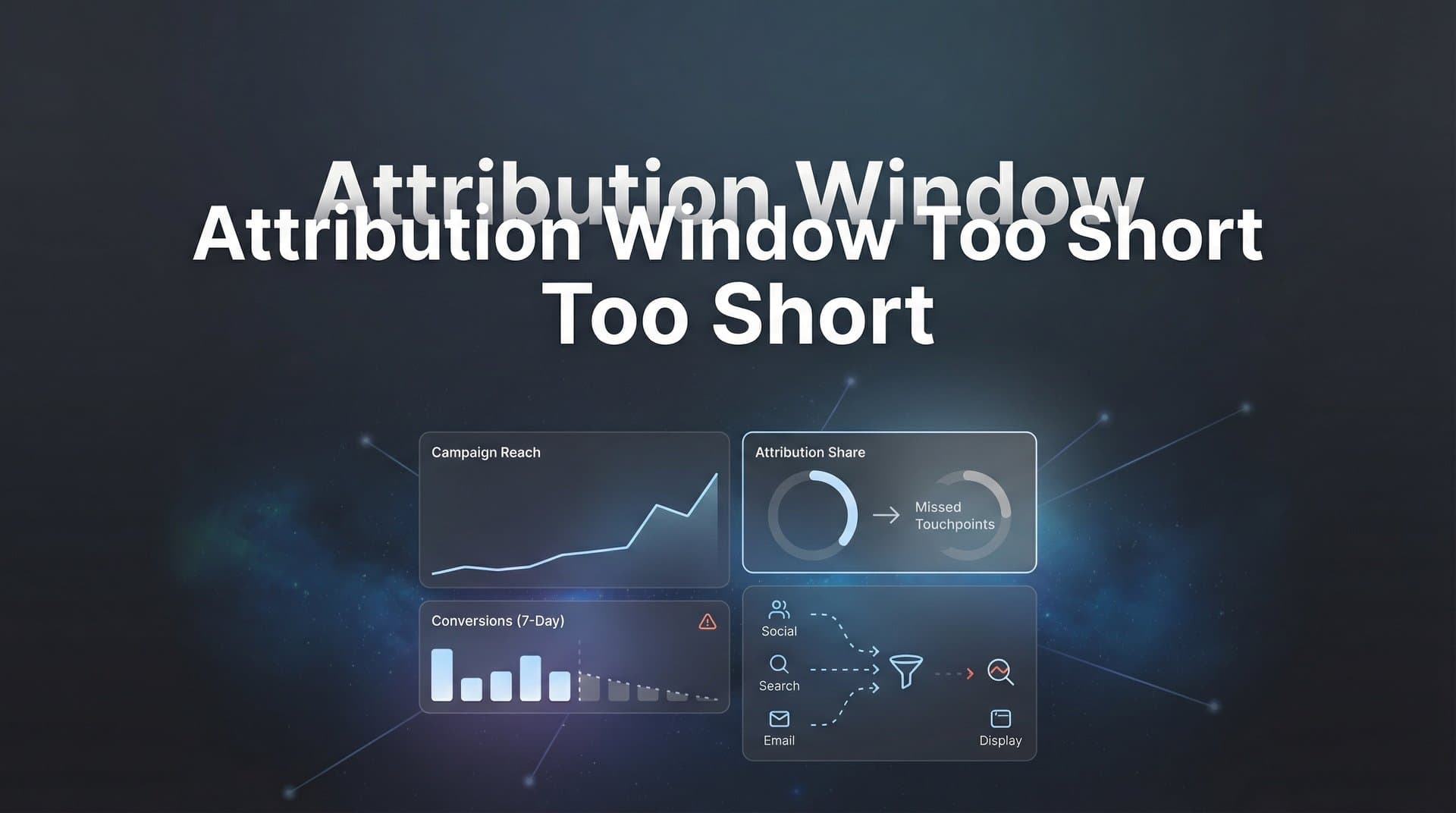
You've been running ads for weeks. The dashboard shows decent click-through rates, engagement looks solid, and traffic is flowing. But when you check conversions? Crickets. Or at least, far fewer than you expected.
Here's the frustrating part: those conversions might actually be happening. You're just not seeing them because they're falling outside your attribution window—the invisible deadline that determines whether a conversion gets credited to your campaign or vanishes into the void of "untracked."
Most ad platforms use default attribution windows that were designed for quick, impulse purchases. Seven days on Meta. Thirty days on Google. These settings made sense when people saw an ad for sneakers and bought them the same afternoon. But what about the B2B prospect who needs three weeks of consideration? The SaaS buyer who takes two months to get stakeholder buy-in? The high-ticket service that requires multiple touchpoints before someone commits?
When your attribution window is shorter than your actual sales cycle, you're not just missing data—you're making decisions based on incomplete information. You're cutting budgets on campaigns that actually drive revenue. You're feeding ad platform algorithms half the story, so they can't optimize properly. And you're leaving money on the table because you can't see the full picture of what's working.
This guide will show you exactly how to diagnose whether your attribution window is too short, understand the real cost of missed conversions, and build a tracking system that actually matches how your customers buy. Because the first step to fixing the problem is seeing it clearly.
Why Your Ads Platform Stops Counting Conversions Too Soon
An attribution window is the time period between when someone interacts with your ad and when they convert. If they click your ad on Monday and purchase on Wednesday, that's a two-day window. If the conversion happens within your platform's attribution window, it gets credited to your campaign. If it happens one day after the window closes? It's like the ad never existed.
Meta's default attribution window is seven days for clicks and one day for views. That means if someone clicks your ad and converts eight days later, Meta doesn't count it. If they see your ad but don't click, they have just 24 hours to convert before that impression is forgotten. Google Ads is more generous with a 30-day default, but even that falls short for many business models.
These windows weren't chosen arbitrarily. They're based on aggregate data showing when most conversions happen for most advertisers. For e-commerce selling impulse purchases, seven days might capture 80-90% of conversions. For fast-moving consumer goods, that window works reasonably well.
But "most conversions for most advertisers" doesn't mean your conversions. If you're selling enterprise software, professional services, or anything requiring research and consideration, your buyers don't operate on a seven-day timeline. Understanding attribution window performance is essential for businesses with longer sales cycles.
The problem has gotten worse. Privacy changes from iOS 14.5 onward introduced App Tracking Transparency, which requires apps to ask permission before tracking users across other apps and websites. Many users decline. Browser restrictions on third-party cookies have created similar limitations on web tracking. The result? Even if you set a longer attribution window in your platform settings, the actual data you receive is often fragmented and incomplete.
Platform-side tracking now relies heavily on modeled conversions—statistical estimates of what probably happened based on aggregated data. While these models are sophisticated, they're still estimates. They can't tell you with certainty that the person who clicked your ad on January 5th is the same person who converted on January 20th if tracking was blocked or cookies were cleared.
This creates a double problem. First, your attribution window might be too short for your sales cycle. Second, even within that window, tracking limitations mean you're not seeing all the conversions that actually occurred. You're working with incomplete data that's also compressed into an artificially narrow timeframe.
The Hidden Cost of Conversions That Fall Outside Your Window
When conversions happen outside your attribution window, they don't just disappear from your reports. They actively mislead you into making bad decisions.
Top-of-funnel campaigns suffer first. Awareness ads, educational content, and brand-building efforts naturally operate on longer timelines. Someone discovers your brand through a LinkedIn ad, researches you over the next few weeks, and finally converts after a retargeting sequence. If your attribution window is too short, that initial LinkedIn ad gets zero credit. Your dashboard shows it as a waste of budget.
What do most marketers do with campaigns that show poor conversion metrics? They cut the budget or kill them entirely. Now you've just eliminated the very campaigns that were introducing qualified prospects into your funnel. You're optimizing for short-term conversions at the expense of sustainable growth.
This creates a vicious cycle of budget misallocation. Money flows toward bottom-of-funnel retargeting and branded search—the campaigns that show conversions within the narrow window—while the campaigns that actually fill your funnel get starved. Your cost per acquisition appears to improve in the short term because you're only counting the final touchpoint. But your overall volume drops because fewer people are entering the funnel in the first place.
The impact extends beyond your own decision-making. Ad platform algorithms rely on conversion data to optimize delivery. When Meta's algorithm learns which audiences convert, it uses that information to find similar users and adjust bidding in real time. But if conversions aren't being reported because they fall outside the attribution window, the algorithm is learning from incomplete data.
Think of it like teaching someone to cook by only showing them half the recipe. They might get some things right through trial and error, but they're fundamentally working with insufficient information. When your attribution window is too short, you're feeding ad platform AI partial conversion data. The algorithm can't fully understand which audiences, creatives, and placements actually drive results. Its optimization suggestions become less accurate. Its automated bidding strategies become less effective.
The financial impact compounds over time. You're not just missing conversions in your reports—you're making strategic decisions based on flawed data, cutting effective campaigns, and preventing ad platforms from optimizing properly. The hidden cost isn't just the conversions you can't see. It's all the future conversions you won't get because you're optimizing against incomplete information. Learning to fix attribution discrepancies in data becomes critical for accurate performance measurement.
How to Diagnose Whether Your Attribution Window Is Too Short
The diagnosis starts with a simple comparison: how long does it actually take people to convert versus how long your attribution window tracks them?
Pull your CRM data for the last 90 days. For each closed deal or conversion, identify the date of first contact or first known touchpoint. Then look at the conversion date. Calculate the time difference. Do this for at least 50-100 conversions to get a meaningful sample. Now calculate your median time-to-conversion—not the average, because a few extremely long sales cycles can skew the average upward.
If your median time-to-conversion is 45 days and your attribution window is 7 days, you have a massive gap. Even if your median is 20 days and your window is 30 days, you're still losing a significant portion of conversions that take longer than average.
Here's a more detailed analysis you can run. Export your ad click data with timestamps. Export your CRM conversions with timestamps and any available UTM parameters or tracking IDs. Match conversions back to ad clicks based on user identifiers, email addresses, or tracking parameters. For each matched pair, calculate the time between click and conversion. Conducting thorough attribution window analysis reveals exactly where your tracking gaps exist.
Create a distribution chart. What percentage of conversions happen within 7 days? Within 14 days? Within 30 days? Within 60 days? This shows you exactly how much of your conversion data falls outside various window lengths. If 40% of your conversions happen after day 30, a 30-day attribution window is missing nearly half your results.
Pay special attention to conversion patterns by channel and campaign type. Branded search conversions might happen quickly—people already know you and are ready to buy. But cold prospecting campaigns on LinkedIn or display ads targeting new audiences typically have much longer conversion cycles. If you're using the same attribution window across all campaigns, you're systematically undervaluing your top-of-funnel efforts.
The framework is straightforward: if your actual time-to-conversion consistently exceeds your attribution window, you're losing data. The larger the gap, the more severe the problem. A B2B SaaS company with a 60-day sales cycle using Meta's 7-day attribution window is essentially flying blind. An e-commerce store selling impulse purchases might be fine with that same 7-day window.
One more diagnostic signal: compare your ad platform conversion counts against your actual revenue system. If Meta reports 50 conversions this month but your CRM shows 75 new customers from paid channels, the gap represents conversions happening outside the attribution window or lost to tracking limitations. The larger this discrepancy, the more urgently you need to address your attribution infrastructure.
Extending Your View: Platform Settings vs. Independent Tracking
Your first instinct might be to simply extend the attribution window in your ad platform settings. Meta allows you to choose between 1-day and 7-day click windows. Google Ads lets you select windows ranging from 1 to 90 days. Problem solved, right?
Not quite. Platform-side attribution windows have hard limitations that no setting adjustment can overcome.
First, they're still dependent on browser-based tracking. If someone clicks your ad, clears their cookies, switches devices, or uses a browser with tracking prevention, the platform loses the connection between click and conversion. Extending the window from 7 days to 28 days doesn't help if the tracking thread is broken on day 2.
Second, platform attribution is siloed. Meta only knows about Meta touchpoints. Google only knows about Google touchpoints. If your customer journey involves multiple platforms—someone discovers you on Meta, researches on Google, and converts after a LinkedIn retargeting ad—no single platform can show you the complete story. Each platform will try to claim credit based on its own limited view, often resulting in over-attribution where multiple platforms claim the same conversion. This is why cross-platform attribution tools have become essential for accurate measurement.
Third, privacy restrictions continue to compress effective attribution windows regardless of your settings. iOS users who opt out of tracking simply don't generate the data needed for attribution, even if your window is set to 90 days. The setting exists, but the data to populate it doesn't.
This is where server-side tracking changes the game. Instead of relying on browser cookies and platform pixels, server-side tracking captures conversion events directly from your website or application server and sends them to ad platforms through server-to-server connections. This approach is independent of browser limitations, cookie restrictions, and user privacy settings.
When someone converts on your website, your server logs the conversion with all relevant details—user identifier, timestamp, revenue value, and any other data points you're tracking. That data can then be matched against your ad interaction records to determine attribution, regardless of how much time has passed or whether cookies were preserved. Implementing robust attribution tracking tools ensures you capture conversions that platform pixels miss.
The real breakthrough comes from connecting your CRM directly to your attribution system. Your CRM knows when deals close, when trials convert to paid, when customers upgrade. These are the conversion events that actually matter for your business, and they happen in your CRM—not in a browser where an ad platform pixel can see them.
With CRM integration, attribution becomes independent of both platform limitations and arbitrary time windows. If someone clicks your ad in January and converts in March, your CRM records that conversion with the customer's full history. An attribution system connected to your CRM can trace that conversion back to the original ad interaction, properly crediting the campaigns that actually drove the result.
This also solves the cross-platform attribution problem. When your attribution system sits outside any single ad platform, it can see touchpoints across all platforms and credit them appropriately using multi-touch attribution models. You finally get a complete view of the customer journey instead of fragmented, conflicting reports from each platform.
Building an Attribution System That Matches Your Sales Cycle
Start by mapping your actual customer journey. Document every typical touchpoint from first awareness to closed deal. For a B2B SaaS company, this might look like: LinkedIn ad impression → website visit → content download → email nurture sequence → demo request → sales calls → closed deal. For e-commerce, it might be: Facebook ad click → product page view → abandoned cart → retargeting ad → purchase.
Identify the typical timeframe for each stage. How long between first website visit and demo request? How long between demo and closed deal? Add these up to get your total typical sales cycle length. This is your minimum attribution window—anything shorter will systematically miss conversions.
But don't just set your attribution window to match your average sales cycle. Some customers convert faster, others take longer. Set your window to capture at least 90% of conversions based on your time-to-conversion distribution analysis. If 90% of your conversions happen within 60 days, use a 60-day window. If 90% happen within 90 days, use 90 days. Following attribution window best practices ensures you capture the full revenue impact of your campaigns.
Now consider your attribution model. A last-click model within even a long attribution window still gives all credit to the final touchpoint before conversion. This systematically undervalues every earlier interaction that moved the prospect through your funnel.
Multi-touch attribution distributes credit across all touchpoints in the customer journey. A linear model gives equal credit to every touchpoint. A time-decay model gives more credit to recent touchpoints while still acknowledging earlier ones. A position-based model gives more credit to the first and last touchpoints while distributing the remainder across middle interactions. Understanding the difference between single source attribution and multi-touch attribution models helps you choose the right approach for your business.
The right model depends on your business. For long, complex B2B sales cycles, time-decay or position-based models often provide the most actionable insights. For e-commerce with shorter cycles, you might use linear attribution to understand which combination of channels works best together.
Here's where the infrastructure piece becomes critical. To run multi-touch attribution across a realistic time window, you need a system that can track and store all touchpoints, then match them to conversions regardless of when those conversions happen. Platform-native attribution can't do this effectively because of the limitations we've discussed. Exploring the best multi-touch attribution tools available helps you find the right solution for your needs.
The solution is a unified tracking system that captures every touchpoint—ad clicks, website visits, content interactions, email opens—and stores them with persistent user identifiers. When a conversion happens in your CRM, the system matches it back to the stored touchpoint history and applies your chosen attribution model to distribute credit appropriately.
This is exactly what Cometly does. It captures every touchpoint across all your marketing channels, connects directly to your CRM to track actual revenue events, and maintains attribution across your full sales cycle regardless of browser limitations or platform restrictions. The AI analyzes patterns across complete customer journeys to identify which campaigns, audiences, and touchpoints actually drive revenue.
But here's the part that closes the optimization loop: feeding this complete conversion data back to ad platforms. When you send accurate, complete conversion events back to Meta, Google, and other platforms through server-side integration, you're giving their algorithms the full picture. They can now optimize based on which campaigns drive conversions that happen 30, 60, or 90 days later—not just the ones that happen within their narrow default windows. This process of attribution window optimization transforms how your campaigns perform over time.
This creates a virtuous cycle. Better attribution data leads to better optimization. Better optimization leads to more efficient campaigns. More efficient campaigns generate more conversions. And because you're tracking across the full sales cycle, you see all of it and can continue refining your approach based on complete information.
Putting It All Together
Short attribution windows aren't just a technical nuisance in your reporting dashboard. They're actively costing you money by hiding conversions, causing you to cut effective campaigns, and preventing ad platforms from optimizing properly. When your attribution window is shorter than your actual sales cycle, you're making strategic decisions based on fundamentally incomplete data.
The path forward requires honest assessment of your current situation. Calculate your actual time-to-conversion. Compare it against your attribution window settings. Identify the gap between what your ad platforms report and what your CRM shows. This gap represents lost visibility into your marketing performance.
Platform-side solutions have real limitations. You can adjust settings, but you can't overcome browser restrictions, privacy changes, or cross-platform fragmentation by working within any single ad platform's native tools. The solution requires tracking infrastructure that operates independently of these limitations.
Server-side tracking, CRM integration, and multi-touch attribution models give you the complete view you need to understand what's actually driving revenue. When you can see the full customer journey across all touchpoints and match it to actual closed deals regardless of how much time has passed, you can finally make confident decisions about where to invest your budget.
The goal isn't just better reporting. It's better optimization. When you feed complete, accurate conversion data back to ad platforms, their algorithms can learn from the full picture and optimize accordingly. Your campaigns become more efficient because the AI powering them finally has the information it needs to identify what actually works.
Ready to elevate your marketing game with precision and confidence? Discover how Cometly's AI-driven recommendations can transform your ad strategy—Get your free demo today and start capturing every touchpoint to maximize your conversions.



