

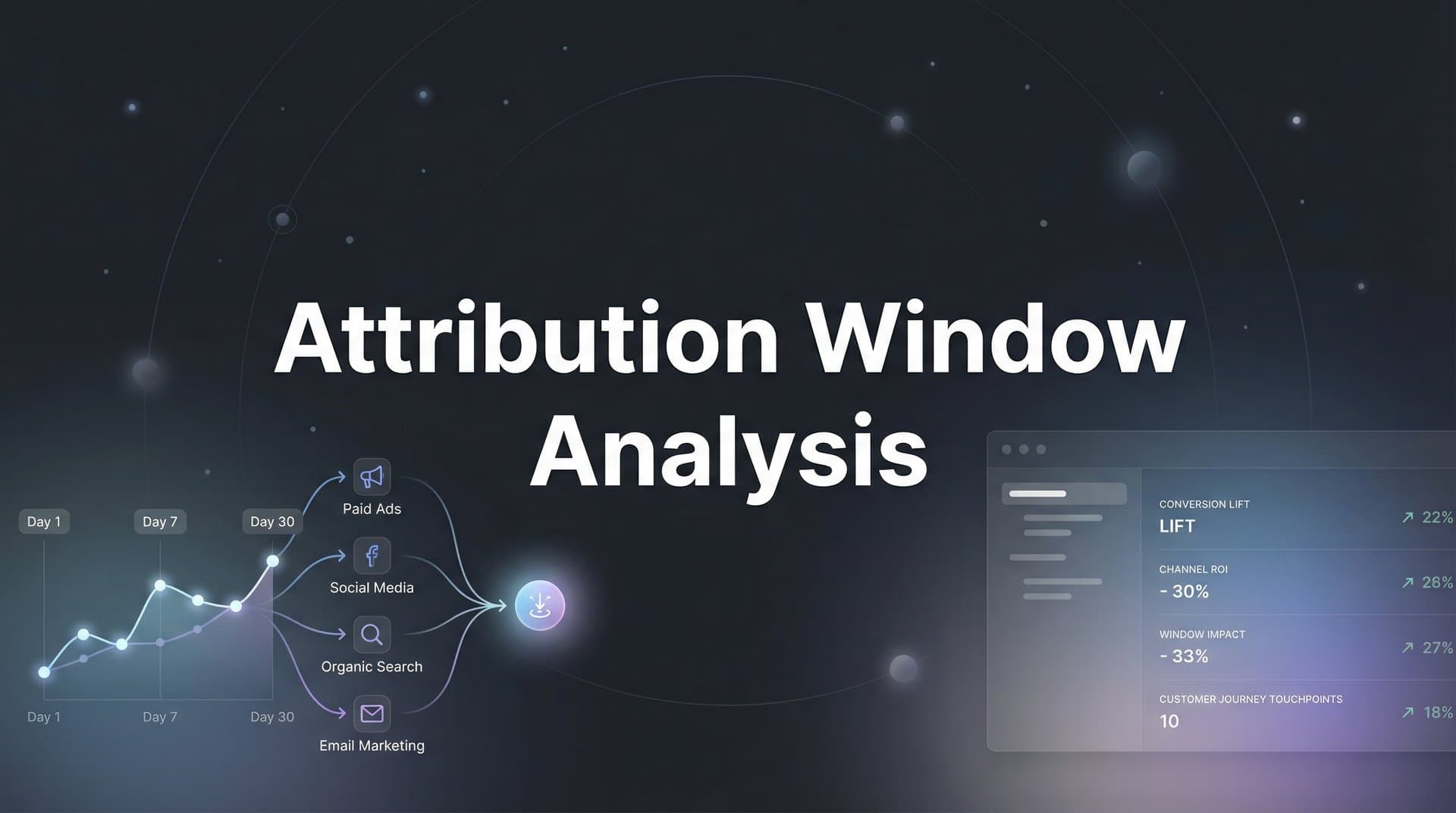
You check Meta Ads Manager and see 50 conversions from last week's campaign. Not bad. Then you open Google Ads—45 conversions from the same period. Even better. But when you pull up your CRM to verify actual sales, the number staring back at you is 30. Just 30.
What's happening here? Are the platforms lying? Is your tracking broken? Did conversions vanish into thin air?
The real culprit is far more subtle: attribution windows. These seemingly innocent settings determine how long after someone sees or clicks your ad that platforms will credit you for their conversion. And when each platform uses different windows by default, you end up with wildly different versions of reality—none of which might match what's actually happening in your business.
Attribution window analysis is the skill that separates marketers who make decisions based on guesswork from those who know exactly which campaigns drive real revenue. It's not glamorous, and it doesn't involve testing new creative or launching flashy campaigns. But mastering this one concept will fundamentally change how accurately you measure performance, allocate budget, and scale what's actually working.
In this guide, you'll learn how to analyze your attribution windows, match them to your actual customer journey, standardize measurement across platforms, and turn these insights into smarter optimization decisions. Let's fix those numbers.
The Hidden Variable Skewing Your Campaign Data
An attribution window is the lookback period that advertising platforms use to decide whether they get credit for a conversion. Think of it as the statute of limitations for ad effectiveness. If someone clicks your ad on Monday and converts on Wednesday, does that conversion count? What if they convert next Tuesday instead? What about next month?
The answer depends entirely on your attribution window settings.
Most platforms use default settings that work reasonably well for average scenarios but probably don't match your specific business. Meta's current default is 7-day click and 1-day view. That means Meta will credit itself for conversions that happen within seven days of someone clicking your ad, or within one day of someone simply seeing it without clicking. Google Ads offers various windows depending on your conversion action, typically ranging from 30 to 90 days for clicks.
Here's where things get messy. These defaults aren't synchronized across platforms, and they may not align with how your customers actually behave. If your average customer takes 14 days to convert but you're using a 7-day window, you're systematically undercounting conversions. Your campaigns look worse than they are, so you might cut budget from ads that are actually driving sales—you just can't see it within your measurement window.
The opposite problem is equally damaging. If you're selling impulse-buy products where 95% of conversions happen within 24 hours, but you're using a 28-day window, you're giving credit to ads that had nothing to do with the sale. Someone might have seen your ad three weeks ago, forgotten about it entirely, then bought because of a different campaign or organic search. But that old ad still gets credit, making it appear more effective than reality.
This isn't just a reporting annoyance. It directly impacts where you spend money. When attribution windows misrepresent performance, you end up scaling campaigns that don't actually drive revenue and cutting campaigns that do. You're flying blind, making million-dollar decisions based on numbers that don't reflect what's really happening.
Breaking Down Attribution Window Types and Their Impact
Attribution windows come in two fundamental types, and understanding the difference is crucial for accurate measurement.
Click-through attribution windows measure conversions that happen after someone directly clicks your ad. This is generally considered the stronger signal—the person actively engaged with your ad, then later converted. Click windows typically range from 1 day to 90 days depending on the platform and your settings. A 7-day click window means if someone clicks your ad on January 1st and converts anytime through January 7th, that conversion gets attributed to your ad.
Click attribution is relatively straightforward, but the window length you choose dramatically changes your results. A campaign might show 100 conversions with a 30-day click window but only 60 conversions with a 7-day window. Neither number is "wrong"—they're just measuring different things. The question is which window length actually reflects your customer journey.
View-through attribution windows credit conversions to ads that users saw but didn't click. Someone scrolls past your Facebook ad, doesn't interact with it, then converts later. With view-through attribution, that ad still gets credit if the conversion happens within the view window—typically 1 day, though some platforms offer longer options.
View-through attribution is controversial in marketing circles. Skeptics argue it inflates performance by taking credit for conversions that would have happened anyway. After all, just because someone saw your ad doesn't mean the ad caused their purchase. They might have converted through completely unrelated channels and merely happened to scroll past your ad earlier.
Supporters counter that view-through captures legitimate brand awareness impact, especially for display and video campaigns where the goal is exposure rather than immediate clicks. A compelling video ad might plant the seed that leads to a conversion days later, even if the viewer never clicked.
The truth is both perspectives have merit. View-through attribution is valuable when used thoughtfully and interpreted correctly. The key is understanding what your windows include and adjusting your analysis accordingly. If you're running upper-funnel brand awareness campaigns, view-through data matters. If you're running direct response campaigns optimized for immediate action, click-through attribution is more relevant.
Here's where it gets tricky: combining both window types. When you use both click and view windows simultaneously, you need to understand how they interact. If someone sees your ad on Monday (starting a 1-day view window), clicks a different ad on Tuesday (starting a 7-day click window), then converts on Wednesday, which ad gets credit?
Platform attribution rules vary, but generally click attribution takes precedence over view attribution. That makes sense—active engagement is a stronger signal than passive exposure. But this creates scenarios where multiple ads could theoretically claim the same conversion if you're not careful about how you analyze cross-platform data.
Matching Window Length to Your Customer Journey
The right attribution window isn't a universal number—it's whatever matches your actual customer behavior. A window that works perfectly for one business might completely distort data for another.
Short windows (1-7 days) make sense for impulse purchases and low-consideration products. Think about buying a $15 phone case or ordering takeout. The decision cycle is measured in minutes or hours, not days. If someone sees your ad for a phone case and doesn't buy it within a day or two, they've probably forgotten about it entirely. Using a 30-day window here would give credit to ads that had zero influence on eventual purchases.
E-commerce brands selling low-ticket items often find that 80-90% of their conversions happen within 24-48 hours of the first ad interaction. For these businesses, a 7-day click window captures the vast majority of legitimate conversions without inflating numbers with coincidental purchases that happened to fall within a longer window. Understanding ecommerce attribution tracking principles helps these brands optimize their measurement approach.
The risk with short windows? You might miss the small percentage of customers who do take longer to decide. Someone might click your ad, add the item to their cart, then wait until payday to complete the purchase. If that's 10 days later and you're using a 7-day window, you lose attribution for a conversion your ad genuinely influenced.
Medium windows (14-30 days) suit most mid-funnel B2C scenarios and some B2B contexts. This range works well when customers need time to research, compare options, or coordinate with others before buying. Think about purchasing software subscriptions, booking travel, or buying furniture. These aren't impulse decisions, but they're not months-long evaluation processes either.
Many SaaS companies find that 14-day windows align well with their free trial periods. A potential customer clicks an ad, signs up for a trial, uses the product for a week or two, then converts to paid. A 7-day window would miss most of these conversions, while a 90-day window would credit ads that barely influenced the decision.
The sweet spot for medium windows is matching them to your actual sales cycle. If your CRM data shows most customers convert within 21 days of first touch, a 30-day window gives you appropriate coverage without excessive attribution inflation.
Long windows (60-90+ days) are necessary for enterprise sales, high-ticket items, and complex B2B buying processes. When you're selling $50,000 software contracts or industrial equipment, decision cycles involve multiple stakeholders, budget approvals, and lengthy evaluations. The person who clicked your LinkedIn ad in January might not close the deal until March.
B2B marketers often discover through analysis that their most valuable conversions happen 45-90 days after the first ad touchpoint. Using standard 7-day or even 30-day windows would make their campaigns appear to fail when they're actually driving significant pipeline—just with a longer time horizon than consumer purchases.
The challenge with long windows is noise. The longer your window, the more likely you are to credit conversions that happened for unrelated reasons. Someone might have clicked your ad two months ago, forgotten about it entirely, then bought because a competitor mentioned your product or they saw a review. Your ad gets credit, but did it actually influence the sale?
This is where multi-touch attribution models become essential. Rather than giving 100% credit to that first ad click from 60 days ago, you need to see the full journey and understand which touchpoints genuinely moved the customer forward versus which just happened to be present.
Running Your Own Attribution Window Analysis
Understanding attribution windows conceptually is useful, but the real value comes from analyzing your specific data to find the right settings for your business. Here's how to do it systematically.
Step 1: Export conversion data at multiple window lengths. Most platforms let you view performance with different attribution settings. In Meta Ads Manager, you can compare results using 1-day, 7-day, and 28-day click windows. In Google Ads, you can adjust conversion window settings and see how your numbers change. Export reports for the same campaign and time period using different window lengths—say 1-day, 7-day, 14-day, and 30-day click windows.
Create a spreadsheet comparing conversion counts at each window length. You'll likely see something like: 1-day window shows 45 conversions, 7-day shows 82 conversions, 14-day shows 95 conversions, 30-day shows 103 conversions. This pattern tells you a story about your customer behavior.
Step 2: Calculate the conversion distribution. Look at where the increases happen. In the example above, going from 1-day to 7-day added 37 conversions (82 minus 45). That's a massive jump, suggesting many customers take 2-7 days to convert. Going from 7-day to 14-day added only 13 conversions, and 14-day to 30-day added just 8 more. The rate of increase is slowing down.
This tells you that most conversions happen within the first week, with diminishing returns after that. A 7-day window captures the bulk of your legitimate conversions, while a 30-day window adds relatively few additional conversions—and those late conversions may be less directly influenced by your ads.
Step 3: Validate against your CRM data. Platform-reported conversions are one data point, but your CRM holds the truth. Pull a list of customers who converted in a specific period and identify when they first interacted with your ads. If you're running Meta ads, export your ad click data and match it against customer records by email or phone number (assuming you have proper consent and data handling in place).
Calculate the time between first ad click and actual purchase for each customer. You might find that your median time-to-conversion is 4 days, with 75% of customers converting within 7 days and 90% within 14 days. Now you have real data showing that a 7-day window captures three-quarters of your conversions, while a 14-day window gets you to 90%. Proper attribution data analysis requires this kind of rigorous validation.
Step 4: Look for red flags in your current windows. Certain patterns indicate your windows are misaligned. If you're using a short window and seeing a steady stream of conversions that your CRM can't validate, your tracking might be broken—but if those conversions are real, they're happening outside your attribution window and getting missed in your reporting.
Conversely, if you're using a long window and seeing huge conversion counts in your ad platforms but much lower actual sales in your CRM, you're probably over-attributing. Your windows are so generous that they're crediting your ads for conversions that happened for other reasons. Learning how to fix attribution discrepancies is critical when you encounter these mismatches.
Another red flag: if your cost per conversion looks amazing in your ad platform but your actual customer acquisition cost (calculated from real revenue data) is much higher, your attribution windows are making campaigns appear more efficient than they actually are.
Step 5: Test different windows with new campaigns. Once you have hypotheses about the right window length, test them with fresh campaigns. Launch identical campaigns but track them with different attribution windows. After a few weeks, compare the platform-reported conversions against your CRM data to see which window length gives you numbers that most closely match reality.
This isn't a one-time exercise. Customer behavior changes over time, especially as you move upmarket, enter new product categories, or shift your marketing strategy. A window that worked perfectly six months ago might need adjustment as your business evolves.
Cross-Platform Window Alignment Strategies
Even after you've determined the ideal attribution window for your business, you face another challenge: different platforms use different default settings, making cross-platform comparison nearly impossible without standardization.
Meta defaults to 7-day click and 1-day view. Google Ads typically uses 30-day click windows for most conversion actions, though this varies. LinkedIn uses 30-day click and 1-day view. TikTok offers 7-day click and 1-day view. When you're running campaigns across all these platforms and trying to compare performance, you're not measuring apples to apples.
A campaign that shows 100 conversions on Google (30-day window) might only show 65 conversions on Meta (7-day window) for the exact same audience and offer. Which platform is actually performing better? You can't tell without normalizing the windows.
Strategy 1: Standardize reporting windows across platforms. Pick a single attribution window that matches your customer journey analysis and apply it consistently. If you determined that 14 days is your optimal window, configure all platforms to report using 14-day click attribution. This requires manual adjustment in each platform's settings, but it's essential for accurate comparison.
In Meta, you can customize your attribution window in Ads Manager settings. In Google Ads, you adjust conversion action settings to specify your preferred window. Most platforms offer this flexibility, though the interface for changing it varies. Following attribution window best practices ensures you configure these settings correctly across all channels.
The benefit is immediate: now when you compare Meta's 50 conversions to Google's 48 conversions, you're measuring the same thing. You can confidently allocate budget based on actual performance rather than being misled by different measurement standards.
Strategy 2: Use server-side tracking for consistent measurement. Browser-based tracking faces increasing limitations from cookie restrictions, ad blockers, and privacy measures. These limitations affect different platforms differently, creating additional discrepancies beyond just attribution window differences.
Server-side tracking maintains consistent measurement regardless of browser limitations. When a conversion happens, your server sends that data directly to ad platforms rather than relying on browser pixels that might be blocked. This ensures that your attribution windows are actually measuring what they're supposed to measure, not just the subset of conversions that browser tracking can see. Many marketers are now exploring cookieless attribution tracking solutions to address these challenges.
Server-side tracking also gives you more control over attribution logic. Rather than accepting whatever each platform decides counts as a conversion within your window, you can implement your own attribution rules that apply consistently across all platforms.
Strategy 3: Create a unified dashboard with normalized metrics. Even with standardized windows, pulling data from five different platforms and comparing them manually is tedious and error-prone. A unified attribution dashboard that automatically normalizes windows and aggregates data across platforms eliminates this friction.
The key is ensuring your dashboard applies the same attribution rules to all platforms. If you're using 14-day click attribution, every platform's data should be filtered and calculated using that standard before it appears in your dashboard. This gives you a single source of truth for cross-platform performance. Robust marketing attribution analytics tools make this normalization process seamless.
Many marketers discover through this process that the platform they thought was their best performer was actually just benefiting from a longer default attribution window. When you level the playing field with consistent measurement, the true performance hierarchy often looks quite different.
Turning Analysis Into Optimization Decisions
Attribution window analysis is only valuable if you act on what you learn. Here's how to translate insights into better campaign decisions.
Identify true drivers versus assisters. With properly aligned attribution windows, you can finally see which channels drive conversions versus which merely assist. A campaign might show 200 conversions with a 30-day window but only 80 with a 7-day window. Those 120 additional conversions in the longer window represent people who interacted with that campaign but took more than a week to convert.
Were those conversions really driven by that campaign, or did other touchpoints in those extra 23 days do the heavy lifting? By comparing short-window and long-window data, you can identify campaigns that close deals quickly (true drivers) versus campaigns that start journeys but require other touchpoints to finish them (assisters). Understanding marketing funnel attribution helps you map these roles across your entire customer journey.
This distinction matters for budget allocation. True drivers deserve aggressive scaling because they consistently turn ad spend into revenue within a predictable timeframe. Assisters play an important role but need to be evaluated differently—they're building pipeline and awareness rather than closing deals directly.
Adjust budget based on window-matched attribution. Once you know your optimal attribution window and have standardized measurement across platforms, you can confidently shift budget toward campaigns that genuinely perform better. Before this analysis, you might have been scaling a campaign that only looked good because of a generous attribution window, while underfunding a campaign that drove more actual revenue within a realistic timeframe.
The key is matching your optimization timeframe to your attribution window. If you're using a 7-day window, you should be evaluating campaign performance and making budget decisions based on 7-day conversion data. Don't optimize based on 1-day data if you know most conversions take longer, and don't wait 30 days to evaluate performance if 90% of conversions happen in the first week. Proper attribution window optimization aligns your decision-making cadence with your measurement approach.
Build ongoing window analysis into your reporting cadence. Attribution window analysis isn't a one-time project. Customer behavior evolves, especially as you grow and your marketing mix changes. Set up a quarterly review where you re-run your window analysis to ensure your settings still match reality.
Look for shifts in your conversion distribution. If you notice that the time-to-conversion is lengthening—maybe because you're moving upmarket or your product is becoming more complex—you might need to extend your attribution windows. Conversely, if you've improved your funnel and customers are converting faster, you might be able to shorten windows and get more accurate near-term performance data.
Making Attribution Windows Work for Your Business
Attribution window analysis isn't a one-time setup task you complete and forget. It's an ongoing practice that evolves as your campaigns mature and your customer behavior changes. The marketers who master this skill gain a fundamental advantage: they know what's really working, not just what platforms tell them is working.
The framework is straightforward. Start by understanding your actual customer journey length through CRM analysis. Align your attribution windows across platforms to match that reality. Standardize measurement so you're comparing apples to apples when evaluating cross-platform performance. Then continuously validate your windows against actual revenue data to ensure they're still accurate as your business grows.
The difference between guessing and knowing is often just a matter of measuring correctly. When your attribution windows match your customer reality, every decision you make—from creative testing to budget allocation to channel mix—is grounded in accurate data rather than distorted platform metrics.
Most marketers never do this analysis. They accept default settings, wonder why their numbers don't match across platforms, and make optimization decisions based on incomplete or misleading data. You now have the framework to do better.
Ready to elevate your marketing game with precision and confidence? Discover how Cometly's AI-driven recommendations can transform your ad strategy—Get your free demo today and start capturing every touchpoint to maximize your conversions.



