

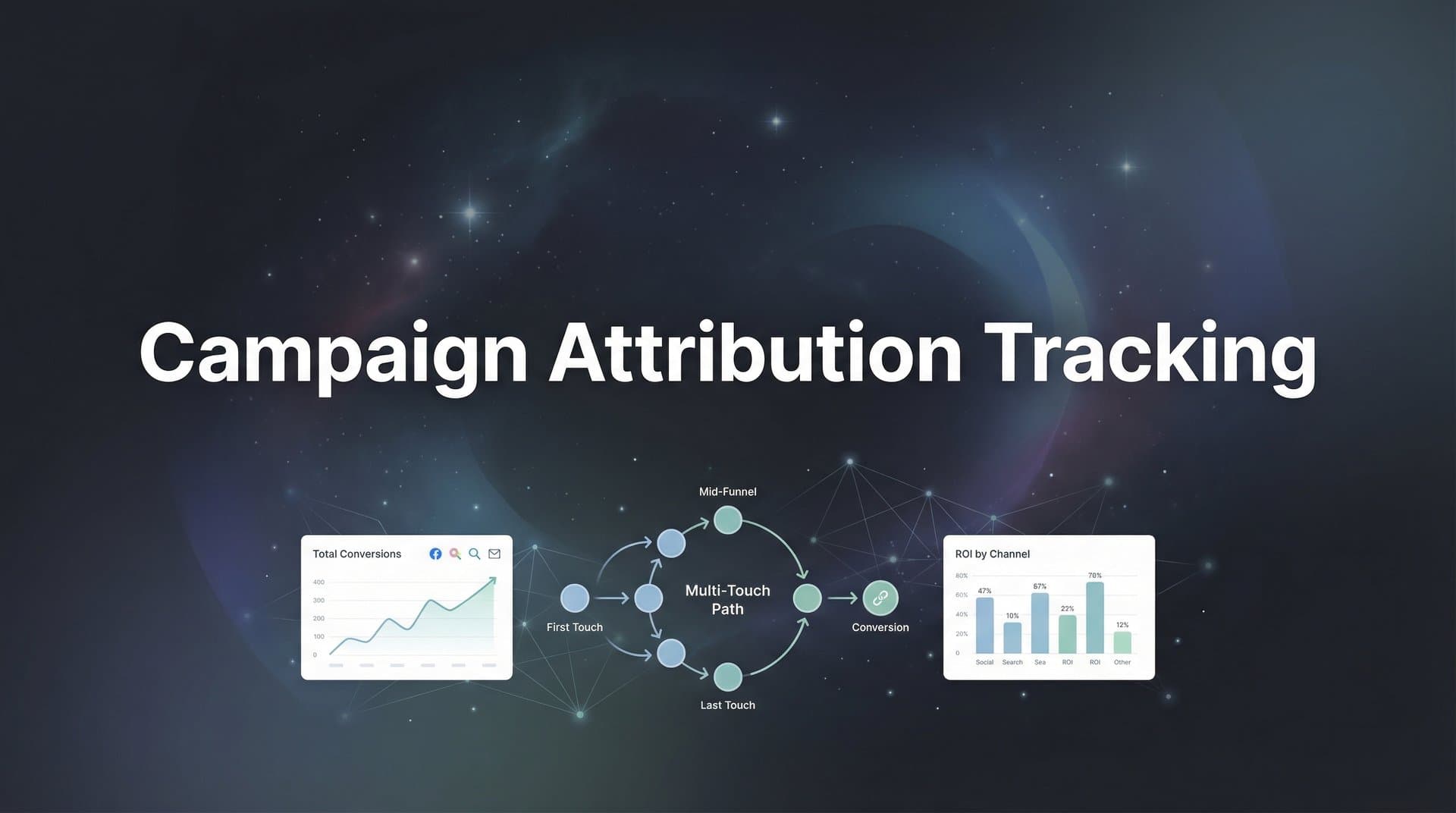
You've just wrapped a campaign review meeting, and the numbers don't add up. Meta claims 150 conversions. Google says 120. Your CRM shows 95 actual sales. Everyone's taking credit, but nobody's telling the whole truth. Sound familiar?
This isn't just an analytics headache—it's costing you real money. When you can't trace which campaigns actually drive revenue, you're making budget decisions in the dark. You might be pouring thousands into channels that look good on paper but deliver little actual value, while starving the campaigns that quietly convert at scale.
The problem isn't your marketing. It's your tracking infrastructure.
Campaign attribution tracking connects every customer interaction—from that first Instagram ad impression to the final purchase confirmation—into a complete, accurate picture of what's working. But here's the catch: most marketers are still relying on outdated tracking methods that miss significant chunks of conversion data, especially after iOS privacy updates gutted traditional pixel-based tracking.
This guide walks you through building a modern attribution system that actually captures reality. No more conflicting reports. No more guessing which campaigns deserve credit. Just clear, actionable data that shows exactly where your revenue comes from.
We'll cover everything from auditing your current setup to implementing server-side tracking that bypasses browser limitations. By the end, you'll have a tracking foundation that connects your ad platforms, website, and CRM into one unified view—so you can confidently scale what works and cut what doesn't.
Let's fix your attribution problem once and for all.
Step 1: Audit Your Current Tracking Infrastructure
Before you build something new, you need to understand what you already have. Most marketing teams have accumulated a patchwork of tracking implementations over time—pixels from old campaigns, tags added by different team members, scripts that nobody remembers installing. This creates data chaos.
Start by mapping every tracking element currently active on your website and landing pages. Open your browser's developer tools and inspect the page source. Look for Facebook Pixel, Google Analytics tags, Google Ads conversion tracking, LinkedIn Insight Tag, TikTok Pixel, and any other platform-specific code. Document each one: which platform it belongs to, when it was installed, and what events it's supposed to track.
Pay special attention to your conversion pages—checkout confirmations, thank you pages, demo booking confirmations. These are where attribution happens, and they're often the messiest. You might discover three different Google Analytics implementations firing simultaneously, or a Facebook Pixel that's been duplicated across multiple page sections.
Next, trace your data flow from start to finish. When someone clicks your ad, what happens? The click should register in the ad platform, the landing page should capture the visit with proper UTM parameters, and any conversion should trigger events across all relevant tracking systems. Walk through this journey for each major channel you're running.
Here's where most audits reveal problems: iOS 14 and browser privacy features have created massive blind spots in traditional tracking. If you're only using browser-based pixels, you're likely missing 20-40% of your actual conversions. These events are happening—customers are converting—but your tracking can't see them because browsers are blocking third-party cookies and limiting pixel functionality. Modern cookieless attribution tracking solutions address these gaps directly.
Check your attribution windows too. Meta might be claiming credit for conversions that happened 28 days after an ad click, while Google uses a 30-day window, and your CRM attributes everything to the last touchpoint. These conflicting rules make it impossible to understand true campaign performance.
Document everything you find: working implementations, broken tracking, duplicate tags, missing events, and data gaps. This audit becomes your roadmap for the next steps. You can't fix what you can't see, and most marketers are shocked by how much their current tracking is missing.
Step 2: Define Your Conversion Events and Attribution Goals
Not all conversions are created equal, but most attribution systems treat them that way. A newsletter signup and a $10,000 purchase both count as "one conversion" unless you explicitly assign different values. This is where smart attribution starts: defining what actually matters to your business.
List every meaningful action someone can take on your website. For e-commerce, that's obvious: add to cart, initiate checkout, purchase. But for B2B or service businesses, the journey is more nuanced. Consider form submissions, demo requests, trial signups, pricing page views, case study downloads, and sales calls booked. Each of these represents a different level of intent and potential value.
Now assign a monetary value to each conversion type. If you're selling products, this is straightforward—track actual purchase values. For lead-based businesses, calculate the average value of each conversion stage based on historical close rates and deal sizes. If 10% of demo requests become customers worth an average of $5,000, then each demo request has an approximate value of $500.
These values aren't just for reporting—they fundamentally change how you evaluate campaign performance. A campaign generating 100 newsletter signups worth $10 each looks very different from one generating 10 demo requests worth $500 each, even though the second has fewer total conversions. Understanding marketing attribution platforms revenue tracking capabilities helps you connect these values to actual business outcomes.
Next, choose your attribution model. This determines how credit gets distributed across the customer journey. First-touch attribution gives all credit to the initial interaction—useful for understanding top-of-funnel awareness campaigns. Last-touch credits the final touchpoint before conversion—helpful for evaluating bottom-funnel tactics. Multi-touch models distribute credit across all interactions, providing the most complete picture.
Here's the thing: you don't need to pick just one. The best attribution systems let you compare multiple models side-by-side. A customer might discover you through a Facebook ad, research via Google search, read a blog post, and then convert after clicking a retargeting ad days later. Each model tells a different story about which campaign deserves credit, and the truth usually lies somewhere in the middle. A thorough comparison of attribution models for marketers can help you understand these differences.
Define your success metrics clearly. Revenue per campaign is the gold standard, but also track cost per acquisition, return on ad spend, and customer lifetime value when possible. Set benchmarks for what "good" looks like in each channel. These become your decision-making framework: when a campaign exceeds benchmarks, you scale it. When it underperforms, you optimize or cut it.
Write all of this down. Your conversion event definitions, assigned values, chosen attribution models, and success metrics become the foundation for everything that follows. Without this clarity, you're just collecting data—not generating insights.
Step 3: Implement Server-Side Tracking for Data Accuracy
Here's the uncomfortable truth: if you're only using browser-based tracking pixels, you're missing a huge portion of your conversions. iOS privacy features, browser ad blockers, and cookie restrictions have gutted traditional tracking methods. The data you're seeing in your ad dashboards? It's incomplete.
Server-side tracking solves this by capturing conversion events directly from your server rather than relying on browser pixels that can be blocked. When a conversion happens on your website, your server sends that event directly to your attribution platform and ad networks—bypassing all the browser-level restrictions that kill traditional tracking.
Think of it like this: browser-based tracking is like trying to follow someone through a crowded mall by watching their phone's GPS signal. Sometimes it works, but tall buildings, tunnels, and interference create gaps. Server-side tracking is like having a direct radio connection—the signal goes through no matter what.
Implementation starts with your conversion events. Every time someone completes a meaningful action—purchases a product, submits a form, books a demo—your website's backend needs to fire a server-side event. This typically involves adding code to your server that triggers when these actions occur. A proper attribution tracking setup ensures these events fire reliably every time.
Most modern attribution platforms provide APIs or SDKs that make this relatively straightforward. You'll send event data including the conversion type, value, timestamp, and any identifying information like email addresses or user IDs. The platform then matches this server-side data with the customer's earlier interactions to build the complete attribution picture.
The key advantage: this data is far more reliable than pixel-based tracking. When someone converts, you know for certain because your server processed the transaction. There's no ambiguity about whether a pixel fired correctly or got blocked by a browser extension.
You'll also want to implement server-side connections to your ad platforms. Meta's Conversions API, Google's Enhanced Conversions, and similar features from other platforms let you send conversion data directly from your server to their systems. This serves two purposes: it improves your attribution accuracy and it feeds better data to the ad platform's optimization algorithms, helping them find more customers like your converters.
Before going live with campaigns, run validation tests. Create test conversion events and verify they're appearing correctly in your attribution platform and ad dashboards. Check that values are passing through accurately, timestamps are correct, and events are matching to the right source campaigns.
Many marketers discover during testing that their server-side implementation captures 30-50% more conversions than pixels alone. That's not new conversions—those were always happening. You just couldn't see them before. This revelation often completely changes budget allocation decisions.
Step 4: Connect Your Ad Platforms and CRM
Your attribution system is only as good as the data flowing into it. Right now, your marketing data lives in silos: Meta has its numbers, Google has different numbers, your CRM has yet another set of numbers. Connecting these systems into a unified view is where attribution tracking becomes genuinely powerful.
Start with your ad platforms. Every channel you're running campaigns on—Meta, Google, TikTok, LinkedIn, Twitter, Pinterest, whatever you're testing—needs to connect to your central attribution system. Most modern platforms offer API integrations that pull campaign data, ad spend, impressions, clicks, and platform-reported conversions into one place. If you're running TikTok campaigns, explore the best tools for tracking TikTok ads to ensure complete coverage.
The goal is creating a single dashboard where you can see performance across all channels simultaneously. This eliminates the tedious process of logging into six different platforms, exporting spreadsheets, and trying to manually reconcile the data. More importantly, it lets you compare channels apples-to-apples using consistent attribution logic rather than each platform's self-serving reporting.
Your CRM connection is equally critical, especially for B2B businesses or any company with a sales cycle longer than a single session. When someone converts on your website, that's just the beginning. You need to track what happens next: Did they become a qualified lead? Did sales contact them? Did they close as a customer? What was the final deal value? For HubSpot users, understanding HubSpot attribution tracking integration is essential for this connection.
Connecting your CRM pulls this downstream data into your attribution picture. Suddenly you're not just seeing which campaigns generate form submissions—you're seeing which campaigns generate actual revenue. This often reveals surprising insights. That expensive LinkedIn campaign with a high cost-per-lead might actually have the best ROI because its leads close at 3x the rate of other channels.
UTM parameters are your data hygiene foundation. These are the tags you add to campaign URLs that identify the source, medium, campaign name, and other details. Establish a consistent naming convention and enforce it religiously. When your team uses "facebook" in one campaign and "fb" in another, you're fragmenting your data and making analysis unnecessarily difficult. A marketing campaign tracking spreadsheet can help maintain consistency across your team.
Consider implementing conversion sync, which feeds your enriched attribution data back to ad platforms. When you identify which conversions came from high-value customers or which leads actually closed as sales, sending that information back to Meta or Google helps their algorithms optimize for the outcomes you actually care about—not just cheap clicks or low-quality conversions.
The technical setup varies by platform, but most attribution tools provide pre-built integrations with major ad networks and CRMs. You'll typically authenticate your accounts, map your conversion events to the right fields, and configure data sync settings. Test thoroughly to ensure data flows correctly in both directions.
Once everything's connected, you'll have a unified view of your entire marketing funnel—from ad impression to closed deal—all attributed back to the original source campaigns. This is where marketing moves from art to science.
Step 5: Configure Multi-Touch Attribution Reporting
Now that data is flowing from all your sources into one system, it's time to build the reporting that actually answers your questions. The right dashboards transform raw data into actionable insights that drive better budget decisions.
Start with journey visualization. Build reports that show the complete path customers take from awareness to conversion. You'll often discover that your highest-value customers interact with multiple touchpoints before converting—maybe they see a Facebook ad, search your brand on Google, read a blog post, and then convert through a retargeting ad days later. Understanding these patterns helps you appreciate channels that might look weak in last-click attribution but play crucial roles in the customer journey.
Create comparison views that show the same campaign data through different attribution lenses. Put first-touch, last-touch, and multi-touch models side-by-side. This reveals how credit shifts between channels depending on the model. Top-of-funnel awareness campaigns often look much more valuable in first-touch models, while retargeting and branded search dominate last-touch reports. Implementing multi-touch marketing attribution software makes these comparisons straightforward.
Build campaign-level dashboards that answer specific questions: Which campaigns are actually profitable? Where should I increase budget? What's my true cost per acquisition across all touchpoints? Which channels drive the highest lifetime value customers? These aren't vanity metrics—they're the insights that determine where your next dollar should go.
Set up automated reporting that delivers key metrics to your inbox or Slack on a schedule that matches your decision-making cadence. Daily reports might show high-level performance and flag any anomalies. Weekly reports can dive deeper into campaign performance and trends. Monthly reports should focus on strategic insights and budget recommendations. Robust marketing attribution analytics capabilities make this automation possible.
Don't just track conversions—track revenue. Many attribution systems stop at the conversion event, but the real question is: how much money did each campaign generate? Connect your reporting to actual transaction values or calculated lead values so every campaign shows its true ROI, not just its conversion count.
Create audience-specific views if you serve multiple customer segments. A campaign might generate lots of conversions but attract the wrong type of customer. When you can filter reporting by customer value, industry, company size, or other qualifying factors, you identify which campaigns attract your ideal customers versus which ones generate noise.
The best reporting systems are interactive, letting you drill down from high-level overview to granular detail. You might notice a campaign performing well overall, then drill into specific ad sets or creatives to see what's driving results. Or you might filter by date range to understand how performance changes over time or in response to budget adjustments.
Remember: the goal of reporting isn't to collect data—it's to make better decisions. Every dashboard should answer a question that affects your budget allocation or campaign strategy. If a report doesn't drive action, you don't need it.
Step 6: Validate and Optimize Your Tracking Setup
Your attribution system is live, but the work isn't finished. Tracking implementations drift over time as websites change, campaigns evolve, and team members add new pixels without documenting them. Regular validation keeps your data accurate and trustworthy.
Run systematic test conversions through each channel. Create a test campaign in Meta, click your own ad, and complete a conversion on your website. Then verify that conversion appears correctly in your attribution platform with the right source attribution, timestamp, and value. Repeat this for every active channel. If test conversions don't track properly, real conversions aren't either.
Compare your attribution platform's conversion counts against what ad platforms report. Some discrepancy is normal—different attribution windows and methodologies create variation. But significant gaps suggest tracking problems. If Meta reports 100 conversions but your attribution system only shows 60, something's broken in your implementation. Understanding the attribution challenges in marketing analytics helps you troubleshoot these discrepancies effectively.
Use your new attribution data to make actual optimization decisions. This is where the rubber meets the road. Identify campaigns with strong ROI and increase their budgets. Find underperformers and either optimize them or shut them down. Look for patterns in what's working—maybe video ads outperform images, or certain audience segments convert at higher rates.
The real power of accurate attribution is confidence. When you know which campaigns genuinely drive revenue, you can scale aggressively without fear. Many marketers leave money on the table because they're not sure if increasing budget will maintain performance. With solid attribution data, you can scale winners and quickly cut losers.
Establish a regular audit schedule—monthly or quarterly depending on your campaign complexity. Review your tracking implementations, check for new pixels that need to be documented, verify data accuracy, and look for optimization opportunities. Treat attribution tracking as living infrastructure that requires ongoing maintenance, not a set-it-and-forget-it project.
Watch for common issues that degrade data quality over time: website updates that break tracking code, new campaign types that aren't properly tagged with UTM parameters, changes to conversion flows that bypass tracking implementations, and team members adding redundant pixels that create duplicate counting.
Document everything. Maintain a tracking inventory that lists every pixel, tag, and integration in your system. When someone leaves your team or you need to troubleshoot an issue six months from now, this documentation becomes invaluable. Include implementation dates, what each element tracks, and who's responsible for maintaining it.
Putting It All Together
You now have the blueprint for campaign attribution tracking that actually works. Let's confirm you're ready to move forward with confidence.
Your current tracking infrastructure has been audited, with all gaps and broken implementations identified. You've defined your conversion events with clear values assigned, and chosen attribution models that align with your business goals. Server-side tracking is implemented and validated, capturing conversions that browser-based pixels miss. All your ad platforms and CRM are connected, feeding data into a unified system. Multi-touch attribution reporting is configured to answer your most important questions. And you've validated everything with test conversions to ensure accuracy.
That's your foundation. Now comes the exciting part: using this data to make better decisions.
Start by identifying your highest-performing campaigns based on actual revenue attribution, not platform-reported metrics. These are your scaling opportunities—campaigns where increased budget will likely maintain or improve ROI. Move budget away from campaigns that look good in vanity metrics but don't drive real business outcomes.
Feed your improved conversion data back to ad platforms through conversion APIs and enhanced conversion features. When Meta and Google receive more accurate, complete conversion data, their algorithms can optimize more effectively. This creates a virtuous cycle: better tracking leads to better optimization leads to better results.
Use your multi-touch attribution insights to build smarter full-funnel strategies. If you discover that customers typically interact with three touchpoints before converting, you can design campaigns that work together rather than competing for last-click credit. Maybe you run awareness campaigns on Facebook, retarget engaged users on Google, and nurture them with email—all working in concert toward the same goal.
The difference between good marketers and great ones isn't creative genius or massive budgets—it's data clarity. When you know exactly which campaigns drive revenue, you can make confident decisions that compound over time. Small improvements in attribution accuracy lead to better budget allocation, which drives better results, which generates more data, which enables even smarter decisions.
Ready to see exactly which campaigns deserve credit for your conversions? Platforms like Cometly can help you implement this entire system and start making confident scaling decisions based on accurate attribution data. Get your free demo today and start capturing every touchpoint to maximize your conversions.



