

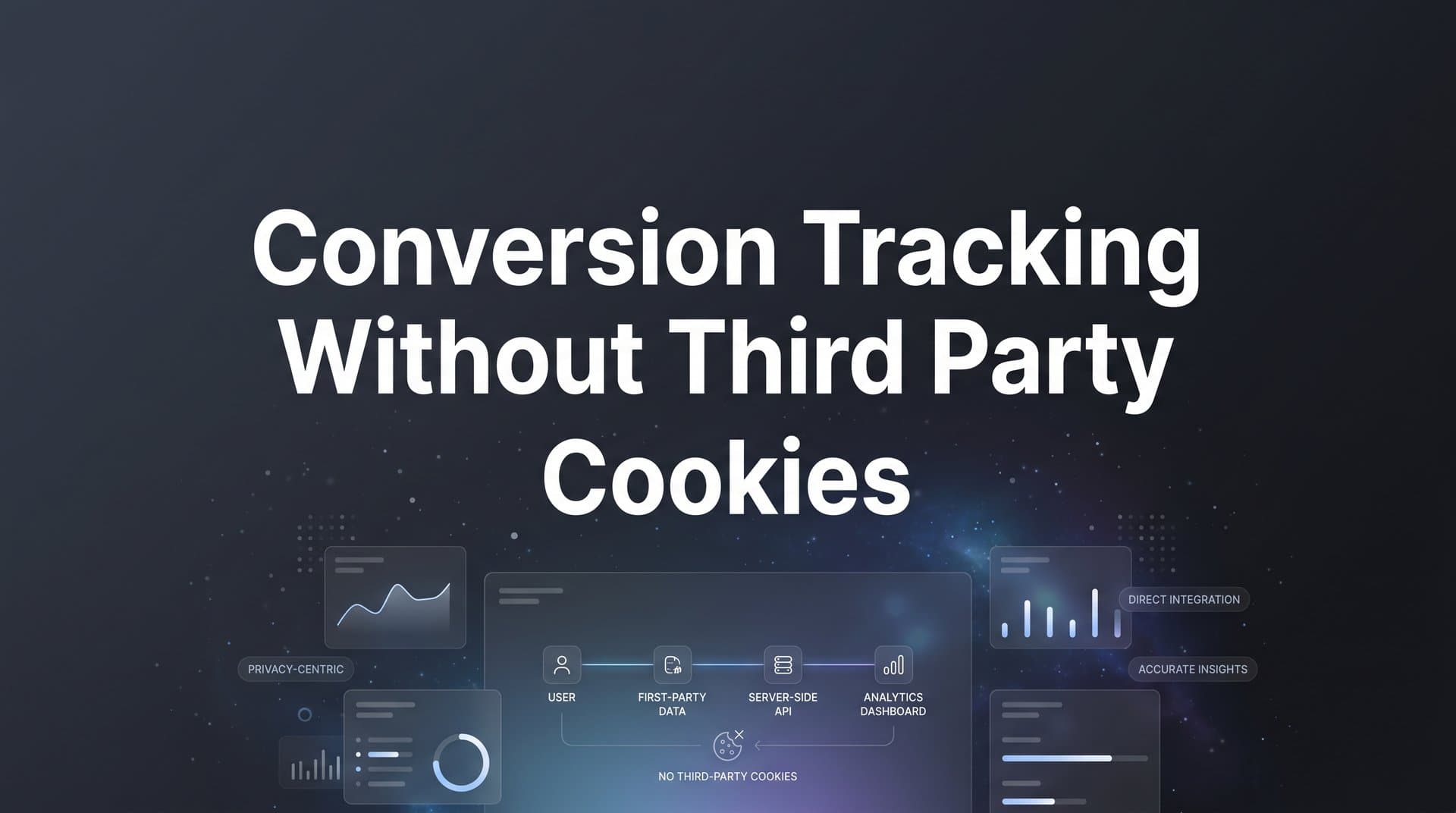
Third-party cookies have been the backbone of digital ad tracking for over two decades. But the landscape has shifted dramatically, and for marketers running paid campaigns, the consequences are real and growing.
Safari and Firefox have blocked third-party cookies by default since 2020. Google Chrome followed a different path with its Privacy Sandbox initiative, ultimately landing on a user-choice model in 2024 and 2025 that still results in significantly reduced cookie availability across a large portion of Chrome users. Layer on top of that the continued tightening of global privacy regulations, and the picture becomes clear: the old way of tracking conversions is broken, and the data gaps are only getting wider.
For marketers running paid campaigns across Meta, Google, TikTok, and other platforms, this creates a serious problem. When your tracking pixels cannot read or write cookies in a user's browser, you lose visibility into conversions. You end up with underreported results, misallocated budgets, and ad platform algorithms that are optimizing on incomplete signals.
Here is the good news: you do not need third-party cookies to track conversions accurately. Server-side tracking, first-party data strategies, and AI-powered attribution platforms now offer more reliable and privacy-friendly alternatives. Many marketers who have made the switch find that their data quality actually improves, because server-side tracking is not subject to ad blockers, browser privacy features, or connection timeouts the way browser-based pixels are.
This guide walks you through the exact steps to set up conversion tracking without third-party cookies. You will learn how to audit your current setup, implement server-side solutions, connect your ad platforms and CRM, validate your data, and optimize your campaigns using cookieless attribution. Whether you are a solo marketer or part of an agency managing multiple accounts, these steps will help you regain full visibility into what is actually driving revenue.
Step 1: Audit Your Current Tracking Setup for Cookie Dependencies
Before you can fix the problem, you need to understand exactly where your tracking breaks down. Most marketers are surprised to discover how many of their conversion events are already underreporting, quietly and without any obvious error messages.
Start by listing every tracking pixel and tag currently running on your website. This typically includes the Meta Pixel, Google Ads conversion tag, TikTok Pixel, and any other platform-specific tags you have installed. Each of these, in their standard browser-based form, relies on third-party cookies to identify users, attribute conversions, and pass data back to the ad platform.
Next, use your browser's developer tools to inspect what is actually happening with these tracking calls. Open Chrome DevTools (or the equivalent in another browser), navigate to the Network tab, and filter for requests going to ad platform domains. Then repeat this test in Safari and Firefox. You will often find that calls that fire cleanly in Chrome are blocked or degraded in Safari and Firefox due to Intelligent Tracking Prevention and Enhanced Tracking Protection respectively.
If you use Google Tag Manager or another tag management platform, review your tag firing rules and check the built-in preview mode to see which tags are successfully loading versus being blocked or throwing errors.
Now comes the most important part of the audit: comparing your ad platform conversion data against your CRM records. Pull conversion counts from each ad platform for the past 30 to 60 days, then compare them against the actual leads and sales recorded in your CRM for the same period. Gaps between these two numbers are your evidence of cookie-related data loss. If you want to understand more about why this happens, explore the reasons conversion tracking numbers are wrong in the first place.
Document your findings in a simple gap analysis. Note which conversion events are underreporting, which traffic sources are most affected (Safari and Firefox users are typically the most impacted), and where cross-device journeys are breaking down entirely.
One common pitfall to avoid here: do not assume your tracking is fine just because you still see some conversions coming through. Partial data is often worse than no data. When your ad platform reports conversions that are only a fraction of what actually happened, it creates a distorted picture of performance that leads to misallocated budgets and poor optimization decisions. Understanding the full scope of third-party cookie deprecation impact on your data is essential before you can address it.
Step 2: Build a First-Party Data Collection Framework
The foundation of cookieless conversion tracking is first-party data: information collected directly from users on your own domain, stored in your own systems, and not dependent on third-party infrastructure that browsers can block.
The first thing to set up is first-party cookie capture on your own domain. Unlike third-party cookies, first-party cookies are set by your own website and are not subject to the same browser restrictions. These cookies allow you to maintain visitor identity across sessions and page views within your domain, giving you a consistent user identifier to work with. For a deeper dive into this approach, read about what first-party data tracking is and why it matters.
For a deeper dive, see our guide to ad tracking without third party cookies.
Alongside first-party cookies, implement URL parameter capture for every inbound link from your ad campaigns. This means ensuring that UTM parameters (utm_source, utm_medium, utm_campaign, utm_content, utm_term) are consistently appended to every ad destination URL. You should also capture platform-specific click IDs such as gclid (Google Ads), fbclid (Meta), and ttclid (TikTok). These click IDs are passed in the URL and can be stored in your first-party cookie or database, giving you a durable link between an ad click and the subsequent user session.
The next layer is form-level and CRM-level data capture. Every time a user submits a lead form, makes a purchase, or completes any other conversion action, your system should record the originating source, medium, campaign, and click ID alongside the conversion data. This is what allows you to tie a CRM entry back to a specific ad and campaign, even if the conversion happens days after the original click. Understanding the nuances of UTM tracking and attribution will help you get this right.
For users who provide their email address, hashed email matching is a powerful tool. When you hash an email address and pass it to ad platforms, they can match it against their own user records to attribute conversions to specific campaigns, all without exposing personally identifiable information. Meta's Conversions API, Google's Enhanced Conversions, and similar tools all support this approach.
The success indicator for this step is straightforward: you should be able to trace any lead or sale from its originating ad click through to the CRM entry, with source, medium, campaign, and click ID data intact. If you can do that consistently, your first-party data framework is working.
Step 3: Implement Server-Side Tracking to Replace Pixel-Only Setups
This is the most technically significant step in the process, and it is also the one that delivers the biggest improvement in data quality. Server-side tracking changes the fundamental architecture of how conversion data flows from your website to ad platforms.
With traditional browser-based pixel tracking, the data flow looks like this: a user takes an action on your website, a JavaScript pixel fires in their browser, and that pixel sends conversion data to the ad platform. The problem is that this flow runs through the user's browser, which means it is subject to ad blockers, browser privacy features, cookie restrictions, and connection timeouts. Any of these can prevent the conversion from being recorded.
Server-side tracking changes the flow entirely. Instead of relying on the browser to send the data, your web server or a dedicated tracking server sends the conversion event directly to the ad platform's API. This server-to-server communication bypasses the browser completely, which means browser privacy settings, ad blockers, and cookie restrictions have no effect on it. Learn more about why server-side tracking is more accurate than traditional pixel-based methods.
The primary server-side tracking solutions offered by major ad platforms are Meta's Conversions API (CAPI), Google Ads Enhanced Conversions, and TikTok's Events API. Each of these allows you to send conversion events directly from your server to the platform's data infrastructure. Setting them up natively requires developer work: you need to configure your backend to capture conversion events, format them correctly for each platform's API, and handle authentication and error management for each integration.
This is where platforms like Cometly significantly simplify the process. Cometly handles server-side tracking setup by automatically capturing conversion events from your website and syncing them to ad platforms via their respective APIs. Instead of building and maintaining separate integrations for Meta CAPI, Google Enhanced Conversions, and TikTok Events API, you connect once through Cometly and the platform manages the data delivery to each channel. This removes the need for heavy developer involvement and keeps your setup consistent as ad platform APIs evolve.
One important technical note for the transition period: if you are running both a browser-based pixel and a server-side setup simultaneously (which is recommended during the switchover), you need to deduplicate events. Both the pixel and the server-side integration may fire for the same conversion, which would result in double counting. Most ad platforms handle this by matching on an event ID that you include with each event. Make sure your setup sends a consistent, unique event ID from both the pixel and the server-side call for the same conversion event.
Avoid the common pitfall of skipping server-side tracking and relying solely on enhanced client-side workarounds. Some marketers try to extend the life of browser-based tracking through techniques like cookie proxying or first-party cookie injection via client-side scripts. These approaches can provide short-term relief, but they continue to degrade over time as browsers tighten their restrictions. Exploring proven third-party cookie deprecation solutions is a better long-term strategy.
For a deeper dive into this space, see our guide to cookie deprecation solutions.
Step 4: Connect Your Ad Platforms, CRM, and Revenue Data Into One Source of Truth
Even with server-side tracking in place, you can still end up with a fragmented view of performance if your data lives in separate silos. Each ad platform reports its own conversion numbers using its own attribution logic, and those numbers rarely agree with each other or with your CRM. This creates the classic problem of every platform claiming credit for the same conversion.
The solution is to centralize your attribution data in a single platform that pulls from all your sources and applies consistent attribution logic across all of them. This gives you one version of the truth instead of competing reports from Meta, Google, TikTok, and your CRM.
Here is how to approach this step by step. First, connect each of your ad platforms to a centralized attribution tool. This means integrating your Meta Ads account, Google Ads account, TikTok Ads account, and any other paid channels you are running. The tool should pull in both your ad spend data and your conversion data from each platform. For guidance on choosing the right solution, review the best approaches to tracking conversions across multiple ad platforms.
Second, integrate your CRM. Whether you use HubSpot, Salesforce, or another CRM, connecting it to your attribution platform allows you to map ad-attributed leads to actual pipeline and closed revenue. This is critical because ad platforms typically report on top-of-funnel conversions like form fills or purchases, but they do not know which of those leads actually became paying customers. Your CRM does.
Third, if you have a payment processor or subscription management platform, connect that as well. This closes the loop between ad spend and actual revenue, giving you the data you need to calculate true return on ad spend rather than relying on estimated conversion values.
Cometly serves as this connective layer by pulling in ad spend data from each platform, mapping touchpoints across channels using your server-side tracking data, and matching those touchpoints to CRM conversions and revenue events. The result is an attribution dashboard where you can see how every channel and campaign contributed to actual revenue, not just ad platform-reported conversions.
Enabling multi-touch attribution at this stage is essential. Last-click attribution, which most ad platforms default to, gives all the credit for a conversion to the final touchpoint before the sale. In reality, most customers interact with multiple ads and channels before converting. Multi-touch attribution distributes credit across all the touchpoints in the journey, giving you a much more accurate picture of which channels are genuinely driving results. Understanding how to effectively track conversions across multiple touchpoints is key to getting this right.
The success indicator for this step: your attribution dashboard shows unified data across all channels, and the total reported conversions align closely with your CRM records. When those two numbers are in agreement, you have a reliable source of truth.
Step 5: Feed Enriched Conversion Data Back to Ad Platform Algorithms
Here is a step that many marketers overlook entirely, and it is one of the most impactful things you can do once your server-side tracking is in place. Tracking conversions accurately is only half the equation. The other half is making sure that the ad platforms you are spending money on actually receive that accurate data so their algorithms can use it.
Meta, Google, and TikTok all use machine learning algorithms to optimize ad delivery. These algorithms decide which users to show your ads to, when to show them, and how much to bid. The quality of those decisions depends entirely on the conversion signals you feed back to the platform. When cookie loss degrades your pixel data, the platform receives fewer and lower-quality conversion signals, and its algorithm makes worse targeting decisions. This typically shows up as rising cost per acquisition and declining campaign efficiency over time.
The fix is to set up conversion sync: a process where your verified, server-side conversion events are pushed back into each ad platform's optimization engine in real time or near real time. This is exactly what Meta's Conversions API, Google's Enhanced Conversions, and TikTok's Events API are designed to facilitate. Understanding what conversion API tracking is will help you implement this correctly across platforms.
To get the most out of this, include revenue values with your conversion events wherever possible. Most ad platforms can optimize for conversion value, not just conversion volume. If you send a form fill event with a value of zero, the algorithm treats all form fills as equal. If you send the actual revenue associated with each conversion, the algorithm can start optimizing toward higher-value customers. This distinction can meaningfully improve the quality of leads and sales your campaigns generate.
Cometly's Conversion Sync feature automates this feedback loop. Once your conversion data is captured and matched to the originating ad touchpoints, Cometly sends enriched conversion events back to Meta, Google, and other platforms automatically. This includes revenue values and conversion quality signals that help the algorithms make smarter decisions about who to target and how to bid.
The common pitfall to avoid: treating conversion tracking as a reporting-only function. Many teams set up tracking so they can see results in their dashboard, but never close the feedback loop with the ad platforms. The result is that their own data improves while the platforms they are paying continue to optimize on incomplete signals. Both sides of the loop matter.
Step 6: Validate Your Cookieless Tracking Accuracy
You have audited your setup, built a first-party data framework, implemented server-side tracking, unified your data sources, and activated conversion sync. Now it is time to verify that everything is actually working the way it should.
Run a parallel tracking test for a minimum of seven to fourteen days. During this period, compare the conversions reported by your new server-side and first-party setup against your CRM records. You are looking for close alignment between these two numbers. Perfect one-to-one matching is rarely achievable due to factors like test purchases, spam submissions, and attribution timing differences, but you should be seeing numbers that tell a consistent story.
Check your results across different browsers. Segment your conversion data by browser type and compare Chrome, Safari, and Firefox. Before your server-side setup was in place, Safari and Firefox users were likely a data black hole because their browsers blocked the cookies your pixels depended on. After your server-side implementation, those users should be tracked just as reliably as Chrome users. If you are still seeing dramatic differences in conversion rates across browsers, there may be a gap in your server-side setup that needs investigation. Reviewing the server-side conversion tracking benefits can help you benchmark what improvements to expect.
Review your multi-touch attribution paths for logical coherence. Look at the customer journeys being reported and ask whether they make sense given what you know about your funnel. Are major traffic sources being represented? Are any channels appearing in journeys where they should not be? Illogical attribution paths can indicate tracking errors or misconfigurations in how events are being matched to sessions.
Cometly's analytics dashboard makes this validation process straightforward by allowing you to compare attribution model outputs side by side. You can look at first-touch, last-touch, and linear attribution models simultaneously to confirm that they are telling a coherent and consistent story about your funnel. Significant discrepancies between models can surface data quality issues worth investigating.
The success indicator for this step: your server-side conversion count is within a reasonable margin of your CRM conversion count, and Safari and Firefox traffic is no longer a blind spot in your data.
Step 7: Optimize Campaigns Using Accurate, Cookie-Free Attribution Data
This is where all the setup work pays off. With reliable, cookieless attribution data in hand, you can make budget decisions with genuine confidence rather than working around data gaps and hoping for the best.
Start by reviewing your channel and campaign performance through the lens of your unified attribution data. You will likely find that some channels that appeared to be high performers under last-click attribution look different when multi-touch attribution is applied. Channels that do a lot of work early in the customer journey, like top-of-funnel display or social awareness campaigns, often get undercredited by last-click models. Conversely, branded search campaigns often get overcredited because they capture users who were already going to convert. Your cookieless attribution data gives you a more accurate view of where to actually invest.
Use AI-powered recommendations to identify your top-performing ads and scale them with confidence. Cometly's AI Ads Manager analyzes your attribution data across channels to surface which specific ads and campaigns are driving the most revenue, not just the most clicks or impressions. Leveraging the right revenue attribution tracking tools allows you to make scaling decisions based on actual business outcomes rather than platform-reported metrics that may not align with your CRM reality.
For ongoing questions about your data, Cometly's AI Chat feature lets you query your attribution data in plain language. Instead of building custom reports every time you need an answer, you can ask questions like "which campaign drove the most first-touch revenue last month?" and get immediate answers drawn from your unified data.
Set up a regular monitoring cadence. A weekly review of your attribution data is a good baseline. You are looking for drift in your conversion counts, new tracking gaps that might indicate a platform update or browser change, and shifts in channel performance that warrant budget reallocation.
One important tip: revisit your entire tracking setup quarterly. Browsers continue to evolve their privacy features, ad platforms update their APIs, and new privacy regulations come into effect in different markets. What works today may need adjustment in six months. Treating your tracking setup as a living system rather than a one-time configuration is what separates marketers who maintain data quality over time from those who find themselves back at square one after every major browser update.
Putting It All Together: Your Cookieless Tracking Checklist
You now have a complete framework for setting up conversion tracking without third-party cookies. Before you close this guide, here is a quick-reference checklist of the seven steps covered:
1. Audit current cookie dependencies: Identify which pixels and tags rely on third-party cookies, compare ad platform data to CRM records, and document your data gaps.
2. Build first-party data collection: Set up first-party cookies, capture UTM parameters and click IDs, implement form-level source tracking, and use hashed email matching for known users.
3. Implement server-side tracking: Connect your backend to Meta CAPI, Google Enhanced Conversions, and TikTok Events API, and deduplicate events during the transition from pixel-only setups.
4. Unify ad platforms and CRM data: Connect all ad channels and your CRM to a centralized attribution platform, enable multi-touch attribution, and establish a single source of truth for conversion data.
5. Feed enriched conversions back to ad algorithms: Use conversion sync to push verified, revenue-enriched conversion events back to each platform's optimization engine in real time.
6. Validate accuracy across browsers: Run a parallel tracking test, segment results by browser, review attribution paths for coherence, and confirm your server-side count aligns with your CRM records.
7. Optimize campaigns with clean data: Reallocate budget based on multi-touch attribution insights, leverage AI recommendations to scale top performers, and establish a quarterly tracking review cadence.
It is worth emphasizing that this is not a one-time project. The marketers who thrive in a cookieless world are those who treat attribution as a living system, one that is regularly reviewed, validated, and updated as the landscape evolves. The setup you build today will need to adapt as browsers tighten their privacy features, ad platforms update their APIs, and new privacy standards emerge.
The marketers who invest in building this foundation now will have a significant advantage: accurate data, better-performing algorithms, and the confidence to make real budget decisions while competitors are still flying blind.
If you want to simplify this entire process, Cometly brings server-side tracking, multi-touch attribution, and conversion sync together in one platform. You get a complete view of every touchpoint from ad click to closed revenue, AI-powered recommendations to help you scale what works, and automated conversion sync that keeps your ad platform algorithms optimized on accurate data. Get your free demo today and start capturing every touchpoint to maximize your conversions.



