

If you've noticed your conversion numbers looking suspiciously low lately, you're not imagining things. Browser-based tracking, the backbone of digital marketing measurement for the past decade, is quietly falling apart. Ad blockers are stripping your scripts before they fire. Safari is deleting your cookies within days. iOS privacy prompts are cutting off data from a massive chunk of your audience. And the ad platforms you rely on to optimize your campaigns are making decisions based on increasingly incomplete information.
The result is a slow erosion of visibility. You're spending real budget, but your data tells only part of the story. Attribution breaks down. CPAs look inflated. Your best-performing campaigns might actually be your worst, or vice versa, and you'd have no reliable way to know.
Server side tracking changes that equation. By moving data collection off the user's browser and onto a server you control, you sidestep the browser-level restrictions that are degrading your data. This guide walks you through exactly how server side tracking works, why it outperforms traditional methods, how it improves ad platform performance, and what implementation actually looks like in practice. Whether you're evaluating it for the first time or looking to deepen your understanding, you'll leave with a clear picture of why this approach is becoming a foundational requirement for modern marketers.
The Browser Tracking Problem That Started It All
To understand why server side tracking matters, you first need to understand what it's replacing. Traditional client-side tracking works like this: a user lands on your website, and JavaScript tags embedded in the page fire in their browser. Those tags drop cookies, capture event data like page views, clicks, and purchases, and send that data directly to third-party platforms like Meta and Google. This has been the default approach for over a decade, and for a long time, it worked reasonably well.
The cracks started showing as the web privacy landscape shifted. Today, client-side tracking faces challenges from multiple directions simultaneously.
Ad blockers: A growing segment of web users install ad blockers that don't just hide ads. They also strip tracking scripts from loading entirely. If your Meta Pixel or Google tag never executes, that conversion never gets recorded, regardless of how real the purchase was. Understanding the differences between server side tracking vs pixel tracking is essential in this context.
Safari's Intelligent Tracking Prevention (ITP): Apple's Safari browser limits the lifespan of first-party cookies set by JavaScript to just seven days. In some scenarios, that window is even shorter. For any customer with a longer consideration cycle, your tracking loses the thread entirely.
iOS App Tracking Transparency (ATT): Introduced with iOS 14.5, Apple's ATT framework requires apps to explicitly ask users for permission to track them across apps and websites. Many users opt out, creating significant gaps in mobile attribution data that ad platforms struggle to fill.
Third-party cookie deprecation: While the timeline has shifted multiple times, the direction is clear. Browsers are moving away from third-party cookies, and any tracking that depends on them is living on borrowed time.
The real-world impact on marketers is significant. Conversions go underreported, which means your attributed CPA looks higher than it actually is. Attribution models break down because the customer journey has gaps. And perhaps most critically, the ad platforms running your campaigns receive incomplete conversion signals, which degrades the very algorithms responsible for targeting, bidding, and delivery. You're essentially asking your ad platform to optimize with one hand tied behind its back.
This is the problem server side tracking was built to solve.
Inside the Mechanics: How Server Side Tracking Actually Works
Here's a simple analogy to anchor the concept. Client-side tracking is like handing a note to a stranger on the street and asking them to deliver it for you. They might get there. Or they might get stopped at the door, lose the note, or simply not show up. Server-side tracking is like routing that same note through your own secure mail room. You control the process from start to finish, and the delivery is far more reliable.
Now let's walk through the actual technical flow.
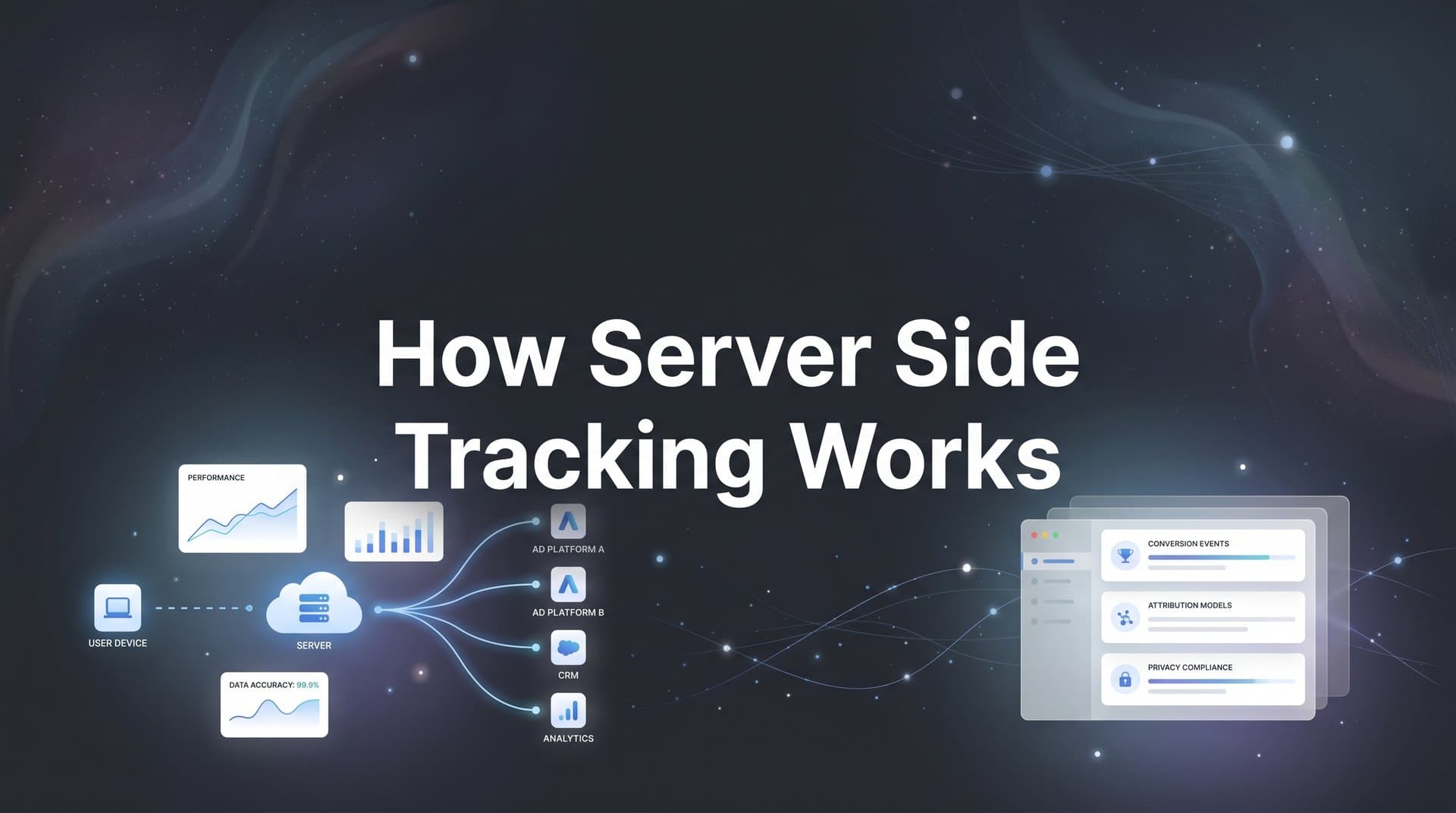
When a user interacts with your website, such as viewing a product, submitting a form, or completing a purchase, that event data needs to travel somewhere. In a client-side setup, the browser sends it directly to third-party platforms. In a server-side setup, the website sends that event data to a first-party server endpoint that your business controls. The server then processes, enriches, and forwards the data to the appropriate destinations, whether that's Meta's Conversions API, Google's Ads API, or any other platform integration. For a deeper dive into this topic, read our guide on server side event tracking.
There are three key components in this architecture worth understanding.
The data layer: This is where raw event data lives on your website before it goes anywhere. Think of it as a structured holding area that captures what happened: what product was viewed, what form was submitted, what purchase was completed, and with what values attached.
The server container: This is the processing layer. It receives the raw event data from your website, applies logic to it (enriching it with additional context, matching it to user identifiers, deduplicating events), and then routes it to the right destinations. Tools like Google Tag Manager's server-side container or dedicated attribution platforms provide this layer.
The API endpoints: These are the final destinations where your enriched event data lands. Meta's Conversions API (CAPI), Google's enhanced conversions, and similar integrations receive the processed data and feed it into their respective platforms for attribution and optimization.
The first-party advantage is where this approach really separates itself. Because the data travels from your website to a server your business controls before going anywhere else, it operates in a first-party context. Cookies set by your server are treated as first-party cookies by browsers, which means they're subject to far fewer restrictions than third-party cookies. They live longer, they're not blocked by ITP, and they're not stripped by most ad blockers.
There's also a data enrichment benefit. Because the server sits between the user action and the platform, you can attach additional context to events before they're forwarded. Customer identifiers from your CRM, order values, product categories, or even offline conversion signals like a closed deal in your sales pipeline can all be incorporated at the server level. The ad platforms receive a richer, more complete picture of what's actually driving revenue.
The result is a tracking pipeline that's fundamentally more resilient. Browser restrictions, ad blockers, and privacy prompts operate at the browser level. Your server-side infrastructure operates above all of that.
Server Side vs. Client Side: A Direct Comparison
Understanding the mechanics is one thing. Seeing how the two approaches stack up in practice is where the business case becomes clear. For a comprehensive breakdown, check out our article on server side vs client side tracking.
Data accuracy: Client-side tracking is subject to all the browser-level disruptions described above. Server-side tracking bypasses most of them, resulting in more complete and reliable conversion data reaching your ad platforms.
Resistance to ad blockers: Client-side scripts are frequently blocked before they execute. Server-side tracking doesn't rely on scripts running in the user's browser for its core data pipeline, making it largely immune to this problem.
Cookie lifespan: JavaScript-set cookies on Safari are limited to seven days under ITP. Server-set first-party cookies can have much longer lifespans, preserving attribution across longer customer journeys.
Page load performance: Client-side tracking adds JavaScript to your pages, which can slow load times, particularly when multiple tags are firing simultaneously. Server-side tracking reduces the number of scripts running in the browser, which can actually improve page speed.
Implementation complexity: This is where client-side tracking has traditionally held an advantage. Adding a pixel to a website is simple. Setting up a server-side infrastructure requires more technical coordination. However, modern attribution platforms have dramatically reduced this barrier by providing managed server-side infrastructure out of the box.
Data control and privacy: Server-side tracking gives you far more control over what data is collected, how it's processed, and where it's sent. You can filter sensitive data before it ever reaches a third-party platform, apply consent logic at the server level, and maintain a cleaner audit trail of your data flows.
One important nuance: server-side tracking is not always a complete replacement for client-side tracking. Many implementations run both in parallel. Server side handles the core conversion data pipeline, while client-side tags remain in place for specific use cases like heatmap tools, session recording software, or on-page personalization that genuinely requires browser-level access.
It's also worth addressing the misconception that server-side tracking is only for large enterprises with dedicated engineering teams. Modern platforms have made this accessible for businesses of all sizes. If you're running paid advertising at any meaningful scale, the server side tracking benefits are relevant to you regardless of company size.
Why Ad Platforms Perform Better With Server Side Data
Here's the feedback loop that most marketers don't fully appreciate. Ad platforms like Meta and Google are not just places where you buy traffic. They're optimization engines. Their algorithms continuously learn from conversion signals to improve bidding, targeting, and delivery. The more complete and accurate the conversion data they receive, the better those algorithms perform.
When browser tracking failures cause conversions to go unreported, the algorithm doesn't just miss that data point. It actively learns the wrong lessons. It may conclude that certain audiences, creatives, or placements aren't converting when they actually are. It adjusts bids downward, reduces delivery to high-value segments, and makes targeting decisions based on a distorted view of reality. You end up paying more for worse results, not because your campaigns are bad, but because your data pipeline is broken.
Server side tracking for ads directly addresses this by feeding enriched, more complete conversion events back to ad platforms through their respective APIs. Meta's Conversions API and Google's enhanced conversions were both built specifically to receive this kind of server-side data, and for good reason. They give the algorithms a fuller picture of which clicks and impressions actually led to real business outcomes.
The practical improvements show up in several ways.
Better match rates: When you send conversion events with strong customer identifiers (hashed email addresses, phone numbers, or other signals), ad platforms can more accurately match those conversions back to the specific ads that drove them. Higher match rates mean more of your conversions are attributed correctly.
Improved lookalike audiences: Lookalike audiences are only as good as the seed data they're built from. When your conversion list is incomplete due to tracking gaps, the lookalike audience it generates is less accurate. Server-side data produces cleaner, more complete conversion lists.
More accurate automated bidding: Smart bidding strategies on Google and Meta rely on conversion signals to set bids in real time. More complete conversion data means the bidding algorithm operates with better information, which typically translates to more efficient spend. This is one of the key reasons why server-side tracking is more accurate for attribution.
Offline and CRM conversion sync: One of the most powerful capabilities unlocked by server-side infrastructure is the ability to pass offline conversion events back to ad platforms. If a lead generated by a Meta ad closes as a customer in your CRM two weeks later, you can send that conversion event back to Meta through the API. The algorithm learns which types of leads actually become customers, not just which clicks generated form fills.
This is the difference between optimizing for surface-level metrics and optimizing for actual revenue.
Setting Up Server Side Tracking: What the Process Looks Like
Implementation varies depending on your tech stack and the platforms you're sending data to, but the general process follows a consistent pattern. Our server side tracking setup guide covers the technical details in depth.
The first step is identifying which events matter most for your business. Purchases, lead form submissions, signups, phone calls, and any other actions that represent real business value should be prioritized. You don't need to track everything server-side on day one. Start with the events that have the highest impact on your ad platform optimization.
Next, you need a server-side endpoint to receive event data from your website. This could be a custom server you build and maintain, a managed container through a tool like Google Tag Manager's server-side offering, or a purpose-built attribution platform that provides this infrastructure for you. The endpoint needs to be able to receive incoming event data, process it, and route it to your ad platform APIs.
Your website then needs to be configured to send event data to that endpoint rather than (or in addition to) directly to third-party platforms. This typically involves updating your data layer to capture the right event parameters and configuring your tag management setup to point at your server-side endpoint.
Once data is flowing to your server, you map and enrich it before forwarding it to destinations. This is where you can attach customer identifiers, normalize event names to match platform requirements, and incorporate CRM data for offline conversions.
A critical technical consideration at this stage is event deduplication. If you're running both client-side and server-side tracking in parallel (which many implementations do), you need to ensure that the same conversion isn't counted twice. Both Meta's Conversions API and Google's enhanced conversions have deduplication mechanisms, but they require you to pass consistent event IDs so the platforms can identify and discard duplicate events. Be aware of the common server side tracking setup challenges that can arise during this phase.
Consent management also needs to be handled at the server level. Your server-side infrastructure should respect the same consent signals your website collects, ensuring that users who have opted out of tracking are not having their data forwarded to ad platforms.
Finally, thorough testing before going live is non-negotiable. Validate that events are firing correctly, that values are accurate, that deduplication is working, and that your match rates in the ad platforms are improving. Rushing this step creates data quality problems that are harder to unravel later.
This is where platforms like Cometly significantly reduce the complexity. Rather than building and maintaining custom server configurations, Cometly handles the server-side tracking infrastructure, automatically enriches conversion events, and syncs that data back to Meta, Google, and other ad platforms. It connects the full customer journey from ad click to CRM event, giving you accurate attribution without requiring a developer to build the plumbing from scratch. For marketing teams who want the benefits of server-side tracking without the engineering overhead, this kind of platform approach makes implementation genuinely accessible.
Building a Tracking Strategy That Lasts
The core takeaway from everything above is straightforward: server side tracking moves your data collection to a controlled, reliable environment that operates above the browser-level disruptions degrading marketing measurement today. It's not a workaround or a patch. It's a more architecturally sound approach to collecting the data your business depends on.
If you're evaluating where to start, the most practical path is to audit your current tracking setup first. Look at your conversion data in your ad platforms and compare it against your actual backend records. If there's a significant gap between what your website backend shows as completed purchases or leads and what your ad platforms are reporting, browser tracking failures are likely the culprit. That gap represents real revenue that isn't being attributed correctly.
Prioritize server-side implementation for your highest-spend channels first. If Meta and Google represent the majority of your ad budget, getting server-side data flowing to those platforms via CAPI and enhanced conversions will have the most immediate impact on your optimization and attribution accuracy.
Looking further ahead, the trajectory of the web is clear. Privacy regulations are expanding. Browser restrictions are tightening. User expectations around data control are shifting. Client-side tracking will continue to erode as the default mechanism for measurement. Server-side tracking isn't just an upgrade for today's challenges. It's the foundation that accurate attribution and confident budget decisions will be built on going forward.
Marketers who make this transition now will be operating with cleaner data, better-performing ad algorithms, and more reliable attribution while their competitors are still trying to patch a leaking client-side setup.
If you're ready to close the data gaps and give your ad platforms the complete conversion signals they need to optimize effectively, explore what Cometly can do for your tracking setup. From server-side infrastructure to multi-touch attribution and AI-powered recommendations, it's built to give you a clear, accurate view of what's actually driving your results. Get your free demo today and start capturing every touchpoint to maximize your conversions.



