

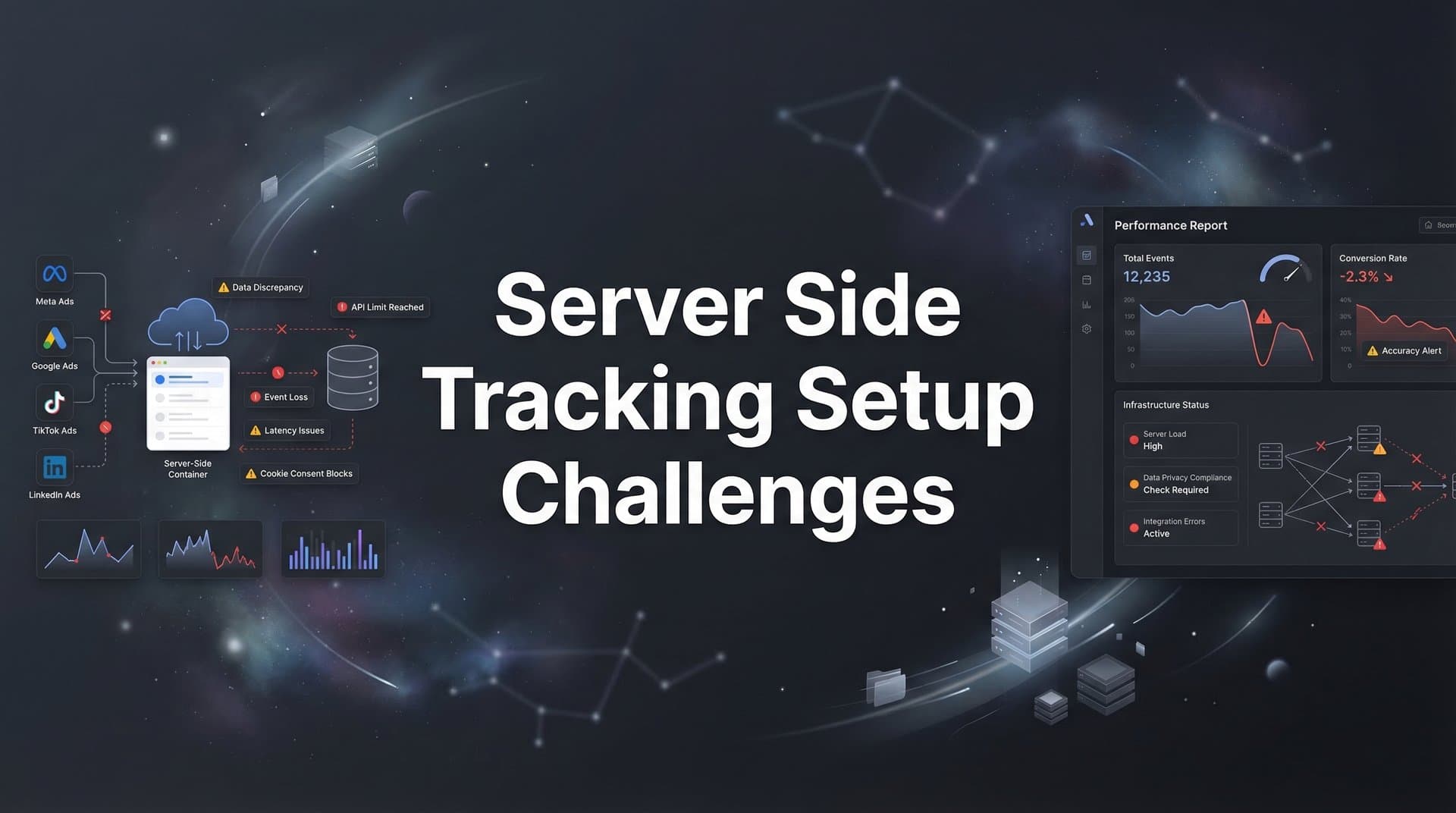
You've invested thousands in paid ads across Meta, Google, and TikTok. Your analytics dashboard shows clicks and impressions, but conversions seem to vanish somewhere between the ad click and your CRM. Welcome to the reality of modern digital marketing in 2026, where iOS privacy updates and browser restrictions have made client-side tracking about as reliable as a weather forecast three weeks out.
Server-side tracking has evolved from a nice-to-have to an absolute necessity. It's the difference between feeding your ad platforms accurate conversion data that improves targeting and optimization, versus operating on incomplete information that wastes budget on the wrong audiences.
But here's the challenge: implementing server-side tracking ranks among the most technically demanding projects marketing teams face. From configuring cloud environments to maintaining data accuracy across platforms, the complexity can derail even experienced teams. One misconfigured API endpoint, and you're either losing conversion data or double-counting events—both of which sabotage your campaign performance.
This guide walks you through the most common server-side tracking setup challenges and provides actionable solutions for each obstacle. Whether you're troubleshooting an existing implementation that's losing data or planning your first deployment, you'll learn how to diagnose issues, implement fixes, and validate that your tracking actually works.
By the end, you'll have a clear roadmap for achieving accurate, privacy-compliant tracking that feeds better data to your ad platforms—the kind of data that makes algorithmic optimization actually work in your favor.
Step 1: Audit Your Current Tracking Gaps Before Implementation
Before you dive into configuring servers and APIs, you need to understand exactly what's broken in your current setup. Think of this like a doctor ordering tests before surgery—you need a clear diagnosis before prescribing treatment.
Start by identifying which conversions are disappearing. Open your ad platform reporting and compare it to what's actually landing in your CRM or analytics platform. That gap? Those are the conversions being blocked by browser restrictions, ad blockers, or iOS privacy features. Many marketing teams discover they're losing 20-40% of their conversion data to these restrictions.
Document every touchpoint in your customer journey that needs server-side coverage. This includes form submissions, phone calls, chat interactions, demo requests, and purchases. Don't forget the less obvious events like email opens, content downloads, or video views that contribute to your attribution model. Each of these touchpoints represents data you need to capture accurately.
Next, map out which ad platforms need this conversion data and their specific requirements. Meta's Conversions API has different event parameters than Google's Enhanced Conversions. TikTok Events API requires yet another format. LinkedIn's Conversions API has its own specifications. Creating a matrix of platforms, required events, and necessary parameters will save you countless hours later.
Finally, assess your team's technical capabilities honestly. Do you have developers who can configure cloud infrastructure? Can your marketing team handle API integrations? Do you have the bandwidth to maintain custom code? This reality check determines whether you'll build a custom solution, use a tag management system with server-side capabilities, or implement a managed platform that handles the technical complexity.
The output of this audit should be a clear document showing: current conversion tracking gaps with estimated data loss percentages, complete customer journey map with all trackable events, platform-specific requirements for each ad channel, and an honest assessment of your team's technical resources and constraints.
Step 2: Choose the Right Server-Side Architecture for Your Stack
Now comes the decision that will determine whether your server-side tracking implementation becomes a maintenance nightmare or runs smoothly for years. You're choosing between fundamentally different approaches, each with distinct tradeoffs.
Cloud-hosted solutions give you complete control. You spin up a server on AWS, Google Cloud Platform, or Azure, configure it to receive events from your website, and build custom integrations to each ad platform. The advantage? Total flexibility to customize everything. The disadvantage? You're now responsible for server maintenance, security updates, scaling infrastructure as traffic grows, and debugging when something breaks at 2 AM.
Managed platforms take a different approach. They provide the infrastructure, handle the technical complexity, and maintain integrations with major ad platforms. You configure your tracking needs through their interface, and they manage the servers, APIs, and updates. This approach trades some customization flexibility for significantly reduced technical overhead and faster implementation.
The build-versus-buy decision comes down to team size and expertise. If you have a dedicated engineering team that can commit ongoing resources to maintaining tracking infrastructure, building custom might make sense. If you're a marketing team with limited developer support, a managed platform typically delivers faster time-to-value and lower total cost of ownership.
Compatibility with your existing stack is non-negotiable. Your server-side solution needs to integrate seamlessly with your CRM (Salesforce, HubSpot, Pipedrive), your ad platforms (Meta, Google, TikTok, LinkedIn), and your analytics tools (Google Analytics, Mixpanel, Amplitude). Verify these integrations exist and are actively maintained before committing to any platform. Understanding the differences between Google Analytics vs server side tracking helps inform this decision.
Scalability planning prevents future headaches. Your tracking volume will grow as your business expands. Can your chosen architecture handle 10x the current event volume without performance degradation? Does pricing scale reasonably, or will costs explode as you grow? Build in headroom from day one.
The right choice depends on your specific situation, but most marketing teams find that managed attribution platforms significantly reduce implementation time compared to building custom server-side solutions. The technical complexity of maintaining server infrastructure, keeping up with platform API changes, and ensuring data quality often outweighs the benefits of total customization.
Step 3: Configure Event Collection Without Losing Data Fidelity
This is where theory meets reality. You need to capture every meaningful customer interaction without losing the data quality that makes attribution actually useful. Poor event collection setup is the most common reason server-side tracking implementations fail.
Set up first-party data tracking that captures all touchpoints. This means implementing tracking code on your website that sends events directly to your server (not through browser-based JavaScript that can be blocked). Your server becomes the single source of truth, receiving events from your website, mobile app, CRM, and any other customer interaction point.
User identity stitching is where many implementations stumble. A visitor lands on your site from a Facebook ad, browses anonymously, then returns three days later via Google search and fills out a form. Your server-side tracking needs to recognize this is the same person and attribute both touchpoints correctly. This requires implementing persistent first-party cookies, generating unique user IDs, and maintaining identity resolution across sessions and devices.
Event schemas determine whether your data is useful or garbage. Each event you send to ad platforms needs specific parameters. A purchase event requires transaction ID, value, currency, and item details. A lead event needs contact information and lead quality indicators. Document your schema for every event type before implementation, ensuring it includes all parameters required by your ad platforms.
Here's what a well-structured purchase event schema includes: event name standardized across platforms, timestamp in ISO 8601 format, user identifier (email hash, phone hash, or client ID), transaction value and currency, product IDs and categories, and any custom parameters your business needs for attribution.
Testing in a staging environment is not optional. Configure a test version of your tracking that sends events to platform test environments rather than production. Fire test events for every conversion type you're tracking. Verify they appear correctly in platform event managers. Check that all required parameters are present and properly formatted.
Common event collection mistakes to avoid: sending events with missing required parameters, using inconsistent naming conventions across platforms, failing to hash personally identifiable information (PII) before transmission, and not implementing proper error handling when events fail to send.
The goal is bullet-proof event collection that captures every touchpoint with complete data fidelity. When configured correctly, your server receives events regardless of browser restrictions, enriches them with additional context from your CRM, and prepares them for transmission to ad platforms in the exact format each platform requires.
Step 4: Connect Your Server-Side Data to Ad Platform APIs
Your server is collecting events beautifully. Now you need to send that data to Meta, Google, TikTok, and other ad platforms in a way that actually improves their algorithmic optimization. This step is where technical precision matters most.
Configuring platform APIs requires obtaining the correct credentials and access tokens for each platform. For Meta's Conversions API, you need your Pixel ID, access token, and test event code. Google Ads requires conversion action IDs and OAuth credentials. Each platform has its own authentication process and API documentation. Set aside time to work through each platform's setup process methodically.
Deduplication is critical and frequently misconfigured. When you implement server-side tracking alongside existing browser-based pixels, the same conversion can be counted twice—once from the browser pixel and once from your server. This inflates your conversion numbers and confuses platform algorithms. Implement proper deduplication by sending a unique event ID with each conversion, allowing platforms to recognize and merge duplicate events. Understanding pixel tracking vs server side differences helps you configure this correctly.
Event mapping ensures your internal event names translate correctly to platform-specific conversion actions. Your "trial_started" event might map to "Lead" in Meta, "Sign-up" in Google Ads, and "CompleteRegistration" in TikTok. Create a mapping document that shows exactly how each of your events corresponds to each platform's conversion actions.
Platform diagnostic tools are your validation mechanism. Meta's Events Manager shows event match quality scores and identifies missing parameters. Google Ads Conversion Tracking status indicates whether events are being received correctly. TikTok's Events Manager provides similar diagnostics. Check these tools immediately after configuring each API connection.
Event match quality determines how effectively platforms can attribute conversions to specific users. Higher match quality means better optimization. To maximize match quality, include multiple user identifiers (email, phone, client ID), send events from the same IP address as the user when possible, and include user agent information.
Here's what successful API configuration looks like: events appearing in platform diagnostic tools within minutes of being fired, event match quality scores above 6.0 (on Meta's 10-point scale), deduplication working correctly with no double-counted conversions, and conversion counts in ad platforms matching your CRM within acceptable variance.
Common API connection mistakes include: sending events without proper user identifiers, failing to implement deduplication correctly, using incorrect event names that don't match platform specifications, and not hashing PII before transmission (which violates platform policies and can get your account suspended).
Step 5: Validate Tracking Accuracy and Troubleshoot Common Errors
Configuration is complete. APIs are connected. Events are flowing. But are they accurate? This validation step separates implementations that actually work from those that just appear to work until you realize your data is wrong.
Run parallel tracking tests comparing server-side data to client-side data. For a defined test period (typically two weeks), operate both your new server-side tracking and your legacy client-side tracking simultaneously. Compare conversion counts, attribution data, and user journey tracking between the two systems. Expect some variance, but investigate any discrepancies larger than 10-15%.
Event match quality issues are the most common problem in new implementations. Low match quality means platforms can't effectively match your server-side events to specific users, which undermines the entire point of server-side tracking. Check your match quality scores in each platform's diagnostic tools. If scores are below 6.0, you're likely missing key user identifiers or sending incorrectly formatted data.
Diagnosing match quality problems requires examining individual events. Most platforms provide event debugging tools that show exactly which parameters are present and which are missing. Common issues include: email addresses not being hashed correctly, phone numbers not formatted in E.164 international format, client IDs not matching between browser and server events, and IP addresses being stripped by proxies or VPNs.
Attribution gaps from latency problems occur when there's a delay between when a conversion happens and when your server sends it to ad platforms. Platforms have attribution windows (typically 7-28 days), but they optimize best when they receive conversion data quickly. If your server is batching events and sending them hours or days later, you're losing attribution accuracy. Implement real-time or near-real-time event transmission.
Create monitoring dashboards that catch tracking failures early. Set up alerts for: sudden drops in event volume (indicating tracking broke), event match quality falling below acceptable thresholds, API errors or failed transmissions, and significant discrepancies between expected and actual conversion counts. These dashboards should be checked daily during the first month of implementation, then weekly once stable. Understanding why server side tracking is more accurate helps you benchmark your expected results.
Testing specific user journeys end-to-end validates that attribution is working correctly. Create test scenarios: click an ad, complete a conversion, and verify the conversion appears in both your analytics and the ad platform with correct attribution. Test different scenarios including direct traffic, organic search, and paid ads from different platforms.
If you're evaluating vendors, our AI paid ads agent breakdown can help.
Step 6: Maintain and Optimize Your Server-Side Tracking Over Time
Server-side tracking isn't a set-it-and-forget-it project. Platforms update their APIs, your business adds new conversion events, and tracking requirements evolve. Ongoing maintenance ensures your implementation continues delivering accurate data.
Establish processes for handling platform API updates. Meta, Google, and other platforms regularly update their APIs, deprecate old versions, and introduce new features. Subscribe to developer newsletters from each platform you integrate with. Schedule quarterly reviews to check for upcoming API changes and plan updates before old versions stop working.
Monitor data quality metrics continuously. Set up weekly reports showing: total event volume by type, event match quality scores by platform, conversion count comparisons between your CRM and ad platforms, and API error rates. Sudden changes in any metric indicate potential problems requiring investigation. Reviewing server side tracking tools compared can help you evaluate whether your current solution still meets your needs.
Set up alerts for anomalies that require immediate attention. Configure notifications for: event volume dropping more than 20% day-over-day, match quality scores falling below 5.0, API error rates exceeding 1%, and conversion discrepancies between systems exceeding 15%. These alerts let you catch and fix problems before they significantly impact campaign performance.
Scale your infrastructure as conversion volume increases. If you're running your own servers, monitor CPU usage, memory consumption, and network bandwidth. Plan capacity increases before you hit limits. If you're using a managed platform, understand their pricing tiers and how costs scale with volume. Budget for growth appropriately.
Continuously improve event match rates for better ad optimization. As you collect more first-party data through progressive profiling, CRM enrichment, and user account creation, incorporate that data into your server-side events. Higher match quality means platforms can optimize more effectively, improving your return on ad spend. Explore the full range of server side tracking benefits to maximize your implementation.
Document everything for team continuity. Create runbooks covering: how to add new conversion events, troubleshooting steps for common issues, contact information for platform support, and processes for testing changes before production deployment. This documentation ensures your tracking doesn't become dependent on one person's tribal knowledge.
Putting It All Together: Your Path to Tracking Success
Server-side tracking setup challenges are real, but they're solvable with the right approach. Let's recap your implementation checklist: audit complete with tracking gaps documented and quantified, architecture selected and deployed based on your team's capabilities, event collection configured with proper schemas and identity stitching, ad platform APIs connected with deduplication active and validated, validation tests passed with monitoring dashboards in place, and maintenance processes established for ongoing optimization.
Each step builds on the previous one. Skip the audit, and you'll implement tracking for the wrong events. Choose the wrong architecture, and you'll struggle with maintenance overhead. Configure events poorly, and your match quality suffers. Rush API connections, and you'll double-count conversions. Skip validation, and you won't know your tracking is broken until campaign performance tanks.
The technical complexity is significant. You're managing cloud infrastructure, configuring multiple platform APIs, implementing identity resolution, ensuring data privacy compliance, and maintaining everything as platforms evolve. Many marketing teams find this level of technical overhead pulls focus from their core job: running profitable ad campaigns.
Platforms like Cometly simplify this entire process by handling the technical complexity—connecting your ad platforms, CRM, and website to track every touchpoint without requiring you to build and maintain custom infrastructure. The platform manages server-side tracking, API connections, event deduplication, and ongoing maintenance while you focus on optimizing campaigns based on accurate attribution data.
Ready to elevate your marketing game with precision and confidence? Discover how Cometly's AI-driven recommendations can transform your ad strategy—Get your free demo today and start capturing every touchpoint to maximize your conversions.


