Every marketing team runs into the same challenge: you have dozens of ad creatives running across Meta, Google, TikTok, and other platforms, but figuring out which ones actually drive revenue feels like guesswork. Platform-native dashboards show you surface-level metrics, but they often disagree with each other, double-count conversions, or miss the full picture of how a creative contributes to a sale.
The result? Budget gets wasted on creatives that look good on paper but fail to move the needle.
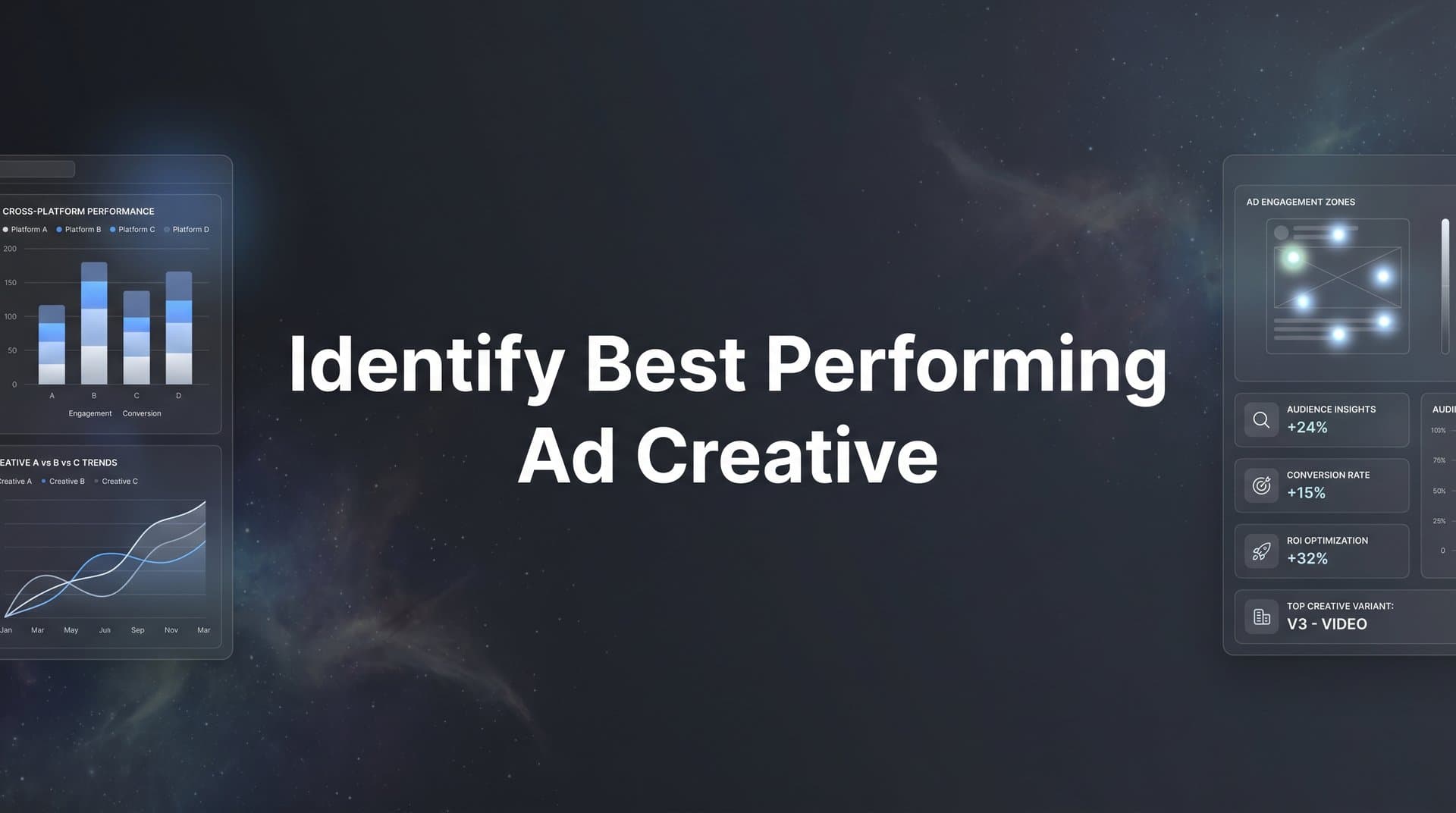
This guide walks you through a clear, repeatable process to identify your best performing ad creative using real revenue data rather than vanity metrics. You will learn how to set up the right tracking foundation, choose metrics that actually matter, analyze creative performance across platforms in one place, and use those insights to scale winners and cut losers with confidence.
Whether you are managing campaigns for your own brand or running ads for clients, these steps will help you stop relying on gut instinct and start making creative decisions backed by accurate attribution data. Let's get into it.
Step 1: Build a Reliable Tracking Foundation Before You Analyze Anything
Here is the uncomfortable truth about creative analysis: if your tracking data is wrong, every decision you make based on it will be wrong too. You can have the most sophisticated analytics dashboard in the world, but it means nothing if the conversion events feeding it are incomplete or inaccurate.
This is where most teams skip ahead too quickly. They jump straight into comparing click-through rates and ROAS figures without first verifying that their tracking is actually capturing the full picture. The result is creative analysis built on a shaky foundation.
The first thing you need to address is server-side tracking. Browser-based pixels have become increasingly unreliable due to iOS App Tracking Transparency restrictions, growing ad blocker usage, and the ongoing deprecation of third-party cookies in major browsers. When a pixel fires in a user's browser, there are now many scenarios where that conversion event simply never gets recorded. Server-side tracking moves the conversion event to your server before sending it to the ad platform, bypassing many of these client-side limitations and capturing conversions that would otherwise disappear from your data.
Beyond server-side tracking, you need to connect all of your data sources into a single attribution system. That means linking your ad platforms (Meta, Google, TikTok, LinkedIn, and any others you run), your website, and your CRM. When these sources are siloed, you end up with fragmented data that makes cross-platform creative comparison nearly impossible. A customer might click a TikTok ad, visit your site twice, and then convert through a Google retargeting ad. Without a unified system, you cannot see the full journey or credit the right creatives appropriately.
Cometly's server-side tracking and platform integrations are designed to solve exactly this problem. By creating a unified data layer across all your channels, every touchpoint gets captured and attributed correctly, giving you the complete picture you need before you start drawing conclusions about creative performance.
Before moving to the next step, run a verification checkpoint. Confirm that your conversion events are firing correctly and that the numbers in your attribution tool align reasonably with what your ad platforms are reporting. Some discrepancy is normal due to attribution model differences, but large gaps signal a tracking problem that needs to be resolved before you proceed. If your numbers look off, check out this guide on why conversion tracking numbers are wrong to diagnose common issues.
Step 2: Define the Revenue Metrics That Separate Winners from Losers
Once your tracking foundation is solid, the next step is deciding what you are actually measuring. This sounds obvious, but it is where many teams go wrong by defaulting to metrics that are easy to see rather than metrics that matter.
Click-through rate, impressions, and CPM tell you something useful about attention and reach. But they do not tell you whether a creative is driving revenue. A creative with a sky-high CTR that generates zero qualified leads is not a winner. It is a distraction.
We compare the leading options in our WooCommerce UGC ad generator roundup.
The metrics you want to anchor your creative analysis around are revenue-linked. Focus on these four:
Cost Per Acquisition (CPA): How much does it cost to acquire one customer or conversion through this creative? Lower CPA generally signals better efficiency, but always evaluate it in the context of deal quality.
Return on Ad Spend (ROAS): For every dollar spent on this creative, how much revenue does it generate? This is your clearest signal of creative profitability and the metric most directly tied to business outcomes.
Revenue Per Conversion: Not all conversions are equal. A creative that drives 50 conversions at an average order value of $200 outperforms one that drives 100 conversions at $50. Tracking revenue per conversion helps you catch this difference.
Customer Lifetime Value (CLV): When available, CLV adds another layer of insight. A creative that attracts customers who make repeat purchases is worth far more than its initial ROAS suggests.
If you're evaluating vendors, our AI UGC ad generator breakdown can help.
This is also where multi-touch attribution becomes critical for creative evaluation. Many ad creatives play an assisting role in the conversion path rather than being the final touchpoint. A video ad on TikTok might introduce a customer to your brand, but they convert days later through a branded Google search. Under last-click attribution, the TikTok creative gets zero credit. Under a linear or data-driven model, it receives appropriate credit for its role in the journey.
Comparing attribution models gives you a more complete picture of how each creative contributes at different stages of the buyer journey. Cometly lets you compare first-touch, last-touch, linear, and other attribution models side by side so you can understand each creative's full impact rather than just its last-click performance.
Finally, set clear performance benchmarks before you start analyzing. Without benchmarks, you have no consistent standard for evaluating creatives. Define what a "good" CPA, ROAS, and revenue per conversion looks like for your business or client, and use those numbers as your evaluation baseline throughout the process.
Step 3: Organize and Tag Your Creatives for Clean Comparison
You cannot analyze what you cannot identify. Before you pull any performance data, you need a system that lets you quickly group, filter, and compare creatives in a meaningful way. Without this, you end up with a spreadsheet full of creative IDs and no clear way to spot patterns.
Start by establishing a consistent naming convention across all platforms. A practical framework that works well looks like this: [Platform]_[Format]_[Hook]_[Offer]_[Date]. For example, a Meta video ad featuring a testimonial hook promoting a free trial launched in April might be named: Meta_Video_Testimonial_FreeTrial_Apr26. This structure makes filtering and comparison fast, and it ensures anyone on your team can understand what a creative is at a glance. Pairing this with solid UTM parameter best practices ensures your tracking data stays clean across every channel.
Beyond naming, group your creatives by the variables you actually want to test and compare. Useful groupings include:
Format: Video versus static image versus carousel versus UGC-style content.
Hook Type: Problem-focused hooks versus curiosity hooks versus testimonial-led hooks versus bold claims.
Offer: Free trial versus demo versus discount versus content download.
Audience Segment: Cold prospecting versus retargeting versus lookalike audiences.
Messy creative organization leads to false conclusions. If you cannot cleanly isolate one variable at a time, you end up attributing performance differences to the wrong factors. You might conclude that video outperforms static when the real driver is that your video ads run to warm audiences while your static ads run to cold traffic.
One more critical point: make sure each creative variation runs with enough budget and time to accumulate statistically meaningful data before you draw conclusions. Pulling budget from a creative after three days and 200 impressions is not analysis. It is noise. Give creatives sufficient exposure to generate reliable signals, especially when comparing lower-volume formats or niche audience segments.
Step 4: Analyze Cross-Platform Creative Performance in One Dashboard
Here is where most marketers get stuck. They open Meta Ads Manager, look at their creative performance there. Then they open Google Ads and look at performance there. Then TikTok. By the time they have checked every platform, they have three separate sets of numbers using three different attribution methodologies, and no reliable way to compare them.
Platform-by-platform analysis gives you a fragmented and often misleading picture. Meta counts conversions differently than Google. TikTok's attribution window may overlap with Meta's, causing the same conversion to get counted twice across both platforms. When you try to compare a Meta creative against a Google creative using each platform's own reporting, you are not comparing apples to apples. You are comparing apples to something that might be an orange or might be an apple, depending on which pixel fired first.
The solution is to pull all creative performance data into a single analytics view with a unified attribution methodology. This is what cross-platform analytics tools allow you to do: make fair, accurate comparisons across platforms and identify which creatives are truly driving the best results regardless of where they run.
Cometly's analytics dashboard does exactly this. It brings together creative-level performance data from every ad channel using consistent attribution logic, so you can compare a Meta video ad against a Google display creative against a TikTok UGC ad using the same measurement framework. No double-counting. No platform bias. Just clean, comparable data.
We compare the leading options in our AI UGC ad maker roundup.
When you have this unified view, start looking for patterns across your creative library. Which formats consistently produce the lowest CPA? Do testimonial-style creatives outperform product-focused ones across multiple platforms, or only on specific channels? Are short-form videos driving higher ROAS than long-form? These patterns are where your most valuable creative insights live, and they only become visible when you can see everything in one place.
This is also where AI-powered recommendations add real value. Rather than manually scanning hundreds of creative combinations, Cometly's AI surfaces high-performing creatives you might have overlooked, flagging patterns in your data that would take hours to find manually.
One important pitfall to watch for: avoid comparing creatives across platforms without accounting for audience differences and funnel stage. A cold-traffic creative on TikTok will naturally have different performance characteristics than a retargeting creative on Meta. Make sure you are comparing creatives that serve similar audiences at similar funnel stages, or clearly note those differences in your analysis.
Step 5: Validate Winners with Conversion Path Analysis
Identifying a creative with strong ROAS in your dashboard is a good start. But before you pour budget into it, you want to validate that it is actually driving quality conversions, not just volume.
This is where conversion path analysis becomes essential. Instead of looking at aggregate metrics, you go deeper and examine the actual customer journeys your best creatives are generating. You want to trace the path from the first ad click all the way through to the CRM event, whether that is a lead form submission, a qualified opportunity, or a closed deal. Understanding where most marketing conversions drop off helps you pinpoint weak spots in these journeys.
Why does this matter? Because a creative can show impressive conversion numbers in your dashboard while actually attracting low-quality leads that never close. If your sales team is reporting that a surge in leads is not converting to customers, the first place to look is which creatives are driving those leads and whether the audience they attract matches your ideal customer profile.
Cometly connects every touchpoint from ad click to CRM event, giving you a complete view of how each creative influences revenue downstream. This means you can see not just how many conversions a creative drives, but whether those conversions turn into actual revenue. That is the difference between surface-level creative analysis and analysis that genuinely informs business decisions.
Multi-touch attribution plays an important role here too. Some of your best creatives will not show up as top performers under last-click analysis because they assist conversions rather than close them. A brand awareness video might introduce a customer to your product, but they convert two weeks later through a retargeting ad. Under last-click, the video gets no credit. Under a multi-touch model, you can see its actual contribution to the conversion path and make a more informed decision about whether to keep running it. Choosing the right conversion attribution software is key to getting this visibility.
The red flag to watch for: creatives with high conversion volume but low downstream close rates. This pattern often signals that the creative is attracting the wrong audience, perhaps with messaging that sets incorrect expectations or appeals to a segment that does not match your ideal customer. Catching this early saves significant budget and protects the quality of your pipeline.
Step 6: Scale Winners and Feed Better Data Back to Ad Platforms
You have done the work. Your tracking is solid, your metrics are defined, your creatives are organized, and you have validated your top performers through conversion path analysis. Now it is time to act on what you have learned.
The first action is straightforward: increase budget allocation to your proven winners and pause or reduce spend on underperformers. But do this methodically. Scaling too aggressively too fast can accelerate creative fatigue, where ad performance degrades as your target audience sees the same creative repeatedly. Scale in measured increments and monitor performance closely as you increase spend.
The second action is one that many teams overlook: send your enriched conversion data back to the ad platforms. This is where conversion sync becomes a powerful lever. When Meta, Google, and TikTok receive accurate, high-quality conversion signals from your attribution system, their machine learning algorithms can optimize delivery more effectively toward users who are likely to convert at a high value.
Platform algorithms are only as good as the data you feed them. If they are receiving incomplete or inaccurate conversion signals, they will optimize toward the wrong outcomes. Cometly's Conversion Sync feeds enriched, conversion-ready events back to Meta, Google, and other platforms, improving targeting and delivery for your winning creatives. This creates a compounding effect: better data leads to better optimization, which leads to better performance from your top creatives.
Beyond scaling individual winners, use your findings to build an iteration playbook. Identify the specific elements that make your best creatives work: the hook style, the visual format, the offer, the tone of the copy. Then build new variations that test those elements in different combinations. Leveraging budget optimization software can help you reallocate spend efficiently as you test and iterate on these new variations.
Set a regular creative review cadence, either weekly or biweekly, to continuously identify new winners and catch declining performers early. Creative fatigue is real, and even your best-performing ads will eventually see diminishing returns as audience saturation increases. A consistent review process ensures you are always refreshing your creative mix before performance drops significantly.
Putting It All Together
Identifying your best performing ad creative is not about picking the ad with the most likes or the highest click-through rate. It is about building a system that connects creative performance to actual revenue, then using that data to make confident scaling decisions.
Here is a quick checklist to keep you on track as you work through the process:
1. Server-side tracking is set up and verified across all platforms
2. Revenue-focused metrics (CPA, ROAS, revenue per conversion) are defined with clear benchmarks
3. Creatives are tagged and organized with a consistent naming convention
4. Cross-platform performance is analyzed in a single unified dashboard
5. Top creatives are validated through conversion path and customer journey analysis
6. Winners are scaled and enriched conversion data is synced back to ad platforms
Each of these steps builds on the last. Skip the tracking foundation and your metrics are unreliable. Skip the organization step and your analysis is muddled. Skip the validation step and you might scale a creative that looks great but drives low-quality leads.
With the right attribution data and a repeatable process, you can stop guessing which creatives work and start scaling the ones that actually drive revenue. Cometly gives you the unified tracking, multi-touch attribution, AI-powered insights, and conversion sync to make this process faster and more accurate across every ad channel.
Ready to stop guessing and start scaling with confidence? Get your free demo today and see how Cometly helps you capture every touchpoint, identify your best performing ad creative, and maximize the return on every dollar you spend.