

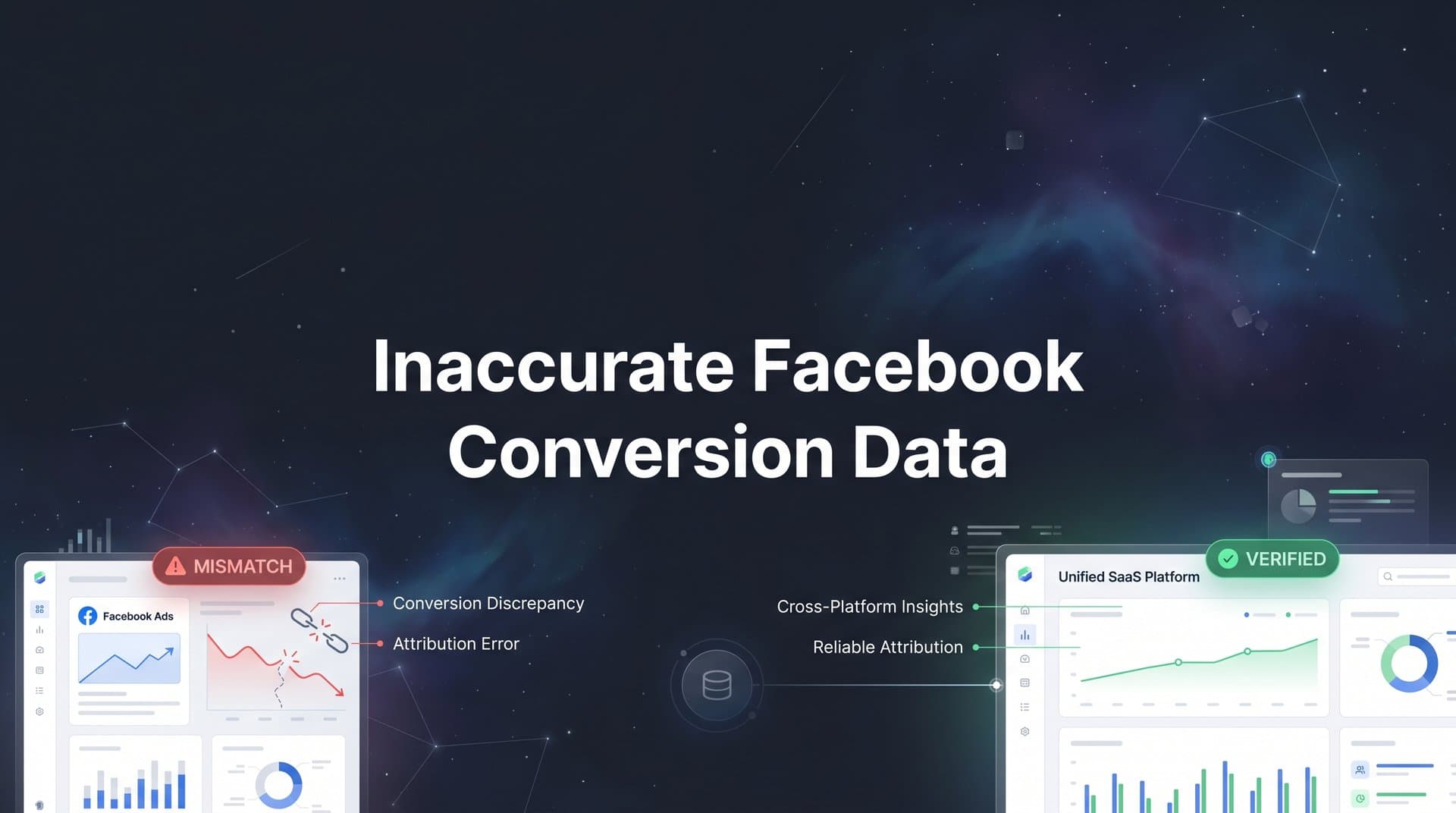
You check Facebook Ads Manager and see 50 conversions for the week. Then you open your CRM and count 30 actual sales. The numbers don't match, and now you're not sure which ones to trust. Do you scale the campaign because Facebook says it's working? Or do you pause it because your revenue data tells a different story?
This scenario plays out in marketing teams every single day. And it's not a minor rounding error or a timing quirk. Inaccurate Facebook conversion data has become one of the most significant challenges in paid advertising, creating a persistent gap between what the platform reports and what actually shows up in your business results.
The problem accelerated after Apple's iOS 14.5 update introduced App Tracking Transparency in 2021, which fundamentally changed how much data Facebook could collect about user behavior after an ad click. Layer on top of that the rise of browser-level privacy restrictions, ad blockers, and Facebook's own shift to statistical modeling, and you have a data environment where the numbers you see in Ads Manager may reflect an estimate rather than reality.
The stakes are high. Decisions about which campaigns to scale, which to cut, and where to allocate budget all depend on conversion data being accurate. When that data is unreliable, even experienced marketers can end up pouring money into campaigns that look profitable on paper but aren't delivering real revenue. This article walks through exactly why inaccurate Facebook conversion data happens, how to diagnose the gap in your own account, and what you can do to fix it.
The Real Cost of Trusting Flawed Conversion Numbers
At first glance, over-reported conversions might seem like a harmless problem. If Facebook says you got 50 sales but you only got 30, at least you still got 30, right? The danger is in what happens next. When you make scaling decisions based on inflated numbers, you're essentially betting real budget on phantom performance.
Think about what happens when a campaign appears to be hitting a strong return on ad spend. The natural move is to increase the budget, expand the audience, or duplicate the ad set. But if that ROAS figure is built on modeled or miscounted conversions, you're scaling a campaign that is actually underperforming. Understanding why Facebook overreports conversions is essential to avoiding this trap.
The flip side is equally damaging. A campaign that looks like it's barely breaking even in Ads Manager might actually be driving a meaningful number of conversions that Facebook simply isn't capturing. Marketers pause or kill those campaigns, cutting off a revenue stream they didn't even know they had. Both scenarios represent real money lost, not just a reporting inconvenience.
There's also a compounding effect that makes this worse over time. Facebook's algorithm relies on conversion signals to optimize ad delivery. It learns who to show your ads to based on who has converted in the past. When the conversion data feeding that algorithm is inaccurate, the algorithm optimizes toward the wrong audience. This is a key reason marketing data accuracy matters for ROI across your entire ad account.
The organizational impact matters too. When your Facebook Ads Manager shows one set of numbers and your CRM or finance team shows another, it creates a trust gap that's hard to bridge. Marketing teams lose credibility with leadership. Budget conversations become contentious. And instead of focusing on strategy, everyone ends up arguing about which number is correct. Inaccurate Facebook conversion data doesn't just affect campaign performance; it affects how marketing is perceived and valued across the entire organization.
Five Root Causes Behind Facebook's Conversion Tracking Gaps
Understanding why the data breaks down is the first step toward fixing it. There isn't a single culprit here. Several forces are working simultaneously to create the gap between Facebook's reported conversions and your actual business results.
iOS App Tracking Transparency: When Apple introduced ATT with iOS 14.5, it required apps to explicitly ask users for permission before tracking their activity across other apps and websites. Many users declined. This means Facebook lost the ability to observe what those users did after clicking an ad, including whether they completed a purchase. The conversions still happen, but Facebook can't see them. To fill the gap, it turns to statistical estimation, which we'll cover shortly.
Browser-level privacy restrictions: Safari's Intelligent Tracking Prevention and Firefox's Enhanced Tracking Protection both limit how long tracking cookies can persist and restrict cross-site data sharing. This means the Facebook Pixel, which relies on browser-based cookies to track user behavior after a click, loses visibility much faster than it used to. A user who clicks an ad on Monday and converts on Wednesday might not be tracked if their browser has cleared or blocked the relevant cookie in the interim. Learning about Facebook pixel tracking limitations helps you understand the full scope of this problem.
Ad blockers and pixel blocking: A significant portion of internet users run ad blockers, and many of those tools also block tracking pixels. When the Facebook Pixel can't load on a page, it can't fire a conversion event. That conversion simply disappears from Facebook's view entirely, with no modeling or estimation to replace it.
Attribution window changes: Facebook previously used a 28-day click attribution window as its default, meaning a conversion could be credited to an ad up to 28 days after the click. That window was shortened to 7 days. For products or services with longer consideration cycles, this means a meaningful number of real conversions are no longer attributed to the ads that influenced them. Understanding conversion window attribution is critical for interpreting your data correctly.
Cross-device tracking blind spots: A user might see your ad on their phone, research your product on a tablet, and complete a purchase on a desktop. Unless Facebook can connect all three devices to the same user, it may miss the conversion entirely or attribute it incorrectly. Cross-device tracking has always been imperfect, and privacy changes have made it harder. The result is a systematic undercounting of conversions for businesses with multi-device customer journeys.
Each of these factors creates its own gap. Together, they produce an environment where the conversion data in Ads Manager is a partial, estimated, and often delayed picture of what's actually happening in your business.
How Modeled Conversions and Aggregated Event Measurement Skew Your Reports
Facebook didn't simply accept the data loss caused by privacy changes. It responded with two mechanisms designed to preserve reporting continuity: Aggregated Event Measurement and modeled conversions. Both are worth understanding in detail, because both introduce their own forms of distortion.
Aggregated Event Measurement, or AEM, is Facebook's framework for measuring conversions from iOS users who have opted out of tracking. Under AEM, advertisers are limited to configuring up to eight conversion events per domain. These events must be prioritized in order of importance. When a user who has opted out of tracking converts, Facebook can only report the single highest-priority event that was triggered, not multiple events. If your highest-priority event is Purchase and a user completes a lead form instead, that lead may go entirely unreported in your campaign data.
This prioritization constraint creates real reporting gaps for businesses that track multiple conversion types. If your event configuration isn't set up thoughtfully, you may be losing visibility into entire categories of conversions. This is one of the core reasons behind underreporting conversions in Facebook Ads, and the impact varies depending on how much of your audience is on iOS devices.
Modeled conversions are a separate but related issue. When Facebook cannot directly observe a conversion because of tracking restrictions, it uses machine learning to estimate whether a conversion likely occurred based on patterns from similar users and campaigns. These modeled conversions are included in your Ads Manager reporting alongside directly observed conversions, but they're not labeled separately by default.
The problem with modeled conversions is that they are, by definition, estimates. The model may be well-calibrated in some cases and significantly off in others. For campaigns targeting niche audiences or running in volatile market conditions, the model's assumptions may not hold. The result is a reported conversion number that includes a mix of real, observed events and statistical guesses, with no easy way to distinguish between them.
Delayed reporting adds another layer of complexity. Facebook's data can take up to 72 hours to fully populate, particularly for campaigns involving iOS users under AEM. This means if you check your results on the same day or the day after an ad runs, you may be looking at incomplete data. Comparing that against real-time CRM data creates an artificial discrepancy that can lead to premature decisions about pausing or scaling campaigns.
Diagnosing the Gap: How to Audit Your Facebook Conversion Data
Before you can fix the problem, you need to measure it. A structured audit helps you understand the actual size of the discrepancy and identify where in the tracking chain things are breaking down.
Start with a 30-day comparison. Pull your Facebook-reported conversions for a completed 30-day period, giving the data enough time to fully populate and account for any reporting delays. Then pull the corresponding data from your CRM or backend system for the same period, filtering for the same conversion type. The difference between these two numbers is your baseline discrepancy. If Facebook is reporting significantly more conversions than your CRM shows, you likely have over-counting from modeled conversions or deduplication issues with the Conversions API. If Facebook is reporting fewer, you're dealing with under-counting from tracking loss.
Next, audit your UTM parameter setup. UTM parameters are tags appended to your ad URLs that allow your analytics platform and CRM to track which ad drove a session or conversion, independent of Facebook's pixel. If your UTMs are configured correctly, you should be able to pull session and conversion data from Google Analytics or your CRM that corresponds to Facebook traffic. This approach to solving attribution data discrepancies gives you a second point of triangulation.
Look for specific red flags in your account data. A sudden spike in reported conversions without a corresponding increase in revenue is a strong signal that modeled conversions are inflating your numbers. Campaigns with high reported ROAS but flat or declining actual revenue warrant immediate scrutiny. Mismatches between ad set-level and campaign-level conversion totals can indicate deduplication problems, where the same conversion is being counted multiple times across different attribution windows or tracking methods.
Also check your Conversions API implementation if you have one. Many advertisers set up CAPI alongside their pixel without configuring proper deduplication, which causes the same conversion event to be counted twice: once from the browser pixel and once from the server-side event. A thorough Conversion API implementation tutorial can help you configure deduplication keys correctly to avoid this issue.
The goal of this audit isn't just to find a number. It's to identify the specific mechanisms causing the discrepancy so you can address them directly rather than applying generic fixes.
Server-Side Tracking and Multi-Touch Attribution as the Fix
Once you understand where your data is breaking down, you can start building a more reliable measurement foundation. Two approaches work together to address the problem from different angles: server-side tracking and multi-touch attribution.
Server-side tracking solves the browser limitation problem at its root. Instead of relying on a pixel that runs in the user's browser, where it can be blocked by ad blockers, restricted by browser privacy settings, or prevented from firing by iOS restrictions, server-side tracking sends conversion data directly from your server to Facebook. The benefits of server-side conversion tracking are significant: when a purchase is completed, your server records the event and transmits it to Facebook via the Conversions API, regardless of what's happening in the user's browser.
This approach captures conversions that client-side pixels miss entirely. It's more reliable, more consistent, and less susceptible to the privacy-driven changes that have eroded pixel accuracy over the past several years. Critically, it also gives Facebook's algorithm better quality signals to work with, which improves targeting and optimization over time. When Facebook receives accurate conversion data, its machine learning can identify the right audiences more effectively, creating a direct link between better data and better campaign performance.
Multi-touch attribution addresses a different problem: Facebook's inherently siloed view of conversions. When Facebook reports a conversion, it's telling you what it observed within its own ecosystem. It doesn't know what happened on Google, in email, or through organic search before the user clicked the Facebook ad. This siloed view can make Facebook look like the sole driver of conversions that actually required multiple touchpoints to complete. Understanding Facebook ads attribution in this broader context is essential for accurate budget allocation.
Multi-touch attribution maps the full customer journey across every channel, giving credit to each touchpoint based on its actual role in the conversion path. This gives you a much more accurate picture of how Facebook fits into your overall marketing mix, which campaigns are genuinely driving incremental revenue, and where budget should be allocated across channels.
Cometly brings these two capabilities together in a single platform. It connects your ad platforms, CRM, and website data to track the entire customer journey in real time. Then it syncs enriched conversion events back to Facebook, so the algorithm receives accurate signals rather than gaps and estimates. The result is better optimization from Facebook's machine learning and clearer attribution data for your own decision-making. You can see which ads are actually driving revenue, not just which ones Facebook is crediting.
Building a Data Foundation You Can Actually Scale On
Fixing inaccurate Facebook conversion data isn't a one-time task. It requires building a measurement infrastructure that you can rely on consistently as your campaigns grow. Here's what that looks like in practice.
Implement server-side tracking with proper deduplication: Set up the Conversions API to run alongside your pixel, and configure deduplication using event ID matching so the same conversion isn't counted twice. Learning how to set up the Conversion API for Facebook correctly is the single highest-impact technical change most advertisers can make to improve data accuracy.
Establish a single source of truth: Choose one system, whether it's your CRM, your attribution platform, or your analytics stack, to serve as the authoritative record of conversions and revenue. Use this system to evaluate campaign performance, not Ads Manager in isolation. Facebook's reported numbers become one input among several rather than the final word.
Standardize UTM parameters across all campaigns: Consistent UTM tagging ensures that every session driven by a Facebook ad is trackable in your independent analytics layer. This gives you a reliable cross-reference point whenever Facebook's numbers look unusual.
Build a regular audit cadence: Schedule monthly comparisons between Facebook-reported data and your backend systems. Catching discrepancies early prevents compounding errors and keeps your scaling decisions grounded in reality.
The mindset shift matters as much as the technical setup. Treating Facebook Ads Manager as the sole source of truth for conversion performance is a habit that made more sense when pixel tracking was reliable and attribution windows were longer. In today's privacy-restricted environment, Ads Manager is one lens, not the whole picture. Marketers who invest in tracking Facebook ads accurately through multi-source attribution data consistently make better budget allocation choices than those who rely on platform-reported metrics alone.
Feeding better conversion data back to Facebook also creates a virtuous cycle. Accurate signals improve the algorithm's targeting. Better targeting produces better results. Better results generate more reliable conversion data. Over time, this compounds into a meaningful performance advantage over competitors who are still optimizing on noisy, incomplete data.
The Bottom Line on Facebook Conversion Data
Inaccurate Facebook conversion data is not a minor inconvenience to shrug off. It's a structural problem with real financial consequences: budgets misallocated toward campaigns that only look profitable, revenue-driving campaigns paused because they appear to be underperforming, and an algorithm that optimizes toward the wrong audiences because it's working with incomplete signals.
The causes are well understood: iOS tracking restrictions, browser privacy changes, ad blockers, shortened attribution windows, and Facebook's own statistical modeling all contribute to a gap between reported and real conversions. The fixes are available: server-side tracking via the Conversions API, multi-touch attribution that maps the full customer journey, and a rigorous audit process that keeps your data honest.
The marketers who will scale most effectively in this environment are the ones who stop accepting platform-reported numbers at face value and start building measurement systems that connect ad spend directly to real revenue. That means auditing your data regularly, implementing server-side tracking, and adopting an attribution approach that gives you a complete picture rather than a siloed one.
Ready to stop guessing and start scaling with confidence? Get your free demo of Cometly today and see how it captures every touchpoint, syncs accurate conversion data back to Facebook and other ad platforms, and gives your team a single, verified source of truth for every scaling decision you make.



