

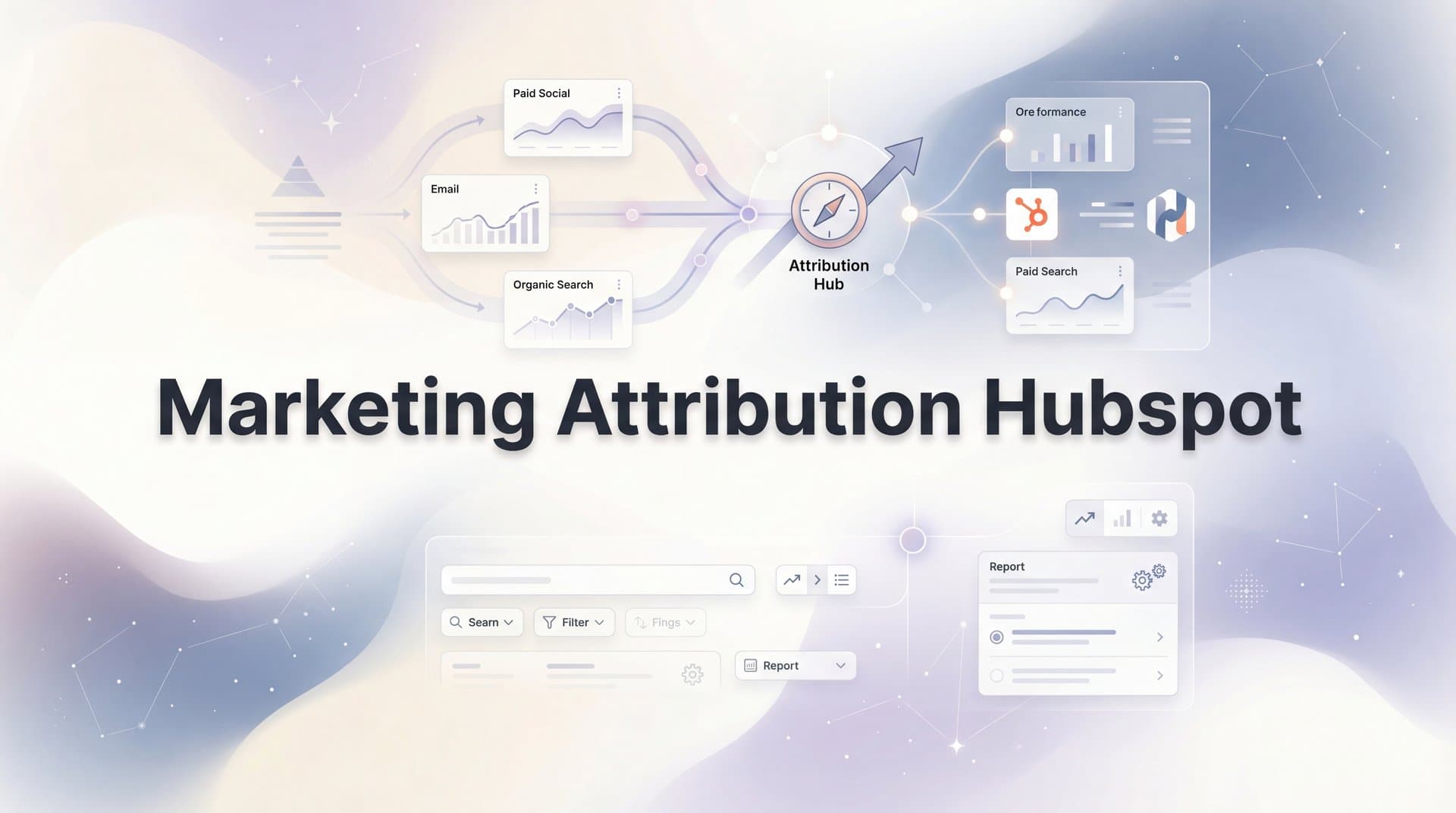
You check HubSpot every morning. Leads are flowing in. Forms are being submitted. Your dashboard shows activity across campaigns. But when your CEO asks which marketing efforts are actually driving revenue, you hesitate. The data is there, scattered across reports and properties, but connecting the dots between your Facebook ads, Google campaigns, and email sequences feels like assembling a puzzle where half the pieces are face-down.
HubSpot offers powerful attribution features built right into the platform. But understanding how they work—and more importantly, where they fall short—is the difference between making confident budget decisions and flying blind. The truth is, HubSpot's attribution tools provide an excellent starting point, but they weren't designed to solve every attribution challenge modern marketers face.
This guide walks you through everything HubSpot offers for marketing attribution, how to set it up correctly, and when you need to look beyond its native capabilities to get the complete picture of what's driving your revenue.
Understanding How HubSpot Captures Your Customer Journey
HubSpot tracks visitors the moment they land on your website through a tracking code installed on every page. This JavaScript snippet creates a first-party cookie in the visitor's browser, allowing HubSpot to follow their activity across your site. Every page view, button click, and form submission gets logged and tied to a unique visitor ID.
When someone fills out a form, HubSpot creates or updates a contact record. This is where tracking shifts from anonymous to identified. The platform retroactively associates all previous anonymous sessions with that contact, building a timeline of their journey before conversion. If they visited your pricing page three times, downloaded an ebook, and clicked through from a Facebook ad before finally requesting a demo, HubSpot connects those dots.
The magic happens through UTM parameters and original source tracking. When visitors arrive through paid ads, email campaigns, or social posts tagged with UTM parameters, HubSpot captures this data and stores it in contact properties. The "Original Source" property records how someone first found you, while "Latest Source" tracks their most recent touchpoint before converting. Understanding attribution marketing tracking fundamentals helps you maximize the value of this data.
But here's where it gets nuanced. HubSpot operates on two levels: session-based tracking and contact-based attribution. Session-based tracking monitors individual visits and interactions before someone becomes a known contact. Contact-based attribution analyzes the full journey of identified contacts across multiple sessions, devices, and channels—at least in theory.
The platform stores up to 200 touchpoints per contact in the timeline. Each interaction—whether it's an email open, ad click, or website visit—becomes a data point that attribution models can analyze. This creates a rich dataset for understanding how different marketing activities influence the path to conversion.
However, this tracking relies heavily on cookies persisting across sessions and the visitor using the same browser. If someone clicks your Instagram ad on their phone, then searches your brand name on their work laptop that afternoon and converts, HubSpot sees these as two separate anonymous visitors until the form submission connects them. This is where the first cracks in attribution accuracy begin to show.
Decoding HubSpot's Attribution Models
HubSpot offers seven attribution models, each distributing credit differently across the customer journey. Understanding what each model reveals—and what it obscures—is crucial for extracting meaningful insights from your data.
First Touch Attribution: Gives 100% credit to the initial interaction that brought someone into your ecosystem. If a prospect discovered you through a LinkedIn post six months before converting, that LinkedIn touchpoint gets full credit. This model answers the question: "What's making people aware of us?" It's valuable for top-of-funnel analysis and understanding which channels are best at generating new interest.
Last Touch Attribution: Awards all credit to the final touchpoint before conversion. If someone clicked a Google ad right before requesting a demo, that ad gets 100% credit regardless of previous interactions. This model highlights what's closing deals but completely ignores the nurturing journey that made the final touchpoint effective.
Linear Attribution: Distributes credit equally across all touchpoints. If a contact had ten interactions before converting, each receives 10% credit. This democratic approach acknowledges that every touchpoint matters but doesn't account for the reality that some interactions influence decisions more than others. Exploring different types of marketing attribution models helps you understand which approach fits your business.
U-Shaped Attribution: Assigns 40% credit to first touch, 40% to lead creation (typically form submission), and splits the remaining 20% among middle touchpoints. This model recognizes that awareness and conversion moments are critical inflection points. It works well when your primary goal is generating qualified leads, making it popular among B2B marketers focused on top-of-funnel performance.
W-Shaped Attribution: Expands the U-shaped model by adding a third major milestone: opportunity creation. It gives 30% credit each to first touch, lead creation, and opportunity creation, with the remaining 10% distributed among other touchpoints. This model suits businesses with distinct stages between lead generation and sales qualification. If your sales team actively works leads before they become opportunities, W-shaped attribution reveals which marketing efforts support that progression.
Time Decay Attribution: Assigns more credit to recent touchpoints, operating on the assumption that interactions closer to conversion had greater influence. Touchpoints from yesterday matter more than those from last month. This model reflects the reality that people's memory and motivation are stronger for recent experiences, but it can undervalue important early-stage awareness activities.
Full Path Attribution: Available only in HubSpot Enterprise, this model distributes credit across four key milestones: first touch (22.5%), lead creation (22.5%), opportunity creation (22.5%), and deal closed (22.5%), with the remaining 10% split among middle interactions. It provides the most comprehensive view of how marketing influences the entire funnel, from awareness through closed revenue.
Which model should you use? The answer depends on what questions you're trying to answer. If you're primarily focused on generating awareness and new leads, U-shaped attribution provides clear insights into what's working at the top of your funnel. For businesses with longer sales cycles and multiple stakeholder touchpoints, W-shaped or full path attribution better reflects the complex journey prospects take.
The key insight: no single model tells the complete story. Savvy marketers compare multiple models to understand how different perspectives reveal different truths about their marketing performance. What looks like your best channel in first-touch attribution might appear mediocre in last-touch analysis—and that contrast itself is valuable information.
Configuring Attribution Reports That Actually Help
Building useful attribution reports in HubSpot starts with accessing the right tools. Navigate to Reports, then Analytics Tools, and select Attribution Reports. This is where you'll construct custom reports that answer specific business questions about your marketing performance.
HubSpot offers two primary attribution report types, and understanding the difference is critical. Contact Create Attribution reports track which marketing efforts generate new contacts in your database. These reports answer: "What's filling our funnel with leads?" They're perfect for analyzing top-of-funnel performance and understanding which campaigns drive awareness and initial interest.
Revenue Attribution reports connect marketing touchpoints to actual closed deals and revenue. These reports answer the more valuable question: "What's making us money?" They require your sales team to properly track deals in HubSpot and close them with accurate revenue amounts. Understanding marketing revenue attribution principles ensures you're measuring what matters most to your business.
When building a report, you'll choose your attribution model, select the date range, and define which interactions to include. You can filter by campaign, content type, channel, or specific UTM parameters. The flexibility is powerful, but it requires thoughtful setup to generate actionable insights rather than overwhelming data dumps.
Here's where many marketers stumble: inconsistent UTM tagging. Attribution reports are only as good as the data feeding them. If your Facebook ads use one naming convention, your Google campaigns use another, and your email team doesn't use UTMs at all, your attribution reports become a mess of fragmented data that's impossible to analyze meaningfully.
We break down the leading options in our Facebook ads company guide.
Establish a UTM tagging standard before you start building attribution reports. Define clear conventions for utm_source (the platform: facebook, google, linkedin), utm_medium (the type: cpc, email, social), utm_campaign (the specific campaign name), and utm_content (the ad variation or email version). Document these standards and ensure everyone creating marketing assets follows them religiously.
Campaign organization matters just as much as UTM consistency. HubSpot's campaign tool groups related marketing assets under a single campaign umbrella. When you associate ads, emails, landing pages, and CTAs with the same campaign, attribution reports can aggregate performance across all those elements. Leveraging the right marketing campaign attribution software capabilities helps you see the big picture of how integrated marketing efforts perform together.
Once your reports are configured, schedule them to run automatically and share them with stakeholders. Weekly or monthly attribution reports create accountability and help teams understand which efforts deserve more budget. The goal isn't just to generate reports—it's to create a culture where marketing decisions are driven by attribution insights rather than gut feelings.
Recognizing HubSpot's Attribution Blind Spots
HubSpot's attribution tools work well within their designed parameters, but several fundamental limitations prevent them from capturing the complete customer journey. Understanding these gaps helps you set realistic expectations and know when to supplement with additional solutions.
Cross-device tracking remains one of HubSpot's most significant challenges. When someone clicks your ad on their phone, browses your website on their tablet, and converts on their laptop, HubSpot sees three separate anonymous visitors until the form submission. Even then, it can only retroactively connect the touchpoint on the device where conversion happened. The mobile ad that sparked initial interest and the tablet browsing session that built consideration? Those often remain invisible in your attribution reports.
Browser-based tracking faces increasing obstacles from privacy measures. iOS App Tracking Transparency requires apps to ask permission before tracking users across other apps and websites. Most users decline. Third-party cookies are being phased out across major browsers. Intelligent Tracking Prevention in Safari and Enhanced Tracking Protection in Firefox actively block many tracking scripts. These privacy features are good for consumers but create attribution black holes for marketers relying on browser-based tracking. The digital marketing attribution problem continues to grow as privacy regulations tighten.
Offline conversions present another attribution puzzle. If someone sees your Facebook ad, visits your website, then calls your sales team and closes over the phone, HubSpot tracks the website visit but can't automatically connect it to the phone call or closed deal unless your team manually logs that call and associates it with the contact. Many valuable conversions happen through channels HubSpot can't natively track: phone calls, in-person meetings, trade show interactions, or conversations that happen in Slack or text messages.
Multi-platform campaigns reveal attribution gaps quickly. You're running ads on Facebook, Google, LinkedIn, and TikTok. A prospect sees your content across all four platforms before converting. HubSpot might capture the click from whichever platform they used immediately before visiting your website, but those other three touchpoints? They're often lost unless you've implemented sophisticated tracking infrastructure that goes beyond HubSpot's native capabilities. Implementing cross-channel marketing attribution software helps capture these multi-platform journeys.
If you're evaluating vendors, our Facebook ads companies breakdown can help.
Attribution reporting also breaks down when leads take extended journeys through your ecosystem. Someone might engage with your content for months—reading blog posts, downloading resources, attending webinars—all while logged out or using different browsers. When they finally convert, HubSpot can only attribute what it tracked during sessions where its cookie was present and functioning. The full story of their engagement remains incomplete.
The platform also struggles with accurate attribution when multiple people from the same company are involved in the buying decision. In B2B sales, deals often involve three to seven stakeholders. Each person researches independently, using different devices and browsers. HubSpot tracks them as separate contacts with separate journeys, making it difficult to understand the collective marketing touchpoints that influenced the account-level decision.
Strengthening Attribution with Specialized Platforms
When HubSpot's native attribution capabilities leave questions unanswered, specialized attribution platforms fill the gaps by capturing touchpoints HubSpot misses and providing more accurate cross-channel analysis. These tools don't replace HubSpot—they enhance it by solving the tracking limitations inherent in browser-based systems. Many marketers explore a HubSpot marketing attribution alternative to address these specific gaps.
Server-side tracking represents a fundamental shift in how conversion data is captured. Instead of relying on browser cookies and JavaScript that can be blocked by privacy tools, server-side tracking sends conversion events directly from your server to analytics platforms and ad networks. When someone converts on your website, your server communicates that conversion to Facebook, Google, and your attribution platform—regardless of browser settings, ad blockers, or cookie restrictions.
This approach dramatically improves data accuracy. Companies implementing server-side tracking often discover they were missing significant conversion data. What they thought was a decline in campaign performance was actually a decline in tracking accuracy. The campaigns were still working; the measurement system just couldn't see the results.
Dedicated attribution platforms also excel at connecting online and offline touchpoints. They can integrate with your call tracking system to attribute phone conversions, sync with your CRM to capture in-person meeting data, and track events that happen outside your website. Reviewing marketing attribution platforms for revenue tracking helps you find solutions that create a more complete view of the customer journey, especially for businesses with complex sales processes involving multiple conversion points.
Cross-device and cross-platform tracking becomes possible through identity resolution technology. These platforms use multiple signals—email addresses, phone numbers, IP addresses, device fingerprints—to recognize when different anonymous sessions belong to the same person. When someone clicks your Instagram ad on their phone and converts on their laptop days later, advanced attribution platforms can connect those dots even when browser cookies can't.
We break down the leading options in our AI Instagram ad generator guide.
Perhaps most valuable, specialized attribution platforms send enriched conversion data back to ad platforms like Meta and Google. This creates a powerful feedback loop. Better conversion data helps ad platform algorithms understand which audiences and creative variations drive results, leading to improved targeting and optimization. Your campaigns become more effective because the platforms powering them have more accurate signals to learn from.
The integration between HubSpot and attribution platforms typically works seamlessly. Conversion data syncs back to HubSpot contact records, enriching the information your sales team sees. Meanwhile, the attribution platform maintains its own comprehensive tracking that captures touchpoints HubSpot misses. You get the best of both worlds: HubSpot's powerful CRM and marketing automation combined with enterprise-grade attribution accuracy.
Creating Your Attribution Framework
Building an effective attribution strategy doesn't mean abandoning HubSpot's native tools or immediately investing in complex enterprise solutions. Start with what you have, identify specific gaps, then layer in additional capabilities where they provide the most value.
Begin by auditing your current setup. Can you confidently answer these questions: Which campaigns generated the most leads last month? Which channels drove the most revenue? What's the typical customer journey from first touch to closed deal? If these questions expose blind spots, you've identified where your attribution needs improvement. Understanding whether you need a marketing attribution tool starts with this honest assessment.
Implement proper UTM tagging and campaign organization as your foundation. Even the most sophisticated attribution platform can't fix messy data. Establish clear naming conventions, document them, and ensure everyone creating marketing assets follows the standards. This discipline pays dividends across every attribution tool you use.
Use HubSpot's attribution reports to understand top-of-funnel performance and lead generation effectiveness. The platform excels at showing which efforts fill your pipeline with contacts. Compare multiple attribution models to see how different perspectives reveal different insights about your marketing mix.
When you identify gaps—missing phone call conversions, incomplete cross-device tracking, or inability to measure true ad impact—evaluate whether specialized attribution tools would solve those specific problems. Knowing where to find marketing attribution tools that match your specific needs accelerates this evaluation process. The goal isn't to have the most sophisticated tech stack; it's to answer the business questions that drive better marketing decisions.
Connect attribution insights to revenue, not just lead counts. A campaign that generates fewer leads but higher-quality prospects who close at higher rates is more valuable than a campaign flooding your pipeline with unqualified contacts. Revenue attribution reports in HubSpot, supplemented by dedicated attribution platforms, help you optimize for outcomes that matter to the business.
Make attribution review a regular practice. Schedule monthly sessions where marketing and sales teams review attribution data together. Discuss what's working, what's not, and how to reallocate budget toward higher-performing channels. Attribution only creates value when it informs actual decisions.
Moving Beyond Attribution Guesswork
HubSpot provides a solid foundation for understanding your marketing performance. Its attribution models, reporting capabilities, and integration with your CRM create valuable insights into how leads flow through your funnel. For many businesses, especially those with straightforward customer journeys and primarily inbound marketing strategies, HubSpot's native attribution tools are sufficient.
But if you're investing heavily in paid advertising across multiple platforms, dealing with complex B2B sales cycles, or struggling to connect marketing activities to actual revenue, HubSpot's limitations become obstacles to growth. The platform can't solve cross-device tracking challenges, capture all offline conversions, or provide the level of accuracy needed for optimizing six-figure monthly ad budgets.
The question isn't whether HubSpot is good or bad at attribution. It's whether your current setup answers the questions your business needs answered. Can you confidently tell your CEO which marketing investments drive revenue? Can you optimize campaigns based on accurate conversion data? Do you know which touchpoints actually influence buying decisions?
If those questions make you uncomfortable, it's time to evaluate how specialized attribution platforms can fill the gaps. The right solution captures every touchpoint HubSpot misses, provides server-side tracking that bypasses browser limitations, and feeds better data back to your ad platforms for improved performance.
Ready to elevate your marketing game with precision and confidence? Discover how Cometly's AI-driven recommendations can transform your ad strategy—Get your free demo today and start capturing every touchpoint to maximize your conversions.



