Every marketer has faced the same frustrating question: which ad campaigns are actually generating revenue? You are spending thousands across Meta, Google, TikTok, and other platforms, but when a sale closes, connecting that revenue to the specific ad that started the journey feels like guesswork. Platform-reported metrics often inflate results, CRM data sits in a silo, and the customer journey spans days or weeks across multiple touchpoints.
Without a reliable way to track sales back to ad campaigns, you end up making budget decisions based on incomplete or misleading data. You scale campaigns that look good on paper but underperform in reality, and you cut campaigns that were actually contributing to revenue without realizing it.
This guide walks you through a clear, repeatable process to connect every closed sale to the ad campaign that influenced it. You will learn how to set up proper tracking infrastructure, connect your ad platforms to your CRM, implement server-side tracking for accuracy, choose the right attribution model, and use that data to optimize your ad spend with confidence.
Whether you are a solo marketer managing a few campaigns or part of a team running ads across a dozen channels, these steps will help you build a system where revenue data flows directly back to the campaigns that earned it. Let's get into it.
Step 1: Map Your Full Customer Journey Before You Track Anything
Here is a mistake that trips up even experienced marketers: jumping straight into pixel setup and UTM parameters before understanding the actual path a customer takes from first ad click to closed sale. If you do not map the journey first, you will build a tracking system full of blind spots.
Start by identifying every touchpoint a buyer encounters. This includes the initial ad impression, the click, the landing page, any form fills or lead magnet downloads, email sequences, retargeting ads, sales calls, demo requests, follow-up touchpoints, and finally the CRM stage where a deal is marked closed-won. Write every single one of these down.
For B2B and high-ticket products, this journey rarely happens in a single session. A buyer might click a Google ad on Monday, read a blog post on Wednesday, see a retargeted Meta ad on Friday, and finally book a demo the following week after receiving a nurture email. That is five or more touchpoints across multiple platforms before a single dollar changes hands. Your tracking for high-ticket sales funnels needs to account for all of them.
Next, pinpoint where data currently breaks or gets lost. Common gaps include:
Between ad platform and website: The click happens but the UTM parameters do not carry through to your landing page, or the pixel fires inconsistently.
Between website and CRM: A lead submits a form but the original ad source does not get passed into the CRM record, so you lose attribution the moment the lead enters your sales pipeline.
Between CRM and closed deal: Even if source data enters the CRM, it may not stay attached to the deal record through every pipeline stage, especially if deals are manually updated or moved between team members.
Create a simple journey map that shows each stage, the data that should travel with the contact at each stage, and where the handoffs happen. A basic spreadsheet or whiteboard diagram works perfectly for this. The goal is clarity, not complexity.
This mapping exercise also reveals which parts of your funnel generate the most data loss, so you can prioritize where to focus your tracking efforts first. You cannot track what you have not mapped, and you cannot fix gaps you have not identified.
Success indicator: You have a documented customer journey with every stage, every data handoff point, and every current gap clearly identified before you touch a single tracking tool.
Step 2: Build a Consistent UTM and Click ID Infrastructure
UTM parameters are the foundation of campaign-level attribution. They are the labels you attach to every ad URL that tell your analytics system exactly where a visitor came from. Without them, you are flying blind. With inconsistent ones, you might as well be.
Build a UTM naming convention that covers all five parameters: source, medium, campaign, ad set or content, and term. Here is a practical example for a Meta campaign:
utm_source: meta
utm_medium: paid-social
utm_campaign: spring-promo-2026
utm_content: adset-retargeting-warm
utm_term: ad-video-testimonial
The specific naming convention matters less than the consistency. The biggest UTM failure point is not using the wrong format, it is using different formats across team members, campaigns, or platforms. If one person writes "Meta" and another writes "meta" and another writes "facebook," you now have three separate data buckets in your analytics that should be one. At scale, this fragmentation makes accurate attribution nearly impossible. Following UTM parameter best practices for campaigns eliminates these issues from the start.
Document your naming convention in a shared reference document and enforce it across everyone who touches your ad accounts. Many teams use a UTM builder spreadsheet that auto-generates URLs based on dropdown selections, which eliminates manual errors entirely.
Beyond UTMs, you also need to capture click IDs. When someone clicks a Google ad, Google appends a gclid parameter to the URL. When someone clicks a Meta ad, Meta appends an fbclid. These click IDs are separate from UTMs and provide platform-level attribution data that goes deeper than UTMs alone. Make sure your landing pages and website are configured to capture and store these values, not just pass them through.
Install your tracking pixels (Meta Pixel, Google tag, etc.) on every page of your website, not just the homepage or thank-you page. These pixels work alongside your UTMs and click IDs to build a more complete picture of visitor behavior.
Also configure first-party cookies on your domain to store visitor-level attribution data. First-party cookies are set by your own domain rather than a third-party, which makes them more durable and less susceptible to browser restrictions than third-party cookies.
Success indicator: Every ad across every platform carries clean, standardized UTM parameters, click IDs are being captured and stored on your website, and your team has a shared naming convention document that everyone follows.
Step 3: Connect Your Ad Platforms, Website, and CRM Into One Pipeline
UTMs and pixels capture data at the top of the funnel. But if that data does not follow the lead all the way through your CRM to a closed deal, you have only solved half the problem. This step is where most teams stall, because connecting ad platforms, a website, and a CRM into a unified data pipeline requires intentional integration work.
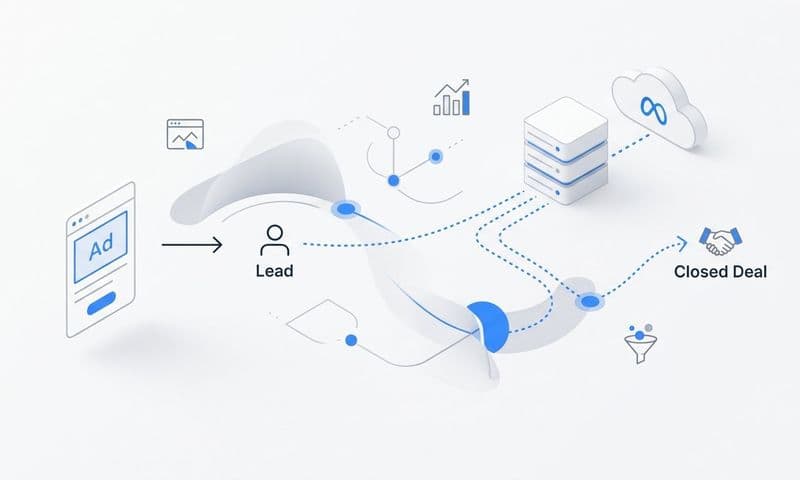
The goal is straightforward: when a lead enters your CRM from an ad click, the original source, campaign name, ad set, ad ID, and platform should all travel with that record. When the deal closes, you should be able to open that CRM record and see exactly which ad campaign originated the customer.
Here is how to make that happen. When a visitor fills out a form on your website after clicking an ad, your form should capture the UTM parameters and click IDs stored in the URL or in the first-party cookie, and pass them as hidden fields into your CRM. Most CRM platforms support custom fields where you can store this attribution data. Set up fields for utm_source, utm_medium, utm_campaign, utm_content, and the relevant click ID.
For phone-based or offline sales, the challenge is connecting a sale that happens outside the browser back to the original ad click. This is where tools like Cometly become particularly valuable. Cometly connects your ad platforms, your website, and your CRM to create a unified view of the customer journey in real time, including events that happen offline or outside the typical browser session.
The critical thing to verify is that attribution data does not get stripped out as deals move through your pipeline stages. Check your CRM workflows and automations to make sure they are not overwriting or deleting the original source fields when records are updated or reassigned. Having a sales funnel attribution tracking system in place ensures data integrity at every stage.
You should also consider what happens when a lead re-engages after a long period of inactivity. If someone clicked a Google ad six months ago and is now responding to a Meta retargeting ad, your system needs to handle multi-session attribution intelligently rather than simply overwriting the first-touch data with the most recent touch.
Success indicator: When you open a closed-won deal in your CRM, you can see the exact ad campaign, ad set, platform, and click ID that originated that customer, without having to manually cross-reference anything.
Step 4: Implement Server-Side Tracking to Stop Losing Conversion Data
If you are relying entirely on browser-based pixels to track conversions, you are missing a significant portion of your actual sales data. This is not a small gap. It is a structural problem that has grown substantially as privacy changes have reshaped how browsers handle tracking.
iOS App Tracking Transparency, the phaseout of third-party cookies, and the widespread adoption of ad blockers have all reduced the effectiveness of client-side (browser-based) tracking. When a user has an ad blocker installed, your pixel does not fire. When a user opts out of tracking on iOS, the fbclid may not be passed. When a browser strips cookies after a short session, the attribution chain breaks. The result is that your platform-reported conversions often tell a very different story than your actual closed sales numbers. Understanding the difference between server-side tracking vs pixel tracking is essential to closing this gap.
Server-side tracking solves this by sending conversion data directly from your server to ad platforms, bypassing the browser entirely. Instead of relying on a pixel that fires in the user's browser (which can be blocked or restricted), your server receives the conversion event and forwards it to Meta, Google, or whichever platform you are running on. The data travels through a server-to-server connection that is not affected by browser limitations.
To implement server-side tracking, you need to configure server-side events for your key conversion actions. These typically include purchases, form submissions, demo bookings, and significant CRM stage changes like a deal moving to closed-won. Each event should carry the relevant customer data (hashed email, phone, and other identifiers where available) so the platform can match it back to the original ad click.
Cometly's server-side tracking for advertising is built specifically for this purpose. It captures conversions that browser pixels miss and sends them to ad platforms with the enriched data needed for accurate matching. Many marketers who implement server-side tracking for the first time discover conversions they were previously not attributing at all, which changes their understanding of which campaigns are actually performing.
A common pitfall here is running server-side tracking alongside browser-side pixels without deduplication logic. If both your pixel and your server fire an event for the same conversion, you will double-count. Make sure your setup includes event deduplication, typically done by assigning a unique event ID to each conversion that both the pixel and server-side event share.
Success indicator: Your key conversion events are being sent server-side, you have deduplication in place, and the gap between your platform-reported conversions and your actual CRM closed deals has narrowed significantly.
Step 5: Choose the Right Attribution Model for Your Sales Cycle
Once your tracking infrastructure is solid and data is flowing cleanly from ads to CRM, you need to decide how to distribute credit across the multiple touchpoints that influenced each sale. This is where attribution models come in.
The main models you will encounter are:
First-touch attribution: Gives 100% of the credit to the very first ad or channel that a buyer interacted with. Useful for understanding what drives awareness and top-of-funnel entry, but ignores everything that happened after that initial click.
Last-touch attribution: Gives 100% of the credit to the final touchpoint before conversion. Easy to implement and understand, but it tends to over-credit bottom-of-funnel channels like branded search while ignoring the campaigns that built awareness and intent earlier in the journey.
Linear attribution: Distributes credit equally across every touchpoint in the journey. More balanced than single-touch models, though it treats a quick retargeting click the same as the initial awareness ad that started everything.
Time-decay attribution: Gives more credit to touchpoints that occurred closer to the conversion. This reflects the intuition that the last few interactions before a sale are often the most influential, while still acknowledging earlier touchpoints.
Data-driven attribution: Uses machine learning to assign credit based on how much each touchpoint actually contributed to conversions, based on your historical data. This is the most sophisticated model but requires sufficient data volume to produce reliable results.
For businesses with longer sales cycles and multiple touchpoints, multi-touch attribution models (linear, time-decay, or data-driven) provide a far more accurate picture than first or last touch alone. A B2B company where deals take six to eight weeks to close and involve five or more ad interactions should not be making budget decisions based on last-touch credit. Effective tracking for B2B marketing campaigns requires a model that reflects the complexity of these longer journeys.
The practical advice here is to avoid analysis paralysis. Pick one model that fits your sales cycle, apply it consistently, and learn from it. Cometly lets you compare attribution models side by side, so you can see how revenue credit shifts between campaigns under different models and make an informed decision about which view best reflects your buyer reality.
Success indicator: You have selected an attribution model, applied it to your revenue data, and can clearly see which campaigns are receiving credit for closed sales under that model.
Step 6: Sync Conversion Data Back to Ad Platforms to Sharpen Targeting
Most marketers think of attribution as a one-way flow: data moves from ad platforms into your analytics system so you can see what worked. But there is a second direction that is just as important, and far fewer teams take advantage of it. Sending your conversion data back to the ad platforms creates a feedback loop that makes their algorithms smarter and your campaigns more efficient over time.
Here is why this matters. Meta's and Google's machine learning algorithms optimize toward the conversion signals you give them. If the only signal they receive is a pixel-fired page view or a basic lead form submission, they will optimize toward people who take those actions, which may or may not correlate with people who actually buy. But if you send them server-side events that say "this specific person became a paying customer worth this amount," the algorithm learns to find more people who look like your real buyers.
This distinction is significant for businesses where the lead-to-customer conversion rate varies widely. If your ads are generating plenty of leads but only a small percentage convert to actual sales, feeding back only the lead event teaches the platform to find more people who fill out forms. Feeding back the closed-sale event teaches it to find more people who actually pay. This is a common reason ads show conversions but no sales in platform dashboards.
Cometly's Conversion Sync feature handles this automatically. It takes the enriched conversion data from your CRM and attribution system and sends it back to Meta, Google, and other platforms as server-side events. This means ad platforms receive accurate, complete signals about your real buyers rather than the incomplete, delayed, or browser-limited signals that come from standard pixel setups.
Over time, this creates a compounding effect. Better signals lead to better optimization. Better optimization leads to lower cost per acquisition and higher return on ad spend. The campaigns you are running become progressively more efficient because the platforms are learning from your actual revenue data, not just surface-level engagement metrics.
Success indicator: Your ad platforms are receiving server-side conversion events that reflect actual sales, and over subsequent weeks you observe improved targeting quality and campaign performance.
Step 7: Analyze, Optimize, and Scale Using Real Revenue Attribution
You have built the infrastructure. Data is flowing from ad clicks through your website, into your CRM, and back to your ad platforms. Now comes the part that makes all of that work pay off: using the data to make smarter decisions about where to put your budget.
Open your attribution dashboard and shift your analysis away from platform-reported metrics like cost per click or cost per lead. Focus instead on true cost per acquisition and return on ad spend calculated from actual closed sales. These numbers often look very different from what the ad platforms report, and that difference is where the real optimization opportunity lives. A revenue tracking across marketing channels approach gives you the complete picture.
Look at performance by campaign, by ad set, and by individual ad. You will likely find that a small number of campaigns are responsible for a disproportionate share of actual revenue, while others that appeared to perform well based on platform metrics are contributing very little to closed deals. This is the insight that makes the entire attribution system worth building.
Cometly's AI Ads Manager surfaces these insights automatically, highlighting high-performing campaigns and underperformers across all your channels in a single view. Instead of manually pulling reports from Meta, Google, and your CRM and trying to reconcile them in a spreadsheet, you get a unified picture of which campaigns are driving real revenue and which ones are consuming budget without results.
Set up a regular review cadence. A weekly or biweekly attribution review where you check your revenue data, reallocate budget toward top performers, and pause or restructure underperformers will consistently improve your overall ROAS over time. Identifying and eliminating wasted ad spend on ineffective campaigns is one of the fastest ways to boost profitability.
When you find campaigns that are generating strong revenue attribution, scale them with confidence. You are not guessing that they work. You have data connecting specific ad spend to specific closed revenue. That is the foundation of sustainable, profitable paid advertising.
Success indicator: Your budget allocation decisions are driven by verified revenue attribution data, and your overall ROAS is trending upward as you consistently redirect spend toward campaigns with proven revenue impact.
Putting It All Together: Your Revenue Attribution Checklist
Tracking sales back to ad campaigns is not a one-time setup. It is a system you build, refine, and maintain as your campaigns evolve, your tech stack changes, and your buyer journey shifts. The good news is that once the foundation is in place, maintaining it is far easier than building it from scratch.
Here is your quick checklist to keep you on track:
1. Customer journey mapped with all touchpoints and data handoff points documented.
2. UTM parameters and click IDs standardized across every campaign and platform.
3. Ad platforms, website, and CRM connected into a single data pipeline.
4. Server-side tracking implemented to capture conversions browser pixels miss.
5. Attribution model selected and applied to your revenue data.
6. Conversion data syncing back to ad platforms to improve their optimization.
7. Regular review cadence established to analyze, optimize, and scale based on real revenue.
When every piece is in place, you stop guessing which campaigns drive revenue and start knowing. The difference between those two states is not just better reporting. It is better decisions, smarter budget allocation, and compounding improvements in campaign performance over time.
Cometly brings all of these pieces together in one platform. It connects your ads, your CRM, and your revenue data so you can see exactly what is working across every channel, apply multi-touch attribution models, sync enriched conversion data back to ad platforms, and use AI-powered recommendations to scale with confidence.
Ready to see it in action? Get your free demo today and start tracking your sales back to the campaigns that actually earned them.