

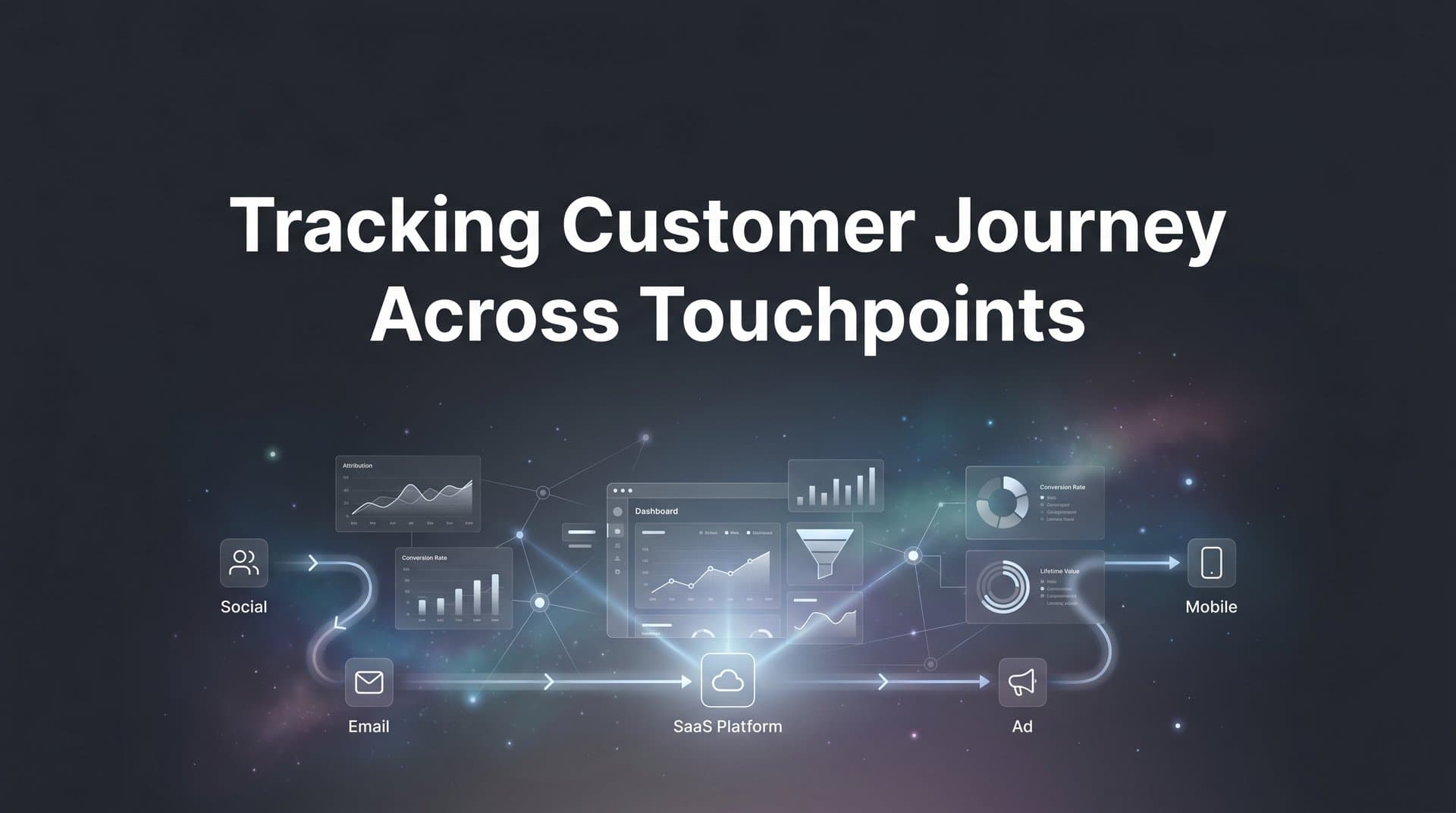
Modern customers rarely convert after a single interaction. They might click a Facebook ad, browse your website, open an email, and then finally purchase after seeing a Google remarketing ad weeks later. Without proper tracking across these touchpoints, you're left guessing which channels actually drive revenue and which ones waste budget.
The challenge has intensified. iOS privacy updates block traditional tracking. Browser restrictions limit cookie-based measurement. Ad platforms show inflated attribution while your CRM tells a different story. Meanwhile, your customers move seamlessly between devices and channels, leaving fragmented data trails that don't connect.
This guide walks you through setting up comprehensive customer journey tracking from scratch. You'll learn how to connect your ad platforms, website, and CRM into a unified tracking system that captures every meaningful interaction. By the end, you'll have a clear view of how customers move from first touch to final conversion, giving you the data needed to optimize campaigns and scale what works.
Step 1: Map Your Current Customer Touchpoints
Before building a tracking system, you need to understand what you're actually tracking. Start by auditing every channel where customers interact with your brand. This includes paid advertising platforms like Meta, Google Ads, TikTok, and LinkedIn. It also covers organic channels such as search traffic, social media, referrals, and direct visits. Don't forget email campaigns, SMS marketing, and any offline touchpoints like events or sales calls.
Create a simple spreadsheet to document each touchpoint. List the channel name, whether you currently track it, what data you capture, and any known gaps. For example, you might track Google Ads clicks but not what happens after users land on your site. Or you might see email opens but can't connect those opens to eventual purchases.
Next, examine your existing data to identify typical customer paths. Pull reports from your analytics platform showing the sequence of interactions before conversions. Look for patterns. Do customers typically discover you through paid search, then return via email before purchasing? Do they interact with multiple ad platforms before converting? Understanding these patterns helps you prioritize which touchpoints need the most robust tracking.
Pay special attention to where you lose visibility. Common blind spots include cross-device journeys where a customer clicks an ad on mobile but converts on desktop. Another gap occurs when customers interact with ads but don't click through immediately, then later visit your site directly. These "view-through" interactions often go untracked entirely. Understanding what customer journey touchpoints matter most helps you focus your tracking efforts.
Document the current state honestly. If you're only tracking last-click attribution through Google Analytics, acknowledge that you're missing everything that happened before that final click. If your CRM shows deals but doesn't connect them back to marketing sources, note that gap. This inventory becomes your roadmap for what needs fixing.
The goal isn't perfection at this stage. You're simply creating a baseline understanding of your customer journey and identifying where tracking improvements will have the biggest impact. Most businesses discover they have good visibility into individual channels but terrible visibility into how those channels work together to drive conversions.
Step 2: Implement Server-Side Tracking on Your Website
Browser-based tracking pixels have become increasingly unreliable. iOS App Tracking Transparency requires users to opt in before apps can track them across other companies' apps and websites. Safari's Intelligent Tracking Prevention blocks third-party cookies by default. Firefox and other browsers have followed suit. Ad blockers strip tracking scripts entirely. The result? You're missing significant portions of your traffic data.
Server-side tracking solves this by collecting data on your server before it ever reaches the user's browser. When someone visits your site, your server logs the visit and sends that data directly to your analytics and attribution platforms. This happens regardless of browser settings, ad blockers, or privacy restrictions because the data collection occurs on your infrastructure, not the user's device.
To implement server-side tracking, you'll need to set up a tracking endpoint on your server that receives events from your website. This typically involves installing a tracking library or SDK that captures user interactions and sends them to your server. The specific implementation depends on your website platform and tech stack, but the core concept remains the same: move data collection from the client side to the server side.
Configure event tracking for all meaningful actions on your site. At minimum, track page views, form submissions, add-to-cart actions, and purchases. But don't stop there. Track video views, PDF downloads, calculator usage, demo requests, and any other interaction that indicates buyer intent. Each of these events becomes a touchpoint in your customer journey data.
Include relevant context with each event. Capture the user's source (where they came from), their device type, the specific page they interacted with, and any UTM parameters from the referring URL. This context lets you connect website events back to the marketing channels that drove them. Proper tracking customers across devices requires capturing these identifiers consistently.
Before going live, verify your tracking fires correctly. Use testing tools to trigger events and confirm they appear in your tracking dashboard. Submit a test form and check that the form submission event captured the right data. Add an item to your cart and verify the add-to-cart event includes the product details and value. Make a test purchase and ensure the purchase event shows the correct revenue amount.
Server-side tracking provides the foundation for accurate journey measurement. It captures interactions that browser-based tracking misses and creates a reliable record of what actually happens on your website. This becomes especially valuable when you connect it to your ad platforms and CRM in the next steps.
Step 3: Connect Your Ad Platforms to a Central Attribution System
Your ad platforms each have their own attribution dashboards, but they don't talk to each other. Meta claims credit for conversions. Google Ads claims credit for the same conversions. TikTok does the same. The result? Your reported conversions add up to 300% of your actual sales because each platform uses last-click attribution within its own ecosystem.
A central attribution system solves this by collecting click and impression data from all your ad platforms into one unified view. Instead of trusting each platform's self-reported attribution, you track every touchpoint yourself and apply consistent attribution rules across all channels. This approach to ad tracking across multiple platforms eliminates the double-counting problem.
Start by integrating your major paid channels. Connect Meta Ads, Google Ads, TikTok Ads, LinkedIn Ads, and any other platforms where you run campaigns. Most attribution platforms offer native integrations that automatically pull in your ad spend, impressions, clicks, and campaign details. This gives you a complete picture of your paid media activity in one place.
Implement UTM parameters consistently across every campaign. Use a standardized naming convention that identifies the source, medium, campaign name, ad set, and specific ad. For example: utm_source=facebook, utm_medium=paid_social, utm_campaign=spring_sale, utm_content=carousel_ad_1. Consistent UTM tagging ensures you can accurately identify which specific ads drove each website visit.
Set up conversion APIs to send data back to your ad platforms. This is crucial for campaign optimization. When someone converts on your website, your attribution system should send that conversion event back to Meta, Google, and other platforms. This feeds their algorithms better data about what's actually working, improving their ability to find similar high-value customers.
The conversion data you send back should include more than just the conversion itself. Send the actual revenue value, the customer's lifetime value if you have it, and any other signals that help ad platforms understand conversion quality. Better data in means better optimization out.
Test that clicks from each platform are being captured correctly. Run a small test campaign on each platform with unique UTM parameters. Click through your own ads and verify that those clicks appear in your attribution dashboard with the correct source information. Check that subsequent conversions get attributed back to the right platform and campaign.
With all platforms connected, you can finally see your true cross-channel performance. You might discover that TikTok rarely gets last-click credit but consistently appears early in high-value customer journeys. Or that LinkedIn drives expensive clicks but those visitors convert at three times the rate of other channels. This visibility changes how you allocate budget.
Step 4: Link Your CRM to Capture Offline and Sales Events
Marketing attribution often stops at the website conversion, but that's not where the journey ends. A lead form submission is just the beginning of your sales process. To understand true ROI, you need to track what happens after that initial conversion: which leads become opportunities, which opportunities close, and how much revenue each customer generates.
Connect your CRM to your attribution system to close this loop. Whether you use HubSpot, Salesforce, Pipedrive, or another platform, integration lets you track leads through your entire sales pipeline. When a lead moves from "new" to "qualified" to "opportunity" to "closed-won," those stage changes become additional touchpoints in your customer journey data.
Map your CRM stages to conversion events in your attribution platform. Define what constitutes a meaningful progression. For many businesses, this includes events like "lead created," "sales qualified lead," "opportunity created," "demo completed," and "deal closed." Each of these events should flow into your attribution timeline alongside the marketing touchpoints that came before.
The most critical integration is revenue data. When a deal closes in your CRM, that revenue amount should flow back to your attribution system and get connected to all the marketing touchpoints that influenced that customer. This enables true revenue tracking across marketing channels rather than just counting leads.
Configure your integration to handle both new customer revenue and expansion revenue from existing customers. If your business model includes upsells, renewals, or additional purchases, track those events separately. This helps you understand which marketing channels are best at acquiring new customers versus which ones drive repeat business.
Verify that CRM events appear in your attribution timeline. Create a test lead in your CRM and move it through your sales stages. Check that each stage change shows up as an event in your attribution platform. Close a test deal and confirm the revenue amount appears correctly. This validation ensures your sales data integrates properly with your marketing data.
CRM integration transforms your attribution from a marketing tool into a revenue intelligence platform. You can now answer questions like: Which ad campaign sourced our highest-value customers? How long does it take from first click to closed deal? Which touchpoints correlate with faster sales cycles? This data drives smarter budget allocation and campaign strategy.
Step 5: Configure Multi-Touch Attribution Models
Last-click attribution gives all the credit to the final touchpoint before conversion. First-click attribution gives all the credit to the initial touchpoint. Both approaches are wrong because they ignore the reality that most conversions involve multiple interactions across different channels working together.
Multi-touch attribution distributes credit across all the touchpoints in a customer's journey. Different models distribute that credit differently. Linear attribution splits credit evenly across all touchpoints. Time-decay attribution gives more credit to recent interactions. Position-based attribution (also called U-shaped) gives most credit to the first and last touches while distributing the remainder among middle interactions. Choosing the right approach requires understanding customer journey attribution fundamentals.
Choose your attribution model based on your sales cycle and channel mix. If you have a short sales cycle where customers typically convert within days, time-decay or last-click might work fine. If you have a long, complex B2B sales cycle with many touchpoints over weeks or months, linear or position-based models often provide better insights into which channels truly contribute to conversions.
The reality is that no single model tells the complete story. Set up comparison views that let you analyze the same data through different attribution lenses. Look at how each model values your channels differently. You might find that paid search dominates in last-click attribution but email and content marketing show much stronger performance in first-click or linear models.
Pay special attention to channels that get undervalued by last-click attribution. These are often your awareness and consideration channels: display ads, social media, content marketing, and top-of-funnel campaigns. They introduce customers to your brand and start relationships, but rarely get final-click credit because customers typically return through direct visits or branded search before converting.
Use attribution insights to identify these assist channels and protect their budgets. A channel that appears in 60% of converting customer journeys but only gets 10% of last-click credit is clearly contributing more value than last-click attribution suggests. Multi-touch models reveal this hidden contribution and help you avoid cutting budgets from channels that actually drive results.
Configure your attribution window appropriately for your business. If your average sales cycle is 30 days, set your attribution window to at least 30 days, preferably longer. This ensures you capture all relevant touchpoints before conversion. When your customer journey is longer than attribution windows allow, you'll miss critical early interactions that influenced the purchase.
The goal isn't to find the "perfect" attribution model because it doesn't exist. The goal is to use multiple models to develop a more complete understanding of how your marketing channels work together to drive conversions. This multi-faceted view leads to better optimization decisions than relying on any single attribution approach.
Step 6: Validate Your Tracking With Real Customer Journeys
Setup is complete, but you're not done yet. Before trusting your new tracking system to guide budget decisions, you need to validate that it actually works. Run deliberate test conversions through each of your channels to confirm data flows correctly from first click to final conversion.
Start with your paid channels. Click through an ad from each platform you track: Meta, Google, TikTok, LinkedIn, and others. Use incognito mode or clear your cookies between tests to simulate new visitors. After clicking each ad, complete a meaningful action on your site like filling out a form or making a test purchase. Then check your attribution dashboard to verify that the click and subsequent conversion both appear with the correct source attribution.
Test your organic channels the same way. Visit your site from a Google search result. Come through a social media post. Click a link in an email campaign. Each time, complete a conversion action and verify it gets tracked with the right source. This confirms your UTM parameters are working and your tracking captures both paid and organic touchpoints.
Compare your attributed conversions against actual sales records. Pull your conversion data from your attribution platform and your revenue data from your CRM or payment processor. The numbers should match closely. If your attribution platform shows 100 conversions but your payment processor shows 150 purchases, you have a tracking gap. Addressing customer journey tracking gaps early prevents months of flawed data.
Check for common tracking issues. Look for duplicate events where a single conversion gets recorded multiple times. Search for missing touchpoints where you know a customer clicked an ad but that click doesn't appear in their journey timeline. Review your UTM parameters to ensure they're being captured correctly and consistently. Broken or inconsistent UTMs are one of the most common attribution problems.
Document your entire tracking setup. Create a reference guide that explains which platforms are integrated, how your UTM naming convention works, what events you track, which attribution models you use, and how to troubleshoot common issues. This documentation helps team members understand the system and fix problems when they arise.
Run this validation process regularly, not just once. Set a monthly reminder to run test conversions and compare attributed data against actual sales. Tracking setups break. Platforms change their APIs. Someone updates the website and accidentally removes tracking code. Regular validation catches these issues before they corrupt your data and lead to bad decisions.
Validation gives you confidence in your data. When your attribution platform tells you to shift budget from one channel to another, you can trust that recommendation because you've verified the underlying data is accurate. Without validation, you're making decisions based on potentially flawed information.
Putting It All Together
With these six steps complete, you now have end-to-end visibility into how customers move from first ad click to final purchase. Your tracking captures touchpoints across paid ads, your website, and CRM, giving you accurate data to make budget decisions.
Quick validation checklist: All ad platforms connected and sending click data. Server-side tracking capturing website events. CRM integration showing revenue tied to touchpoints. Attribution model configured and comparing channel performance. Test conversions validated against actual sales. If you can check all these boxes, your tracking foundation is solid.
The next step is using this data to optimize. Look for channels that consistently appear early in converting journeys but get undervalued by last-click metrics. These are often your best opportunities to scale. A channel that shows up in 70% of high-value customer journeys deserves more investment, even if it rarely gets final-click credit.
Examine your customer journey timelines to understand typical paths to conversion. How many touchpoints do customers need before they buy? How long does the journey typically take? Which sequence of channels converts best? Use these patterns to build more effective full-funnel strategies that guide customers from awareness to purchase.
Monitor your data quality over time. Set alerts for sudden drops in tracked events or unusual spikes in conversions from specific sources. These anomalies often indicate tracking issues that need immediate attention. Catching and fixing them quickly prevents bad data from influencing your optimization decisions.
Remember that tracking is not a one-time project. Customer behavior evolves. New channels emerge. Privacy regulations change. Your tracking system needs regular maintenance and updates to stay accurate. Schedule quarterly reviews of your setup to ensure it still captures the touchpoints that matter for your business.
The investment in comprehensive journey tracking pays dividends in smarter marketing decisions. You'll stop wasting budget on channels that look good in last-click attribution but don't actually drive results. You'll discover undervalued channels that contribute significantly to conversions but were previously invisible. You'll optimize based on complete customer journeys instead of isolated interactions.
Ready to elevate your marketing game with precision and confidence? Discover how Cometly's AI-driven recommendations can transform your ad strategy. Get your free demo today and start capturing every touchpoint to maximize your conversions.


