Every click on your marketing campaigns tells a story—but only if you're tracking it correctly. UTM parameters are the invisible threads that connect your ads, emails, and content to actual conversions and revenue. Yet many marketers either skip UTM tagging entirely or use inconsistent naming conventions that turn their analytics into an unreliable mess.
The result? You can't confidently answer the most important question in marketing: which campaigns are actually driving results?
This guide walks you through implementing UTM parameters the right way, from establishing naming conventions to integrating with your attribution platform. Whether you're starting from scratch or cleaning up years of inconsistent tracking, you'll have a systematic approach to UTM tagging that gives you trustworthy data for every marketing decision.
Step 1: Understand the Five UTM Parameters and When to Use Each
Before you start tagging URLs, you need to understand what each UTM parameter actually tracks and when to use it. Think of UTM parameters as the DNA of your traffic—each one captures a specific piece of information about where visitors came from and how they found you.
utm_source: This identifies where the traffic originates. Use this for the specific platform or publication sending traffic: facebook, google, newsletter, partner-blog. This is your most fundamental parameter—it answers "which website or platform did this visitor come from?"
utm_medium: This describes the marketing channel type or method of delivery. Common values include cpc (cost-per-click), email, social, referral, display. Think of medium as the broader category of marketing activity. If source is "facebook," medium might be "social" or "cpc" depending on whether it's organic or paid.
utm_campaign: This names the specific marketing initiative or promotion. Use descriptive campaign names like spring-sale-2026, product-launch-webinar, or q1-retargeting. This parameter ties multiple ads or messages back to a single strategic effort.
utm_content: This differentiates between variations within the same campaign. Use it to track different ad creatives, email link positions, or A/B test versions: video-ad-a, header-cta, sidebar-banner. This optional parameter becomes essential when you're testing multiple approaches within one campaign.
utm_term: This captures the paid keyword that triggered your ad. Primarily used for paid search campaigns where you want to track which search terms drive conversions. Most platforms auto-populate this with dynamic values.
Here's where marketers commonly stumble: confusing source and medium. Remember that source is specific (facebook, google, mailchimp) while medium is categorical (social, cpc, email). Another frequent mistake is launching A/B tests without using the utm_content parameter—you'll see campaign performance but won't know which variation actually worked.
These parameters flow directly into your analytics platform and attribution tools. When someone clicks a UTM-tagged link, those values attach to their session and persist through conversion events. This is how you can later say "this sale came from our Facebook spring campaign, specifically the video ad variation." For a deeper dive into how UTMs work, check out our guide on UTM tracking and how it helps your marketing.
The three essential parameters for every campaign are source, medium, and campaign. Content and term are optional but become critical when you need granular performance data. For paid search, you'll use all five. For email campaigns, you might skip term entirely.
Step 2: Create a Standardized Naming Convention Document
Inconsistent UTM naming is the silent killer of marketing attribution. When one team member tags a Facebook campaign as "Facebook" and another uses "facebook" and a third uses "fb," your analytics platform treats these as three separate sources. Your data fragments into unusable pieces.
The solution is a naming convention document that becomes your team's single source of truth. This isn't optional—it's the foundation of reliable attribution data.
Establish the lowercase-only rule: Every UTM parameter value must be lowercase. No exceptions. This single rule prevents the majority of duplicate entries. Write it in bold at the top of your convention document: "All UTM values must be lowercase letters only."
Define approved values for each parameter: Create a finite list of acceptable values for source and medium since these repeat across campaigns. For utm_source, list every platform you use: google, facebook, instagram, linkedin, twitter, newsletter, partner-site-name. For utm_medium, standardize on values like: cpc, social, email, referral, display, affiliate, organic-social.
We cover this in more depth in our guide to free AI UGC video generator.
Notice the pattern? Use hyphens to separate words, never spaces or underscores (though underscores work, pick one and stick with it). Spaces in URLs get encoded as "%20" which makes your data ugly and hard to read. Special characters can break tracking entirely.
Create campaign naming templates: Rather than letting everyone invent campaign names, provide formulas. For example: [initiative]-[month]-[year] produces spring-sale-01-2026 or webinar-series-03-2026. Or use: [product]-[audience]-[goal] for campaigns like crm-software-agencies-demo or analytics-tool-smb-trial.
If you're evaluating vendors, our AI UGC video generator breakdown can help.
If you include dates in campaign names, standardize the format. YYYY-MM-DD sorts chronologically in reports. MM-DD-YYYY matches US convention but sorts poorly. Pick one format and document it clearly.
Document content parameter conventions: Since utm_content differentiates variations, establish a clear system. For ad creative testing, use: video-a, video-b, image-a, image-b. For email link positions, use: header-cta, body-link-1, footer-link. For landing page tests, use: lp-variant-a, lp-variant-b.
For a deeper dive into this space, see our AI video ad generator guide.
Store this document somewhere your entire team can access instantly—a shared Google Doc, Notion page, or internal wiki. Include real examples for every scenario: paid social campaigns, email newsletters, partner promotions, content syndication.
Add a "frequently asked questions" section addressing edge cases: What do we call Instagram Stories versus feed posts? How do we tag podcast sponsorships? What source name do we use for guest blog posts?
The goal isn't perfection—it's consistency. When your team references the same document for every campaign, your attribution data becomes trustworthy. You can finally compare performance across channels, time periods, and campaign types without wondering if the data is accurate. Following data integration best practices ensures your UTM data flows cleanly into all your marketing systems.
Step 3: Build Your UTM Tracking Spreadsheet or Generator Tool
A naming convention document tells your team what to do. A UTM tracking spreadsheet makes it impossible to do it wrong. This is your operational system for generating consistent, error-free tagged URLs.
Start with a simple spreadsheet structure. Create columns for: Campaign Name, Destination URL, utm_source, utm_medium, utm_campaign, utm_content, utm_term, and Final Tagged URL. Add a Notes column for context about what each campaign is testing or promoting.
Implement dropdown validation: This is where the magic happens. For the utm_source column, create a dropdown menu with only your approved source values from your naming convention document. Do the same for utm_medium. This prevents typos and unauthorized values from entering your system. Someone can't accidentally type "facbook" when the dropdown only offers "facebook."
For utm_campaign and utm_content, you typically won't use dropdowns since these values change for each campaign. But you can add data validation rules that reject spaces or capital letters, forcing compliance with your lowercase-hyphen convention.
Build the URL generation formula: In the Final Tagged URL column, create a formula that concatenates everything correctly. The structure looks like this: =A2&"?utm_source="&C2&"&utm_medium="&D2&"&utm_campaign="&E2&"&utm_content="&F2&"&utm_term="&G2
This formula automatically builds your complete tagged URL. When someone fills in the parameters, the final URL appears instantly—no manual typing, no syntax errors, no missing ampersands.
Add conditional logic to handle optional parameters. If utm_content is blank, the formula shouldn't add "&utm_content=" to the URL. This keeps your URLs clean and prevents empty parameter values.
Consider dedicated UTM builder tools: If spreadsheets feel too manual, tools like Google's Campaign URL Builder or dedicated UTM management platforms can enforce your conventions automatically. Some marketing teams build custom internal tools that pull approved values from a database and generate tagged URLs with a simple form. Explore the best marketing analytics tools to find solutions that integrate UTM tracking with your broader measurement stack.
The advantage of a spreadsheet is complete customization and team visibility. Everyone can see past campaigns, learn from examples, and maintain consistency. The downside is it requires discipline—people need to actually use it.
Test every generated URL before launch: Copy the final tagged URL and paste it into a browser. Verify the page loads correctly. Then check your analytics platform within a few minutes to confirm the visit appears with the correct UTM parameters. This catch-before-launch habit prevents tracking failures after thousands of people have already clicked.
Your UTM tracking spreadsheet becomes your campaign archive. Months later, when you want to know exactly how you tagged last year's holiday campaign, you have a searchable record. This institutional knowledge prevents repeated mistakes and helps new team members ramp up quickly.
Step 4: Implement UTM Tags Across All Marketing Channels
Now comes the systematic rollout. UTM parameters belong on every external link that drives traffic to your website. The key word is external—you're tracking where visitors come from before they land on your site.
Paid advertising campaigns: Every destination URL in your ad platforms needs UTM tags. In Meta Ads Manager, add parameters to your website URL field. In Google Ads, append UTMs to your final URL. For LinkedIn, TikTok, and other platforms, the process is similar—find the destination URL field and paste your tagged URL.
Don't rely on auto-tagging alone. While Google Ads and Meta offer automatic parameters like gclid and fbclid, these don't give you human-readable campaign names in your reports. Use UTM parameters alongside platform tracking for maximum clarity. If you're running TikTok campaigns, our article on TikTok tracking explains how to combine UTMs with platform-specific attribution.
Email marketing campaigns: This is where many teams get lazy. You need UTM tags on every clickable link in your email—not just the primary CTA. Tag header links, body links, image links, footer links. Why? Because you want to know which email elements drive the most engagement.
Use utm_content to differentiate link positions: header-cta, body-link-1, body-link-2, footer-link. When you analyze results, you'll discover patterns like "our audience clicks footer links more than body links" or "image CTAs outperform text links."
Most email platforms let you set default UTM parameters for all links in a campaign, then override specific links with custom utm_content values. Use this feature—it saves time and ensures consistency. Implementing marketing automation best practices can help you systematize UTM tagging across all your email workflows.
Organic social media: Tag the links in your Instagram bio, Twitter profile, LinkedIn posts, and Facebook page. When you share blog posts or landing pages organically, use UTMs. Set utm_medium to "organic-social" to distinguish from paid social campaigns.
For social posts, keep utm_campaign descriptive but general since you might share the same link multiple times. Something like "organic-content-2026-q1" works better than overly specific campaign names that change weekly.
Partner and affiliate links: Create unique UTM combinations for each partner or affiliate. Use their name or ID as the utm_source (partner-techblog, affiliate-john-smith) and set utm_medium to "referral" or "affiliate." This lets you track which partnerships actually drive valuable traffic and conversions.
Critical rule—never tag internal links: UTM parameters should only appear on links from external sources to your website. Never add UTMs to links between pages on your own site. Why? Because UTM parameters start a new session in analytics, which breaks your attribution data. If someone lands from a Google ad then clicks an internal link with UTMs, analytics thinks they started a new session from that internal source. Your Google ad loses credit for the conversion.
The systematic approach: when launching any campaign, pause before going live and verify every link is properly tagged. Make this a standard item on your campaign launch checklist.
Step 5: Connect UTM Data to Your Attribution Platform
UTM parameters are only valuable if they flow into your attribution system correctly. This step ensures your carefully tagged links actually inform your marketing decisions.
Verify your attribution tool captures UTM parameters: Most modern attribution platforms automatically parse UTM values from landing page URLs. But you need to confirm this is working. Launch a test campaign with UTM tags, click the link yourself, and check whether those parameters appear in your attribution dashboard.
Look for a "traffic sources" or "campaign performance" report that breaks down conversions by utm_source, utm_medium, and utm_campaign. If you see your test values, you're good. If not, you may need to configure your tracking implementation.
Map UTM values to customer journey touchpoints: Your attribution platform should treat each UTM-tagged visit as a touchpoint in the customer journey. When someone clicks a Facebook ad (utm_source=facebook, utm_medium=cpc), then returns later via email (utm_source=newsletter, utm_medium=email), and finally converts after clicking a retargeting ad, your attribution model should capture all three touchpoints.
This is where platforms like Cometly excel. By capturing UTM data alongside ad platform data and CRM events, you get a complete view of how marketing channels work together. You're not just seeing "email drove 50 conversions"—you're seeing "email was the final touchpoint for 50 conversions, but 30 of those customers first discovered us through paid social." Understanding different attribution models helps you interpret this multi-touch data correctly.
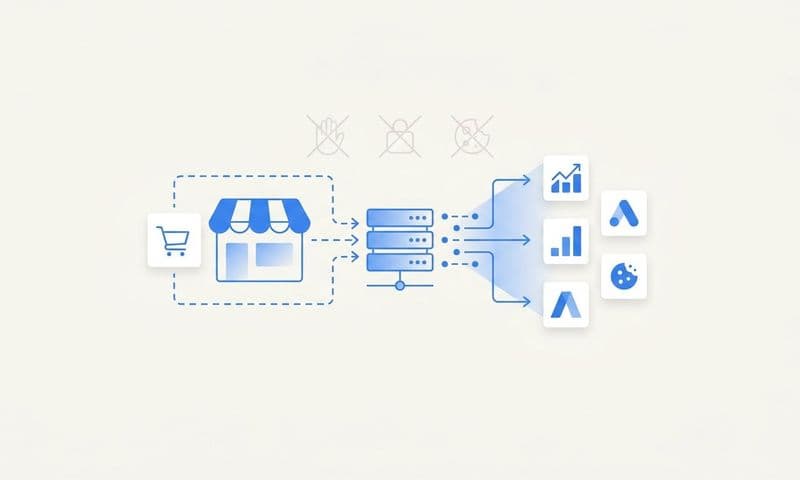
Combine UTM tracking with server-side data: Browser privacy changes have made client-side tracking less reliable. Cookies get blocked, users browse in private mode, and cross-device journeys break attribution. The solution is server-side tracking that captures UTM parameters on your server, not just in the browser.
When someone lands on your site from a UTM-tagged link, your server logs those parameters and associates them with the user's session. This data persists even if the browser blocks cookies. When that user converts, your attribution platform can still connect the conversion back to the original UTM source.
Cometly's server-side tracking captures UTM parameters at the moment of landing and maintains that attribution data throughout the customer journey—across devices, browsers, and sessions. This gives you accurate attribution even as browser tracking becomes more restricted.
Test the complete data flow: Run an end-to-end test. Click a UTM-tagged link, browse your site, complete a conversion action (sign up for a trial, make a test purchase, submit a lead form), then check your attribution platform. You should see the conversion attributed to the correct utm_source, utm_medium, and utm_campaign.
If the attribution is wrong or missing, troubleshoot immediately. Common issues include: tracking code not installed on landing pages, UTM parameters getting stripped during redirects, or attribution platform not configured to capture URL parameters. For a comprehensive overview of connecting your data sources, read our guide on revenue attribution.
When your UTM data flows cleanly into attribution, you can finally answer questions like: "Which campaigns are generating revenue, not just clicks?" and "What's the true ROI of our email marketing versus paid social?" This is the payoff for all the UTM hygiene work.
Step 6: Audit and Maintain Your UTM Hygiene Regularly
UTM implementation isn't a one-time project. Without ongoing maintenance, your carefully designed system will degrade into chaos within months. Schedule regular audits to catch problems before they corrupt your data.
Monthly UTM data reviews: Set a recurring calendar reminder to review your UTM data in analytics. Export a list of all utm_source values from the past 30 days. Look for anomalies: typos (faceboook, gogle), unauthorized values (FB, LinkedIn_Ads), inconsistent casing (Facebook, facebook, FACEBOOK).
Do the same for utm_medium and utm_campaign. You're looking for deviations from your naming convention. When you find them, identify which campaigns used incorrect tags and determine how it happened. Was it a team member who didn't know the conventions? A partner who created their own tags? A last-minute campaign that skipped the approval process?
Fix what you can, document what you can't: You can't retroactively change UTM data that's already been collected. But you can add notes to your tracking spreadsheet explaining the inconsistency. "Note: Feb 2026 partner campaign used 'Partner-Blog' instead of 'partner-blog' - data appears as separate source in reports."
For ongoing campaigns, update the UTM tags immediately to prevent further data fragmentation. The sooner you catch and fix errors, the less damage they cause.
Update your naming convention as channels evolve: New marketing channels emerge constantly. When you start advertising on a new platform or launch a new campaign type, update your naming convention document with approved values. Don't let team members improvise—add the new values to your dropdowns and documentation.
If you're launching TikTok ads for the first time, decide now whether the utm_source will be "tiktok" or "tiktok-ads." Add it to your approved list before the first campaign goes live.
Train new team members during onboarding: UTM conventions only work if everyone follows them. Make UTM training a standard part of onboarding for anyone who launches campaigns. Walk them through the naming convention document, show them how to use the tracking spreadsheet, and explain why consistency matters.
Create a quick-reference checklist they can keep handy: "Before launching any campaign: 1) Check naming convention document for approved values, 2) Use UTM tracking spreadsheet to generate URLs, 3) Test tagged URL loads correctly, 4) Verify visit appears in analytics." Following best practices for using data in marketing decisions starts with clean, consistent tracking.
The teams with the cleanest attribution data treat UTM hygiene like code quality—it's not negotiable, it's reviewed regularly, and violations are caught and fixed immediately. This discipline is what separates marketers who trust their data from those who make decisions based on incomplete information.
Putting It All Together: Your UTM Implementation Checklist
Consistent UTM tagging transforms your marketing data from guesswork into a reliable decision-making tool. When every click carries accurate attribution information, you can finally see which campaigns drive not just traffic, but actual revenue.
Here's your quick checklist before launching any campaign:
Verify all five parameters follow your naming convention—lowercase, hyphens instead of spaces, approved values only. Test the tagged URL loads correctly and doesn't redirect in ways that strip parameters. Confirm the visit appears in your analytics and attribution platform with the correct UTM values. Document the campaign in your tracking spreadsheet so there's a record for future reference.
The real power emerges when your UTM data flows into a comprehensive attribution platform. You stop seeing isolated metrics like "email open rate" or "ad click-through rate" and start seeing complete customer journeys. You understand that your best customers often interact with multiple channels before converting—and you can optimize that entire journey instead of individual touchpoints. This approach aligns with real-time marketing optimization best practices that help you act on data as it comes in.
When your UTM data flows cleanly into an attribution platform like Cometly, you gain visibility into how every marketing touchpoint contributes to revenue. You see which campaigns work together to drive conversions. You identify high-performing channels worth scaling and underperforming ones worth cutting. You make confident budget decisions backed by complete, accurate data.
The marketers winning in 2026 aren't the ones with the biggest budgets—they're the ones with the cleanest data and the clearest understanding of what's actually working. UTM parameter best practices are your foundation for that clarity.
Ready to elevate your marketing game with precision and confidence? Discover how Cometly's AI-driven recommendations can transform your ad strategy—Get your free demo today and start capturing every touchpoint to maximize your conversions.