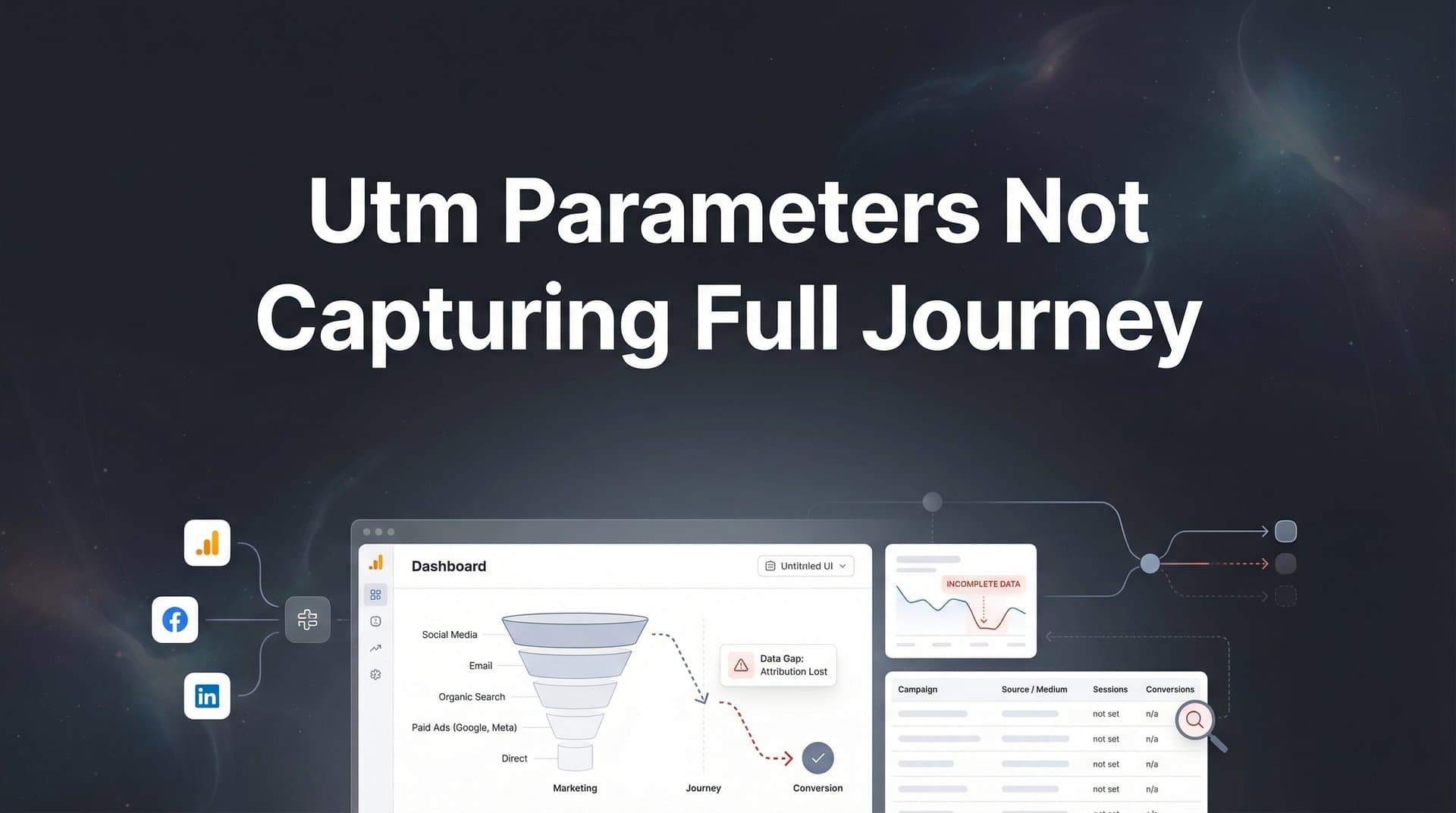
You have spent hours setting up UTM parameters across every campaign, meticulously tagging each ad, email, and social post. Yet when you pull your attribution reports, something feels off. The data shows fragmented journeys, mysterious gaps between touchpoints, and conversions that seem to appear out of nowhere.
Sound familiar?
The reality is that UTM parameters, while valuable for basic source tracking, were never designed to capture the complete customer journey. They break when users switch devices, expire when cookies clear, and fail entirely when customers interact with your brand through multiple channels before converting.
For marketers running paid campaigns across Meta, Google, TikTok, and other platforms, these tracking gaps translate directly into wasted budget and missed optimization opportunities. You are making scaling decisions based on incomplete data, crediting the wrong campaigns, and missing the touchpoints that actually drive conversions.
This guide walks you through a systematic approach to diagnosing why your UTM tracking falls short and implementing solutions that capture every touchpoint from first click to closed revenue. No more guessing which campaigns work. No more mysterious direct traffic spikes. Just complete, accurate journey data that shows you exactly where to invest your budget.
Step 1: Audit Your Current UTM Tracking Gaps
Before you can fix your tracking, you need to understand exactly where it is failing. Start by running a gap analysis that compares your UTM-attributed conversions against your actual CRM revenue.
Pull your attribution report from Google Analytics or your current tracking tool. Export all conversions for the past 90 days with their source and medium data. Now pull a report from your CRM showing all closed deals or revenue events for the same period. The difference between these numbers reveals your customer journey tracking gaps.
Many marketers discover that 30-50% of their revenue shows up in the CRM with no corresponding UTM data. These are the conversions happening in the dark, invisible to your current tracking setup.
Identify Specific Breaking Points: Look for patterns in where tracking fails. Check for cross-device journeys where a user clicks an ad on mobile but converts on desktop days later. Your UTM parameters do not follow them across that device switch.
Examine your direct traffic numbers. If you see unusual spikes in direct conversions, these are likely returning visitors who originally came from paid campaigns but bypassed your tracked links when they came back to convert. The UTM cookie expired or cleared, so they appear as direct traffic instead of paid conversions.
Review organic conversions carefully. When someone converts through organic search but had prior paid touchpoints, standard UTM tracking credits organic and ignores the paid campaigns that introduced them to your brand.
Document Channel Discrepancies: Create a spreadsheet comparing reported conversions by channel against what your ad platforms show for conversion tracking. If Meta reports 100 conversions but your analytics only shows 60 with UTM parameters, you have a 40% tracking gap on that channel.
Check your UTM implementation for common errors. Inconsistent naming conventions like using both "facebook" and "meta" as sources create fragmented data. Parameters that get stripped by redirects, email clients, or certain platforms leave you with incomplete tracking. Test your URLs across different scenarios to see where parameters disappear.
This audit gives you a baseline. You now know the size of your tracking problem and where the biggest gaps exist. That clarity makes it possible to prioritize fixes that will have the most impact on your attribution accuracy.
Step 2: Understand Why UTM Parameters Fail Mid-Journey
UTM parameters face fundamental limitations that prevent them from capturing complete customer journeys. Understanding these constraints helps you recognize why upgrading your tracking infrastructure is necessary, not optional.
Cookie expiration represents the most common failure point. When someone clicks your ad, the UTM parameters get stored in a browser cookie. Depending on browser settings, these cookies typically expire after 30 to 90 days. If your sales cycle extends beyond that window, the tracking data disappears before conversion happens.
Think about B2B marketing where prospects research for months before converting. Your prospect clicks a LinkedIn ad in January, researches your solution, then returns in April to sign up. By April, the cookie has expired. Your analytics attributes the conversion to whatever source they used to return, completely missing the LinkedIn campaign that started their journey.
Privacy Changes That Break Attribution: Apple's App Tracking Transparency framework, introduced with iOS 14.5, fundamentally changed mobile attribution. Users can now opt out of cross-app tracking, and many do. When someone opts out, tracking parameters cannot follow them from your ad to your website, creating instant attribution gaps. Many marketers find their ad tracking not working on iOS devices after these privacy updates.
Browser privacy features compound the problem. Safari's Intelligent Tracking Prevention and Firefox's Enhanced Tracking Protection actively limit cookie lifespans and block certain tracking methods. Your UTM parameters might work perfectly in Chrome but fail completely in Safari.
The Cross-Device Journey Problem: Modern customer journeys rarely happen on a single device. Someone sees your ad on Instagram while commuting, clicks to learn more on their phone, then converts on their laptop at work the next day. UTM parameters stored in a mobile browser cookie cannot transfer to their desktop browser.
Your tracking shows two separate users: one who clicked the ad without converting, and another who converted through direct traffic. The connection between these touchpoints is invisible to UTM-based tracking. This is why customer journey tracking across devices requires more sophisticated solutions.
Direct Traffic Inflation: When returning visitors bookmark your site, type your URL directly, or click links without UTM parameters, they appear as direct traffic. But many of these visitors originally discovered you through paid campaigns. The initial UTM data is long gone, so your attribution gives zero credit to the campaigns that actually acquired them.
This creates a dangerous feedback loop. You see low conversion rates on paid campaigns and high conversion rates on direct traffic, so you cut paid budget. In reality, you are cutting the campaigns that drive your direct conversions.
Multi-touch journeys that span weeks expose another limitation. Someone might click five different campaigns before converting. Standard UTM tracking only captures the last click, completely ignoring the earlier touchpoints that built awareness and consideration. You end up over-investing in bottom-funnel campaigns while starving the top-funnel efforts that actually fill your pipeline.
Step 3: Implement Server-Side Tracking as Your Foundation
Server-side tracking solves the core limitations of cookie-based UTM parameters by collecting data on your server rather than relying on browser cookies. This approach persists beyond browser restrictions and captures user behavior that client-side tracking misses entirely.
Start by setting up first-party data collection. Instead of storing tracking information only in browser cookies that can expire or get blocked, your server captures and stores this data in a database you control. When someone visits your site, your server logs their activity alongside any available identifiers like email addresses, user IDs, or anonymized fingerprints.
The technical implementation varies depending on your stack, but the concept remains consistent. Your website sends events directly to your server rather than relying solely on JavaScript that runs in the browser. This server-side event collection works even when ad blockers, privacy settings, or cookie tracking is not working anymore.
Configure Persistent User Identification: The key advantage of server-side tracking is creating persistent user identifiers that survive across sessions and devices. When someone fills out a form or logs into your platform, capture their email or user ID. Link this identifier to all their previous anonymous sessions and all future activity.
Now when that same person returns on a different device or after cookies have cleared, you can recognize them and connect their journey. They clicked your Facebook ad on mobile last week, browsed your pricing page on their tablet yesterday, and just converted on desktop. Server-side tracking with persistent identifiers connects all three touchpoints into a single customer journey.
Implement Event Tracking That Works Everywhere: Set up your server to capture key events: page views, form submissions, button clicks, add-to-cart actions, and conversions. Unlike client-side tracking that fails when JavaScript is blocked, server-side events fire regardless of browser settings.
Test your implementation thoroughly. Use an ad blocker and privacy-focused browser like Brave. Visit your site, complete a conversion, and verify the event appears in your server logs. If it does, you have built tracking that works even in the most restrictive environments.
Preserve Campaign Source Data: Server-side tracking does not mean abandoning UTM parameters entirely. Continue using them, but store the data server-side where it cannot be lost to cookie expiration. When someone arrives with UTM parameters, your server captures and preserves this source information permanently in your database.
Link this campaign data to the persistent user identifier. Now even if they return weeks later through a different channel, you maintain the complete history of how they originally discovered you and every touchpoint since.
This foundation makes everything else possible. You cannot fix attribution gaps with better UTM parameters or more sophisticated analytics if your underlying data collection fails to capture the actual customer journey. Server-side tracking ensures you collect complete, accurate data that persists regardless of browser limitations or privacy restrictions.
Step 4: Connect Your Ad Platforms, Website, and CRM
Complete journey tracking requires connecting every system where customer interactions happen. Your ad platforms know about clicks and impressions, your website tracks engagement, and your CRM holds conversion and revenue data. Siloed, these systems show fragments of the journey. Connected, they reveal the complete picture.
Start by integrating your ad accounts with your tracking system. Connect Meta, Google, TikTok, LinkedIn, and any other platforms where you run campaigns. This integration automatically pulls campaign data including which ads ran, what they cost, and which users clicked them.
The integration works both ways. Your tracking system ingests ad platform data to understand the paid touchpoints in each journey. Later, you will send conversion data back to these platforms to improve their optimization algorithms. This bidirectional flow creates a closed loop where better data drives better performance.
Link Your CRM for Downstream Events: Your website might capture form submissions and trial signups, but your CRM tracks what happens next. Demo bookings, sales calls, opportunities created, deals closed, and actual revenue. These downstream events represent the outcomes you actually care about, yet standard UTM tracking never sees them.
Integrate your CRM to flow these events into your attribution system. When someone moves from marketing qualified lead to sales qualified lead to closed customer, that progression gets captured alongside their entire marketing journey. Now you can see which campaigns drive not just leads, but revenue. A robust customer journey analytics platform makes this integration seamless.
This connection reveals attribution insights that UTM parameters miss completely. You discover that LinkedIn campaigns generate fewer leads than Facebook, but LinkedIn leads convert to customers at three times the rate. Without CRM integration, you would optimize for lead volume and cut your highest-quality source.
Map the Complete Journey: With all systems connected, you can finally see the full path from first touchpoint to revenue. Someone sees your Meta ad (captured from ad platform integration), clicks to your website (tracked server-side), browses multiple pages over several sessions (website tracking), fills out a demo form (conversion event), attends the demo (CRM event), and closes as a customer (revenue event).
Every touchpoint appears in sequence with timestamps, sources, and campaign details. This complete view shows you not just what converted, but the entire journey that led to conversion.
Test Your Data Flow: Run a test conversion to verify everything connects properly. Click one of your own ads, visit your website, and complete a conversion action. Check that the event appears in your tracking system with the correct campaign attribution. Then verify it flows into your CRM with the same source data.
If the test conversion appears correctly attributed across all systems, your integration works. If data gets lost or attribution changes between systems, you have identified a gap to fix before trusting the data for budget decisions.
This connected infrastructure transforms fragmented data into actionable intelligence. You move from guessing which campaigns work to knowing exactly which touchpoints drive revenue and how they work together throughout the customer journey.
Step 5: Apply Multi-Touch Attribution to See the Complete Picture
Last-click attribution, the default model for most UTM tracking, assigns 100% of conversion credit to the final touchpoint before conversion. This approach systematically undervalues every campaign that builds awareness, consideration, and intent earlier in the journey.
Multi-touch attribution distributes credit across all touchpoints that contributed to a conversion. Instead of giving all credit to the last click, these models recognize that customer journeys involve multiple interactions across different channels and campaigns. Understanding how to track the full customer journey is essential for implementing effective multi-touch attribution.
Start by comparing different attribution models to understand how credit shifts when you account for the full journey. Linear attribution divides credit equally among all touchpoints. Time-decay attribution gives more credit to recent interactions while still acknowledging earlier touchpoints. Position-based attribution emphasizes the first and last touchpoints while giving some credit to middle interactions.
Analyze Assistant Conversions: Look specifically at campaigns that assist conversions without receiving last-click credit. Your brand awareness campaigns on Meta might rarely get last-click attribution, but they introduce prospects who later convert through Google search or direct traffic.
When you apply multi-touch attribution, these campaigns suddenly show significant value. They might assist 40% of your conversions even though they only receive last-click credit for 10%. Without multi-touch visibility, you would dramatically underinvest in these essential top-funnel campaigns.
Review your retargeting campaigns through a multi-touch lens. Retargeting almost always gets last-click credit because it targets people already familiar with your brand. But the campaigns that originally acquired those visitors get zero credit in last-click models. Multi-touch attribution reveals the acquisition campaigns that fill your retargeting audience.
Identify Undervalued Campaigns: Use multi-touch data to find campaigns that UTM tracking missed entirely. Someone might click your LinkedIn ad, research your solution, then return through organic search to convert. Last-click gives all credit to organic and suggests you should cut LinkedIn spend.
Multi-touch attribution shows LinkedIn initiated the journey. That campaign has value even though it did not receive last-click credit. This insight prevents you from cutting campaigns that actually drive conversions through longer, multi-touch journeys. Many marketers struggle because their marketing touchpoints are not being credited properly.
Make Smarter Budget Decisions: Multi-touch attribution changes how you allocate budget. Instead of pouring money into the last-click winners that might just be harvesting demand others created, you can invest across the full funnel based on each campaign's actual contribution to conversions.
You might increase budget on brand awareness campaigns that rarely get last-click credit but assist most of your conversions. You might maintain investment in mid-funnel content campaigns that keep prospects engaged during long sales cycles. You can optimize the entire journey rather than just the final touchpoint.
This complete picture transforms your optimization strategy. You stop accidentally cutting campaigns that drive your business and start scaling the touchpoints that actually contribute to revenue.
Step 6: Feed Better Conversion Data Back to Ad Platforms
Ad platforms like Meta and Google use conversion data to optimize campaign delivery. The more accurate and complete your conversion data, the better these algorithms can identify high-value audiences and improve performance. But if you only send conversions tracked through browser-based pixels, you are feeding these platforms incomplete data.
Conversion APIs allow you to send server-side events directly to ad platforms, bypassing browser limitations entirely. Meta's Conversions API and Google's Enhanced Conversions enable you to share conversion data that would otherwise be invisible to these platforms.
Set up conversion API integration to send enriched events that include conversions your pixel missed. Someone converted on a different device than where they clicked your ad? Send that conversion via API. Someone used an ad blocker that prevented your pixel from firing? The API captures it. Someone converted weeks after the cookie expired? You can still attribute it correctly and send it back to the platform.
Include Offline Conversions: Your most valuable conversions often happen offline. A prospect fills out a form on your website, gets a demo from your sales team, and closes as a customer weeks later. Your browser pixel only sees the form submission. It has no idea about the demo or the closed deal.
Use conversion APIs to send these offline events back to your ad platforms. When someone closes as a customer, send that conversion event to Meta and Google with the campaign data from their original touchpoint. Now these platforms can optimize for actual customers, not just form submissions. If your conversion data is not syncing to ad platforms, you are missing critical optimization signals.
This feedback transforms campaign optimization. Instead of optimizing for leads that might never convert, ad platforms learn to find audiences that actually become customers. The algorithms get smarter because you are feeding them better data about what success actually looks like.
Send CRM Events for Better Optimization: Connect your CRM events to your conversion API setup. When someone moves from lead to opportunity to customer, send each milestone back to the ad platforms. This progression data helps algorithms understand the full value of different audience segments.
You might discover that certain audience targeting generates leads that rarely progress to opportunities, while other audiences produce leads that convert at high rates. Without CRM data flowing back to ad platforms, these platforms cannot learn this distinction. With it, they can optimize for the audiences that actually drive business outcomes.
Monitor Performance Improvements: After implementing conversion APIs and sending enriched data, track how your campaign performance changes. Many marketers observe improved conversion rates as ad platforms receive more complete signals and optimize delivery accordingly.
Your cost per acquisition might decrease as algorithms get better at identifying high-value audiences. Your conversion volume might increase as platforms can scale campaigns with confidence based on complete conversion data rather than the fragmented signals from pixel-only tracking.
This closed-loop system creates a virtuous cycle. Better tracking captures more conversions, sending better data to ad platforms improves their optimization, which drives better performance, which generates more conversions to track. Each improvement compounds into better results across your entire paid marketing program.
Putting It All Together
Fixing UTM tracking gaps requires moving beyond the limitations of cookie-based, client-side tracking. Start by auditing where your current setup fails, then build a foundation with server-side tracking that captures data regardless of browser restrictions.
Connect your entire marketing stack so every touchpoint flows into a unified view. Integrate your ad platforms to capture campaign data, link your CRM to track downstream conversions and revenue, and ensure data flows seamlessly across all systems. This connected infrastructure reveals the complete customer journey that UTM parameters miss.
Apply multi-touch attribution to see which campaigns truly drive revenue, not just which ones happen to get last-click credit. Feed that enriched data back to your ad platforms through conversion APIs so their optimization algorithms can learn from complete conversion signals instead of fragmented browser-based tracking.
Quick Implementation Checklist: Audit your current tracking gaps and document where attribution fails. Implement server-side tracking as your foundation for persistent, accurate data collection. Connect your ad platforms and CRM to capture the complete journey from first click to revenue. Enable multi-touch attribution to understand how campaigns work together. Sync enriched conversion data back to ad platforms via conversion APIs.
With complete journey data, you can finally make confident decisions about where to scale budget and which campaigns actually drive your business forward. You stop optimizing based on fragments and start investing based on the full picture of what works.
The difference shows up in your results. Better attribution leads to smarter budget allocation, which drives improved campaign performance, which generates more revenue from the same ad spend. You move from guessing to knowing, from fragmented data to complete visibility.
Ready to elevate your marketing game with precision and confidence? Discover how Cometly's AI-driven recommendations can transform your ad strategy. Get your free demo today and start capturing every touchpoint to maximize your conversions.