

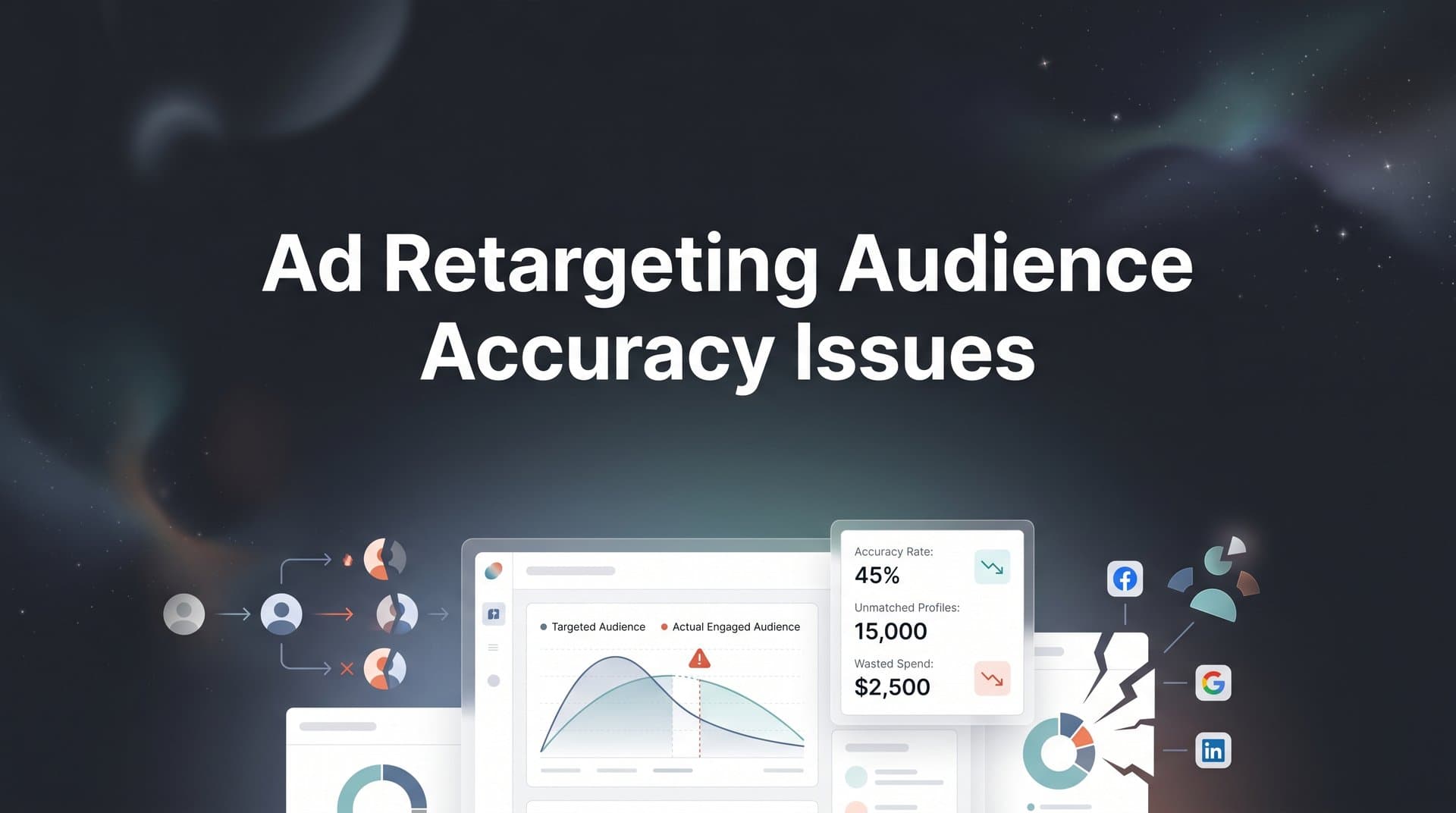
You are spending money to retarget people who already visited your site, clicked your ads, or engaged with your brand. But something feels off. Your retargeting audiences are bloated with irrelevant users, missing high-intent prospects, or serving ads to people who already converted.
These ad retargeting audience accuracy issues silently drain your budget and tank your ROAS. The root cause is almost always a data problem.
Between browser privacy changes, cookie restrictions, platform signal loss, and fragmented tracking across channels, the audiences your ad platforms build are often incomplete or outdated. The result? You are paying to retarget the wrong people while your best prospects slip through the cracks.
Think of it like sending a follow-up email to your entire contact list without filtering out people who already bought. You waste effort, annoy existing customers, and miss the opportunity to personalize for those who are actually still considering a purchase.
This guide walks you through a practical, step-by-step process to diagnose where your retargeting audiences are breaking down, fix the tracking and data gaps causing inaccuracies, and build retargeting segments that actually reflect real buyer behavior. Whether you run campaigns on Meta, Google, TikTok, or multiple platforms at once, these steps will help you tighten your audience accuracy and make every retargeting dollar work harder.
Step 1: Audit Your Current Retargeting Audiences for Data Gaps
Before you fix anything, you need to understand exactly where your retargeting data is falling apart. Jumping straight to solutions without a clear audit is like patching a leaky roof without finding all the holes first.
Start by pulling audience size reports from each ad platform you use. Compare those numbers against your actual site traffic data from your analytics tool and your CRM records. If your Meta retargeting audience shows 50,000 users but your analytics platform only recorded 20,000 unique visitors in the same window, you have a problem. The inverse is equally concerning: if your site logged 80,000 visitors but your retargeting pool only contains 30,000, you are missing a significant portion of potential prospects.
Here are the most common warning signs that your retargeting audiences have accuracy problems:
Inflated audience sizes: Audience counts that far exceed your actual verified traffic often indicate duplicate tracking, misfiring pixels, or stale data that has not been properly expired. Understanding marketing data accuracy problems is essential to diagnosing these discrepancies.
Retargeting recent converters: If customers who completed a purchase last week are still seeing your "come back and buy" ads, your conversion exclusions are not working. This wastes spend and creates a poor brand experience.
Missing mobile users: Mobile traffic often represents a large share of site visits, but iOS privacy restrictions and app-based browsing can cause significant drop-off in pixel-based audience capture. If your retargeting audiences skew heavily desktop, mobile users are likely being missed.
Audiences that do not shrink as membership windows expire: A 30-day retargeting window should show natural audience decay as older members age out. If your audience sizes stay flat or grow without a corresponding traffic increase, your platform may be retaining users beyond their intended window.
Next, verify pixel and event firing accuracy. Open your browser's developer tools and navigate through key pages on your site while monitoring network requests. Confirm that your pixel fires on page load and that specific conversion events trigger at the right moments, such as when a form is submitted or a purchase is completed. Most ad platforms also offer their own diagnostic tools: Meta's Pixel Helper browser extension and Google's Tag Assistant are useful starting points. If you are encountering issues here, a deeper look at pixel tracking accuracy issues can help.
Document every discrepancy you find. Create a simple spreadsheet that lists each platform, the expected audience size, the actual audience size, and any events that appear to be misfiring or missing. This baseline gives you a clear picture of the scope of the problem and lets you measure improvement as you work through the remaining steps.
Step 2: Fix Tracking Blind Spots Caused by Privacy and Browser Changes
Once you have documented your data gaps, the next step is understanding why they exist and closing them at the source. For most advertisers, the biggest culprit is the combination of browser-level restrictions and mobile privacy frameworks that have fundamentally changed how client-side pixels operate.
Apple's App Tracking Transparency framework, introduced with iOS 14.5, requires users to explicitly opt in to cross-app tracking. The majority of users choose not to opt in, which means a large portion of iOS user behavior is simply invisible to platforms like Meta when relying on traditional pixel-based tracking. For a detailed breakdown of how this impacts campaigns, explore pixel tracking issues on iOS devices. Safari has long blocked third-party cookies by default, and Firefox follows a similar approach. These restrictions mean that when someone visits your site from an iPhone using Safari, your pixel may not fire at all, or the data it captures cannot be matched back to a user profile in the ad platform.
The practical result is that your retargeting pools are missing a meaningful segment of real visitors, particularly on mobile. You are not just losing data: you are losing the ability to retarget some of your most engaged users.
Server-side tracking is the most effective solution to this problem. Instead of relying on a browser-based pixel to send data to the ad platform, server-side tracking routes that data through your own server first, then sends it directly to the platform's server. Because the data never passes through the browser environment, it bypasses most of the restrictions that cause client-side pixels to fail. This directly addresses the client-side tracking accuracy problems that plague modern retargeting.
Platforms have built specific integrations to support this approach. Meta's Conversions API and Google's Enhanced Conversions are designed to receive server-side event data and use it to fill in the gaps left by browser restrictions. When implemented correctly, these integrations can significantly improve audience match rates and restore visibility into customer journeys that were previously invisible.
Cometly's server-side tracking is built specifically to address these gaps. It captures conversion and engagement data that client-side pixels miss and sends enriched event data directly to your ad platforms, giving them a more complete picture of who is actually interacting with your brand. This means your retargeting audiences are built on fuller, more accurate data rather than the partial view that browser pixels alone provide.
To verify that your server-side implementation is working, compare your audience match rates before and after the switch. Most platforms provide a match rate metric that tells you what percentage of events were successfully matched to a user profile. A meaningful improvement in match rates confirms that your server-side setup is capturing data that was previously being lost.
Step 3: Sync Conversion Data Back to Ad Platforms for Smarter Segmentation
Fixing your tracking is only half the battle. The other half is making sure your ad platforms actually know what happened after someone clicked your ad. Without accurate, real-time conversion data flowing back to the platforms, they cannot properly exclude converters, build accurate lookalike audiences, or optimize your retargeting campaigns toward the outcomes that actually matter to your business.
Here is the core problem: ad platforms optimize based on the signals you send them. If the only signals they receive are top-of-funnel events like page views and link clicks, they will optimize for more page views and link clicks. They have no way of knowing that the user who visited your pricing page three times and then booked a demo is far more valuable than someone who clicked an ad and immediately bounced. Addressing conversion sync issues across ad platforms is critical to solving this disconnect.
Conversion syncing solves this by pushing meaningful downstream events from your CRM back into the ad platforms. When a lead becomes a closed deal, when a prospect books a demo, or when a trial user converts to a paying customer, that event should be sent back to Meta, Google, and any other platform where that user was previously tracked. This allows the platform to exclude that user from ongoing retargeting and use their behavior as a signal for building better lookalike audiences.
Cometly's Conversion Sync feature automates this data loop. Instead of manually exporting CRM lists and uploading them to each platform, Cometly handles the connection between your CRM events and your ad platforms in real time. The result is that your platform algorithms are optimizing based on actual revenue events rather than just pixel fires, which produces smarter targeting and better ROAS over time.
There are a few common mistakes to avoid when setting up conversion syncing:
Only syncing top-of-funnel events: If you only push page view or lead form submission data, platforms still lack the context they need to distinguish high-value converters from casual visitors. Push events at every meaningful stage of your funnel. Learn more about why this matters in our guide on conversion data accuracy issues.
Delayed data pushes: If there is a significant lag between when a conversion happens and when it is synced to the platform, the platform may continue serving retargeting ads in the interim. Aim for near-real-time syncing wherever possible.
Not mapping CRM stages to platform conversion events: Each platform has its own taxonomy for conversion events. Make sure your CRM stages are correctly mapped so the platform interprets the data accurately and can act on it appropriately.
Step 4: Segment Retargeting Audiences by Intent and Journey Stage
With your tracking fixed and conversion data flowing accurately, you now have the foundation to build retargeting audiences that actually reflect where people are in their buying journey. This is where most advertisers leave significant performance on the table.
The default "all website visitors" audience treats a first-time blog reader the same as someone who visited your pricing page four times, watched a product demo, and then left without converting. These are completely different buyers at completely different stages, and serving them the same retargeting ad is a waste of budget and a missed opportunity to be genuinely relevant. Understanding retargeting audience performance helps you move beyond this one-size-fits-all approach.
Start by identifying the behavioral signals that indicate real purchase intent within your funnel. These typically include:
Product or service page viewers: Users who visited specific product pages have demonstrated interest beyond general browsing. Segment them by which product they viewed so your retargeting message can be specific and relevant.
Pricing page visitors: Someone who visits your pricing page is actively evaluating cost and commitment. This is a high-intent signal that warrants more direct, conversion-focused retargeting creative.
Cart abandoners or checkout starters: For e-commerce or self-serve SaaS, these users were close to converting. They deserve their own segment with urgency-driven messaging.
Demo requesters or trial users: These users have already raised their hand. Retargeting them requires a different approach, often focused on onboarding support or addressing common objections rather than awareness-level messaging.
Repeat visitors: Someone who has returned to your site multiple times without converting is showing sustained interest. Multi-visit behavior is a strong intent signal worth segmenting separately.
This is where multi-touch attribution data becomes especially powerful. Cometly's attribution and analytics tools let you see the full customer touchpoint visibility across every interaction, so you can identify which specific actions tend to precede conversion for your audience. Rather than guessing which behaviors indicate intent, you can use real attribution data to build segments around the actions that actually correlate with purchases.
Finally, set appropriate membership durations for each segment based on your typical sales cycle. A B2B company with a 90-day sales cycle should not use the same 30-day window as a direct-to-consumer brand with a two-day consideration period. Match your membership windows to how long it realistically takes your buyers to move from interest to decision.
Step 5: Build Exclusion Lists That Actually Work
Exclusion lists are one of the most overlooked levers in retargeting campaign management. Getting your targeting segments right matters, but if you are not equally rigorous about who you exclude, you will keep burning budget on users who should never see your retargeting ads in the first place.
The most obvious exclusion is existing customers. If someone has already purchased your product or signed a contract, continuing to serve them acquisition-focused retargeting ads wastes money and can create a frustrating brand experience. Failing to exclude these users is one of the primary ways ad spend gets wasted on the wrong audience. These users should be excluded from all retargeting campaigns and potentially placed into a separate retention or upsell audience if that fits your strategy.
Beyond current customers, there are other exclusion categories worth building:
Closed-lost leads in cooldown periods: A prospect who was disqualified or chose a competitor is unlikely to convert immediately. Excluding them for a defined cooldown period, then re-engaging with a different message later, is more efficient than continuing to retarget them aggressively.
Disqualified prospects: If your CRM flags certain leads as outside your ideal customer profile, those users should be excluded from retargeting entirely. Serving ads to people who will never buy is pure waste.
One of the most common failures in exclusion list management is platform silos. A customer who converted through a Google campaign may still be seeing your Meta and TikTok retargeting ads if your exclusion lists are not synced across platforms. Addressing cross-platform tracking issues is essential to making exclusions work everywhere simultaneously.
To test whether your exclusions are actually working, monitor frequency metrics for your retargeting campaigns and cross-reference them against your recent conversion lists. If converted users are still appearing in your retargeting audiences or showing high frequency scores, your exclusion lists have a gap that needs to be closed.
Step 6: Monitor, Test, and Refine Audience Accuracy Over Time
Fixing your retargeting audience accuracy is not a one-time project. It is an ongoing practice. Platforms change their algorithms, privacy rules evolve, your product and funnel change, and your audience behavior shifts. Without a regular monitoring cadence, the accuracy you build today can quietly erode over the next few months.
Set up a recurring audit on a weekly or biweekly basis. This does not need to be a deep-dive every time: a quick check of key indicators is often enough to catch problems before they become expensive. The metrics worth tracking include:
Audience overlap between segments: If your "pricing page visitors" and "all site visitors" audiences have significant overlap, your segmentation is not creating meaningful distinctions. Our guide on custom audience overlap explains how to diagnose and reduce this problem.
Frequency caps: High frequency in retargeting campaigns often signals that your audience is too small or your exclusions are not working. Users who see the same ad many times without converting are rarely going to convert on the tenth impression.
Cost per retargeted conversion: Track this separately from your prospecting campaigns. If your retargeting cost per conversion is climbing without a corresponding increase in audience quality, it is a signal that your audiences need to be refreshed or refined.
Audience decay rates: Monitor how your audience sizes change over time. Healthy retargeting audiences should show natural growth and decay that mirrors your actual traffic patterns. Audiences that stay artificially flat or spike unexpectedly often indicate a tracking or data issue.
A/B testing is also valuable here. Test different membership window lengths, different behavioral triggers for segment inclusion, and different creative approaches for each intent tier. The combination that produces the best ROAS will vary depending on your specific funnel and sales cycle.
Cometly's AI-powered recommendations can help accelerate this process. By analyzing performance data across your retargeting segments, the AI can surface which audiences are actually driving revenue versus which ones are generating clicks without meaningful downstream conversions. This lets you focus your budget on the segments that are working and restructure or pause the ones that are not.
Your Retargeting Accuracy Checklist
Here is a quick-reference summary of everything covered in this guide. Work through these steps in order, starting with the audit, and you will have a clear path to tighter, more accurate retargeting audiences.
1. Audit your audiences: Compare platform audience sizes against actual site traffic and CRM data. Verify pixel and event firing accuracy. Document every discrepancy you find.
2. Fix tracking blind spots: Implement server-side tracking to capture data that client-side pixels miss due to iOS restrictions and browser-level cookie blocking. Verify improvement through match rate metrics.
3. Sync conversion data: Push CRM events back to all ad platforms in real time. Map CRM stages to platform conversion events accurately. Avoid syncing only top-of-funnel signals.
4. Segment by intent: Replace broad "all visitors" audiences with segments built around meaningful behavioral signals. Use attribution data to identify which actions actually precede conversion. Set membership durations that match your sales cycle.
5. Build real exclusion lists: Exclude existing customers, disqualified leads, and cooldown prospects. Sync exclusions across all platforms simultaneously so no converter slips through on another channel.
6. Monitor and refine continuously: Run weekly or biweekly audits. Track audience overlap, frequency, cost per retargeted conversion, and decay rates. Use AI-powered insights to identify which segments are driving real revenue.
Retargeting audience accuracy is not a box you check once and forget. It is a discipline. The marketers who consistently outperform on retargeting are not necessarily spending more: they are spending smarter, on the right people, with the right message, at the right moment. That precision starts with accurate data.
If you are ready to close your tracking gaps, automate conversion syncing, and build retargeting audiences grounded in real buyer behavior, Cometly gives you the tools to do all of it in one place. From server-side tracking to multi-touch attribution to AI-powered recommendations, it is built for marketers who want their retargeting budget to work as hard as they do. Get your free demo today and start capturing every touchpoint to maximize your conversions.


