

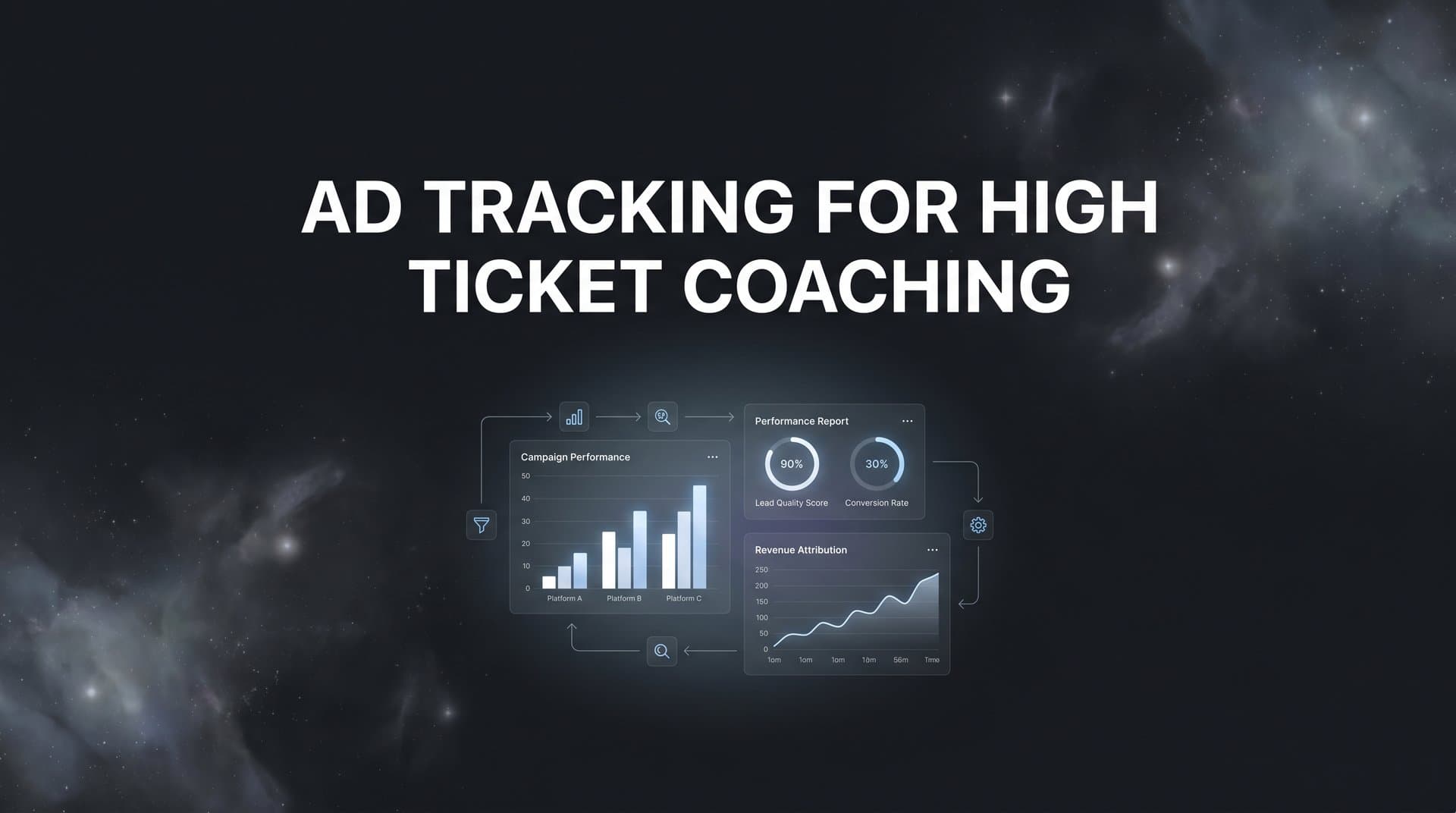
Selling a high ticket coaching program is nothing like selling a $29 ebook. Your prospects often take weeks or even months to move from first ad click to a booked call to a signed contract. They might see a Facebook ad, visit your landing page, watch a webinar, receive a dozen emails, and then finally hop on a sales call before committing to a $5,000 to $25,000+ investment.
The problem? Most ad platforms only see a tiny slice of that journey. Facebook might claim credit for a conversion that Google actually started. Your CRM knows someone closed, but has no idea which ad brought them in. And without accurate ad tracking for high ticket coaching, you are essentially flying blind, pouring budget into campaigns you cannot properly evaluate.
This guide walks you through exactly how to build a reliable ad tracking system designed specifically for the long, multi-touch sales cycles that define high ticket coaching businesses. By the end, you will have a clear framework for connecting every ad click to actual revenue, so you can confidently scale the campaigns that are truly driving booked calls and closed deals.
Whether you are running ads on Meta, Google, YouTube, or multiple platforms at once, these steps will help you stop guessing and start making data-driven decisions about your ad spend. Let's get into it.
Step 1: Map Your Full Coaching Funnel and Define Key Conversion Events
Before you install a single pixel or configure a single integration, you need a clear picture of every stage in your funnel. High ticket coaching funnels are more complex than most, and if you do not define what you are tracking upfront, you will end up measuring the wrong things.
Start by listing every touchpoint a prospect passes through on their way to becoming a client. A typical high ticket coaching funnel looks something like this:
1. Ad click: The prospect sees your ad on Meta, Google, or YouTube and clicks through.
2. Landing page visit: They arrive on your funnel page, whether that is a lead magnet, webinar registration, or VSL page.
3. Opt-in or registration: They submit their email to access your lead magnet, webinar, or free resource.
4. Webinar or VSL view: They watch your presentation, which is often where the real selling happens.
5. Application submission: For many high ticket programs, prospects fill out a qualifying application before booking a call.
6. Call booked: They schedule a discovery or strategy call using a tool like Calendly.
7. Call completed: The actual sales conversation takes place.
8. Deal closed and payment received: They sign and pay, becoming a client.
Now, here is the critical distinction that separates high ticket tracking from e-commerce tracking. An e-commerce business can measure ROAS almost instantly because purchases happen online, often within minutes of an ad click. In high ticket coaching, the gap between that first ad click and a closed deal can span two to eight weeks and involve offline conversations, phone calls, and manual follow-up. That means your tracking system needs to capture events that happen far outside the browser session where the journey started.
Once you have mapped your funnel stages, separate your primary KPIs from your secondary metrics. Your primary KPIs are the events that directly connect to revenue: booked calls, completed calls, closed deals, and payment received. Secondary metrics like opt-ins, page views, and email opens provide useful context, but they should never be the basis for budget decisions. A solid attribution tracking setup starts with getting these definitions right before you build anything else.
Common pitfall: Many coaching businesses only track front-end leads, such as opt-ins or application submissions, because those are the easiest events to fire from a pixel. The result is an ad account optimized for cheap leads that rarely close, and a reporting setup that has no idea what those leads are actually worth. Define your downstream revenue events now, before you build anything else.
Step 2: Implement Server-Side Tracking Across Your Funnel Pages
Here is a reality that every coaching business running paid ads needs to accept: browser-based pixels are no longer reliable enough to be your only tracking method. Apple's App Tracking Transparency framework, which launched in 2021 and has continued to tighten through 2025 and 2026, has significantly reduced the accuracy of pixel-based tracking on iOS devices. Add in ad blockers, browser privacy settings, and cookie restrictions, and you are likely missing a meaningful portion of your conversion data if you rely on pixels alone. Understanding pixel tracking problems on iOS is essential for any coaching business spending on paid ads.
Server-side tracking solves this by firing conversion events directly from your web server to the ad platforms, rather than from the user's browser. Because the event originates from your server instead of the prospect's device, it bypasses the browser-level restrictions that cause data loss.
Here is how to approach the setup:
Landing pages and opt-in pages: Install your tracking scripts so that both a client-side pixel and a server-side event fire when someone completes a key action. The server-side event acts as a backup, and in many cases the more reliable signal, when the browser-side pixel is blocked or fails.
Thank-you pages: These are critical confirmation points in your funnel. When someone opts in, submits an application, or completes any key step, the thank-you page should fire both a pixel event and a server-side event. Make sure each event is named specifically so you can distinguish between an opt-in confirmation and an application confirmation in your reporting.
Application forms: If you use a form tool like Typeform, JotForm, or a custom form on your site, connect it so that a server-side event fires upon submission. This is often where coaching businesses have gaps in their tracking.
Scheduling tools: This is one of the most important and most commonly missed connection points. When someone books a call on Calendly or a similar tool, that booking event needs to fire back to your ad platforms as a conversion. Most scheduling tools offer webhook or API connections that you can use to trigger a server-side event when a booking is confirmed.
Success indicator: Once server-side tracking is live, you should see your tracked conversion volume increase compared to your pixel-only baseline. To learn more about why this approach delivers better data, read our guide on why server-side tracking is more accurate than browser-based methods.
Step 3: Connect Your CRM to Close the Loop Between Ads and Revenue
Server-side tracking gets you much closer to accurate data, but there is still a critical gap in most coaching ad setups. Your ad platforms can now see that someone booked a call. But they still do not know whether that person closed into a $10,000 client or ghosted after the first conversation. That gap is where most high ticket coaching businesses lose control of their attribution.
Closing the loop requires connecting your CRM to your tracking system so that when a deal closes in HubSpot, GoHighLevel, Close, Keap, or whatever CRM you use, that revenue event is attributed back to the original ad click that started the journey. If you use HubSpot, our guide on HubSpot attribution tracking walks through the specific setup steps.
The key to making this work is passing unique identifiers from the moment of the first ad click all the way through to the CRM record. Here is how the chain works:
UTM parameters: Every ad URL should include UTM parameters that identify the campaign, ad set, and individual ad. When someone clicks your ad and lands on your page, those parameters should be captured and stored, ideally in a hidden field on your opt-in or application form.
Click IDs: Platforms like Meta and Google pass their own click IDs (fbclid for Meta, gclid for Google) in the URL when someone clicks an ad. These click IDs should also be captured and passed forward through your funnel so that attribution can be matched at the individual contact level, not just the campaign level.
CRM record enrichment: When a lead enters your CRM, their record should include the UTM parameters and click IDs captured from their first visit. When a deal closes, your system can then look up those identifiers and attribute the revenue back to the correct campaign and ad. Choosing the right UTM tracking tools makes this process significantly easier to manage at scale.
Automation triggers: Set up your CRM so that when a deal stage changes to "Closed Won," it triggers an automated event that sends the revenue data back to your tracking system and then on to your ad platforms. Most CRMs support this through native integrations, Zapier, or direct API connections.
Common pitfall: Many coaching businesses try to handle this with manual spreadsheet matching, pulling a list of closed clients and then manually looking up which campaign they came from. This approach might work when you have a handful of clients per month, but it breaks down completely as you scale. It is also prone to errors and delays that make your optimization decisions less timely. Automate this connection from the start.
Step 4: Set Up Multi-Touch Attribution to Credit the Right Campaigns
Now that your funnel events are defined, your server-side tracking is live, and your CRM is connected, it is time to address one of the most misunderstood aspects of ad tracking for high ticket coaching: attribution models.
Last-click attribution, which gives 100% of the credit to the final touchpoint before a conversion, is the default in most ad platforms. For e-commerce with short buying cycles, it is a reasonable simplification. For high ticket coaching, it is genuinely misleading. A prospect who first found you through a YouTube ad, then retargeted via Facebook, then clicked a Google Search ad before booking a call would have that entire journey credited to the Google Search click under last-click attribution. The YouTube campaign that started the relationship gets nothing.
Here are the main attribution models worth understanding for coaching funnels. For a deeper dive, see our comparison of attribution models for marketers:
First-touch attribution: Gives 100% of the credit to the first ad or channel that introduced the prospect to your brand. This is useful for understanding which campaigns are best at generating new awareness and bringing fresh prospects into your funnel.
Last-touch attribution: Gives 100% of the credit to the final touchpoint before the conversion. Useful for understanding what closes deals, but it tends to over-credit retargeting campaigns and under-credit top-of-funnel awareness campaigns.
Linear attribution: Distributes credit equally across every touchpoint in the journey. A simpler multi-touch approach that ensures no single campaign dominates the credit unfairly.
Time-decay attribution: Gives more credit to touchpoints that occurred closer to the conversion, with earlier touchpoints receiving progressively less credit. This is often a reasonable fit for high ticket coaching because the final interactions before a call booking do carry significant weight.
Data-driven or algorithmic attribution: Uses machine learning to assign credit based on which touchpoints actually correlate with conversions in your specific data set. This is the most accurate model but requires sufficient conversion volume to work reliably.
The practical recommendation for most coaching businesses is to compare models side by side rather than committing to just one. A dedicated multi-touch marketing attribution platform makes it possible to view first-touch, last-touch, and multi-touch models simultaneously so patterns emerge. You might discover that a particular YouTube campaign never gets last-click credit but consistently appears in the first-touch data of your highest-value clients. That insight would be completely invisible in a last-click-only setup.
Success indicator: You can trace the full journey from first ad click to closed deal for individual clients, and you can see which campaigns contribute at each stage of the funnel, not just which one gets the final click.
Step 5: Sync Conversion Data Back to Ad Platforms for Better Optimization
This step is where your tracking setup starts actively improving your ad performance, not just your reporting. And it is one of the most underutilized capabilities in high ticket coaching ad accounts.
Here is the core issue: ad platform algorithms, particularly Meta and Google, use the conversion signals you send them to decide who to show your ads to. If you are only sending them opt-in events or lead form submissions, you are training those algorithms to find people who are likely to opt in. That sounds reasonable until you realize that the people most likely to opt in for a free webinar are not necessarily the people most likely to invest $15,000 in a coaching program.
When you sync downstream conversion events back to the ad platforms, you change the optimization target entirely. Instead of training the algorithm on cheap leads, you are feeding it data about the people who actually booked calls, completed calls, and closed into clients. Over time, the algorithm learns what a high-value prospect looks like for your specific offer and shifts delivery toward more people who match that profile. Mastering conversion tracking at every funnel stage is what makes this possible.
Here is how to set this up effectively:
Define your conversion hierarchy: Create distinct conversion events for each meaningful stage: opt-in, application submitted, call booked, call completed, and deal closed. Send all of them back to the ad platforms, but assign different values or priorities to each. Booked calls and closed deals should be your primary optimization events.
Use server-side conversion APIs: Meta's Conversions API and Google's Enhanced Conversions are the primary tools here. These allow you to send conversion data directly from your server, which is more reliable than pixel-based event matching and more resistant to browser-level blocking.
Include revenue values: When a deal closes, send the actual deal value along with the conversion event. This allows the platforms to optimize for revenue, not just conversion count, which is especially important when your coaching programs vary in price.
Common pitfall: Coaching businesses that optimize for cost-per-lead often end up with large volumes of unqualified leads that consume sales team time and produce poor close rates. Shifting your optimization target to cost-per-booked-call or cost-per-acquisition typically results in fewer but far more qualified prospects entering your pipeline.
Step 6: Build a Reporting Dashboard That Shows True ROAS by Campaign
At this point, you have the data flowing. The final infrastructure piece is making sure that data is visible in a format that actually drives decisions. Native ad platform dashboards are not built for this.
Facebook Ads Manager shows you Meta data. Google Ads shows you Google data. Neither one shows you CRM-level revenue, and neither one gives you a cross-platform view of your full funnel performance. If you are running campaigns on multiple platforms simultaneously, you need a unified reporting layer that pulls everything together. The right cross-platform analytics tools eliminate the need to manually stitch data from different sources.
A proper reporting dashboard for high ticket coaching should show you the following for each campaign and each ad platform:
Ad spend: How much you invested in each campaign during the reporting period.
Leads and opt-ins: Front-end volume, useful for context but not for budget decisions on its own.
Applications submitted: An early quality signal that shows how many leads are serious enough to apply.
Calls booked and calls completed: The mid-funnel metrics that connect ad spend to sales activity.
Deals closed and revenue generated: The bottom-line numbers that determine actual ROAS.
Cost per booked call and cost per acquisition: The efficiency metrics that tell you whether a campaign is worth scaling.
Lead-to-close rate by traffic source: This metric often reveals dramatic differences between platforms. A campaign generating expensive leads might actually have a much higher close rate than a campaign generating cheap leads, making it the more efficient investment.
Success indicator: You can open one dashboard and immediately answer the question: which campaigns are profitable based on actual closed revenue? If you still need to pull data from multiple platforms and manually combine it to answer that question, your reporting setup is not finished yet.
Step 7: Analyze, Optimize, and Scale With Confidence
Building the tracking infrastructure is the foundation. Using it consistently to make smarter decisions is where the real business impact comes from.
With your full funnel data now visible, the first thing to do is audit your current campaigns through the lens of downstream performance. Look at cost-per-booked-call and cost-per-acquisition for each campaign, not just cost-per-lead. You will almost certainly find that the performance ranking of your campaigns changes significantly when you evaluate them by closed revenue rather than lead volume.
Campaigns that looked efficient based on cheap leads may reveal poor close rates when you trace them through the funnel. Campaigns that looked expensive at the lead level may turn out to produce the highest-value clients with the best close rates. Learning how to evaluate marketing performance metrics beyond surface-level numbers is what separates profitable coaching businesses from those burning through ad spend.
Here is a practical optimization rhythm for high ticket coaching businesses:
Weekly reviews: Check for any campaigns that have spent significant budget without producing booked calls. Pause or reduce spend on these quickly. High ticket programs cannot afford to let underperforming campaigns run for weeks before being addressed.
Monthly optimization: Review your full-funnel data for the month. Identify your top two or three campaigns by cost-per-acquisition and increase their budgets. Look at your lead-to-close rates by traffic source and consider whether certain channels are consistently producing unqualified leads that waste sales team time.
AI-powered recommendations: Platforms like Cometly surface AI-driven insights that flag scaling opportunities and underperforming campaigns across channels. Instead of manually digging through data to find patterns, you get recommendations based on what the data is actually showing, which saves time and reduces the risk of missing important trends.
Scaling with confidence: The goal of this entire tracking setup is to reach a point where you can increase ad spend on proven campaigns without guessing. When you know your cost-per-booked-call, your close rate, and your average deal value, you can calculate exactly how much a new client costs to acquire and whether scaling a particular campaign makes financial sense. That clarity is what separates coaching businesses that scale predictably from those that feel like they are always gambling on their ad spend.
Your Complete Ad Tracking Checklist for High Ticket Coaching
Let's bring everything together. Here is a quick-reference summary of all seven steps covered in this guide:
1. Map your funnel events: Identify every stage from ad click to closed deal and define your primary KPIs as booked calls, completed calls, and revenue.
2. Implement server-side tracking: Set up server-side event firing across your landing pages, thank-you pages, application forms, and scheduling tool to overcome browser-level data loss.
3. Connect your CRM: Pass UTM parameters and click IDs through your funnel into your CRM records, and automate revenue attribution when deals close.
4. Configure multi-touch attribution: Move beyond last-click attribution and compare models side by side to understand which campaigns drive revenue at every stage of the funnel.
5. Sync conversions back to ad platforms: Feed booked calls, completed calls, and closed deal data back to Meta and Google so their algorithms optimize for high-value prospects, not just cheap leads.
6. Build a unified reporting dashboard: Create a single view that shows cost, leads, calls, closed deals, and actual ROAS across all campaigns and platforms.
7. Analyze and optimize continuously: Review weekly, optimize monthly, and scale the campaigns that your data proves are generating profitable clients.
High ticket coaching businesses cannot afford to guess which ads drive revenue. When individual client values range from $5,000 to $25,000 or more, a single misattributed campaign decision can mean thousands of dollars in wasted spend or missed scaling opportunities. The tracking infrastructure described in this guide is not optional overhead. It is the foundation of a business that can grow its ad spend with confidence.
Cometly brings all of these capabilities together in one platform. From server-side tracking and CRM integration to multi-touch attribution and conversion syncing, Cometly is built to help coaching businesses capture every touchpoint and connect every ad click to real revenue. You get a complete picture of your customer journey, AI-powered recommendations to identify what is working, and the ability to feed enriched conversion data back to Meta and Google so their algorithms work harder for your specific offer.
If you are ready to stop guessing and start scaling your coaching ads with accurate, revenue-level data, Get your free demo and see how Cometly can transform the way you track, analyze, and optimize your campaigns.



