

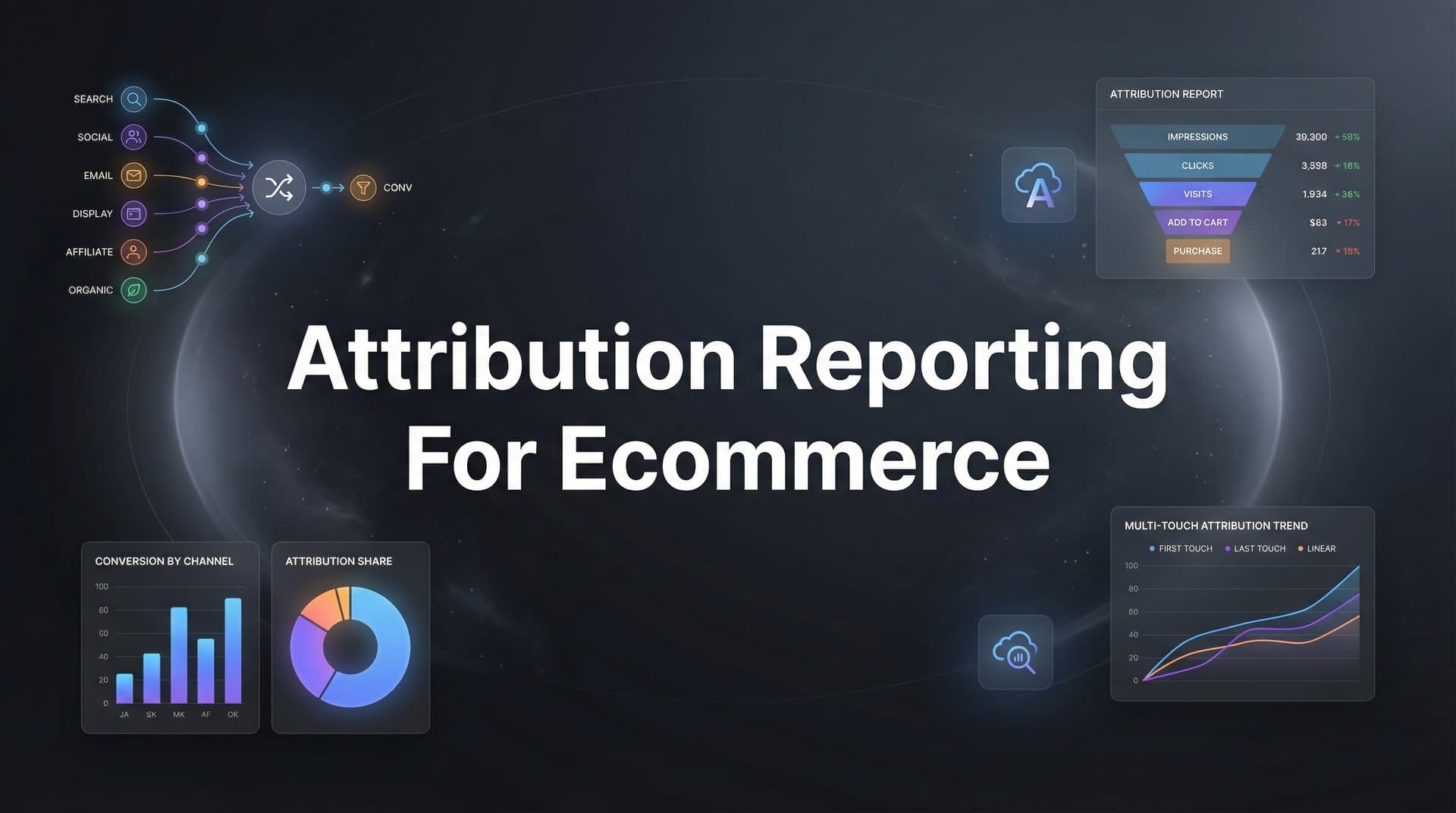
Every ecommerce marketer knows the frustration: you're running campaigns across Meta, Google, TikTok, and email, but when a customer finally converts, you have no idea which touchpoint actually drove the sale. Was it the Facebook ad they clicked last week? The Google search this morning? Or the abandoned cart email that sealed the deal?
Without proper attribution reporting, you're essentially flying blind, making budget decisions based on incomplete data and gut feelings rather than facts.
Think about it. You might be cutting budget from a channel that's actually introducing customers to your brand, or doubling down on last-click sources that are simply capturing demand you already created elsewhere. The result? Wasted spend, missed opportunities, and a constant nagging feeling that you're not seeing the full picture.
This guide walks you through setting up attribution reporting for your ecommerce store from scratch. By the end, you'll have a system that tracks every customer touchpoint, connects ad clicks to actual revenue, and gives you the clarity to confidently scale winning campaigns while cutting wasted spend.
Whether you're working with Shopify, WooCommerce, or another platform, these steps will help you build an attribution framework that actually reflects how your customers buy.
Step 1: Map Your Customer Journey and Define Conversion Events
Before you install a single tracking pixel, you need to understand how your customers actually move from discovery to purchase. This is where most ecommerce brands get it wrong. They jump straight to implementation without mapping the journey first.
Start by identifying every touchpoint where customers interact with your brand. For most ecommerce businesses, this includes paid social ads, Google search and shopping campaigns, organic social posts, email campaigns, SMS marketing, and direct traffic from people who already know you.
Here's what matters: document the typical path. Do customers usually discover you through Instagram, then search your brand name on Google before buying? Or do they click an ad, browse, leave, and convert days later after seeing a retargeting campaign? Understanding these patterns tells you which touchpoints to prioritize in your tracking.
Next, define your conversion events clearly. Your primary event is obviously a purchase, but the journey doesn't start there. You need to track the steps leading up to it: product page views, add to cart actions, and checkout initiations.
Assign values to each event based on how likely they are to lead to a purchase. If 30% of people who add to cart eventually buy, and your average order value is $100, then an add-to-cart event has an approximate value of $30. These values help you understand the worth of upper-funnel actions.
Document your sales cycle length. How long does it typically take from first click to purchase? For impulse buys and low-ticket items, this might be hours or a single day. For higher-consideration products, it could be weeks. This timeline determines your attribution window, which we'll configure later.
Create a simple visual map showing the customer journey. It doesn't need to be fancy. A flowchart showing "Instagram Ad → Website Visit → Exit → Google Search → Purchase → Email Follow-up" gives you a reference point for everything that follows.
The goal here is clarity. When you understand how customers actually buy, you can build attribution tracking for ecommerce that captures reality instead of assumptions.
Step 2: Install Tracking Infrastructure Across Your Store
Now comes the technical foundation. Your tracking infrastructure needs to capture data accurately, even as browser restrictions and privacy changes make traditional pixel tracking less reliable.
Start with server-side tracking. This is non-negotiable in 2026. Browser-based pixels miss conversions due to ad blockers, iOS privacy features, and cookie restrictions. Server-side tracking sends conversion data directly from your server to ad platforms, bypassing these limitations entirely.
Most modern attribution platforms handle server-side implementation through a single integration with your ecommerce platform. You connect your store, and the system automatically captures order data and sends it to your connected ad accounts. This gives you more complete data than relying on browser pixels alone.
Next, establish consistent UTM parameter conventions across all campaigns. Every single link you share, whether in paid ads, email campaigns, or social posts, needs properly structured UTM tags. Create a naming convention document and stick to it religiously.
Your UTM structure should include source (facebook, google, email), medium (cpc, social, email), and campaign name. Keep naming consistent: if you use underscores in one campaign, use them in all campaigns. If you capitalize Facebook in one place, capitalize it everywhere. Inconsistent tagging creates data chaos later.
Install platform pixels from Meta, Google, TikTok, and any other ad platforms you use. Even with server-side tracking, browser pixels still serve a purpose for retargeting and platform optimization. Configure them to fire on the same conversion events you defined in Step 1.
Map events correctly. When someone completes a purchase, both your pixel and server-side tracking should send a "Purchase" event with the same event name, order value, and transaction ID. Mismatched event names cause platforms to miss conversions entirely.
Verify everything works before moving forward. Use browser developer tools to check that pixels fire when you complete actions on your site. Go through a test purchase yourself and confirm the Purchase event appears in your ad platform's event manager within a few minutes.
Check for duplicate events. If both your pixel and server-side tracking send the same conversion without proper deduplication, platforms will count it twice and inflate your results. Most ecommerce attribution tracking solutions handle deduplication automatically using transaction IDs, but verify this is working correctly.
Common issues to watch for: pixels firing on the wrong pages, missing event parameters like order value or product ID, and tracking that works on desktop but fails on mobile. Test across devices and browsers to catch these problems early.
Step 3: Connect Your Ad Platforms and Data Sources
With tracking infrastructure in place, you need to connect all your data sources so they flow into a single attribution system. This is where fragmented data becomes unified intelligence.
Start by integrating your paid advertising accounts. Connect Meta Ads Manager, Google Ads, TikTok Ads, and any other platforms where you run campaigns. Most attribution platforms offer native integrations that pull campaign data automatically once you authorize access.
These integrations capture the ad-side data: impressions, clicks, platform-reported conversions, and spend. Your attribution system combines this with the conversion data from your tracking infrastructure to show the complete picture of what's actually driving revenue.
Connect your CRM or email marketing platform next. This captures the post-click journey. When someone clicks an ad, subscribes to your email list, receives nurture campaigns, and eventually purchases, you need to see that entire sequence.
Platforms like Klaviyo, HubSpot, or ActiveCampaign typically integrate through API connections. Once connected, your attribution system can track email opens, clicks, and conversions that happen after initial ad interactions. This reveals how email assists conversions that ads initiated.
Link your ecommerce platform to automatically pull order and revenue data. Whether you use Shopify, WooCommerce, BigCommerce, or another system, this integration is critical. It ensures every purchase flows into your attribution reporting with complete details: order value, products purchased, customer information, and timestamps.
Test the data flow thoroughly. Run a small campaign on one platform, click your own ad using a test account, and complete a purchase. Then verify that the conversion appears correctly in your attribution dashboard with accurate revenue, proper channel attribution, and all relevant touchpoint data.
Check that data syncs in near real-time. You should see conversions appear within minutes, not hours or days. Delayed data makes it impossible to make quick optimization decisions when campaigns are actively running.
Look for any missing connections. If you run Pinterest ads but forgot to connect that account, those conversions will show as direct traffic or last-click from another source. Every advertising channel needs to be integrated, even if it represents a small portion of your spend. This is essential for effective cross platform attribution tracking.
Verify that offline data sources connect if relevant. If you have retail locations, phone sales, or other offline conversion points that start with online touchpoints, you need a way to feed that data back into your attribution system.
Step 4: Select and Configure Your Attribution Model
Now comes the strategic decision that determines how credit gets distributed across your customer journey. Your attribution model is the logic that decides which touchpoints deserve credit for a conversion.
Let's break down your options. First-touch attribution gives all credit to the channel that introduced the customer to your brand. If someone discovers you through a Facebook ad, then later converts through a Google search, Facebook gets 100% credit. This model highlights what's driving new customer acquisition.
Last-touch attribution does the opposite, giving all credit to the final interaction before purchase. In the same scenario, Google would get 100% credit. Most ad platforms use last-touch by default, which is why they often overreport their own performance.
Linear attribution distributes credit equally across all touchpoints. If a customer interacts with five different channels before buying, each gets 20% credit. This model acknowledges that every interaction played a role, but it doesn't account for the fact that some touchpoints matter more than others.
Time-decay attribution gives more credit to recent interactions. A customer might click a Facebook ad three weeks ago, then a Google ad last week, then an email yesterday before purchasing. Time-decay would give the email the most credit, Google less, and Facebook the least. This model assumes that recent touchpoints have more influence on the final decision.
Data-driven or algorithmic attribution uses machine learning to analyze your actual conversion patterns and assign credit based on what statistically drives results. This is the most sophisticated approach, but it requires significant data volume to work effectively. Understanding multi-touch attribution models for data helps you choose the right approach for your business.
So which model should you choose? It depends on your sales cycle and business model. For impulse purchases and short consideration periods (typically under 7 days), last-touch or time-decay models often work well because the customer journey is compressed.
For higher-ticket items or longer sales cycles, multi-touch attribution becomes essential. When customers take weeks or months to decide, you need to understand how upper-funnel awareness campaigns work together with lower-funnel conversion campaigns.
Here's a practical approach: start with a multi-touch model like linear or time-decay, then compare it against first-touch and last-touch views. Running multiple models simultaneously shows you how different perspectives change your understanding of channel performance.
Set your lookback window based on your sales cycle. This determines how far back the system looks when attributing conversions. Most ecommerce businesses use 7-day windows for short-cycle products and 30-day windows for higher-consideration purchases.
If your data shows that customers typically convert within three days of first interaction, a 7-day window captures the full journey. If conversions often happen two weeks after initial discovery, you need at least a 30-day window to avoid missing early touchpoints.
Configure separate windows for clicks and views if your platform supports it. Click-through attribution typically uses longer windows than view-through attribution, since someone who actively clicked an ad showed more intent than someone who just saw it.
Step 5: Build Your Attribution Dashboard and Reports
Data without visibility is useless. You need dashboards and reports that transform raw attribution data into actionable insights you can actually use to make decisions.
Start by creating a channel-level revenue view. This shows total attributed revenue for each marketing channel: Meta, Google, TikTok, email, organic, and so on. Unlike platform-reported revenue, this view shows what each channel actually contributed based on your attribution model.
Build campaign-level reports next. Within each channel, you need to see which specific campaigns drive the most attributed revenue. This granularity helps you identify winners to scale and underperformers to pause or fix.
Set up ROAS and CPA metrics that reflect true attributed performance. Platform-reported ROAS only shows last-click conversions, which dramatically undervalues upper-funnel campaigns. Attributed ROAS shows the complete picture of what each dollar of spend actually generates.
Create comparison views showing how different attribution models tell different stories. Put first-touch, last-touch, and your primary multi-touch model side by side. This reveals which channels get overvalued or undervalued depending on the model.
You'll often find that awareness channels like Facebook prospecting or YouTube look much better in first-touch models, while retargeting and branded search dominate last-touch views. The truth usually sits somewhere in between, which is why multi-touch models provide the most balanced perspective.
Build assisted conversion reports. These show how often each channel appears in the customer journey without getting final credit. A channel might rarely get last-click attribution but appear in 60% of all converting journeys. That's a critical insight you'd miss with last-touch attribution alone.
Configure automated reports that track performance trends over time. Weekly or monthly reports showing how attributed revenue, ROAS, and channel mix evolve help you spot patterns and make strategic adjustments. A robust attribution reporting platform makes this process significantly easier.
Set up alerts for significant changes. If attributed revenue from a major channel drops by 30% week-over-week, you need to know immediately so you can investigate whether it's a tracking issue, campaign problem, or genuine market shift.
Make your dashboard accessible to everyone who needs it. Marketing teams, executives, and agency partners should all be able to view performance data without needing to request custom reports. Self-service access speeds up decision-making.
Step 6: Validate Your Data and Troubleshoot Gaps
Before you trust your attribution data to guide budget decisions, you need to validate that it's accurate. Even the best tracking setup can have gaps that skew your insights.
Start with a revenue reconciliation. Compare total attributed revenue in your attribution system against actual revenue in your ecommerce platform. They won't match perfectly, but they should be close. If attributed revenue is 70% of actual revenue, you're missing significant conversion data somewhere.
Common causes of revenue gaps include untagged traffic sources, tracking that fails on certain devices or browsers, conversions from customers who block tracking, and purchases that happen outside your attribution window.
Identify and fix missing UTM parameters. Run a report showing traffic sources without proper UTM tags. These sessions often get bucketed as "direct" traffic, which makes it look like customers magically appeared on your site when they actually came from a specific campaign.
Check for broken pixel events. Go to your ad platform event managers and look for events that suddenly stopped firing or that fire inconsistently. A pixel that worked perfectly last month might break after a website update or theme change.
Address discrepancies between platform-reported and attributed conversions. Every platform will show different numbers because they each use their own attribution logic. The goal isn't perfect alignment, but you should understand why the differences exist.
For example, Meta might report 100 conversions while your attribution system shows 80 conversions with Meta as a touchpoint. The difference likely comes from attribution window differences, whether you're counting unique customers vs. total orders, or how each system handles assisted conversions.
Test edge cases. What happens when someone uses multiple devices? When they clear cookies mid-journey? When they click an ad on mobile but purchase on desktop days later? Your tracking should handle these scenarios, but verify that it actually does.
Set up monitoring for unusual patterns. If attributed conversions from a channel suddenly spike or drop by 50% without corresponding changes in spend or strategy, investigate immediately. It's often a tracking issue rather than a genuine performance change. Proper attribution tracking for multiple campaigns helps you identify these anomalies quickly.
Document known limitations. No attribution system captures 100% of conversions perfectly. Be transparent about what your system can and can't track, so you make decisions with appropriate context rather than treating the data as absolute truth.
Step 7: Use Attribution Insights to Optimize Campaigns
Now comes the payoff. With accurate attribution data flowing, you can make optimization decisions based on reality instead of incomplete platform reporting.
Start by reallocating budget based on true revenue contribution. If your attribution data shows that Facebook prospecting campaigns contribute to 35% of revenue but only receive 20% of budget, that's a clear reallocation opportunity. Shift spend toward channels that drive real results, not just last-click conversions.
Identify undervalued channels that assist conversions without getting last-click credit. You might discover that YouTube ads rarely get final attribution but appear in 40% of high-value customer journeys. Cutting YouTube budget would hurt overall performance even though last-click metrics make it look ineffective.
Use attribution data to feed better signals back to ad platform algorithms. When you send complete conversion data through server-side tracking, platforms like Meta and Google get a more accurate picture of what's working. Their algorithms can then optimize toward genuinely profitable actions instead of just last-click conversions.
This creates a virtuous cycle: better data leads to better optimization, which leads to better results, which generates more data to optimize against. Learn more about leveraging attribution data for ad optimization to maximize this effect.
Adjust bidding strategies based on attributed performance. A campaign that looks marginal on platform-reported ROAS might show strong attributed ROAS once you account for its role in the broader journey. You can bid more aggressively on campaigns that truly drive revenue.
Test incrementally. Don't make massive budget shifts based on your first week of attribution data. Make small adjustments, monitor the impact, and iterate. Attribution insights should guide strategy, not dictate it blindly.
Establish a regular review cadence. Block time weekly to analyze attribution reports, identify trends, and make optimization decisions. Consistent review turns attribution from a one-time project into an ongoing competitive advantage.
Share insights across your team. When everyone understands how customers actually convert, you make better decisions about creative strategy, landing page optimization, email timing, and campaign structure. Attribution data should inform every aspect of your marketing.
Look for sequential patterns. Do customers who see a Facebook ad, then click a Google search ad, convert at higher rates than those who only interact with one channel? These patterns reveal opportunities to build intentional multi-channel strategies instead of managing channels in isolation.
Putting It All Together: Your Attribution Reporting Checklist
With these seven steps complete, you now have an attribution system that captures the full customer journey and connects every touchpoint to actual revenue. Let's recap what you've built.
Your customer journey is mapped with conversion events clearly defined and valued. Server-side tracking is installed alongside platform pixels to capture data that browser-based tracking misses. All ad platforms and data sources are connected and flowing into a unified system.
You've selected an attribution model that fits your sales cycle and configured appropriate lookback windows. Your dashboard shows channel and campaign-level reporting with attributed ROAS and revenue metrics. Data is validated against actual store revenue, and you have processes in place to catch and fix tracking issues.
Most importantly, you've established an optimization workflow that uses attribution insights to guide real budget and strategy decisions.
The real power of attribution reporting comes from consistent use. Review your data weekly, make incremental budget shifts based on what you learn, and let the insights compound over time. What looks like a small optimization today becomes a significant competitive advantage over months and quarters.
Here's what separates brands that succeed with attribution from those that struggle: they treat it as an ongoing practice, not a one-time setup. Markets change, customer behavior evolves, and new channels emerge. Your attribution system needs to adapt continuously.
Start with the basics, validate your data, and build from there. You don't need perfect attribution on day one. You need accurate enough data to make better decisions than you made yesterday.
Platforms like Cometly can accelerate this entire process by automating the tracking, integration, and reporting steps while providing AI-powered recommendations for optimization. Instead of building everything manually, you get a complete attribution system that captures every touchpoint, analyzes the data, and suggests specific actions to improve performance.
Ready to elevate your marketing game with precision and confidence? Discover how Cometly's AI-driven recommendations can transform your ad strategy. Get your free demo today and start capturing every touchpoint to maximize your conversions.


