

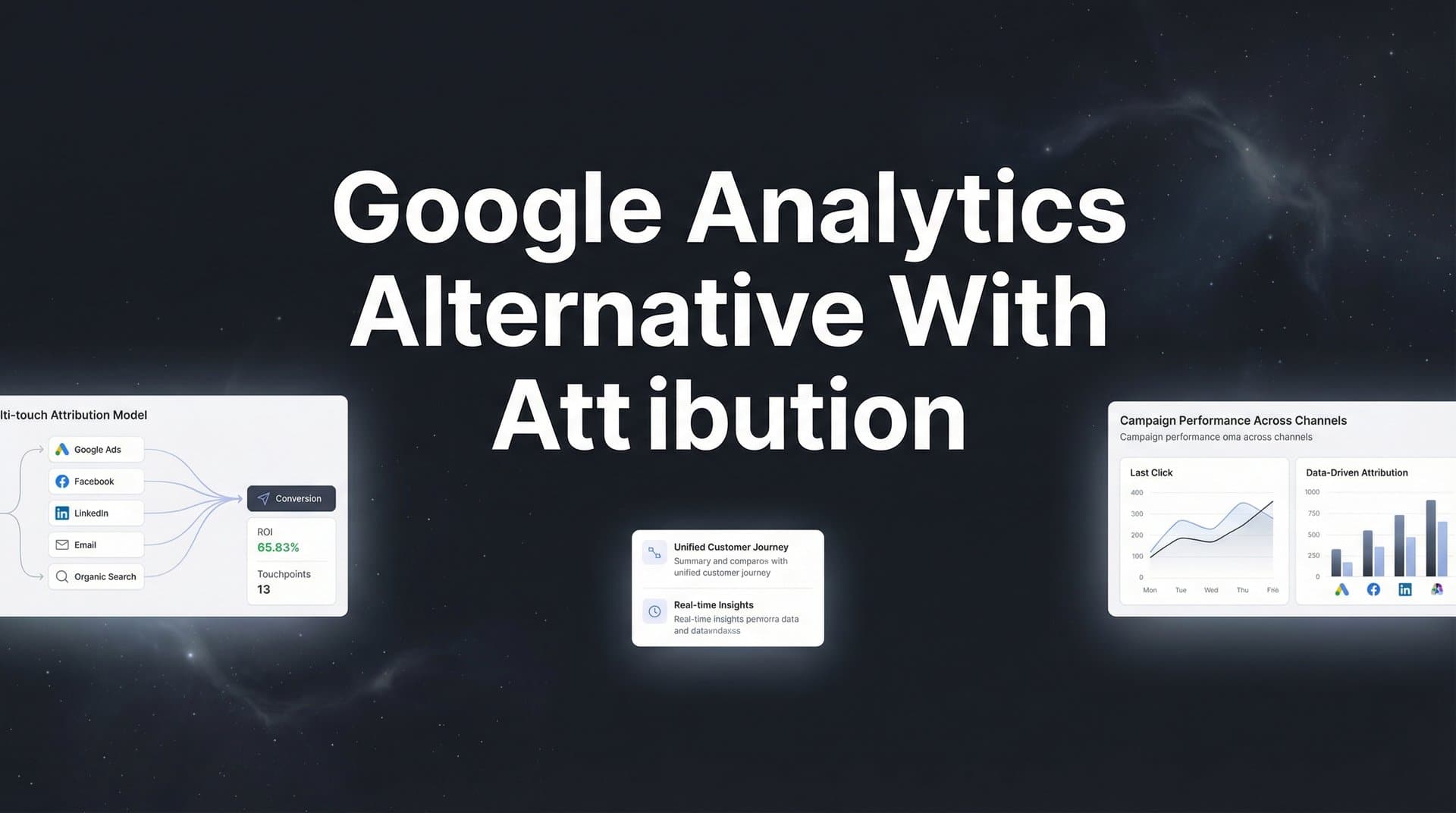
Google Analytics has long been the default choice for tracking website traffic, but marketers running paid campaigns across multiple platforms are discovering its limitations. The free tool excels at showing page views and sessions, yet falls short when you need to connect ad spend to actual revenue. Without proper attribution, you are left guessing which campaigns drive real business results versus which ones just generate clicks.
This gap becomes especially painful when iOS privacy changes and cookie restrictions make traditional tracking unreliable. You cannot optimize what you cannot measure accurately, and traditional analytics tools were built for a different era of marketing.
The good news: purpose-built attribution platforms now solve these challenges by tracking the complete customer journey from first ad click to closed deal. This guide walks you through seven strategic approaches to evaluate and select a Google Analytics alternative that delivers the attribution insights your marketing team actually needs.
1. Prioritize Multi-Touch Attribution Over Last-Click Models
The Challenge It Solves
Google Analytics defaults to last-click attribution, which credits only the final touchpoint before conversion. This creates a distorted view of your marketing performance. Your top-of-funnel campaigns that introduce prospects to your brand get zero credit, while retargeting ads capture all the glory. The result: you underinvest in awareness campaigns and over-allocate budget to bottom-funnel tactics that would not exist without earlier touchpoints.
The Strategy Explained
Multi-touch attribution distributes credit across all touchpoints in the customer journey, revealing which channels work together to drive conversions. A prospect might discover you through a Facebook ad, research via organic search, return through an email campaign, and finally convert after clicking a Google ad. Each touchpoint played a role, and your attribution model should reflect that reality.
Look for platforms that offer multiple attribution models: first-click, linear, time-decay, position-based, and data-driven options. The flexibility matters because different business models benefit from different approaches. B2B companies with long sales cycles often prefer time-decay models that give more credit to recent touchpoints, while e-commerce brands might use position-based models that emphasize both discovery and conversion moments. Understanding the Google Analytics attribution limitations helps clarify why these alternatives matter.
Implementation Steps
1. Document your typical customer journey length and number of touchpoints before purchase to understand which attribution model fits your reality.
2. Request demos that show how each platform calculates attribution across different models using sample data similar to your campaigns.
3. Compare attribution results across models during your trial period to identify which approach provides the most actionable insights for your team.
Pro Tips
Start with a position-based model that gives 40% credit to first and last touchpoints, distributing the remaining 20% across middle interactions. This approach balances awareness and conversion while acknowledging the full journey. As you gather more data, you can refine to more sophisticated models.
2. Demand Server-Side Tracking Capabilities
The Challenge It Solves
Browser-based tracking faces mounting obstacles. Safari blocks third-party cookies by default, Firefox offers enhanced tracking protection, and iOS privacy features limit tracking windows to just 24 hours for many scenarios. Ad blockers strip tracking pixels from websites entirely. These changes create massive blind spots in your data, with some marketers reporting gaps of 30-50% in their conversion tracking compared to actual sales.
The Strategy Explained
Server-side tracking bypasses browser restrictions by sending data directly from your server to the analytics platform. Instead of relying on cookies and pixels that users can block, the tracking happens on the backend where privacy tools cannot interfere. This approach captures more complete data while still respecting user privacy through proper consent mechanisms.
The technical architecture matters here. Quality platforms use server-side tracking to capture events, then match them to user sessions using first-party data and probabilistic matching techniques. This creates a more complete picture of the customer journey without depending on fragile third-party cookies. For a deeper comparison, explore Google Analytics vs server side tracking to understand the technical differences.
Implementation Steps
1. Verify that the platform offers true server-side tracking, not just server-side tagging that still relies on client-side data collection.
2. Assess implementation requirements including developer time needed and compatibility with your current tech stack.
3. Test tracking accuracy by comparing server-side data against your current setup during a parallel tracking period of at least two weeks.
Pro Tips
Combine server-side tracking with client-side tracking for maximum coverage. Use server-side as your source of truth for conversions while maintaining client-side tracking for behavioral insights like scroll depth and engagement metrics that require browser-level data.
3. Ensure Direct CRM and Revenue Integration
The Challenge It Solves
Google Analytics stops at form submissions and goal completions, leaving a critical gap between marketing activity and actual revenue. You can see that 100 people filled out your contact form, but you cannot easily determine which of those leads closed into customers or which ad campaigns drove your highest-value deals. This disconnect makes it nearly impossible to calculate true ROI or optimize for revenue rather than just lead volume.
The Strategy Explained
Direct CRM integration creates a closed-loop attribution system that tracks prospects from initial ad click through to closed revenue. When a lead converts in your CRM, the attribution platform automatically connects that outcome back to every marketing touchpoint that influenced the journey. This reveals which campaigns drive not just leads, but qualified leads that actually close.
The integration needs to be bidirectional. Your attribution platform should pull deal values, stages, and close dates from your CRM while also pushing enriched attribution data back into CRM records. If you use Salesforce, learning how to integrate Google Analytics with Salesforce reveals both the possibilities and limitations of native solutions.
Implementation Steps
1. List all CRM systems you use and confirm the platform offers native integrations rather than requiring complex custom development.
2. Map out which CRM fields you need to sync including deal value, stage, close date, and any custom fields relevant to your attribution analysis.
3. Establish clear definitions for lead stages and revenue recognition to ensure consistent data interpretation across marketing and sales teams.
Pro Tips
Set up attribution tracking for multiple conversion events beyond just initial lead capture. Track demo bookings, trial starts, contract signatures, and expansion revenue separately. This granular approach reveals which channels excel at different stages of the customer lifecycle.
4. Look for Cross-Platform Ad Account Connectivity
The Challenge It Solves
Running campaigns across Facebook, Google, LinkedIn, TikTok, and other platforms creates data silos that make unified reporting nearly impossible. Each platform uses different attribution windows, tracking methodologies, and conversion definitions. You end up with fragmented insights where the sum of platform-reported conversions exceeds your actual sales because of duplicate attribution.
The Strategy Explained
Comprehensive ad account connectivity pulls data from all your advertising platforms into a single dashboard with unified attribution logic. Instead of checking five different interfaces with five different stories about performance, you see one source of truth that accurately attributes conversions across channels. Understanding the differences between Facebook Ads attribution vs Google Ads attribution helps you appreciate why unified tracking matters.
The real power comes from conversion sync capabilities. Advanced platforms send enriched conversion data back to your ad accounts, feeding better information to platform algorithms. When Facebook or Google receives more accurate conversion data including revenue values, their AI can optimize more effectively for high-value customers rather than just any conversion.
Implementation Steps
1. Create a list of every ad platform you currently use plus any you plan to test in the next six months to ensure the platform supports all necessary integrations.
2. Verify that the platform supports conversion sync back to ad platforms, not just one-way data pulling for reporting purposes.
3. Test the connection setup process during your trial period to assess how much technical expertise is required for ongoing maintenance.
Pro Tips
Prioritize platforms that update ad platform connections automatically when APIs change. Many attribution tools break when Facebook or Google updates their API, leaving you scrambling to fix integrations. Look for providers that handle these updates proactively.
5. Evaluate AI-Powered Optimization Recommendations
The Challenge It Solves
Traditional analytics platforms bury you in data without telling you what to do about it. You can spend hours analyzing reports only to end up with analysis paralysis. Meanwhile, your competitors are making faster optimization decisions and scaling winning campaigns while you are still trying to interpret dashboards. The gap between data and action costs you money every day.
The Strategy Explained
AI-powered attribution platforms analyze your campaign performance and surface specific, actionable recommendations. Instead of just showing you that Campaign A outperforms Campaign B, the AI suggests exact budget reallocation amounts, identifies which ad creatives to scale, and flags underperforming segments to pause. Think of it as having a data analyst constantly monitoring your campaigns and highlighting optimization opportunities.
The sophistication of AI recommendations varies dramatically across platforms. Basic systems might flag statistical anomalies, while advanced platforms use machine learning to predict which campaigns will continue performing well and which are trending downward before the decline becomes obvious in your reports. Review attribution analytics best practices to understand what separates basic from advanced optimization capabilities.
Implementation Steps
1. Ask for specific examples of AI recommendations the platform provides and how they differ from basic automated alerts.
2. Request case studies or examples showing how other customers have used AI recommendations to improve campaign performance.
3. Test the recommendation quality during your trial by comparing AI suggestions against your own analysis to assess accuracy and relevance.
Pro Tips
Look for AI features that learn from your actions. The best systems track which recommendations you implement and measure the results, continuously improving suggestion quality based on what works for your specific business model and audience.
6. Test Real-Time Data Accuracy and Latency
The Challenge It Solves
Google Analytics updates with a delay that can stretch to 24-48 hours for some reports. When you are running time-sensitive campaigns or testing new ad creative, this lag prevents rapid iteration. You might waste an entire day of budget on underperforming ads before your data updates enough to make informed decisions. In fast-moving markets, this delay translates directly to lost revenue.
The Strategy Explained
Real-time attribution platforms process and display data within minutes rather than hours. You can check campaign performance throughout the day and make immediate adjustments when you spot issues or opportunities. This speed enables agile marketing where you test, learn, and optimize continuously rather than waiting for delayed reports.
Data accuracy matters just as much as speed. Some platforms sacrifice precision for speed, showing you fast but unreliable numbers. The ideal solution delivers both: real-time updates that you can trust for decision-making. During evaluation, you need to verify that quick data is also correct data. If you are experiencing Google Analytics missing conversions, real-time accuracy becomes even more critical.
Implementation Steps
1. Set up parallel tracking during your trial period where both your current system and the new platform track the same campaigns simultaneously.
2. Compare conversion counts, revenue attribution, and campaign performance metrics between systems to identify discrepancies.
3. Test data latency by making a test purchase or conversion and timing how long it takes to appear in the platform dashboard.
Pro Tips
Run your parallel tracking test during a high-volume period if possible. Data accuracy issues often surface under load when systems struggle to process large event volumes. A platform that performs well during your slow season might lag during peak traffic.
7. Assess Total Cost of Ownership Beyond Subscription Fees
The Challenge It Solves
Sticker shock from platform pricing often obscures the real cost comparison. A tool with a higher monthly fee might actually cost less overall if it requires minimal implementation time and delivers immediate value. Conversely, a cheaper platform that needs extensive custom development and ongoing technical maintenance can end up costing significantly more when you factor in opportunity costs and resource allocation.
The Strategy Explained
Total cost of ownership includes subscription fees plus implementation costs, training time, ongoing maintenance requirements, and the value of insights gained. Calculate what it costs to get the platform fully operational, train your team to use it effectively, and maintain integrations over time. Then compare that investment against the potential ROI from better attribution enabling you to cut wasted ad spend and scale winning campaigns.
Consider the cost of not having proper attribution as well. If you are currently spending $50,000 monthly on ads with questionable attribution, even a 10% improvement in efficiency from better data would save $5,000 per month. Comparing marketing attribution software vs traditional analytics helps quantify the value difference between approaches.
Implementation Steps
1. Request detailed implementation timelines from each platform including developer hours needed and typical time to full deployment.
2. Calculate your current cost of poor attribution by estimating wasted ad spend on underperforming campaigns you cannot confidently identify.
3. Project ROI scenarios showing how much you could save by reallocating 10%, 20%, and 30% of your budget based on better attribution insights.
Pro Tips
Ask about included support and training during your first 90 days. Platforms that provide dedicated onboarding and training often deliver faster time-to-value, offsetting higher subscription costs through quicker implementation and better utilization.
Putting It All Together
Selecting the right Google Analytics alternative with attribution capabilities requires looking beyond basic traffic metrics. Start by identifying your most critical gap, whether that is multi-touch attribution, server-side tracking, or CRM integration. Then evaluate platforms against that primary need before assessing secondary features.
Request demos that show your actual use cases, not generic presentations. Bring specific questions about how the platform handles your unique customer journey, ad platform mix, and reporting requirements. Run parallel tracking during trial periods to compare data accuracy against your current setup rather than relying solely on vendor claims.
The investment in proper attribution typically pays for itself quickly when you can confidently scale winning campaigns and cut underperforming spend. Calculate your potential ROI by estimating how much budget you currently waste on campaigns you cannot accurately measure. Even modest improvements in attribution accuracy often justify the platform cost within the first few months.
Ready to elevate your marketing game with precision and confidence? Discover how Cometly's AI-driven recommendations can transform your ad strategy. Get your free demo today and start capturing every touchpoint to maximize your conversions.



