

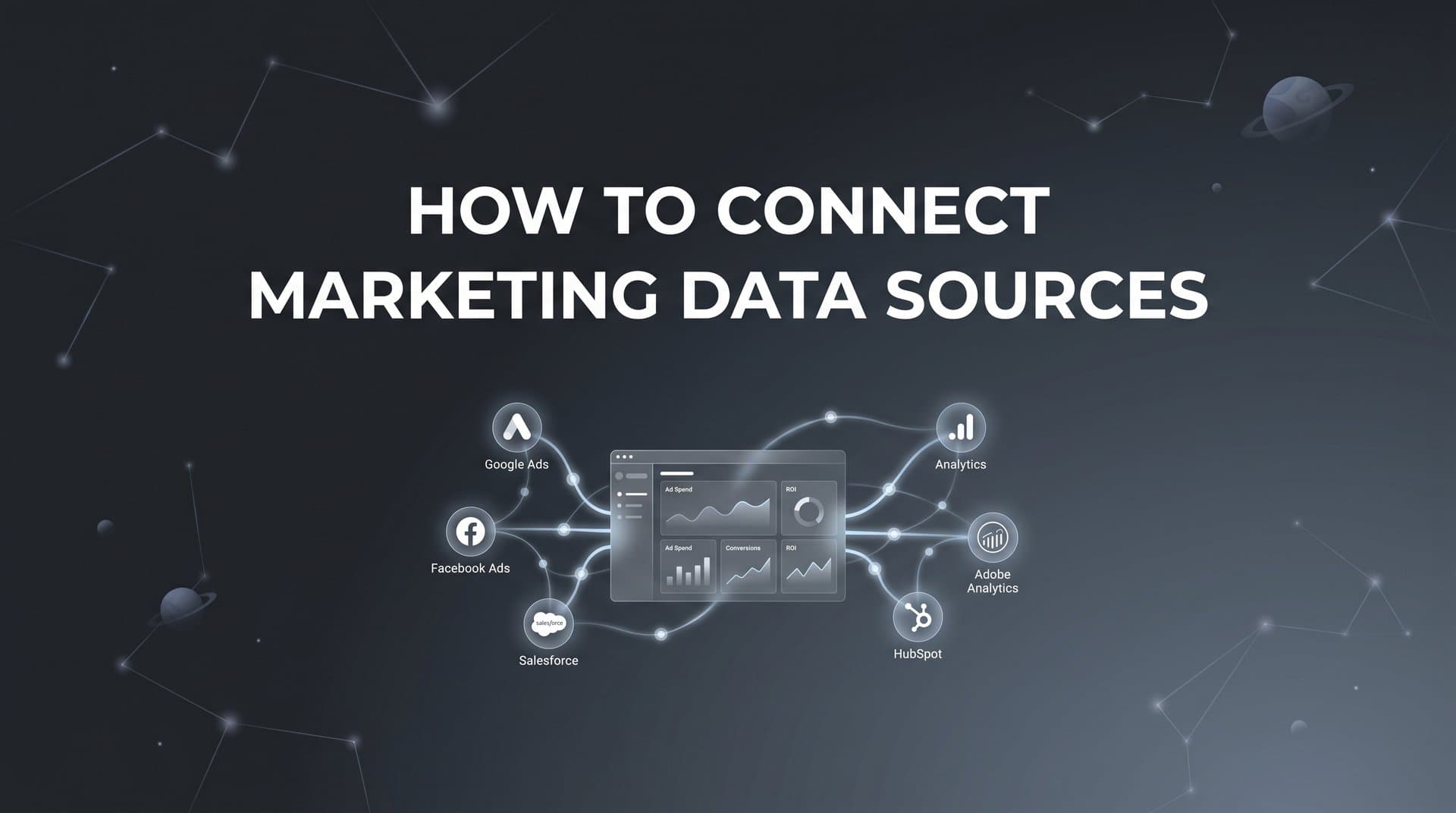
Running paid campaigns across multiple platforms creates a fragmented view of your marketing performance. Your Meta ads data lives in one dashboard, Google Ads in another, and your CRM holds conversion data that never seems to match up with what your ad platforms report. This disconnect makes it nearly impossible to understand which campaigns actually drive revenue.
Connecting your marketing data sources solves this problem by creating a unified view of the entire customer journey. When your ad platforms, website tracking, and CRM all feed into one system, you can finally see which touchpoints lead to conversions and make confident decisions about where to invest your budget.
This guide walks you through the process of connecting your marketing data sources step by step. You will learn how to audit your current data landscape, set up proper tracking infrastructure, integrate your ad platforms, connect your CRM, and validate that everything works together. By the end, you will have a connected data ecosystem that shows the complete path from ad click to closed deal.
Step 1: Audit Your Current Marketing Data Landscape
Before connecting anything, you need to understand what you are working with. Start by creating a comprehensive inventory of every platform where your marketing data currently lives.
Open a spreadsheet and list each system: your ad platforms like Meta, Google Ads, TikTok, and LinkedIn, your website analytics tools, your CRM, email marketing software, and any e-commerce platforms you use. For each platform, note what data it captures and where that data stays trapped.
Next, identify the gaps between these systems. Does your CRM show leads that your ad platforms never claimed credit for? Do you see conversions in Google Analytics that do not appear in your Meta dashboard? These disconnects represent blind spots in your attribution. Understanding inconsistent data across marketing platforms is the first step toward fixing these issues.
Document your key conversion events and where they are currently tracked. A conversion event might be a purchase, a demo booking, a lead form submission, or a free trial signup. Write down which platforms can see each event and which cannot.
Think about your customer journey from first touch to final conversion. If someone clicks a Meta ad, visits your site three times over two weeks, reads your emails, and then converts through a Google search, can you currently track that entire path? Most businesses cannot.
Now prioritize which connections will have the biggest impact on your attribution accuracy. If you spend heavily on Meta but have no way to connect Meta clicks to CRM revenue, that connection should be your top priority. If your Google Ads campaigns drive high-value leads but you cannot track them past the initial click, fixing that gap matters most.
Look for revenue leaks in your current setup. These are conversions that happen but get attributed to the wrong source or to no source at all. Common examples include people who click ads on mobile but convert later on desktop, or leads who engage with multiple touchpoints before converting.
This audit gives you a clear roadmap. You now know which platforms need to connect, which data gaps to close first, and what success looks like when everything works together.
Step 2: Set Up Server-Side Tracking Infrastructure
Browser-based tracking has become unreliable. iOS privacy updates block many tracking pixels, cookie restrictions limit cross-domain tracking, and ad blockers prevent client-side scripts from firing. If you rely solely on browser pixels, you are missing a significant portion of your conversions.
Server-side tracking solves this problem by capturing events at the server level rather than depending on browser pixels that users can block. When someone takes an action on your website, the event gets sent directly from your server to your attribution system, bypassing browser restrictions entirely.
Start by choosing an attribution platform that supports server-side tracking. You will need to install a tracking code snippet on your website. This code should be placed in the header section of every page you want to track. Learn more about how ad tracking tools can help you scale ads using accurate data.
The installation process typically involves copying a JavaScript snippet and pasting it into your website's code. If you use a platform like WordPress, Shopify, or Webflow, you can usually add this through a plugin or the platform's custom code section without touching any files directly.
Once installed, configure which events you want to capture. At minimum, track page views, button clicks, and form submissions. For e-commerce sites, add purchase events with transaction values. For lead generation businesses, track demo requests, consultation bookings, and contact form completions.
Test your tracking immediately after installation. Visit your website and perform the actions you configured. Check your attribution dashboard to verify that events appear in real time. Click a button, fill out a form, navigate between pages. Each action should generate a corresponding event in your system.
Pay special attention to form submissions. These often represent your most valuable conversions, so they need to track reliably. Submit a test form and confirm that the submission event fires, captures the correct timestamp, and includes any relevant form data you configured.
Server-side tracking also helps you capture events that happen outside the browser entirely. If you send conversion data from your CRM or payment processor, server-side infrastructure can receive and process those events alongside your website activity.
This foundation ensures you capture accurate data regardless of browser settings, privacy restrictions, or ad blockers. With server-side tracking in place, you can build the rest of your connected data ecosystem with confidence.
Step 3: Connect Your Ad Platforms
Your ad platforms hold critical data about campaign performance, but that data becomes far more valuable when connected to your attribution system. Start by authenticating each platform you advertise on.
For Meta Ads, navigate to your attribution platform's integrations section and select Meta. You will authenticate using your Facebook Business Manager account. Grant the necessary permissions to access ad account data, campaign information, and cost metrics. The system will pull in your campaign structure, including campaigns, ad sets, and individual ads.
Repeat this process for Google Ads. Authenticate using your Google account and select which ad accounts to connect. Make sure you grant access to cost data, conversion tracking, and campaign performance metrics. Your attribution system needs this information to calculate accurate ROAS.
If you run campaigns on TikTok, LinkedIn, Microsoft Ads, or other platforms, connect those as well. Each platform follows a similar authentication flow: you log in, grant permissions, and select which accounts to sync. A comprehensive marketing data analytics platform can streamline this process significantly.
Once authenticated, configure automatic cost data syncing. This ensures your attribution system always has current spend information for each campaign. Without accurate cost data, you cannot calculate true ROAS or make informed budget decisions.
Map your campaign structure correctly. Your attribution system should recognize the hierarchy of campaigns, ad sets, and individual ads. This granular mapping lets you analyze performance at every level, from overall campaign success down to which specific ad creative drives the most conversions.
Enable click and impression tracking for each platform. When someone sees or clicks your ad, that interaction should flow into your attribution system as a touchpoint. These interactions form the beginning of the customer journey you are trying to track.
Verify the data flow by running a test campaign or checking recent campaign data. Look at a campaign you know performed well in the native platform. Does your attribution system show the same number of clicks, impressions, and spend? The numbers should match closely, though some minor discrepancies are normal due to different counting methodologies.
Set up UTM parameters for your ad links if you have not already. Consistent UTM tagging helps your attribution system identify which specific campaign, ad set, and ad drove each website visit. Use a standardized naming convention across all platforms to keep your data organized.
Step 4: Integrate Your CRM and Revenue Data
Your CRM holds the data that matters most: which leads convert to customers and how much revenue they generate. Connecting your CRM to your attribution system closes the loop between ad spend and actual business results. This is essential for understanding how to connect marketing data to revenue.
Start by selecting your CRM from your attribution platform's integrations. Common options include Salesforce, HubSpot, Pipedrive, and Close. Authenticate using your CRM credentials and grant the necessary permissions to read contact data, deal information, and stage changes.
Map your CRM stages to conversion events. If you use a lead stage called "Marketing Qualified Lead," map that to an MQL conversion event in your attribution system. When a deal moves to "Closed Won," that should trigger a purchase conversion event with the deal value attached.
This mapping tells your attribution system which CRM actions represent meaningful conversions. Not every stage change matters for attribution. Focus on the stages that represent real progress through your funnel: lead created, qualified, opportunity, and closed won.
Configure revenue syncing so deal values flow into your attribution data. When a sales rep closes a deal for ten thousand dollars, that revenue should appear in your attribution system alongside the marketing touchpoints that contributed to that deal. This connection lets you calculate true marketing ROI.
Set up real-time or near-real-time data flow. The faster your CRM data syncs, the more current your attribution insights become. Many platforms offer webhook-based syncing that updates your attribution system within minutes of a CRM change.
Pay attention to lead matching. Your attribution system needs to connect website visitors to CRM contacts. This typically happens through email addresses. When someone fills out a form on your website, their email creates the link between their browsing behavior and their CRM record.
Test the integration by creating a test lead in your CRM. Move it through your pipeline stages and watch how your attribution system responds. Each stage change should trigger the appropriate conversion event. When you mark the deal as closed won, the revenue should appear in your attribution data.
For businesses with longer sales cycles, this CRM connection becomes even more critical. You might run an ad campaign today that generates a lead who does not close for three months. Without CRM integration, you would never connect that eventual revenue back to the original ad campaign.
Step 5: Configure Conversion Events and Attribution Windows
Not all conversions carry equal weight, and not all customer journeys happen at the same pace. Configuring your conversion events and attribution windows ensures your data reflects the reality of how your business operates.
Start by defining which actions count as conversions. For an e-commerce business, a purchase is the obvious conversion. But you might also want to track add-to-cart events, newsletter signups, or account creations as secondary conversions that indicate interest.
For B2B businesses, conversions might include demo bookings, free trial signups, contact form submissions, and content downloads. Create a conversion event for each action that represents meaningful progress toward a sale. Understanding how to properly structure your marketing attribution dataset helps ensure accurate tracking.
Assign value to each conversion type. Purchases have clear monetary value. For lead generation events, estimate the average value based on your close rate and average deal size. If twenty percent of demos convert to customers with an average value of five thousand dollars, each demo is worth approximately one thousand dollars.
Set your attribution windows based on your typical sales cycle length. An attribution window defines how long after someone clicks an ad you will still give that ad credit for a conversion.
E-commerce businesses often use shorter windows because purchase decisions happen quickly. A seven-day click window and one-day view window work well for most online retail. If someone clicks your ad and buys within a week, the ad gets credit.
B2B companies need longer windows. If your average sales cycle runs sixty days, use a sixty to ninety-day attribution window. This ensures you capture conversions that happen weeks after the initial ad interaction.
Choose attribution models that match how your customers actually buy. First-click attribution gives all credit to the first touchpoint. Last-click gives everything to the final interaction before conversion. Linear attribution spreads credit evenly across all touchpoints. Learning how to build a marketing attribution model helps you make the right choice for your business.
Multi-touch attribution models distribute credit more intelligently. Time decay gives more credit to recent touchpoints. Position-based models give more weight to the first and last interactions. Many businesses find that comparing multiple attribution models provides the most complete picture.
Create custom conversion events for specific campaign goals. If you run a campaign specifically to drive webinar registrations, create a webinar registration conversion event. This lets you measure that campaign against its actual objective rather than forcing it into a generic conversion category.
Step 6: Enable Conversion Sync to Feed Better Data Back to Ad Platforms
Connecting your data sources does more than improve your internal reporting. It also helps your ad platforms optimize better by feeding them richer conversion data than they could collect on their own.
Conversion sync, also called offline conversion tracking or Conversions API, sends conversion data from your attribution system back to your ad platforms. When someone converts in your CRM weeks after clicking an ad, conversion sync tells the ad platform about that conversion.
This creates a powerful feedback loop. Ad platforms use machine learning to optimize for conversions. The more conversion data they receive, the better they can identify which audiences and placements actually drive results. By syncing back conversions that happen offline or after long delays, you give the algorithms more signal to work with. Explore how machine learning can be used in marketing attribution to enhance this process.
Start by enabling conversion sync for Meta. Configure which conversion events to send back. You might sync back all purchases, or you might focus on high-value conversions like closed deals. The choice depends on what you want Meta's algorithm to optimize toward.
Set up the same sync for Google Ads. Google calls this offline conversion tracking. When you upload conversion data back to Google, their Smart Bidding algorithms can factor those conversions into their optimization decisions.
Configure the timing of your syncs carefully. Some businesses sync conversions immediately when they happen. Others wait until a lead reaches a certain qualification stage before syncing back. If you sync every form fill immediately but half those leads are junk, you are teaching the algorithm to optimize for low-quality traffic.
Consider syncing conversion values along with conversion events. If you only tell Meta that a conversion happened, the algorithm treats all conversions equally. If you send the actual deal value, Meta can optimize for high-value conversions rather than just volume.
Monitor how improved data quality affects campaign performance over time. After enabling conversion sync, you should see your ad platforms make better optimization decisions. They might shift budget toward audiences that drive higher-value conversions or away from placements that generate clicks but few real results.
This feedback loop compounds over time. Better data leads to better optimization, which leads to better results, which generates more quality data. The longer your conversion sync runs, the smarter your ad platforms become at finding your best customers.
Step 7: Validate Your Connected Data and Troubleshoot Issues
With all your connections in place, you need to verify that data flows correctly through the entire system. Validation catches problems early before they corrupt your attribution insights or waste ad spend.
Run test conversions through your complete funnel. Click one of your own ads, visit your website, and complete a conversion action like filling out a form. Then track that test conversion through your system. It should appear in your attribution dashboard with the correct source attribution.
Check your CRM to see if the test lead appeared there as well. If you configured everything correctly, the lead should show up with the proper campaign source and all relevant tracking data attached. Move the test lead through your pipeline stages and verify that each stage change triggers the expected conversion event.
Compare your attribution data against native platform reporting. Pull a report from Meta showing conversions for the last thirty days. Pull the same date range from your attribution system. The numbers should align closely, though perfect matches are rare due to different attribution methodologies and processing delays. Understanding why marketing data accuracy matters for ROI helps you prioritize this validation work.
Look for common discrepancies and understand what causes them. If your attribution system shows more conversions than Meta, you might be capturing conversions from other sources that Meta cannot see. If Meta shows more, you might have a tracking gap or attribution window mismatch.
Check for duplicate events. If you have both client-side and server-side tracking running, you might capture the same conversion twice. Your attribution platform should have deduplication logic, but verify that it works correctly.
Verify UTM parameters are being captured consistently. Click several of your ads and check that the UTM data appears correctly in your attribution system. Missing or malformed UTM parameters create attribution gaps that make it impossible to credit the right campaigns.
Test your conversion sync by creating a test conversion and confirming it appears in your ad platform's conversion data. The sync might take a few hours to process, so check back later if the conversion does not appear immediately.
Set up ongoing monitoring to catch data connection problems early. Configure alerts that notify you if data stops flowing from a critical source. If your Meta integration breaks, you want to know within hours, not weeks later when you notice attribution gaps in your reports.
Create a validation checklist that you run weekly or monthly. Test a conversion, verify all platforms received it, check for duplicate events, confirm revenue data synced correctly, and review any error logs. Regular validation prevents small issues from becoming major data quality problems.
Putting It All Together
Connecting your marketing data sources transforms how you understand campaign performance. Instead of guessing which ads drive revenue based on incomplete platform data, you now have a unified view of every touchpoint in the customer journey.
Use this checklist to confirm your setup is complete. First, verify all ad platforms are authenticated and syncing cost, click, and impression data. Second, confirm server-side tracking captures website events reliably across all browsers and devices. Third, check that your CRM connection is active with revenue data flowing into your attribution system. Fourth, ensure conversion events are defined with appropriate attribution windows set. Fifth, validate that conversion sync is enabled and sending enriched data back to your ad platforms. Finally, confirm you have completed validation tests and set up ongoing monitoring.
With your data sources connected, you can identify your highest-performing campaigns with confidence. You know which ads drive real revenue, not just clicks. You can see the complete customer journey from first touch to closed deal. You understand which touchpoints deserve more budget and which are wasting spend.
This visibility lets you allocate budget based on actual ROI rather than guesswork. When you know that your Meta retargeting campaigns drive thirty percent of your revenue despite representing only fifteen percent of your spend, you can shift budget accordingly. When you discover that LinkedIn ads generate high-quality leads that close at twice the rate of other sources, you can scale with confidence.
Your ad platforms also benefit from the enriched data you sync back to them. Their algorithms optimize toward real business outcomes rather than proxy metrics. Over time, this creates a compounding advantage as the platforms get better at finding your ideal customers.
Start by auditing your current data landscape today. Document every platform, identify your biggest gaps, and prioritize which connections matter most. Then work through each step systematically. Set up server-side tracking, connect your ad platforms, integrate your CRM, configure your conversion events, enable conversion sync, and validate everything works.
Ready to elevate your marketing game with precision and confidence? Discover how Cometly's AI-driven recommendations can transform your ad strategy. Get your free demo today and start capturing every touchpoint to maximize your conversions.



