

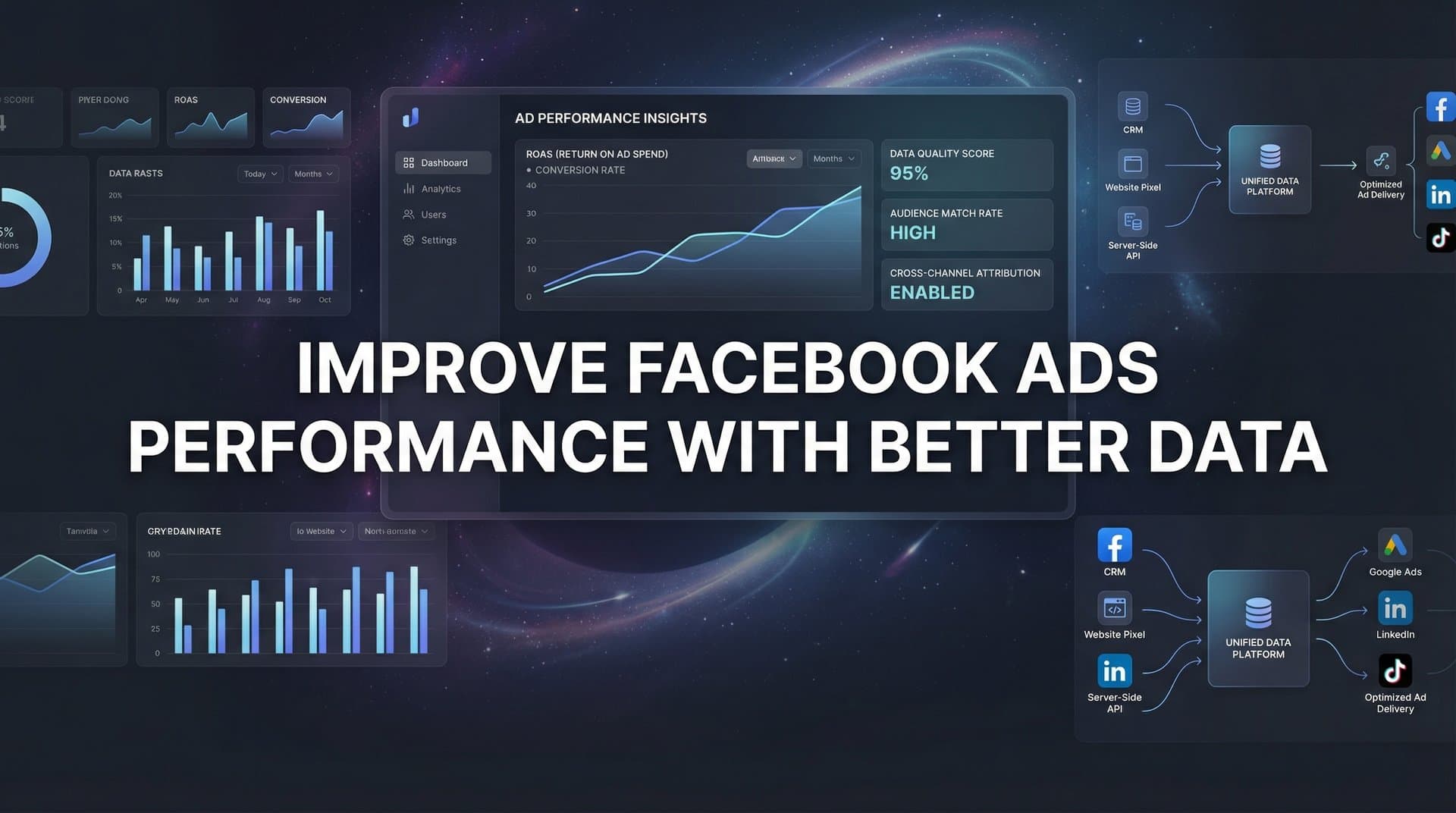
Most Facebook advertisers are making decisions based on incomplete data—and it's costing them. When iOS privacy updates rolled out, many marketers saw their reported conversions drop significantly while their actual sales stayed the same. The gap between what Facebook reports and what actually happens has never been wider.
The good news? You can bridge that gap.
Better data doesn't just mean more numbers. It means accurate, complete information about which ads actually drive revenue. When you feed Facebook's algorithm better conversion data, it learns faster, targets smarter, and delivers better results.
This guide walks you through six practical steps to improve your Facebook ads performance by fixing your data foundation. You'll learn how to identify where your tracking breaks down, implement server-side solutions that work despite browser restrictions, and create a feedback loop that continuously improves your ad performance.
Whether you're spending $1,000 or $100,000 per month on Facebook ads, these steps will help you stop guessing and start scaling with confidence.
Step 1: Audit Your Current Tracking Setup for Data Gaps
Before you can fix your data problems, you need to know exactly where they are. Think of this like diagnosing a car that's running rough—you can't just start replacing parts and hope for the best.
Start by comparing Facebook Ads Manager's reported conversions against your actual CRM or sales data. Pull a report for the last 30 days from both systems and place them side by side. Calculate the gap percentage. If Facebook reports 100 conversions but your CRM shows 150 actual sales, you have a 33% data gap. That means Facebook's algorithm is optimizing with only two-thirds of the information it needs.
This gap exists because of browser-based tracking limitations. When users opt out of tracking through iOS privacy settings or use ad blockers, your Facebook pixel simply can't see those conversions. The sale still happens—Facebook just doesn't know about it. Understanding these Facebook ads attribution issues is the first step toward solving them.
Next, verify your pixel is firing correctly across all conversion points. Open Facebook's Event Testing tool in Events Manager. Navigate through your website as a customer would—add items to cart, start checkout, complete a purchase. Watch the Event Testing tool to confirm each action triggers the corresponding pixel event.
Pay special attention to conversion points that happen outside your website. Do customers call your sales team after clicking an ad? Do they complete purchases in a mobile app? Do they buy in-store after researching online? These touchpoints are typically invisible to Facebook unless you explicitly connect them.
Document everything you find. Create a simple spreadsheet listing every customer journey touchpoint and whether Facebook currently tracks it. Include email clicks, phone calls, offline conversions, app purchases, and any sales closed by your team after initial contact. A marketing campaign tracking spreadsheet can help you organize this information systematically.
The goal here isn't to fix anything yet. You're building a complete picture of where your data breaks down. This list becomes your roadmap for the remaining steps.
Success indicator: You have a clear list of tracking gaps and know exactly how much revenue Facebook isn't seeing. You can quantify the difference between what Facebook reports and what actually happens in your business.
Step 2: Implement Server-Side Tracking to Capture Lost Conversions
Server-side tracking is your solution to browser-based tracking limitations. Instead of relying on a pixel that fires in someone's browser—which can be blocked, deleted, or restricted—you send conversion data directly from your server to Facebook.
This approach bypasses iOS privacy restrictions entirely. When a conversion happens on your server, you control the data flow. No browser can block it. No privacy setting can prevent it.
Start by setting up Facebook's Conversions API. You'll need access to your website's backend or development team. The Conversions API allows your server to send events directly to Facebook, including purchases, leads, registrations, and custom events you define.
If you're on Shopify, WordPress, or another major platform, look for official integrations or plugins that simplify this process. Many e-commerce platforms now offer native Conversions API support. If you're on a custom platform, your developers will need to implement the API using Facebook's documentation.
Here's where it gets critical: configure deduplication between your pixel and server events. When both your pixel and Conversions API report the same conversion, Facebook needs to know they're the same event—not two separate conversions.
Deduplication works through event IDs. When your pixel fires a purchase event, it generates a unique ID. When your server sends the same purchase through Conversions API, include that same ID. Facebook recognizes the match and counts it once. Learning how to sync conversion data to Facebook Ads properly ensures you avoid duplicate reporting.
Include additional data parameters with your server events to improve match rates. Facebook needs to match your conversion data to actual Facebook users. The more information you provide—hashed email addresses, phone numbers, user agent data, IP addresses—the better Facebook can make those matches.
Hash all personal information before sending it. Facebook provides specific hashing requirements in their documentation. Never send plain-text email addresses or phone numbers.
After implementation, monitor your Event Match Quality score in Facebook Events Manager. This metric shows how well your conversion data matches to Facebook users. Aim for a score of "Good" or higher. Low scores mean Facebook can't match your conversions to users, which limits optimization effectiveness.
Success indicator: Your Event Match Quality score increases to "Good" or "Great" range, and reported conversions in Facebook move significantly closer to your actual sales numbers. You'll see the gap from Step 1 shrink substantially.
Step 3: Connect Your CRM to Track the Full Customer Journey
Your CRM contains the truth about which leads actually become customers. But if that truth never makes it back to Facebook, the algorithm optimizes for the wrong thing—leads instead of revenue.
Think about it: Facebook might deliver 100 leads at $50 each. Seems reasonable. But what if only 2 of those leads ever buy, while a different campaign delivers 20 leads at $100 each, and 8 of them become customers? The second campaign is far more profitable, but Facebook has no way to know that unless you tell it.
Start by mapping your sales pipeline stages to Facebook conversion events. If your CRM tracks leads through stages like "New Lead," "Qualified," "Opportunity," and "Closed-Won," create corresponding Facebook events for each stage.
Set up automated data flow from your CRM to Facebook. When a lead progresses to "Qualified" in your CRM, send that event to Facebook via Conversions API. When they become an "Opportunity," send another event. When they close as a customer, send a purchase event.
This creates a feedback loop. Facebook sees which ads generate leads that actually progress through your pipeline. Over time, it learns to find more people who match the profile of your best customers—not just people who fill out forms.
Always include revenue values with your conversion events. When sending a purchase event, include the actual dollar amount. This allows Facebook to optimize for revenue, not just conversion count.
There's a significant difference between optimizing for conversions and optimizing for conversion value. If you sell products ranging from $50 to $5,000, you want Facebook to find people likely to buy the $5,000 products—not just anyone who'll buy something. Understanding how to improve data-driven decision making helps you leverage this distinction effectively.
For B2B companies with longer sales cycles, this connection is even more critical. You might not close deals for 30, 60, or 90 days after the initial ad click. If you only track the initial lead, Facebook never learns which ads generate actual revenue. Connect your CRM, and suddenly Facebook can optimize for closed-won deals, even if they happen months later.
Success indicator: You can see which specific ads generate pipeline and revenue, not just clicks and leads. You can filter Facebook Ads Manager by revenue generated and see clear ROI at the ad level.
Step 4: Enrich Your Conversion Data Before Sending It Back to Facebook
Basic conversion data tells Facebook "this person converted." Enriched conversion data tells Facebook "this person converted, spent $5,000, has a projected lifetime value of $15,000, and matches the profile of your best customers."
Which one do you think helps the algorithm optimize better?
Start by adding customer lifetime value data to your conversions. If you've been in business for a while, you know that not all customers are equal. Some buy once and disappear. Others become repeat customers worth thousands over time.
Calculate the average lifetime value for different customer segments. Maybe customers who buy Product A have a lifetime value of $2,000, while those who buy Product B average $8,000. Include this information when sending purchase events to Facebook.
Facebook offers a specific parameter for predicted lifetime value. When you send a purchase event, include the predicted LTV for that customer type. Over time, Facebook learns to find more high-value customers instead of just optimizing for any conversion. Implementing marketing data accuracy improvement methods ensures this information reaches Facebook correctly.
Include offline conversion data for sales that don't happen on your website. If customers call your sales team after clicking an ad, track those phone conversions and send them to Facebook. If people visit your store after seeing an ad, connect that in-store purchase data.
Many businesses lose attribution on their most valuable conversions because they happen offline. Someone sees your ad, calls your sales team, and buys a $50,000 enterprise contract. If you don't connect that sale back to the original ad, Facebook thinks that campaign failed.
Segment your conversion data by product, service tier, or customer type for more granular optimization. If you sell multiple products or services, create separate conversion events for each. This allows you to run campaigns optimized specifically for high-value offerings.
For example, instead of a generic "Purchase" event, you might send "Purchase_Enterprise," "Purchase_Pro," and "Purchase_Starter" events. Then you can run campaigns specifically optimized to find enterprise customers, even if they're more expensive to acquire.
Success indicator: Facebook receives complete, enriched conversion data that reflects true business outcomes. Your campaigns optimize for the customers you actually want, not just anyone who converts.
Step 5: Optimize Your Campaigns Using Multi-Touch Attribution Insights
Facebook's default reporting gives all credit to the last ad someone clicked before converting. But that's rarely the full story.
Picture this: Someone sees your awareness video ad on Monday. They don't click. On Wednesday, they see a carousel ad showcasing your products. Still no click. On Friday, they see a retargeting ad with a discount code. They click and buy.
We compare the leading options in our Shopify carousel ad generator roundup.
Facebook gives all credit to the Friday retargeting ad. But would that person have converted without seeing the first two ads? Probably not.
Multi-touch attribution reveals the full path to conversion. It shows which ads contribute to sales even when they don't get direct credit. This insight transforms how you allocate budget. Understanding Facebook ads attribution models helps you see beyond last-click metrics.
Start by analyzing which ads consistently appear in conversion paths, even if they're not the last click. Look for patterns. You might discover that your brand awareness video campaigns rarely get direct conversions, but people who see them are three times more likely to convert from retargeting later.
This is crucial information. Without it, you might cut the awareness campaign because it shows poor last-click ROAS. With it, you realize that campaign is actually driving significant revenue—just not in a way Facebook's default reporting captures.
Identify your top-of-funnel ads that assist conversions. These are often undervalued in last-click attribution but essential for overall performance. They introduce people to your brand, build awareness, and warm up audiences for your conversion campaigns.
Reallocate budget based on true contribution to revenue, not just Facebook's default reporting. You might increase investment in awareness campaigns that assist many conversions, even if they don't generate direct sales. You might reduce spend on campaigns that get last-click credit but rarely contribute to paths without other touchpoints. This approach helps you reduce wasted ad spend with better data.
This approach requires looking beyond surface-level metrics. A campaign with a 2x ROAS might actually drive more profit than one with a 4x ROAS if it generates higher lifetime value customers or contributes to more total conversions across the funnel.
Test different attribution models to understand your customer journey better. Compare last-click, first-click, and linear attribution. Each tells a different story. The truth usually lies somewhere in the middle.
Success indicator: You understand the full path to conversion and can confidently invest in awareness campaigns. You can explain exactly how each campaign contributes to revenue, not just which ones get last-click credit.
Step 6: Create a Continuous Feedback Loop for Ongoing Improvement
Better data isn't a one-time fix. It's an ongoing process. Facebook's algorithm constantly learns and adapts. Your tracking should too.
Set up weekly data quality checks comparing Facebook reports to actual revenue. Every Monday morning, pull both reports and calculate the gap. Is it staying consistent? Getting smaller? Growing larger?
A growing gap suggests new tracking issues. Maybe you launched a new product and forgot to implement tracking. Maybe a recent website update broke your pixel. Catching these issues quickly prevents wasted ad spend.
Use AI-powered recommendations to identify scaling opportunities and underperforming ads. Modern attribution platforms can analyze your data faster than any human and surface insights you might miss. They can identify which audiences are most profitable, which creatives resonate best, and where you're leaving money on the table. Learning how to improve campaign performance with analytics turns raw data into actionable decisions.
These recommendations become your weekly action items. Maybe the data shows one ad set consistently delivers customers with 50% higher lifetime value. That's a clear signal to increase budget there. Maybe another campaign shows strong click-through rates but poor conversion quality. That's a signal to improve your landing page or adjust targeting.
Test new audiences and creatives with confidence knowing your data accurately measures results. When your tracking is solid, you can experiment without fear. You'll know quickly whether a new approach works or wastes money.
This confidence accelerates learning. Many advertisers avoid testing because they don't trust their data. When you can't tell if a campaign truly performed well or just got lucky with attribution, you stick with what's safe. Better data removes that hesitation. Once your foundation is solid, you can focus on how to scale Facebook ads profitably.
Document what you learn. Keep a simple log of tests run, results observed, and decisions made. Over time, this becomes institutional knowledge. You'll spot patterns across campaigns and develop intuition for what works in your specific market.
Review your attribution model quarterly. As your business evolves—new products, new markets, new customer segments—your ideal attribution approach might change. What worked when you focused on direct-response might not work when you're building brand awareness at scale.
Success indicator: Your Facebook ROAS improves month-over-month as the algorithm learns from better data. You catch and fix tracking issues within days instead of months. You can confidently scale winning campaigns because you trust your numbers.
Putting It All Together
Better data is the foundation of better Facebook ads performance. When you feed the algorithm accurate, complete conversion information, it rewards you with improved targeting, lower costs, and higher returns.
Here's your quick-start checklist:
✓ Audit current tracking and document data gaps
✓ Implement server-side tracking via Conversions API
✓ Connect CRM to capture full customer journey
✓ Enrich conversion data with revenue and LTV
✓ Analyze multi-touch attribution for budget decisions
✓ Establish weekly data quality reviews
Start with Step 1 today. Even a simple audit comparing your CRM sales to Facebook's reported conversions will reveal opportunities. You'll likely discover that Facebook is missing 20%, 30%, or even 50% of your actual conversions. That's money left on the table—and it's fixable.
The improvements compound over time. Better data leads to better optimization. Better optimization leads to more efficient campaigns. More efficient campaigns generate more profit. That profit funds more testing and scaling. The cycle continues.
Most advertisers never fix their data foundation. They keep optimizing campaigns based on incomplete information, wondering why their results plateau. You now have the roadmap to do better.
Ready to automate this entire process? Cometly connects your ad platforms, CRM, and website to track every touchpoint and feed enriched conversion data back to Facebook automatically. From server-side tracking to multi-touch attribution to AI-powered optimization recommendations, everything covered in this guide happens seamlessly in one platform.
Get your free demo to see how better data can transform your ad performance. Discover how Cometly's AI-driven recommendations can help you capture every touchpoint, understand true campaign contribution, and scale with confidence.



