Instagram advertising has become one of the most competitive paid channels for B2B SaaS companies and growth teams. With millions of businesses running ads on the platform, the difference between campaigns that scale and campaigns that drain budget often comes down to one thing: how well you analyze your data.
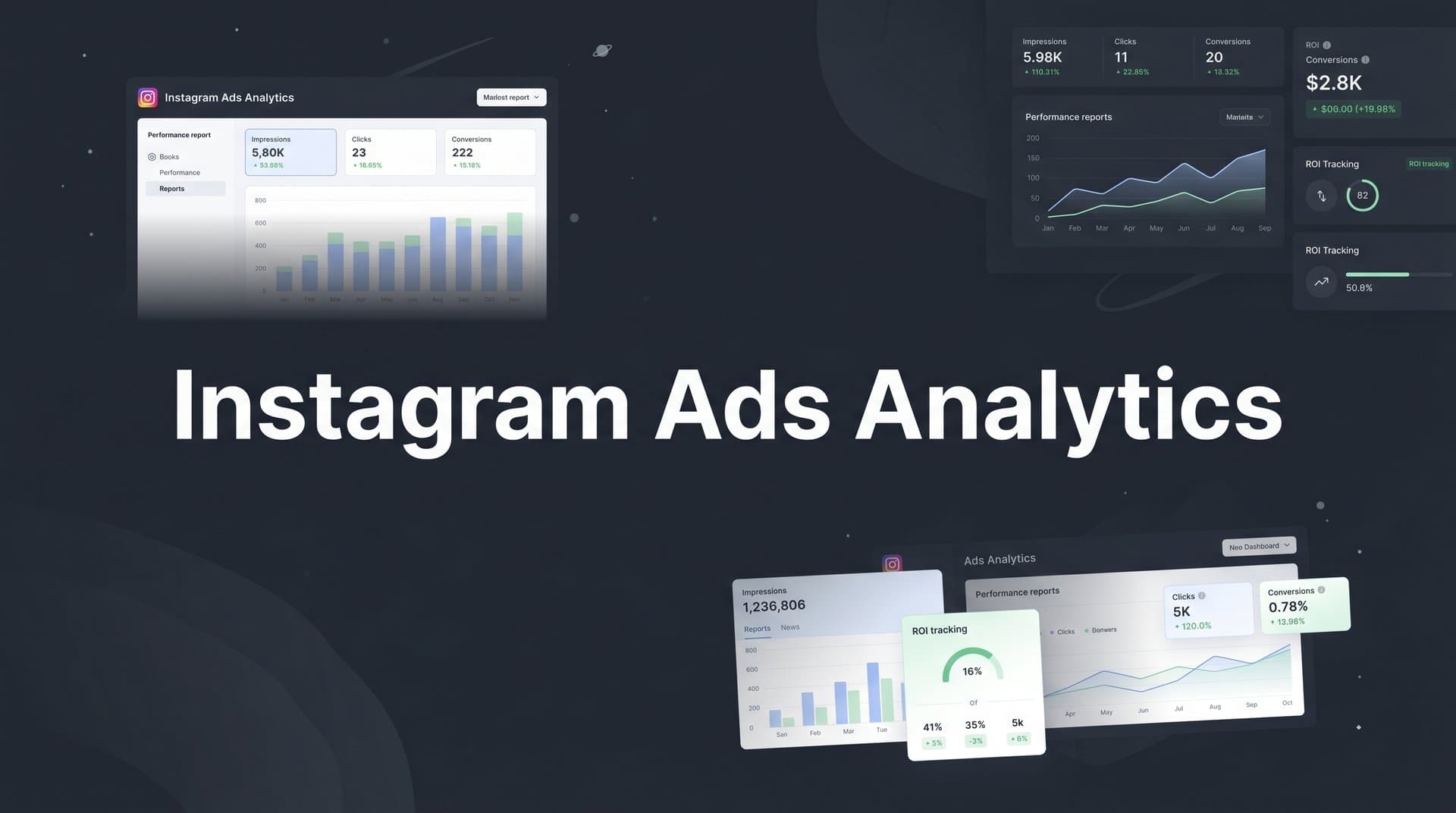
Instagram ads analytics is not just about checking impressions and clicks. It is about understanding which audiences convert, which creatives drive pipeline, and which touchpoints in the customer journey actually lead to closed revenue.
The challenge most marketing teams face is that native Instagram reporting only tells part of the story. You can see surface-level metrics inside Meta Ads Manager, but connecting those clicks to actual leads, opportunities, and revenue requires a more sophisticated approach.
This article breaks down seven proven strategies for getting more from your Instagram ads analytics. Whether you are trying to reduce wasted ad spend, improve targeting, or build a clear picture of how Instagram contributes to revenue, these strategies will give you a framework to measure, optimize, and scale with confidence.
1. Go Beyond Vanity Metrics and Track Revenue-Linked KPIs
The Challenge It Solves
Meta Ads Manager is built to report on reach, impressions, link clicks, and cost per click. These metrics are easy to find and easy to report on. But for B2B SaaS companies, they tell you almost nothing about whether your Instagram spend is actually moving the business forward. A campaign with a low cost per click can still be a complete waste of money if those clicks never become qualified leads or customers.
The Strategy Explained
The shift here is straightforward: stop optimizing for engagement signals and start optimizing for business outcomes. For B2B SaaS companies, that means tracking metrics like cost per qualified lead (CPQL), cost per opportunity (CPO), cost per acquisition (CPA), and total pipeline influenced by Instagram.
These metrics require you to connect your ad platform data to your CRM. When you do, you can see not just how many leads a campaign generated, but how many of those leads became sales opportunities and eventually closed revenue. That is a fundamentally different view of performance than what Meta's native dashboard provides.
Implementation Steps
1. Define your revenue-linked KPIs before launching any campaign. Decide which CRM stages represent a qualified lead and an opportunity.
2. Connect your Meta Ads data to your CRM using a marketing attribution platform that can match ad interactions to pipeline events.
3. Build a reporting view that shows cost per qualified lead and cost per opportunity alongside your standard Meta metrics, so you can compare campaigns on what actually matters.
4. Set budget allocation rules based on CPQL and CPO thresholds rather than click-through rates or cost per click.
Pro Tips
Start by auditing your current reporting. If your weekly ad review only covers impressions, clicks, and CTR, you are flying blind. Even a simple spreadsheet that maps ad spend to CRM-sourced leads is a meaningful step forward. The goal is to make revenue impact the default lens for every campaign decision.
2. Use Multi-Touch Attribution to Understand Instagram's True Role
The Challenge It Solves
Last-click attribution is the default for most marketing teams, and it is quietly one of the most damaging measurement habits in paid social. When you only credit the final touchpoint before a conversion, channels like Instagram that play an awareness or nurturing role get zero credit. Over time, this leads teams to cut budget from channels that are actually driving pipeline, simply because the data does not reflect their contribution.
The Strategy Explained
Multi-touch attribution distributes conversion credit across all touchpoints in the customer journey. Models like linear, time decay, position-based, and data-driven attribution each take a different approach to how that credit is distributed. For B2B SaaS companies with longer sales cycles and multiple decision-makers, multi-touch models are generally far more representative of how marketing actually influences buying decisions.
When you apply a multi-touch model to your Instagram data, you often discover that Instagram is contributing significantly to pipeline at the awareness and retargeting stages, even when it rarely appears as the last touchpoint before a conversion. Understanding this role lets you invest in Instagram more strategically rather than cutting it because last-click reporting makes it look underperforming.
If you want to go deeper on how different models work, this guide on attribution models and this breakdown of revenue attribution models are worth reading before you decide which approach fits your business.
Implementation Steps
1. Audit your current attribution setup. Identify whether you are relying on last-click reporting inside Meta Ads Manager or a more sophisticated model.
2. Choose a multi-touch attribution model that fits your sales cycle. For longer B2B cycles, time decay or data-driven models often provide the most accurate picture.
3. Implement an attribution platform that can ingest data from Instagram, your CRM, and other channels to build a complete touchpoint map for each customer.
4. Compare Instagram's performance under last-click versus multi-touch attribution and use the difference to recalibrate your budget allocation.
Pro Tips
Do not switch attribution models mid-flight on an active campaign. Run both models in parallel first so you have a baseline for comparison. The goal is not to find the model that makes Instagram look best. It is to find the model that most accurately reflects how your buyers actually move through the funnel.
3. Implement Server-Side Tracking to Fix Data Loss
The Challenge It Solves
iOS privacy changes have significantly degraded the reliability of pixel-based tracking for Instagram ads. When users opt out of tracking or use ad blockers, browser-based pixels miss conversion events entirely. The result is underreported conversions, inflated cost per acquisition figures, and optimization signals that lead Meta's algorithm in the wrong direction. Many teams are making budget decisions based on data that is missing a substantial portion of actual conversions.
The Strategy Explained
Meta's Conversion API (CAPI) enables server-to-server event transmission. Instead of relying on a browser pixel to fire when a user converts, CAPI sends conversion data directly from your server to Meta, bypassing browser limitations entirely. Running CAPI alongside your pixel, often called redundant tracking, is the recommended approach for maximizing event match quality and ensuring Meta's algorithm receives the most complete conversion data possible.
Better data quality means better optimization. When Meta's algorithm has accurate signals about which users are converting, it can target more effectively, which typically reduces cost per conversion over time.
Implementation Steps
1. Audit your current pixel setup to understand what conversion events you are tracking and where data gaps may exist.
2. Implement the Meta Conversion API to send server-side conversion events that mirror your pixel events.
3. Enable event deduplication in your setup to prevent double-counting conversions when both the pixel and CAPI fire for the same event.
4. Monitor your event match quality score inside Meta Events Manager and aim to improve it over time by passing additional customer data parameters like email and phone number.
Pro Tips
Event match quality is the metric to watch here. A higher score means Meta can more reliably match your conversion events to the right users, which directly improves targeting and optimization. Treat server-side tracking as foundational infrastructure, not an optional add-on. This guide on syncing conversion data to Facebook Ads covers the practical setup steps in detail. Everything else in your analytics strategy depends on clean, complete data at the source.
4. Segment Your Analytics by Audience, Placement, and Creative
The Challenge It Solves
Aggregated campaign-level data is one of the most common sources of poor decision-making in paid social. When you look at a campaign's overall performance, you are seeing an average that can mask dramatic differences between audience segments, placements, and creative formats. A campaign might look mediocre overall while hiding a single ad set or creative that is generating most of the qualified leads at a fraction of the average cost.
The Strategy Explained
Breaking down your analytics at the ad set and ad level gives you a granular view of what is actually working. Instagram offers several distinct placements including Feed, Stories, and Reels, and these often perform very differently depending on your audience and offer. Similarly, different creative formats such as static images, carousels, and video tend to resonate differently across funnel stages and audience segments.
Segmenting your analytics allows you to identify the specific combinations of targeting, placement, and creative that drive the best results. Once you know what works, you can reallocate budget toward those combinations and pause what is not performing. This approach also makes it easier to build a structured creative testing framework for paid ads, which is how the best-performing teams consistently improve their results over time.
If you want to build this kind of analysis efficiently, consistent creative naming conventions make a significant difference. This guide on naming conventions for ad creative insights walks through a practical approach.
Implementation Steps
1. Break down your campaign reporting by placement to compare Feed, Stories, and Reels performance on revenue-linked KPIs, not just CTR.
2. Analyze ad set performance to identify which audience segments are generating the highest quality leads at the lowest cost.
3. Review individual ad performance to find which creative formats and messaging angles are driving the most conversions.
4. Establish a consistent naming convention for your campaigns, ad sets, and ads so you can filter and segment data efficiently without manual cleanup.
Pro Tips
Resist the urge to make budget decisions based on a single metric like CTR or cost per click at the ad level. Always tie creative and audience performance back to downstream metrics like cost per qualified lead. An ad with a lower CTR but a higher lead-to-opportunity rate is almost always the better investment.
5. Map Instagram Touchpoints Across the Full Customer Journey
The Challenge It Solves
B2B buying journeys are rarely linear. A prospect might see an Instagram ad, visit your website, attend a webinar, receive a sales email, and then convert weeks later through a Google search. If you only look at Instagram's direct conversion data, you miss its contribution to every step in between. This creates a distorted picture of the channel's value and often leads to underinvestment in campaigns that are genuinely influencing pipeline.
The Strategy Explained
Customer journey mapping for Instagram means connecting ad interactions to CRM pipeline stages and revenue events. When you can see that a prospect first clicked an Instagram ad three weeks before becoming a sales opportunity, you can quantify Instagram's role in that deal. Multiply that across your pipeline and you start to see the channel's true revenue contribution.
This kind of analysis requires data from multiple sources: your ad platform, your website, and your CRM. The goal is a single view of each customer's journey that shows every touchpoint from first ad impression to closed-won revenue. For deeper context on how this works in practice, this guide on the B2B customer journey and this overview of customer journey software are useful references.
Implementation Steps
1. Define the key stages in your CRM pipeline and map them to customer journey phases such as awareness, consideration, and decision.
2. Implement tracking that captures Instagram ad interactions and ties them to individual users or accounts in your CRM.
3. Build a report that shows how many deals in your pipeline had an Instagram touchpoint, and at which stage that touchpoint occurred.
4. Use this data to inform your campaign strategy. If Instagram consistently appears at the awareness stage, invest in top-of-funnel content and retargeting sequences that move prospects toward consideration.
Pro Tips
Pay particular attention to Instagram's role in retargeting sequences. Many B2B SaaS companies find that Instagram performs best when used to re-engage prospects who have already visited their website or engaged with content elsewhere. Understanding where Instagram fits in your specific customer journey will help you design campaigns that work with the funnel rather than against it.
6. Build a Cross-Channel Analytics View That Includes Instagram
The Challenge It Solves
When marketing teams analyze channels in silos, they almost always misallocate budget. Instagram performance looks different when you can compare it directly to Google Ads, LinkedIn, and other paid channels using the same metrics and attribution model. Without a unified view, you are essentially making budget decisions with incomplete information, which leads to over-investing in channels that look good in isolation and under-investing in channels that are genuinely contributing to revenue.
The Strategy Explained
A cross-channel analytics view aggregates performance data from all your paid channels into a single dashboard. This enables true apples-to-apples comparison of cost per qualified lead, cost per opportunity, and pipeline influenced across Instagram, Google, LinkedIn ads analytics, and any other channels you are running. It also reveals how channels interact and assist each other, which is critical for understanding the full picture of your marketing performance.
Cross-channel analytics also helps you avoid redundant targeting. If the same audience segment is being reached across multiple channels simultaneously, you can identify overlap and coordinate your messaging strategy more effectively. For teams evaluating their analytics infrastructure, this comparison of Google Analytics alternatives and this overview of 20 ways marketing attribution software improves performance provide useful context.
Implementation Steps
1. Identify all paid channels currently running and ensure each has proper conversion tracking and UTM parameters in place.
2. Connect all channel data sources to a unified attribution platform that can normalize metrics across platforms.
3. Build a cross-channel dashboard that shows revenue-linked KPIs for each channel side by side, using a consistent attribution model.
4. Review cross-channel performance weekly and use it as the primary basis for budget reallocation decisions rather than individual platform dashboards.
Pro Tips
Be cautious about using each platform's native reporting as your source of truth for cross-channel comparison. Meta, Google, and LinkedIn all use different attribution windows and counting methods, which means their numbers are not directly comparable. A third-party attribution platform that applies a consistent model across all channels is the only reliable way to make accurate budget decisions.
7. Use AI-Driven Insights to Scale What Works
The Challenge It Solves
As your Instagram campaigns grow in complexity, the volume of performance data becomes difficult to analyze manually. Identifying which creatives are genuinely driving revenue, which audiences are worth scaling, and which combinations are underperforming requires processing large amounts of data quickly. Without AI assistance, teams often default to gut feel or surface metrics when making scaling decisions, which leads to missed opportunities and wasted budget.
The Strategy Explained
AI can surface patterns in your Instagram ad data that would take analysts significant time to identify manually. By analyzing performance across creatives, audiences, placements, and time periods, AI-driven insights help you prioritize where to scale and where to pull back based on revenue impact rather than engagement metrics.
There is also a second layer to this strategy: feeding enriched conversion data back to Meta's algorithm. When you implement server-side tracking and pass high-quality conversion signals to Meta, you improve the quality of the data its algorithm uses for optimization. Meta's AI becomes more effective at finding users who are likely to convert, which can reduce cost per conversion and improve targeting precision over time. Cometly's AI ads manager is built specifically for this workflow, helping B2B SaaS teams identify high-performing ads across every channel and feed enriched signals back to Meta, Google, and other platforms.
Implementation Steps
1. Ensure your conversion tracking is clean and complete before relying on AI recommendations. AI is only as good as the data it analyzes.
2. Use an AI-driven analytics platform to surface your top-performing creatives and audiences based on downstream revenue metrics, not just CTR or ROAS.
3. Feed enriched, server-side conversion events back to Meta using the Conversion API to improve the quality of Meta's optimization signals.
4. Review AI-generated recommendations weekly and use them to inform creative testing priorities, budget shifts, and audience expansion decisions.
Pro Tips
Think of AI as a force multiplier for your analytics process, not a replacement for strategic judgment. The best teams use AI to surface insights faster and at greater scale, then apply human judgment to decide how to act on those insights. Start by using AI to identify your top three creatives by revenue impact and your worst three by cost per qualified lead. That alone will clarify where your next optimization decisions should focus.
Putting It All Together
The seven strategies in this article build on each other in a deliberate sequence. Start with the foundation: revenue-linked KPIs and server-side tracking. Without these two elements in place, every other analysis you do will be built on incomplete or misleading data.
Once your data is clean and connected to business outcomes, layer in multi-touch attribution to understand Instagram's true role in your funnel. Then use audience, placement, and creative segmentation to identify what is actually driving results. Customer journey mapping adds the next level of depth by connecting Instagram interactions to CRM pipeline stages and closed revenue.
With that foundation solid, cross-channel analytics and AI-driven insights become significantly more powerful. You can compare Instagram's contribution to revenue against every other channel using consistent data, and use AI to scale what works faster than any manual analysis process could.
Cometly brings all of these strategies together in one platform built specifically for B2B SaaS companies. It connects your Instagram ad data to your CRM, tracks every touchpoint from first click to closed revenue, and gives your team the clarity needed to scale campaigns with confidence. From multi-touch attribution to server-side event tracking to AI-driven recommendations, Cometly is designed to give you a single source of truth for your marketing data.
If you are ready to stop guessing and start making data-driven decisions about your Instagram ad spend, Get your free demo today and start capturing every touchpoint to maximize your conversions.