

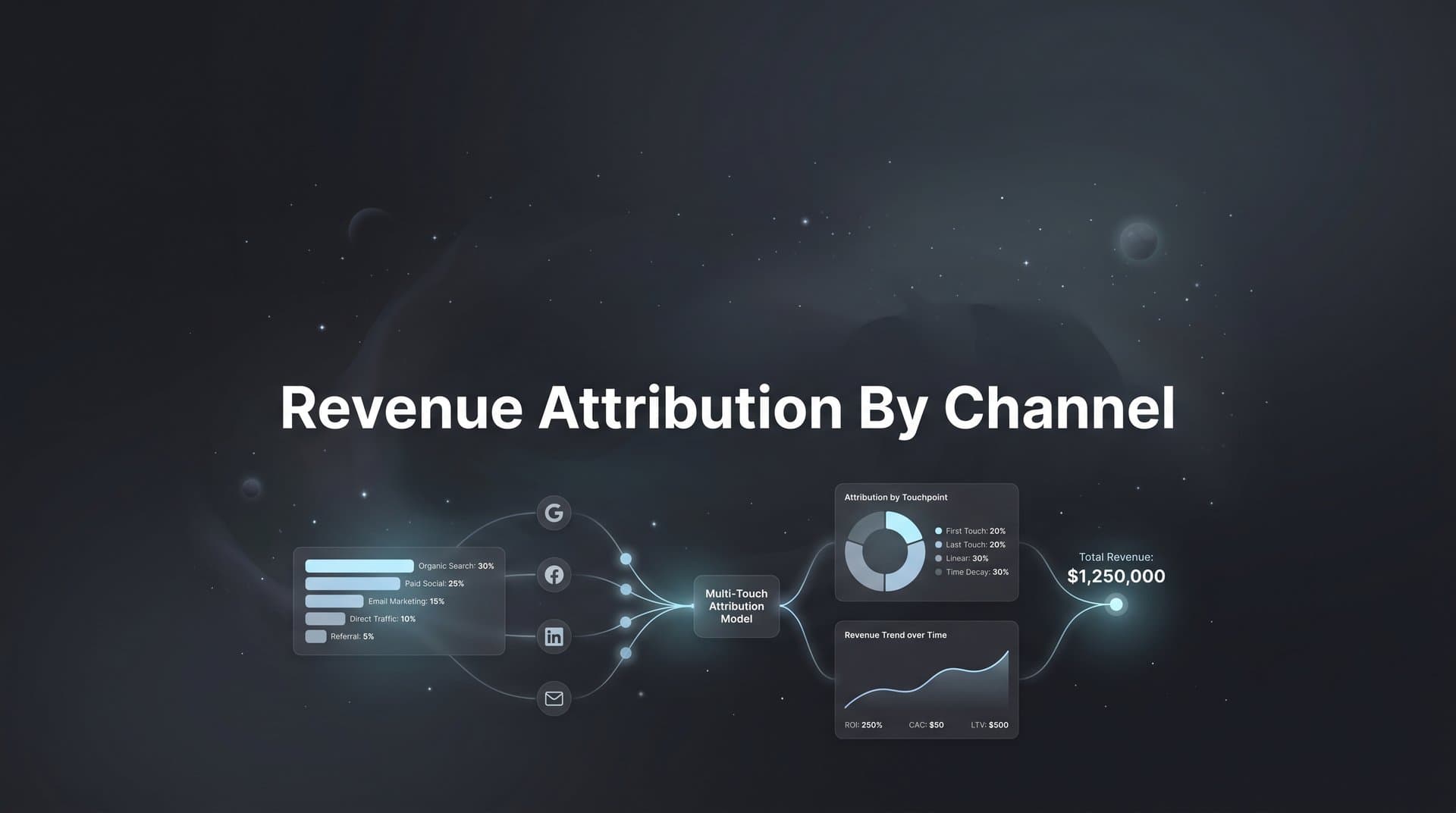
You are spending thousands on ads across Meta, Google, LinkedIn, and other platforms. But when a deal closes, can you confidently say which channel deserves the credit? For most marketing teams, the answer is a frustrating "not really."
Revenue attribution by channel solves this problem by connecting every dollar of revenue back to the specific marketing channels that influenced the sale. Without it, you are flying blind—guessing which campaigns work while potentially wasting budget on channels that look good on paper but do not actually drive revenue.
The challenge has gotten harder. iOS privacy changes and cookie deprecation have created tracking blind spots. Customers interact with your brand across multiple devices and platforms before converting. Traditional analytics tools show clicks and impressions, but they cannot tell you which channels actually closed deals.
This guide walks you through the exact steps to set up channel-level revenue attribution, from connecting your data sources to analyzing which channels actually drive conversions. By the end, you will have a clear system for understanding your true marketing ROI and making smarter budget decisions.
Think of it as building a complete financial audit trail for your marketing spend. Instead of wondering whether your LinkedIn ads are worth the premium cost, you will know exactly how much revenue they generate. Instead of debating whether to increase your Meta budget, you will have data showing whether those campaigns actually contribute to your bottom line.
Let's get started.
Step 1: Map Your Current Marketing Channels and Data Sources
Before you can attribute revenue, you need to know exactly what you are working with. This means creating a complete inventory of every marketing channel you are running and identifying where your conversion data currently lives.
Start by listing all active marketing channels. Include paid social (Meta, LinkedIn, TikTok, Twitter), paid search (Google Ads, Microsoft Ads), organic channels (SEO, social media), email marketing, referral traffic, affiliate programs, and direct traffic. Do not forget offline channels if you run them—events, direct mail, and phone campaigns all influence revenue.
Next, identify where your conversion data currently lives. Most teams have data scattered across multiple systems. Your ad platforms show clicks and platform-reported conversions. Your CRM holds lead and deal information. Your website analytics tracks user behavior. Your email platform measures engagement. Each system has a piece of the puzzle, but none shows the complete picture.
Document the customer journey touchpoints you need to track. For B2B companies, this typically includes ad click, website visit, content download, demo request, opportunity creation, and closed deal. For e-commerce, it might be ad click, product view, cart addition, and purchase. Map out every step where a customer interacts with your marketing.
Now assess your tracking blind spots. Can you track users across devices? Do you lose visibility when someone clicks an ad on mobile but converts on desktop? Can you see which channels influenced a deal that took three months to close? Do you know what happens after someone fills out a form on your website? Understanding cross channel attribution challenges helps you identify these gaps early.
Common gaps include: missing tracking on certain campaign types, inability to connect CRM records back to original marketing touchpoints, lost data due to cookie blocking or privacy features, and no visibility into multi-channel customer journeys.
Create a simple spreadsheet documenting all of this. List each channel, where its data lives, what conversion events you can currently track, and what gaps exist. This becomes your roadmap for the integration work ahead.
The goal here is clarity. You cannot fix tracking problems you do not know exist. Most marketing teams discover they are missing 30-40% of their conversion data simply because certain touchpoints were never properly instrumented.
Step 2: Implement Consistent UTM Parameters Across All Channels
UTM parameters are the foundation of channel tracking. These small bits of code added to your URLs tell your analytics exactly where traffic came from. Without consistent UTM tagging, your attribution system cannot accurately credit channels.
Establish a standardized UTM naming convention right now. The five UTM parameters are source (where traffic comes from), medium (the marketing channel type), campaign (the specific campaign name), term (for paid search keywords), and content (for A/B test variants).
Here's a practical naming structure that works: Use lowercase for everything. Separate words with underscores or hyphens, but pick one and stick with it. For source, use the platform name: facebook, google, linkedin. For medium, use the channel type: cpc, social, email, organic. For campaign, use a descriptive name that includes the date or quarter: q2_product_launch or 2026_brand_awareness.
Apply UTM parameters to every trackable touchpoint. This includes every paid ad across all platforms, every link in your email campaigns, every social media post with a link, and every piece of content you share. If it drives traffic to your website, it needs UTM parameters.
Create a UTM management document or spreadsheet for team consistency. Include your naming conventions, examples for each channel, and a template for building new UTM strings. Share this with everyone who creates campaigns—your paid ads team, content marketers, email specialists, and social media managers. A solid cross channel attribution tracking system depends on this consistency.
Many teams use UTM builders to maintain consistency. Tools like Google's Campaign URL Builder or spreadsheet templates with formulas can automatically generate properly formatted URLs. This reduces human error and ensures everyone follows the same conventions.
Test your UTM tracking before launching campaigns. Click a few of your tagged URLs and verify the parameters appear correctly in your analytics. Check that source, medium, and campaign values match what you intended. Look for common mistakes like spaces in parameter values (use underscores instead) or mixing uppercase and lowercase (stick with lowercase).
The biggest UTM mistake is inconsistency. If one person tags Facebook ads as "facebook" and another uses "fb" or "Facebook," your analytics will treat these as three separate sources. Your attribution reports will be fragmented and unreliable. Standardization is not optional.
Step 3: Connect Your Ad Platforms, CRM, and Website Tracking
Now comes the integration work. Revenue attribution requires connecting all your data sources so you can see the complete customer journey from first click to closed deal.
Start by integrating your ad platform data into a centralized system. This means connecting Meta Ads, Google Ads, LinkedIn Campaign Manager, TikTok Ads, and any other platforms you run. Most attribution platforms offer native integrations that pull in spend data, impressions, clicks, and platform-reported conversions automatically.
Next, connect your CRM to capture lead and revenue data alongside marketing touchpoints. This is the critical link that lets you attribute actual revenue instead of just tracking leads. Your attribution system needs to know when a lead becomes an opportunity, when that opportunity closes, and what revenue amount to credit. Implementing accurate revenue attribution tracking starts with this integration.
The integration typically works by matching records. When someone fills out a form on your website, your attribution platform captures their session data—which ads they clicked, which pages they visited, which UTM parameters brought them in. When that same person appears in your CRM as a new lead, the systems match them (usually by email address) and connect the CRM record to their marketing journey.
Set up server-side tracking to capture data that client-side cookies miss. This has become essential as browsers block more tracking cookies and iOS limits data collection. Server-side tracking works by sending conversion events directly from your server to your attribution platform, bypassing browser restrictions entirely.
Server-side tracking captures conversions that traditional tracking misses. When someone uses Safari with tracking prevention enabled, your standard JavaScript tracking might not fire. When someone converts on a different device than where they first clicked your ad, cookies cannot connect those events. Server-side tracking solves both problems by recording conversions at the server level where browser settings cannot interfere.
Verify data flows correctly between all connected platforms. Check that ad spend data appears in your attribution reports. Confirm that CRM deals show up with their associated marketing touchpoints. Test that revenue values pass through accurately. Look for any leads or deals that appear without attribution data—these indicate integration gaps you need to fix.
Common integration challenges include: mismatched email addresses between systems, leads created manually in the CRM without web session data, delays in data syncing that create temporary gaps, and duplicate records that need deduplication rules.
The goal is a unified data layer where every conversion event connects to the marketing channels that influenced it. When this works correctly, you can trace any closed deal back through every ad click, website visit, and content interaction that led to it.
Step 4: Define Your Revenue Events and Conversion Goals
Not all conversions are created equal. To attribute revenue accurately, you need to define exactly which events represent actual revenue and configure those values to flow into your attribution system.
Start by identifying which CRM stages represent actual revenue. For most B2B companies, this is the "Closed-Won" stage where a deal is signed and revenue is recognized. For e-commerce, it is completed purchases. For subscription businesses, it might be when a trial converts to a paid subscription.
Configure revenue values to pass back to your attribution system. Your CRM likely has a deal amount or purchase value field. Make sure this data syncs to your attribution platform so every conversion shows not just that it happened, but how much revenue it generated. This is what transforms basic conversion tracking into true revenue attribution. Understanding the marketing revenue attribution formula helps you set this up correctly.
For e-commerce, this is straightforward—the purchase amount is your revenue. For B2B, you might need to decide whether to use the full contract value, first-year value, or monthly recurring revenue. Pick the metric that matters most to your business and be consistent.
Set up intermediate conversion events for fuller funnel visibility. While closed deals are your ultimate goal, tracking earlier conversion points helps you understand channel performance at each stage. Configure events for form submissions, demo requests, trial signups, or opportunity creation. These micro-conversions show which channels drive top-of-funnel activity even if they do not get last-touch credit for revenue.
Establish how you will handle multi-product or variable deal sizes. If you sell multiple products or services, decide whether to attribute revenue at the deal level or break it down by product line. If deal sizes vary significantly (some customers spend $1,000, others spend $100,000), consider whether you want to analyze attribution differently for different deal size segments.
Create clear documentation of what each conversion event means. Define "qualified lead" versus "marketing qualified lead" versus "sales qualified lead" if your team uses those distinctions. Specify exactly when a deal counts as closed. Document which revenue metric you are using for attribution.
Test your revenue tracking with a few recent deals. Pull up a closed-won opportunity in your CRM and verify that the revenue amount appears correctly in your attribution platform. Check that the deal is connected to the right contact record and that the marketing touchpoints appear in the customer journey.
The success indicator here is simple: when you look at a closed deal in your attribution platform, you should see the correct revenue amount and a complete timeline of every marketing interaction that influenced that customer.
Step 5: Choose Your Attribution Model for Channel Analysis
Attribution models determine how credit for revenue gets distributed across the channels a customer interacted with. The model you choose significantly impacts which channels appear to perform best.
Let's break down the main attribution models. First-touch attribution gives 100% of the credit to the first channel a customer interacted with. If someone clicked a Facebook ad three months ago and eventually converted after seeing five other touchpoints, Facebook gets all the credit. This model favors top-of-funnel awareness channels.
Last-touch attribution does the opposite—it gives 100% of the credit to the final touchpoint before conversion. If that same customer's last interaction was clicking a Google retargeting ad, Google gets all the credit. This model favors bottom-of-funnel conversion channels.
Multi-touch attribution distributes credit across multiple touchpoints in the customer journey. Linear attribution splits credit equally among all interactions. If a customer touched five channels, each gets 20% of the revenue credit. This model acknowledges that multiple channels contributed but treats them all as equally important. For a deeper dive, explore multi channel attribution models explained.
Time-decay attribution gives more credit to recent interactions. Touchpoints closer to the conversion get higher credit percentages than earlier ones. This model reflects the reality that recent interactions often have more influence on the final decision.
Position-based attribution (also called U-shaped) typically assigns 40% credit to the first touch, 40% to the last touch, and distributes the remaining 20% among middle interactions. This model recognizes that both discovering your brand and the final conversion push matter most.
Select a model that matches your sales cycle length and buying complexity. For short sales cycles with few touchpoints (like impulse e-commerce purchases), last-touch might be sufficient. For longer B2B sales cycles where customers research extensively and touch multiple channels over months, multi-touch models provide more accurate insights.
Consider running multiple models in parallel to compare insights. Most attribution platforms let you view the same data through different attribution lenses. Look at your channel performance using first-touch, last-touch, and a multi-touch model. The differences reveal which channels drive awareness versus which drive conversions.
For example, you might discover that LinkedIn drives strong first-touch attribution but weak last-touch attribution. This tells you LinkedIn is great for generating initial awareness but other channels close the deal. That is valuable information—it means LinkedIn deserves budget for top-of-funnel campaigns, but you should not expect direct conversion metrics to look as strong as channels that get last-touch credit.
Know when to use each model type. Use first-touch when you want to understand which channels are best at generating new customer relationships. Use last-touch when you want to know which channels are most effective at closing deals. Use multi-touch when you want the most complete picture of how channels work together throughout the customer journey.
The model you choose becomes your source of truth for budget allocation decisions, so pick thoughtfully. Most mature marketing teams eventually settle on a multi-touch model because it most accurately reflects how customers actually buy in today's multi-channel environment.
Step 6: Build Your Channel Attribution Dashboard and Reports
Raw attribution data is useless without clear reporting. You need a dashboard that shows channel performance at a glance and reports that stakeholders can actually understand.
Create a centralized view showing revenue attributed to each marketing channel. This is your primary report—a simple table or chart listing each channel with its attributed revenue, spend, and ROI metrics. Every channel you run should appear here with its performance data side by side. The right revenue attribution tracking tools make this visualization straightforward.
Include the metrics that matter for decision-making. Attributed revenue shows total revenue credited to each channel. Return on ad spend (ROAS) divides attributed revenue by channel spend to show efficiency. Cost per acquisition (CPA) divides spend by number of conversions. Conversion rate shows what percentage of channel traffic converts. Include all of these for a complete picture.
Add comparison metrics to provide context. Show how each channel's performance compares to last month, last quarter, or the same period last year. Include percentage changes so you can quickly spot improving or declining channels. A channel generating $50,000 in attributed revenue sounds good until you see it was $80,000 last month.
Set up date range comparisons to track channel performance over time. Build views that let you compare this month versus last month, this quarter versus last quarter, or any custom date range. This helps you identify seasonal patterns and measure the impact of budget changes or campaign optimizations.
Break down performance by campaign level within each channel. Your Google Ads channel might show strong overall performance, but drilling down might reveal that branded search campaigns drive most of the revenue while generic keyword campaigns underperform. This level of detail is where you find actionable optimization opportunities.
Configure automated reports for weekly or monthly stakeholder updates. Set up scheduled exports or dashboard links that automatically go to your team and leadership. Weekly reports keep everyone informed about current performance. Monthly reports provide enough data to spot meaningful trends without overwhelming people with daily fluctuations.
Design your dashboard for your audience. Executives need high-level channel performance and ROI. Marketing managers need campaign-level detail and optimization recommendations. Sales teams want to see which channels are generating their best leads. Create different views or reports for each audience rather than trying to make one dashboard serve everyone.
Include visual elements that make trends obvious. Use bar charts to compare channel performance, line graphs to show performance over time, and color coding to highlight channels exceeding or missing targets. Good data visualization makes insights jump out without requiring deep analysis.
Test your reports with actual stakeholders before rolling them out broadly. Share a draft with a few team members and ask if they can quickly answer key questions: Which channel has the best ROI? Which channels are improving or declining? Where should we increase or decrease budget? If they cannot easily answer these questions, refine your reports until they can.
Step 7: Analyze Results and Optimize Your Channel Mix
Now comes the payoff—using your attribution data to make smarter marketing decisions. This is where revenue attribution transforms from a reporting exercise into a competitive advantage.
Start by identifying which channels drive the highest revenue relative to spend. Calculate ROAS for each channel and rank them. The channels with the highest ROAS are your most efficient revenue drivers. These are often the first places to consider increasing budget, assuming they have room to scale.
Spot underperforming channels that may need budget reallocation. Look for channels with low ROAS, high CPA, or declining performance trends. These are candidates for budget cuts or major optimization work. But dig deeper before making cuts—a channel might show poor last-touch attribution but strong first-touch attribution, meaning it plays a valuable awareness role even if it does not close deals directly. Conducting thorough marketing channel attribution analysis reveals these nuances.
Use attribution insights to test scaling high-performing channels. If your LinkedIn campaigns show a 5x ROAS while your average is 3x, try increasing the LinkedIn budget by 20-30% and monitor whether performance holds. Some channels have natural ceiling effects where performance degrades as you scale, so test incrementally rather than making massive shifts.
Feed better conversion data back to ad platforms to improve their optimization algorithms. This is one of the most powerful but underutilized benefits of accurate attribution. Platforms like Meta and Google use conversion signals to optimize targeting and bidding. When you send them more accurate conversion data—including which conversions led to actual revenue—their algorithms get smarter about finding similar high-value customers.
Set up conversion value optimization where possible. Instead of just telling Meta that a conversion happened, send the actual revenue value. Meta's algorithm can then optimize for high-value conversions rather than just conversion volume. This typically improves the quality of leads and customers you acquire.
Look for channel interaction patterns in your multi-touch attribution data. You might discover that customers who interact with both LinkedIn and Google Ads convert at twice the rate of those who only touch one channel. This insight suggests running coordinated campaigns across both channels rather than treating them as independent efforts. Developing a cohesive cross channel attribution strategy amplifies these synergies.
Test budget reallocation based on attribution insights. If your data shows that organic social drives strong first-touch attribution but you are not investing in content creation, consider shifting budget from paid channels with weaker attribution to building your organic presence. Make changes incrementally and measure the impact.
Monitor how changes affect overall performance, not just individual channels. Cutting budget from a low-ROAS channel might hurt overall revenue if that channel was generating valuable first-touch interactions that other channels converted. Always look at the complete picture and give changes enough time to show their full impact.
Schedule regular attribution reviews with your team. Set up monthly or quarterly meetings specifically to analyze attribution data, discuss channel performance, and make optimization decisions. Make attribution data a core part of your marketing planning process rather than an occasional reporting exercise.
Putting It All Together: Your Revenue Attribution Checklist
Setting up revenue attribution by channel transforms how you make marketing decisions. Instead of guessing which channels work, you have data showing exactly where revenue originates.
Here is your implementation checklist. First, map all channels and data sources to understand your current tracking landscape. Second, standardize UTM parameters across all campaigns for consistent tracking. Third, connect ad platforms, CRM, and website tracking to create a unified data layer. Fourth, define revenue events and conversion goals so you are measuring what actually matters. Fifth, select your attribution model based on your sales cycle and business complexity. Sixth, build your reporting dashboard with the metrics stakeholders need. Seventh, review and optimize based on insights, continuously refining your channel mix.
Start with the basics and refine your setup over time. You do not need perfect attribution on day one. Begin by connecting your largest channels and most important conversion events. Add complexity as you go—more channels, more detailed conversion tracking, more sophisticated attribution models.
The clarity you gain from accurate channel attribution pays dividends in smarter budget allocation and stronger marketing ROI. When you know which channels drive revenue, you stop wasting budget on vanity metrics and start investing in what actually grows your business.
Most marketing teams discover they have been significantly over-investing in certain channels while under-investing in others. Attribution data reveals these imbalances so you can correct them. The result is typically the same overall marketing budget generating significantly more revenue simply because it is allocated more effectively.
Remember that attribution is not about finding a single "best" channel. It is about understanding how channels work together throughout the customer journey. The channel that introduces someone to your brand plays a different but equally valuable role compared to the channel that closes the deal. Good attribution helps you optimize both.
Ready to elevate your marketing game with precision and confidence? Discover how Cometly's AI-driven recommendations can transform your ad strategy—Get your free demo today and start capturing every touchpoint to maximize your conversions.



