

Your ad dashboard says one thing. Your CRM says another. And your actual revenue? That tells a completely different story. If you've ever stared at these numbers wondering which one to trust, you're not alone. The tracking foundation marketers relied on for years is crumbling—iOS privacy updates block signals, browsers restrict cookies, and ad blockers filter out your tracking pixels. The result? Data gaps that make attribution feel like guesswork.
Here's what's happening: When customers can't be tracked across their journey, you lose visibility into which ads actually drive revenue. Your ad platforms optimize with incomplete data. Your attribution models show phantom conversions. And you make budget decisions based on a partial picture.
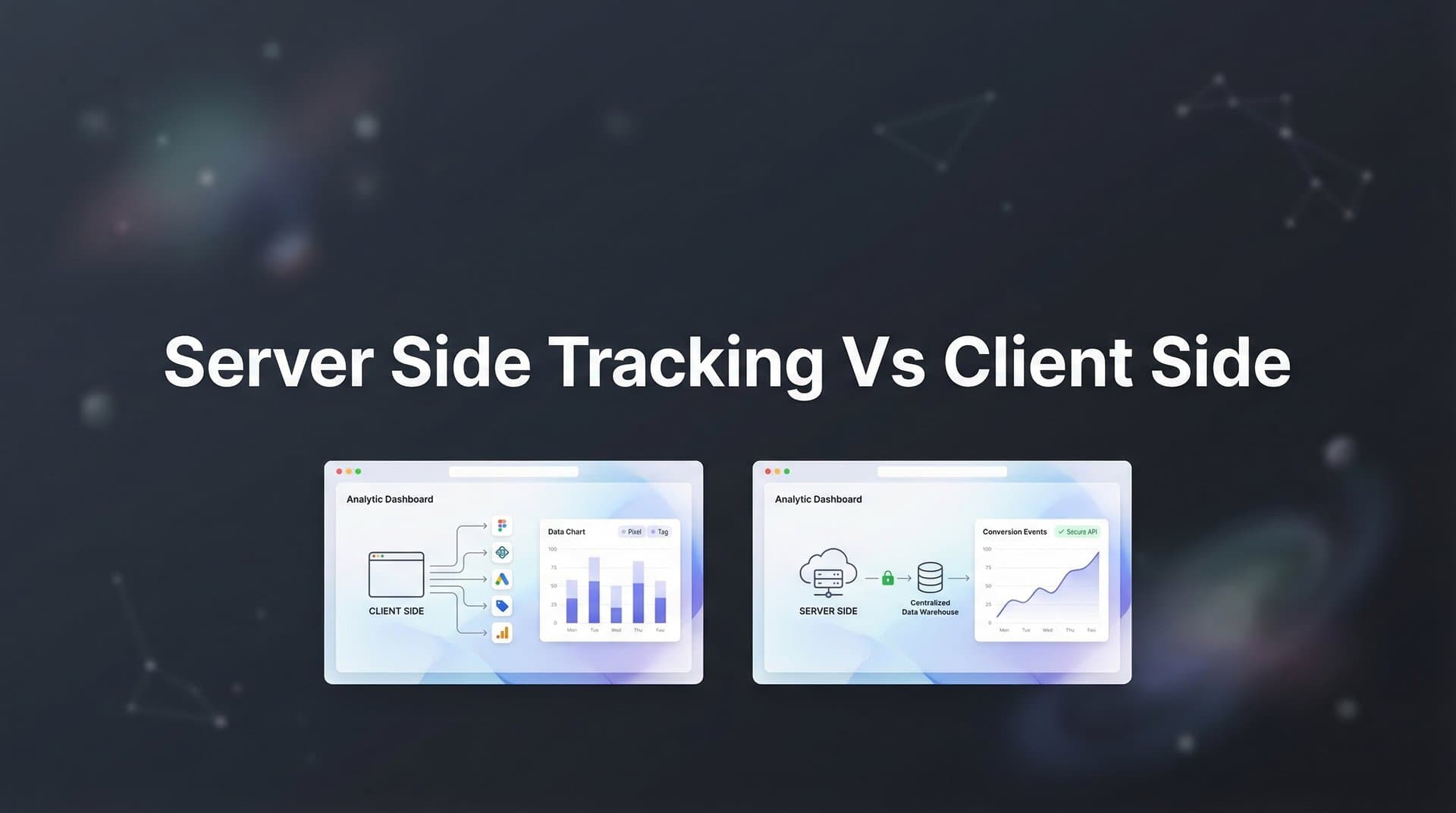
The solution isn't choosing between server-side tracking or client-side tracking—it's understanding when and how to use each method strategically. Server-side tracking bypasses browser restrictions by communicating directly between servers. Client-side tracking captures user behavior in real time. Together, they create a complete view of your customer journey.
This guide breaks down seven proven strategies to help you audit your current setup, implement a hybrid tracking architecture, and ensure your marketing data remains accurate despite increasing privacy restrictions. Whether you're seeing revenue discrepancies, struggling with iOS attribution, or preparing for cookie deprecation, these strategies will show you exactly how to adapt.
1. Audit Your Current Tracking Gaps Before Choosing a Method
The Challenge It Solves
Most marketers jump straight into implementing new tracking solutions without understanding where their current setup is actually failing. You might suspect you have data gaps, but without quantifying them, you're solving problems blindly. Are you losing 10% of conversions or 40%? Is the issue concentrated on iOS users or across all devices? Without this baseline, you can't measure improvement or prioritize fixes effectively.
The Strategy Explained
Start by comparing your data sources to identify discrepancies. Pull conversion data from your ad platforms, analytics tools, and CRM for the same time period. The differences reveal where tracking breaks down. A conversion reported in your CRM but missing from Facebook Ads indicates client-side tracking failure. Revenue in your payment processor that doesn't match your analytics suggests attribution gaps.
Focus particularly on iOS traffic, which faces the most severe tracking restrictions. Segment your conversion data by device and operating system. Many businesses discover that iOS users convert at similar rates to Android users in their CRM, but iOS conversions appear significantly lower in ad platform reporting—a clear sign of tracking loss.
Document specific scenarios where tracking fails: checkout abandonment, cross-device journeys, returning customers, or conversions that happen days after the initial click. These patterns tell you which tracking method will solve your specific problems. Understanding why attribution tracking isn't working helps you pinpoint the exact failure points in your current setup.
Implementation Steps
1. Export conversion data from all your sources (ad platforms, Google Analytics, CRM, payment processor) for the past 30 days with identical date ranges and time zones.
2. Create a spreadsheet comparing total conversions and revenue across each source, then calculate the percentage difference between your ad platform reporting and your actual revenue source.
3. Segment the data by traffic source, device type, and operating system to identify where the largest gaps exist—this shows you where to prioritize tracking improvements.
4. Review your current tracking implementation by checking which events fire client-side only (browser pixels) versus server-side, and identify high-value conversion events that currently lack server-side backup.
Pro Tips
Pay special attention to conversion lag. Many server-side tracking implementations fail because they only capture immediate conversions, missing the purchases that happen hours or days later. Your audit should track conversions by time-to-convert, not just total volume. This reveals whether you need better attribution windows, not just better tracking coverage.
2. Understand the Core Technical Differences That Impact Your Data
The Challenge It Solves
The terminology around tracking methods creates confusion. Marketers hear "server-side tracking" and assume it's universally better, or they stick with client-side because it's familiar. Neither assumption is accurate. Each method has specific strengths and limitations that directly affect what data you can capture, how accurate it is, and whether ad platforms can use it for optimization.
The Strategy Explained
Client-side tracking runs in the user's browser through JavaScript pixels and cookies. When someone clicks your ad and lands on your site, the tracking pixel fires directly from their browser to the ad platform. This method excels at capturing real-time user behavior—scroll depth, time on page, button clicks, and navigation patterns. It sees exactly what the user does because it lives in their browsing environment.
The limitation? Browsers control everything. Ad blockers can prevent pixels from firing. iOS App Tracking Transparency lets users block cross-site tracking. Safari's Intelligent Tracking Prevention deletes cookies after seven days. Third-party cookie restrictions mean you can't follow users across domains. When any of these restrictions kick in, your client-side tracking simply stops working.
Server-side tracking operates completely differently. Your server sends conversion data directly to ad platforms through their APIs—Meta's Conversions API, Google's Enhanced Conversions, TikTok's Events API. Because this happens server-to-server, browsers can't block it. Users can't opt out with privacy settings. Ad blockers have no effect. The data flow is reliable and complete. For a deeper dive into these differences, explore our guide on server side vs client side tracking explained.
But server-side tracking doesn't automatically know what happens in the user's browser. You need to capture that information first, then send it from your server. This creates a dependency: server-side tracking is only as good as the data you feed it. If your initial data capture is incomplete, your server-side events will be incomplete too.
Implementation Steps
1. Map out your current client-side tracking by listing every pixel, tag, and cookie your site uses, noting which ad platforms and analytics tools they connect to.
2. Identify which conversion events currently fire only client-side (typically form submissions, add-to-cart, checkout initiation, and purchases tracked through browser pixels).
3. Research the server-side API requirements for your ad platforms—Meta Conversions API, Google Enhanced Conversions, and TikTok Events API each have specific data parameters they need to match conversions accurately.
4. Understand that server-side tracking requires server infrastructure to receive browser data, process it, and send it to ad platforms—this isn't just "flipping a switch" but requires technical implementation.
Pro Tips
The matching quality between your server-side events and ad platform user profiles determines attribution accuracy. Ad platforms use identifiers like email addresses, phone numbers, and IP addresses to match server-side conversions back to specific ad clicks. The more matching parameters you send, the higher your match rate and the more accurate your attribution becomes. Prioritize collecting first-party data like email addresses during the customer journey.
3. Implement a Hybrid Tracking Architecture for Maximum Coverage
The Challenge It Solves
Choosing between server-side and client-side tracking creates a false dilemma. Pure client-side tracking loses data to browser restrictions. Pure server-side tracking misses real-time behavioral signals. The businesses seeing the most complete attribution data aren't choosing one method—they're running both simultaneously, using each method where it performs best.
The Strategy Explained
A hybrid tracking architecture layers both methods to eliminate blind spots. Client-side tracking captures the initial user interaction—the ad click, landing page view, and browsing behavior. This data gets stored in your system. Then, when a conversion happens, server-side tracking sends that event to ad platforms with all the context from the earlier client-side data.
Think of it like a relay race. Client-side tracking runs the first leg, capturing user information while it's available in the browser. Your server takes the baton for the second leg, delivering that information to ad platforms through reliable server-to-server connections. If the client-side tracking gets blocked, you still have the server-side backup. If the user's browser allows tracking, you get the rich behavioral data from client-side plus the reliability of server-side.
The key is proper data flow. When someone lands on your site from an ad, your client-side tracking captures their click ID, user agent, and behavioral signals. This information gets passed to your backend system—either through form submissions, database writes, or a tracking middleware layer. When a conversion occurs, your server packages this data and sends it through the appropriate Conversion API. Learn more about server side tracking vs pixel tracking to understand how these methods complement each other.
This approach solves the iOS attribution problem specifically. Even when iOS users block client-side tracking, your server can still report their conversions using the first-party data they provided (email, phone number) during checkout or signup. The ad platforms match these server-side events back to their ad delivery records, recovering attribution that would otherwise be lost.
Implementation Steps
1. Keep your existing client-side pixels active to continue capturing real-time behavioral data and maintain baseline tracking for users who don't block cookies.
2. Add server-side tracking for all conversion events by implementing Conversion APIs for your primary ad platforms, starting with Meta and Google as they typically represent the largest ad spend.
3. Create a data pipeline that captures client-side information (click IDs, user agents, UTM parameters) and stores it in your database or CRM, ensuring this data is associated with user sessions and can be retrieved when conversions occur.
4. Configure your server-side events to include both conversion data and the earlier client-side context, sending comprehensive event parameters that include user identifiers, click IDs, and behavioral signals for maximum matching accuracy.
Pro Tips
Implement event deduplication to prevent double-counting conversions. When both client-side and server-side tracking successfully fire for the same conversion, ad platforms need a way to recognize they're the same event. Use event IDs—unique identifiers for each conversion—that match across both tracking methods. Most Conversion APIs support event_id parameters specifically for this purpose. Generate a unique ID when the conversion happens, then send that same ID through both your client-side pixel and server-side API call.
4. Prioritize Server-Side Tracking for High-Value Conversion Events
The Challenge It Solves
Not all conversions carry equal weight for your business. A newsletter signup matters, but a $5,000 purchase matters more. When tracking fails, you want to ensure your highest-value conversions are captured reliably. Many businesses implement server-side tracking across every micro-conversion, creating complexity without proportional benefit. The strategic approach focuses server-side reliability on the events that actually drive revenue.
The Strategy Explained
Start by ranking your conversion events by business impact. Purchases, qualified leads, trial signups, and demo requests typically represent your highest-value conversions. These events directly connect to revenue and feed your ad platform optimization algorithms with the signals that matter most. When ad platforms optimize for purchases versus page views, they find customers who actually buy, not just browsers.
Implement server-side tracking for these priority conversions first. This ensures that even when client-side tracking fails, your most important revenue events still reach your ad platforms. Understanding what server side conversion tracking is helps you grasp why this approach delivers more reliable attribution data.
For lower-value events like page views, content downloads, or video watches, client-side tracking often suffices. These events help with remarketing and engagement measurement, but they don't drive campaign optimization the same way purchase events do. If some of these micro-conversions get blocked by privacy settings, the impact on your overall marketing performance remains minimal.
This prioritization also simplifies implementation. Server-side tracking requires technical resources—API configuration, server infrastructure, data pipeline development. By focusing on high-value conversions first, you get the maximum attribution improvement with minimal technical complexity. You can expand to additional events later once the foundation is solid.
Implementation Steps
1. List all your conversion events and assign each a revenue value or business impact score, distinguishing between revenue-generating events (purchases, qualified leads) and engagement events (page views, content downloads).
2. Implement server-side tracking for your top 3-5 revenue-driving conversion events first, ensuring purchases, lead submissions, and trial signups are tracked reliably through Conversion APIs.
3. Configure your ad platform campaign optimization to target these high-value server-side events, updating your campaign objectives to optimize for purchases or leads rather than clicks or impressions.
4. Maintain client-side tracking for engagement events and micro-conversions to continue feeding remarketing audiences and behavioral data without requiring server-side infrastructure for every interaction.
Pro Tips
Use conversion values, not just conversion counts. When you send purchase events to ad platforms through server-side tracking, include the actual purchase amount in the event data. This allows ad platforms to optimize for purchase value, not just purchase volume. The algorithms learn to find customers who spend more, not just customers who buy anything. For lead generation, assign value scores to different lead types—qualified leads worth more than information requests—and send these values in your server-side events.
5. Feed Better Data Back to Ad Platform Algorithms
The Challenge It Solves
Ad platforms use machine learning to optimize delivery, but their algorithms are only as good as the data you provide. When client-side tracking loses conversions, ad platforms see an incomplete picture of what drives results. They might think a campaign is underperforming when it's actually converting well—the conversions just aren't being reported. This creates a vicious cycle: incomplete data leads to poor optimization, which leads to genuinely worse performance.
The Strategy Explained
Server-side tracking solves this by ensuring ad platforms receive complete conversion data, even when browser restrictions block client-side signals. When you implement Conversion APIs correctly, you're not just fixing your attribution reporting—you're feeding better training data to the optimization algorithms that determine who sees your ads. This is one of the key reasons why server side tracking is more accurate for campaign optimization.
Think about how ad platform algorithms learn. They analyze thousands of signals about users who convert: demographics, interests, behaviors, device types, and browsing patterns. Then they find more people who match those patterns. When iOS users convert but their conversions aren't reported, the algorithm never learns that iOS users are valuable. It shifts budget away from iOS traffic, even though those users convert just fine—you simply weren't tracking them.
Server-side tracking corrects this blind spot. When you send conversion data directly from your server, ad platforms receive signals about all converters, regardless of their privacy settings. The algorithms learn the full picture of your customer base. They stop avoiding iOS users. They identify high-value audience segments that were previously invisible. Campaign performance improves because optimization is based on reality, not partial data.
The impact extends beyond iOS. Server-side tracking captures conversions from users with ad blockers, strict cookie settings, and cross-device journeys. Every additional conversion signal you feed back to ad platforms makes their targeting more accurate and their optimization more effective.
Implementation Steps
1. Enable Conversion API implementation for your primary ad platforms (Meta, Google, TikTok) and verify that purchase events are being received and matched successfully through each platform's events manager.
2. Send comprehensive event parameters with each conversion, including user identifiers (email, phone), click identifiers (fbclid, gclid), and conversion values to maximize matching accuracy and optimization quality.
3. Configure your campaigns to optimize for the server-side events by updating campaign objectives and conversion events to prioritize the reliably-tracked server-side conversions over potentially incomplete client-side data.
4. Monitor your ad platform's event match quality scores and attribution rates, which indicate how successfully your server-side events are being matched back to ad interactions—higher match rates mean better optimization data.
Pro Tips
Timing matters for optimization algorithms. Ad platforms need to receive conversion data quickly to make real-time bidding decisions. Configure your server-side tracking to send events immediately when conversions occur, not in daily batches. Real-time event delivery allows algorithms to adjust bidding and targeting within hours, not days. This is particularly important for fast-moving campaigns where audience performance shifts rapidly.
6. Address Privacy Compliance While Maintaining Attribution Accuracy
The Challenge It Solves
Privacy regulations like GDPR and CCPA create a tension between tracking requirements and compliance obligations. Many marketers assume server-side tracking somehow bypasses privacy rules—it doesn't. Others disable all tracking to stay compliant, sacrificing attribution accuracy unnecessarily. The reality is more nuanced: different tracking methods have different privacy implications, and the strategic approach uses each method appropriately within regulatory frameworks.
The Strategy Explained
Server-side tracking doesn't eliminate privacy obligations, but it changes how you handle them. Client-side tracking typically requires cookie consent because it places tracking technologies in the user's browser. Server-side tracking processes data on your server using information the user provided directly—email addresses from form submissions, purchase data from checkouts. This first-party data collection often falls under different consent requirements than third-party tracking cookies.
The key distinction is data ownership and purpose. When users provide their email address to complete a purchase, they expect you to process that transaction. Using that same email to measure which marketing channel drove the purchase represents a legitimate business purpose. Sending that data from your server to ad platforms for attribution falls under your existing data processing relationship with those platforms.
For a deeper dive, see our guide to marketing attribution models complete guide.
However, you still need proper consent and transparency. Your privacy policy should clearly explain that you use customer data for marketing attribution and ad optimization. Consent mechanisms should cover both client-side and server-side tracking. The difference is that server-side tracking can continue even when users decline cookie consent, as long as you're processing first-party data for legitimate purposes. Understanding the full scope of server side tracking benefits helps you make informed decisions about your compliance strategy.
This creates a compliance-friendly path to accurate attribution. Users who decline cookie tracking won't have client-side pixels, but their conversions can still be tracked server-side using data they voluntarily provided. You maintain attribution accuracy while respecting privacy preferences. The user's choice controls browser-based tracking, but doesn't eliminate your ability to measure marketing effectiveness using first-party data.
Implementation Steps
1. Update your privacy policy to explicitly describe both client-side and server-side tracking methods, explaining how you use customer data for marketing attribution and ad platform optimization.
2. Implement proper consent management that distinguishes between cookie-based tracking (requiring explicit consent) and first-party data processing (covered by your terms of service and privacy policy).
3. Configure your tracking to respect consent choices by disabling client-side pixels when users decline cookie consent, while maintaining server-side tracking of conversion events using first-party data collected through normal business operations.
4. Document your data processing agreements with ad platforms, ensuring your contracts cover the server-side transmission of customer data for attribution purposes and comply with data transfer requirements in your operating regions.
Pro Tips
Anonymize or hash personal identifiers before sending them through server-side tracking. Most Conversion APIs accept hashed email addresses and phone numbers rather than plain text. This adds a layer of privacy protection while maintaining matching accuracy. Use SHA-256 hashing for personal identifiers before transmission—ad platforms can still match these hashed values to their user records, but the data in transit is protected.
7. Measure and Validate Your Tracking Accuracy Continuously
The Challenge It Solves
Implementing server-side tracking isn't a set-it-and-forget-it solution. Tracking accuracy degrades over time as platforms update their APIs, your website changes, and new privacy restrictions emerge. Many businesses implement sophisticated tracking architectures, then never verify they're working correctly. Months later, they discover critical conversion events stopped firing, costing them attribution data and optimization performance without realizing it.
The Strategy Explained
Continuous validation means regularly comparing your tracking data against your source of truth—your actual revenue. This isn't a one-time audit; it's an ongoing monitoring process that catches tracking failures before they impact decisions. Set up automated reports that compare conversion counts and revenue across your ad platforms, analytics tools, and CRM weekly.
The comparison reveals specific failure points. If Meta shows 100 conversions but your CRM shows 150, you're losing 33% of your attribution data. If Google Ads revenue matches your payment processor but Meta is significantly lower, the issue is platform-specific, not universal. These patterns tell you exactly where to investigate. For a comprehensive approach, review our attribution marketing tracking complete guide.
Pay particular attention to match rates for server-side events. Ad platforms provide diagnostics showing what percentage of your server-side conversions successfully matched back to ad clicks. Low match rates indicate problems with your event parameters—missing user identifiers, incorrect hashing, or delayed event delivery. High match rates confirm your implementation is working correctly.
Test your tracking implementation regularly with controlled conversions. Complete test purchases or form submissions yourself, then verify those conversions appear correctly in all your tracking systems within the expected timeframe. This hands-on validation catches implementation errors that automated monitoring might miss.
Implementation Steps
1. Create a weekly tracking validation report that compares total conversions and revenue across your ad platforms, Google Analytics, and your CRM or payment processor, calculating the percentage variance between each source.
2. Monitor server-side event match quality in each ad platform's events manager, setting up alerts when match rates drop below acceptable thresholds (typically 70% or higher indicates healthy matching).
3. Perform monthly test conversions by completing actual purchases or lead submissions through different devices and browsers, then verifying these test events appear correctly in all tracking systems within 5-10 minutes.
4. Review tracking implementation after any website changes, platform updates, or infrastructure modifications that could affect data flow between your site, server, and ad platforms.
Pro Tips
Set up anomaly detection for sudden tracking drops. If your daily conversion count typically ranges between 50-70 but suddenly drops to 30, something broke. Automated alerts catch these failures immediately rather than letting them persist for weeks. Most analytics platforms support threshold alerts—configure them to notify you when conversion volume drops more than 30% day-over-day or when the variance between tracking sources exceeds 20%.
Putting Your Tracking Strategy Into Action
The path from fragmented tracking to reliable attribution follows a clear progression: audit your current gaps, understand the technical differences between tracking methods, implement a hybrid architecture, and validate continuously. This isn't about choosing server-side over client-side—it's about using each method where it performs best.
Start with your highest-value conversion events. Implement server-side tracking for purchases, qualified leads, and revenue-driving actions first. This delivers immediate impact on attribution accuracy and ad optimization. Maintain client-side tracking for behavioral signals and engagement events. The combination eliminates blind spots while keeping implementation manageable.
The businesses seeing the strongest attribution accuracy aren't running the most complex tracking setups—they're running the most complete ones. They capture initial interactions client-side when browsers allow it. They back up critical conversions server-side when browsers block tracking. They feed comprehensive data to ad platforms for optimization. And they validate continuously to catch failures early.
Your tracking accuracy directly determines your marketing ROI. When ad platforms optimize with complete data, they find better customers. When your attribution models see the full customer journey, you allocate budget to channels that actually drive revenue. When your CRM matches your ad reporting, you make decisions with confidence rather than guesswork.
The challenge is that building and maintaining this hybrid tracking infrastructure requires technical expertise, server infrastructure, and ongoing monitoring. Attribution platforms simplify this by handling the technical complexity—capturing events from multiple sources, processing them server-side, and distributing them to ad platforms automatically.
Ready to elevate your marketing game with precision and confidence? Discover how Cometly's AI-driven recommendations can transform your ad strategy—Get your free demo today and start capturing every touchpoint to maximize your conversions.


