

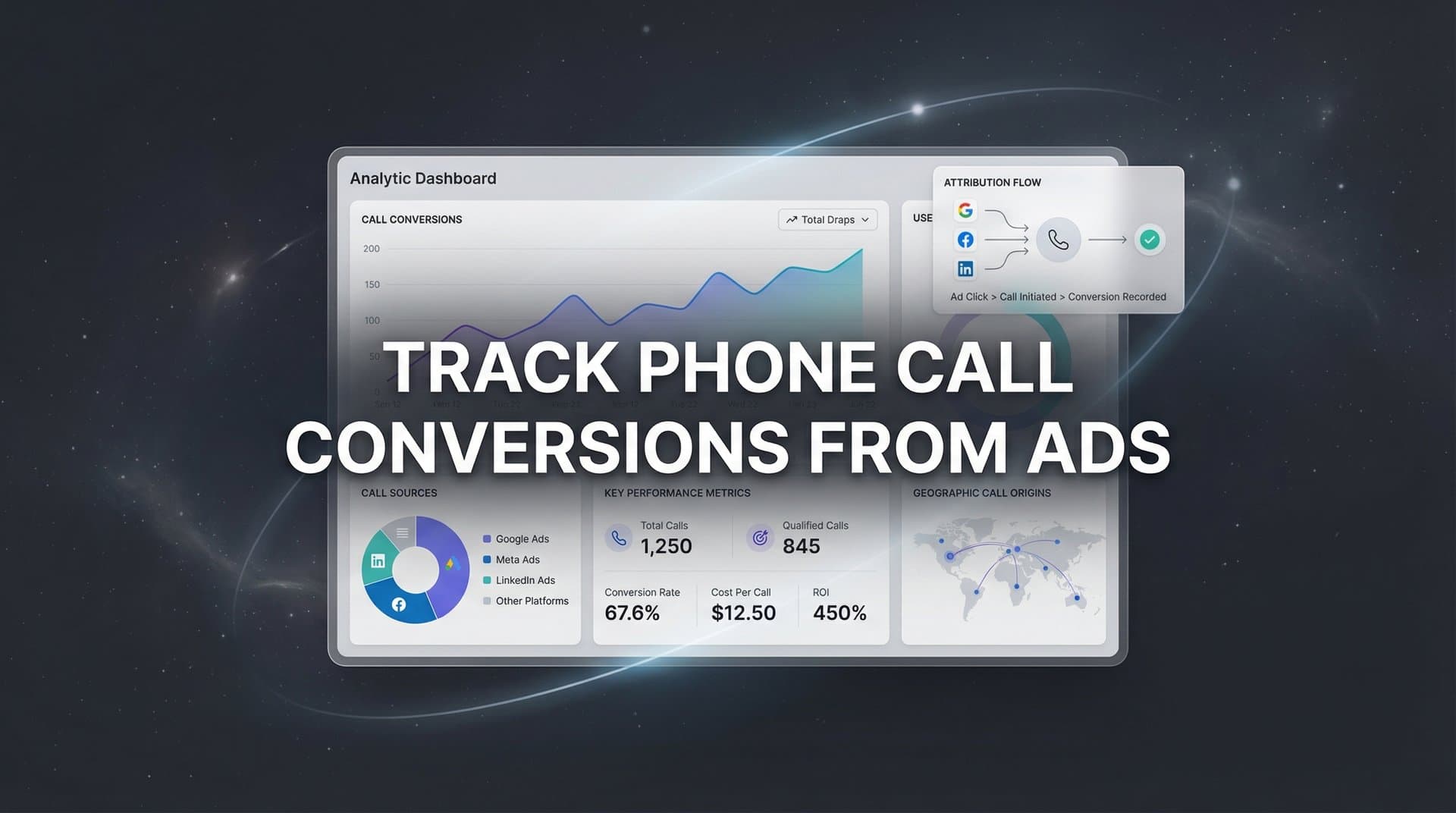
You're running paid ads. Prospects click through to your site, browse your services, and then—instead of filling out a form—they pick up the phone and call. It's a high-intent action, the kind of lead that closes. But here's the problem: that call feels invisible to your analytics. You can't see which campaign drove it, which keyword sparked the interest, or whether your ad spend on that channel is actually worth it.
For service businesses, healthcare providers, legal firms, automotive dealers, and B2B companies with complex sales cycles, phone calls often represent the most valuable conversion type. Yet they're also the hardest to track accurately. The disconnect between your digital ads and offline phone calls creates a blind spot in your attribution—one that costs you money every time you make budget decisions without complete data.
This guide walks you through exactly how to set up phone call conversion tracking from your paid advertising campaigns. We're not talking about basic call counting. We're talking about a complete system that connects every inbound call back to the specific ad, campaign, keyword, and customer journey that drove it. By the end, you'll have full visibility into which ads generate revenue-generating calls, enabling you to scale what works and eliminate what doesn't.
Step 1: Choose Your Call Tracking Method Based on Your Business Model
Before you install anything, you need to choose the right call tracking approach for your business. The method you select determines how granular your attribution will be and what kind of insights you can extract from your call data.
Dynamic Number Insertion (DNI): This is the gold standard for businesses with high call volume and multiple active campaigns. DNI works by displaying unique phone numbers to different visitors based on their traffic source. When someone arrives from a Google Ads campaign, they see one number. A visitor from a Facebook ad sees a different number. This enables attribution down to the keyword level—you'll know exactly which search term prompted someone to call.
DNI requires installing code on your website and working with a call tracking provider that offers a pool of phone numbers. It's ideal when you need granular data and run multiple campaigns simultaneously across different channels.
Static Tracking Numbers: For businesses running fewer campaigns or needing to track offline channels, static numbers work well. You assign a dedicated phone number to each campaign or marketing channel—one number for your Google Ads, another for Facebook, a third for direct mail. This approach is simpler to implement and doesn't require website code, but you lose keyword-level attribution.
Static numbers make sense when you have lower call volume, run distinct campaigns that don't overlap much, or need to track offline marketing materials like billboards or print ads where dynamic numbers aren't possible.
Platform-Native Call Extensions: Google Ads offers built-in call extensions that add click-to-call functionality directly to your ads. When someone clicks the phone number in your ad on mobile, Google tracks it as a conversion. This method is the easiest to set up and costs nothing beyond your regular ad spend, but it only tracks calls that happen directly from the ad—not calls that occur after someone visits your website.
Use call extensions as a baseline, but recognize their limitation: they miss the prospect who clicks your ad, spends ten minutes researching your services on your site, and then calls the number listed on your contact page.
Making the Decision: If you're running multiple campaigns and need detailed attribution, invest in DNI. If you have straightforward campaign structures and moderate call volume, static numbers provide solid tracking without complexity. And regardless of your choice, enable call extensions in Google Ads as an additional data point. Many businesses use a combination—call extensions for immediate ad-driven calls plus DNI for website-driven calls.
Step 2: Set Up Your Call Tracking Infrastructure
Once you've chosen your method, it's time to build the infrastructure that captures and routes your calls while maintaining attribution data.
Select Your Call Tracking Provider: If you're going beyond basic call extensions, you'll need a call tracking platform. Look for providers that offer the features you need: dynamic number insertion, call recording, integration capabilities with your ad platforms and CRM, and clear reporting. Popular options include CallRail, CallTrackingMetrics, and Invoca, each with different strengths in terms of integration depth and analytics capabilities.
Evaluate based on your specific requirements. Do you need call recording for quality assurance? Real-time alerts when high-value prospects call? The ability to score calls based on conversation content? Choose a platform that aligns with your business model and growth plans. Understanding the essential call tracking metrics will help you evaluate which provider delivers the data you actually need.
Generate and Assign Tracking Numbers: Your provider will give you access to a pool of phone numbers. For static tracking, assign specific numbers to each campaign or channel you want to track. For DNI, configure rules that determine which numbers display based on traffic source, campaign parameters, or visitor behavior.
Make sure your tracking numbers use local area codes that match your business location or target markets. Prospects are more likely to call a local number than an unfamiliar area code, especially for service businesses where location matters.
Install Dynamic Number Insertion Code: If you're using DNI, you'll need to add JavaScript code to your website. This code dynamically swaps the phone number displayed on your site based on how the visitor arrived. The installation process varies by platform, but generally involves adding a code snippet to your site's header and marking which phone numbers on your pages should be dynamically replaced.
Test across different pages and devices. The number should change based on traffic source but remain consistent as a visitor navigates your site during their session. A visitor who arrived from a Google Ads campaign should see the same tracking number on every page they visit.
Configure Call Routing: Your tracking numbers need to route to your actual business line so your team can answer. Set up forwarding rules in your call tracking platform. You can configure advanced routing based on time of day, caller location, or which number was dialed. For example, route calls from your Google Ads number to your sales team during business hours and to voicemail after hours.
The key is seamless operation—your prospects shouldn't experience any delay or quality issues when they call a tracking number compared to calling your main line directly.
Run Test Calls: Before you go live, test thoroughly. Call each tracking number from different devices and locations. Verify that calls route correctly, that your call tracking platform records the call and attributes it to the right source, and that call quality is clear. Make test calls from different campaigns—click a Google ad and call the number displayed, then do the same from a Facebook ad. Confirm that each call shows up in your tracking dashboard with the correct source attribution.
Step 3: Connect Call Data to Your Ad Platforms
Your call tracking system is now capturing data, but your ad platforms don't know about these conversions yet. This step connects the dots, feeding call conversion data back into Google Ads, Meta, and other platforms so their algorithms can optimize for calls.
Set Up Google Ads Call Conversion Tracking: In Google Ads, create a new conversion action specifically for phone calls. Navigate to Tools & Settings → Conversions → New Conversion Action → Phone Calls. You'll configure whether you're tracking calls from ads using call extensions, calls to a number on your website, or clicks on a number on your mobile site.
Set your conversion window—how long after an ad click you'll still attribute a call to that click. For most businesses, 30 days works well, but adjust based on your sales cycle. If prospects typically research for weeks before calling, extend the window. Define your minimum call duration threshold here too—many businesses set this to 60 or 90 seconds to filter out wrong numbers and quick hang-ups that aren't real leads. For a deeper dive into configuration options, review our complete guide on Google Ads conversion tracking.
If you're using a call tracking provider with Google Ads integration, connect it through the API. This automates the flow of call data into Google Ads as conversions. If your provider doesn't offer direct integration, you can import call conversions manually using offline conversion imports.
Configure Meta Offline Conversion Tracking: Facebook and Instagram ads don't have native call tracking like Google does, so you'll use offline conversion tracking to feed call data back to Meta. Set up offline events in Events Manager, then use your call tracking provider's Meta integration or manually upload call conversion data.
The key is matching calls back to the original ad click. Your call tracking system needs to capture the Facebook Click ID (fbclp) when someone arrives from a Meta ad, then send that ID back when reporting the conversion. This allows Meta to connect the call back to the specific ad that drove it. Learn more about how to track offline conversions effectively across platforms.
Define What Counts as a Conversion: Not every call is equal. A three-second misdial isn't the same as a fifteen-minute consultation call. Configure your conversion definitions based on business value. Many businesses track multiple conversion types: all calls over 60 seconds, qualified calls where the prospect requested a quote or booked an appointment, and closed sales that resulted from calls.
Start with qualified calls as your primary conversion goal. These are calls where a real prospect engaged meaningfully—they asked questions, requested information, or expressed clear purchase intent. You can identify qualified calls through call duration thresholds, manual call review, or automated call scoring if your platform offers it.
Import and Verify Data Flow: Once configured, verify that call conversions are flowing into your ad platforms correctly. Make test calls from ads, wait for them to process, then check your conversion reports. You should see call conversions attributed to the campaigns and ads that drove them.
Check attribution accuracy by comparing your call tracking dashboard with your ad platform reports. Numbers won't match perfectly due to different attribution windows and methodologies, but they should be reasonably aligned. Significant discrepancies indicate a configuration issue that needs troubleshooting.
Step 4: Integrate Call Tracking with Your CRM and Attribution System
Ad platform data shows you which campaigns drive calls, but it doesn't tell you which calls turned into customers or how much revenue they generated. This step connects call data to your complete revenue picture.
Connect Call Data to Your CRM: Integrate your call tracking platform with your CRM system—whether that's Salesforce, HubSpot, Pipedrive, or another platform. This integration creates a record in your CRM for each call, automatically logging the prospect's contact information, the marketing source that drove the call, and details about the conversation.
The power here is closed-loop attribution. When your sales team marks an opportunity as won in the CRM, you can trace that revenue back through the call to the original ad campaign. You're no longer just tracking calls—you're tracking revenue per campaign. Implementing a system to track sales leads from initial contact through close is essential for this visibility.
Map the Complete Customer Journey: Many prospects don't convert on their first interaction. They might click your Google ad on Monday, browse your site, leave without calling, see a Facebook retargeting ad on Wednesday, return to your site, and finally call on Friday. Without proper attribution, you might credit only the Facebook ad—missing the initial Google ad that started the journey.
Your attribution system needs to capture every touchpoint: the initial ad click, website visits, return visits from different sources, and ultimately the phone call. This creates a complete journey map showing how different marketing efforts work together to drive conversions.
Use Attribution Platforms for Unified Tracking: This is where platforms like Cometly become essential. Cometly connects your ad platforms, website analytics, call tracking, and CRM into a single attribution system. It captures every touchpoint in the customer journey—from the first ad click through website visits, calls, form submissions, and closed sales.
The platform tracks the complete path to conversion, showing you which marketing touchpoints actually contributed to revenue. Instead of fragmented data across multiple tools, you get a unified view of how calls fit into your broader marketing performance. Our comprehensive guide on marketing attribution for phone calls explains how to connect every piece of this puzzle.
Enable Server-Side Tracking: Browser privacy changes and ad blockers increasingly limit client-side tracking accuracy. Server-side tracking captures conversion data directly from your server to ad platforms, bypassing browser limitations. For call conversions specifically, server-side tracking ensures that when someone calls after clicking an ad days earlier, that conversion is still attributed correctly even if their browser cookies have been cleared.
Cometly's server-side tracking captures data that client-side pixels miss, ensuring your call attribution remains accurate even as privacy regulations and browser policies evolve. This is particularly important for calls that happen days after the initial ad interaction.
Create Your Single Source of Truth: With everything connected—ad platforms, call tracking, website analytics, CRM, and attribution system—you now have complete visibility. You can see which campaigns drive calls, which calls convert to customers, and how much revenue each marketing channel actually generates. This unified data becomes your single source of truth for making budget allocation decisions.
Step 5: Configure Conversion Goals and Optimize Ad Platform Algorithms
Now that call data flows into your ad platforms, it's time to make those platforms optimize for calls actively. This step turns your call tracking from a reporting tool into an optimization engine.
Set Call Conversions as Primary Goals: In your ad account settings, designate call conversions as primary conversion actions. This tells the platform's algorithm to optimize for driving calls, not just clicks or website form submissions. In Google Ads, you can set conversion actions as primary or secondary. Make qualified calls a primary action so automated bidding strategies prioritize them.
If you track multiple conversion types—calls, form submissions, and purchases—assign appropriate values to each. This helps the algorithm understand relative importance when optimizing.
Feed Enriched Data Back to Ad Platforms: Basic call tracking tells ad platforms "a call happened." Enriched data tells them "a qualified call from a prospect interested in X service happened, and it resulted in a $5,000 sale." This richer data dramatically improves algorithm performance.
Use conversion sync capabilities to send detailed conversion data back to Meta, Google, and other platforms. Include call duration, call outcome, lead quality scores, and ultimately revenue data when deals close. The more context you provide, the better algorithms can identify and target similar high-value prospects. Setting up enhanced conversions in Google Ads significantly improves this data flow.
Differentiate Between Call Types: Not all calls deserve the same optimization priority. Set up different conversion actions for different call types: all calls over 60 seconds, qualified sales calls, and booked appointments or closed deals. This granularity allows you to optimize for quality, not just volume.
For example, you might track "all calls" for reporting purposes but optimize campaigns specifically for "qualified calls" or "booked consultations." This prevents the algorithm from driving low-quality calls just to hit volume targets.
Adjust Bidding Strategies for Call Conversions: Once call conversion data flows consistently, switch to automated bidding strategies that optimize for conversions. Target CPA (cost per acquisition) bidding tells Google to automatically adjust bids to get conversions at your target cost. Maximize Conversions bidding optimizes for the highest number of conversions within your budget.
Give the algorithm time to learn—typically two to four weeks of consistent conversion data before performance stabilizes. During this learning phase, monitor closely but avoid making frequent changes that reset the learning process.
Monitor and Refine Conversion Windows: Your conversion window determines how long after an ad click you'll still attribute a call to that campaign. If your business has a longer consideration cycle—prospects research for weeks before calling—extend your conversion window to capture these delayed conversions. If most calls happen within days of the initial ad click, a shorter window provides faster optimization feedback.
Step 6: Analyze Performance and Scale What's Working
With complete call tracking in place, you can finally make data-driven decisions about where to invest your ad budget. This step is about extracting insights and taking action.
Build Comprehensive Call Performance Reports: Create reports that show call volume, call quality, and call outcomes by campaign, ad set, keyword, audience, and creative. Look beyond surface metrics—don't just count calls, measure which campaigns drive qualified calls that convert to revenue.
Your reporting should answer: Which campaigns generate the most calls? Which generate the highest percentage of qualified calls? Which keywords drive callers who actually become customers? Which ad creatives prompt prospects to pick up the phone? Understanding how to track conversions across multiple ad platforms ensures you're capturing the complete picture.
Calculate True Cost-Per-Call Metrics: Divide your campaign spend by the number of calls received to get cost-per-call. But go deeper—calculate cost-per-qualified-call by filtering out short calls and wrong numbers. Then calculate cost-per-customer-call by tracking which calls converted to actual sales.
These metrics reveal true campaign efficiency. A campaign might have a high cost-per-call but a low cost-per-customer if it drives fewer but higher-quality calls. Another campaign might generate cheap calls that rarely convert. The raw call volume doesn't tell you which campaign deserves more budget.
Compare Performance Across Channels: Analyze how call conversion rates differ between Google Ads and Facebook, between search campaigns and display campaigns, between branded keywords and generic keywords. Often you'll discover that certain channels excel at driving calls while others work better for other conversion types. Our Facebook Ads vs Google Ads tracking comparison breaks down the key differences in how each platform handles attribution.
Service businesses often find that Google search campaigns drive high-intent calls from prospects ready to buy, while Facebook campaigns generate awareness and consideration that leads to calls later in the journey. Understanding these patterns helps you allocate budget appropriately across channels.
Identify High-Performance Patterns: Look for patterns in your call data. Do certain audiences generate more calls? Are calls more likely to convert during specific times of day or days of the week? Do certain ad creatives or messaging angles prompt more phone calls than form submissions?
Use these insights to refine your campaigns. If you discover that calls received between 9 AM and 11 AM convert at twice the rate of afternoon calls, adjust your ad scheduling to concentrate budget during high-conversion hours. If certain audience segments never call but others call frequently, reallocate budget toward the call-friendly audiences.
Make Data-Driven Budget Decisions: With complete call attribution, you can confidently shift budget toward campaigns that drive revenue-generating calls and away from campaigns that don't. This is where the entire system pays off—you're no longer guessing which campaigns work. You have data showing exactly which ads drive calls, which calls convert to customers, and how much revenue each campaign generates.
Scale winners aggressively. When you identify a campaign consistently driving qualified calls at an acceptable cost-per-acquisition, increase budget and expand to similar audiences or keywords. Cut or restructure losers—campaigns that generate calls but fail to convert, or campaigns with prohibitively high cost-per-qualified-call metrics.
Putting It All Together
Here's your implementation checklist: Choose your call tracking method based on your business model and attribution needs. Set up your tracking infrastructure—whether that's DNI, static numbers, or platform-native call extensions—and test thoroughly before going live. Connect call data to your ad platforms so Google, Meta, and other channels receive conversion signals and can optimize for calls. Integrate with your CRM and attribution system to track calls through to revenue and understand the complete customer journey. Configure conversion goals and feed enriched data back to ad platform algorithms to improve targeting and bidding. Finally, analyze performance data to identify what's working and make confident budget allocation decisions.
With this system in place, every phone call becomes a trackable, attributable conversion. You're no longer flying blind on which campaigns drive revenue-generating calls. Instead, you have complete visibility into the customer journey from ad click to phone call to closed sale.
The key is connecting all the pieces. Your call tracking captures the calls. Your ad platforms receive conversion data and optimize for calls. Your CRM tracks calls through to revenue. And your attribution system unifies everything into a single view of marketing performance.
This isn't just about tracking calls—it's about understanding which marketing investments actually drive business growth. When you can see which campaigns generate calls that convert to customers, you can scale confidently, knowing exactly where your ad dollars deliver the highest return.
Ready to elevate your marketing game with precision and confidence? Discover how Cometly's AI-driven recommendations can transform your ad strategy—Get your free demo today and start capturing every touchpoint to maximize your conversions.


