

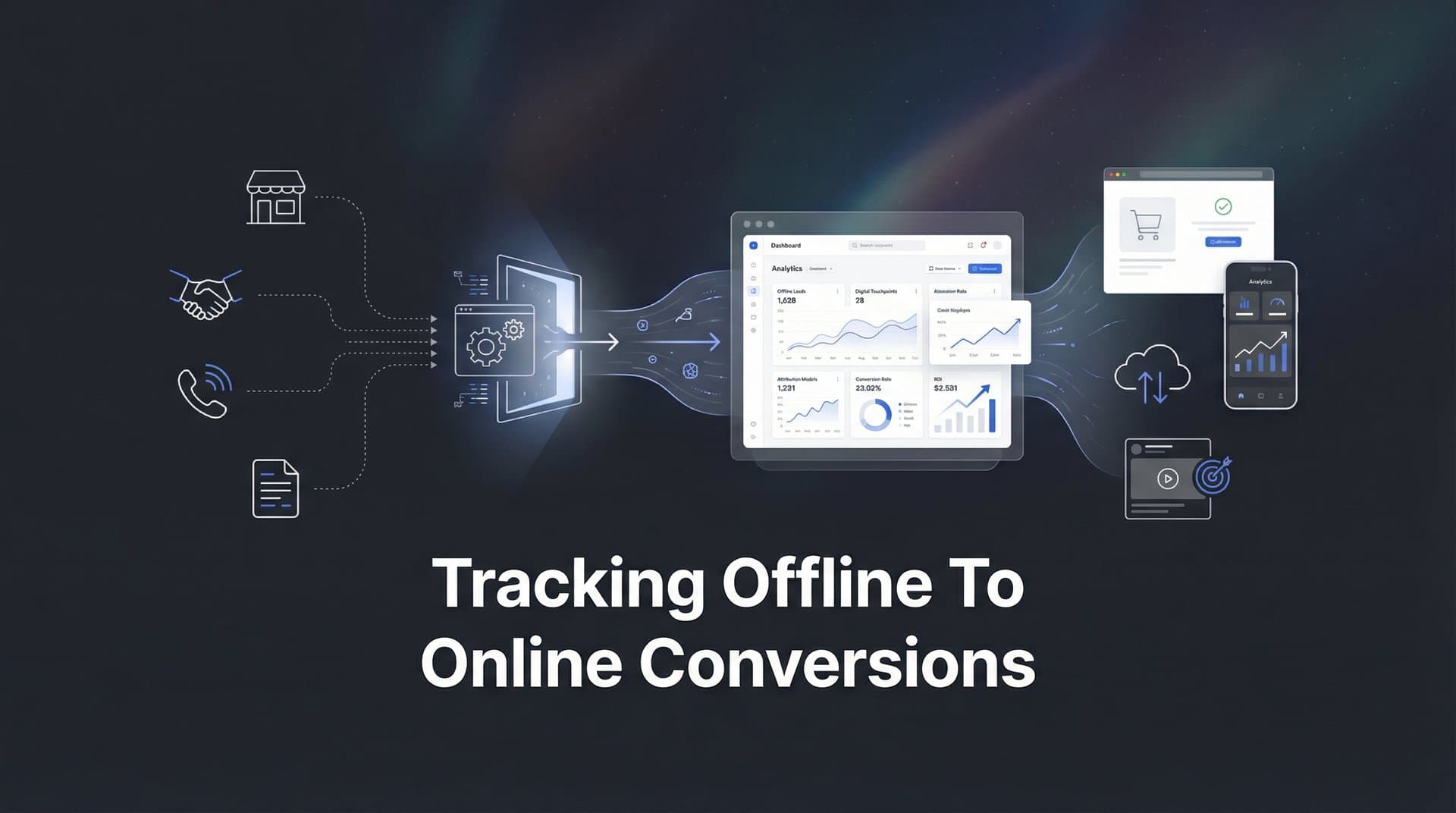
Your customer sees a Facebook ad on Monday, calls your sales team on Wednesday, and closes a deal in person on Friday. Without proper tracking, that Facebook ad gets zero credit—and you might cut the very campaign driving your best customers.
This disconnect between offline and online conversions is one of the biggest blind spots in modern marketing. When phone calls, in-store purchases, and sales team interactions happen outside your digital ecosystem, your attribution data tells an incomplete story.
The result? Misallocated budgets, undervalued campaigns, and scaling decisions based on flawed data.
This guide walks you through exactly how to bridge that gap. You'll learn to connect offline conversion events—from CRM deal closures to phone calls to in-person sales—back to the digital touchpoints that influenced them. By the end, you'll have a complete system for tracking the full customer journey, regardless of where the conversion actually happens.
Step 1: Map Your Offline Conversion Points
Before you can track offline conversions, you need to know exactly what you're tracking. This means identifying every point where a customer takes action outside your digital properties.
Start by listing all offline conversion events that matter to your business. For most companies, this includes phone calls from prospects, in-store purchases or visits, deals closed by your sales team, event registrations or attendance, and paper form submissions at trade shows or physical locations.
The key is being comprehensive. Walk through your entire customer journey and ask: where do people convert without clicking a button on our website?
Next, document which systems currently capture each event. Your CRM likely tracks sales team interactions and deal closures. Your point-of-sale system records in-store transactions. Call tracking software logs phone inquiries. Some conversions might live in spreadsheets or even paper records that someone manually enters later.
This audit reveals your current data landscape—and often exposes gaps where valuable conversions aren't being captured at all. Understanding what offline conversions are and why they matter is the foundation for building an effective tracking system.
Now prioritize by volume and revenue impact. Not all offline conversions deserve equal attention in your initial setup. If phone calls generate 60% of your revenue but in-store visits account for only 5%, start with phone tracking.
Focus on the conversion types that move the needle for your business. You can always expand your tracking later.
Finally, create a conversion taxonomy with consistent naming conventions. This matters more than you might think. If your CRM calls something "SQL" while your marketing team calls it "Sales Qualified Lead" and your attribution platform labels it "qualified_lead," you'll struggle to connect the data.
Establish standard names for each conversion type and document them. Use the same terminology across every system—your website, CRM, attribution platform, and reporting dashboards.
This foundational work prevents confusion and data mismatches as you build out your tracking infrastructure. When everyone speaks the same language, connecting offline events to online touchpoints becomes dramatically easier.
Step 2: Implement Unique Identifiers for Cross-Channel Tracking
Tracking offline conversions back to their digital origins requires a persistent identifier that follows the customer across touchpoints. Without this, you're just guessing which ad drove which sale.
Start with UTM parameters across all ad campaigns and channels. These URL tags tell you which campaign, source, medium, and content brought someone to your site. If you're unfamiliar with this approach, learning what UTM tracking is will help you implement it consistently on every ad, email, and social post.
The key word is consistently. If you sometimes use "utm_campaign=spring_promo" and other times use "utm_campaign=Spring-Promo-2026," you've fragmented your data. Create a standardized naming convention and stick to it religiously.
But UTMs alone aren't enough for offline conversion tracking. They tell you about campaigns, not individual people. That's where platform-specific click IDs come in.
When someone clicks a Google ad, Google appends a gclid parameter to your URL. Facebook adds fbclid. These unique identifiers connect that specific click to that specific person, even if they convert days or weeks later through a different channel.
Make sure your website captures and stores these click IDs. Most analytics platforms do this automatically, but verify it's working. Check your database or attribution tool to confirm click IDs are being recorded for incoming traffic.
Now here's where it gets critical: you need to pass these identifiers through your entire conversion funnel, including offline touchpoints.
When someone fills out a form on your website, capture not just their name and email but also their click IDs and UTM parameters. Store this data in hidden form fields that get submitted along with the visible information.
When someone calls your business, your phone system should log which phone number they called and when—then match that to website sessions based on timing and caller ID. More on this in Step 4.
For in-person conversions, you need a way to identify the customer. This might be asking for their email at checkout, scanning a QR code that includes their session ID, or having sales reps log the customer's contact information that matches your CRM records.
The goal is creating a chain of identifiers: digital click → website session → form submission or call → CRM record → closed deal. Each link in that chain needs a common identifier to connect it to the next.
Customer ID matching becomes your unifying thread. Once someone is identified—through a form fill, account creation, or sales interaction—that customer ID links all their future activity, both online and offline. This is why customer attribution tracking is essential for businesses with complex sales cycles.
Your attribution platform should be able to match website sessions to CRM records using email addresses, phone numbers, or custom customer IDs. This matching process connects anonymous clicks to known customers to closed deals.
Test your identifier system by tracking a sample conversion from start to finish. Can you see the original ad click, the website session, the form submission or call, and the final sale all connected by a consistent identifier? If not, there's a gap to fix.
Step 3: Connect Your CRM to Your Attribution Platform
Your CRM is where offline conversions live. Connecting it to your attribution platform is what makes offline-to-online tracking possible.
Start by integrating your CRM with your marketing attribution tool. Most modern attribution platforms offer native integrations with major CRMs like Salesforce, HubSpot, Pipedrive, and Zoho. If you're using HubSpot specifically, our guide on HubSpot attribution tracking walks through the integration process in detail.
The technical setup is usually straightforward—follow your attribution platform's integration guide. The more important work is defining what data flows between systems and what it means.
Map your CRM pipeline stages to conversion events. Not every stage in your sales pipeline is a "conversion" for attribution purposes. You need to define which stages count and how they're weighted.
For example, you might track "SQL Created" as a lead conversion, "Opportunity Created" as a qualified opportunity, and "Deal Closed" as a revenue conversion. Each represents a different level of customer commitment and has different attribution implications.
Be explicit about these definitions. Document which CRM stages trigger which conversion events in your attribution platform. This ensures your marketing team and sales team are measuring the same things.
Set up automated data syncing so offline events flow back to attribution in real time—or as close to real time as your systems allow. Most integrations can sync every few minutes to every few hours.
The frequency matters less than consistency. What you want to avoid is manual CSV uploads that happen sporadically. Automated syncing means your attribution data stays current without anyone remembering to push an update.
Configure deal value and revenue data to enable ROAS calculations. Knowing that an ad drove a conversion is valuable. Knowing it drove a $50,000 deal versus a $500 deal is transformative.
Make sure your CRM integration passes revenue amounts, deal values, and any other financial metrics that matter to your business. This allows you to calculate true return on ad spend for offline conversions, not just conversion counts. The best marketing analytics software makes this revenue tracking seamless.
For businesses with long sales cycles, consider syncing both opportunity creation and deal closure as separate events. This lets you measure which campaigns drive pipeline in the short term and revenue in the long term.
Once your integration is live, verify the data flow. Create a test deal in your CRM and watch it appear in your attribution platform. Check that all the key fields—deal value, stage, close date, associated contact—are syncing correctly.
Then run a reconciliation report comparing total conversions in your CRM to total conversions in your attribution platform. The numbers should match. If they don't, there's a configuration issue to troubleshoot.
Step 4: Set Up Phone Call Tracking and Attribution
Phone calls are often the highest-intent conversions—and the hardest to attribute. Someone sees your ad, searches for your business, visits your website, and calls. Without proper tracking, you have no idea which ad drove that call.
Implement dynamic number insertion on your website to track call sources. This technology displays different phone numbers to different visitors based on how they arrived at your site.
Someone coming from a Google ad sees one number. Someone from Facebook sees another. Someone from organic search sees a third. When they call, you know exactly which source drove that call.
Call tracking platforms like CallRail, CallTrackingMetrics, or Invoca integrate with your website and swap phone numbers dynamically. The setup typically involves adding a JavaScript snippet to your site and configuring which numbers to show for which traffic sources. If you're evaluating options, our comparison of CallTrackingMetrics alternatives can help you choose the right platform.
But dynamic numbers alone don't give you full attribution. You also need call tracking software that captures the original traffic source and campaign for each call.
Look for call tracking tools that record not just which number was called, but also the UTM parameters, referrer, and even the specific keyword or ad that brought that visitor to your site. Understanding the right call tracking metrics ensures you're measuring what actually matters for attribution.
Train your sales teams to log call outcomes consistently in your CRM. Call tracking tells you a call happened. Your sales team tells you what happened on that call—was it a qualified lead, a closed deal, or a wrong number?
Create a simple process for reps to log call dispositions after every conversation. This might be a required field in your CRM, a Slack workflow, or a post-call survey. The key is making it easy and habitual.
Without outcome data, you know which ads drive calls but not which ads drive valuable calls. That distinction matters enormously when optimizing spend.
Finally, connect call data to your attribution platform to credit the originating ad or channel. Most call tracking platforms integrate with attribution tools, CRMs, and ad platforms to pass call events as conversions. Our complete guide to marketing attribution for phone calls covers this integration process in depth.
Configure your integration to send call conversions with all relevant metadata: caller ID, call duration, call outcome, and most importantly, the original traffic source and campaign. This lets your attribution platform credit the right touchpoint for driving that call.
For high-value businesses, consider implementing conversation analytics that uses AI to score call quality and identify conversion signals in the actual conversation. This takes call attribution from "a call happened" to "a qualified sales conversation happened."
Step 5: Configure Offline Conversion Imports to Ad Platforms
Getting offline conversion data back into your ad platforms is what closes the loop. It tells Google, Meta, and other platforms which ads actually drove revenue—not just clicks or leads.
Start with Google Ads offline conversion imports using gclid matching. When someone clicks your Google ad, the gclid parameter in the URL uniquely identifies that click. If that person later converts offline, you can upload the conversion back to Google Ads along with the gclid.
In Google Ads, navigate to Tools & Settings, then Conversions. Create a new conversion action and select "Import" as the source. Choose "Track conversions from clicks" and set up your conversion parameters—name, value, count settings.
Google provides several methods for uploading offline conversions: manual CSV uploads, scheduled uploads from Google Sheets, or API integration for automated imports. For ongoing tracking, API integration through your CRM or attribution platform is the most reliable approach.
Your upload file needs to include the gclid and conversion details—conversion name, conversion time, conversion value, and currency. Google matches the gclid to the original click and attributes the conversion accordingly.
Configure Meta's Conversions API for server-side offline event tracking. Unlike browser-based tracking, the Conversions API sends conversion data directly from your server to Meta, making it more reliable and privacy-compliant. Understanding why server-side tracking is more accurate helps you appreciate the importance of this approach.
Set up the Conversions API through Meta's Events Manager. You'll need to generate an access token and configure which events to send. For offline conversions, focus on events like "Purchase," "Lead," or custom events that represent your key conversion types.
The critical piece is matching offline conversions to the original Meta click. This requires sending either the fbclid, or user information like email and phone (hashed for privacy) that Meta can match to known users.
Most attribution platforms and CRMs now offer native Conversions API integrations that handle this matching automatically. If you're building a custom integration, follow Meta's documentation carefully to ensure proper event formatting and user matching. For a complete walkthrough, see our server-side tracking implementation guide.
Establish import schedules that balance data freshness with conversion lag times. If your sales cycle is 48 hours, daily imports make sense. If deals close over 60 days, weekly or bi-weekly imports might be more appropriate.
The key consideration is conversion windows. Most ad platforms optimize based on conversions that happen within 7-30 days of the click. If you're uploading conversions that occurred 90 days after the click, they may not factor into algorithm optimization.
Set your import schedule to catch most conversions within the platform's optimization window, while accounting for realistic sales cycle delays.
Finally, verify data is flowing correctly by checking conversion counts in each platform. After your first import, compare the number of offline conversions in your source system (CRM, call tracking tool) to the number showing in Google Ads or Meta.
The numbers should match, accounting for any matching failures. If you uploaded 100 conversions but only 85 appear in Google Ads, investigate why 15 didn't match—missing gclids, conversions outside the lookback window, or data formatting issues.
Step 6: Validate Your Data and Optimize Your Campaigns
Tracking offline conversions is only valuable if the data is accurate. This step is about ensuring data integrity and using your new insights to improve performance.
Run reconciliation reports comparing offline conversion counts across systems. Your CRM should show X closed deals. Your attribution platform should show X closed deals. Your ad platforms should show X offline conversions (accounting for matching rates).
If the numbers don't align, something is broken. Common culprits include conversion events firing multiple times, conversions not syncing from the CRM, or identifier mismatches preventing proper attribution. Following best practices for tracking conversions accurately helps prevent these issues from the start.
Create a weekly or monthly reconciliation process where you compare conversion totals across all systems. This catches data drift before it corrupts your reporting and decision-making.
Identify and troubleshoot common issues proactively. Missing identifiers are the most frequent problem—someone converts offline, but there's no gclid, fbclid, or customer ID to connect them back to their original touchpoint.
Audit your identifier capture process regularly. Check that form submissions are capturing click IDs, phone calls are logging session data, and sales reps are entering customer information that matches your database.
Delayed syncs can make recent conversions invisible. If your CRM-to-attribution sync runs daily, conversions from the last 24 hours won't appear yet. Account for sync delays when analyzing recent campaign performance.
Duplicate events occur when the same conversion gets counted twice—once from browser-based tracking and again from offline import. Configure your attribution platform to deduplicate based on customer ID and conversion timestamp.
Now for the payoff: analyze which campaigns drive the highest-value offline conversions, not just online leads. This is where offline tracking transforms your marketing strategy.
You might discover that a campaign generating few form fills actually drives high-value phone calls. Or that a channel with mediocre cost-per-lead has the best lead-to-close rate. Or that certain keywords attract customers who buy in-store rather than online.
Look beyond surface metrics. Compare cost per offline conversion, average deal value by channel, and true ROAS including offline revenue. These insights reveal which campaigns actually grow your business.
Use offline conversion data to inform bidding strategies and budget allocation. Once ad platforms receive offline conversion data, their algorithms can optimize for actual revenue rather than proxy metrics.
In Google Ads, switch to Target ROAS bidding once you have sufficient offline conversion data. The algorithm will learn which clicks lead to valuable offline conversions and bid more aggressively for similar users.
In Meta, optimize campaigns for offline events using your Conversions API data. The platform will prioritize audiences and placements that drive the conversions you actually care about—not just cheap clicks.
Reallocate budget based on offline performance. If Search campaigns drive 40% of online conversions but 70% of offline revenue, they're undervalued in your current budget split. Shift spend toward channels that perform when you measure the full picture.
Putting It All Together
Tracking offline to online conversions transforms your marketing from guesswork into precision. With this system in place, you'll finally see which campaigns drive real revenue—not just clicks and form fills.
Quick implementation checklist: Map all offline conversion points and prioritize by impact. Implement consistent identifiers—UTMs, click IDs, customer IDs—across touchpoints. Connect your CRM to your attribution platform with automated syncing. Set up phone call tracking with source attribution. Configure offline conversion imports to Google, Meta, and other ad platforms. Validate data accuracy and use insights to optimize spend.
The marketers who master offline-to-online tracking gain a significant competitive advantage. They can confidently scale campaigns that others would overlook, and cut spend that looks good on paper but doesn't drive actual business results.
Your competitors are optimizing for leads. You'll be optimizing for revenue. That's the difference between growth and guesswork.
Ready to elevate your marketing game with precision and confidence? Discover how Cometly's AI-driven recommendations can transform your ad strategy—Get your free demo today and start capturing every touchpoint to maximize your conversions.



