

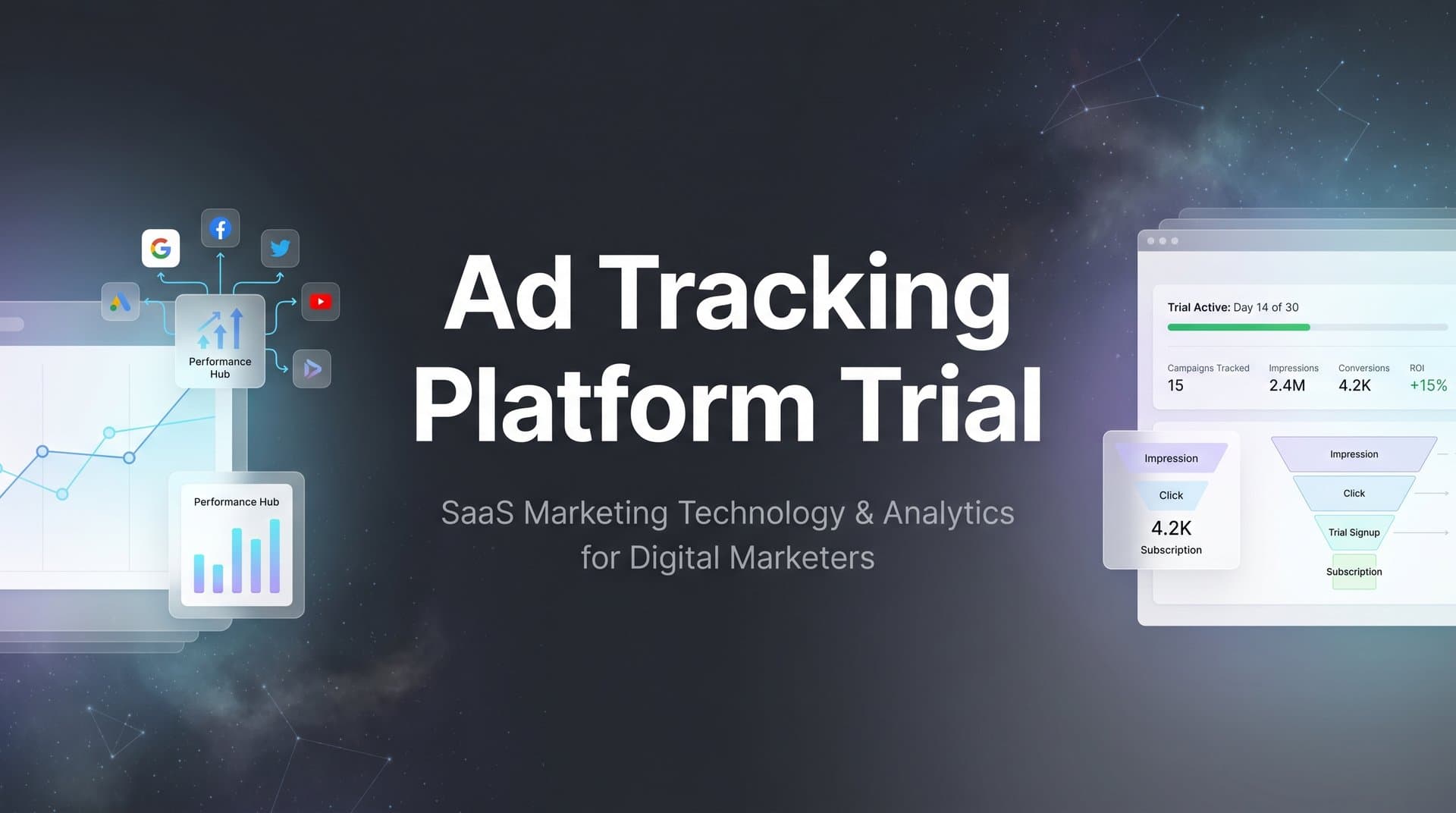
You've just signed up for an ad tracking platform trial. Seven days to figure out if this tool will solve your attribution mess. The clock starts ticking, and suddenly you're staring at a dashboard full of options, wondering where to even begin.
Sound familiar?
Most marketers approach trials the wrong way. They connect a few accounts, click around the interface, maybe glance at some reports, and when the trial expires, they're left with a gut feeling instead of concrete data. That's not how you make a decision that could transform your entire marketing operation.
Here's the reality: your trial period is short, but it's long enough to get real answers if you approach it strategically. You can determine whether a platform accurately tracks your conversions, integrates with your tech stack, and provides insights that actually change how you allocate budget.
This guide walks you through exactly how to structure your ad tracking platform trial to extract maximum value. Whether you're evaluating Cometly or comparing multiple solutions, these steps ensure you'll finish your trial with hard evidence about tracking accuracy, integration reliability, and business impact.
By following this process, you'll move beyond surface-level impressions. You'll have comparison data showing how the platform's attribution matches your CRM records. You'll know whether it captures the full customer journey across devices and sessions. You'll understand if it can feed better data back to your ad platforms to improve optimization.
Let's turn your trial period from a confusing exploration into a systematic evaluation that leads to a confident decision.
Step 1: Define Your Success Criteria Before Starting the Trial
Before you click that "Start Trial" button, pause. The biggest mistake marketers make is diving into a trial without clear benchmarks for success. You need to know exactly what you're testing for.
Start by identifying your top three attribution challenges. Maybe you're struggling to track conversions after iOS privacy changes reduced pixel accuracy. Perhaps you can't see which touchpoints in a multi-channel journey actually contribute to conversions. Or you might be losing visibility into which campaigns drive high-value customers versus one-time buyers.
Write these down. Be specific.
Next, list every ad platform and data source that must integrate with your tracking solution. If you're running campaigns on Meta, Google Ads, LinkedIn, and TikTok, all four need to connect seamlessly. If your sales team uses HubSpot or Salesforce, that CRM integration is non-negotiable. Don't assume anything works until you've verified it.
Now set measurable benchmarks. Vague goals like "better tracking" won't help you make a decision. Instead, aim for concrete targets: "Capture at least 95% of conversions compared to CRM records" or "Reduce time spent on attribution reporting from 4 hours to 30 minutes weekly." A thorough conversion tracking platform evaluation requires these specific metrics.
Document your current state thoroughly. Take screenshots of your existing attribution reports. Note the conversion counts your ad platforms are reporting versus what your CRM shows. Record how much time your team currently spends piecing together cross-channel performance data.
This baseline is critical. Without it, you can't measure improvement.
Create a simple spreadsheet with three columns: Challenge, Current State, and Trial Success Metric. For example, "iOS tracking gaps" might have a current state of "Missing 30% of mobile conversions" and a success metric of "Recover at least 25% through server-side tracking."
This preparation work takes 30 minutes but transforms your trial from aimless exploration into focused validation. You'll know exactly what to test, what data to collect, and what results would justify the investment.
When your trial ends, you'll compare your success metrics against actual results. No guesswork. No relying on whether the interface "felt" good. Just clear evidence about whether the platform solves your specific attribution challenges.
Step 2: Connect Your Core Ad Platforms and Data Sources
Day one of your trial should focus entirely on integration. Don't get distracted by fancy dashboards or AI features yet. If your data isn't flowing correctly, nothing else matters.
Start with your highest-spend advertising channels. If you're running $50,000 monthly on Meta and $30,000 on Google Ads, connect those first. These platforms represent your biggest tracking challenges and your greatest potential for optimization insights.
Most modern attribution platforms offer one-click integrations for major ad channels. Look for OAuth connections rather than manual API key setups when possible. They're more secure and easier to troubleshoot if something breaks.
Here's where many trials go wrong: marketers connect accounts but never verify the data is actually flowing. After connecting Meta, navigate to the platform's campaign view and confirm you see your actual campaigns, ad sets, and spend data. Check that the numbers match what you see in Meta Ads Manager.
The same verification applies to every integration. Connect it, then immediately confirm data appears correctly.
Next, integrate your CRM. This connection is arguably more important than your ad platforms because it provides the source of truth for conversions. When you connect HubSpot, Salesforce, or your CRM of choice, the platform should pull in contact records, deal stages, and revenue data.
Test this by finding a recent conversion in your CRM and verifying it appears in the attribution platform. Can the system trace that conversion back through the customer journey to the original ad click? If not, troubleshoot before moving forward. Understanding conversion tracking software for multiple ad platforms helps you identify what proper integration looks like.
Now tackle website tracking. Most platforms offer both pixel-based and server-side tracking options. Given browser privacy changes and iOS limitations, prioritize server-side tracking if available. It captures more accurate data because it doesn't rely on browser cookies that users can block.
Install the tracking code on your website. If you're using Google Tag Manager, this usually involves adding a new tag with the platform's container code. Test it immediately by visiting your site and triggering a conversion event, then checking if it appears in the platform.
Don't rush this step. Broken integrations waste your limited trial time and prevent you from collecting the comparison data you need. Spend day one and potentially day two just ensuring every data source connects properly and reports accurately.
Create a checklist: Meta connected and verified, Google Ads connected and verified, CRM connected and verified, website tracking installed and tested. Only when every item is checked should you move to the next evaluation step.
If you encounter integration issues, this is your first test of the platform's support quality. Reach out immediately and note how quickly they respond and whether their guidance actually solves the problem. Support responsiveness during the trial often predicts the post-purchase experience.
Step 3: Run a Controlled Attribution Test
Now that your data is flowing, it's time to test the platform's core promise: accurate attribution. This step separates platforms that actually work from those that just look impressive in demos.
Select a controlled testing window. Choose a recent 7-day period where your ad spend was consistent and you weren't running major promotions or experiencing unusual traffic patterns. You want normal operating conditions for your comparison.
Pull conversion data from three sources for this same week: your CRM (the source of truth), your ad platforms' native reporting, and now the attribution platform you're testing. Create a simple comparison table.
Let's say your CRM shows 47 qualified leads for that week. Google Ads claims 31 conversions, Meta reports 28, and LinkedIn shows 12. That's 71 total if you simply add them up, but your CRM only recorded 47 actual leads. This discrepancy is exactly what you're trying to solve.
Check what the attribution platform reports. A quality solution should align closely with your CRM count because it's tracking the full customer journey rather than just last-click attribution. If the platform shows 45-48 conversions for that week, it's capturing reality. If it shows 70+ conversions, it's likely double-counting or has tracking issues. Learning about duplicated conversion tracking across platforms helps you identify these problems.
Dig deeper into individual customer journeys. Pick five recent conversions from your CRM and trace them backward through the attribution platform. Can you see every touchpoint? Did someone click a Meta ad, visit your site, leave, then return three days later via a Google search before converting?
This multi-touch visibility is critical. If the platform only shows the final Google click, it's not providing the full picture you need to optimize your marketing mix.
Test cross-device tracking specifically. Have someone on your team click one of your ads on their phone, browse your site, but not convert. Later that day, have them visit your site on their laptop and complete a conversion. Can the platform connect these two sessions to the same person and credit the mobile ad click?
Document every discrepancy you find. If the platform reports 10% more conversions than your CRM, note it. If certain channels show accurate attribution while others have gaps, write that down. These findings directly inform your decision.
Pay special attention to mobile traffic from iOS devices. Browser privacy changes have made iOS tracking notoriously difficult. If the platform uses server-side tracking, it should capture significantly more iOS conversions than pixel-only solutions.
This controlled test gives you hard numbers to evaluate. You're not guessing whether the platform works. You have evidence showing how closely its attribution matches your source of truth data.
Step 4: Explore Attribution Models and Reporting Features
Attribution accuracy is foundational, but how the platform helps you analyze that data determines its practical value. Now test whether the reporting features actually change how you make decisions.
Start by exploring different attribution models. Most platforms offer first-touch (crediting the initial interaction), last-touch (crediting the final interaction before conversion), and multi-touch models that distribute credit across the journey.
Run the same date range through each model and compare the results. First-touch might show that your top-of-funnel content campaigns drive more conversions than you realized. Last-touch might overweight your retargeting campaigns. Multi-touch should provide the most balanced view.
Here's what to watch for: does changing the attribution model actually reveal insights that would change your budget allocation? If all three models show roughly the same channel performance, either your customer journeys are very simple (unlikely) or the platform isn't capturing the full journey. Understanding cross-platform attribution tracking helps you evaluate these capabilities properly.
Test the platform's ability to handle complex, cross-channel journeys. Look for a customer who interacted with your brand multiple times across different platforms before converting. Maybe they saw a LinkedIn ad, clicked a Google search result, visited your site directly twice, then converted through an email campaign.
Can the platform visualize this journey clearly? More importantly, does it help you understand which touchpoints were critical versus incidental? Some platforms show every interaction but provide no context about influence. The best solutions highlight which touchpoints statistically correlate with higher conversion rates or larger deal values.
If the platform includes AI-powered recommendations, test them thoroughly. These features often sound impressive in marketing materials but provide generic suggestions in practice. Navigate to the recommendations section and evaluate whether the insights are specific and actionable.
Generic advice like "increase budget on high-performing campaigns" is useless. Specific recommendations like "Campaign X shows 40% higher conversion rates for users who engage within the first 24 hours—consider increasing budget during peak engagement windows" actually helps you optimize.
Assess dashboard usability from your team's perspective. You might be comfortable navigating complex analytics interfaces, but will your marketing coordinator understand how to pull weekly reports? Can your agency partner access the data they need without constant hand-holding?
Try building a custom report that answers a real business question. For example, "Which campaigns drive customers with the highest lifetime value?" If you can't easily create this report or the platform doesn't support the necessary data fields, note that limitation. Platforms focused on marketing attribution platforms revenue tracking typically excel at these revenue-focused reports.
Test whether you can schedule automated reports. Many teams need weekly performance summaries sent to stakeholders. If you have to manually export data every Monday morning, that's ongoing friction you should factor into your decision.
This exploration phase reveals whether the platform's features translate into actual workflow improvements or just add complexity without value.
Step 5: Test Conversion Sync and Ad Platform Optimization
Accurate attribution helps you understand the past, but conversion sync capabilities can improve your future campaign performance. This feature sends enriched conversion data back to your ad platforms, helping their algorithms optimize more effectively.
Here's why this matters: Meta and Google's ad algorithms rely on conversion signals to learn which audiences and placements perform best. When browser tracking limitations prevent them from seeing all your conversions, they optimize based on incomplete data. Conversion sync fills these gaps.
Enable conversion sync for at least one ad platform during your trial. Most attribution platforms make this a simple toggle in settings. Once enabled, the platform should send conversion events back to Meta or Google using their Conversion API or similar server-to-server connection.
Monitor what happens to your reported conversions in the native ad platform. You should see conversion counts increase as the attribution platform sends additional events that browser pixels missed. If you were seeing 30 conversions in Meta Ads Manager and that jumps to 42 after enabling conversion sync, the platform is successfully recovering lost attribution data.
This increase isn't just about better reporting. When ad platforms receive more complete conversion data, their optimization algorithms can make better decisions about who to target and which placements to prioritize. Many marketers see improved campaign performance within 7-14 days of enabling conversion sync, though results vary by account.
Evaluate how the platform handles server-side tracking specifically. This technology bypasses browser-based tracking that iOS and privacy-focused browsers increasingly block. Exploring the best server-side tracking platforms reveals what capabilities you should expect from modern solutions.
Test this by analyzing your mobile traffic conversion rates before and after implementing the platform's tracking. If you were previously missing significant iOS conversions and now you're capturing them, that's concrete evidence of value.
Check whether the platform enriches conversion events with additional data before sending them to ad platforms. Basic conversion sync just says "a conversion happened." Advanced implementations include the conversion value, customer lifetime value predictions, or lead quality scores. This enriched data helps ad algorithms optimize for high-value conversions, not just conversion volume.
Document the potential impact on your ad performance. If conversion sync increases your reported Meta conversions from 30 to 42 per week, that's a 40% improvement in data feeding the optimization algorithm. Even if that only translates to a 10-15% improvement in actual campaign efficiency, the ROI could be substantial.
This step tests whether the platform does more than just report on past performance. Can it actively improve your future results by feeding better data to the ad platforms where you're spending money?
Step 6: Evaluate Support, Documentation, and Scalability
You've tested the technical capabilities, but the platform's long-term value depends on factors beyond features. Support quality, learning resources, and scalability determine whether this tool becomes a core part of your stack or a frustrating expense you eventually replace.
Test customer support deliberately during your trial. Don't wait until you encounter a problem. Reach out with a specific question about a feature you're evaluating. Note the response time. Did they answer within an hour, a day, or longer?
More importantly, evaluate the quality of their response. Did they provide a generic help article link, or did they address your specific situation with actionable guidance? The best support teams ask clarifying questions and provide solutions tailored to your use case.
If you encounter a technical issue, this becomes an even more valuable test. How quickly do they respond to problems? Do they take ownership of the issue or deflect blame to your implementation? Can they actually solve the problem or just escalate it endlessly? Understanding common multiple ad platforms tracking problems helps you ask better support questions.
Review the platform's documentation thoroughly. Navigate to their help center and search for topics related to your most complex use cases. Are the articles current, detailed, and written for someone at your technical level? Or are they vague, outdated, or clearly written by engineers for other engineers?
Check whether they offer onboarding resources beyond basic setup guides. Video tutorials, webinars, and certification programs indicate a company invested in customer success. Sparse documentation suggests you'll be figuring things out mostly on your own.
Assess scalability from multiple angles. First, technical scalability: can the platform handle your data volume as you grow? If you're currently tracking 50,000 events monthly but plan to scale to 500,000, confirm the platform won't hit performance issues or require a complex migration to a higher tier.
Second, pricing scalability: review the pricing page and understand how costs increase as you grow. Some platforms charge based on ad spend, others on tracked events or conversions. Calculate what you'd pay at your current volume versus 2x and 5x growth. Reviewing ad tracking platform pricing plans before your trial ends ensures no surprises.
Third, feature scalability: does the platform support advanced needs you might develop? If you're currently tracking basic e-commerce conversions but might need B2B pipeline attribution in the future, confirm the platform supports that use case without requiring a complete platform change.
Consider the company's stability and roadmap. A platform with frequent updates and new features suggests active development. One that hasn't released significant improvements in a year might be stagnating. Check their blog, release notes, or public roadmap if available.
Finally, evaluate whether the platform's pricing aligns with the value you've validated during the trial. If your testing showed the platform would save 3 hours weekly on reporting and improve campaign efficiency by 10%, calculate the dollar value of those benefits. Does the monthly subscription cost less than the value delivered? If yes, the ROI justifies the investment.
Making Your Final Decision With Confidence
Your trial period is ending, but instead of uncertainty, you should have clear answers. Let's confirm you've collected the evidence needed for a confident decision.
Review your success criteria from Step 1. Did the platform meet the measurable benchmarks you established? If you needed 95% tracking accuracy compared to CRM data and the platform delivered 93%, that's close enough to validate. If it only reached 75%, you have a concrete reason to pass or keep searching.
Check that all your critical integrations work reliably. Your core ad platforms should connect seamlessly, your CRM data should sync without gaps, and website tracking should capture events consistently. Any integration that required constant troubleshooting during the trial will likely cause ongoing friction after you subscribe.
Verify that attribution accuracy improved compared to your baseline. Pull the same comparison you ran in Step 3 but with the most recent week of data. The platform should consistently match your CRM conversion counts within a reasonable margin. Significant discrepancies indicate tracking problems that won't magically resolve after the trial.
Confirm that you actually explored multiple attribution models and found the reporting features valuable. If you never moved beyond the default dashboard, you haven't fully evaluated whether the platform provides insights worth paying for. The best attribution tools change how you make budget decisions, not just how you report results.
Assess whether conversion sync capabilities delivered measurable value. Check your ad platform reporting to see if conversion counts increased after enabling server-side tracking. Even a 20-30% increase in captured conversions represents significant value because it helps ad algorithms optimize more effectively.
Evaluate your support experience honestly. Did the team respond quickly and solve your issues? Quality support during the trial usually indicates quality support after you become a paying customer. Poor trial support is a red flag that you'll struggle to get help when you need it most.
Use this final checklist to confirm you're ready to decide: Success criteria defined and measured, core integrations connected and verified, attribution accuracy compared against CRM baseline, multiple attribution models explored and evaluated, conversion sync capabilities tested with measurable results, and support quality assessed through real interactions.
If the platform captures every touchpoint from ad clicks to CRM events, shows you which sources actually drive revenue instead of just claiming credit, provides AI-powered insights that help you optimize campaigns, and feeds enriched data back to your ad platforms to improve their algorithms, you've found a solution worth the investment.
The right attribution platform doesn't just report what happened. It helps you understand why it happened and what to do next. It recovers the conversion data that privacy changes have hidden. It connects your entire marketing ecosystem so you stop making decisions based on incomplete information.
Ready to elevate your marketing game with precision and confidence? Discover how Cometly's AI-driven recommendations can transform your ad strategy—Get your free demo today and start capturing every touchpoint to maximize your conversions.


