

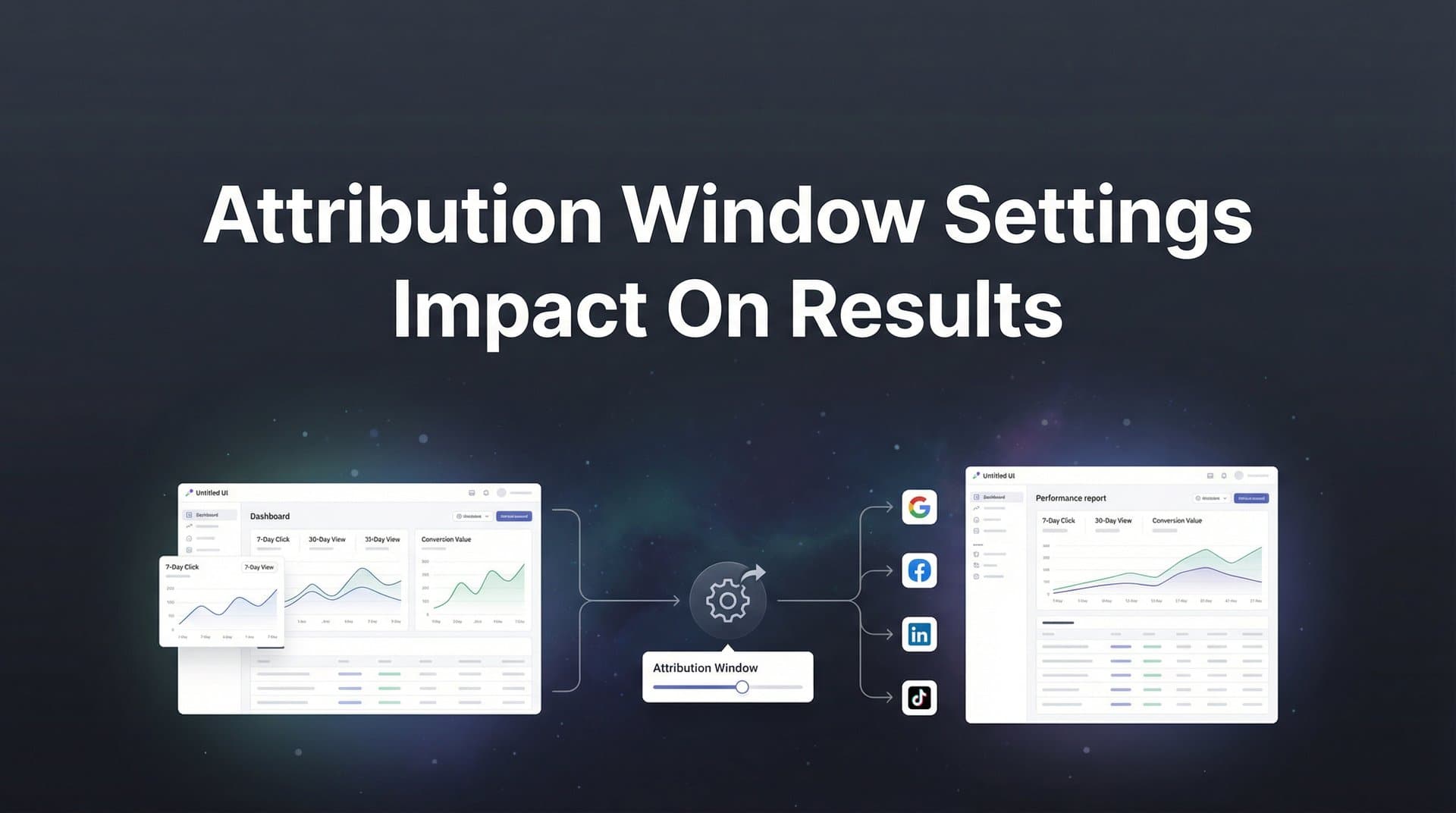
You're staring at your dashboard, and something doesn't add up. Facebook says your campaign drove 50 conversions last week. Google Analytics shows 20. Your CRM? Maybe 15. Same time period. Same campaign. Three wildly different numbers.
Before you panic and assume your tracking is broken, here's the truth: this isn't a bug. It's a feature—or more accurately, it's the inevitable result of attribution window settings working exactly as designed. Each platform is looking at the same customer journey through a different lens, crediting conversions based on different time frames and rules.
The problem? Most marketers never consciously choose these settings. They inherit platform defaults, make budget decisions based on inflated or deflated numbers, and wonder why their "winning" campaigns don't actually move revenue. Attribution windows aren't just technical configurations buried in settings menus. They're strategic decisions that fundamentally shape how credit gets assigned to every ad, keyword, and marketing touchpoint you invest in.
This guide will show you exactly how attribution window settings impact your results, why your reports never seem to match, and what to do about it. By the end, you'll know how to align your attribution windows with your actual sales cycle, spot the red flags in platform reporting, and build a unified view that reflects reality instead of algorithmic bias.
The Hidden Mechanics Behind Attribution Windows
An attribution window is the time period during which a conversion can be credited back to a specific marketing touchpoint. Think of it as a lookback window: when someone converts, the platform rewinds the clock and asks, "Which ads did this person interact with during the allowed time frame?"
The answer depends entirely on how wide you've set that window.
Attribution windows come in two main flavors: click-through windows and view-through windows. A click-through window tracks how long after someone clicks your ad they can convert and still have that conversion credited to the click. Common settings include 1-day, 7-day, and 28-day windows. A view-through window does the same thing for ad impressions—someone saw your ad but didn't click, then converted later. Understanding conversion window attribution fundamentals helps clarify these distinctions.
Here's where it gets interesting. Let's say a potential customer sees your Facebook ad on Monday but doesn't click. On Wednesday, they click a Google search ad and visit your site but don't buy. On Friday, they come back directly and make a purchase.
With a 7-day click attribution window, Google gets full credit—the conversion happened within 7 days of that click. With a 1-day click window, nobody gets credit because the conversion happened more than 24 hours after the last click. With view-through attribution enabled on Facebook, that platform might claim credit for the Monday impression, even though the customer never clicked.
Same customer. Same journey. Completely different attribution outcomes.
The mechanics get even more complex when you consider that different platforms define these windows differently. Some count calendar days. Others count 24-hour periods. Some reset the clock with each new interaction. Others don't. These subtle differences compound quickly when you're trying to understand which channels actually drive results.
Most marketers never see these settings because they're buried in platform configurations, applied automatically, and rarely questioned. But every budget decision you make—every campaign you scale or kill—is based on numbers shaped by these invisible rules.
Understanding how attribution windows work isn't about becoming a tracking expert. It's about recognizing that the numbers you're optimizing toward are interpretations of reality, not reality itself. The same campaign can look like a winner or a loser depending solely on how you've configured the lookback period.
Why Your Platform Reports Never Seem to Match
Open Facebook Ads Manager and Google Ads side by side. Run the same date range for the same campaign. Watch the conversion numbers refuse to align. This isn't a coincidence—it's the inevitable result of platforms using fundamentally different attribution window defaults.
Meta (Facebook and Instagram) currently defaults to a 7-day click and 1-day view attribution window. That means if someone clicks your ad and converts within 7 days, Meta counts it. If they just see your ad and convert within 24 hours without clicking, Meta counts that too. Google Ads, meanwhile, defaults to a 30-day click attribution window with no view-through attribution for most campaign types.
Right away, you can see the problem. Google's window is more than four times longer for clicks, while Meta is also counting view-through conversions that Google ignores entirely. The same customer converting on day 10 after clicking your ad gets credited in Google but not in Meta. A customer who saw your Facebook ad yesterday and converted today gets credited in Meta but not in Google. This is why understanding Facebook Ads attribution vs Google Ads attribution differences is essential for accurate reporting.
The iOS privacy changes that began rolling out in 2021 made this mess even worse. Apple's App Tracking Transparency framework forced platforms to shorten their attribution windows significantly. Meta, which previously offered 28-day click windows, had to compress to 7 days for iOS users. This created a historical comparison nightmare—your 2020 campaigns and your 2026 campaigns are being measured with completely different rulers.
Here's what actually happens in practice. Longer attribution windows inflate reported conversions because they cast a wider net backward in time. If you're using a 30-day window, every conversion gets matched against an entire month of ad interactions. More touchpoints mean more opportunities to claim credit. Shorter windows do the opposite—they undercount impact by excluding conversions that happen outside the narrow time frame, even if the ad legitimately influenced the decision.
Neither approach is "wrong" in an absolute sense. They're just measuring different things. A 1-day window shows you immediate response. A 30-day window captures longer consideration cycles. The problem arises when you don't know which window you're looking at, or when you compare metrics across platforms with different defaults and assume you're seeing the same thing.
This is why your Facebook rep says the campaign is crushing it while your Google rep is concerned about performance, even though you're running the exact same offer to the same audience. They're not lying. They're just reporting what their platform's attribution window allows them to see. Learning how to fix attribution discrepancies in data becomes critical for making sense of these conflicting reports.
Matching Your Attribution Window to Your Sales Cycle
The right attribution window isn't a universal constant—it's a reflection of how your customers actually buy. A 1-day window makes perfect sense for flash sales and impulse purchases. It makes zero sense for enterprise software with a 90-day sales cycle.
Short attribution windows, typically 1 to 7 days, work best when your customers make quick decisions. Think e-commerce products under $100, limited-time offers, or anything with high urgency and low consideration. If someone sees your ad for a $30 skincare product and doesn't buy within a week, they probably weren't going to buy at all. A short window accurately captures that reality without giving your ads credit for conversions they didn't actually influence.
Longer windows, ranging from 14 to 30 days or more, better capture complex purchase decisions. B2B software purchases don't happen overnight. High-ticket items require research, comparison, budget approval, and multiple touchpoints. A prospect might see your LinkedIn ad on Monday, attend a webinar on Wednesday, download a case study the following week, and finally book a demo two weeks after that first impression.
With a 7-day window, none of those early touchpoints get credit. Your attribution data would suggest the demo request came from nowhere, when in reality it was the culmination of multiple interactions over weeks. You'd kill the awareness campaigns that actually started the journey because they don't show immediate conversions within the shortened window. This is where multi-touch attribution models provide a more complete picture of the customer journey.
Here's a practical framework for choosing your attribution window: analyze your average time-to-conversion. Pull data from your CRM or analytics platform showing the typical gap between first touch and conversion. If 80% of your customers convert within 7 days of first interaction, a 7-day window captures most of the journey. If conversions are spread across 30+ days, you need a longer window to see the full picture.
You should also segment by product or service tier. Your entry-level product might convert quickly while your enterprise offering takes months. Using the same attribution window for both creates blind spots—you'll either overcount fast conversions or undercount slow ones.
The goal isn't to pick the window that makes your numbers look best. It's to pick the window that most accurately reflects customer behavior. If your sales cycle is genuinely 45 days, a 7-day attribution window isn't showing you reality—it's showing you a fraction of reality, and you're making strategic decisions based on incomplete data. Following attribution window best practices ensures your settings align with actual customer behavior.
One warning: longer isn't always better. Excessively long windows can create false attribution by crediting ads that had minimal influence on a purchase that would have happened anyway. If someone clicked your ad 60 days ago, forgot about you entirely, and then converted after seeing a competitor comparison, that original click didn't drive the sale. A 60-day window would give it credit anyway.
The Real-World Impact on Budget Decisions
Attribution windows don't just change how you report results. They change which campaigns you scale, which you pause, and where you allocate budget. Get the settings wrong, and you'll systematically defund campaigns that drive revenue while pouring money into ones that don't.
Here's the most common mistake: using attribution windows that are too short for your sales cycle. Let's say you're running top-of-funnel awareness campaigns on Facebook alongside bottom-funnel search campaigns on Google. Your awareness campaigns introduce new prospects to your brand. Your search campaigns capture people already looking for solutions like yours.
With a 1-day attribution window, your awareness campaigns will look terrible. People don't see a cold Facebook ad and buy within 24 hours. They see the ad, think about it, research, compare, and convert days or weeks later. Your search campaigns, meanwhile, will look amazing—people searching for your product category are ready to buy now, and they convert quickly.
Based on these numbers, you kill the awareness campaigns and dump everything into search. Three months later, your search volume drops because you stopped feeding the top of the funnel. You've optimized yourself into a corner by using an attribution window that couldn't capture how awareness campaigns actually work.
The opposite problem happens with windows that are too long. Excessively long attribution windows inflate the performance of awareness campaigns at the expense of bottom-funnel efforts. If you're using a 30-day window and someone clicked your awareness ad three weeks ago, then saw a retargeting ad, then clicked a search ad, and finally converted, that first awareness click might get full credit under a last-click model—or significant credit under multi-touch attribution.
This makes awareness campaigns look more directly profitable than they actually are. You scale them, expecting linear returns, and discover that the incremental conversions don't materialize. The original performance was partially driven by bottom-funnel touchpoints that happened to fall within the long attribution window. Understanding attribution window performance helps you avoid these costly miscalculations.
The most dangerous scenario is optimizing toward platform-reported metrics without understanding the window context. Platforms want to show strong performance—it keeps you spending. Their default windows are often configured to maximize reported conversions, not to reflect your actual customer journey. If you're making budget decisions based solely on what Facebook or Google tells you, you're letting their attribution settings drive your strategy.
Smart marketers cross-reference platform data against revenue data. If Facebook says a campaign drove 100 conversions but your revenue didn't increase proportionally, something's wrong. Either the attribution window is too generous, the conversion event isn't aligned with actual value, or the platform is claiming credit for conversions that would have happened anyway. Tracking marketing attribution metrics against actual revenue reveals these discrepancies.
Setting Up Attribution Windows That Reflect Reality
Fixing attribution window problems starts with an audit. You need to know what settings you're currently using, whether they match your sales cycle, and how they compare across platforms. Most marketers have never consciously set these windows—they're just using whatever the platform defaulted to years ago.
Start by documenting your current attribution window settings for every platform you use. In Google Ads, navigate to Tools & Settings, then Conversions, and check the conversion window for each action. In Meta Ads Manager, go to Events Manager, select your pixel or conversion API events, and review the attribution settings. Do this for every platform: TikTok, LinkedIn, Pinterest, wherever you're running ads.
Write down what you find. You'll likely discover a mess of inconsistent settings—7 days here, 28 days there, view-through enabled on one platform but not another. This inconsistency is why your reports don't match and why cross-channel comparison feels impossible.
Next, validate these settings against your actual customer journey data. Pull CRM data showing time from first touch to conversion. If you're using marketing automation, analyze how long leads typically take to move through your funnel. Look for patterns: Do most conversions happen within a week? Two weeks? A month? Longer? Conducting thorough attribution window analysis reveals these patterns in your data.
This is where server-side tracking becomes invaluable. Browser-based tracking has limitations—cookies get deleted, browsers block trackers, iOS restricts data. Server-side tracking captures events directly from your server to ad platforms, creating a more complete picture of the customer journey regardless of browser restrictions.
With server-side data, you can see the full timeline of touchpoints leading to conversion, even when browser-based tracking would have lost the trail. This shows you which attribution window actually captures your reality versus which one just looks good in platform dashboards. Implementing cookieless attribution tracking ensures your data remains accurate as privacy restrictions tighten.
Once you understand your true customer journey, align your attribution windows accordingly. If your data shows most conversions happen within 14 days of first click, set your windows to 14 days across platforms. Consistency matters—using different windows on different platforms makes cross-channel analysis nearly impossible.
One powerful technique: compare multiple attribution models side-by-side. Don't just look at last-click attribution with a 7-day window. Also examine first-click, linear, time-decay, and position-based models. See how credit distribution changes. If the models tell wildly different stories, your attribution window might be too narrow or too wide to capture the nuances of your funnel. Understanding the difference between single source attribution and multi-touch attribution models helps you choose the right approach.
Consider running parallel tests with different window settings on the same campaign. Split your budget, run identical ads with 7-day and 28-day attribution windows, and see which more accurately predicts actual revenue outcomes. The window that aligns closest to cash in the bank is your baseline truth.
Finally, document your decisions and revisit them quarterly. Sales cycles change. Customer behavior shifts. iOS updates and privacy regulations force platform changes. What worked six months ago might not reflect current reality. Regular audits ensure your attribution windows evolve with your business instead of becoming outdated relics that distort decision-making. Focusing on attribution window optimization as an ongoing process keeps your tracking accurate over time.
Building a Unified View Across All Channels
Platform-native attribution will always have blind spots. Facebook can't see what happens in Google. Google can't track LinkedIn interactions. TikTok has no visibility into your email campaigns. Each platform optimizes for showing its own performance in the best possible light, using attribution windows and models that favor its role in the customer journey.
This creates a fundamental problem: the sum of platform-reported conversions almost always exceeds actual conversions. When multiple platforms claim credit for the same sale using overlapping attribution windows, you're not seeing the truth—you're seeing multiple interpretations of the truth, each biased toward its own contribution.
The solution is connecting ad platforms, website tracking, and CRM data into a unified attribution system. This creates complete journey visibility by tracking every touchpoint regardless of which platform served it. When someone converts, you see the full sequence: Facebook ad impression, Google search click, email open, website revisit, demo request, closed deal. Implementing customer attribution tracking across all channels makes this unified view possible.
With this complete view, you can apply consistent attribution windows and models across all channels simultaneously. Instead of Facebook using a 7-day window while Google uses 30 days, you define a single source of truth that applies the same rules to every touchpoint. This makes cross-channel comparison meaningful instead of misleading.
Server-side tracking becomes the foundation for this unified approach. By capturing conversion events server-side and sending them back to ad platforms through conversion APIs, you maintain data accuracy even as browser-based tracking degrades. You're not relying on cookies or pixels that can be blocked—you're tracking user actions directly from your system of record.
AI-powered analysis takes this further by identifying which attribution settings align with actual revenue outcomes. Instead of guessing whether a 14-day or 28-day window better reflects your sales cycle, AI can analyze thousands of customer journeys, correlate them with revenue data, and recommend the window that most accurately predicts which campaigns drive real business results.
This isn't about making your numbers look better. It's about making your numbers reflect reality so you can confidently allocate budget to campaigns that genuinely drive growth. When your attribution system connects every touchpoint to actual revenue, you stop optimizing toward platform-reported metrics and start optimizing toward cash flow.
Putting It All Together
Attribution window settings aren't buried technical configurations you set once and forget. They're strategic decisions that shape every budget allocation, every optimization choice, and every conclusion you draw about what's working. Get them wrong, and you'll systematically defund effective campaigns while scaling ineffective ones, all while wondering why your marketing ROI keeps declining.
The path forward is straightforward: audit your current attribution window settings across every platform. Analyze your actual sales cycle to understand how long customers really take to convert. Align your attribution windows to reflect that reality, not platform defaults designed to inflate reported performance. Use server-side tracking to capture complete journey data that browser-based methods miss. Compare multiple attribution models to validate that your chosen window accurately represents how credit should be distributed.
Most importantly, build a unified attribution system that connects all your marketing touchpoints to actual revenue. Platform-native reporting will always be biased and incomplete. You need a single source of truth that tracks the entire customer journey, applies consistent attribution rules, and shows you which ads truly drive business results.
This is where comprehensive attribution tracking transforms from a nice-to-have into a competitive advantage. When you can see exactly which campaigns, channels, and touchpoints contribute to revenue—with attribution windows that reflect your actual sales cycle—you make confident decisions instead of educated guesses. You scale what works and cut what doesn't, based on data that reflects reality instead of algorithmic interpretation.
Ready to elevate your marketing game with precision and confidence? Discover how Cometly's AI-driven recommendations can transform your ad strategy—Get your free demo today and start capturing every touchpoint to maximize your conversions.



