

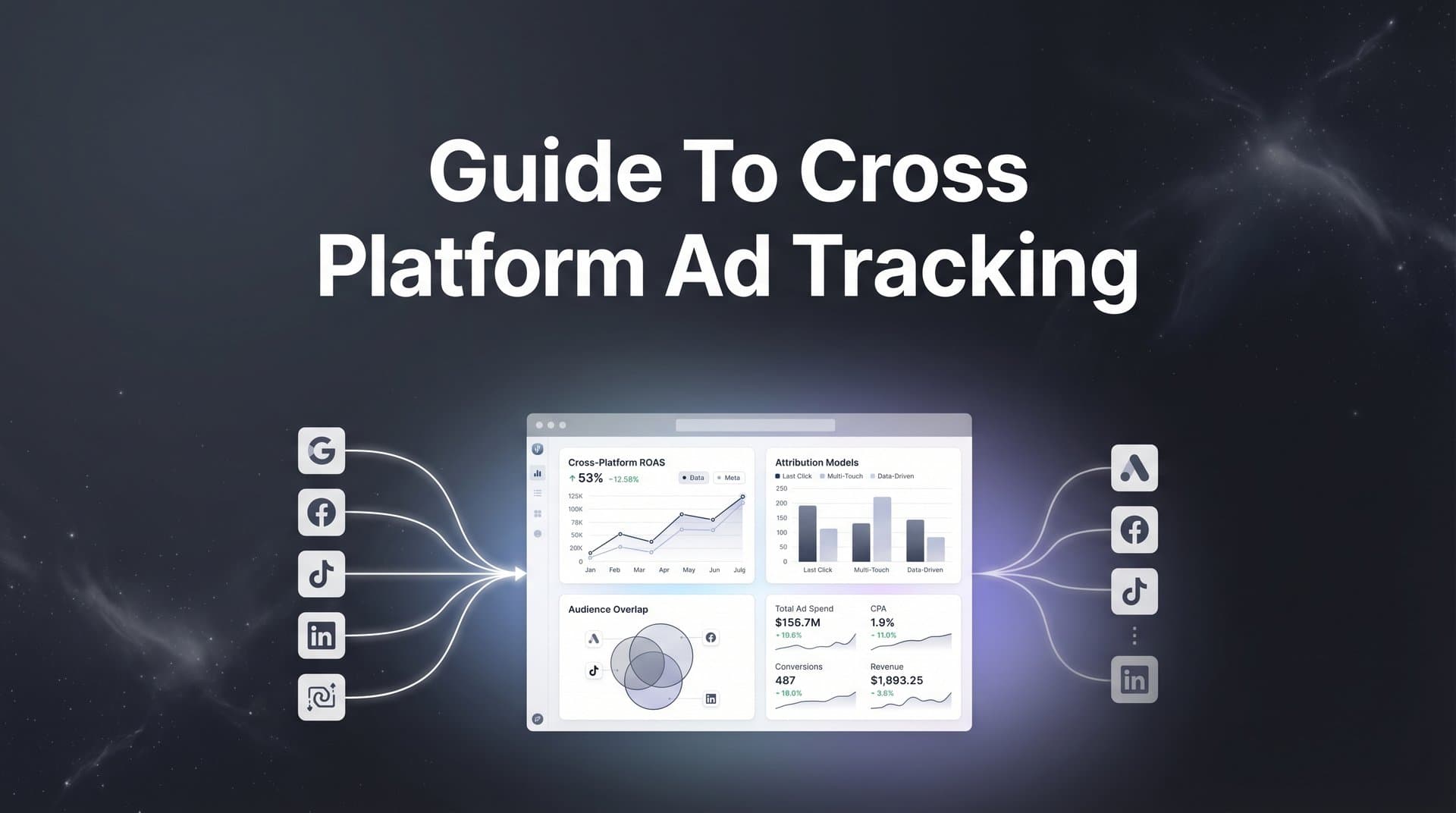
Running ads across Meta, Google, TikTok, and LinkedIn means dealing with fragmented data that tells conflicting stories about what's working. Each platform claims credit for conversions, leaving you guessing where to invest your budget.
You've probably seen it yourself. Google Analytics shows one conversion number. Meta Ads Manager shows another. Your CRM shows a third. Meanwhile, you're trying to make budget decisions with confidence, but the data doesn't add up.
The problem isn't your platforms. It's that each one only sees part of the customer journey. Someone might click your Meta ad, research on Google, watch a TikTok video, then convert days later through a LinkedIn retargeting ad. Which platform deserves credit? All of them claim it.
This guide walks you through setting up cross-platform ad tracking that unifies your data and reveals the true customer journey from first click to final purchase. You'll learn how to connect your ad platforms, implement consistent tracking parameters, and build a system that shows exactly which channels drive revenue.
By the end, you'll have a clear framework for tracking performance across every platform in one unified view. No more guessing. No more conflicting reports. Just accurate data that tells you where to invest your next dollar.
Step 1: Audit Your Current Tracking Setup and Identify Gaps
Before you build a unified tracking system, you need to understand what you're working with right now. Start by documenting every active ad platform and the tracking pixels currently installed on your site.
Open your website's source code and look for tracking scripts. You'll likely find Meta Pixel, Google Ads conversion tracking, TikTok Pixel, LinkedIn Insight Tag, and possibly others. Write down each one, noting which pages they fire on and which events they're configured to track.
Next, identify where your data breaks occur. iOS App Tracking Transparency has created significant blind spots for browser-based tracking. When users opt out of tracking, your Meta Pixel and other client-side scripts can't follow them across apps and websites. This means you're missing a substantial portion of mobile conversions.
Cookie restrictions add another layer of complexity. Safari's Intelligent Tracking Prevention and Firefox's Enhanced Tracking Protection limit how long cookies persist. If your sales cycle extends beyond seven days, you're likely losing attribution data before conversions happen. Understanding these cross-platform tracking challenges is essential before building your solution.
Map your current customer journey touchpoints from first ad click to final conversion. List every step: initial ad click, landing page visit, email signup, product page views, cart additions, and purchase. Then check which of these touchpoints each platform actually captures.
You'll discover gaps quickly. Perhaps your Meta Pixel tracks the initial click and landing page visit, but loses the customer when they switch devices. Your Google Analytics might show the purchase but can't connect it back to the original Meta ad. Your CRM captures the lead form submission but has no idea which ad campaign generated it.
Create a simple spreadsheet with columns for each platform and rows for each conversion event. Mark which events each platform successfully tracks versus which it misses. This visual map reveals exactly where your attribution breaks down.
Pay special attention to offline conversions. If customers call your sales team or complete purchases over the phone, most standard pixels won't capture these events. The same applies to in-person conversions or deals that close weeks after the initial ad interaction.
Cross-device tracking represents another common gap. A customer might see your ad on their phone during their commute, research on their work computer during lunch, then purchase on their home tablet that evening. Unless you're tracking authenticated users across devices, you're seeing three separate anonymous visitors instead of one conversion journey.
Step 2: Establish a Unified UTM Parameter Strategy
UTM parameters are the foundation of cross-platform tracking. They're the tags you add to your ad URLs that tell your analytics where traffic came from. Without a consistent UTM strategy, your data becomes a mess of conflicting labels and duplicate sources.
Start by creating a naming convention that works across all platforms. Your UTM structure should include five parameters: source (the platform), medium (the ad type), campaign (your campaign name), content (the specific ad), and term (keywords for search ads).
Here's what consistency looks like in practice. For source, always use lowercase platform names: facebook, google, tiktok, linkedin. For medium, standardize on terms like cpc, social, display, or email. Don't mix "paid-social" on one campaign and "social-paid" on another. Pick one format and stick with it.
Campaign names should follow a clear hierarchy. Many teams use a format like "product_objective_audience_quarter" such as "saas_leads_marketers_q2". This structure makes it easy to filter and analyze performance by product line, goal, target audience, or time period.
Build a UTM template spreadsheet that your entire team can access. Include columns for each parameter with dropdown menus of approved values. This prevents someone from using "FB" while another person uses "facebook" and a third uses "meta". All three should map to the same source.
Set up dynamic UTM parameters for automated campaigns. Most ad platforms let you insert dynamic values that auto-populate based on the campaign, ad set, or creative. Meta uses {{campaign.name}}, Google uses {campaignid}, and TikTok uses __CAMPAIGN_NAME__. Use these to maintain consistency without manual tagging for every ad.
We cover this in more depth in our guide to AI TikTok video ad generator.
Test that your UTM parameters pass through your entire conversion funnel. Click one of your tagged ads and watch the URL as you navigate your site. The parameters should persist through landing pages, form submissions, and checkout pages. If they disappear, conversions won't connect back to their source. For a detailed walkthrough, check out our cross-platform tracking setup guide.
Many websites strip UTM parameters during redirects or when passing between domains. If you send traffic from your main site to a subdomain checkout page, configure your redirect to preserve the parameters. Otherwise, you'll lose attribution at the final conversion step.
Document your UTM strategy in a shared guide that includes examples for each platform. When new team members join or you launch on a new channel, they'll have a reference to maintain consistency. Update this guide whenever you add new products, audiences, or campaign types.
Review your UTM data monthly to catch inconsistencies. Look for duplicate sources with slight variations or campaign names that don't follow your naming convention. Clean up these anomalies before they pollute your reporting.
Step 3: Implement Server-Side Tracking for Data Accuracy
Browser-based pixels are losing the battle against privacy restrictions. Ad blockers, cookie limitations, and user privacy settings mean your client-side tracking scripts miss a growing percentage of conversions. Server-side tracking solves this by capturing events directly from your server, bypassing browser restrictions entirely.
Think of it this way. A traditional pixel fires when someone's browser loads your webpage. But if they're using an ad blocker, have strict privacy settings, or browse in incognito mode, that pixel never fires. Your server, however, always knows when someone completes a purchase or submits a form because it processes those actions directly.
Server-side tracking captures this data at the source and sends it to your ad platforms through their Conversion APIs. Meta calls theirs CAPI (Conversions API). Google has Enhanced Conversions. TikTok offers Events API. These tools let you send conversion data directly from your server to the platform, creating a backup channel when browser pixels fail. Explore the best server-side tracking platforms to find the right solution for your needs.
Setting up server-side tracking requires technical implementation. You'll need to configure your server to send conversion events with specific parameters: event name, timestamp, user identifier, conversion value, and other relevant data. Most platforms provide detailed API documentation and server-side SDKs to simplify this process.
The key is matching server-side events with the original ad click. This requires passing user identifiers through your conversion funnel. For Meta CAPI, you'll send the fbp and fbc cookie values along with hashed email addresses or phone numbers. Google Enhanced Conversions uses hashed email, phone, and address data to match conversions back to ad clicks.
Connect your CRM and backend systems to your tracking infrastructure. When a lead converts in your CRM days or weeks after clicking an ad, server-side tracking can send that conversion back to the original platform. This is especially valuable for B2B companies with long sales cycles where the final purchase happens offline.
Implement tracking for offline conversions and phone calls. If customers call your sales team after seeing an ad, integrate your phone system to capture these conversions. Tools like CallRail or CallTrackingMetrics can pass phone call data to your attribution system, connecting inbound calls back to the campaigns that generated them.
Test your server-side implementation thoroughly. Send test conversions and verify they appear in your ad platform's events manager. Check that the data matches between your server logs and what the platform receives. Look for discrepancies in conversion values, timestamps, or event counts.
Server-side tracking also improves ad platform optimization. When you send more complete conversion data back to Meta or Google, their algorithms get better signals for targeting and bidding. This often leads to improved campaign performance as the platforms learn which users are most likely to convert.
Don't disable your browser pixels when you implement server-side tracking. Run both in parallel. The pixel captures what it can, and server-side tracking fills in the gaps. Most platforms automatically deduplicate events when they receive the same conversion from both sources, so you won't double-count.
Step 4: Connect All Ad Platforms to Your Central Attribution System
Your ad platforms need to feed into a single source of truth. This central attribution system becomes your command center for understanding cross-platform performance. Without it, you're still logging into five different dashboards and manually comparing numbers that don't align.
Start by integrating Meta, Google, TikTok, LinkedIn, and any other active platforms into your attribution dashboard. Most attribution tools offer native integrations that pull data automatically through official APIs. This ensures you're getting accurate, real-time performance metrics without manual exports. Review the best cross-platform tracking tools to find one that fits your tech stack.
The integration process typically requires granting API access to your attribution platform. For Meta, you'll connect your Business Manager account. For Google, you'll link your Ads account and Analytics property. Each platform has its own authentication flow, but the goal is the same: automated data syncing.
Configure your attribution system to sync conversion data back to each platform. This bidirectional flow is crucial. Not only do you pull ad performance data into your central system, but you also send enriched conversion data back to improve each platform's optimization algorithms.
When you send conversions back to Meta through CAPI or to Google through Enhanced Conversions, you're feeding their machine learning systems better data. They can then optimize your campaigns more effectively, showing ads to users who are more likely to convert based on the complete conversion picture.
Set up real-time data flow between your ad accounts and attribution tool. Delays in data syncing mean you're making decisions on outdated information. Real-time integration lets you spot performance changes immediately and adjust budgets before wasting spend on underperforming campaigns.
Verify data is flowing correctly with test conversions. Create a small test campaign on each platform with a unique conversion event. Complete that conversion yourself and check that it appears in both the native platform and your central attribution system. Confirm the conversion value, timestamp, and attribution details match.
Pay attention to how your attribution system handles platform-specific metrics. Meta's "link clicks" differ from Google's "clicks." TikTok's "conversions" might count differently than LinkedIn's. Your central system should normalize these metrics so you can compare apples to apples across platforms. If you're experiencing discrepancies, learn how to resolve inconsistent data across marketing platforms.
Configure your system to track campaign IDs, ad set IDs, and creative IDs from each platform. This granular data lets you analyze performance at every level. You might discover that one specific ad creative on TikTok drives conversions while similar creatives on Meta don't perform as well.
Set up automated alerts for data flow interruptions. If the connection between a platform and your attribution system breaks, you need to know immediately. Configure notifications for missing data, sync failures, or unusual discrepancies between platform-reported and attribution-tracked conversions.
Step 5: Configure Multi-Touch Attribution Models
Single-touch attribution tells you which ad got the last click before conversion, but it ignores everything that happened before. Multi-touch attribution reveals the complete story by crediting multiple touchpoints in the customer journey. This is where you finally understand which channels work together to drive conversions.
Choose attribution models that match your sales cycle. If you're selling low-cost products with impulse purchases, last-touch attribution might suffice. But if you're running B2B campaigns with 30-day sales cycles involving multiple touchpoints, you need models that credit the entire journey. Our multi-touch marketing attribution platform guide covers this in depth.
First-touch attribution gives all credit to the initial touchpoint. This model highlights which channels are best at generating awareness and starting customer relationships. It's valuable for understanding top-of-funnel performance and which platforms bring in new prospects.
Last-touch attribution credits the final touchpoint before conversion. This shows which channels close deals. If your retargeting campaigns consistently get last-touch credit, they're effectively converting prospects who were introduced by other channels.
Linear attribution distributes credit equally across all touchpoints. If a customer clicked a Meta ad, then a Google search ad, then a LinkedIn retargeting ad before converting, each channel gets one-third credit. This model values every interaction equally in the journey.
Time-decay attribution gives more credit to touchpoints closer to conversion. The logic is that recent interactions had more influence on the decision to buy. This model works well when you want to emphasize lower-funnel activities while still acknowledging upper-funnel contribution.
Compare how different models credit your channels to understand the full picture. You'll often find that your top performers shift depending on the model. Meta might dominate last-touch attribution, while Google leads in first-touch. This tells you Meta is great at closing while Google excels at introducing new customers.
Set appropriate lookback windows based on your typical customer journey length. If most customers convert within seven days of their first ad click, a seven-day window makes sense. But if your average sales cycle is 30 days, you need a longer window to capture the complete journey.
Analyze your historical conversion data to determine the right window. Look at the time between first touch and conversion for your actual customers. If 80% convert within 14 days, that's a good starting point for your lookback window.
Identify which touchpoints assist conversions versus which close them. Your attribution data should show assist conversions separately from last-click conversions. A channel with high assists but low last-clicks is valuable for introducing and nurturing prospects, even if it doesn't get credit in last-touch models. Learn more about cross-platform attribution tracking to master this analysis.
Review your attribution models quarterly as your marketing mix evolves. When you launch new channels or shift budget allocation, the relative importance of each touchpoint may change. Adjust your models to reflect current customer behavior rather than relying on outdated assumptions.
Step 6: Build Your Cross-Platform Reporting Dashboard
Your attribution system holds valuable data, but only if you can access it quickly and make decisions from it. A well-designed reporting dashboard transforms raw data into actionable insights that guide your daily optimization efforts.
Create unified views showing all platform performance side by side. Your dashboard should display Meta, Google, TikTok, and LinkedIn campaigns in a single table with consistent metrics. This lets you instantly compare which platforms drive the best results without switching between tools.
Set up key metrics that matter for your business: true ROAS, cost per acquisition, and revenue by channel. True ROAS accounts for all touchpoints in the customer journey, not just last-click conversions. This gives you an accurate picture of return on ad spend across your entire marketing mix. Platforms focused on marketing attribution and revenue tracking make this process seamless.
Include both attributed and platform-reported metrics in your dashboard. Show Meta's reported ROAS alongside your attribution system's calculated ROAS for Meta. The gap between these numbers reveals how much credit Meta is claiming versus what your unified data shows it actually deserves.
Configure automated reports for daily, weekly, and monthly performance reviews. Daily reports should highlight immediate changes: sudden drops in conversion rate, spikes in cost per click, or campaigns hitting budget limits. Weekly reports provide trend analysis to spot gradual improvements or declines. Monthly reports offer strategic insights for budget reallocation and planning.
Build separate dashboard views for different stakeholders. Your media buyers need granular campaign-level data with real-time updates. Your CMO wants high-level channel performance and month-over-month trends. Your CFO cares about total ad spend, revenue, and overall ROAS. Create custom views that serve each audience.
Establish benchmarks for each platform and campaign type. What's a good cost per acquisition for your Meta prospecting campaigns? What ROAS should your Google retargeting deliver? Document these benchmarks in your dashboard so you can quickly identify underperformers.
Set up alerts for performance changes that require immediate action. If your Meta ROAS drops below 2.0, you want to know within hours, not days. If Google's cost per click suddenly doubles, that's a signal to investigate and adjust. Automated alerts ensure you catch problems before they drain your budget.
Include year-over-year and quarter-over-quarter comparisons in your monthly dashboards. Understanding seasonal trends helps you set realistic expectations and identify true performance improvements versus normal fluctuations. If Q4 always delivers higher ROAS, you won't panic when Q1 numbers normalize.
Add filters that let you slice data by product, audience segment, campaign objective, or creative format. The ability to drill down reveals insights that aggregate data hides. You might discover that video ads outperform static images on TikTok but underperform on LinkedIn. For help evaluating options, see our cross-platform analytics tools comparison.
Your Cross-Platform Tracking System is Live
With your cross-platform tracking system in place, you now have visibility into the complete customer journey across every ad channel. No more conflicting reports. No more guessing which platform deserves credit. Just clear, unified data that shows exactly what's driving revenue.
Use this checklist to verify your setup is complete. All platforms are connected and syncing data to your central attribution system. UTM parameters are consistent across campaigns with a documented naming convention your team follows. Server-side tracking is capturing conversions that browser pixels miss, including offline events and phone calls. Attribution models are configured for your sales cycle, with appropriate lookback windows. Your unified dashboard shows true performance by channel with automated alerts for significant changes.
Review your cross-platform data weekly to identify which channels drive qualified leads and where budget reallocation can improve overall ROAS. Look beyond last-click metrics to understand which platforms assist conversions and which ones close them. This insight guides smarter budget decisions than any single-platform dashboard could provide.
As you gather more data, refine your attribution windows and models to match actual customer behavior patterns. Your initial 14-day lookback window might need adjustment if you discover most conversions happen within seven days or extend beyond 30 days. Let real data shape your configuration.
Pay attention to the gaps between platform-reported and attribution-tracked metrics. If Meta claims 100 conversions but your attribution system shows 60, investigate why. You might discover technical issues with your tracking setup or gain insights into how platform algorithms inflate their reported results.
Share your unified dashboard with stakeholders who make budget decisions. When everyone sees the same data, conversations shift from defending individual platforms to optimizing the entire marketing mix. Your CFO stops questioning ad spend when they can see clear ROI across all channels.
Cross-platform tracking isn't a set-it-and-forget-it system. Customer behavior evolves. Privacy regulations change. New platforms emerge. Schedule quarterly audits of your tracking setup to ensure it still captures the complete customer journey as your marketing mix grows.
Ready to elevate your marketing game with precision and confidence? Discover how Cometly's AI-driven recommendations can transform your ad strategy. Get your free demo today and start capturing every touchpoint to maximize your conversions.


