

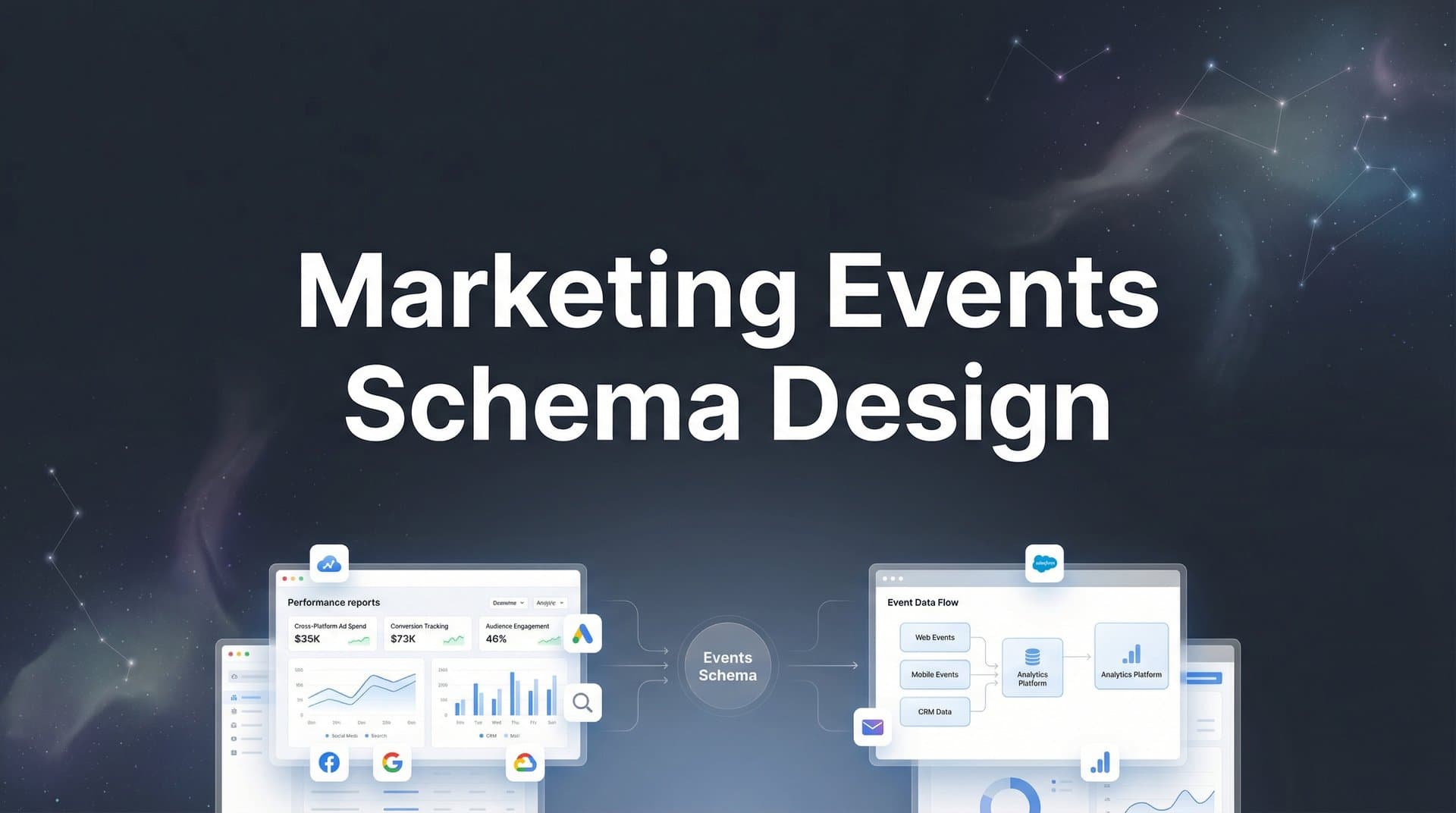
Every marketing touchpoint tells a story, but without a structured way to capture and organize these interactions, that story remains fragmented and unreliable. A well-designed marketing events schema serves as the foundation for accurate attribution, enabling you to track customer journeys from first click to final conversion with precision.
When your schema is poorly designed or inconsistent, you end up with data gaps, misattributed conversions, and flawed optimization decisions. You might think your Facebook ads are driving revenue when it's actually your email campaigns closing deals. Or worse, you're feeding incomplete data back to ad platforms, making their algorithms optimize for the wrong signals.
This guide walks you through the process of designing a marketing events schema that captures every meaningful interaction across your ad platforms, website, and CRM. By the end, you'll have a clear framework for structuring events that feed clean, actionable data into your attribution system and back to your ad platforms for better targeting and optimization.
Think of your events schema as the language your marketing stack speaks. When every system uses the same vocabulary and grammar, they can communicate seamlessly. When they don't, you're left translating between systems, losing critical context with each handoff.
Step 1: Map Your Customer Journey Touchpoints
Before you can design a schema, you need to understand exactly what you're tracking. Start by identifying every channel where customers interact with your brand. This includes paid ads across platforms like Meta, Google, and LinkedIn, organic channels like SEO and social media, email campaigns, direct traffic, and any offline touchpoints that eventually connect to your digital systems.
The key is being comprehensive without drowning in minutiae. Focus on interactions that actually influence buying decisions or signal intent.
Next, document the conversion milestones that matter for your business. For most companies, this journey looks something like: initial ad click, landing page view, content engagement, lead form submission, product demo or trial signup, and final purchase or subscription. Your specific milestones will vary based on your sales cycle and business model.
Create a visual journey map showing how these touchpoints connect. This doesn't need to be fancy. A simple flowchart showing the progression from awareness through consideration to decision works perfectly. The goal is identifying where handoffs occur between systems and where data needs to flow.
Pay special attention to cross-device scenarios. A customer might click your Facebook ad on mobile, research on desktop later that day, and convert via email on their tablet the next week. Your schema needs to account for these fragmented journeys.
Map out the typical paths customers take, but also document the edge cases. Some customers convert immediately. Others take months of nurturing. Your schema should capture both the sprint and the marathon, which is why understanding how to track marketing campaigns effectively is essential.
Verify your map is complete by walking through it with your sales and marketing teams. Ask questions like: "Where do leads come from that we're not tracking?" and "What interactions happen before someone becomes sales-ready?" These conversations often reveal blind spots in your current tracking.
Success at this stage means having a documented list of every meaningful touchpoint and a clear understanding of how they connect. If you can trace a customer's path from first interaction to conversion on paper, you're ready to translate that into a structured schema.
Step 2: Define Your Core Event Types and Naming Conventions
Now that you know what to track, you need to establish how you'll name and categorize these events. Consistency here prevents chaos later as your tracking implementation grows.
Start by establishing standardized event categories. Most marketing schemas use categories like pageview for page loads, click for ad and link clicks, form_submit for lead captures, purchase for transactions, and custom for business-specific events like demo_scheduled or trial_started.
These categories create a mental model for your team. When someone asks "what event should we fire when a user downloads a whitepaper?" the answer becomes obvious: form_submit with additional properties specifying the asset type.
Create a consistent naming convention that scales. The most common approach is snake_case with a verb-noun format: form_submitted, demo_requested, product_purchased. This pattern makes event names instantly readable and sortable. Avoid abbreviations that save a few characters but create confusion months later.
Bad naming looks like: "FormSub", "demoReq", "purch_complete", "TRIAL_START". Each uses a different case convention and structure. Good naming looks like: "form_submitted", "demo_requested", "purchase_completed", "trial_started". The pattern is immediately recognizable.
Document required versus optional parameters for each event type. A purchase event might require properties like revenue, currency, and product_id, while making properties like coupon_code and referrer optional. This distinction helps developers implement tracking correctly the first time. For a deeper dive into structuring your data, explore our guide on marketing event data schema best practices.
Build a naming reference guide your entire team can follow. This living document should include the event name, description, when to fire it, required properties, optional properties, and an example payload. When a new team member joins or you add a new marketing channel, this guide ensures consistency.
Your reference guide prevents the schema drift that happens when different teams implement tracking independently. Without clear standards, your Facebook team might use "lead_captured" while your Google team uses "form_submission" for the same event. These inconsistencies break attribution models that rely on standardized event names.
Test your naming convention by applying it to edge cases. Can you name events for webinar registrations, chat interactions, phone calls, and offline events using the same pattern? If your convention breaks down, refine it now before implementing.
Step 3: Structure Event Properties for Attribution Accuracy
Event names tell you what happened. Event properties tell you everything else you need for accurate attribution. This is where most schemas either enable powerful analysis or create frustrating limitations.
Include source and medium tracking parameters on every event. These properties answer the fundamental attribution question: where did this interaction come from? Standard UTM parameters work well here: utm_source identifies the platform (facebook, google, email), utm_medium specifies the channel type (cpc, organic, social), and utm_campaign tracks specific initiatives.
Don't stop at UTM parameters. Include additional context like ad_id, ad_name, adset_id, and campaign_id when available. This granularity lets you attribute revenue not just to "Facebook Ads" but to specific ad creatives and audience segments. When you discover that one ad is driving 10x more qualified leads than others, you can scale it confidently.
For a deeper dive into this space, see our AI paid ads agent guide.
Add user identification properties that enable cross-device tracking. This typically includes an anonymous_id for tracking users before they identify themselves, a user_id once they create an account or log in, and an email_hash for privacy-compliant matching across platforms.
These identifiers solve the cross-device challenge. When the same person interacts with your brand on mobile, desktop, and tablet, you need a way to connect those sessions into a single customer journey. Without proper identification properties, you're tracking devices instead of people.
Incorporate revenue and value properties for conversion events. A purchase event should include revenue (the actual amount), currency (USD, EUR, etc.), and ideally a customer_lifetime_value estimate. Even non-purchase conversions benefit from value properties. Assign estimated values to lead forms, demo requests, and trial signups based on historical conversion rates.
These value properties enable revenue-based attribution models. Instead of just counting conversions, you can attribute actual dollars to specific ads and channels. This transforms optimization from guesswork into math. Understanding attribution models in digital marketing helps you choose the right approach for your business.
Design properties that support multi-touch attribution models. Include timestamps for precise sequencing, touchpoint_position to indicate where this event falls in the journey, and days_since_first_touch to measure sales cycle length. These properties let you compare first-click, last-click, linear, and time-decay attribution models using the same data.
Structure your properties as flat key-value pairs when possible. Nested objects create complexity in downstream systems. Instead of a nested structure, use dot notation: product.id becomes product_id, user.email becomes user_email. This approach ensures compatibility across analytics platforms and ad networks.
Document property data types and validation rules. Specify that revenue must be a float, timestamps must be ISO 8601 format, and email_hash must use SHA-256. These specifications prevent data quality issues that break attribution models.
Step 4: Implement Server-Side Event Tracking
Browser-based tracking faces increasing limitations from iOS privacy restrictions, ad blockers, and cookie deprecation. Server-side tracking solves these challenges by capturing events on your server before sending them to analytics platforms and ad networks.
Here's why server-side tracking matters for attribution accuracy. When a user clicks your Facebook ad on an iPhone, iOS privacy features may block the Facebook pixel from firing. With only client-side tracking, you lose visibility into that conversion. Server-side tracking captures the event on your server where privacy restrictions don't apply, then sends the data to Facebook's Conversions API with the necessary user consent signals.
Set up server-side endpoints to capture and validate events before sending to platforms. This typically involves creating API endpoints on your server that receive event data from your website or app, validate the payload structure and required properties, enrich the event with server-side data like IP address and user agent, and forward the event to destination platforms.
The validation step is critical. Your server can check that required properties exist, data types are correct, and values fall within expected ranges before sending events downstream. This prevents bad data from polluting your attribution system.
Configure event deduplication to prevent double-counting conversions. When you implement both client-side and server-side tracking for redundancy, you need a deduplication strategy. Most platforms handle this through event_id parameters. Generate a unique ID for each event, send it with both the client-side and server-side versions, and the platform will count it only once.
Without deduplication, your conversion counts inflate artificially. A purchase that fires both client-side and server-side gets counted twice, making your campaigns appear more successful than they actually are. This leads to overinvestment in channels that aren't performing as well as the data suggests. Reliable marketing campaign tracking software can help manage this complexity.
Test server-side events by comparing against client-side data. Fire events from both sources for the same user actions and verify they contain identical information. Use platform debugging tools like Meta's Events Manager Test Events feature or Google's Tag Assistant to inspect the payloads.
Monitor discrepancies between client-side and server-side event counts. Small differences are normal due to ad blockers and privacy settings, but large gaps indicate implementation issues. If your server-side events are firing 50% more often than client-side, you likely have a deduplication problem.
Server-side tracking also enables you to enrich events with data that isn't available client-side. You can append CRM data, customer lifetime value calculations, and subscription status to events before sending them to ad platforms. This enriched data helps platform algorithms optimize for your most valuable customer segments.
Step 5: Connect Your Schema to Ad Platforms and CRM
Your events schema only delivers value when it connects to the systems that need the data. This means mapping your custom events to platform-specific formats and establishing bidirectional data flows.
Map your custom events to platform-specific event formats. Meta's Conversions API expects events like Purchase, Lead, and CompleteRegistration with specific parameter names. Google Ads uses conversion actions with different naming conventions. Your schema needs to translate between your standardized event names and what each platform expects.
Create a mapping document that shows how your events translate. For example, your purchase_completed event becomes Purchase for Meta, conversion for Google Ads, and Order Completed for your analytics platform. This mapping ensures consistency while respecting platform requirements.
Configure CRM event sync to capture offline conversions and sales pipeline updates. When a lead becomes an opportunity in your CRM, that event should flow into your attribution system. When an opportunity closes as won or lost, that outcome should connect back to the original marketing touchpoints. This is especially important for tracking B2B marketing campaigns with longer sales cycles.
This CRM integration is especially critical for B2B companies with long sales cycles. A lead might enter your system from a Google ad, engage with email nurture campaigns for months, and finally convert after a sales call. Without CRM sync, you only see the beginning of that journey, not the revenue outcome.
Set up conversion sync to feed enriched data back to ad platform algorithms. Modern ad platforms use machine learning to optimize delivery, but they can only optimize based on the conversion data you provide. When you send back detailed conversion events with revenue values and customer quality signals, the algorithms learn to find more customers like your best ones.
Platforms like Cometly excel at this conversion sync process. They capture every touchpoint from ad click through CRM conversion, then send enriched conversion events back to Meta, Google, and other platforms. This creates a feedback loop where your ad platforms receive better data and deliver better results over time.
Validate that events flow correctly from source to destination systems. Create test conversions and trace them through your entire stack. Verify the event appears in your analytics platform with correct properties, shows up in your attribution system with proper source attribution, and reaches your ad platforms with accurate conversion values.
Set up monitoring for data flow interruptions. If your CRM integration stops syncing or your Conversions API starts returning errors, you need to know immediately. Build alerts that notify you when event volumes drop unexpectedly or error rates spike.
Document the technical specifications for each integration. Include API endpoints, authentication methods, rate limits, and retry logic. When something breaks at 2 AM, this documentation helps your team troubleshoot quickly.
Step 6: Test, Validate, and Document Your Schema
A schema that looks perfect on paper can still fail in production. Thorough testing catches issues before they corrupt your attribution data.
Run end-to-end tests simulating real customer journeys across all touchpoints. Click a Facebook ad, land on your website, submit a form, and verify that each event fires with correct properties. Test multiple paths: direct traffic conversions, multi-touch journeys spanning several days, and cross-device scenarios.
These journey tests reveal integration issues that unit tests miss. You might discover that UTM parameters get lost during redirects, user IDs don't persist across sessions, or revenue values get formatted incorrectly for certain payment methods. Proper testing helps you measure marketing campaign effectiveness with confidence.
Use debugging tools to verify event payloads contain correct properties. Browser developer tools let you inspect client-side events. Platform-specific tools like Meta's Events Manager and Google's Tag Assistant show exactly what data reaches each platform. Server logs reveal what your backend is sending.
Check for common data quality issues: missing required properties, incorrect data types, values outside expected ranges, and inconsistent naming. A single typo in an event name or property can break attribution models that depend on exact matches.
Create comprehensive schema documentation including event definitions, properties, and examples. This documentation should answer: what does this event represent, when should it fire, what properties are required, what properties are optional, what do the property values mean, and what does a complete event payload look like.
Include example payloads for each event type. Seeing a real example with actual values makes implementation much clearer than reading abstract property descriptions. Your developers will thank you. Consider using a marketing campaign tracking spreadsheet to organize your documentation.
Establish a review process for adding new events or modifying existing ones. Schema changes should go through a lightweight approval process that considers: does this event fit our naming conventions, are the properties structured consistently, will this change break existing integrations, and is the documentation complete.
This governance prevents schema sprawl where you end up with 50 similar events that should have been one event with a property variation. It also prevents breaking changes that corrupt historical data or break downstream systems.
Version your schema documentation. When you make changes, document what changed, why, and when. This version history helps troubleshoot attribution discrepancies that appear after schema updates.
Putting It All Together
A well-designed marketing events schema transforms fragmented data into a complete picture of your customer journey. By mapping touchpoints, standardizing naming conventions, structuring properties for attribution, implementing server-side tracking, connecting to your ad platforms and CRM, and thoroughly testing your setup, you create the foundation for accurate, actionable marketing insights.
Use this checklist to verify your schema is complete: all customer touchpoints mapped with clear conversion milestones identified, naming conventions documented with consistent verb-noun format, required and optional properties defined for each event type, server-side tracking implemented with deduplication configured, platform connections configured for Meta, Google, and your CRM, and end-to-end tests passed across multiple customer journey scenarios.
With your schema in place, you can confidently analyze which ads and channels drive real revenue. You'll see not just which campaigns generate clicks, but which ones generate customers. You'll understand how different touchpoints work together across the customer journey, not just which one happened last before conversion.
Your ad platforms benefit too. When you feed back enriched conversion data through proper schema design and server-side tracking, their algorithms learn to optimize for your actual business outcomes. They stop optimizing for cheap clicks and start optimizing for valuable customers.
The difference between guessing at attribution and knowing it with confidence comes down to schema design. Invest the time to build it right, and you'll make better optimization decisions every single day.
Ready to elevate your marketing game with precision and confidence? Discover how Cometly's AI-driven recommendations can transform your ad strategy. Get your free demo today and start capturing every touchpoint to maximize your conversions.


