

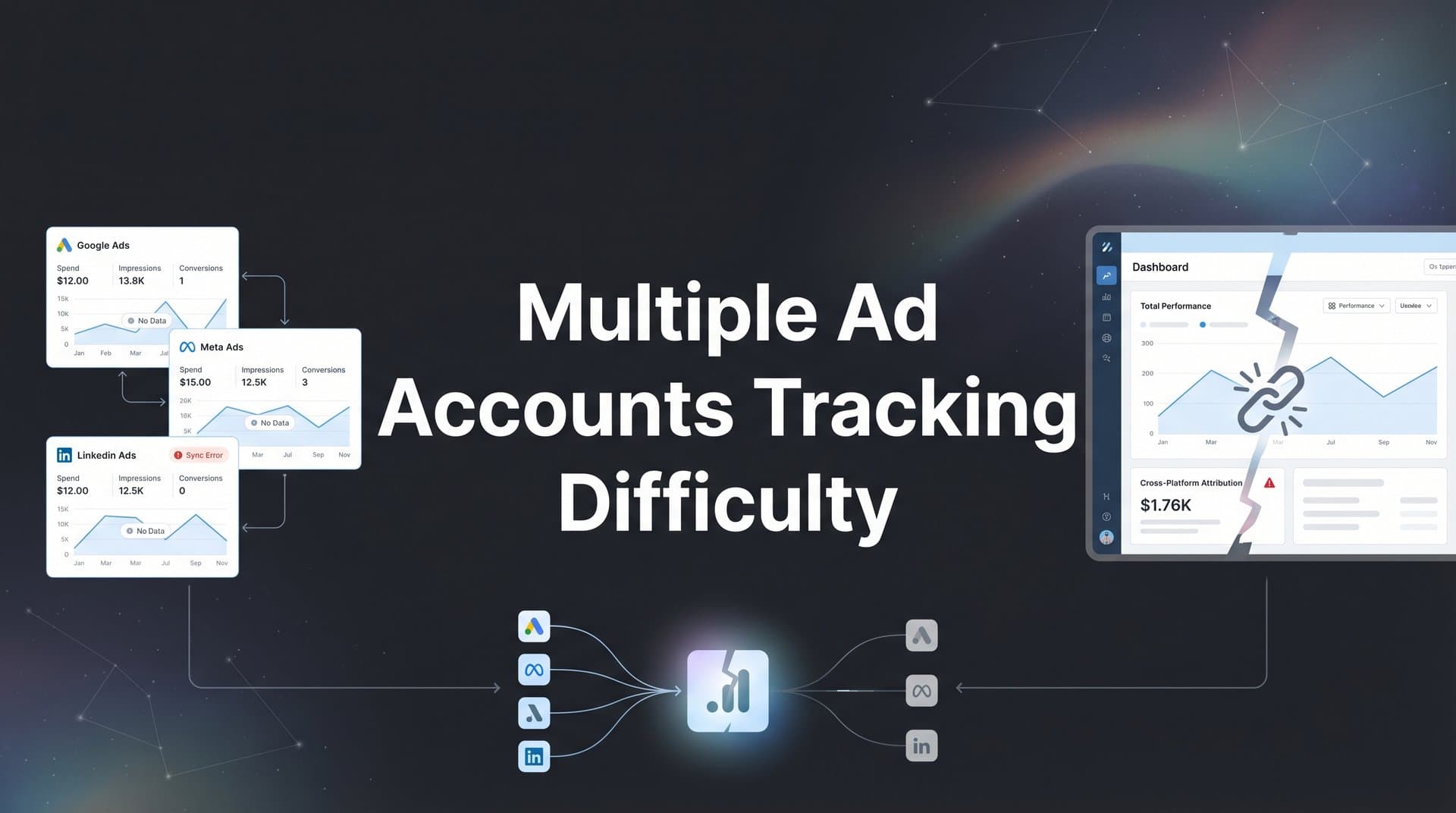
Managing advertising campaigns across multiple platforms sounds straightforward until you try to track performance accurately. You have Meta ads running in one dashboard, Google Ads in another, TikTok campaigns in a third, and somehow you need to understand which touchpoints actually drive revenue. The result? Fragmented data, duplicate conversions, and marketing decisions based on incomplete information.
This is the reality for most marketers today. You launch campaigns across five different platforms, each one promising incredible results in its own dashboard. Meta claims 200 conversions. Google Ads reports 150. TikTok shows 75. But when you check your actual sales? Only 180 total customers came through. Something doesn't add up.
The problem isn't your campaigns. It's your tracking infrastructure. When you run multiple ad accounts without a unified tracking system, you're essentially flying blind with five different altimeters, each calibrated differently, each telling you a different altitude.
This guide walks you through a practical, step-by-step process to overcome multiple ad accounts tracking difficulty. You will learn how to audit your current setup, centralize your data, implement proper tracking infrastructure, and build reporting systems that give you a unified view of performance across all your advertising channels.
By the end, you will have a clear framework for tracking every customer touchpoint from first click to closed deal, regardless of how many ad platforms you use. No more guessing which platform actually performs. No more inflated conversion counts. Just clean, accurate data that shows exactly where your revenue comes from.
Step 1: Audit Your Current Ad Account Ecosystem
Before you can fix your tracking, you need to understand exactly what you're working with. Think of this like taking inventory before reorganizing a warehouse. You cannot optimize what you cannot see.
Start by creating a comprehensive spreadsheet that documents every advertising platform you currently use. This means Meta (Facebook and Instagram), Google Ads, TikTok, LinkedIn, Twitter, Pinterest, and any other platform where you spend advertising dollars. For each platform, list every individual ad account. Many businesses run multiple Meta accounts for different brands or regions, or separate Google Ads accounts for different product lines.
Next, identify where tracking gaps exist. Log into each platform and pull conversion data for the past 30 days. Then compare those platform-reported conversions against your actual CRM or sales data for the same period. Write down the discrepancies. If Meta reports 150 conversions but your CRM only shows 100 new leads from Meta traffic, you have a 50-conversion gap that needs investigation.
Now map out your current data flow. Draw a simple diagram showing how information moves from ad click to conversion event to your analytics system. Where does the tracking pixel fire? What happens when someone clicks a Meta ad, browses your site, then converts three days later after clicking a Google ad? Which platform gets credit? How does that data reach your CRM?
This exercise reveals the hidden complexity in your setup. You might discover that some ad accounts have no conversion tracking at all. Or that your tracking pixels fire inconsistently. Or that data flows into three different analytics tools that never talk to each other. Understanding these multiple ad platforms tracking issues is the first step toward solving them.
Document everything you find. Note which platforms use browser-based pixels, which use conversion APIs, and which have no tracking beyond the platform's own click data. Identify any custom integrations, third-party tools, or manual processes your team uses to move data around.
Success indicator: You should finish this step with a complete inventory showing all accounts, their current tracking methods, identified discrepancies between platform reporting and actual results, and a clear picture of where your data flow breaks down. This becomes your baseline for improvement.
Step 2: Establish a Unified Tracking Foundation with Server-Side Implementation
Here's where most marketers get stuck. They rely entirely on browser-based tracking pixels, which worked fine five years ago but fail spectacularly in today's privacy-focused environment. Let's understand why, then fix it.
Browser-based tracking depends on cookies and JavaScript that run in your visitor's browser. When someone clicks your Meta ad, a cookie gets dropped. When they convert, a pixel fires and tells Meta about the conversion. Simple enough. But this approach falls apart when you run multiple ad accounts because iOS privacy restrictions block many tracking cookies, ad blockers prevent pixels from firing, and cross-domain limitations mean data gets lost when users move between your marketing site and checkout subdomain.
The solution is server-side tracking. Instead of relying on the visitor's browser to report conversions, your server captures the data and sends it directly to ad platforms through their APIs. This bypasses browser limitations entirely. Implementing first-party data tracking for ads ensures your conversion data remains accurate regardless of browser restrictions.
Setting up server-side tracking requires three components. First, implement first-party data collection on your website that captures user interactions and stores them on your server. This means when someone fills out a form or makes a purchase, that event gets logged server-side with all relevant context, including which ad they originally clicked.
Second, configure your server to send conversion events to each ad platform using their respective conversion APIs. Meta has the Conversions API. Google has the Enhanced Conversions API. TikTok has Events API. These allow you to send conversion data directly from your server to the platforms, ensuring reliable delivery regardless of browser settings.
Third, set up proper event matching so platforms can connect your server-side conversion data to the original ad click. This typically involves passing hashed email addresses, phone numbers, or click IDs that the platforms can match against their records. A proper first-party data tracking setup handles all of these requirements automatically.
The beauty of server-side tracking is that you configure it once, and it works across all your ad platforms simultaneously. You're not managing separate pixels for each account. You're capturing conversion data centrally, then distributing it to every platform that needs it.
This approach also future-proofs your tracking. As privacy regulations tighten and browsers restrict cookies further, server-side tracking continues working because it doesn't depend on client-side technologies that users can block.
Success indicator: After implementing server-side tracking, your conversion events should fire consistently regardless of browser type, ad blocker usage, or iOS privacy settings. You should see data reaching your central system from all platforms with minimal loss. Test this by making test conversions from different devices and browsers, then verifying that events appear in your tracking system and get sent to all relevant ad platforms.
Step 3: Connect Your CRM and Revenue Data to Ad Platforms
Conversions mean nothing if you cannot tie them to actual revenue. This is where your CRM integration transforms tracking from counting clicks to measuring business impact.
Start by integrating your CRM directly with your tracking system. Whether you use HubSpot, Salesforce, Pipedrive, or another platform, you need bidirectional data flow. When someone converts from an ad, that lead should flow into your CRM with complete attribution data attached. When that lead becomes a customer and closes a deal, that revenue data should flow back to your tracking system and ultimately to your ad platforms.
This connection allows you to answer the only question that really matters: which ad campaigns drive revenue, not just clicks or form fills. You can see that your LinkedIn campaign generated 50 leads but only 2 customers worth $10,000, while your Meta campaign generated 30 leads but 8 customers worth $40,000. Suddenly your optimization priorities become crystal clear. This is especially critical for businesses focused on attribution tracking for lead generation.
To make this work across multiple ad accounts, you need consistent UTM parameter conventions. Create a standardized naming structure that works across all platforms. For example: utm_source identifies the platform (facebook, google, tiktok), utm_medium identifies the ad type (cpc, display, video), utm_campaign identifies the specific campaign name, and utm_content identifies the ad account or ad set.
When someone clicks an ad with these parameters, they travel with that user through your entire funnel. When they convert, the UTM data gets captured. When they become a customer, those parameters sit in your CRM alongside the deal value. Now you can attribute revenue back to the exact ad account, campaign, and even specific ad that started the journey.
Create a customer journey mapping system that tracks every touchpoint. This means recording not just the first ad click, but every subsequent interaction. If someone clicks a Meta ad, visits your site, leaves, clicks a Google ad three days later, then converts, you want both touchpoints recorded with timestamps. Solving multiple touchpoint tracking problems becomes essential for accurate attribution modeling in the next step.
Set up automated workflows that enrich your CRM data with advertising context. When a new lead enters your CRM, automatically tag it with source platform, campaign name, and any other relevant advertising data. When deals close, trigger events that send revenue data back to your tracking system.
Success indicator: You should be able to open any closed deal in your CRM and immediately see which ad platform, campaign, and creative started that customer journey. Conversely, you should be able to look at any ad campaign and see not just conversions, but actual revenue generated and customer lifetime value. If you can trace revenue backward to ad clicks and forward from ad clicks to revenue, your integration is working.
Step 4: Implement Cross-Platform Attribution Modeling
Now comes the critical decision that determines how you allocate credit across your multiple ad accounts. Attribution modeling answers one question: when a customer interacts with five different ads before converting, which ones deserve credit?
You have several options, and the right choice depends on your specific customer journey. First-touch attribution gives all credit to the initial ad that introduced the customer to your brand. This works well if you have a short sales cycle where most people convert quickly after discovering you. Last-touch attribution gives all credit to the final ad someone clicked before converting. This makes sense if you run a lot of retargeting and the final touchpoint truly drives the decision.
But for most businesses running multiple ad accounts, multi-touch attribution provides the most accurate picture. This model distributes credit across all touchpoints in the customer journey. Linear attribution splits credit evenly. Time-decay attribution gives more credit to recent touchpoints. Position-based attribution emphasizes first and last touch while giving some credit to middle interactions. Understanding attribution for multiple ad accounts helps you choose the right model for your business.
Choose a model that reflects your actual customer behavior. If your analytics show that customers typically interact with three to four ads over two weeks before converting, multi-touch attribution makes sense. If 80% of customers convert within 24 hours of first click, first-touch might work better.
Configure attribution windows that align with your sales cycle length. If your average customer takes 14 days from first touch to conversion, set your attribution window to at least 14 days, preferably 30 to capture the full journey. This ensures you don't cut off credit to early touchpoints that started the process.
The most critical piece: set up deduplication rules to prevent the same conversion from being counted multiple times across platforms. This is where many marketers go wrong. Each ad platform wants to claim credit for conversions, so without deduplication, one customer converting after clicking both a Meta ad and a Google ad gets counted twice in your total conversion numbers.
Your deduplication logic should identify unique conversions based on user identifiers like email address, phone number, or transaction ID. When the same person converts after interacting with multiple platforms, record it as one conversion and distribute attribution credit according to your chosen model. Don't let it inflate your total conversion count. Following attribution tracking best practices ensures your data remains clean and actionable.
Implement lookback windows that make sense for your business. A seven-day click window and one-day view window works for e-commerce with short consideration periods. B2B companies with longer sales cycles might need 30-day or even 90-day windows to capture the full journey from awareness to closed deal.
Success indicator: After implementing attribution modeling, one customer converting should equal exactly one conversion record in your system, with credit distributed across the touchpoints that influenced that decision according to your chosen model. Your total attributed conversions should match your actual customer count, not exceed it due to double-counting across platforms.
Step 5: Build Centralized Reporting Dashboards
You've audited your accounts, implemented server-side tracking, connected your CRM, and set up attribution. Now you need to see it all in one place. This is where centralized reporting transforms your decision-making speed.
Create a single dashboard that pulls normalized data from all ad accounts into one unified view. The key word is normalized. Each platform reports metrics slightly differently, so you need to standardize everything. Define what a conversion means consistently across all platforms. Establish how you calculate cost per acquisition. Decide whether you're measuring click-through rate, view-through rate, or both. The goal is tracking multiple ad accounts in one dashboard without manual data compilation.
Your dashboard should answer fundamental questions instantly. Which platform drives the most revenue this month? Which ad account has the best return on ad spend? Where should you increase budget, and where should you cut spending? If answering these questions requires logging into five different platforms and manually combining data in a spreadsheet, your reporting infrastructure has failed.
Set up key metrics that allow apples-to-apples comparison across platforms. True ROAS (return on ad spend) calculated as revenue generated divided by ad spend. Cost per acquisition based on actual customers, not just leads. Revenue per click that shows efficiency regardless of conversion rate differences. Customer lifetime value by acquisition source that reveals long-term platform performance.
Include both attributed metrics and platform-reported metrics in your dashboard. This lets you compare what platforms claim versus what your attribution model shows. The discrepancies reveal where platform algorithms might be over-claiming credit or where your tracking might have gaps.
Configure automated alerts for tracking anomalies or significant performance changes. If conversion volume from any platform drops by more than 30% day-over-day, you want an immediate notification. If your tracking suddenly stops receiving data from a specific ad account, you need to know within hours, not days. If cost per acquisition spikes above your target threshold, trigger an alert so you can investigate before burning budget.
Build custom views for different stakeholders. Your media buyers need granular campaign-level data. Your CMO needs high-level platform comparison and budget allocation recommendations. Your finance team needs revenue attribution and ROAS by channel. One dashboard with multiple views serves everyone without requiring separate reporting processes. Comprehensive attribution reporting for multiple ad accounts makes this possible.
If you're evaluating vendors, our Slack media buyer agent breakdown can help.
Include trend analysis that shows performance over time. Week-over-week comparisons reveal whether recent changes improved results. Month-over-month trends show seasonal patterns. Year-over-year growth demonstrates long-term trajectory. Context matters as much as current numbers.
Success indicator: You should be able to answer "which platform drives the most revenue?" in under 30 seconds by looking at your dashboard. You should spot tracking issues immediately through automated alerts. Any stakeholder should be able to access the reporting view they need without requesting custom reports from your analytics team.
Step 6: Feed Optimized Data Back to Ad Platforms
Here's the piece most marketers miss: tracking isn't just about measuring performance. It's about improving it. When you feed better conversion data back to ad platforms, their algorithms optimize more effectively, and your campaign performance improves over time.
Set up conversion sync to send enriched, accurate conversion data back to Meta, Google, TikTok, and other platforms through their respective APIs. This is different from basic conversion tracking. You're not just telling platforms a conversion happened. You're sending detailed, high-quality signals that include conversion value, customer information, and contextual data that helps platforms understand what makes a valuable conversion.
Why does this matter? Ad platform algorithms use conversion data to optimize targeting and bidding. When you send better data, they make better decisions. If you only send basic "conversion happened" events, the algorithm treats all conversions equally. But when you send conversion value data showing that some customers spend $50 while others spend $500, the algorithm learns to target users more likely to become high-value customers. Learn how ad tracking tools can help you scale ads using accurate data to maximize this advantage.
Configure event quality parameters to ensure platforms receive high-quality signals. This means sending as many matching parameters as possible: email addresses (hashed for privacy), phone numbers, user agent strings, IP addresses, and any other data points that help platforms match conversions to the right users. Higher match rates mean better optimization.
Include custom conversion events beyond just purchases or form submissions. Send data about high-intent actions like viewing pricing pages, starting free trials, or requesting demos. Platforms can optimize toward these micro-conversions when macro-conversions happen too infrequently for effective learning.
Implement value optimization by sending actual revenue data with each conversion event. When someone makes a $1,000 purchase, send that value. When they sign up for a $50/month subscription, send the lifetime value estimate. This allows platforms to optimize for revenue, not just conversion volume.
The feedback loop works like this: your attribution system identifies which conversions came from which platforms. It calculates the true value of those conversions based on CRM data. Then it sends that enriched conversion information back to each platform. The platforms use this high-quality data to refine their targeting algorithms, which improves future campaign performance, which generates better conversions, which creates even better training data for the algorithms.
Monitor event match quality in each platform's reporting. Meta shows event match quality scores. Google provides conversion tracking diagnostics. If your match rates fall below 70%, investigate why. Low match rates mean platforms cannot effectively use your conversion data for optimization.
Success indicator: Your platform conversion data should match your attribution system within acceptable variance (typically within 10-15% due to attribution window differences and view-through conversions). Your event match quality scores should exceed 70% on all platforms. Over time, you should see campaign performance improve as algorithms learn from better conversion data, with cost per acquisition decreasing and conversion rates increasing without manual optimization.
Your Unified Tracking Framework Is Complete
Tracking multiple ad accounts does not have to mean juggling disconnected dashboards and guessing which channels actually perform. By following these six steps, you now have a framework for unified tracking that gives you complete visibility into your advertising ecosystem.
You started by auditing your current setup to understand exactly what you're working with. Then you implemented server-side tracking to capture conversions reliably regardless of browser limitations. You connected your CRM to tie advertising data to actual revenue. You set up proper attribution modeling to distribute credit fairly across touchpoints. You built centralized reporting that answers critical questions instantly. And finally, you configured conversion sync to feed better data back to platforms for improved optimization.
Before you consider this complete, run through this quick checklist. Have you documented all active ad accounts across every platform? Is server-side tracking capturing conversions reliably from all sources? Can you trace revenue back to specific ad clicks across different platforms? Are you comparing performance with consistent, normalized metrics? Is your conversion data syncing back to improve platform optimization?
If you answered yes to all five questions, your tracking infrastructure is solid. You can now scale your advertising confidently, knowing exactly which campaigns drive real business results. You can allocate budget based on actual revenue data, not platform-reported vanity metrics. You can identify which ad accounts deserve more investment and which need optimization or elimination.
The difference between guessing and knowing transforms your entire marketing operation. Instead of hoping your ads work, you prove which ones work and double down on winners. Instead of spreading budget evenly across platforms, you invest proportionally based on true performance. Instead of making decisions based on incomplete data, you operate with complete visibility into your customer journey.
This framework scales with your business. As you add new ad platforms, you simply connect them to your existing infrastructure. As your customer journey grows more complex, your attribution system adapts. As your advertising spend increases, your reporting provides the clarity you need to manage larger budgets confidently.
Ready to elevate your marketing game with precision and confidence? Discover how Cometly's AI-driven recommendations can transform your ad strategy. Get your free demo today and start capturing every touchpoint to maximize your conversions.



