You launch a campaign. The creative is solid, the targeting is dialed in, and the budget is meaningful. A week in, the numbers look underwhelming. Conversions are low, the cost per acquisition seems high, and your ad platform is telling you the campaign isn't working. So you start pulling levers: adjusting bids, swapping creative, narrowing audiences. But what if the campaign was actually performing fine all along?
This is the quiet frustration that Safari's privacy features have introduced for digital marketers. The data isn't wrong because the campaign failed. The data is wrong because a significant portion of your audience is using Safari, and Safari is actively blocking the tracking pixels your attribution relies on. The conversions happened. You just can't see them.
Safari is the default browser on every iPhone, iPad, and Mac. That means it commands a substantial share of web traffic, particularly in North America and Europe where Apple device adoption is high. When you factor in mobile browsing habits, the share of your audience using Safari is almost certainly larger than you think. And every one of those users represents a potential blind spot in your attribution data.
This article breaks down exactly what's happening under the hood, why it matters more than most marketers realize, and what you can actually do about it. We'll cover how Safari's privacy features work, what they cost your campaigns, why this problem is only growing, and how modern tracking infrastructure can restore the accuracy you've been missing.
How Safari's Intelligent Tracking Prevention Actually Works
Apple introduced Intelligent Tracking Prevention (ITP) in Safari back in 2017, and it has been evolving aggressively ever since. At its core, ITP is designed to limit cross-site tracking by identifying domains that behave like trackers and restricting what they can do in the browser. Each major version has tightened the screws further, and the result is a browser environment that is fundamentally hostile to traditional pixel-based tracking.
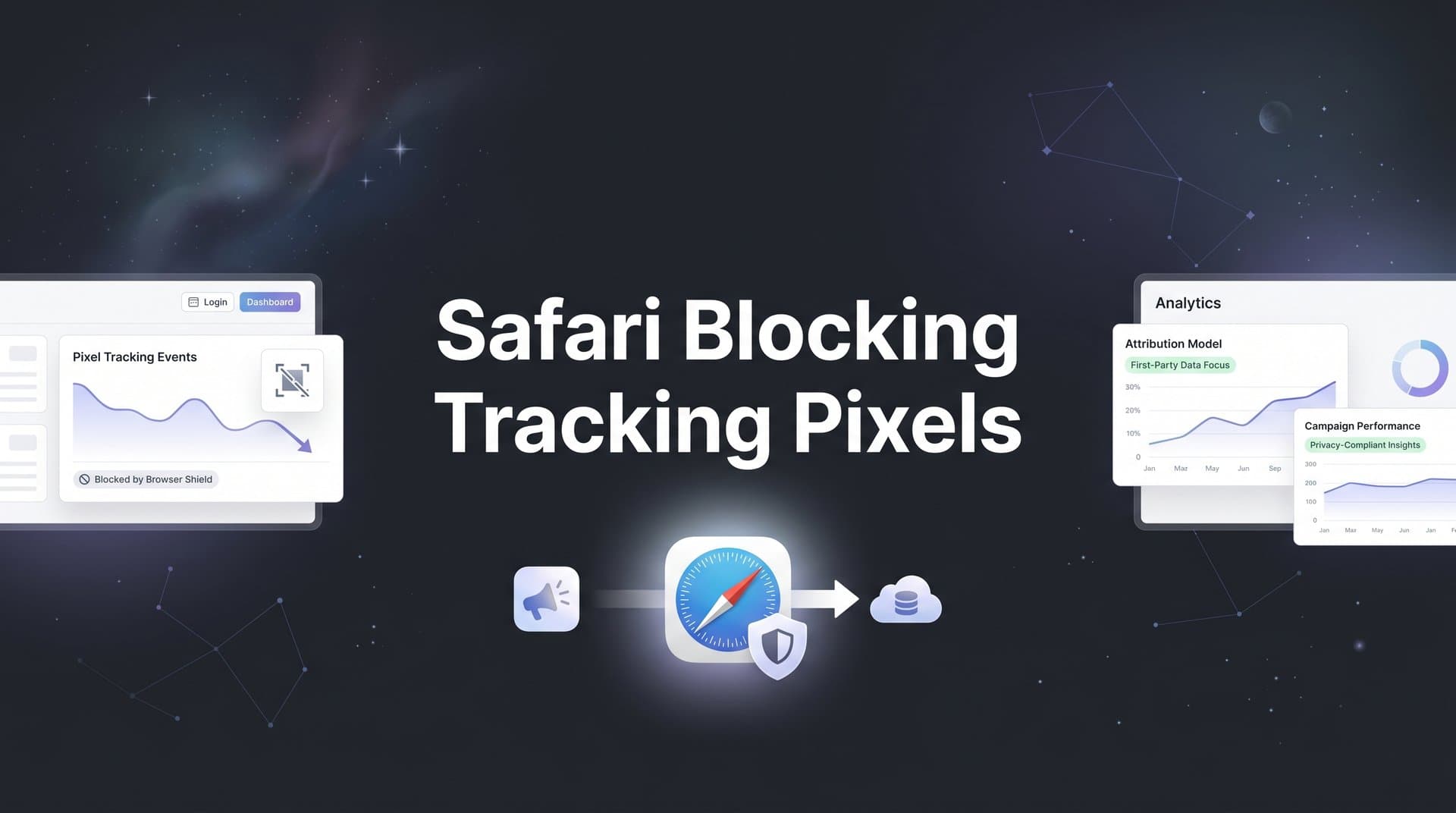
Here's what happens technically when Safari encounters a tracking pixel from an ad platform. The pixel may still fire, meaning the request goes out, but Safari strips the identifying information that makes the data useful. Cookies associated with third-party domains are blocked outright. Even first-party cookies set via JavaScript have their lifetimes capped at seven days under ITP, and cookies from domains that ITP classifies as tracking resources can be capped at just 24 hours. If a customer clicks an ad on Monday and converts the following week, the attribution cookie may already be gone. For a deeper dive into how these restrictions manifest, read about Safari ITP blocking tracking and its evolving impact.
The distinction between first-party and third-party tracking is central to understanding why this hits ad platforms so hard. First-party tracking happens on your own domain, where the data stays between your website and your visitor. Third-party tracking involves a separate domain, like Meta's pixel or Google's tag, loading resources on your site and sending data back to their servers. Safari treats this second category with significant suspicion, and ITP specifically targets it.
The problem is that almost every major ad platform pixel operates as a third-party resource. When you install the Meta Pixel, the Google Ads tag, or the TikTok Pixel on your website, those scripts are loading from external domains. Safari sees that, classifies those domains as potential trackers, and applies its restrictions accordingly. The pixel fires, but the data it can capture and retain is severely limited. Understanding what a tracking pixel is and how it works helps clarify why these restrictions are so damaging.
What makes this particularly tricky is that the failure is invisible. You don't get an error message. Your tag manager shows the pixel firing successfully. But on the other side, the ad platform receives incomplete or missing conversion data for every Safari user who converted. The campaign looks like it underperformed. The algorithm learns the wrong lesson. And you make budget decisions based on data that doesn't reflect reality.
ITP has continued to evolve, with Apple regularly updating its classification logic and adding new restrictions. Marketers who found workarounds in earlier versions often found those workarounds closed in subsequent updates. This isn't a bug to patch around. It's a deliberate design philosophy baked into Safari's architecture.
The Real Cost to Your Campaigns and Attribution Data
The immediate consequence of Safari blocking tracking pixels is underreporting. Conversions that happen in Safari don't get recorded, or they get attributed incorrectly because the cookie chain broke. Your platform dashboard shows fewer conversions than actually occurred, which makes your cost per acquisition look higher than it really is.
This matters beyond just the numbers on a screen. Ad platform algorithms, whether you're running Meta Ads, Google Ads, or TikTok Ads, are heavily dependent on conversion signals to optimize your campaigns. These algorithms use the conversion data you send them to learn which users are most likely to convert, how to adjust bids in real time, and where to allocate budget across audiences and placements. When Safari blocks pixels and those conversions go unreported, the algorithm is learning from an incomplete dataset. If you've noticed discrepancies, you may want to explore why your conversion tracking numbers are wrong.
Think of it this way: if your campaign is converting well among iPhone users in Safari, but those conversions aren't making it back to the ad platform, the algorithm sees those users as non-converters. Over time, it may start deprioritizing that audience segment, pulling budget away from the exact users who are actually buying. You've created a feedback loop where bad data produces worse targeting, which produces worse results, which confirms the bad data.
The problem compounds when you're running multi-channel campaigns. Attribution depends on stitching together touchpoints across sessions and devices. A user might click a Facebook ad on their iPhone (Safari), browse your site, leave, and then return days later via a Google search to complete a purchase. With ITP's cookie limitations, that first touch in Safari may already be gone by the time the conversion happens. You lose visibility into which channel actually started the journey.
This creates a distorted picture of your channel mix. Channels that tend to reach users early in the funnel, like social and display, often get undervalued because their touchpoints are the ones most likely to be lost. Channels closer to conversion, like branded search, appear to perform better than they actually do relative to the full journey. Budget decisions made on this skewed data systematically underinvest in the channels that actually drive awareness and consideration.
Many marketers experience significant underreporting of conversions from Safari users, and campaigns often appear far less effective than they truly are when this data gap goes unaddressed. The gap isn't always obvious, which makes it especially dangerous. If you don't know what you're missing, you can't account for it.
Why This Goes Far Beyond Safari
It would be convenient if this were a Safari-only problem. You could look at your analytics, see what percentage of traffic comes from Safari, and scope the issue accordingly. But the broader privacy landscape means that pixel-based tracking is under pressure from multiple directions simultaneously.
Firefox introduced Enhanced Tracking Protection (ETP) as a default setting starting with Firefox 69 in September 2019. ETP blocks third-party tracking cookies automatically, without users needing to configure anything. Brave browser, which has grown meaningfully in adoption, blocks ads and trackers by default as a core part of its product promise. And across all browsers, ad blocker usage has been growing steadily, with browser extensions like uBlock Origin blocking pixel requests before they even fire. These issues often manifest as tracking pixels not firing correctly across your campaigns.
On mobile, Apple's App Tracking Transparency (ATT) framework, introduced with iOS 14.5 in April 2021, added another layer of restriction. ATT requires apps to explicitly ask users for permission before tracking them across other apps and websites. The opt-in rates have been low, which means the data available to ad platforms for mobile targeting and attribution has been significantly reduced beyond just what happens in the Safari browser itself.
The combined effect of ITP, ATT, Firefox ETP, Brave defaults, and ad blocker adoption means that a meaningful portion of your total audience is operating in an environment where traditional pixel-based tracking is either blocked, limited, or degraded. This isn't a fringe edge case. It's a substantial share of real traffic from real potential customers.
More importantly, this is a permanent shift, not a temporary inconvenience. Apple has consistently moved in the direction of more privacy, not less. Regulatory pressure in Europe and elsewhere is pushing the entire industry toward stronger data protection. The browser vendors that have built their identities around privacy, like Firefox and Brave, have no incentive to relax their defaults. The direction of travel is clear.
This means marketers need structural solutions built for a privacy-first world, not workarounds designed for the old browser environment. Patching your pixel setup or trying to extend cookie lifetimes with clever domain tricks is playing a game you will eventually lose. The more durable path is to build a tracking infrastructure that doesn't depend on browser-based data collection in the first place. Understanding the difference between server-side tracking vs pixel tracking is a critical first step.
Server-Side Tracking: The Architecture That Bypasses the Problem
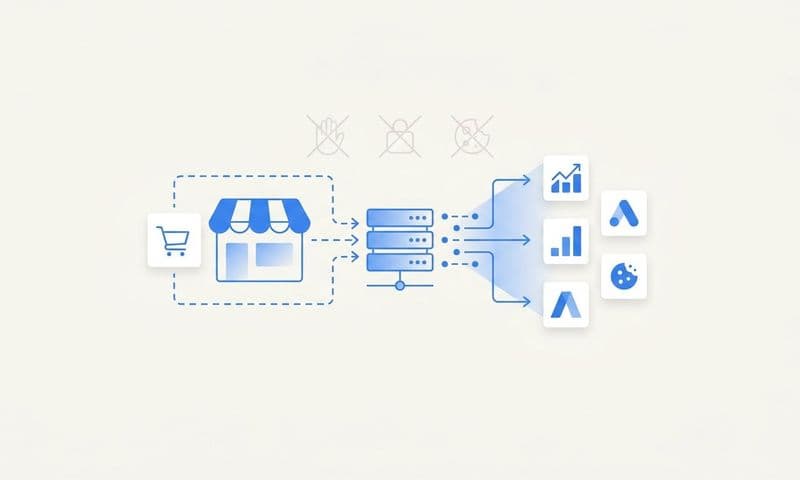
Server-side tracking is the most reliable solution to the Safari blocking problem, and it works for a straightforward reason: it moves the data transmission out of the browser entirely. Instead of relying on a pixel that loads in the user's browser and sends data to an ad platform, server-side tracking sends that data from your server directly to the ad platform's server. Safari's ITP has no jurisdiction over server-to-server communication.
Here's how it works at a high level. When a user completes a conversion on your website, that event is captured by your server rather than by a browser-based script. Your server then sends the conversion data directly to the ad platform's API. Meta calls this the Conversions API (CAPI). Google has Enhanced Conversions. Both are designed specifically to receive server-side event data. Because the data never passes through the browser during transmission, browser privacy restrictions simply don't apply. Learn more about why server-side tracking is more accurate for marketing attribution.
The result is a much more complete and accurate conversion dataset. Safari users who converted but were previously invisible to your pixel now show up in your attribution data. The ad platform algorithms receive better signals, which means they can optimize more effectively. Your reported conversion numbers more closely reflect what's actually happening in your business.
Implementing server-side tracking traditionally required meaningful engineering resources. You needed to set up a server endpoint, handle event deduplication (since you often want to run server-side alongside your existing pixel to catch any gaps), and maintain the integration as ad platform APIs evolve. For many marketing teams without dedicated engineering support, this was a significant barrier. Our server-side tracking implementation guide walks through the process in detail.
This is where platforms like Cometly change the equation. Cometly's server-side tracking infrastructure handles the technical complexity, connecting your website, ad platforms, and CRM without requiring heavy engineering lift. You get the data accuracy benefits of server-side tracking without needing to build and maintain the infrastructure yourself. For marketing teams who need accurate data but don't have the resources to build custom server integrations, this is a meaningful unlock.
It's worth noting that server-side tracking and browser-based pixels aren't mutually exclusive. Running both in parallel, with proper deduplication, gives you the best of both worlds: broad coverage from the pixel for users where it works, and reliable fallback from the server-side integration for users where the pixel is blocked or limited. The goal is complete conversion data, and server-side tracking is the most reliable path to getting there.
Feeding Ad Algorithms the Data They Need to Perform
Recovering your conversion data is only part of the solution. The other part is making sure that data flows back to the ad platforms in a format that actually improves their optimization. This is where conversion syncing becomes a critical piece of the strategy.
Conversion syncing means taking the accurate, enriched conversion events you've captured through server-side tracking and sending them back to Meta, Google, and other platforms so their algorithms can use them. This sounds straightforward, but the quality of the data you send matters enormously. Enriched conversion events include signals like email addresses (hashed for privacy), phone numbers, purchase values, and other customer attributes that help the platform's algorithm match the conversion to the right user and learn from it effectively.
When ad platforms receive better conversion data, their machine learning models improve. They get a clearer picture of who your actual customers are, which allows them to find more users who look like those customers. Bidding algorithms can optimize more accurately because they're working from complete data rather than a partial view. Over time, this translates to more efficient budget allocation, better audience targeting, and lower cost per acquisition.
The inverse is also true and worth understanding clearly. When ad platforms receive incomplete conversion data because Safari is blocking your pixels, their algorithms optimize toward the wrong signals. They may start favoring audiences or placements that appear to convert in the data, even if those conversions are only visible because they happen to be in browsers where tracking works. You end up with a biased optimization loop that systematically underserves your Safari audience. Exploring why your ad tracking is inaccurate can help you identify these blind spots.
Combining server-side tracking with multi-touch attribution gives you the complete picture. Multi-touch attribution tracks the full sequence of touchpoints across a customer's journey, from first ad click through to conversion, and assigns credit appropriately across channels and campaigns. When this data is accurate because server-side tracking has filled in the Safari gaps, you can see which channels actually drive revenue versus which ones just appear to because their conversions happen to be trackable. Investing in touchpoint attribution tracking ensures every interaction is accounted for.
Cometly connects every touchpoint to conversions across your ad platforms, CRM, and website, giving your team and the ad platform algorithms the enriched data they need to make smarter decisions. That complete, accurate signal is what separates campaigns that scale efficiently from ones that plateau because the optimization is working from flawed inputs.
Building a Tracking Setup That Lasts
Understanding the problem is one thing. Building a tracking infrastructure that actually holds up in a privacy-first world requires deliberate action. Here's how to approach it systematically.
Audit your current tracking setup: Start by understanding how dependent you are on browser-based pixels. Check which conversions are being reported by each ad platform and compare those numbers against your actual revenue or CRM data. If there's a significant gap, that gap is likely where your Safari and privacy-related data loss is hiding. This audit gives you a baseline to measure improvement against. Dedicated revenue attribution tracking tools can help you identify these discrepancies quickly.
Implement server-side tracking as a priority: Move conversion data collection to the server side for your most important conversion events. Focus first on purchase events, lead form submissions, and any conversion action that directly ties to revenue. These are the events that matter most to your ad platform algorithms and your budget decisions. Platforms like Cometly make this implementation straightforward without requiring a dedicated engineering team.
Connect your CRM data to your attribution: First-party data from your CRM is your most durable asset in a privacy-restricted world. When a lead converts in your CRM, that event should flow back into your attribution system and, where appropriate, back to the ad platforms as a conversion signal. This closes the loop between your marketing data and your actual business outcomes, and it's data that no browser restriction can touch.
Regularly reconcile platform data against actual results: Make it a habit to compare what your ad platforms are reporting against your actual revenue and conversion numbers. This reconciliation helps you spot data gaps early, understand where your tracking is working and where it isn't, and make budget decisions based on a more complete picture rather than just what the platform dashboard shows.
Invest in first-party data collection: Email lists, CRM records, and direct customer relationships are the foundation of durable marketing data. The more you can build direct relationships with your audience, the less dependent you are on third-party tracking for understanding who your customers are. Understanding first-party data tracking is essential for building a privacy-resilient marketing strategy.
The marketers who will have a genuine competitive advantage in the years ahead are the ones who treat accurate attribution as a strategic asset rather than a technical checkbox. Privacy changes aren't going away. Building an infrastructure that works within this reality, rather than against it, is the path forward.
The Bottom Line on Safari and What Comes Next
Safari blocking tracking pixels is not a temporary glitch that Apple will eventually walk back. It's a deliberate, sustained commitment to user privacy that has been strengthening for nearly a decade. Combined with Firefox's tracking protection, Brave's defaults, iOS ATT, and the continued growth of ad blockers, the era of reliable browser-based pixel tracking is effectively over for a significant portion of your audience.
The marketers who adapt will not only recover the data they've been losing. They'll build attribution infrastructure that gives them a clearer, more accurate view of their campaigns than they've ever had. Server-side tracking, conversion syncing, and multi-touch attribution aren't just workarounds for Safari's restrictions. They're the foundation of a modern, privacy-resilient marketing analytics stack.
Cometly is built specifically for this challenge. It connects your ad platforms, CRM, and website to track the entire customer journey in real time, with server-side tracking that bypasses browser restrictions and conversion sync that feeds enriched data back to Meta, Google, and other platforms. The result is accurate attribution data that reflects what's actually happening in your business, not just what's visible through a browser-based pixel.
If your conversion data doesn't add up, if your campaigns look like they're underperforming when your instincts say otherwise, the tracking gap is likely bigger than you think. The good news is that it's fixable. Get your free demo today and start capturing every touchpoint to maximize your conversions.