

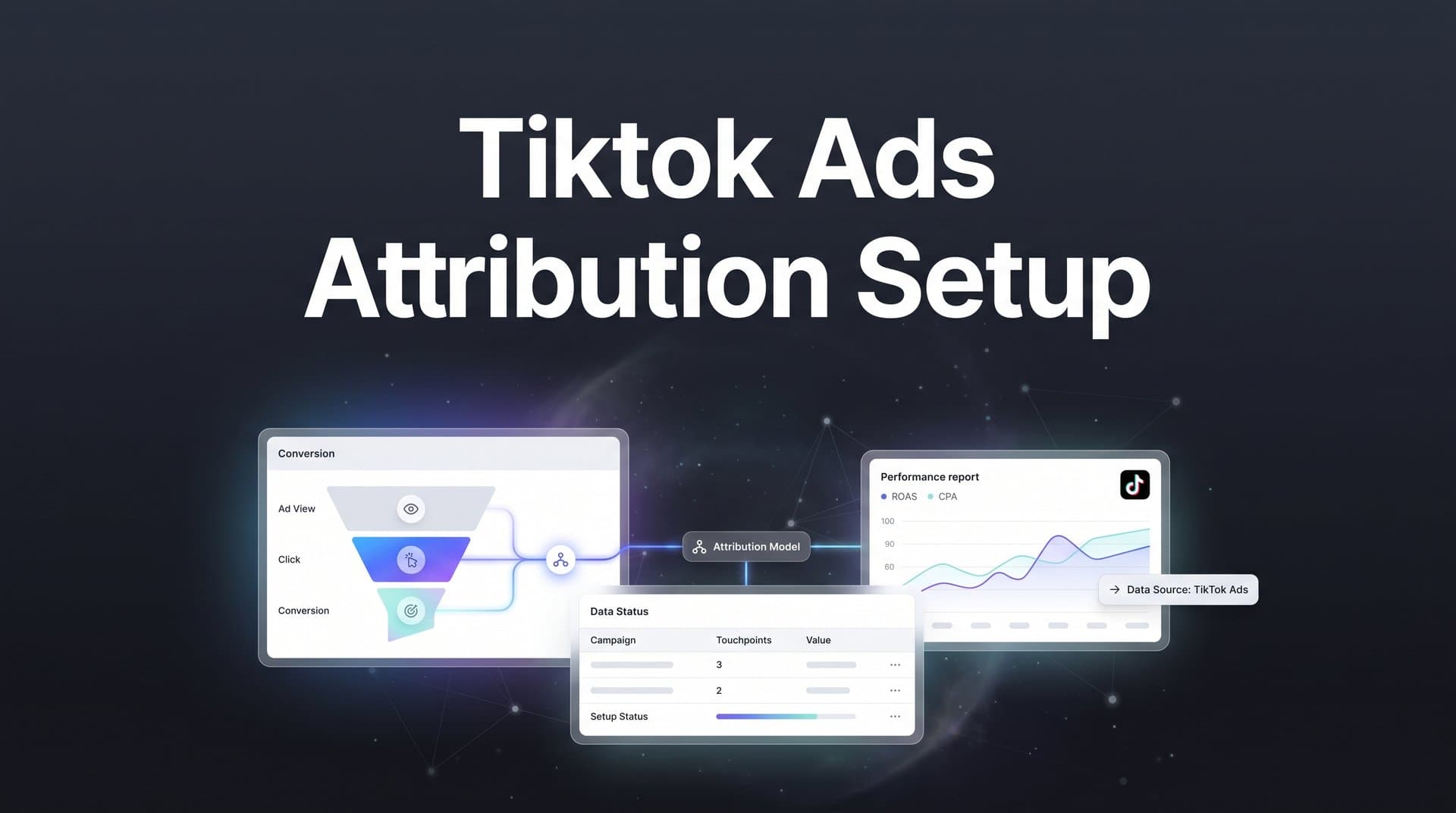
TikTok has become one of the fastest-growing advertising platforms for marketers, but tracking which TikTok ads actually drive revenue remains a genuine challenge. Between short attribution windows, cross-device user behavior, and limited native reporting, many marketing teams struggle to connect TikTok ad spend to real business outcomes.
Without proper attribution setup, you are essentially flying blind. You might see impressions climbing and clicks rolling in, but you cannot tell which creatives, audiences, or campaigns deserve more budget. You cannot tell if TikTok is generating revenue or just generating noise.
Here is something worth knowing upfront: TikTok's native attribution window defaults to a 7-day click and 1-day view model. That is relatively short compared to other platforms. If your sales cycle runs longer than a week, conversions happening outside that window simply will not get credited to TikTok in its own reporting. This makes third-party attribution not just helpful but essential for any business with a longer consideration phase.
There is also the browser tracking problem. Ad blockers, cookie restrictions, and iOS privacy changes have made pixel-only tracking increasingly unreliable. Many advertisers experience significant data gaps between what TikTok reports and what their own analytics confirm. If you are making budget decisions based on TikTok's self-reported numbers alone, you are likely working with incomplete information.
This guide walks you through the complete process of setting up TikTok ads attribution so you can track every touchpoint from ad click to conversion. You will learn how to configure TikTok's native tracking tools, layer in server-side tracking for better data accuracy, and connect your attribution data to a centralized platform where you can compare TikTok performance alongside every other channel.
By the end, you will have a reliable attribution system that shows exactly which TikTok ads generate leads and revenue, not just clicks and impressions. Let's get into it.
Step 1: Configure Your TikTok Pixel and Events Manager
The TikTok Pixel is the foundation of your attribution setup. Before anything else works, you need the pixel installed correctly and firing on the right events. Head to TikTok Ads Manager and navigate to Assets, then Events, and then Web Events. From there, you can create a new pixel.
TikTok gives you two main installation methods. The first is manual installation, where you copy the base pixel code and paste it into the <head> section of your website. The second is partner integration, which connects directly with platforms like Shopify, WooCommerce, or Google Tag Manager. If you are using a major CMS or tag management system, the partner integration route is faster and less error-prone.
Once the base pixel is live, you need to configure your standard events. TikTok supports a set of predefined event types, and mapping these to your actual conversion actions is where most marketers either get it right or introduce problems early. The key events to consider include:
ViewContent: Fires when a user views a product or key page. Useful for awareness-stage audiences but should not be used as your primary conversion event.
AddToCart: Fires when a user adds a product to their cart. Valuable for e-commerce retargeting and funnel analysis.
CompletePayment: Fires on the order confirmation page. This is your primary purchase event for e-commerce.
SubmitForm: Fires when a lead form is submitted. This is the core conversion event for lead generation businesses.
After setting up your events, verify everything is firing correctly before you trust any data. Install the TikTok Pixel Helper Chrome extension, which shows you in real time whether your pixel is loading and which events are being triggered as you navigate your site. Then cross-check in TikTok Events Manager using the diagnostics tab, which shows recent event activity and flags any issues.
Here is the most common pitfall at this stage: the pixel fires on page load rather than on the actual conversion action. This means every visitor to your thank-you page triggers the event, even if they navigated there directly without completing anything. The result is inflated conversion counts that make your campaigns look far better than they are. For a deeper look at how tracking inaccuracies affect your data, read our guide on TikTok ads tracking accuracy.
To test properly, go through the actual conversion flow yourself. Complete a form submission or a test purchase, then check Events Manager to confirm a single SubmitForm or CompletePayment event fired for that session. If you see multiple events or events firing before the action completes, you have a configuration issue to resolve before moving forward.
Step 2: Enable TikTok Events API for Server-Side Tracking
Getting your pixel right is necessary, but it is not sufficient. Browser-side tracking has a fundamental weakness: it depends entirely on the user's browser environment to function. Ad blockers can prevent the pixel from loading. Safari's Intelligent Tracking Prevention limits cookie lifespans. iOS changes have reduced the signal available to browser-based tracking across the board. For more on how to navigate these challenges, see our article on tracking paid ads after iOS updates.
TikTok's Events API is the server-side solution to this problem. Instead of relying on a user's browser to send conversion data to TikTok, the Events API sends that data directly from your server. The user's browser settings, extensions, and privacy preferences become irrelevant because the data never passes through the browser at all.
To set up the Events API, go back to TikTok Events Manager and select your pixel. You will find an option to set up the Events API alongside your existing pixel. TikTok will provide an access token that your server uses to authenticate requests. From there, you need to configure your server or backend to send event payloads to TikTok's API endpoint whenever a conversion occurs.
Each event payload should include as much user data as you can provide: hashed email addresses, phone numbers, IP addresses, and user agent strings. TikTok uses this information to match events to users in its system. More matching signals generally means better attribution accuracy.
The critical piece that many teams miss is deduplication. Because you are now sending the same conversion event from two sources (the browser pixel and the server-side API), TikTok needs a way to know these represent a single conversion, not two separate ones. You handle this by passing a consistent event ID in both the pixel event and the API event for the same conversion. TikTok uses this ID to deduplicate and count it only once.
Setting up the Events API from scratch requires development work, and it is one of the more technically demanding parts of a proper attribution tracking setup. This is where platforms like Cometly remove significant friction. Cometly handles server-side tracking automatically, capturing conversion data that browser pixels miss and sending it to TikTok without requiring custom development work on your end. If your team does not have engineering resources to build and maintain a custom Events API integration, a platform that handles it natively is worth serious consideration.
Step 3: Set Up UTM Parameters and Click ID Tracking
Your pixel and Events API handle the TikTok-side of attribution. UTM parameters and click ID tracking handle the analytics side, giving you the ability to analyze TikTok campaign performance in your own tools independently of what TikTok reports.
Start with a consistent UTM naming convention. For TikTok campaigns, a solid framework looks like this:
utm_source: tiktok
utm_medium: paid_social
utm_campaign: Use a consistent naming convention that matches your campaign names in TikTok Ads Manager. Including the campaign objective (for example, awareness, leads, or conversions) helps when filtering in analytics.
utm_content: Use this for creative-level tracking. Including the ad name or creative ID here lets you trace which specific video or image drove a conversion, which is invaluable for creative testing.
utm_term: Optional, but useful for audience segment tracking if you run multiple ad groups with different targeting approaches.
Consistency matters more than the exact naming convention you choose. Whatever structure you define, apply it uniformly across all TikTok campaigns and ideally across all your ad platforms. To understand how UTM tracking compares to dedicated solutions, check out our comparison of UTM tracking vs attribution software.
Beyond UTMs, TikTok's ttclid parameter is critical for click-level attribution. The ttclid is TikTok's equivalent of Meta's fbclid or Google's gclid. When a user clicks your TikTok ad, TikTok appends a unique ttclid value to the landing page URL. This value identifies the specific click and allows you to tie downstream conversions back to that exact ad interaction.
For ttclid to work properly, it needs to persist as users navigate through your site and must be captured when they convert. If a user clicks your ad, lands on a product page, then navigates to checkout, the ttclid needs to travel with them through that journey. This typically requires storing the ttclid value in a cookie or local storage on the first page load and then reading it back when a conversion event fires.
Make sure your form submissions, checkout flows, and any other conversion points capture the ttclid value and pass it through to your CRM or analytics platform. Without this, you lose the click-level granularity that makes attribution genuinely useful rather than approximate.
Step 4: Connect TikTok Data to Your CRM and Attribution Platform
Here is where TikTok attribution gets genuinely powerful, and also where most advertisers stop too early. TikTok's native attribution data tells you what happened on your website. It does not tell you what happened after a lead entered your CRM, moved through a sales pipeline, or eventually became a paying customer.
For e-commerce businesses with direct purchase conversions, the pixel and Events API may be enough. But for any business with a sales process, a consultation step, or a longer consideration cycle, you need to connect TikTok ad data with your CRM to tie ad clicks to closed revenue. Our guide on unified dashboards for marketing and sales attribution explains how to bring all of this data together in one view.
The process works like this. When a lead submits a form on your site, their CRM record should capture the UTM parameters and ttclid value from that session. Tools like HubSpot, Salesforce, and most modern CRMs support hidden form fields that can capture and store UTM data automatically. Once that data is in your CRM, every deal, opportunity, or closed sale can be traced back to the original TikTok ad that drove the first interaction.
This is the difference between knowing TikTok generated form fills and knowing TikTok generated revenue. Those are very different numbers, and making budget decisions based on form fills alone can lead you to over-invest in campaigns that generate unqualified leads and under-invest in campaigns that generate customers.
Connecting all of this manually across TikTok, your CRM, and your analytics tools is time-consuming and prone to gaps. This is where a platform like Cometly provides real value. Cometly connects TikTok alongside your other ad platforms and your CRM to provide a unified view of the full customer journey from first click to closed deal. You can see exactly which TikTok campaigns, ad groups, and creatives are generating revenue, not just leads.
Multi-touch attribution models become especially important here. TikTok often plays an assist role in longer sales cycles. A user might discover your brand through a TikTok ad, then convert weeks later after a Google search or email click. A last-click attribution model would give all the credit to Google and zero to TikTok, potentially causing you to cut a channel that was actually initiating the customer relationship. Understanding what multi-touch attribution is helps you distribute credit across all the touchpoints that contributed to a conversion, giving you a far more accurate picture of what TikTok is actually worth.
Step 5: Feed Enriched Conversion Data Back to TikTok
Attribution is not just about understanding your own performance data. It is also about improving the performance of your ads over time. This is where conversion syncing comes in, and it is one of the most underutilized levers in TikTok advertising.
TikTok's algorithm optimizes ad delivery based on the conversion signals you send it. If you are only sending top-of-funnel signals like page views or add-to-cart events, TikTok's AI will optimize toward finding more users who exhibit those behaviors. That sounds reasonable until you realize that users who view pages or add items to carts are not necessarily the same users who become paying customers.
The smarter approach is to send downstream conversion data back to TikTok. This means feeding TikTok not just form fills, but qualified leads, booked calls, and actual purchases or closed deals. When TikTok's algorithm has access to this richer signal, it can identify the characteristics of your highest-value customers and optimize delivery toward more users who share those traits. This is a core reason why attribution is important in digital marketing.
This concept is called conversion syncing, and it closes the loop between your attribution data and your ad platform's optimization engine. The challenge is that this data often lives in your CRM, not in TikTok's system. Getting it from your CRM back to TikTok requires either a custom integration or a platform that handles it automatically.
Cometly's Conversion Sync feature automates this process. It takes the enriched conversion events captured through your attribution setup, including downstream revenue data from your CRM, and sends them back to TikTok so the platform's AI can optimize toward real business outcomes. Instead of TikTok optimizing for form submissions, it optimizes for the customers who actually close.
The common mistake here is continuing to optimize TikTok campaigns for top-of-funnel events out of habit or convenience. Page views and video views are easy to generate in volume, but they rarely correlate with revenue. Shifting your optimization target to bottom-of-funnel events like purchases or qualified leads, backed by enriched data from your full customer journey, is what separates campaigns that scale profitably from campaigns that generate activity without outcomes.
Step 6: Validate Your Attribution Setup and Troubleshoot Gaps
Setting up attribution is one thing. Knowing it is working accurately is another. Before you trust your data enough to make budget decisions, run a structured validation process.
Start with a three-way comparison. Pull your conversion counts from three sources for the same time period: TikTok Ads Manager, your attribution platform, and your CRM. These numbers will rarely match perfectly, and some variance is expected due to attribution model differences and reporting delays. But large discrepancies are a signal that something in your setup needs attention. Our article on why attribution data doesn't match covers the most common reasons for these gaps.
Common issues to look for include:
Delayed event firing: Your conversion event fires after a delay or asynchronously, causing it to miss the attribution window. Check your event implementation to ensure it fires immediately on the conversion action.
Missing ttclid parameters: Users are converting but the ttclid value is not being captured in your forms or checkout. Review your hidden field configuration and test the full conversion flow to confirm the value is being passed.
Deduplication failures: You are running both pixel and Events API but conversions are being counted twice. Verify that your event IDs are consistent between the browser-side and server-side events for the same conversion.
Mismatched attribution windows: TikTok Ads Manager defaults to a 7-day click, 1-day view window. Your third-party attribution platform may use a different default. When comparing numbers, make sure you are comparing like-for-like attribution windows. Understanding what an attribution window is in advertising helps you align these settings correctly.
Cometly's analytics dashboard makes this validation process considerably easier. You can see what TikTok reports alongside what your attribution platform captures, and spot discrepancies without manually pulling and reconciling data from multiple sources.
Beyond the initial validation, set a recurring audit schedule. Weekly or biweekly checks are appropriate for active campaigns. Attribution setups degrade over time as landing pages change, new campaigns launch, and technical updates inadvertently break tracking. A regular audit cadence catches these issues before they compound into weeks of bad data influencing your budget decisions.
Putting It All Together: Your TikTok Attribution Checklist
You now have a complete framework for accurate TikTok ads attribution. Here is a concise checklist to confirm you have covered every layer:
Pixel and Events Manager: TikTok Pixel installed on all pages, standard events mapped to actual conversion actions, pixel firing verified with TikTok Pixel Helper, and Events Manager diagnostics showing clean data.
Server-Side Tracking: TikTok Events API configured to send conversion data from your server, deduplication event IDs implemented across pixel and API events, and user matching signals (hashed email, phone, IP) included in API payloads.
UTM Parameters and Click IDs: Consistent UTM naming convention applied across all TikTok campaigns, ttclid parameter captured and persisted through the conversion flow, and click ID values stored and passed through form submissions or checkout.
CRM and Attribution Platform Connection: UTM and ttclid data flowing into your CRM on lead creation, TikTok connected alongside other ad platforms in a unified attribution view, and multi-touch attribution model configured to credit TikTok appropriately across longer journeys.
Conversion Syncing: Enriched downstream conversion events (not just top-of-funnel) being sent back to TikTok, optimization targets set to bottom-of-funnel events, and conversion sync running automatically to keep TikTok's algorithm informed.
Ongoing Validation: Three-way comparison (TikTok, attribution platform, CRM) completed and discrepancies investigated, recurring audit schedule established, and attribution windows aligned across reporting tools.
Accurate attribution is not a one-time setup. It is an ongoing process that improves as you collect more data, refine your event configuration, and tighten the connection between your ad platforms and your revenue data. The marketers who invest in getting this right consistently make better budget decisions and scale their TikTok campaigns with confidence rather than guesswork.
If you want to simplify the entire process, Cometly handles server-side tracking, multi-touch attribution, and conversion syncing in one platform. You get a complete view of your TikTok performance alongside every other channel, with AI-powered recommendations that tell you exactly where to scale and where to pull back. Get your free demo today and start capturing every touchpoint to maximize your conversions.



