

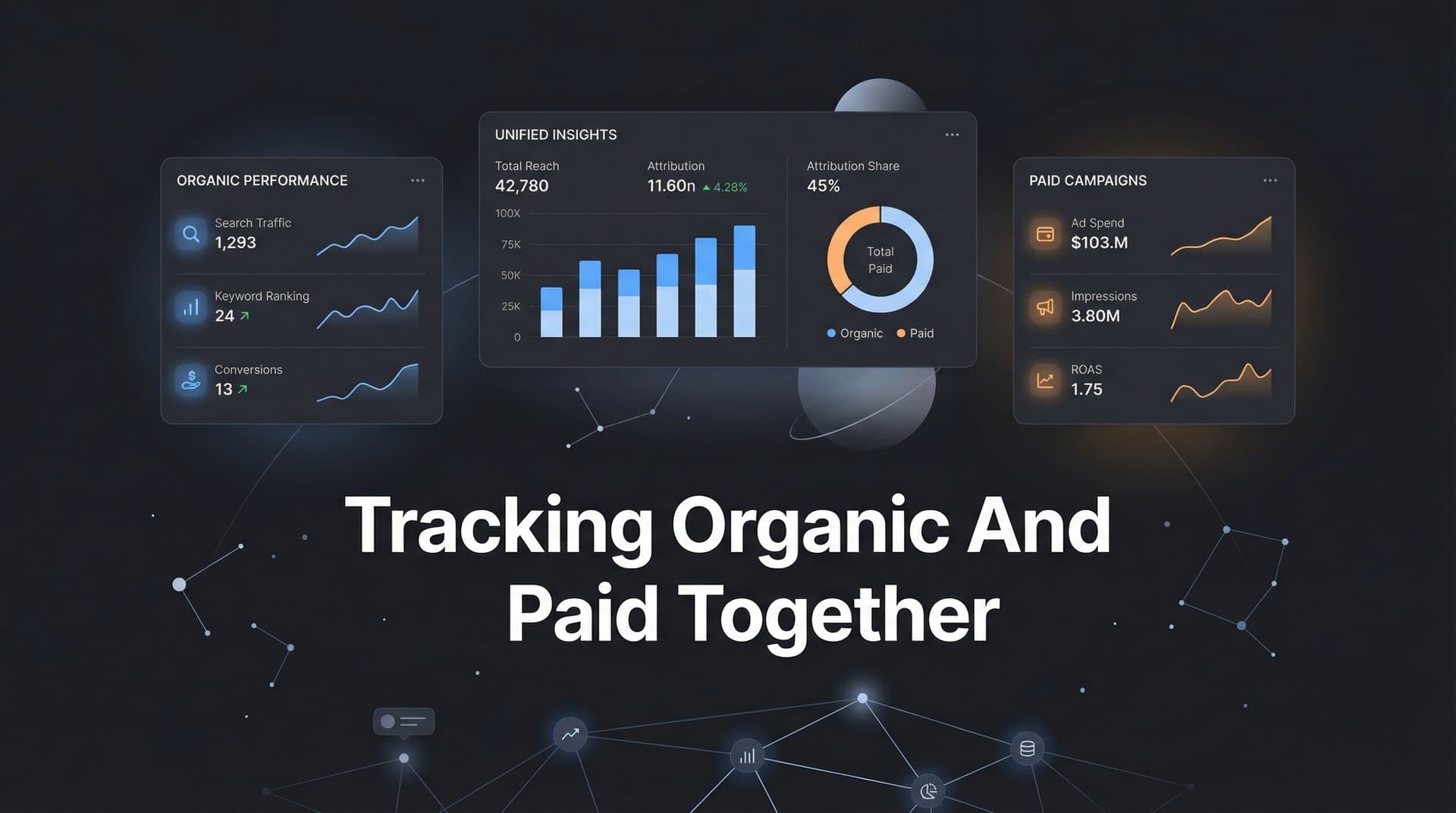
Most marketers operate with a fragmented view of their customer journey. Paid campaigns live in one dashboard, organic traffic sits in another, and the critical moments where these channels interact remain invisible.
This disconnect leads to misattributed conversions, wasted budget, and scaling decisions based on incomplete data. When a prospect clicks your Facebook ad, reads three blog posts over two weeks, then converts through a branded Google search—who gets credit?
Without unified tracking, you'll never know which touchpoints actually influenced the sale. Your paid team celebrates the Google Ads conversion while your content team wonders why their traffic doesn't convert. Meanwhile, the truth is buried in disconnected data sources that never talk to each other.
This guide walks you through the exact process of combining organic and paid tracking into a single, coherent system. You'll learn how to configure your tools, establish consistent UTM frameworks, connect your data sources, and build dashboards that reveal the complete customer journey.
By the end, you'll have a unified attribution system that shows precisely how organic and paid channels work together to drive revenue. No more guessing. No more siloed metrics. Just clear visibility into what's actually working.
Step 1: Document Your Current Tracking Infrastructure
Before building a unified system, you need to understand exactly what you're working with. Start by creating a comprehensive inventory of every tracking tool, pixel, and tag currently active on your site and across your marketing channels.
Open your website's tag manager and list every tracking pixel installed. You'll likely find Meta Pixel, Google Ads conversion tracking, LinkedIn Insight Tag, and possibly TikTok, Twitter, or other platform pixels. Document which events each pixel fires and on which pages. Understanding what a tracking pixel is and how it works is essential for this audit.
Next, audit your analytics setup. Check which properties are receiving data in Google Analytics, whether you're using GA4 or Universal Analytics (or both), and how your conversion goals are configured. Look at Search Console to confirm it's properly connected and receiving organic search data.
Now examine your paid advertising platforms individually. Log into Meta Ads Manager, Google Ads, and any other paid channels you're running. Document which conversion events each platform is tracking and how they're configured. Pay special attention to attribution windows—Meta might be using a 7-day click window while Google uses 30 days, creating immediate discrepancies.
The most critical part of this audit is identifying where data gets lost or double-counted. Check for these common issues: multiple pixels firing the same event, creating inflated conversion counts; gaps where certain touchpoints aren't tracked at all; inconsistent naming between platforms that makes it impossible to match the same user across channels; and tracking conflicts where one platform's pixel interferes with another's data collection.
Map out your customer journey from first touch to conversion. For a typical customer, what's the sequence of interactions? They might see a Facebook ad, visit your site, leave, search for your brand on Google, click an organic result, read a blog post, return via direct traffic, and finally convert. Walk through this journey in your current setup and identify where visibility breaks down.
Document everything in a spreadsheet: tool name, what it tracks, where it's installed, conversion events, attribution windows, and known issues. This becomes your baseline for building the unified system.
Step 2: Create Consistent Tagging Standards Across All Channels
UTM parameters are the foundation of unified tracking. Without consistent tagging, you'll never connect organic and paid touchpoints into a coherent journey. The problem is that most teams tag campaigns inconsistently—marketing uses one naming convention, sales uses another, and organic content often isn't tagged at all.
Start by defining your five core UTM parameters and how you'll use each one. Source identifies where traffic originates (facebook, google, linkedin, newsletter). Medium describes the marketing channel type (cpc, organic, email, social). Campaign names the specific initiative (spring_sale, product_launch, brand_awareness). Content differentiates variations within the same campaign (video_ad, carousel_ad, blog_cta). Term captures paid search keywords or audience targeting details. For a deeper dive into this topic, explore what UTM tracking is and how it can help your marketing.
Create a naming convention that works across both organic and paid. Use lowercase letters, underscores instead of spaces, and descriptive names that make sense six months from now. Avoid abbreviations that only you understand. Instead of "fb_conv_q1," use "facebook_conversion_campaign_q1_2026."
For paid campaigns, set up auto-tagging in your ad platforms while maintaining control over the parameters. Google Ads and Meta both offer auto-tagging features, but they use their own parameter formats (gclid, fbclid) that don't integrate well with organic data. Instead, use your platform's UTM builder to apply your consistent framework automatically.
The key is treating organic content with the same rigor as paid campaigns. When you share a blog post on LinkedIn, tag it with source=linkedin, medium=organic_social, campaign=content_distribution, content=blog_post_title. When you send an email newsletter, use source=newsletter, medium=email, campaign=weekly_digest. This discipline ensures every touchpoint is trackable.
Build a UTM template spreadsheet that your entire team can access. Include examples for common scenarios: paid social campaigns, organic social shares, email campaigns, partner referrals, and content syndication. Make it foolproof so anyone can generate properly tagged URLs without thinking.
Document your framework in a shared resource that explains not just how to tag, but why it matters. When team members understand that consistent tagging is what makes unified attribution possible, they're more likely to follow the standards religiously.
Step 3: Integrate All Data Sources Into One Platform
Now comes the technical work of actually connecting your fragmented data sources. You need a central attribution platform that can ingest data from paid ads, organic analytics, and your CRM to build complete customer journeys.
Start with your paid advertising platforms. Modern attribution tools offer native integrations with Meta, Google Ads, LinkedIn, TikTok, and other major ad networks. Connect each platform through API integrations rather than manual CSV uploads. API connections provide real-time data flow and automatically pull in spend, impressions, clicks, and conversion events. If you need guidance on this process, review our cross platform tracking setup guide.
When configuring each integration, verify that the platform is pulling both campaign-level metrics and user-level event data. You need to see individual user journeys, not just aggregated campaign performance. Check that conversion events are mapping correctly—what Meta calls a "Purchase" event should map to the same conversion in your attribution platform.
Next, connect Google Analytics to pull in organic traffic data. This integration brings in sessions, page views, bounce rates, and organic conversion events. If you're using GA4, make sure you're also connecting Google Search Console to capture organic search query data, impressions, and click-through rates for your organic rankings. Understanding event tracking in Google Analytics will help you configure this properly.
The CRM integration is where unified tracking becomes powerful. Connect Salesforce, HubSpot, or whatever CRM holds your lead and customer data. This connection lets you track beyond the initial conversion to see which marketing touchpoints influenced deals that actually closed and generated revenue.
Configure your attribution platform to match users across data sources. This typically involves setting up user identification through email addresses, phone numbers, or custom user IDs. When someone converts on your site and enters their email, your attribution tool should be able to connect that email to their earlier ad clicks and organic visits.
Run test conversions to verify data flows correctly. Create a test campaign in Meta, click your own ad, visit your site, and convert. Then check your attribution platform to confirm it captured the Meta click, the site visit, and the conversion event. Repeat this test for each connected platform.
The goal is a single system where you can look up any customer and see their complete journey: the Facebook ad they clicked two weeks ago, the three blog posts they read, the Google search that brought them back, and the email that finally converted them. When all your data sources feed into one platform, this visibility becomes possible.
Step 4: Add Server-Side Tracking for Complete Data Capture
Browser-based tracking pixels are increasingly unreliable. iOS App Tracking Transparency, browser cookie restrictions, and ad blockers mean that client-side pixels miss a significant portion of conversions. If you're only using pixel-based tracking, you're likely undercounting conversions by 20-40%.
Server-side tracking solves this by moving event collection from the user's browser to your server. Instead of a Meta Pixel firing in the browser (where it can be blocked), your server sends conversion data directly to Meta's API. The user's browser never needs to load the tracking pixel at all. Learn more about why server-side tracking is more accurate than traditional methods.
Setting up server-side tracking requires technical implementation, but the accuracy gains are worth it. You'll need to configure your server to capture conversion events, then send those events to your ad platforms through their Conversion APIs. Meta offers the Conversions API, Google has Enhanced Conversions, and most major platforms now support server-side event tracking.
Start by implementing first-party data collection on your website. This means capturing user actions (page views, add to cart, purchases) on your own server before sending them to ad platforms. Use your existing analytics setup or attribution platform to collect these events server-side. Understanding what first-party data tracking is will help you build a more resilient measurement system.
Configure event matching to connect server-side events with ad clicks. When someone clicks your Meta ad, Meta passes a click ID (fbclid) in the URL. Store this ID in your database or as a first-party cookie. When that user converts later, send the conversion event to Meta's Conversions API along with the stored click ID so Meta can attribute the conversion correctly.
The power of server-side tracking becomes clear when you compare it to client-side data. Run both in parallel for a few weeks, then analyze the difference. You'll typically find that server-side tracking captures 20-40% more conversions than browser pixels alone, especially from iOS users and privacy-conscious browsers. For detailed steps, follow our server-side tracking implementation guide.
For unified organic and paid tracking, server-side implementation ensures you're not missing conversions from either channel. An organic visitor using Safari with tracking prevention enabled will still be tracked server-side. A paid visitor who clicked your ad on an iPhone will convert properly even if they've opted out of app tracking.
Step 5: Configure Attribution Models That Reflect Reality
Last-click attribution gives all credit to the final touchpoint before conversion. If someone clicks ten ads and reads five blog posts before converting through a branded Google search, last-click gives 100% credit to that final search. This systematically undervalues organic content and upper-funnel paid campaigns.
Multi-touch attribution distributes credit across all touchpoints in the customer journey. The question is how to distribute that credit fairly. Different models weight touchpoints differently based on their position and timing in the journey. Understanding the difference between single source and multi-touch attribution models is crucial for making the right choice.
Linear attribution gives equal credit to every touchpoint. If there were five interactions before conversion, each gets 20% credit. This model is simple and ensures both organic and paid touches are valued, but it doesn't account for the reality that some touchpoints are more influential than others.
Time-decay attribution gives more credit to touchpoints closer to conversion. The first blog post someone read three weeks ago gets less credit than the retargeting ad they clicked yesterday. This model makes sense for businesses with longer sales cycles where recent interactions are more predictive of conversion.
Position-based (U-shaped) attribution gives 40% credit to the first touch, 40% to the last touch, and distributes the remaining 20% across middle touchpoints. This model recognizes that both introducing someone to your brand and closing the deal are critical, while still valuing the nurturing touches in between.
Configure your attribution platform to run multiple models simultaneously. Don't commit to one model as the "truth"—instead, compare how different models value your organic and paid channels. If a channel performs well in time-decay but poorly in first-touch, that tells you something about its role in the customer journey.
Set conversion windows that match your actual sales cycle. If your average customer converts within seven days of first touch, use a seven-day window. If you're in B2B with a 90-day sales cycle, extend your window accordingly. Mismatched windows create attribution errors where early touchpoints expire before the conversion happens.
Define clear rules for how organic and paid touchpoints interact. If someone clicks a paid ad, visits organically the next day, then converts through another paid ad, how should credit split? Your attribution model needs explicit logic for these scenarios. Most platforms let you set rules like "paid channels get credit for direct conversions within 7 days of click" while "organic gets credit for assists."
Step 6: Create Dashboards That Show the Complete Picture
Data in a central platform is useless if you can't easily access insights. Build dashboards that make unified organic and paid performance visible at a glance, without requiring analysts to run custom queries every time someone asks a question.
Start with a top-level overview dashboard that shows total conversions, revenue, and ROI with breakdowns by organic versus paid. Include trend lines that show how the mix is changing over time. This view should answer the executive question: "How are our marketing channels performing together?" Mastering marketing analytics and reporting is essential for building effective dashboards.
Create a journey visualization view that shows common paths to conversion. This might reveal that your most valuable customers typically see a paid social ad, visit organically through search, read two blog posts, then convert through a retargeting ad. These insights are invisible when you only look at channels in isolation.
Build channel interaction reports that show how organic and paid work together. Track metrics like: how many paid conversions were assisted by prior organic visits, how many organic conversions came from users who previously clicked paid ads, and which organic content pieces are most commonly viewed by paid traffic before conversion.
Set up automated reports that deliver insights weekly without manual work. Schedule a report that shows top-performing organic content for paid traffic, paid campaigns with the highest organic assist rates, and attribution model comparisons for key conversion events. Make these reports accessible to everyone who needs them—not just the analytics team.
Establish KPIs that measure unified performance rather than channel silos. Instead of "paid conversion rate" and "organic conversion rate" as separate metrics, track "blended conversion rate" and "cross-channel influenced revenue." These metrics force your team to think about how channels work together rather than competing for credit.
Build custom views for different stakeholders. Your paid ads team needs to see which organic content supports their campaigns. Your content team needs to see which blog posts assist paid conversions. Your executives need to see total marketing ROI with clear visibility into how organic and paid contribute together.
Putting It All Together
With unified tracking in place, you can finally see the complete picture of how organic and paid channels drive revenue together. The fragmented dashboards and attribution gaps that once obscured your marketing performance are replaced with clear visibility into what's actually working.
Use this checklist to verify your setup is complete: current tracking audited and gaps identified, UTM framework documented and implemented across all campaigns, all data sources connected to central attribution platform, server-side tracking active and verified, multi-touch attribution models configured and running, and unified dashboards built and shared with stakeholders.
The real value comes from acting on these insights. When you see that organic blog content assists 40% of paid conversions, you invest more in content creation. When time-decay attribution reveals that upper-funnel awareness campaigns drive conversions three weeks later, you stop cutting those budgets during quarterly reviews. When journey visualization shows that customers who interact with both organic and paid convert at twice the rate of single-channel visitors, you build campaigns specifically designed to create these cross-channel experiences.
Unified tracking transforms how you allocate budget. Instead of treating organic and paid as separate line items competing for resources, you optimize the entire system. You might discover that increasing organic content spend by 20% increases paid campaign conversion rates by 35% because prospects are better educated before clicking ads. These insights are impossible without unified attribution.
The measurement framework you've built also protects you from making decisions based on incomplete data. When someone suggests cutting a paid campaign because it has a high cost per conversion, you can show that it actually generates significant organic assists worth far more than its direct conversions. When leadership questions organic investment because it doesn't show immediate conversions, you demonstrate how it supports the entire customer journey.
Ready to elevate your marketing game with precision and confidence? Discover how Cometly's AI-driven recommendations can transform your ad strategy—Get your free demo today and start capturing every touchpoint to maximize your conversions.



