

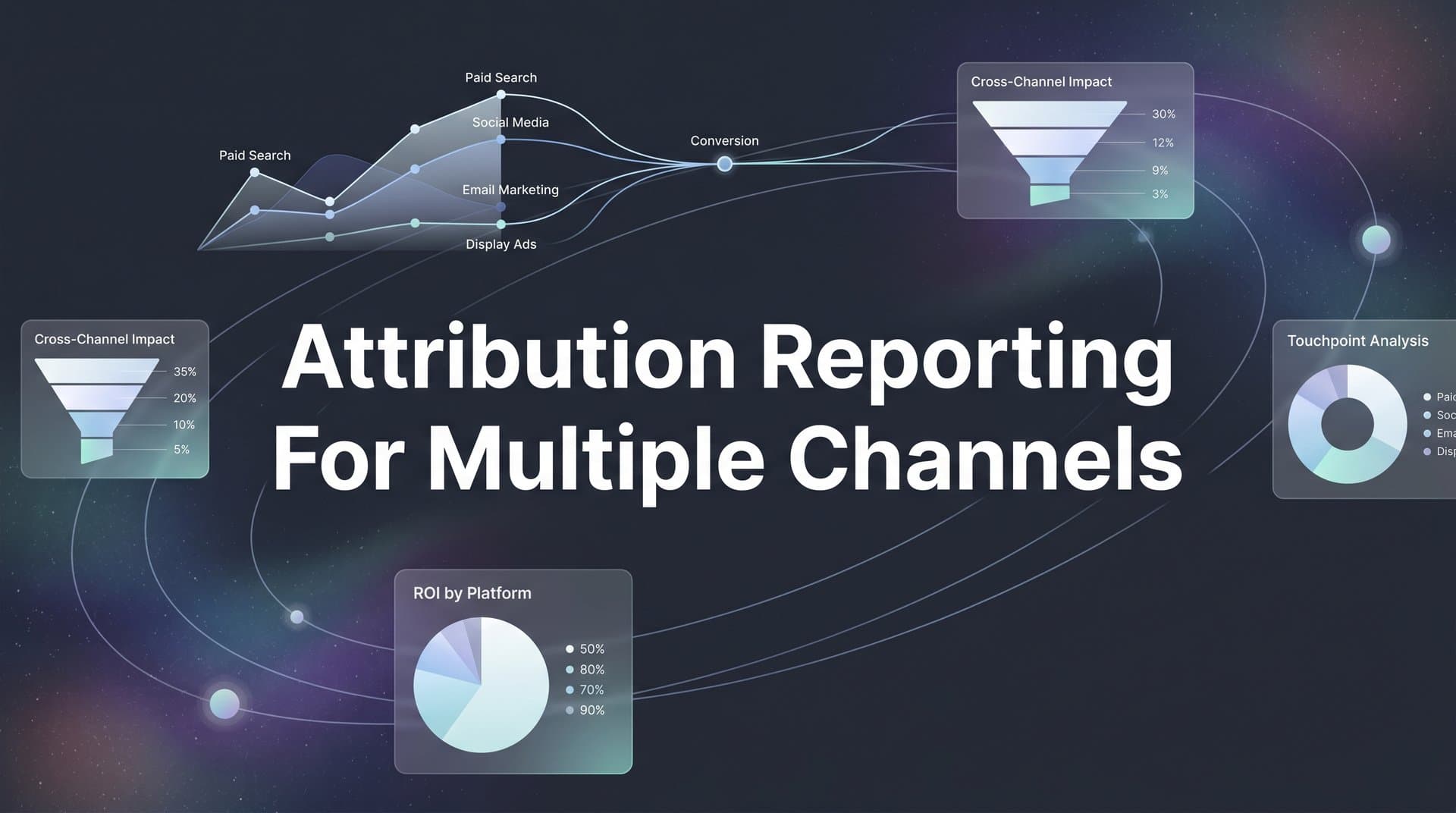
Running ads across Meta, Google, TikTok, and LinkedIn simultaneously creates a familiar challenge: each platform claims credit for the same conversions. Your Google Ads dashboard shows 50 conversions while Meta reports 60, yet your CRM only logged 40 actual sales. This disconnect makes budget decisions feel like guesswork.
Attribution reporting for multiple channels solves this by creating a unified view of how each touchpoint contributes to conversions across your entire marketing mix. Instead of trusting conflicting reports from individual platforms, you get one source of truth that shows the complete customer journey.
In this guide, you will learn exactly how to set up cross-channel attribution reporting that shows which ads and channels actually drive revenue. By the end, you will have a system that tracks every customer touchpoint, assigns credit accurately, and gives you confidence in your budget allocation decisions.
Let's get started.
Step 1: Audit Your Current Tracking Infrastructure
Before building a unified attribution system, you need to understand what you are working with. Start by mapping every active channel where you are currently spending money or generating traffic.
Create a spreadsheet that lists each platform: paid search, paid social, display networks, email campaigns, organic social, referral sources, and direct traffic. For each channel, document what tracking mechanisms you have in place. Do you have pixels installed? Are UTM parameters being used consistently? Is server-side tracking configured?
Next, identify the gaps. Check your recent campaigns for missing UTM parameters. Review your website to confirm all tracking pixels are firing correctly. Use your browser's developer tools or a tag management system to verify that conversion events are being captured. Many marketers discover that certain campaigns have been running without proper tracking for weeks or months.
Document your conversion events across platforms. What counts as a conversion in Google Ads versus Meta versus your CRM? You might find that each system defines conversions differently. One platform tracks form submissions, another counts thank-you page views, and your CRM only logs qualified leads. These inconsistencies create the discrepancies you see in reporting.
Compare platform-reported conversions against your actual sales data. Pull a month of conversion data from each ad platform and match it against closed deals in your CRM. Calculate the variance. If Meta reports 200 conversions but only 120 resulted in actual sales, you have a 40% inflation rate that is skewing your decision-making.
Look for common issues: duplicate conversion tracking where multiple pixels fire for the same event, missing touchpoints where customers interact with your brand but leave no trace, or attribution windows that do not match your actual sales cycle. Understanding these ad attribution problems across multiple platforms is the first step toward solving them.
Success indicator: You have a complete inventory showing every channel, every tracking mechanism currently deployed, all conversion event definitions, and documented discrepancies between platform reports and actual sales. This audit becomes your baseline for improvement.
Step 2: Establish Unified Tracking Parameters Across All Channels
Inconsistent tracking parameters are the primary reason attribution systems fail. When each campaign uses different naming conventions, your attribution platform cannot connect the dots between touchpoints.
Create a standardized UTM naming convention that every campaign will follow. Define clear rules for utm_source, utm_medium, utm_campaign, utm_term, and utm_content. For example, always use lowercase, separate words with underscores or hyphens consistently, and use descriptive names that make sense six months from now.
Your utm_source should identify the platform: facebook, google, linkedin, tiktok. Your utm_medium should describe the channel type: cpc, paid_social, display, email. Your utm_campaign should include the campaign objective and date: brand_awareness_q2_2026 or product_launch_april.
Implement server-side tracking alongside your existing browser-based pixels. Browser tracking faces limitations from ad blockers, iOS privacy features, and cookie restrictions. Server-side tracking captures data directly from your server, providing more reliable attribution even when browser-based methods fail.
Set up first-party data collection to maintain accuracy despite privacy changes. Configure your website to collect user interactions as first-party data before sending it to ad platforms. This approach gives you control over your data and improves matching rates when syncing conversions back to ad platforms.
Configure click ID parameters for each platform. Google uses GCLID, Meta uses FBCLID, and other platforms have their own identifiers. These click IDs enable precise conversion matching by creating a direct link between the ad click and the eventual conversion, even when cookies are blocked or deleted. Proper attribution tracking for multiple campaigns depends on these identifiers flowing correctly.
Build URL templates that automatically append all necessary parameters. Most ad platforms offer dynamic parameter insertion, so you do not have to manually tag every URL. Set up your templates once, and every new campaign inherits the correct tracking structure.
Document your naming conventions in a shared resource that everyone on your team can access. When multiple people create campaigns, consistency matters. A simple reference guide prevents the chaos of mixed naming schemes that break attribution reporting.
Success indicator: Every active campaign across all channels uses your standardized UTM parameters, server-side tracking is capturing data, first-party collection is configured, and click IDs are flowing into your central system. New campaigns automatically inherit these standards.
Step 3: Connect Your Ad Platforms to a Central Attribution System
Your attribution system needs data from every source where customers interact with your brand. This means connecting ad platforms, your CRM, and your website analytics into one unified system.
Start by integrating each ad platform through their API. Connect Meta Ads, Google Ads, LinkedIn Campaign Manager, TikTok Ads, and any other paid channels you use. API connections pull spend data, impression counts, click metrics, and platform-reported conversions automatically. This eliminates manual data exports and ensures your attribution system always has current information.
Link your CRM to capture the complete conversion story. Your CRM holds the truth about which leads became customers, deal sizes, and revenue generated. Without CRM integration, your attribution system only sees ad clicks and website conversions but misses the final step where conversions turn into revenue. Effective marketing attribution platforms with revenue tracking require this connection.
Connect your website analytics to track behavior between touchpoints. Someone might click a Facebook ad, visit your site, leave without converting, then return three days later through a Google search and finally convert. Your attribution system needs to see both visits to assign credit appropriately.
Configure conversion event mapping so your attribution platform knows which events matter. Map form submissions, demo requests, trial signups, purchases, and any other conversion events that indicate progress toward a sale. Make sure these events are defined consistently across all connected systems.
Verify data is flowing correctly by testing sample conversions. Create a test campaign, click your own ad, complete a conversion, and trace that journey through your attribution system. Check that the click was recorded, the conversion was captured, and all touchpoints appear in the customer journey visualization.
Set up automated data syncing on a schedule that matches your decision-making cadence. If you review performance daily, sync data every few hours. If you make budget decisions weekly, daily syncing might be sufficient. Real-time syncing provides the most current insights but requires more technical infrastructure.
Success indicator: Your attribution dashboard displays data from all ad platforms, your CRM, and website analytics. Sample conversions appear correctly with all touchpoints visible. Data refreshes automatically without manual intervention.
Step 4: Choose and Configure Your Attribution Model
Attribution models determine how credit for conversions gets distributed across touchpoints. The model you choose significantly impacts which channels appear to perform best.
Understand the key models available. First-touch attribution gives all credit to the initial interaction. If someone first discovered you through a Facebook ad, Facebook gets 100% credit regardless of what happened next. Last-touch attribution does the opposite, crediting only the final touchpoint before conversion.
Linear attribution distributes credit evenly across all touchpoints. If a customer journey included five interactions, each touchpoint receives 20% of the credit. Time-decay attribution gives more weight to recent touchpoints, recognizing that interactions closer to conversion often have more influence. Data-driven attribution uses machine learning to assign credit based on the actual impact each touchpoint has on conversion likelihood. Understanding multi-touch attribution models for data helps you select the right approach.
Match your model choice to your business reality. Companies with short sales cycles and simple customer journeys often start with last-touch attribution because the final interaction genuinely drives most conversions. Businesses with longer consideration periods benefit from multi-touch models that credit earlier awareness and consideration touchpoints.
If your average customer researches for weeks before buying, first-touch interactions matter. That initial blog post or social media ad started the relationship. Last-touch attribution would ignore all the nurturing that happened between discovery and purchase.
Configure lookback windows appropriate for your conversion timeline. A lookback window defines how far back the system searches for touchpoints to include in attribution. If your typical sales cycle is 30 days, a 7-day lookback window will miss most of the journey. Set windows that capture your actual customer behavior patterns.
Set up the ability to compare multiple models side-by-side. The most sophisticated approach involves analyzing performance through different attribution lenses. Run first-touch, last-touch, and linear models simultaneously to understand how perspective changes channel performance rankings.
Success indicator: Your chosen attribution model is configured and processing historical data. You can view how credit gets distributed across channels and compare results using different models to gain deeper insights into channel contribution patterns.
Step 5: Build Your Cross-Channel Attribution Dashboard
Raw attribution data becomes actionable when visualized in dashboards that surface insights quickly. Your dashboard should answer the most important questions about channel performance at a glance.
Create a primary view that shows channel performance with unified attribution credit. Display each channel with attributed conversions, attributed revenue, total spend, and attributed return on ad spend. This view replaces the fragmented picture you get from looking at individual platform dashboards. A robust attribution reporting platform makes building these views straightforward.
Set up campaign-level breakdowns within each channel. You need to see which specific campaigns drive results, not just which platforms perform well. A channel might look strong overall while specific campaigns underperform significantly. Drill-down capabilities let you identify top performers and cut underperformers quickly.
Add conversion path analysis to visualize common customer journeys. Show the most frequent sequences of touchpoints that lead to conversions. You might discover that customers who see both a Facebook ad and a Google search ad convert at higher rates than those who only interact through one channel.
Include spend efficiency metrics that go beyond simple ROAS. Calculate attributed revenue per dollar spent, cost per attributed conversion, and contribution margin by channel. These metrics help you make budget decisions based on profitability, not just revenue volume.
Build time-based views that show performance trends. Track how attributed performance changes week over week or month over month. Identify seasonal patterns or the impact of campaign changes on overall attribution patterns.
Create custom views for different stakeholders. Your executive team might want a high-level summary of channel ROI, while campaign managers need granular data about specific ad sets and audiences. Build dashboards that serve each audience without overwhelming them with irrelevant details. Consider building dedicated attribution reporting for CMO dashboards to meet executive needs.
Set up automated reports that deliver key metrics on a regular schedule. Daily performance summaries keep you informed without requiring manual dashboard checks. Weekly or monthly executive reports provide the context needed for strategic decisions.
Success indicator: Your dashboard displays accurate cross-channel performance at a glance, with the ability to drill down into campaigns, visualize customer journeys, and analyze trends over time. Stakeholders can find the insights they need without digging through multiple platforms.
Step 6: Validate Data Accuracy and Troubleshoot Discrepancies
Attribution systems are only valuable if the data is accurate. Regular validation ensures you are making decisions based on reliable information.
Compare attributed conversions against actual CRM sales for a sample period. Pull a month of data from your attribution system showing total attributed conversions and revenue. Match this against closed deals in your CRM for the same period. Calculate the variance percentage.
Some variance is normal due to timing differences and attribution window effects, but large discrepancies indicate problems. If your attribution system shows 500 conversions while your CRM logged 350 sales, investigate where the extra 150 conversions came from.
Identify and resolve common issues. Duplicate conversions occur when multiple tracking mechanisms fire for the same event. Check for overlapping pixels or conversion events that trigger multiple times. Missing touchpoints happen when customers interact through channels you are not tracking. Review your customer journey to identify blind spots.
Delayed data can create temporary discrepancies. Some platforms report conversions immediately while others have delays of hours or days. Document the typical latency for each data source so you know when to expect complete reporting. Implementing cross-platform attribution tracking helps minimize these gaps.
Set up alerts for tracking anomalies or sudden data drops. Configure notifications when conversion volume drops below expected thresholds, when specific platforms stop sending data, or when attribution patterns change dramatically. Early detection of tracking issues prevents weeks of bad data from accumulating.
Document your validation process for ongoing quality assurance. Create a checklist that your team runs monthly: compare attribution totals to CRM records, review conversion event definitions for consistency, check that all platforms are syncing data, and verify that new campaigns use correct tracking parameters.
Success indicator: Your attribution data matches CRM sales records within an acceptable variance range. You have identified and fixed major discrepancies. Automated alerts notify you of tracking issues before they significantly impact your data quality.
Step 7: Use Attribution Insights to Optimize Budget Allocation
Accurate attribution data is only valuable if you act on it. Use your insights to make smarter budget decisions that improve overall marketing efficiency.
Identify underperforming channels that receive credit they do not deserve. Last-click attribution often overvalues bottom-funnel channels like branded search while undervaluing awareness channels. Your multi-touch attribution might reveal that channels you considered weak actually play crucial roles early in the customer journey.
Find high-impact touchpoints that assist conversions but rarely get last-click credit. A channel might drive few direct conversions but consistently appear in the journeys of your best customers. These assist channels deserve budget even though they do not generate obvious last-click results. Using attribution data for ad optimization reveals these hidden performers.
Shift budget toward channels with the best attributed return on ad spend. If LinkedIn generates a 5:1 attributed ROAS while display ads deliver 2:1, reallocate budget accordingly. Make incremental changes rather than dramatic shifts to avoid disrupting successful channel combinations.
Test budget reallocation in controlled experiments. Increase spend on high-performing channels by 20% while decreasing low performers by the same amount. Monitor overall conversion volume and revenue to confirm that reallocation improves results. Attribution models provide guidance, but real-world testing validates assumptions.
Set up a regular review cadence to continuously refine allocation based on fresh data. Schedule weekly or biweekly budget reviews where you examine recent attribution performance and make adjustments. Market conditions change, audience fatigue sets in, and new opportunities emerge. Regular reviews keep your budget aligned with current reality.
Success indicator: You are making budget decisions based on attributed performance rather than platform-reported metrics. Your overall marketing efficiency improves as you shift spend toward channels that genuinely drive conversions across the complete customer journey.
Putting It All Together: Your Attribution Reporting Checklist
You now have a complete system for attribution reporting across multiple channels. The process transforms fragmented platform data into unified insights that drive confident budget decisions.
Start by auditing your current tracking infrastructure to identify gaps and inconsistencies. Then standardize your parameters across all channels so every touchpoint can be connected. Integrate your ad platforms, CRM, and analytics into a central attribution system that sees the complete customer journey.
Choose the attribution model that matches your sales cycle and business reality. Build dashboards that surface actionable insights without overwhelming stakeholders with complexity. Validate your data regularly to ensure accuracy, and use those insights to optimize budget allocation continuously.
Your quick-start checklist: Complete a tracking audit across all channels to document current state and identify gaps. Implement consistent UTM parameters and click ID tracking on every campaign. Connect ad platforms, CRM, and website analytics to your attribution system. Configure your attribution model and set appropriate lookback windows. Build cross-channel performance dashboards that answer your most important questions. Validate attribution data against actual CRM sales records. Review performance and reallocate budget based on attributed results rather than platform-reported metrics.
The difference between guessing and knowing which ads drive revenue comes down to proper attribution reporting. When you can see the complete customer journey across every channel, budget decisions become strategic rather than reactive.
Ready to elevate your marketing game with precision and confidence? Discover how Cometly's AI-driven recommendations can transform your ad strategy. Get your free demo today and start capturing every touchpoint to maximize your conversions.



