

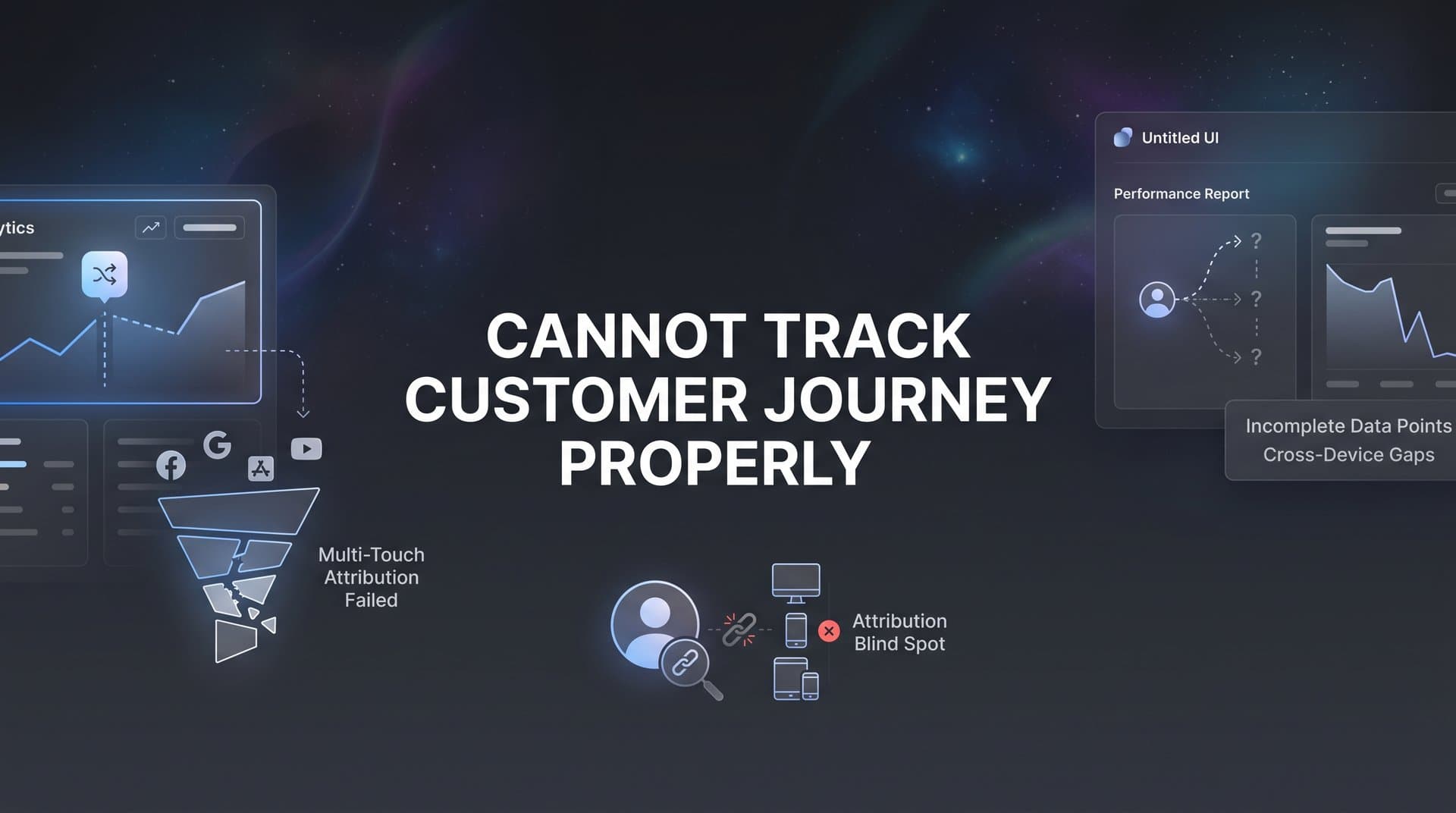
You run ads across Meta, Google, and TikTok. You watch the dashboard light up with clicks and engagement. But when you check your revenue reports, the numbers don't add up. You cannot track customer journey properly, and it's costing you thousands every month.
The problem isn't your marketing strategy. It's your tracking infrastructure.
When you cannot see which touchpoints actually drive sales, you make decisions in the dark. You cut campaigns that are secretly your best performers. You scale ads that look good on paper but never convert. You watch competitors outpace you because they've solved the puzzle you're still struggling with.
The tracking landscape has become a minefield. iOS privacy updates block your pixels. Cookies disappear across domains. Customers bounce between their phone, laptop, and tablet before finally converting. Your ad platform says one thing, Google Analytics says another, and your CRM tells a completely different story.
This fragmentation isn't just annoying. It's expensive.
But here's the good news: fixing your customer journey tracking is entirely possible. You don't need a data science degree or a six-figure tech stack. You need a systematic approach that addresses each gap in your tracking infrastructure.
This guide walks you through the exact steps to diagnose your tracking failures and build a system that captures every meaningful interaction. From that first ad click to the final closed deal, you'll see the complete picture. By the end, you'll have a clear action plan to move from fragmented guesswork to complete attribution clarity.
Let's fix your tracking so you can finally make confident marketing decisions based on real data.
Step 1: Audit Your Current Tracking Setup for Gaps
Before you can fix your tracking, you need to know exactly where it's breaking. Most marketers assume their tracking works until they actually test it. The reality? Nearly every setup has silent failures that corrupt your data without triggering any alerts.
Start by becoming your own customer. Run a complete test conversion through your entire funnel and document every single tracking point along the way.
Open an incognito window and click one of your own ads. Watch what happens. Does the landing page load with the correct UTM parameters in the URL? Open your browser's developer console and check if your tracking pixels fire. Navigate through your funnel exactly as a customer would, filling out forms and clicking buttons.
At each step, verify that data is being captured. Check your ad platform's events manager to confirm the pixel fired. Look at Google Analytics to see if the session was recorded with the correct source attribution. If you have form submissions, confirm they're showing up in your CRM with the proper campaign tags.
Here's where most tracking falls apart: the handoffs between platforms.
Your ad platform might register the click perfectly. But when the user lands on your website, the UTM parameters get stripped by a redirect. Or they fill out a form, but your CRM integration fails to pass the original source data. Or they convert on a different device three days later, and nothing connects that sale back to the original ad click. Understanding customer journey tracking gaps is essential to diagnosing these issues.
Create a simple spreadsheet to document your findings. List every touchpoint in your customer journey: ad click, landing page view, form submission, email open, demo booking, purchase. Then mark which ones are tracking correctly and which ones are dropping data.
Pay special attention to cross-domain tracking. If your checkout happens on a different domain than your main site, check whether sessions persist across that jump. Many marketers lose attribution the moment customers move from their marketing site to a subdomain or third-party checkout.
Test on multiple devices and browsers. Run the same journey on your iPhone, your laptop, and an Android device. iOS tracking behaves completely differently than desktop Chrome, and you need to see both perspectives.
Don't just test once. Run this audit weekly for a month. Customer journeys vary, and you might catch issues on Tuesday that didn't appear on Monday. Some tracking failures only happen under specific conditions like when users have ad blockers installed or when they're on mobile networks.
By the end of this audit, you'll have a clear gap analysis that shows exactly where your tracking infrastructure is failing. This document becomes your roadmap for the fixes you'll implement in the next steps.
Step 2: Implement Server-Side Tracking to Bypass Browser Limitations
Client-side tracking is dying, and if you're still relying solely on browser pixels, you're losing massive amounts of data. iOS App Tracking Transparency blocks pixels by default. Ad blockers strip tracking scripts. Cookie restrictions prevent cross-site attribution. Your carefully placed pixels are firing into the void.
Server-side tracking solves this problem by sending data directly from your server to ad platforms and analytics tools. Instead of relying on JavaScript that runs in the user's browser, you capture events on your backend and transmit them through secure server-to-server connections.
Think of it like the difference between shouting across a crowded room versus making a direct phone call. Browser-based pixels are the shouting method, easily blocked by noise and interference. Server-side tracking is the phone call that gets through regardless of what's happening on the user's device.
Start by setting up server-side event tracking for your most critical conversion actions. If you're running Meta ads, implement the Conversions API. For Google Ads, set up server-side conversion tracking through Google Tag Manager Server-Side or direct API integration.
The technical setup involves configuring your server to send event data whenever a conversion happens. When someone completes a purchase, your server captures that event along with relevant identifiers like email address, phone number, or a user ID. It then transmits this data directly to the ad platform's API.
Here's what makes server-side tracking powerful: it captures events that browser pixels miss entirely. When someone converts on iOS with tracking disabled, your pixel sees nothing. But your server still processes the transaction and sends the conversion data through the API. The ad platform receives accurate conversion information regardless of browser settings. This approach helps solve multi-device customer tracking challenges that plague most marketers.
Configure first-party data collection as part of this process. Store conversion data in your own database before sending it to external platforms. This gives you a source of truth that exists independently of any third-party tracking. If Meta's pixel fails or Google Analytics has a gap, your server logs still have the complete record.
Privacy compliance is built into proper server-side implementation. You're collecting data users willingly provide during transactions, not trying to track them across the internet. You control exactly what data gets sent and can implement consent management that respects user preferences while maintaining tracking accuracy.
Verify your server-side events are firing correctly using real-time testing tools. Meta provides a Test Events feature in Events Manager. Google offers conversion tracking verification. Send test conversions and confirm they appear in these dashboards with all the correct parameters.
Monitor your server-side tracking quality score. Ad platforms rate the quality of your conversion data based on factors like how quickly events are sent, how many user identifiers you include, and how consistently the data arrives. Higher quality scores improve your ad delivery and optimization.
The combination of client-side and server-side tracking gives you the most complete picture. Browser pixels still capture some data that servers can't, like on-page behavior and session duration. Use both methods together, with server-side tracking as your reliable foundation and client-side pixels as supplementary data when they work.
Step 3: Connect Your Ad Platforms, Website, and CRM into One System
Your customer journey doesn't happen in one place. Someone clicks your Meta ad, visits your website, downloads a lead magnet, gets added to your CRM, receives email follow-ups, and eventually converts. If these platforms don't talk to each other, you cannot track customer journey properly no matter how good your individual tracking is.
Map out every platform that touches your customer journey. List your ad platforms like Meta, Google, TikTok, and LinkedIn. Add your website analytics tools. Include your CRM, email marketing platform, and any other systems that interact with customers. This visual map shows you all the connection points you need to establish.
The key to connecting these systems is establishing unique identifiers that follow users across all touchpoints. Email address is the most reliable identifier for most businesses. When someone fills out a form, you capture their email. When they make a purchase, you capture their email. When they're in your CRM, you have their email. This single identifier can tie together their entire journey.
For B2B companies with longer sales cycles, you might also use phone numbers, company domains, or custom user IDs. The important thing is consistency. Every system needs to capture and store these identifiers in a standardized format so you can match records across platforms. Learning how to track customer journey across channels starts with this foundational work.
Set up bidirectional data flow between your systems. Data shouldn't just flow one direction from ads to website to CRM. Your CRM conversions need to flow back to your ad platforms. Your website behavior data needs to inform your email segmentation. Your email engagement needs to feed back into your analytics.
This creates a closed loop where every platform has access to the complete customer context. When Meta's algorithm is optimizing your ads, it sees not just website conversions but also CRM deals and email engagement. When you're analyzing performance in your CRM, you see which specific ads and campaigns sourced each lead.
Use integration platforms or attribution tools to establish these connections. Direct API integrations work for technical teams, but most marketers benefit from platforms that handle the heavy lifting. The goal is creating a single source of truth where all customer journey data lives in one place, regardless of which platform originally captured it.
Test your connections by running a complete conversion and confirming it appears everywhere. Click an ad with a unique tracking parameter. Fill out a form on your website. Check that the lead appears in your CRM with the correct source attribution. Verify that when you mark it as a closed deal, that conversion syncs back to your ad platform.
Pay special attention to timing. Some integrations sync in real-time, others batch data every few hours. Know your sync schedules so you can set appropriate expectations for when data should appear across systems.
Document your integration architecture. Create a simple diagram showing how data flows between platforms, which identifiers connect records, and what sync schedules apply. This documentation is invaluable when troubleshooting issues or onboarding new team members.
The unified system you build here becomes the foundation for accurate attribution. Without these connections, you're just collecting data in silos. With them, you can finally see the complete customer journey from first touch to revenue.
Step 4: Configure Multi-Touch Attribution to See the Full Picture
Last-click attribution is a lie. It tells you that the final touchpoint before conversion deserves all the credit, completely ignoring the blog post that introduced your brand, the retargeting ad that brought them back, and the email that warmed them up. If you cannot track customer journey properly across multiple touches, you're making decisions based on incomplete information.
Multi-touch attribution solves this by distributing credit across all the meaningful interactions that contributed to a conversion. Instead of giving 100% credit to the last click, you acknowledge that customer journeys involve multiple touchpoints, and each one plays a role. Understanding customer journey attribution is fundamental to making this work.
Choose attribution models that match your sales cycle length. If you run an e-commerce store where customers convert within hours, a simpler model like linear attribution works well. It gives equal credit to every touchpoint in the journey. If you run a B2B SaaS company with 90-day sales cycles, you need more sophisticated models that account for time decay and position-based weighting.
Time decay attribution gives more credit to touchpoints closer to the conversion. The logic makes sense for longer sales cycles because recent interactions often have more influence on the final decision. Someone might have clicked your ad three months ago, but the demo they attended last week probably mattered more to their purchase decision.
Position-based attribution weights the first and last touchpoints more heavily while still crediting middle interactions. This model acknowledges that introducing someone to your brand and closing the deal are both critical, but the nurturing touches in between also matter.
Set up touchpoint weighting that credits all meaningful interactions without overcounting. Define what constitutes a significant touchpoint. An ad click counts. A website visit counts. Opening a single email probably shouldn't count as much as attending a live demo. Create rules that reflect the actual influence each interaction type has on purchase decisions.
Build attribution reports that show which channels assist versus close deals. Your Meta ads might not get many last-click conversions, but they could be introducing most of your customers to your brand. Your Google search ads might get all the last clicks because people search for your brand name right before converting, but they learned about you somewhere else first.
This distinction between assisted conversions and last-click conversions completely changes how you evaluate channel performance. A channel that looks weak in last-click attribution might be your most valuable top-of-funnel driver. A channel that looks amazing in last-click might just be capturing demand that other channels created.
Compare attribution models side by side to understand different perspectives on performance. Run the same date range through last-click, first-click, linear, time decay, and position-based models. See how the credit distribution changes. This comparison reveals which channels are being over-credited or under-credited in your current attribution approach.
Most marketing attribution platforms let you switch between models instantly, showing you how your performance metrics shift. Spend time exploring these different views. You'll discover insights about your marketing mix that single-model attribution completely misses.
Use multi-touch attribution to inform budget allocation decisions. If your attribution analysis shows that customers typically need three touchpoints before converting, and Meta ads are the strongest first touch while Google search is the strongest last touch, you need both channels working together. Cutting either one would break the journey.
The goal isn't finding one perfect attribution model. The goal is understanding the complete customer journey so you can make informed decisions about where to invest your budget and which channels work together to drive conversions.
Step 5: Feed Enriched Conversion Data Back to Ad Platforms
Your ad platforms are only as smart as the data you give them. When you feed Meta or Google basic conversion signals without context, their algorithms optimize in the dark. They know someone converted, but they don't know if that person spent $50 or $5,000. They can't distinguish between a junk lead and a qualified prospect. They're flying blind just like you are.
Feeding enriched conversion data back to ad platforms transforms their optimization capabilities. Instead of just sending a "purchase" event, you send purchase value, customer lifetime value predictions, lead quality scores, and offline conversion data. The algorithm suddenly has rich context about which conversions actually matter to your business.
Configure conversion sync to send accurate revenue data to Meta, Google, and other platforms. When someone makes a purchase, don't just fire a generic conversion pixel. Send the actual transaction value. When someone becomes a lead, include a quality score based on their firmographic data or engagement level. When a deal closes in your CRM three months later, send that offline conversion back to the original ad platform.
This is where server-side tracking and CRM integration pay massive dividends. Your server knows the exact purchase value. Your CRM knows which leads turned into customers. By syncing this data back to ad platforms, you give their algorithms the feedback they need to find more high-value customers. Implementing end-to-end customer journey tracking makes this feedback loop possible.
Include offline conversions and CRM events in your feedback loop. Many businesses, especially in B2B, have significant conversions that happen completely offline. A lead fills out a form, gets contacted by sales, goes through a multi-week evaluation process, and eventually signs a contract. If the ad platform never learns about that final conversion, it thinks the campaign that generated that lead performed poorly.
Set up offline conversion tracking through Meta's Offline Conversions API and Google's offline conversion imports. When deals close in your CRM, automatically send that data back to the ad platforms with identifiers that match them to the original ad clicks. Now the algorithms can optimize for actual closed deals, not just form submissions.
The improvement in ad platform performance can be dramatic. Meta's algorithm might have been optimizing for cheap clicks because that's all it could measure. Once you start feeding it conversion value data, it shifts toward finding users who actually spend money. Your cost per click might increase, but your return on ad spend improves because you're attracting higher-value customers.
Monitor how enriched data improves targeting and reduces cost per acquisition over time. Ad platforms need a learning period to adjust to the new data signals. Give it at least two weeks of consistent data flow before evaluating performance changes. You should see improvements in conversion rates as the algorithm gets better at identifying your ideal customers.
Quality matters more than quantity with conversion data. Sending thousands of low-quality conversion signals confuses the algorithm. Sending fewer but more accurate signals with proper value attribution helps it optimize effectively. Focus on data accuracy and completeness rather than just maximizing event volume.
Use conversion value optimization in your ad platform settings once you have reliable value data flowing. This tells the algorithm to optimize for the highest total conversion value, not just the most conversions. For businesses with variable transaction sizes, this shift can dramatically improve profitability.
The closed loop you create here is powerful. Your ads generate customers. Your tracking captures their complete journey. Your systems measure their actual value. That value data flows back to the ad platforms. The algorithms learn what high-value customers look like. They find more people like that. Your marketing efficiency compounds over time.
Step 6: Validate Your Tracking and Set Up Ongoing Monitoring
Building great tracking infrastructure is only half the battle. Maintaining it requires constant vigilance. Tracking breaks in subtle ways. A developer pushes a website update that strips UTM parameters. An integration stops syncing without throwing an error. A new iOS update changes how cookies work. If you're not actively monitoring, you won't notice until you've lost weeks of data.
Run end-to-end tests simulating real customer journeys across devices. Don't just test the happy path where everything works perfectly. Test edge cases. What happens when someone clicks an ad on their phone but converts on their laptop three days later? What happens when they use an ad blocker? What happens when they clear their cookies halfway through the journey? Understanding customer journey tracking across devices helps you anticipate these scenarios.
Create a testing protocol you run weekly. Click your own ads from different devices and browsers. Complete conversions. Verify that data appears correctly in all your connected systems. Check that attribution is working, that conversion values are accurate, and that offline conversions are syncing properly.
Set up alerts for tracking failures or data discrepancies. Most analytics platforms and attribution tools offer anomaly detection. Configure alerts that notify you when conversion volume drops unexpectedly, when a critical pixel stops firing, or when data sync between systems fails.
Monitor your data consistency across platforms. Your ad platform, analytics tool, and CRM should all show similar conversion numbers. Small discrepancies are normal due to different attribution windows and counting methodologies. Large discrepancies indicate a tracking problem that needs immediate attention.
Create a weekly tracking health check routine. Every Monday morning, review your key metrics across all platforms. Check that conversion volumes are within expected ranges. Verify that your attribution reports are updating correctly. Look for any unusual patterns that might indicate tracking issues.
This routine takes 15 minutes but catches problems before they compound. You'll spot a broken integration on Monday instead of discovering it a month later when you're trying to analyze campaign performance and realize you're missing critical data.
Document your setup so team members can troubleshoot issues quickly. Create a tracking documentation hub that includes your integration architecture, pixel placement instructions, UTM parameter conventions, and troubleshooting guides. When something breaks and you're on vacation, your team needs to be able to diagnose and fix it without you. A comprehensive customer journey tracking tools comparison can help you choose the right platforms for your documentation.
Include screenshots of correct configurations. Document the expected behavior for each tracking component. List common failure modes and their solutions. This documentation transforms tracking maintenance from specialized knowledge that only one person has into a team capability.
Schedule quarterly deep audits beyond your weekly checks. Technology changes fast. Ad platforms update their tracking requirements. Privacy regulations evolve. New devices and browsers enter the market. A quarterly deep audit ensures your tracking keeps pace with these changes.
During quarterly audits, revisit your entire tracking infrastructure from scratch. Test every integration. Review your attribution model choices. Evaluate whether your tracking still aligns with your business goals. Make updates and improvements based on what you've learned over the past three months.
The marketers who maintain excellent tracking gain a compounding advantage. While competitors make decisions based on incomplete data, you see the complete picture. You know exactly which marketing investments drive revenue. You scale with confidence because your data is reliable. You avoid costly mistakes because you catch tracking issues immediately.
Putting It All Together: Your Customer Journey Tracking Checklist
You now have a complete roadmap to fix your tracking and finally see which marketing efforts drive real revenue. The difference between marketers who cannot track customer journey properly and those who can is systematic execution. You've learned the steps. Now it's time to implement them.
Start with the audit to understand your current gaps. Spend a week thoroughly testing your tracking and documenting every failure point. This foundation of knowledge prevents you from building new tracking on top of broken infrastructure. You need to know what's wrong before you can fix it.
Build your foundation with server-side tracking next. This single change will recover more lost data than any other improvement. iOS updates and cookie restrictions aren't going away. Browser-based tracking will only get less reliable. Server-side tracking future-proofs your attribution infrastructure.
Connect all your platforms into a unified system. The power of complete attribution comes from seeing how touchpoints across different platforms work together. Your ad platforms, website, CRM, and email tools need to share data bidirectionally. Make these connections your priority after implementing server-side tracking.
Configure proper multi-touch attribution to understand the full customer journey. Move beyond last-click attribution. Explore different models. Build reports that show assisted conversions and channel interactions. Use these insights to make smarter budget allocation decisions.
Close the loop by feeding enriched data back to ad algorithms. Your tracking infrastructure should improve your ad performance, not just measure it. When you send conversion value data and offline conversions back to ad platforms, their optimization gets dramatically better. You'll see the impact in your cost per acquisition and return on ad spend.
Validate everything and maintain it continuously. Great tracking requires ongoing attention. Set up your monitoring systems, create your testing routines, and document your setup. Make tracking health checks a regular part of your marketing operations.
The marketers who solve the attribution problem gain a massive competitive advantage. They know exactly what's working. They scale confidently. They optimize based on complete data instead of partial signals. They win because they can see what their competitors cannot.
Your tracking checklist:
✓ Complete tracking audit documenting all gap points
✓ Server-side tracking implemented for critical conversions
✓ All platforms connected with bidirectional data flow
✓ Multi-touch attribution configured and reporting
✓ Conversion value data syncing back to ad platforms
✓ Offline conversions feeding into attribution
✓ Weekly monitoring routine established
✓ Tracking documentation created for team access
✓ Quarterly deep audit scheduled
Revisit your tracking health monthly to catch issues before they cost you money. Technology changes, platforms update, and new privacy regulations emerge. Your tracking infrastructure needs to evolve with these changes. Monthly reviews keep you ahead of problems instead of reacting to data gaps after they've already impacted your decisions.
The investment you make in proper tracking pays dividends every single day. Every marketing decision you make will be better because it's based on complete, accurate data. You'll stop wasting budget on campaigns that don't actually drive revenue. You'll scale the channels that really work. You'll understand your customer journey well enough to optimize every touchpoint.
Ready to elevate your marketing game with precision and confidence? Discover how Cometly's AI-driven recommendations can transform your ad strategy. Get your free demo today and start capturing every touchpoint to maximize your conversions.


