

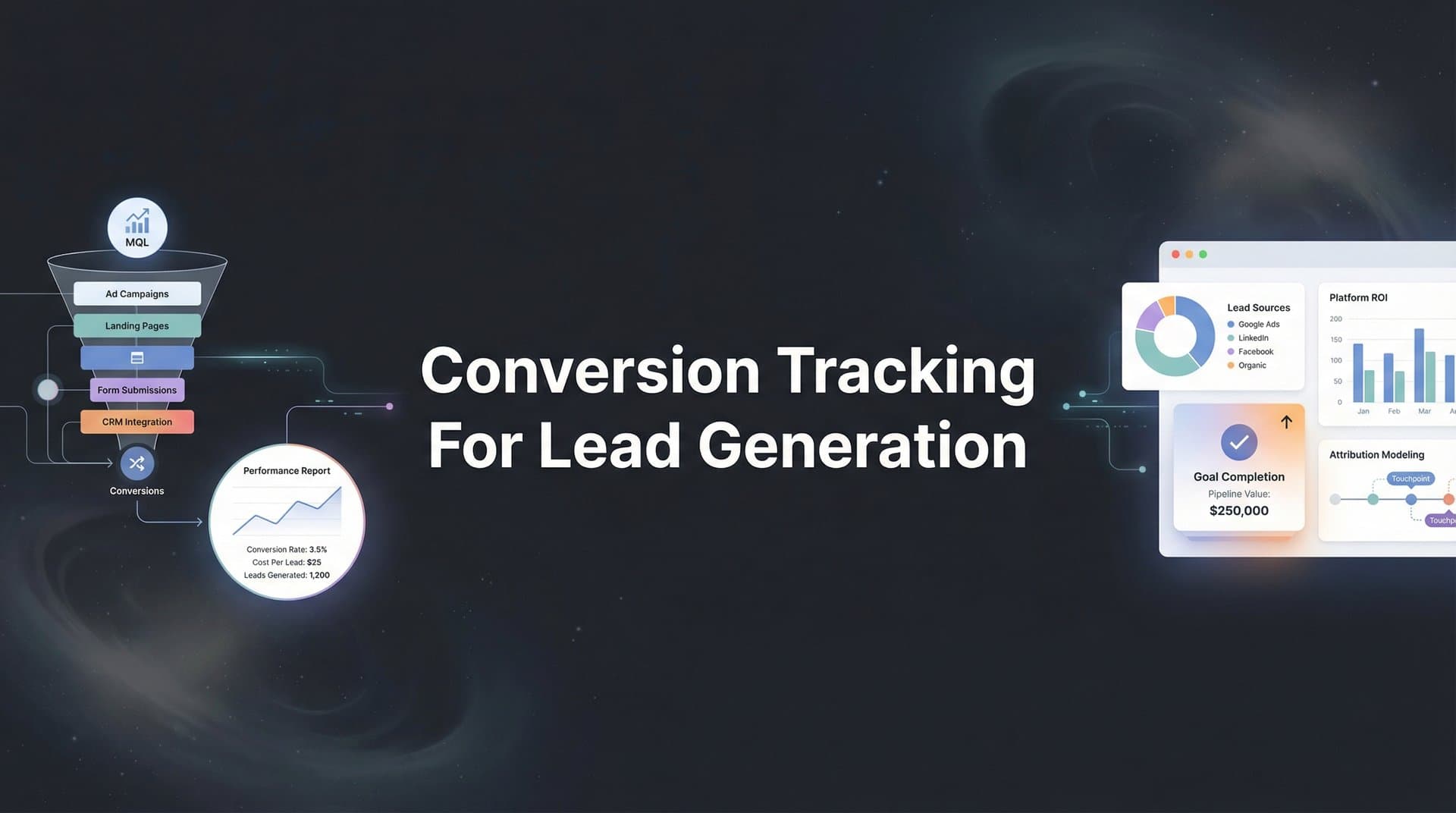
Every marketer knows the frustration: leads are coming in, but you can't tell which campaigns actually drove them. You're spending thousands on Google Ads, Meta campaigns, and LinkedIn—but when someone fills out that demo request form, the trail goes cold. Was it the LinkedIn ad they clicked last week? The Google search from yesterday? Or that Facebook retargeting campaign they saw three times?
Without proper conversion tracking for lead generation, you're essentially flying blind. You might be pouring budget into channels that barely contribute while starving your best performers of the investment they deserve.
This guide walks you through setting up conversion tracking that captures the full journey from ad click to qualified lead. You'll learn how to define meaningful conversion events, implement tracking across your marketing stack, connect your CRM data, and verify everything works correctly.
By the end, you'll have a system that shows exactly which ads and channels generate your best leads—not just form fills, but the leads that actually convert to revenue. Whether you're running campaigns on Google, Meta, LinkedIn, or multiple platforms simultaneously, these steps apply universally.
Let's build a tracking foundation that gives you the clarity to scale with confidence.
Step 1: Define Your Lead Generation Conversion Events
Before you install a single tracking pixel, you need to know exactly what you're tracking. Not all conversions are created equal, and treating a newsletter signup the same as a qualified demo request is a recipe for wasted budget.
Start by mapping out every conversion point in your funnel. This includes the obvious ones like contact form submissions and demo requests, but also the less obvious: content downloads, webinar registrations, calculator tool uses, chat interactions, and even significant page visits like pricing pages.
The key is distinguishing between micro-conversions and macro-conversions. Micro-conversions are early-stage actions that indicate interest—downloading a guide, signing up for a newsletter, watching a product video. Macro-conversions are high-intent actions that signal buying readiness—requesting a demo, starting a free trial, or requesting a quote.
Here's where most marketers make a critical mistake: they track everything equally. Instead, assign relative values to each conversion type based on your historical data. If you know that demo requests close at a 30% rate while content downloads close at 2%, your demo request is worth roughly 15 times more.
Document the customer journey stages you need to track. For B2B lead generation, this typically looks like: Awareness (content engagement) → Consideration (multiple page visits, tool usage) → Intent (demo request, trial signup) → Qualification (sales conversation scheduled) → Opportunity (proposal sent) → Closed-Won. Understanding lead generation attribution tracking helps you connect each stage back to its marketing source.
You don't need to track twenty different events. Focus on 3-5 meaningful conversion events that represent clear progression through your funnel. More isn't better—clarity is better.
Your success indicator: You should have a clear list of 3-5 trackable conversion events with assigned priority levels. For example: Priority 1 (Demo Request), Priority 2 (Free Trial Signup), Priority 3 (Pricing Page Visit), Priority 4 (Resource Download). Each should have a documented definition of exactly what triggers the event.
Step 2: Set Up Your Tracking Infrastructure
Now that you know what to track, it's time to build the infrastructure that captures it. Think of this as laying the foundation before building the house—skip it, and everything else crumbles.
Start by installing base tracking pixels from each ad platform you're using. This means the Meta Pixel for Facebook and Instagram ads, the Google Ads conversion tag, and the LinkedIn Insight Tag. Each platform provides a snippet of code that goes on every page of your website, typically in the header section.
But here's the thing: managing multiple pixels directly in your website code becomes a nightmare fast. Every time you need to update something, you're editing code or waiting on your developer. This is where Google Tag Manager becomes essential.
Google Tag Manager acts as a container for all your tracking tags. Instead of hardcoding pixels into your site, you install GTM once, then manage everything through a visual interface. Need to add a new conversion event? Do it in GTM without touching your website code. Need to update your Meta Pixel? Change it in GTM. This centralized approach saves hours of technical work.
Here's the critical piece most marketers miss: client-side tracking alone isn't enough anymore. iOS privacy updates, cookie blockers, and browser restrictions mean that traditional pixels miss a significant portion of conversions. Server-side tracking solves this by capturing conversion data on your server before it ever reaches the user's browser. Exploring pixel tracking alternatives for iOS users can help you maintain data accuracy despite these restrictions.
Setting up server-side tracking requires more technical lift—you'll need server infrastructure to receive and process events—but the data accuracy improvement is substantial. Many businesses find that server-side tracking captures 20-30% more conversions than pixels alone.
Finally, establish your UTM parameter conventions. UTM parameters are the tags you add to campaign URLs that tell you where traffic came from. Create a consistent naming structure: utm_source for the platform (google, facebook, linkedin), utm_medium for the channel type (cpc, social, email), utm_campaign for the specific campaign name, and utm_content for ad variations.
Document these conventions in a shared spreadsheet so everyone on your team uses them consistently. Inconsistent UTM usage—one person writing "Facebook" while another writes "fb"—destroys your attribution data.
Your success indicator: All platforms should show active pixel status in their respective interfaces. Run test page views and verify they appear in each platform's events manager within a few minutes. Your Google Tag Manager workspace should show all tags firing correctly using the Preview mode.
Step 3: Configure Conversion Events in Each Ad Platform
With your tracking infrastructure in place, it's time to tell each ad platform exactly what conversions matter. Simply having pixels installed isn't enough—you need to configure specific conversion events that the platform's algorithm can optimize toward.
In Google Ads, navigate to the Conversions section under Tools & Settings. Create a new conversion action for each priority event you defined in Step 1. For a demo request, you'll specify the conversion name, assign it a value (if you calculated one), set the conversion window, and define how to count conversions—once per click or every time. If you encounter issues during setup, this guide on Google Ads conversion tracking problems can help you troubleshoot.
The conversion window matters more than most marketers realize. If your typical sales cycle is 30 days from first click to demo booking, but you set a 7-day window, you'll miss most of your conversions. B2B companies often need 30-90 day windows, while B2C can typically use shorter 7-14 day windows.
For Meta (Facebook and Instagram), you'll work in Events Manager. Set up your standard events like Lead, CompleteRegistration, or custom events that match your specific funnel. But here's the critical upgrade: implement the Conversions API alongside your pixel.
The Conversions API sends conversion data directly from your server to Meta, bypassing browser limitations. This redundancy means that even if someone has an ad blocker or opts out of tracking, you still capture the conversion through the server-side connection. Many advertisers see 15-25% more conversions reported when they add Conversions API to their existing pixel. For a deeper dive, check out the best tracking solution for Facebook ads.
LinkedIn's Insight Tag works similarly. Install the base tag, then create conversion events in Campaign Manager under Account Assets. LinkedIn is particularly valuable for B2B lead generation, so make sure you're tracking high-intent actions like demo requests and contact form submissions, not just content downloads.
One often-overlooked setting: conversion attribution models. Each platform lets you choose between last-click attribution, data-driven attribution, or other models. Last-click gives all credit to the final touchpoint, which undervalues awareness and consideration campaigns. Data-driven attribution distributes credit across the journey more fairly, but requires sufficient conversion volume to work effectively.
Your success indicator: Each platform should display your configured conversion events in campaign settings. When you create a new campaign, you should be able to select your custom conversions as optimization goals. Test by submitting a form yourself and verifying the conversion appears in each platform's reporting within 24 hours.
Step 4: Connect Your CRM for Full-Funnel Visibility
Here's where conversion tracking transforms from basic to powerful. Ad platforms can tell you who clicked and who converted on your website—but they can't tell you which leads actually became customers. That data lives in your CRM.
Integrating your CRM with your attribution system closes this critical gap. Whether you use HubSpot, Salesforce, Pipedrive, or another platform, the goal is the same: connect what happens after the form submission back to the original marketing source. A robust attribution platform for lead generation makes this integration seamless.
Start by mapping your lead stages to conversion events. When a lead progresses from Marketing Qualified Lead (MQL) to Sales Qualified Lead (SQL), that's a conversion. When they become an Opportunity, that's another conversion. When they close as a customer, that's your ultimate conversion. Each stage tells you something different about campaign quality.
This is where you discover the campaigns that generate high volume but low quality versus the campaigns that generate fewer leads but higher close rates. A Google Ads campaign might drive 100 leads per month with a 5% close rate, while a LinkedIn campaign drives 20 leads with a 25% close rate. Without CRM integration, you'd think Google is winning. With it, you see LinkedIn drives more revenue.
Many CRM platforms offer native integrations with ad platforms. HubSpot, for example, can automatically send closed-won deal data back to Google Ads as offline conversions. This feeds the ad algorithm information about which leads turned into customers, helping it find more people like your best customers. Learning the steps to improving your lead tracking process can accelerate your CRM integration efforts.
The technical implementation varies by platform, but the concept is universal: when a lead's status changes in your CRM, that event should trigger an update in your attribution system. This might happen through native integrations, through a marketing attribution platform, or through custom API connections.
Don't forget about leads that convert offline. If someone fills out a form, then converts during a sales call three weeks later, that's an offline conversion. Most ad platforms support offline conversion imports—you upload a file matching conversion data to click IDs or user identifiers.
Your success indicator: When a lead's status changes in your CRM (from Lead to MQL to SQL to Customer), your attribution system should automatically update to reflect this progression. You should be able to run a report showing not just which campaigns drove form fills, but which campaigns drove closed revenue.
Step 5: Implement Cross-Device and Cross-Channel Tracking
Modern customer journeys rarely happen in a single session on a single device. Someone sees your LinkedIn ad on their phone during their commute, searches for your brand on their work computer, then fills out a demo request on their laptop at home. Without cross-device tracking, this looks like three unrelated visitors instead of one journey.
First-party data collection is your foundation here. This means capturing data directly from users through your own systems rather than relying solely on third-party cookies. When someone fills out a form, you capture their email address. That email becomes a persistent identifier you can use to connect their journey across devices and sessions.
If your product has a logged-in experience, implement user ID tracking. Once someone logs in, you can track their entire journey under a consistent identifier, regardless of which device they use. Google Analytics 4, for example, has built-in User-ID functionality that connects cross-device activity. Understanding cross-device conversion tracking methods helps you capture these fragmented journeys accurately.
Cross-domain tracking matters if your lead generation journey spans multiple properties. Maybe your blog lives on blog.yourcompany.com while your main site is www.yourcompany.com. Or perhaps you use a separate landing page platform. Without cross-domain tracking configured, these look like separate referral sources instead of one continuous journey.
For businesses with both web and mobile app experiences, ensure conversions in your app connect back to your web campaign data. If someone clicks a Facebook ad on mobile, downloads your app, then converts in-app, you need that conversion attributed back to the original Facebook campaign. Most attribution platforms support app-to-web connection through SDK implementations. A comprehensive cross-platform tracking setup guide can walk you through the technical requirements.
The technical complexity here varies based on your stack, but the principle is consistent: every conversion should connect back to its marketing source, regardless of how many devices or sessions it took to get there.
Your success indicator: Run attribution reports that show complete customer journeys. You should see paths like "LinkedIn Ad (Mobile) → Organic Search (Desktop) → Demo Request (Desktop)" instead of disconnected touchpoints. Test by clicking an ad on your phone, then converting on your computer—the attribution should connect both actions.
Step 6: Test and Validate Your Tracking Setup
You've built your tracking infrastructure, configured your conversion events, connected your CRM, and implemented cross-device tracking. Now comes the critical step most marketers skip: thorough testing.
Start with platform debugging tools. Install the Meta Pixel Helper browser extension and navigate through your site. It shows you exactly which pixel events fire on each page and flags any errors. Google Tag Assistant does the same for Google tags. These tools catch configuration issues before they cost you data.
Run test conversions through every form and funnel path. Don't just test your main demo request form—test your content download forms, your newsletter signup, your chat widget, every conversion point you configured. Fill them out yourself using test data and watch the conversions flow through your system.
Verify that conversion counts match between your CRM and ad platforms. If your CRM shows 47 demo requests this week but Google Ads shows 52, something's wrong. The numbers don't need to be identical—some platforms count differently—but they should be close enough to trust. When discrepancies arise, knowing how to fix conversion tracking gaps becomes essential.
Check that attribution is correctly assigning credit to campaigns. Look at a few recent conversions in your CRM and trace them back through your attribution system. Does the source match what you'd expect? If someone came from a Google Ad, does it show up that way, or is it being misattributed to direct traffic?
Pay special attention to common failure points: forms that submit without triggering conversion events, thank-you pages that don't load the conversion pixel, redirect chains that break UTM parameters, and cross-domain transitions that lose tracking. Following best practices for tracking conversions accurately helps you avoid these pitfalls.
Set up automated monitoring if possible. Many attribution platforms can alert you when conversion volume drops unexpectedly, which might indicate a tracking issue. If you normally see 50 conversions per day and suddenly see 5, you want to know immediately, not after wasting a week of ad spend.
Your success indicator: Test conversions should appear in all platforms within 24 hours with correct attribution. When you submit a test form through a specific campaign URL, that conversion should show up in the corresponding ad platform, your analytics, and your CRM, all pointing back to the correct source.
Putting It All Together
With these six steps complete, you now have conversion tracking that captures the full lead generation journey—from first ad click through to CRM qualification. You've moved from guessing which campaigns work to knowing exactly where your best leads come from.
Your quick-reference checklist: conversion events defined and prioritized based on business value, tracking pixels installed with server-side backup for maximum data capture, platform-specific conversions configured with appropriate windows and attribution models, CRM integrated for revenue attribution beyond form fills, cross-device tracking enabled to connect fragmented journeys, and everything validated with test conversions that flow through your entire system.
But here's the thing—setting up tracking is just the beginning. The real power comes from actually using this data to make better decisions.
Review your attribution reports weekly. Look beyond surface metrics like cost per lead and dig into which campaigns drive qualified leads that actually close. You'll often discover that your lowest cost-per-lead campaign generates leads that never convert, while a higher-cost campaign consistently delivers revenue. Choosing the right attribution software for lead generation makes this analysis straightforward.
Shift budget toward what's working. When you see a campaign driving leads that convert to customers at 3x your average rate, that's your signal to scale. When another campaign generates high form volume but zero closed deals, that's your signal to pause or restructure.
Use the enriched conversion data to help ad platform algorithms find more of your best prospects. When you feed platforms information about which leads became customers, their machine learning systems get smarter about who to target. This creates a virtuous cycle: better data leads to better targeting, which leads to better leads, which provides even better data.
As your tracking matures, you'll start seeing patterns you couldn't see before. Maybe leads that engage with multiple touchpoints before converting close at twice the rate of single-touch leads. Maybe mobile traffic converts poorly but assists desktop conversions. Maybe certain content topics attract leads that are three times more likely to close. These insights only become visible when you have proper tracking in place.
Tools like Cometly can streamline this entire process by connecting your ad platforms, CRM, and website into a unified view. Instead of jumping between Google Ads, Meta Ads Manager, LinkedIn Campaign Manager, and your CRM to piece together the story, you see exactly which channels drive revenue in one place. The platform captures every touchpoint, knows what's really driving revenue, provides AI-powered recommendations on where to scale, and feeds enriched conversion data back to ad platforms for better optimization.
Ready to elevate your marketing game with precision and confidence? Discover how Cometly's AI-driven recommendations can transform your ad strategy—Get your free demo today and start capturing every touchpoint to maximize your conversions.


