

Every marketer has faced this frustration: your ad platforms show impressive click numbers, but your CRM tells a different story about actual sales. The disconnect between marketing data and revenue data creates blind spots that cost you money—you end up scaling campaigns that look good on paper but don't actually drive revenue, while cutting spend on ads that quietly convert into your best customers.
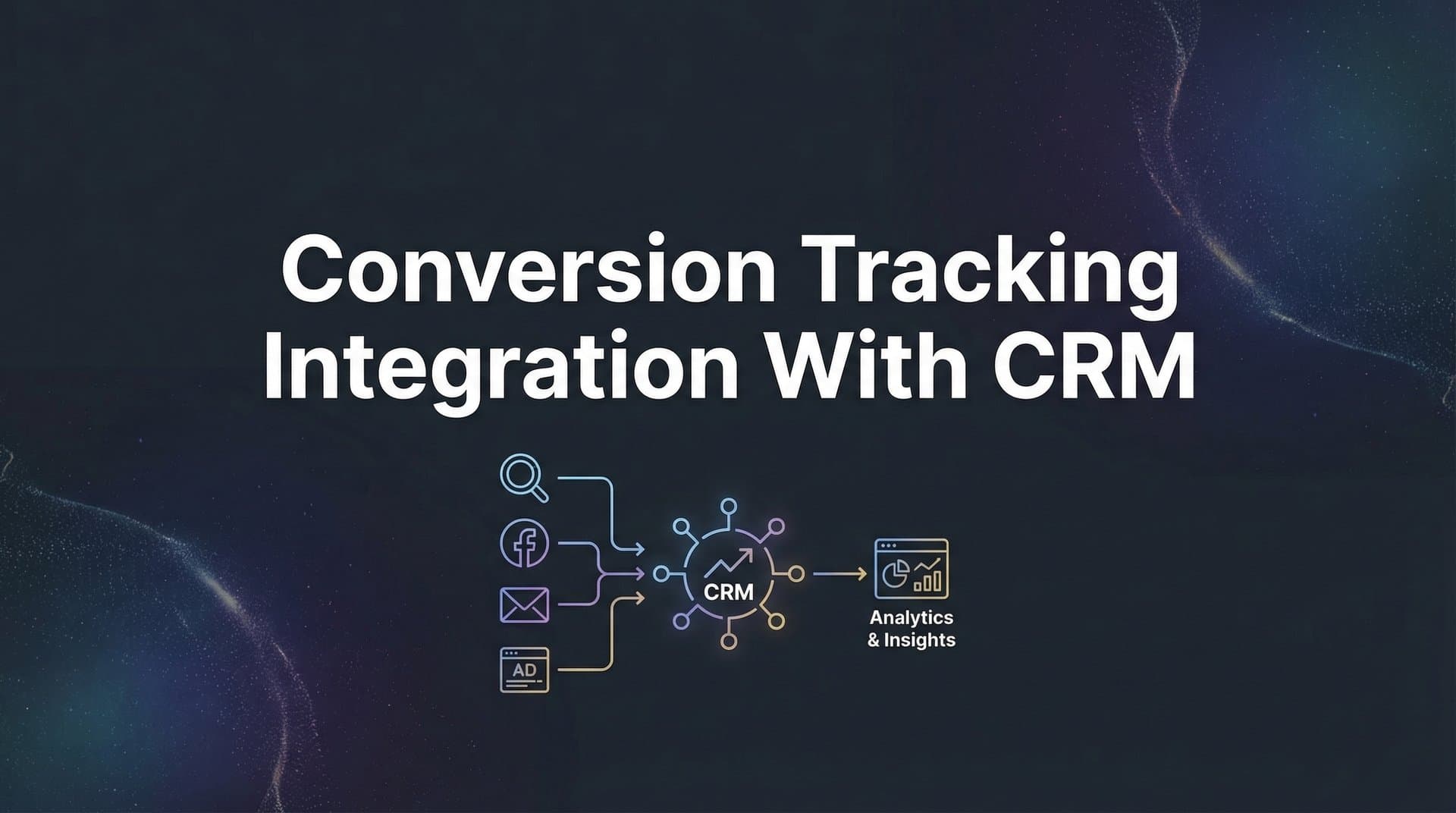
Conversion tracking integration with your CRM bridges this gap by connecting the dots between ad clicks and closed deals. When done right, you'll see exactly which campaigns, ad sets, and even individual ads drive real revenue—not just leads that go nowhere.
This guide walks you through the complete process of integrating conversion tracking with your CRM, from initial setup to optimization. Whether you're using Salesforce, HubSpot, or another CRM, you'll learn how to capture every touchpoint, attribute revenue accurately, and feed better data back to your ad platforms for smarter optimization.
Let's turn your marketing data into a clear picture of what's actually working.
Step 1: Audit Your Current Data Flow and Identify Gaps
Before you build anything new, you need to understand what's already happening with your data. Think of this like diagnosing a patient before prescribing treatment—you can't fix problems you haven't identified.
Start by mapping the complete customer journey from the moment someone clicks your ad to when they become a closed deal in your CRM. Write down every step: ad click, landing page visit, form submission, email confirmation, sales call, proposal sent, deal closed. For each step, ask yourself: "What data gets captured here, and where does it go?"
The most common gaps appear at transition points. When a lead fills out a form on your website, does that form pass along the UTM parameters showing which ad they clicked? When your sales team manually enters a lead from a phone call, does that lead get tagged with its original source? When someone converts after multiple touchpoints, can you see the full path they took? Understanding these issues is essential for fixing conversion tracking gaps effectively.
Pay special attention to offline conversions. If your sales team closes deals over the phone or in person, that revenue often never gets connected back to the original ad that started the relationship. This creates a massive blind spot where your best-performing campaigns might appear to underperform simply because the data loop never closes.
Document which systems need to talk to each other. Most marketing operations involve at least three core systems: your ad platforms (Meta, Google Ads, LinkedIn), your website and forms, and your CRM. But you might also have email marketing tools, phone tracking systems, or e-commerce platforms that need to share data.
Check your CRM's native integration capabilities. Log into your CRM and explore what tracking features it offers out of the box. Can it capture UTM parameters automatically? Does it have built-in integrations with your ad platforms? What custom fields can you create to store marketing attribution data?
Success indicator: You should end this step with a visual diagram showing your complete data flow—including the specific points where data currently breaks or gets lost. This becomes your roadmap for what to fix in the following steps.
Step 2: Configure Your CRM to Capture Marketing Source Data
Your CRM needs to become a repository for marketing attribution data, not just contact information. This means setting up the right structure to automatically capture and store where every lead came from.
Create custom fields specifically for tracking marketing sources. At minimum, you need fields for: Campaign Source, Campaign Medium, Campaign Name, Campaign Content, Campaign Term (the five standard UTM parameters), and Ad Click ID. Most CRMs let you add custom fields to contact, lead, or deal records—create these fields now.
Configure your lead capture forms to pass through tracking parameters automatically. When someone fills out a form on your website, hidden form fields should capture the UTM parameters from the URL and send them to your CRM. If you're using a form builder like Gravity Forms, Typeform, or your CRM's native forms, look for options to include hidden fields that pull from URL parameters.
Here's what this looks like in practice: Someone clicks your Facebook ad with the URL parameter utm_source=facebook&utm_campaign=spring_sale. They land on your page and fill out a form. That form should automatically grab those parameters and submit them along with the person's name and email. Your CRM then stores this data in the custom fields you created.
Establish naming conventions that match your ad platform campaign structures. If your Google Ads campaigns use specific naming patterns, make sure your CRM fields can accommodate those exact names. Consistency matters here—if you call something "Spring Sale 2026" in Google Ads but it arrives in your CRM as "spring_sale_2026," you'll struggle to match data across systems later.
Enable timestamp tracking for every lead source. Your CRM should record not just where a lead came from, but exactly when they first interacted with your marketing. This timestamp becomes critical for attribution windows—knowing whether someone converted three days or three months after clicking your ad changes how you credit that campaign. For businesses focused on conversion tracking for lead generation, this timestamp data is invaluable.
Set up automated workflows to ensure data consistency. Create rules that prevent your sales team from accidentally overwriting source data. For example, if a lead's source is already set to "Facebook Ads," a workflow should prevent that from being changed to "Phone Call" just because a salesperson spoke with them later.
Success indicator: Create a test lead by clicking through one of your ads and filling out a form. Check your CRM—the new lead record should show complete source attribution data including campaign name, source, medium, and timestamp. If it does, you're ready for the next step.
Step 3: Implement Server-Side Tracking for Reliable Data Capture
Browser-based tracking is dying, and if you're still relying solely on pixels and cookies, you're missing conversions. Here's why: ad blockers strip tracking scripts, iOS privacy settings block cross-site tracking, and browsers are phasing out third-party cookies entirely. This means a significant portion of your actual conversions never get recorded.
Server-side tracking solves this by sending conversion data directly from your backend systems—completely bypassing the browser. Instead of relying on a pixel that fires in someone's browser (which can be blocked), your server sends the conversion event directly to your CRM and ad platforms. This happens behind the scenes, immune to ad blockers and privacy settings. If you're struggling with ad blockers affecting conversion tracking, server-side implementation is your solution.
Start by setting up server-side conversion tracking on your website. If you're using a platform like WordPress, Shopify, or a custom backend, you'll need to configure your server to send conversion events when specific actions occur—form submissions, purchases, account creations, or whatever counts as a conversion for your business.
The technical implementation varies by platform, but the concept remains the same: when someone completes a conversion action, your server captures that event along with their identifying information (email, phone, or a unique user ID) and sends it to your CRM. Tools like Google Tag Manager Server-Side or Meta's Conversions API make this process more accessible without requiring extensive backend development.
Configure first-party data collection to maintain tracking accuracy. First-party data—information you collect directly from your users—isn't subject to the same privacy restrictions as third-party tracking. When someone fills out a form on your website, you're collecting first-party data. When your server sends that data to your CRM, you're using a first-party relationship that browsers and privacy settings respect. This approach aligns with ad tracking without third-party cookies best practices.
Connect your website backend to send conversion events directly to your CRM. This might involve API calls from your server to your CRM's API endpoint. For example, when someone completes a purchase, your e-commerce backend makes an API call to your CRM that says "User with email address X just completed a purchase for $Y from campaign Z." This data flows reliably regardless of browser settings.
Success indicator: Test your server-side tracking by completing a conversion with an ad blocker enabled and tracking prevention turned on. If the conversion still appears in your CRM with complete attribution data, your server-side implementation is working correctly.
Step 4: Connect Your CRM Events to Ad Platforms
Now that your CRM captures conversion data reliably, it's time to send that data back to your ad platforms. This creates a feedback loop that dramatically improves campaign performance—when ad platforms know which clicks lead to actual revenue, their algorithms can find more people likely to convert.
Set up conversion APIs for each ad platform you use. Meta offers the Conversions API (CAPI), Google provides Enhanced Conversions, LinkedIn has the Conversions API, and TikTok offers Events API. Each platform has its own setup process, but they all accomplish the same goal: receiving conversion data directly from your server or CRM instead of relying on browser pixels alone. Managing this across channels requires robust conversion tracking software for multiple ad platforms.
Configure which CRM events to send back to ad platforms. Not every CRM event needs to go to your ad platforms—sending too much can create noise. Focus on meaningful conversion events: marketing qualified leads (MQLs), sales qualified leads (SQLs), opportunities created, and closed deals. Each of these represents a different stage in your funnel and helps ad platforms optimize for the outcomes you actually care about.
Here's how this works in practice: When a lead in your CRM gets marked as "SQL" by your sales team, your CRM sends an event to Meta saying "The person who clicked ad ID 123456 just became a sales qualified lead." Meta's algorithm learns that this particular ad drives high-quality leads and shows it to more similar users.
Map CRM revenue values to ad platform conversion values for accurate ROAS tracking. When you send a "closed deal" event to your ad platforms, include the actual revenue amount from your CRM. This lets platforms calculate true return on ad spend (ROAS) instead of just counting conversions. If one campaign drives $500 deals while another drives $5,000 deals, platforms need to know this to optimize correctly. This is especially critical for businesses focused on conversion tracking for high ticket sales.
Establish event timing and deduplication rules to avoid double-counting. If you're using both browser pixels and server-side tracking (which you should be for maximum coverage), you need deduplication logic. Most platforms use event IDs—when the same conversion arrives from both pixel and server, the platform recognizes the matching ID and counts it only once.
Set appropriate attribution windows for each event type. A lead might convert quickly, but a closed deal could take weeks or months. Configure your CRM-to-platform connection to send events within the attribution window that makes sense for your business. If your sales cycle is 30 days, make sure conversions that happen within 30 days of an ad click get properly attributed.
Success indicator: After sending CRM events to your ad platforms for a few days, check your ad platform reporting. You should see conversion events appearing that match the conversions recorded in your CRM—including revenue values for closed deals.
Step 5: Set Up Multi-Touch Attribution to Credit the Right Campaigns
Single-touch attribution is like giving all the credit for a team victory to just one player. In reality, most customers interact with multiple marketing touchpoints before converting—they might see a Facebook ad, visit your site organically, receive an email, click a Google ad, and then finally convert. Each touchpoint played a role.
Choose attribution models that match your sales cycle and business reality. First-touch attribution credits the initial interaction—useful if you want to know what brings people into your funnel. Last-touch attribution credits the final interaction before conversion—helpful for understanding what closes deals. Linear attribution spreads credit equally across all touchpoints. Data-driven attribution uses algorithms to assign credit based on which touchpoints statistically correlate with conversions. Our comprehensive guide on how to get started with attribution tracking covers these models in detail.
For most businesses, no single model tells the complete story. That's why you should implement multiple attribution views. Look at first-touch to understand awareness drivers, last-touch to see what closes deals, and multi-touch models to understand the full journey. The patterns you see across these different views reveal your true marketing performance.
Configure attribution windows based on your typical customer journey length. If you're selling a low-cost product with impulse purchases, a 7-day attribution window might capture most conversions. If you're in B2B with a 90-day sales cycle, you need attribution windows that extend months, not days. Your CRM data can show you the average time from first touch to closed deal—use this to set appropriate windows.
Connect all touchpoints into a unified view: paid ads, organic search, email marketing, direct traffic, social media, and any other channels you use. This is where most marketing teams struggle—each platform reports its own attribution in isolation. Meta claims credit for conversions, Google claims credit for the same conversions, and your email platform does too. Without a unified view, you can't see the truth. Understanding your complete conversion funnel tracking is essential for accurate attribution.
This is where tools like Cometly provide significant value. Cometly captures every touchpoint from ad clicks to CRM events and unifies them into a single attribution view. Instead of piecing together data from five different platforms, you see the complete customer journey in one place. The platform's AI analyzes these paths to identify which combinations of touchpoints drive the most revenue, helping you understand not just which channels work, but how they work together.
Success indicator: You should be able to pull up a closed deal in your CRM and see the complete marketing journey that led to it—every ad click, organic visit, email open, and touchpoint along the way, with clear attribution credit assigned according to your chosen model.
Step 6: Validate Your Integration and Troubleshoot Common Issues
Your integration is only valuable if the data flowing through it is accurate. Before you start making decisions based on this data, you need to validate that everything works correctly and establish monitoring to catch issues quickly.
Run test conversions through your entire funnel to verify data accuracy. Create a test campaign with a small budget, click your own ads (or have team members do it), complete conversions, and track those conversions through every system. Check that the conversion appears in your CRM with correct source attribution, that it gets sent back to the ad platform, and that the revenue value matches what you expect. Following best practices for tracking conversions accurately will help you avoid common pitfalls.
Compare CRM revenue reports against ad platform reported conversions. Pull a report from your CRM showing all closed deals from the past month with their attributed sources. Then pull conversion reports from each ad platform for the same period. The numbers won't match exactly (different attribution models, timing delays), but they should be in the same ballpark. If your CRM shows 50 conversions from Facebook but Facebook reports 200, you have a problem to investigate.
Watch for these common issues: Missing UTM parameters happen when links don't include tracking codes or when parameters get stripped during redirects. Timezone mismatches occur when your CRM operates in one timezone but your ad platforms use another—a conversion at 11 PM in one system might appear as next day in another. Delayed sync means conversions take too long to flow from CRM to ad platforms, falling outside attribution windows. Duplicate events fire when both pixel and server-side tracking send the same conversion without proper deduplication. If you're experiencing these problems, our guide on conversion tracking accuracy issues provides detailed solutions.
Set up monitoring alerts for data flow interruptions. Most integration platforms and CRMs offer webhook failures, API error notifications, or sync status dashboards. Configure alerts so you know immediately if data stops flowing. The worst scenario is discovering weeks later that your integration broke and you've been missing conversion data the entire time.
Create a regular validation routine—weekly or monthly, depending on your volume. Pick a few recent conversions at random and trace them through the entire system. Did the conversion get captured in your CRM? Does it have complete source attribution? Did it get sent to the ad platform? Does the revenue value match? This ongoing validation catches drift before it becomes a major problem.
Success indicator: Test conversions appear correctly in both your CRM and ad platforms within expected timeframes (usually within a few hours), with matching attribution data and revenue values. Your monitoring alerts are active and you've documented what to check during regular validation reviews.
Putting It All Together
With your conversion tracking integration complete, you now have a direct line of sight from ad spend to revenue. This isn't just better reporting—it's a fundamental shift in how you make marketing decisions.
Your quick-start checklist: Audit your current data flow and document gaps. Configure CRM fields to capture marketing source data. Implement server-side tracking for reliable data capture. Connect CRM conversion events back to ad platforms. Set up multi-touch attribution for accurate credit. Validate with test conversions before going live.
The real power comes from what you do with this data. Use it to identify which campaigns actually drive revenue, not just clicks or cheap leads that go nowhere. Feed better conversion signals to ad platform algorithms so they can find more high-value customers. Make confident scaling decisions based on real ROI instead of guessing which campaigns deserve more budget.
When you can see that a specific Facebook ad set drives customers worth $5,000 each while another drives customers worth $500, you make different decisions. When you know that leads from Google Ads close at twice the rate of leads from LinkedIn, you allocate budget differently. When you see that customers who interact with both paid social and paid search convert at 3x the rate of single-touch customers, you build different strategies.
This level of clarity transforms marketing from an art into a science—one where you can confidently answer the question every executive asks: "What's our marketing actually worth?"
Ready to see exactly which ads drive your revenue? Cometly connects your ad platforms, CRM, and website to track the entire customer journey—capturing every touchpoint from ad clicks to CRM events. With AI-driven recommendations, you'll identify high-performing campaigns across every channel and send enriched conversion data back to ad platforms to improve their optimization. Get your free demo today and start scaling with the attribution clarity you need to make confident decisions.



