

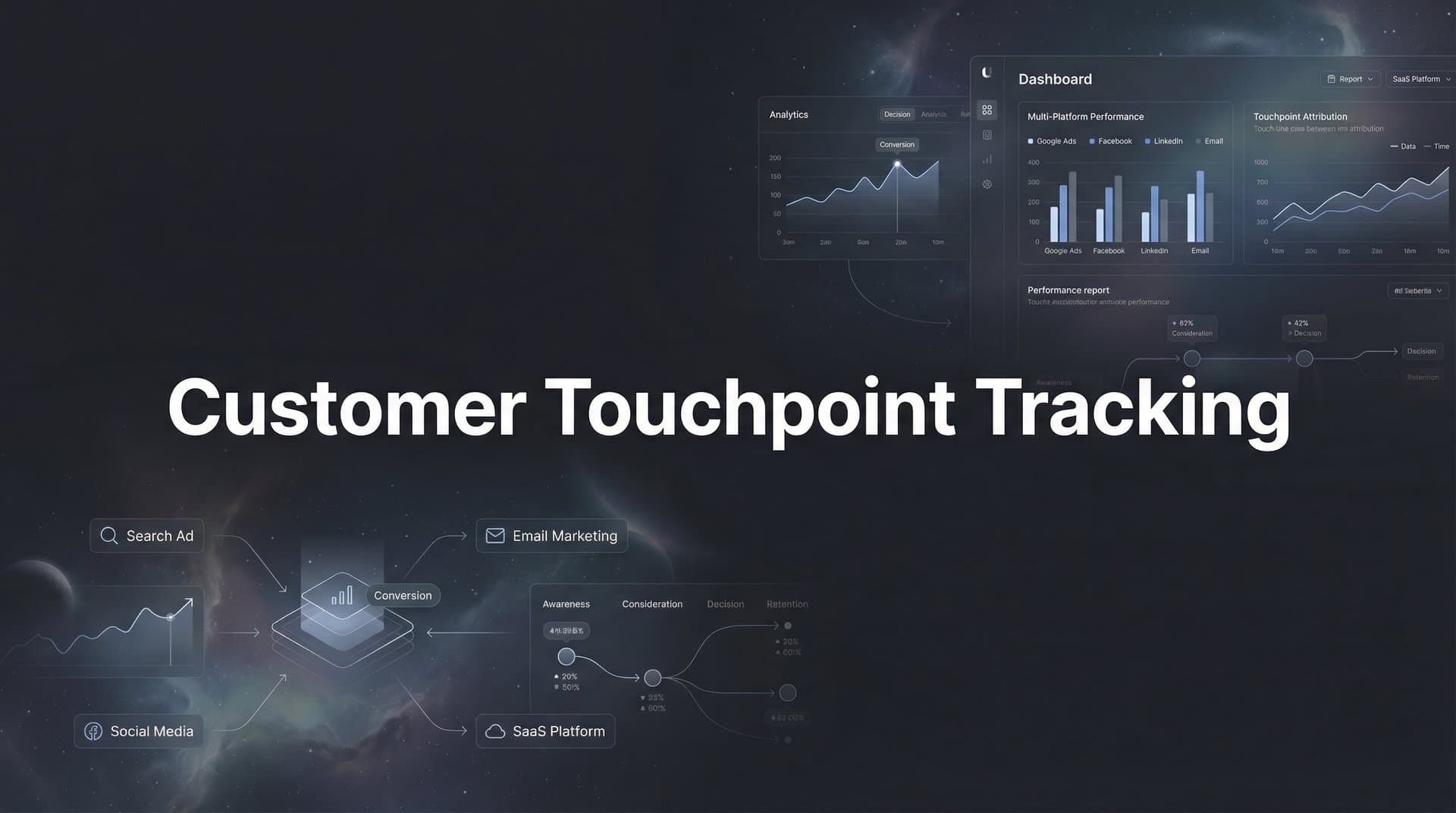
You're running campaigns across Meta, Google, LinkedIn, and maybe a dozen other channels. Leads are coming in. Revenue is happening. But here's the question that keeps you up at night: which touchpoints actually matter?
Without proper tracking, you're making million-dollar decisions based on incomplete data. You see the first click. You see the final conversion. But everything in between? That's where the real story lives.
Customer touchpoint tracking captures every meaningful interaction a prospect has with your brand across channels. It shows you the complete picture—from the LinkedIn ad that introduced them to your brand, to the Google search three days later, to the email that finally convinced them to book a demo.
This isn't about collecting data for data's sake. It's about understanding what actually drives revenue so you can scale what works and cut what doesn't.
This guide walks you through setting up comprehensive touchpoint tracking from scratch. By the end, you'll have a system that captures ad clicks, website visits, email opens, CRM events, and conversions—all connected to show the true customer journey. Whether you're running campaigns across multiple platforms simultaneously or just getting started with paid advertising, these steps will help you build an attribution foundation that reveals which channels actually drive revenue.
Step 1: Map Your Customer Journey and Identify Key Touchpoints
Before you track anything, you need to know what's worth tracking. Start by auditing every channel where prospects interact with your brand. This means paid ads on Meta, Google, and LinkedIn. Organic traffic from search and social. Email campaigns. Direct traffic. Referrals. Every entry point matters.
Here's where most marketers make their first mistake: they try to track everything equally. Not all touchpoints carry the same weight. A LinkedIn ad view is different from a pricing page visit. An email open is different from a demo request.
Separate your touchpoints into micro-conversions and macro-conversions. Micro-conversions are the small steps: ad clicks, page views, content downloads, email opens. Macro-conversions are the big moments: form submissions, demo bookings, trial starts, purchases. Both matter, but they tell different parts of the story.
Pull data on your highest-value customers from the past six months. What path did they take? Did they click a Google ad first, then return via organic search? Did they engage with three different LinkedIn ads before visiting your site? Document these patterns.
Look for the common threads. Maybe 70% of your best customers visited your pricing page before converting. Maybe they engaged with at least two different channels before purchasing. These patterns reveal which touchpoints deserve your closest attention. Understanding what customer journey touchpoints are helps you identify these critical moments.
Now prioritize by revenue impact. If your analysis shows that prospects who attend webinars convert at 3x the rate of those who don't, that webinar registration becomes a critical touchpoint to track. If case study downloads correlate strongly with closed deals, that's another priority.
Create a simple spreadsheet. List each touchpoint, the channel it belongs to, whether it's a micro or macro conversion, and its priority level. This becomes your tracking blueprint. Focus on getting your high-priority touchpoints tracked accurately before expanding to every possible interaction.
The goal isn't perfection on day one. It's building a foundation that captures the touchpoints that actually influence revenue decisions.
Step 2: Connect Your Ad Platforms and Traffic Sources
Your ad platforms are generating clicks, but without consistent tracking parameters, those clicks become anonymous traffic the moment someone lands on your site. This is where UTM parameters become non-negotiable.
Establish a UTM naming convention before you connect anything. Decide now how you'll label sources (utm_source), mediums (utm_medium), campaigns (utm_campaign), and content variations (utm_content). Consistency here determines whether your data will be useful or chaotic six months from now.
Use lowercase throughout. Separate words with underscores or hyphens, but pick one and stick with it. "facebook_ads" is different from "Facebook_Ads" in your analytics—they'll show up as separate sources. This kind of inconsistency makes accurate attribution impossible.
For utm_source, use the platform name: facebook, google, linkedin, twitter. For utm_medium, use the traffic type: cpc, social, email, referral. For utm_campaign, use descriptive names that make sense to your team: q1_brand_awareness, product_launch_2026, retargeting_engaged_visitors.
Now connect your ad platforms to your tracking system. In Meta Ads Manager, add your UTM parameters to every ad set. In Google Ads, use auto-tagging or manual UTM parameters at the campaign level. In LinkedIn Campaign Manager, append UTMs to your destination URLs.
Here's the critical piece most marketers miss: first-party data tracking. With iOS privacy changes and cookie restrictions, client-side tracking alone misses significant traffic. Configure server-side tracking to capture data directly from your server, bypassing browser limitations.
Server-side tracking sends conversion data from your server to ad platforms, giving you more complete attribution even when browser tracking fails. This is especially important for iOS traffic, where App Tracking Transparency has created blind spots in traditional pixel-based tracking.
Test each connection before moving forward. Run a small test campaign on each platform with proper UTM parameters. Click through your own ads. Check your analytics to verify that the source, medium, and campaign data appear correctly. If Google traffic is showing up as "(direct)" instead of "google / cpc," your tracking isn't working.
Verify that click IDs are capturing properly. Meta's fbclid, Google's gclid, and LinkedIn's li_fat_id all help match website activity back to specific ad clicks. These parameters should append automatically when someone clicks your ads.
Don't proceed to the next step until you see clean, attributed traffic flowing from each platform into your tracking system. This foundation determines everything that comes after.
Step 3: Implement Website and Event Tracking
Traffic is flowing to your site with proper attribution parameters. Now you need to capture what happens after someone arrives. This is where event tracking transforms raw visits into actionable insights.
Install your tracking pixel on every page of your website. Place it in the header section so it loads before anything else. If you're using multiple tracking systems, implement a tag management solution to keep your code organized and reduce page load impact.
But here's where you need to go further: implement server-side tracking alongside your pixel. Client-side pixels fire in the user's browser and can be blocked by ad blockers, privacy tools, or browser restrictions. Understanding the differences between Google Analytics vs server-side tracking helps you choose the right approach for your needs.
The combination gives you the most complete picture. Client-side tracking captures immediate interactions. Server-side tracking fills the gaps and provides more reliable conversion data to send back to ad platforms.
Now define your custom events. These are the specific actions that matter for your business. Standard page view tracking isn't enough—you need to know when someone clicks your pricing CTA, watches 50% of your product video, scrolls to your case studies section, or submits a contact form.
Configure events for key interactions. Button clicks on high-intent CTAs. Form submissions at each stage of your funnel. Video engagement milestones. Scroll depth on long-form content. Time on page for critical resources. File downloads for lead magnets or case studies. Learning about event tracking in Google Analytics provides a solid foundation for this setup.
Each event should include relevant parameters. When someone submits a form, capture which form, on which page, from which traffic source. When someone clicks a CTA, record the button text, the page location, and the destination URL. This context turns events into insights.
If you operate across multiple domains or subdomains, configure cross-domain tracking. Without it, a user who starts on blog.yoursite.com and moves to app.yoursite.com looks like two different visitors. Cross-domain tracking maintains the connection, preserving the full journey.
Test everything in real-time. Open your website in an incognito window. Interact with your site as a prospect would. Click CTAs. Submit forms. Watch videos. Open your tracking dashboard in another window and verify that each event fires correctly with the right parameters.
Common issues to watch for: events firing multiple times, events not firing at all, missing parameters, or events attributed to the wrong source. Catch these problems now, not after you've made budget decisions based on flawed data.
Step 4: Integrate Your CRM and Sales Data
Your website tracking captures digital behavior. Your CRM holds the revenue outcomes. Until you connect these systems, you're only seeing half the story—and making decisions without knowing which marketing touches actually generate revenue.
Connect your CRM to your tracking system through a native integration or API connection. If you're using HubSpot, Salesforce, Pipedrive, or another major CRM, look for direct integration options that sync data automatically. This eliminates manual data exports and keeps your attribution current.
The integration needs to flow both ways. Marketing data should flow into your CRM so sales teams see which campaigns brought in each lead. Conversion data should flow back to your tracking system so you can attribute revenue to specific marketing touchpoints.
Map your CRM pipeline stages to attribution events. When a lead becomes an MQL (Marketing Qualified Lead), that's an event. When they advance to SQL (Sales Qualified Lead), that's another event. When they become an opportunity, closed-won, or even closed-lost—each stage becomes a trackable milestone.
This mapping reveals which marketing channels generate not just leads, but qualified leads that progress through your sales process. You might discover that LinkedIn drives fewer leads than Google, but those LinkedIn leads convert to opportunities at twice the rate. That changes everything about how you allocate budget. Implementing proper lead generation attribution tracking makes these insights possible.
Enable bi-directional sync so your ad platforms receive conversion signals. When someone becomes a customer, that data should flow back to Meta, Google, and LinkedIn. These platforms use conversion data to optimize their algorithms, showing your ads to more people who look like your actual customers.
This is especially powerful for B2B companies with long sales cycles. Instead of optimizing for form fills, your ad platforms can optimize for closed revenue—even if that revenue happens 60 days after the initial click.
Don't forget offline conversions. If prospects call your sales team, attend in-person events, or convert through channels outside your website, those touchpoints need to be captured too. Configure phone call tracking, import event attendance lists, and create processes for your sales team to log offline interactions. Understanding call tracking metrics helps you capture these valuable offline touchpoints.
Run a test conversion through your entire system. Create a test lead, move it through your pipeline stages, and verify that each stage appears correctly in both your CRM and your attribution reporting. Check that the original marketing source stays attached throughout the journey.
This integration is what transforms touchpoint tracking from interesting data into revenue intelligence.
Step 5: Configure Multi-Touch Attribution Models
You're capturing every touchpoint. You're connecting marketing to revenue. Now comes the question that determines how you interpret all this data: which touchpoints get credit for the conversion?
Attribution models are the rules for distributing credit across multiple touchpoints. Different models tell different stories about the same customer journey. Understanding these models helps you analyze your data accurately instead of making decisions based on incomplete logic. Exploring various attribution tracking methods gives you the knowledge to choose wisely.
First-touch attribution gives all credit to the initial interaction. If someone clicked a LinkedIn ad, then returned via Google search, then converted from an email, first-touch gives 100% credit to LinkedIn. This model highlights top-of-funnel channels that introduce prospects to your brand.
Last-touch attribution does the opposite—all credit goes to the final touchpoint before conversion. In the same scenario, email gets 100% credit. This model emphasizes bottom-of-funnel channels that close deals.
Linear attribution distributes credit equally across all touchpoints. LinkedIn, Google, and email each get 33% credit. This model values every interaction equally, which works well when you believe each touchpoint plays a similar role.
Time-decay attribution gives more credit to touchpoints closer to conversion. Recent interactions matter more than early ones. This model assumes that touchpoints become more influential as prospects move toward a decision.
Data-driven attribution uses machine learning to analyze your actual conversion patterns and assign credit based on which touchpoints statistically increase conversion likelihood. This is the most sophisticated approach, but it requires significant data volume to work accurately.
Which model should you use? It depends on your sales cycle and buying complexity. For short sales cycles with simple buying decisions, last-touch or time-decay often work well. For longer B2B sales cycles where multiple touchpoints influence the decision over weeks or months, linear or data-driven models provide better insights.
Here's the key: don't pick just one model and call it done. Set up comparison views that show the same data through multiple attribution lenses. Look at first-touch to understand which channels best introduce new prospects. Look at last-touch to see which channels close deals. Look at linear or data-driven to understand the full journey.
When these models tell dramatically different stories, that's valuable information. If LinkedIn dominates in first-touch attribution but barely appears in last-touch, it's a top-of-funnel channel. If email shows up strongly in last-touch but weakly in first-touch, it's a nurture and closing channel. Both are valuable, but they serve different purposes.
Establish baseline metrics before making any optimization decisions. Run your attribution models for at least two weeks to gather sufficient data. Document your current channel performance under each model. This baseline becomes your reference point for measuring improvement.
Step 6: Validate Your Data and Troubleshoot Gaps
Your tracking system is live. Data is flowing. But before you start making budget decisions based on this data, you need to verify that what you're seeing is accurate. This validation step catches problems before they become expensive mistakes.
Run test conversions through each tracked path. Start with a Meta ad, click through to your site, complete a conversion action. Check your attribution report. Does the conversion appear? Is it attributed to Meta? Do the UTM parameters show correctly? Repeat this process for Google, LinkedIn, and every other channel you're tracking.
Test different conversion types. Submit a form. Download a resource. Request a demo. Make a purchase if you're tracking e-commerce. Each conversion type should fire its corresponding event and appear in your reports with full attribution data. Following best practices for tracking conversions accurately ensures reliable data.
Check for duplicate events. If someone submits a form and you see two identical conversion events fire simultaneously, your tracking code is probably installed twice or firing on both page load and button click. Duplicates inflate your conversion numbers and make your attribution unreliable.
Look for missing UTM parameters. Sort your traffic by source and medium. If you see significant traffic labeled as "(direct) / (none)" that you know came from paid campaigns, your UTM parameters aren't being captured properly. This usually means inconsistent implementation or parameters getting stripped during redirects.
Compare your tracked data against platform-reported data. Your Meta Ads Manager shows 100 conversions this week. Your attribution system shows 85. Some discrepancy is normal—different attribution windows, different tracking methods—but large gaps indicate a problem. Investigate the difference.
Common causes of discrepancies include ad blockers preventing pixel fires, iOS privacy settings limiting tracking, cross-domain issues losing attribution data, or conversion events firing before attribution parameters are captured. Server-side tracking helps minimize these gaps, but some data loss is inevitable. Understanding multi-device customer tracking challenges helps you anticipate and address these issues.
Test your CRM integration specifically. Create a test lead with known source data. Move it through your pipeline stages. Verify that each stage change appears as an event in your attribution system. Confirm that the original source attribution persists through the entire journey.
Document everything. Create a tracking setup document that lists every integration, every custom event, every UTM parameter convention, and every known limitation. When something breaks six months from now—and something always breaks—this documentation saves hours of troubleshooting.
Include screenshots of your configuration settings. Note the date you implemented each piece. Record any quirks or workarounds you discovered. This document becomes your team's reference guide and your insurance policy against future confusion.
Putting It All Together
With these six steps complete, you now have a customer touchpoint tracking system that captures the full journey from first click to closed revenue. You're no longer making decisions based on partial data or gut feelings. You have visibility into which channels actually drive results.
Your quick-start checklist: Customer journey mapped with prioritized touchpoints. Ad platforms connected with consistent UTM standards. Website events tracking and verified. CRM integrated with pipeline stages mapped. Attribution model selected and configured. Data validated with test conversions.
But here's the truth: setting up tracking is just the foundation. The real value comes from acting on this data—identifying which channels drive actual revenue, not just clicks, and scaling what works while cutting what doesn't.
Review your attribution reports weekly. Look for patterns in high-value customer journeys. Identify which touchpoint combinations correlate with the best outcomes. Use these insights to refine your channel mix and campaign strategy. Leveraging touchpoint tracking analytics helps you extract actionable insights from your data.
Compare attribution model outputs monthly. When you see consistent patterns across multiple models, you've found reliable insights. When models disagree, dig deeper to understand why. These disagreements often reveal important nuances about how your channels work together.
Continuously refine your tracking as you add new channels or campaigns. Every new platform, every new campaign type, every new conversion goal needs to be integrated into your tracking system. Make it a standard part of your campaign launch checklist.
The marketers who win aren't the ones with the biggest budgets. They're the ones who know exactly which touchpoints drive revenue and optimize accordingly. You now have the system to be one of them.
Ready to elevate your marketing game with precision and confidence? Discover how Cometly's AI-driven recommendations can transform your ad strategy—Get your free demo today and start capturing every touchpoint to maximize your conversions.



