

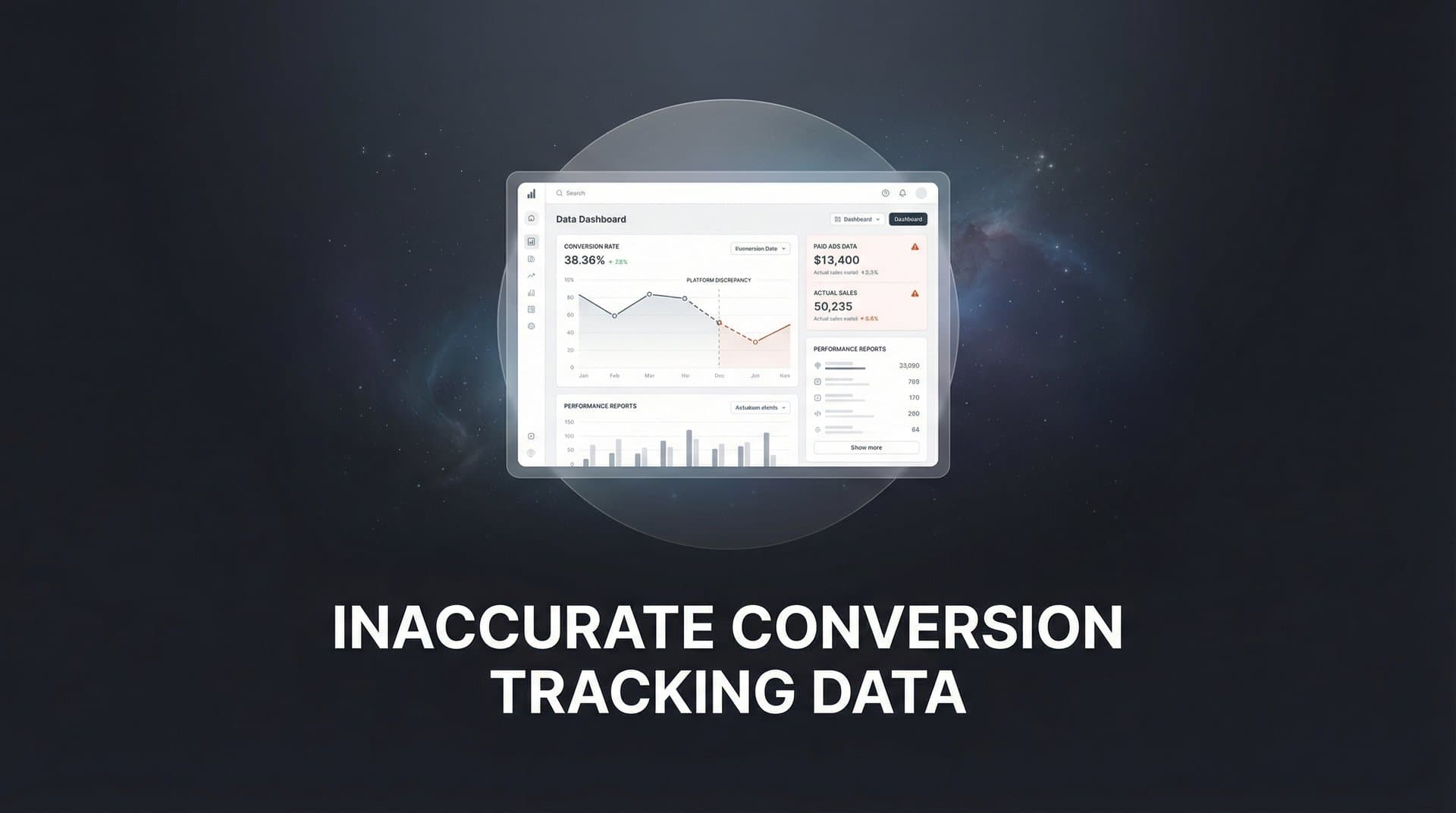
You're staring at your campaign dashboard, and something feels off. Meta reports 47 conversions this week. Google Ads says 39. But when you check your CRM, only 28 actual customers came through. The numbers don't match, and worse, you have no idea which platform is telling you the truth.
This isn't just a reporting annoyance. It's a fundamental problem that's quietly draining your marketing budget and sabotaging your growth.
Inaccurate conversion tracking data creates a domino effect across your entire marketing operation. You're making budget decisions based on false signals. Your ad platforms are optimizing toward phantom conversions. And every day, the gap between what you think is working and what's actually driving revenue grows wider.
The good news? Once you understand why tracking breaks down and how to fix it, you can restore accuracy to your data and confidence to your decisions. This guide will walk you through the root causes of conversion data gaps, show you how to identify tracking issues in your own reports, and provide concrete solutions to build a reliable attribution system that captures every touchpoint.
The Hidden Cost of Tracking Blind Spots
Inaccurate conversion data doesn't just create confusion in your reports. It systematically misleads every optimization decision you make.
Think about what happens when your tracking shows Channel A driving 50 conversions while Channel B drives 30. You naturally shift more budget to Channel A. But what if the real numbers are reversed? What if Channel B actually drives higher-quality leads that close at twice the rate, but your tracking only captures half of them?
You're now pouring money into the wrong channel, starving your best performer, and wondering why your overall ROI keeps declining. This compounds month after month as you double down on flawed data.
The ripple effects extend beyond your budget allocation. Ad platform algorithms depend on accurate conversion signals to optimize delivery. When Meta's algorithm receives incomplete or duplicate conversion events, it learns the wrong patterns. It starts showing your ads to people who look like phantom converters rather than real customers.
Google's Smart Bidding makes similar mistakes when fed inaccurate data. The machine learning models optimize toward false positives, gradually degrading campaign performance while your dashboard shows improvement. Understanding Google Ads conversion tracking problems is essential for preventing this algorithmic decay.
Here's where it gets particularly insidious: platform-reported conversions often look reasonable in isolation. Meta shows steady growth. Google Ads reports positive ROAS. But when you compare these numbers to actual CRM conversions and closed revenue, massive discrepancies appear.
Many marketers live with these gaps, assuming some level of data mismatch is normal. They create mental adjustments or rough conversion factors to bridge the difference. But these workarounds mask the underlying problem: you're navigating with a broken compass, and every course correction takes you further off track.
The competitive disadvantage is real. While you're making decisions based on partial visibility, competitors with accurate tracking are identifying winning campaigns faster, scaling with confidence, and capturing market share you didn't even know you were losing.
Five Root Causes Behind Conversion Data Gaps
Understanding why tracking breaks down is the first step toward fixing it. Most conversion data gaps stem from a handful of technical and structural issues that have intensified in recent years.
Privacy Updates That Block Tracking at the Source: The landscape shifted dramatically when Apple introduced iOS 14.5 and App Tracking Transparency. Suddenly, the majority of iPhone users could opt out of cross-app tracking with a single tap. Safari's Intelligent Tracking Prevention already limited cookie lifespans to seven days. Firefox's Enhanced Tracking Protection blocks third-party trackers by default. These aren't minor inconveniences. They're fundamental barriers that prevent browser-based pixels from firing or severely limit their attribution windows.
When a user clicks your ad on their iPhone, browses your site in Safari, and converts three days later on their laptop, traditional pixel tracking often fails to connect these dots. The conversion happens, but your ad platform never receives the signal. Many businesses are losing conversion data after iOS updates without realizing the full extent of the problem.
Fragmented Customer Journeys Across Devices and Browsers: Modern buyers don't follow linear paths. They discover your brand on mobile during their commute, research on their work computer during lunch, and purchase on their tablet in the evening. Each device switch potentially breaks the attribution chain.
Browser-based tracking relies on cookies that don't transfer across devices or browsers. A customer might interact with five of your touchpoints across three devices, but your tracking only captures the final click because that's the only one that happened in the same browser session where the conversion occurred. Implementing cross-device conversion tracking solutions addresses this fragmentation.
Delayed Conversions and Offline Sales That Disappear: Not every conversion happens immediately on your website. B2B buyers often fill out a form, then spend weeks in a sales cycle before closing. E-commerce customers might see your ad, visit your store in person, and purchase offline. Service businesses take phone calls that turn into clients.
These delayed and offline conversions represent real revenue driven by your marketing, but they often never get attributed back to the original ad interaction. Your tracking shows the form fill or site visit, but the actual sale remains invisible to your ad platforms.
Technical Errors That Multiply or Miss Conversions: Configuration mistakes create systematic tracking problems. A conversion pixel that fires on every page load instead of just the thank-you page reports dozens of phantom conversions. Tag manager conflicts cause some events to fire twice while others don't fire at all.
Page load timing issues mean pixels sometimes don't execute before users navigate away. Misconfigured conversion values send the wrong revenue data. URL parameter problems break UTM tracking. Each technical error compounds the inaccuracy in your reports.
Ad Blockers and Consent Tools That Filter Events: A significant portion of web users run ad blocking extensions that prevent tracking pixels from loading entirely. Consent management platforms, required by privacy regulations, often block tracking for users who don't explicitly accept cookies.
These users still convert, but their conversions never appear in your ad platform reports. You're blind to an entire segment of your customer base, creating a systematic undercount that varies by audience and geography.
How to Spot Inaccurate Data in Your Reports
Recognizing that you have a tracking problem is often harder than fixing it. Many marketers operate with flawed data for months before realizing something's wrong.
The most obvious red flag is large, persistent discrepancies between ad platform conversions and actual CRM results. Pull your Meta Ads conversions for the past 30 days. Now pull the actual number of new customers or closed deals from your CRM for the same period, filtered by source.
If Meta reports 100 conversions but your CRM shows only 60 new customers from Meta traffic, you have a tracking problem. Some discrepancy is normal—different attribution windows, conversion definitions, or data processing delays can create small gaps. But when platform numbers consistently exceed CRM reality by 30% or more, your tracking is fundamentally broken. This is a common symptom of inaccurate conversion data in Ads Manager.
The inverse can also signal problems. If your CRM shows significantly more conversions than your ad platforms report, you're likely missing attribution. Customers are converting, but the connection back to their ad interactions is lost.
Another diagnostic approach is comparing platform attribution to actual revenue. Your ad platforms might report positive ROAS based on their conversion tracking, but when you calculate ROAS using actual closed revenue from your accounting system, the numbers tell a different story.
This gap often reveals that your tracking is capturing low-quality form fills or initial actions but missing the final purchase events. Or it might show that high-value conversions aren't being tracked with accurate revenue data. When you notice missing conversion data from ads, it's time for a thorough audit.
Conversion path analysis reveals where tracking drops off. Look at the customer journey from ad click to final conversion. If you see a high volume of clicks, some site sessions, but very few conversions recorded, the break is likely happening at the conversion event itself.
If you see conversions recorded but they're all attributed to direct traffic or last-click sources, the break is in your attribution logic. Customers are converting, but the full journey isn't being captured.
Pay attention to patterns in the gaps. If mobile conversions are significantly undercounted compared to desktop, iOS privacy features are likely blocking your tracking. If conversions from certain traffic sources never appear, those channels might have implementation issues.
Server-Side Tracking: The Foundation for Accurate Data
The fundamental limitation of traditional conversion tracking is that it happens in the browser. A pixel loads on your website, fires when someone converts, and sends data to your ad platform. This approach worked well for years, but it's increasingly unreliable in the current privacy landscape.
Server-side tracking solves this by moving data transmission from the browser to your server. Instead of relying on a pixel that loads in the user's browser and can be blocked by privacy settings, ad blockers, or browser restrictions, the conversion event is recorded on your server and transmitted directly to ad platforms through secure server-to-server connections.
Here's why this matters: when a conversion happens on your website, your server already knows about it. Someone submitted a form, completed a purchase, or triggered whatever action you define as a conversion. That event exists in your server logs and database regardless of what's happening in the user's browser.
Server-side tracking captures this server-recorded event and sends it to Meta, Google, and other ad platforms through their APIs. Because this transmission happens between servers, it bypasses all the browser-based limitations that break traditional tracking. Learning how to sync conversion data to Facebook Ads through server-side methods dramatically improves accuracy.
Safari's Intelligent Tracking Prevention? Doesn't affect server-side events. Ad blockers? Can't block server-to-server communication. iOS privacy settings? Only restrict browser-based tracking, not server events. Cookie deletion? Irrelevant when you're not relying on browser cookies.
The difference between client-side pixels and server-to-server transmission is fundamental. Client-side tracking depends on the user's browser environment, which you don't control. Server-side tracking happens in your infrastructure, which you do control.
This becomes even more powerful when you connect your CRM events directly to ad platforms. Someone fills out a form on your website—that's captured server-side and sent to Meta immediately. Three weeks later, they become a paying customer in your CRM. That conversion event can also be transmitted server-side, completing the attribution chain.
Now your ad platforms receive both the initial conversion and the final revenue event, giving them complete visibility into which ads drive actual customers, not just form fills. This enriched data allows their algorithms to optimize toward real business outcomes.
Server-side tracking also enables you to send more accurate conversion values. Instead of estimating order value based on a product page view, you can send the actual transaction amount from your order system. Instead of marking every form fill as equal value, you can send the actual deal size when it closes in your CRM.
The technical implementation requires connecting your website and CRM to a tracking infrastructure that can receive events and transmit them to ad platforms. This is more complex than dropping a pixel on your site, but the accuracy gains are substantial.
Building a Reliable Attribution System
Accurate tracking is only part of the solution. You also need an attribution system that correctly credits the touchpoints that drive conversions.
First-party data tracking forms the foundation. This means capturing customer journey data directly through your own systems rather than relying on third-party cookies or external tracking. When someone visits your site, interacts with your ads, or engages with your content, that data should be collected and stored in your infrastructure.
This approach gives you ownership and control over your marketing data. You're not dependent on ad platforms' limited visibility or subject to their attribution rules. You can see the complete customer journey across all touchpoints and channels.
Implementing first-party tracking across all touchpoints means capturing data from every customer interaction: ad clicks, social media engagement, email opens, website visits, form submissions, sales calls, and purchases. Each touchpoint adds a piece to the attribution puzzle. A comprehensive first-party data tracking implementation ensures no interaction goes unrecorded.
Multi-touch attribution provides a more complete picture than last-click models by crediting all touchpoints in the customer journey. Last-click attribution gives 100% credit to the final interaction before conversion. If someone clicked a Facebook ad, then a Google ad, then converted, Google gets all the credit while Facebook gets none.
This obviously misrepresents reality. The Facebook ad played a role in the conversion even if it wasn't the last click. Multi-touch attribution distributes credit across the journey, recognizing that awareness, consideration, and decision touchpoints all contribute to the final outcome.
Different multi-touch models distribute credit in different ways. Linear attribution gives equal credit to all touchpoints. Time-decay gives more credit to recent interactions. Position-based gives more credit to the first and last touchpoints. The right model depends on your business and typical customer journey.
The key advantage is visibility. Multi-touch attribution shows you which channels work together to drive conversions. You might discover that LinkedIn ads rarely drive direct conversions but play a crucial role in initiating journeys that close through search. Or that email nurture sequences are essential for converting cold Facebook traffic.
The ability to feed conversion data back to ad platforms completes the loop. Once you have accurate, first-party conversion data with proper attribution, you can send this enhanced information back to Meta, Google, and other platforms through their Conversion APIs.
This improves their optimization in two ways. First, they receive more complete conversion data, including events they missed through browser-based tracking. Second, they receive higher-quality conversion data, including actual revenue values and customer lifetime value rather than just conversion counts.
When ad platforms receive better conversion signals, their machine learning algorithms make better optimization decisions. They learn which audiences and creative approaches drive real customers, not just clicks or form fills. Campaign performance improves because the platforms are optimizing toward the right outcomes.
Your Tracking Accuracy Audit Checklist
Fixing inaccurate conversion tracking requires a systematic approach. Start with an audit to identify where your data breaks down.
Step 1: Compare Platform Data to CRM Reality. Pull conversion reports from each ad platform for the past 30 days. Pull actual customer or revenue data from your CRM for the same period, segmented by source. Calculate the discrepancy percentage for each platform. Any gap over 20% requires investigation.
Step 2: Test Your Conversion Events. Manually trigger each conversion action on your website while monitoring your tag manager and platform pixels. Verify that events fire correctly, fire only once, and send accurate data. Check mobile and desktop, different browsers, and with ad blockers enabled.
Step 3: Audit Your Attribution Windows. Review the attribution windows configured in each ad platform. Do they match your actual sales cycle? B2B companies with 30-day sales cycles shouldn't use 7-day attribution windows. Adjust windows to reflect reality.
Step 4: Verify Server-Side Implementation. If you're using server-side tracking, confirm that events are being received and processed correctly. Check for error rates, delayed events, or missing parameters. Ensure your server-side events include the necessary identifiers to match with ad platform data. Following best practices for tracking conversions accurately prevents common implementation errors.
Step 5: Review Conversion Definitions. Make sure you're tracking the right events. Are you optimizing for form fills when you should optimize for actual sales? Are lead conversions weighted by quality? Align your tracked conversions with actual business outcomes.
Step 6: Implement Ongoing Monitoring. Set up weekly or monthly reports that automatically compare platform conversions to CRM data. Create alerts for when discrepancies exceed acceptable thresholds. Regular monitoring catches tracking breaks quickly before they compound.
Step 7: Document Your Tracking Infrastructure. Create documentation that maps out your entire tracking setup: which pixels are installed, what events they track, how data flows from website to platforms, and where attribution logic is applied. This makes troubleshooting faster and prevents configuration drift.
Maintaining data accuracy is an ongoing practice, not a one-time fix. Browser updates, platform changes, and website modifications can all break tracking. Regular audits and monitoring ensure you catch issues quickly. Investing in an accurate conversion tracking solution pays dividends through better optimization and reduced wasted spend.
The transformation that comes from accurate data is significant. When you can trust your conversion tracking, you make better budget decisions. When your ad platforms receive accurate signals, their algorithms optimize more effectively. When you see the complete customer journey, you understand which channels and tactics actually drive growth.
Moving Forward with Confidence
Inaccurate conversion tracking data isn't an unsolvable technical mystery. It's a concrete problem with clear solutions: implement server-side tracking to bypass browser limitations, build first-party data collection across all touchpoints, use multi-touch attribution to capture complete customer journeys, and feed enriched conversion data back to ad platforms.
The marketers who solve this problem gain a decisive competitive advantage. They know what's working. They scale with confidence. They don't waste budget on phantom performance or miss opportunities in undervalued channels.
Your tracking infrastructure is the foundation of every marketing decision you make. When that foundation is solid, everything built on top of it performs better. When it's flawed, even your best strategies underdeliver.
Start with the audit checklist above. Compare your platform data to CRM reality. Identify where your tracking breaks down. Then systematically address each gap with the solutions outlined in this guide.
The path from inaccurate data to complete visibility is clearer than you might think. It requires the right infrastructure, proper implementation, and ongoing monitoring. But the payoff—confident decisions backed by accurate data—transforms how effectively you can grow.
Ready to elevate your marketing game with precision and confidence? Discover how Cometly's AI-driven recommendations can transform your ad strategy. Get your free demo today and start capturing every touchpoint to maximize your conversions.


