

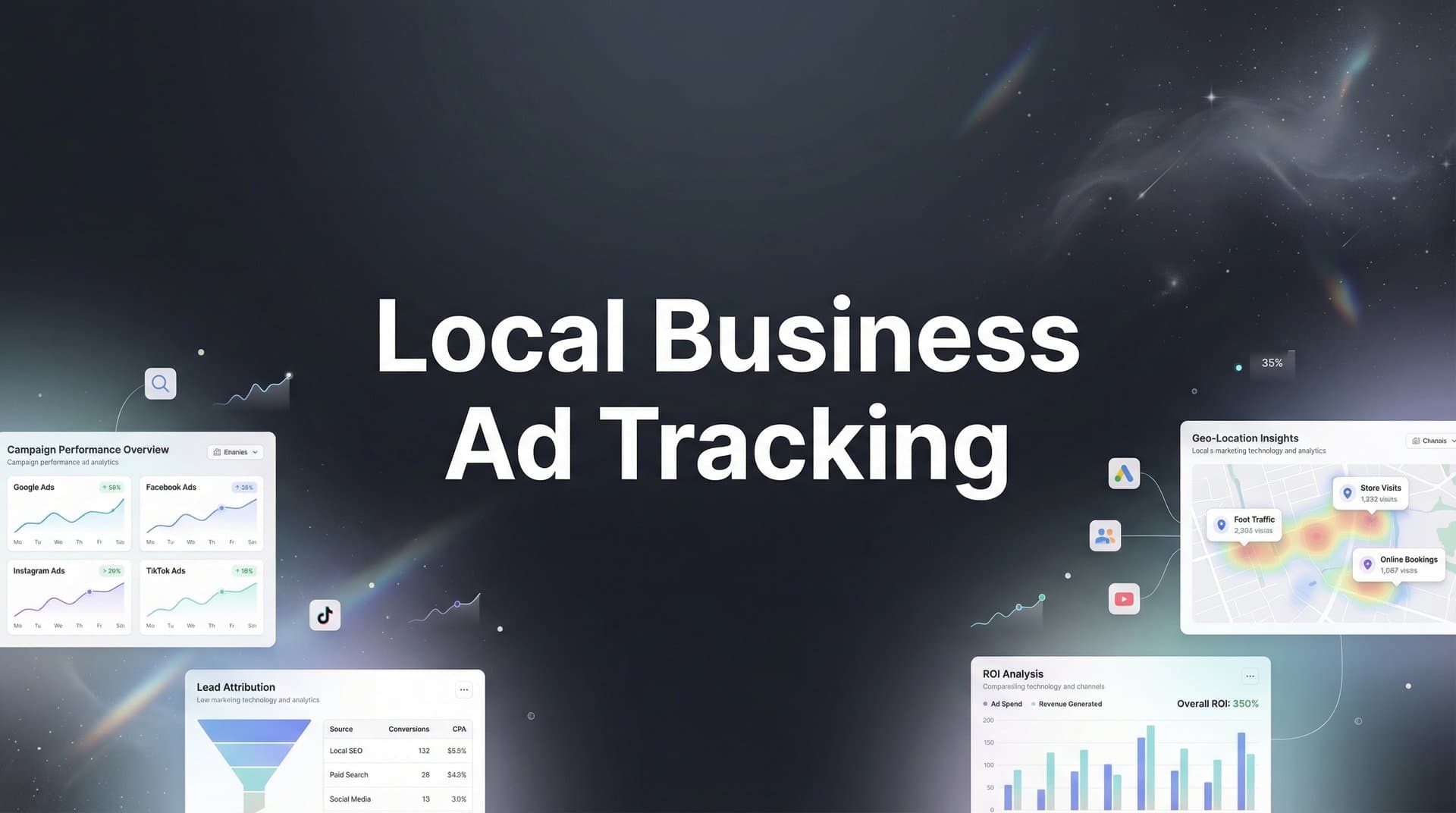
Local businesses face a unique tracking challenge: customers discover you online but often convert offline through phone calls, store visits, or in-person consultations. This disconnect makes it nearly impossible to know which ads actually drive revenue.
Without accurate tracking, you're essentially guessing where to spend your marketing budget—and guessing gets expensive fast.
The good news? Modern attribution tools and strategies can bridge this gap, giving you clear visibility into your entire customer journey from first click to final sale. This guide walks you through seven battle-tested strategies that help local businesses track ad performance accurately, connect online efforts to offline conversions, and make confident decisions about where to invest your marketing dollars.
1. Implement Server-Side Tracking
The Challenge It Solves
Browser-based tracking has become increasingly unreliable for local businesses. Ad blockers, privacy settings, and cookie restrictions mean that traditional pixel tracking misses a significant portion of your actual conversions. When iOS users opt out of tracking or browsers block third-party cookies, your conversion data develops blind spots that make it impossible to accurately measure campaign performance.
This creates a dangerous situation: you're making budget decisions based on incomplete information, potentially cutting campaigns that actually drive revenue while scaling ones that only appear successful.
The Strategy Explained
Server-side tracking moves conversion tracking from the user's browser to your own server infrastructure. Instead of relying on browser pixels that can be blocked or restricted, your server captures conversion events and sends them directly to ad platforms through secure server-to-server connections. Understanding the differences between Google Analytics vs server-side tracking helps clarify why this approach captures more complete data.
Think of it like this: browser-based tracking is like asking customers to carry a tracking device that they can easily turn off. Server-side tracking is like having security cameras in your store—you capture the data regardless of individual privacy settings.
This approach captures conversion data that browser-based methods miss entirely, giving you a more complete and accurate picture of which ads drive real business results.
Implementation Steps
1. Set up a server-side tracking infrastructure through a platform like Cometly that handles the technical complexity for you, connecting your website and conversion events to ad platforms through secure server connections.
2. Configure conversion events to track the actions that matter for your local business—form submissions, appointment bookings, phone number clicks, and direction requests.
3. Verify that conversion data flows correctly by testing events and comparing server-side data against browser-based tracking to identify the gap you were previously missing.
Pro Tips
Start by tracking your highest-value conversion actions first rather than trying to implement everything at once. Focus on the events that directly indicate purchase intent—appointment bookings and phone calls typically matter more than page views or time on site. Monitor your conversion data quality regularly to ensure events fire consistently and accurately.
2. Connect Your CRM to Ad Platforms
The Challenge It Solves
Your CRM contains the most valuable data you have: which leads became paying customers and how much revenue they generated. But this data sits isolated from your advertising platforms, creating a critical blind spot. You can see which ads generated leads, but you can't see which ads generated revenue.
This gap leads to a common mistake: optimizing for lead volume instead of customer value. You might scale campaigns that flood your CRM with low-quality leads while underfunding campaigns that generate fewer leads but higher-value customers.
The Strategy Explained
CRM integration connects your customer relationship data directly to your advertising platforms, allowing you to track the complete journey from ad click to closed deal. When a lead converts to a customer in your CRM, that revenue event gets attributed back to the original ad and campaign that started the relationship. Businesses focused on lead generation attribution tracking find this integration essential for understanding true campaign value.
This creates a closed-loop system where ad platforms receive real revenue data, not just lead data. You can finally answer the question that actually matters: which campaigns drive profitable customers?
Modern attribution platforms can sync this data automatically, sending conversion events from your CRM back to Meta, Google Ads, and other platforms with the actual revenue value attached.
Implementation Steps
1. Integrate your CRM with your attribution platform to establish the data connection between customer records and advertising campaigns.
2. Define your revenue events clearly—identify which CRM stages represent actual conversions worth tracking, such as "deal closed" or "payment received" rather than early-stage events like "lead created."
3. Map customer IDs consistently across your CRM and tracking system so that when someone converts, the system can accurately match them back to their original ad interaction.
Pro Tips
Don't just track whether someone became a customer—send the actual revenue value back to ad platforms. This allows algorithms to optimize for high-value customers rather than just any customer. Set up different conversion events for different customer tiers if your business has varying service levels or package prices.
3. Use Call Tracking with Dynamic Numbers
The Challenge It Solves
For many local businesses, phone calls represent the majority of high-value conversions. Someone who picks up the phone to call your business is often further along in the buying journey than someone who just fills out a form. Yet most businesses have no idea which marketing efforts drive those calls.
Without call tracking, you're operating blind on your most valuable conversion channel. You might be investing heavily in campaigns that generate website traffic while underfunding campaigns that actually make your phone ring.
The Strategy Explained
Dynamic call tracking assigns unique phone numbers to different marketing sources, campaigns, or even individual ads. When someone clicks your Google Ad, they see one tracking number. When they find you through Facebook, they see a different number. When they visit from organic search, they see yet another number.
Each tracking number forwards to your actual business line, but the system records which number was called—and therefore which marketing source drove that call. Advanced systems can even track call duration, record conversations for quality purposes, and integrate with your CRM to connect calls to customer records. Our guide on marketing attribution for phone calls covers this in greater detail.
This turns your most valuable conversion channel from a black box into a measurable, optimizable part of your marketing funnel.
Implementation Steps
1. Choose a call tracking platform that integrates with your advertising platforms and can dynamically swap phone numbers based on traffic source.
2. Set up number pools that provide unique tracking numbers for each campaign or channel you want to measure separately, ensuring you have enough numbers to cover your traffic volume.
3. Configure call qualification rules that distinguish between valuable calls and low-value ones—track calls over a certain duration or calls that reach specific team members differently than brief or misdirected calls.
Pro Tips
Use session-level tracking rather than just source-level tracking when possible. This assigns unique numbers to individual website sessions, giving you more granular data about which specific ads or keywords drive calls. Set up call recording with proper consent notices—listening to actual customer calls reveals insights about messaging effectiveness that data alone can't provide. Monitoring the right call tracking metrics helps you distinguish high-value conversations from low-quality inquiries.
4. Set Up Multi-Touch Attribution
The Challenge It Solves
Last-click attribution gives all the credit to whatever touchpoint happened right before conversion. But local business customers rarely convert on their first interaction. They might discover you through a Facebook ad, research you on Google, read reviews, visit your website multiple times, and then finally call or book an appointment.
When you only credit the last touchpoint, you systematically undervalue the awareness and consideration channels that started the relationship. This leads to cutting campaigns that actually play a crucial role in your customer journey.
The Strategy Explained
Multi-touch attribution distributes conversion credit across all the touchpoints that contributed to a customer's decision. Instead of giving 100% credit to the last click, you acknowledge that the Facebook ad that created awareness, the Google search that drove research, and the retargeting ad that brought them back all played important roles.
Different attribution models weight these touchpoints differently. Linear attribution splits credit evenly. Time-decay gives more credit to recent touchpoints. Position-based models emphasize first and last touch. Understanding these attribution tracking methods helps you choose the right approach for your business. The key is moving beyond the oversimplification of last-click thinking.
This approach reveals the true value of your full marketing mix and helps you make smarter decisions about budget allocation across channels.
Implementation Steps
1. Implement a tracking system that captures all customer touchpoints across channels, not just the final interaction—this requires consistent tracking across your website, ads, email, and other marketing activities.
2. Choose an attribution model that matches your customer journey length and complexity, starting with linear or time-decay models before experimenting with more sophisticated approaches.
3. Compare attribution models side-by-side to understand how different approaches value your channels, looking for patterns in which channels get over-credited or under-credited by last-click attribution.
Pro Tips
Focus on understanding patterns rather than obsessing over the "perfect" attribution model. No model is perfectly accurate—they're all frameworks for thinking about customer journeys. The goal is to make better decisions than last-click attribution allows, not to achieve perfect precision. Review your attribution data monthly to identify channels that consistently appear early in customer journeys, even if they don't get last-click credit. Comprehensive touchpoint tracking analytics reveal these patterns across your entire funnel.
5. Feed Enriched Data to Ad Platforms
The Challenge It Solves
Ad platform algorithms optimize based on the conversion data they receive. When that data is incomplete or low-quality—missing conversions due to tracking gaps, delayed by days, or lacking revenue values—the algorithms can't effectively identify which audiences and placements drive results.
This creates a vicious cycle: poor data leads to poor targeting, which leads to higher costs and lower conversion rates, which reinforces the belief that the platform doesn't work for your business.
The Strategy Explained
Conversion data enrichment means sending more complete, accurate, and valuable conversion information back to your ad platforms. Instead of just telling Meta that someone filled out a form, you tell Meta that someone filled out a form, called your business, came in for a consultation, and became a $5,000 customer.
This enriched data helps ad algorithms understand what a valuable conversion actually looks like. They can identify patterns in high-value customers and find more people who match those patterns. The result is better targeting, lower costs, and higher conversion rates.
Modern attribution platforms can automatically sync this enriched data from your CRM and other sources back to ad platforms through Conversion API connections. Implementing first-party data tracking setup ensures you capture this valuable information directly from your own systems.
Implementation Steps
1. Implement Conversion API connections for Meta and Google Ads that send server-side conversion data with complete accuracy, bypassing browser-based tracking limitations.
2. Configure revenue value tracking so that when conversions sync to ad platforms, they include the actual dollar value of the customer, not just a binary "converted" or "didn't convert" signal.
3. Set up conversion event matching that connects online ad interactions to offline conversions like phone calls and store visits, ensuring ad platforms receive credit for the full range of conversion types your business experiences.
Pro Tips
Send conversion events as quickly as possible—real-time data tracking allows ad algorithms to optimize faster than delayed data. Include customer lifetime value in your conversion events when possible, not just initial purchase value. This teaches algorithms to find customers who stick around, not just customers who buy once.
6. Track Store Visits and Appointments
The Challenge It Solves
Many local businesses drive customers to physical locations or scheduled appointments rather than online purchases. Someone might click your ad, visit your website, and then show up at your store the next day—but without proper tracking, you have no idea that ad drove that visit.
This offline conversion gap makes it appear that your ads don't work when they actually drive significant business. You're left making decisions based on incomplete data, potentially cutting campaigns that fill your appointment calendar or bring customers through your door.
The Strategy Explained
Store visit and appointment tracking bridges the gap between online advertising and offline conversions. For store visits, this typically involves location data that matches ad clicks to subsequent visits to your business location. For appointments, it means connecting your scheduling system to your attribution platform so that booked appointments get credited back to the ads that drove them.
The key is creating a connection between digital touchpoints and physical outcomes. When someone books an appointment through your website after clicking an ad, that's straightforward to track. The more challenging scenario is when someone clicks an ad, browses your site, and then calls to book an appointment days later—this requires call tracking integration.
Together, these methods reveal the true impact of your advertising on real-world business outcomes. Exploring cross-device attribution tracking helps capture customers who research on mobile but convert on desktop or in-store.
Implementation Steps
1. Integrate your appointment scheduling system with your attribution platform to automatically track when appointments are booked and connect them to the marketing touchpoints that preceded them.
2. Set up store visit conversion tracking through Google Ads if you have a physical location, enabling location-based attribution that credits ads when customers visit your store after clicking.
3. Combine appointment tracking with call tracking to capture both online bookings and phone-based appointments, ensuring you don't miss conversions that happen through different channels.
Pro Tips
Track appointment show-rates and completed appointments separately from booked appointments. An ad that drives appointments with high no-show rates is less valuable than one that drives appointments that actually happen. Consider implementing appointment confirmation systems that reduce no-shows while also providing another tracking touchpoint.
7. Build Revenue-Focused Dashboards
The Challenge It Solves
Most advertising dashboards focus on vanity metrics: impressions, clicks, click-through rates, and cost per click. These metrics tell you what's happening but not whether it matters. You can have impressive click-through rates on campaigns that never generate a single customer.
Without revenue-focused reporting, you're optimizing for the wrong outcomes. You make decisions based on metrics that correlate weakly with actual business results, leading to budget allocation that maximizes activity rather than profitability.
The Strategy Explained
Revenue-focused dashboards organize your marketing data around the metrics that actually impact your bottom line: customer acquisition cost, return on ad spend, customer lifetime value, and revenue per campaign. Instead of celebrating high click-through rates, you focus on which campaigns generate profitable customers.
These dashboards connect your advertising data to your business outcomes, showing not just how many leads each campaign generated but how many of those leads became customers and how much revenue they produced. This shifts your entire optimization approach from activity-based to outcome-based. Implementing conversion tracking analytics provides the foundation for these revenue-focused insights.
The most effective dashboards compare performance across channels, reveal trends over time, and highlight optimization opportunities based on actual revenue impact.
Implementation Steps
1. Define your key revenue metrics clearly—determine what customer acquisition cost is acceptable for your business, what return on ad spend makes a campaign worth scaling, and what customer lifetime value you can expect.
2. Build or configure dashboards that show these metrics by campaign, channel, and time period, making it easy to compare performance and identify winners and losers based on revenue impact.
3. Set up automated reporting that delivers revenue-focused insights to your inbox regularly, ensuring you review business-critical metrics consistently rather than only when you remember to check.
Pro Tips
Include both short-term and long-term revenue metrics in your dashboards. A campaign might look expensive based on immediate return but highly profitable when you factor in customer lifetime value. Create separate views for different decision-making needs—a daily optimization dashboard might focus on recent performance while a strategic planning dashboard looks at longer-term trends.
Your Implementation Roadmap
Effective local business ad tracking isn't about implementing every tool available—it's about building a connected system that follows your customers from first ad impression to final purchase.
Start with the foundation: server-side tracking and CRM integration give you the data backbone you need. These two strategies address the most critical gaps in most local business tracking setups—missed conversions due to privacy restrictions and disconnected revenue data. Many businesses find that ad tracking software for small business simplifies this implementation process significantly.
Then layer in call tracking and multi-touch attribution to capture the full picture. Call tracking is particularly crucial for local businesses where phone conversations drive high-value conversions. Multi-touch attribution ensures you understand the complete customer journey rather than oversimplifying it.
Finally, close the loop by feeding quality data back to your ad platforms and building dashboards that focus on revenue. When ad algorithms receive accurate, enriched conversion data, they optimize more effectively. When your dashboards emphasize revenue over vanity metrics, you make better decisions.
The businesses that master this tracking ecosystem don't just save money on wasted ad spend—they gain the confidence to scale what's working and cut what isn't. They know which channels drive profitable customers, which campaigns deserve bigger budgets, and which optimizations will actually move the needle.
Your next step? Audit your current tracking setup against these seven strategies and identify the biggest gaps holding back your marketing visibility. Which conversions are you missing? Which revenue data isn't connected to your ad platforms? Which decisions are you making based on incomplete information?
Ready to elevate your marketing game with precision and confidence? Discover how Cometly's AI-driven recommendations can transform your ad strategy—Get your free demo today and start capturing every touchpoint to maximize your conversions.



