

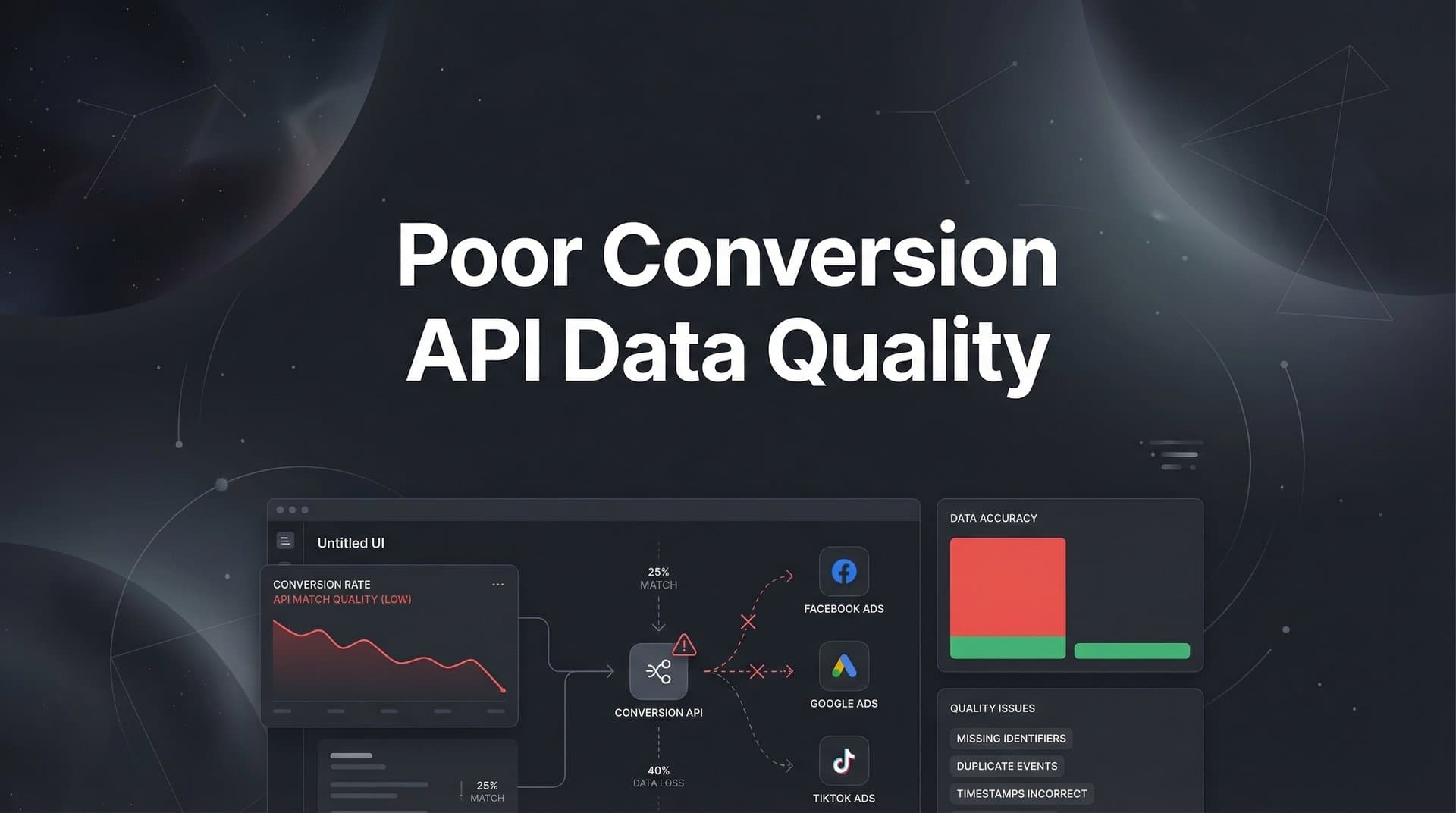
Your ad campaigns are running. Budget is flowing. But something's off. Your Meta ads aren't learning as fast as they should. Google's smart bidding seems to be guessing instead of optimizing. And when you check your Events Manager, you see it: Event Match Quality scores in the red, warnings about missing parameters, and conversion signals that look more like noise than data.
Poor Conversion API data quality isn't just a technical hiccup—it's actively sabotaging your marketing performance. When your server-side tracking sends incomplete or inaccurate signals to ad platforms, those platforms can't identify your best customers, can't optimize toward profitable conversions, and can't help you scale what's working.
The frustrating part? Most marketers know their Conversion API implementation needs work, but diagnosing and fixing data quality issues feels like navigating a maze of technical requirements, hashing protocols, and platform-specific quirks.
This guide breaks down that complexity into clear, actionable steps. You'll learn exactly how to identify what's wrong with your current data quality, which parameters you're missing, how to improve your match rates, and how to ensure your ad platforms receive the enriched conversion signals they need to optimize effectively.
Whether you're seeing low Event Match Quality scores, dealing with duplicate events, or simply not getting the campaign performance you expected after implementing server-side tracking, these steps will help you transform poor data quality into a competitive advantage.
Step 1: Diagnose Your Current Data Quality Issues
Before you can fix data quality problems, you need to understand exactly what's broken. Start by accessing your Events Manager in Meta or the equivalent conversion tracking dashboard in Google Ads. These platforms provide diagnostic tools specifically designed to surface data quality issues.
In Meta's Events Manager, navigate to your Conversions API dataset and look for the Event Match Quality score. This score ranges from 1 to 10, with anything below 6.0 indicating significant room for improvement. You'll also see specific warnings about missing parameters, deduplication issues, or events that aren't being matched to user profiles effectively.
Document each issue you find with specifics. Which events are affected? Is it just your purchase events, or are add-to-cart and lead events also showing poor quality? Are you missing customer information parameters across the board, or only for certain user segments? The more detailed your diagnosis, the more targeted your fixes can be.
Next, compare your pixel data with your server-side data. Open the same event in both tracking methods and look for discrepancies. Understanding the differences between Conversion API vs pixel tracking helps you identify exactly where your implementation is falling short and which gaps need immediate attention.
Check your event timing as well. Platforms like Meta prefer events to be sent within one hour of occurrence. If you're batching events or experiencing significant delays between when a conversion happens and when your server sends it, that latency degrades data quality and attribution accuracy.
Pay attention to error messages in your platform dashboards. Failed API calls, timeout errors, or authentication issues all contribute to poor data quality. Your server logs can provide additional context here—look for 400-series or 500-series HTTP response codes that indicate your conversion events aren't being accepted by the platform.
Finally, assess your overall conversion volume. If you're sending very few conversion events, even perfect data quality won't give ad platforms enough signal to optimize effectively. Note whether low volume is contributing to your performance issues alongside quality problems.
Step 2: Audit Your Event Configuration and Parameters
Now that you know what's wrong, it's time to audit exactly what data you're sending with each conversion event. The quality of your Conversion API data depends entirely on which customer parameters you're capturing and how you're formatting them.
Start by reviewing the customer information parameters your implementation currently passes. The most valuable parameters for improving match quality include email address, phone number, first name, last name, city, state, zip code, country, date of birth, gender, and external ID. Each additional parameter you include gives ad platforms more ways to match your conversion events to specific user profiles.
Check whether you're hashing personally identifiable information correctly. Platforms require that parameters like email and phone be hashed using SHA-256 before transmission. If you're sending these values in plain text, they won't be accepted. If you're using the wrong hashing algorithm, they won't match properly. Verify that your hashing implementation follows platform specifications exactly.
Examine your event names carefully. Meta requires specific standard event names like "Purchase", "Lead", "AddToCart"—and they're case-sensitive. If you're using custom event names or variations, the platform may not recognize them as conversion events. Google's Enhanced Conversions has similar requirements for event naming conventions.
Review how you're formatting event values and currencies. Purchase events should include the total transaction value and the currency code (USD, EUR, etc.). If you're passing values as strings instead of numbers, or omitting the currency parameter, your conversion value data will be unreliable.
Check that you're capturing these parameters at the right point in the customer journey. Email addresses should be collected when users fill out forms or create accounts, not just at checkout. Phone numbers, when available, should be included even for non-purchase conversions. The earlier you capture customer information, the more complete your conversion data will be.
Verify that your parameter formatting matches platform requirements. Phone numbers should include country codes and be stripped of special characters. Email addresses should be lowercase and trimmed of whitespace before hashing. Small formatting inconsistencies can prevent successful matching even when you're sending the right data.
Document which parameters you're currently passing for each event type, which are missing, and which need formatting corrections. This audit becomes your roadmap for the improvements you'll implement in the next steps.
Step 3: Improve Your Event Match Quality Score
With a clear understanding of what's missing, you can now systematically improve your Event Match Quality score by adding customer parameters and ensuring they're captured and formatted correctly.
Start with the highest-impact parameters: email address and phone number. These two identifiers alone can dramatically improve match rates because they're unique to individual users and commonly associated with social media accounts. If your current implementation isn't capturing these, prioritize adding them immediately.
Implement proper SHA-256 hashing for all personally identifiable information before sending it to ad platforms. Most server-side programming languages have built-in hashing functions. The key is to normalize the data first—convert emails to lowercase, remove spaces from phone numbers, trim whitespace—then hash the cleaned value. Test your hashing implementation by comparing your output to known hash values provided in platform documentation.
Pass both client-side and server-side identifiers when available. The fbp cookie (Facebook browser pixel identifier) and fbc cookie (Facebook click identifier) help platforms connect your server-side events to specific user sessions and ad clicks. Your pixel sets these cookies on the client side, and your server-side implementation should read and pass them with each conversion event.
Include click IDs from your ad platforms whenever possible. Meta's fbclid, Google's gclid, and similar parameters from other platforms create direct links between ad clicks and conversions. When you pass these identifiers with your server-side events, attribution becomes significantly more accurate.
Add geographic parameters—IP address, city, state, zip code, and country—to every event. These help with matching and provide valuable context for campaign optimization. Your server can capture the user's IP address automatically, and you can derive or collect the other geographic data during form submissions or account creation.
Consider implementing user_agent string passing as well. The user agent identifies the browser and device type, which helps platforms understand the context of each conversion and improves cross-device attribution.
After implementing these improvements, monitor your Event Match Quality score over the next few days. You should see it rise as the platform processes events with more complete customer information. Aim for scores above 6.0 at minimum, with 8.0 or higher being ideal for optimal campaign performance.
Step 4: Fix Deduplication and Event Timing Issues
Even perfect parameter passing won't help if you're sending duplicate events or if your timing is off. These issues can actually make data quality worse by confusing ad platform algorithms with redundant or stale signals.
Implement unique event IDs to prevent duplicate counting when you're using both pixel and Conversion API tracking. The event_id parameter should be identical for the same event sent from both sources. When the platform receives two events with the same event_id, event_name, and timestamp, it automatically deduplicates them and counts the conversion only once.
Your event ID generation strategy matters. Use a combination of user identifier, timestamp, and event type to create truly unique IDs that won't accidentally match across different conversions. For example, a purchase event ID might combine the order ID with a timestamp, ensuring it's unique even if the same user makes multiple purchases.
Set up your deduplication logic to prioritize server-side events over pixel events. Server-side data is generally more reliable because it's not affected by browser restrictions, ad blockers, or client-side errors. When both sources send the same event, the platform should keep the server-side version as the source of truth.
Address event timing by ensuring your server sends conversion events as close to real-time as possible. Implementing real-time data tracking ensures events are transmitted within minutes of occurrence, certainly within one hour. Delayed events receive less weight in ad optimization algorithms because they're less useful for real-time campaign adjustments.
If you're batching events for efficiency, reduce your batch intervals. Sending events every few minutes is far better than hourly or daily batches. The trade-off in server resources is usually worth the improvement in data freshness and attribution accuracy.
Test your deduplication implementation by triggering test conversions and verifying in your Events Manager that they're counted only once. Check that the event details show both pixel and server-side sources, confirming that deduplication is working correctly rather than one source failing to send.
Monitor for events that are being sent multiple times from the same source. This often happens when retry logic is too aggressive or when webhook implementations trigger multiple times for the same conversion. Implement idempotency checks in your server code to prevent accidental duplicate sends.
Step 5: Validate Your Server-Side Tracking Implementation
After making improvements to your parameters, deduplication, and timing, you need to validate that everything is working correctly. Testing is the only way to confirm your fixes are actually reaching ad platforms as intended.
Use Meta's Test Events tool in Events Manager to send sample conversions and verify they're received with all the parameters you're passing. This tool shows you exactly what data the platform is receiving, how it's being interpreted, and whether any parameters are missing or malformed. Test each event type you're sending—purchases, leads, add-to-cart events—to ensure consistency across your implementation.
For Google Ads, use Tag Assistant to validate Enhanced Conversions. This tool confirms that your conversion data is being received and properly formatted. Pay special attention to the user-provided data section, which shows which customer parameters were successfully passed and matched.
Check your server logs for API call responses. Successful events should return 200-series HTTP status codes. Any 400-series errors indicate problems with your request format, authentication, or parameter validation. Document any errors you find and research the specific error codes in platform documentation.
Verify that your access tokens and API credentials remain valid and have the necessary permissions. Expired tokens or insufficient permissions will cause events to be rejected even if everything else is configured correctly. Implement monitoring to alert you if authentication fails so you can address it immediately.
Test events across different user scenarios. Send test conversions for new visitors who have never interacted with your brand, returning users with existing cookies, and cross-device journeys where users click an ad on mobile but convert on desktop. Each scenario should result in properly tracked and attributed conversions.
Validate that your events are being attributed to the correct ad campaigns and user sessions. Trigger a test conversion after clicking a specific ad, then verify in your reporting that the conversion is attributed to that ad. If attribution is incorrect, you may have issues with click ID passing or session persistence. Our guide on solving attribution data discrepancies covers common causes and fixes for these problems.
Set up ongoing monitoring for data quality metrics. Don't just fix issues once—implement alerts that notify you if Event Match Quality scores drop, if API error rates increase, or if conversion volume falls unexpectedly. Proactive monitoring prevents small problems from becoming major data quality issues.
Step 6: Enrich Your Conversion Data for Better Platform Optimization
Once your basic Conversion API implementation is solid, you can take data quality to the next level by enriching your conversion events with downstream data that reveals true customer value.
Connect your CRM to pass actual conversion outcomes back to ad platforms. A lead event might happen immediately when someone fills out a form, but the real value is revealed days or weeks later when that lead becomes a qualified opportunity or closes as a customer. By sending these downstream events—often called offline conversions—you give ad platforms the signal they need to optimize toward leads that actually convert into revenue.
Implement value-based optimization by passing accurate conversion values with every event. For e-commerce, this means the actual purchase amount. For lead generation, it means the estimated value of different lead types based on historical close rates and average deal sizes. When ad platforms understand which conversions are most valuable, they can optimize toward higher-value customers rather than just more conversions.
Send CRM events like "Opportunity Created", "Demo Completed", or "Customer Onboarded" back to your ad platforms. Learning how to feed conversion data back to ad platforms provides additional training data that helps algorithms understand the full customer journey beyond the initial conversion. The more complete your event stream, the better platforms can identify patterns that lead to high-value customers.
Consider the complexity of managing enriched conversion data across multiple ad platforms. Each platform has different API requirements, different event naming conventions, and different approaches to offline conversions. Manually maintaining this for Meta, Google, TikTok, and other channels quickly becomes overwhelming.
This is where attribution platforms like Cometly provide significant value. Cometly captures every touchpoint across your marketing channels and CRM, then automatically syncs enriched conversion data back to all your ad platforms. Instead of building and maintaining separate integrations for each platform, you get a unified system that ensures every platform receives complete, accurate conversion signals.
The platform tracks the entire customer journey—from first ad click through CRM events and final revenue—then feeds that enriched data back to Meta, Google, and other ad platforms in real time. Understanding how to feed quality data to ad algorithms gives them the complete picture they need to find more customers like your best converters, not just more customers like your initial converters.
With AI-powered recommendations built in, you can identify which campaigns are driving the highest-quality conversions across your entire funnel, not just at the top. This level of insight transforms how you allocate budget and which audiences you scale.
Putting It All Together
Fixing poor Conversion API data quality isn't a one-time task—it's an ongoing process of monitoring, testing, and refining. But by following these steps systematically, you'll transform unreliable conversion signals into the high-quality data your ad platforms need to optimize effectively.
Start with your quick validation checklist. Verify your Event Match Quality scores are above 6.0 and climbing toward 8.0 or higher. Confirm all required customer parameters—especially email and phone—are being passed and properly hashed with SHA-256. Check that unique event IDs are implemented for deduplication between pixel and server-side tracking. Use platform diagnostic tools regularly to catch issues before they impact performance. Connect your CRM data so ad platforms receive enriched conversion signals that reflect true customer value.
The difference between poor and excellent Conversion API data quality shows up directly in your campaign performance. Better data quality means faster ad learning, more accurate attribution, improved targeting, and ultimately, better return on ad spend. When your platforms receive complete, accurate conversion signals, they can identify your best customers and find more people like them.
For marketers managing campaigns across multiple ad channels, maintaining high data quality everywhere becomes exponentially more complex. Each platform has different requirements, different APIs, and different approaches to conversion tracking. Cometly simplifies this by capturing every touchpoint across all your marketing channels and automatically syncing enriched conversion data back to Meta, Google, and other platforms in real time. The platform handles the technical complexity of server-side tracking while you focus on strategy and optimization.
Ready to elevate your marketing game with precision and confidence? Discover how Cometly's AI-driven recommendations can transform your ad strategy—Get your free demo today and start capturing every touchpoint to maximize your conversions.



