

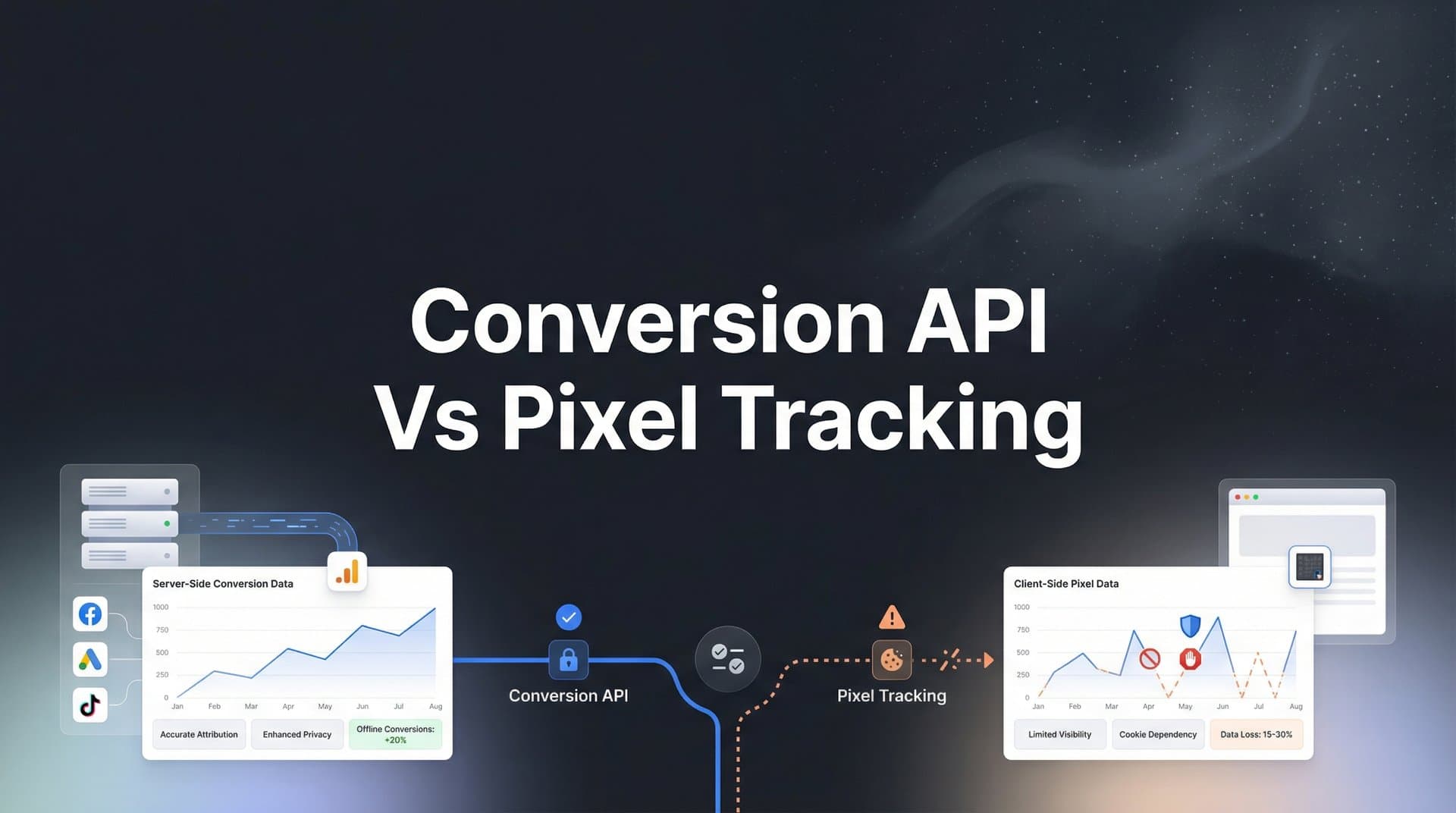
Your Meta ads dashboard shows 100 conversions. Your backend system recorded 150. Which number is real? More importantly, which number is Facebook's algorithm using to optimize your campaigns?
This gap between what your pixel tracks and what actually happens is costing you money. Every missed conversion means ad platforms are optimizing with incomplete data, finding the wrong audiences, and wasting budget on strategies that look like failures but might actually be working.
The tracking landscape has fundamentally shifted. With iOS privacy updates, browser restrictions on third-party cookies, and users increasingly blocking traditional tracking methods, marketers face a critical challenge: how do you accurately measure conversions when pixel-based tracking is becoming unreliable?
The answer lies in understanding when to use Conversion API (server-side tracking), when pixel tracking still works, and—most importantly—how to combine both for maximum data accuracy.
This guide breaks down seven actionable strategies to help you navigate the Conversion API vs pixel tracking decision, implement the right approach for your campaigns, and ultimately feed better data to ad platform algorithms so they can optimize more effectively.
1. Understand the Core Difference: Client-Side vs Server-Side Tracking
The Challenge It Solves
Many marketers treat Conversion API and pixel tracking as competing options when they're actually complementary technologies with different strengths. Without understanding how each method captures data, you can't make informed decisions about which to prioritize for your specific conversion events.
The confusion stems from the fact that both methods ultimately send conversion data to ad platforms, but the path that data takes—and what can interrupt it along the way—differs dramatically.
The Strategy Explained
Pixel tracking (client-side) places a snippet of JavaScript code on your website that runs in the user's browser. When someone completes an action, the pixel fires and sends data directly from their browser to the ad platform. This happens entirely on the client side, meaning it depends on the user's browser environment, cookie settings, and network connection. Understanding what a tracking pixel is and how it works is essential before deciding on your implementation approach.
Conversion API (server-side) works differently. When a conversion happens on your website or in your backend system, your server sends that conversion data directly to the ad platform's server. No browser involvement. No cookies required. The data travels server-to-server, bypassing all the restrictions that plague pixel tracking. For a deeper dive into this approach, explore our guide on server-side conversion tracking.
Think of it like two different postal services. Pixel tracking is like asking each customer to mail a postcard confirming their purchase—some will forget, some will refuse, and some postcards will get lost. Conversion API is like your warehouse automatically sending a shipment notification the moment an order processes—it happens every time, regardless of customer cooperation.
Implementation Steps
1. Map out your conversion funnel and identify which events currently rely solely on pixel tracking (page views, add to cart, initiate checkout, purchase, lead form submissions).
2. Evaluate which events are most vulnerable to tracking loss—typically anything that happens after a user has left your site temporarily (like completing a purchase after switching devices) or events triggered by users likely to have ad blockers or strict privacy settings.
3. Assess your technical infrastructure to determine if you can implement server-side tracking in-house or if you need a platform that handles the server-side connection for you.
Pro Tips
Don't assume newer is always better. Pixel tracking still captures valuable data that server-side methods can't, like real-time browsing behavior and session context. The goal isn't to replace pixels entirely—it's to understand where each method excels so you can deploy both strategically.
2. Audit Your Current Tracking Gaps Before Making Changes
The Challenge It Solves
You can't fix what you can't measure. Many marketers know their tracking "feels off" but lack concrete data showing exactly where conversions are being lost. Without this baseline, you're making implementation decisions based on assumptions rather than evidence.
This gap between perceived and actual tracking accuracy often leads to misallocated resources—spending weeks implementing Conversion API for events that are already tracking reliably while ignoring the high-value conversions that are severely undercounted.
The Strategy Explained
A proper tracking audit compares what your pixel reports against your source of truth: your backend system, CRM, or payment processor. This reveals your actual tracking accuracy and shows you exactly which conversion events are suffering the most data loss. Our comprehensive guide on fixing conversion tracking gaps walks through this process in detail.
Start by pulling conversion data from both sources for the same time period—ideally 30 days to account for attribution windows. Your backend system (Shopify, WooCommerce, payment gateway, CRM) shows what actually happened. Your ad platform's pixel data shows what it thinks happened.
The discrepancy between these numbers is your tracking gap. If your backend shows 200 purchases but Meta pixel only reported 140, you're missing 30% of conversions. That means Facebook's algorithm is optimizing with only 70% of the data it needs to find your best customers.
Implementation Steps
1. Export conversion data from your backend system for the past 30 days, including timestamps, conversion values, and any available user identifiers (order IDs, email addresses, transaction IDs).
2. Pull the same conversion event data from your ad platform's Events Manager or analytics dashboard for the identical time period, making sure you're comparing the same event types and attribution windows.
3. Calculate your tracking accuracy rate by dividing pixel-reported conversions by actual backend conversions—this percentage reveals how much data your current tracking is missing and helps you prioritize which events need server-side implementation first.
Pro Tips
Pay special attention to mobile conversions and high-value customers. iOS users are most likely to have tracking restrictions enabled, so if your best customers skew toward iPhone users, your tracking gaps are probably costing you more than the raw numbers suggest. Segment your audit by device type to uncover these hidden patterns. Consider exploring pixel tracking alternatives for iOS users to address this specific challenge.
3. Implement a Hybrid Tracking Approach for Maximum Coverage
The Challenge It Solves
Choosing between Conversion API and pixel tracking creates a false dilemma. Each method captures conversions the other misses, which means using only one approach guarantees you're leaving data on the table. The real challenge is running both methods simultaneously without creating duplicate conversion events that inflate your numbers.
Many marketers avoid hybrid tracking because they fear double-counting conversions, but this concern—while valid—is entirely solvable with proper event deduplication.
The Strategy Explained
A hybrid approach runs both pixel tracking and Conversion API in parallel, with deduplication logic that ensures each conversion is counted only once even if both methods capture it. When a conversion happens, both your pixel and your server send event data to the ad platform. The platform uses a unique event ID to recognize when two signals represent the same conversion and counts it once.
This gives you the best of both worlds. The pixel captures conversions that happen in standard browsing sessions with cookies enabled. The Conversion API captures conversions from iOS users, people with ad blockers, and situations where the pixel fails. Together, they create comprehensive coverage.
Think of it like having both a security camera and a motion sensor protecting your store. Sometimes only the camera catches movement. Sometimes only the sensor detects it. Often both trigger simultaneously. But you don't call the police twice—you recognize it's the same event and respond once.
Implementation Steps
1. Ensure your pixel implementation includes event IDs for key conversion events—these unique identifiers (typically order IDs, transaction IDs, or lead form submission IDs) are what enable deduplication to work properly.
2. Configure your Conversion API to send the same event ID when transmitting server-side conversion data, making sure the format and identifier match exactly what your pixel uses for the same event type. Our Facebook Conversion API setup guide provides step-by-step instructions for this process.
3. Verify deduplication is working by checking your ad platform's Events Manager diagnostics—most platforms show you how many events were received, how many were deduplicated, and what percentage of conversions came from each source.
Pro Tips
Monitor your deduplication rate in the first few weeks after implementation. If you're seeing very low deduplication (under 20%), it might mean your event IDs aren't matching properly between pixel and API. If you're seeing extremely high deduplication (over 80%), it suggests your Conversion API might not be capturing many additional conversions that the pixel misses—which could indicate implementation issues or that your tracking gaps are smaller than expected.
4. Prioritize High-Value Events for Server-Side Tracking
The Challenge It Solves
Not all conversion events deserve equal attention when implementing Conversion API. Setting up server-side tracking requires development resources and ongoing maintenance, so trying to track every possible interaction server-side can overwhelm your team while delivering minimal incremental value.
The question becomes: which events matter most for ad optimization, and which events are suffering the most tracking loss? Answering this determines where your Conversion API efforts will have the biggest impact.
The Strategy Explained
Focus your initial Conversion API implementation on bottom-funnel conversion events that directly drive revenue or qualified leads. These are the events that ad platform algorithms use to optimize delivery, so improving their data accuracy has a direct impact on campaign performance.
For e-commerce, that means prioritizing Purchase events above all else. For lead generation, it means focusing on form submissions, demo requests, or qualified lead events. Our guide on conversion tracking for lead generation covers the specific considerations for B2B and service businesses. For SaaS, it means trial signups and paid conversions.
Top-funnel events like page views, content engagement, and add-to-cart actions are less critical for server-side implementation because they typically have higher tracking accuracy (users haven't had time to leave and return on a different device) and they're less directly tied to optimization outcomes.
Implementation Steps
1. Rank your conversion events by business value and tracking accuracy using the audit data from Strategy 2—events with high business value and low tracking accuracy should be your first Conversion API targets.
2. Start with a single high-priority event (typically Purchase or Lead) and implement server-side tracking for that event completely before expanding to other event types—this focused approach ensures quality implementation and lets you validate results before scaling.
3. Once your primary conversion event is tracking reliably via Conversion API, expand to secondary events like add-to-cart or initiate checkout, but only if your audit revealed meaningful tracking gaps for those events.
Pro Tips
Include conversion value data in your server-side events whenever possible. Ad platforms can optimize toward higher-value conversions when you send actual purchase amounts or lead quality scores through the Conversion API. This helps algorithms distinguish between a $50 purchase and a $500 purchase, leading to better optimization outcomes than just counting conversions as equal events.
5. Send Enriched Data Through Conversion API to Improve Ad Targeting
The Challenge It Solves
Server-side tracking isn't just about capturing more conversions—it's an opportunity to send richer, more detailed data than pixels can access. Your backend system knows things about customers that browsers never see: their full purchase history, lifetime value, subscription status, and verified contact information.
Most marketers implement Conversion API as a simple replacement for pixel data, sending the bare minimum information required. This misses the real advantage: using server-side tracking to feed ad platforms better quality signals that improve both attribution accuracy and audience targeting.
The Strategy Explained
Enriched Conversion API events include hashed customer identifiers (email addresses, phone numbers) and additional parameters that help ad platforms match conversions to ad exposures more accurately and build better lookalike audiences.
When you send a conversion event with a hashed email address, the ad platform can match that email to a known user account even if cookies were blocked or the user switched devices. This improves match rates—the percentage of conversions that can be attributed back to specific ad interactions. Understanding cross-device conversion tracking methods helps you maximize these matching capabilities.
Beyond matching, enriched data helps optimization. Sending customer lifetime value, order frequency, or product categories tells the algorithm which conversions are most valuable. The platform can then optimize toward finding more users who look like your best customers, not just users who convert at all.
Implementation Steps
1. Identify which customer data points you can reliably access at the moment of conversion—most e-commerce platforms and CRMs have email addresses, phone numbers, and transaction details readily available in your backend system.
2. Implement proper hashing for personally identifiable information before sending it through Conversion API—use SHA-256 hashing for email addresses and phone numbers, and normalize the data (lowercase, remove spaces) before hashing to ensure consistency.
3. Include advanced matching parameters in your Conversion API calls: hashed email, hashed phone, client IP address, user agent string, and any first-party customer IDs from your system that the ad platform can use to improve matching.
Pro Tips
Event match quality scores in Meta's Events Manager show you how well your Conversion API events can be matched to users. Higher scores (above 6.0 out of 10) indicate you're sending enough customer information for accurate attribution. If your scores are low, you're probably missing key identifiers like email or phone—adding these can dramatically improve both attribution accuracy and optimization performance.
6. Test and Validate Your Implementation with Controlled Experiments
The Challenge It Solves
Implementation alone doesn't guarantee results. Many marketers set up Conversion API, see more conversions being reported, and assume everything is working perfectly—without actually testing whether the improved data quality translates to better campaign performance.
The risk is that you invest significant resources in server-side tracking but never validate whether it's improving the metrics that matter: cost per acquisition, return on ad spend, and overall campaign efficiency.
The Strategy Explained
Proper validation happens at two levels: technical verification that your events are being received correctly, and performance testing that measures whether improved tracking leads to better optimization outcomes.
Technical validation uses diagnostic tools provided by ad platforms. Meta's Events Manager Test Events feature lets you trigger conversions and see in real-time whether both your pixel and Conversion API are firing correctly, whether deduplication is working, and what data parameters are being received. If you encounter issues, our troubleshooting guide on tracking pixels not firing correctly can help diagnose common problems.
Performance validation requires controlled experiments. The most rigorous approach is campaign-level testing: run identical campaigns where one optimizes using only pixel data and another optimizes using hybrid tracking data, then compare their efficiency over a meaningful time period.
Implementation Steps
1. Use your ad platform's diagnostic tools immediately after implementing Conversion API—trigger test conversions on your site and verify they appear in Events Manager with proper event matching scores and deduplication working correctly.
2. Set up a controlled experiment by duplicating a proven campaign and running both versions simultaneously with identical targeting, creative, and budgets—configure one to optimize using your original pixel-only setup and the other to optimize using your new hybrid tracking implementation.
3. Let the test run for at least two full attribution windows (typically 14-28 days for most platforms) to account for delayed conversions, then compare cost per conversion, conversion rate, and return on ad spend between the two approaches.
Pro Tips
Don't expect overnight miracles. The real benefit of improved tracking isn't that your campaigns suddenly perform better—it's that ad algorithms now have complete data to learn from. This means the optimization improvements compound over time as the algorithm accumulates more accurate training data. You might see modest improvements in the first few weeks, but the real gains often emerge after 30-60 days of consistent data flow.
7. Build a Future-Proof Tracking Stack That Scales
The Challenge It Solves
Privacy restrictions aren't slowing down—they're accelerating. Browser vendors continue tightening third-party cookie policies, mobile operating systems add more tracking protections, and regulations like GDPR and CCPA expand to new jurisdictions. Marketers who treat Conversion API as a one-time fix will find themselves rebuilding their tracking infrastructure repeatedly as the landscape evolves.
The challenge is building a tracking approach that doesn't just solve today's problems but adapts to future restrictions without requiring complete overhauls every time a new privacy update drops.
The Strategy Explained
A future-proof tracking stack prioritizes server-side infrastructure and first-party data collection, reducing dependence on browser-based tracking methods that are increasingly unreliable. This means establishing server-side tracking as your primary conversion measurement method, with pixel tracking serving as a supplementary data source rather than your foundation. Implementing privacy-compliant conversion tracking methods ensures your approach remains viable as regulations tighten.
Beyond just implementing Conversion API for one or two ad platforms, this strategy involves creating a centralized tracking architecture where conversion data flows from your backend system to all your marketing tools through server-side connections. This might mean building custom integrations, using a customer data platform, or implementing a unified attribution solution that handles server-side connections for you.
The goal is to own your conversion data at the source—your server, your database, your CRM—and then distribute that data to ad platforms on your terms, rather than hoping browser pixels capture everything correctly.
Implementation Steps
1. Establish a single source of truth for conversion data in your backend system—this might be your e-commerce platform, payment processor, CRM, or a dedicated analytics database that receives conversion events from multiple sources.
2. Build or implement a system that can send conversion data from your source of truth to multiple ad platforms simultaneously—this could be custom API integrations, a tag management solution with server-side capabilities, or a dedicated attribution platform that handles the server-to-server connections for you. Evaluating the best conversion tracking tools available can help you make the right choice for your needs.
3. Document your tracking architecture and create processes for adding new ad platforms or conversion events without rebuilding your entire system—the goal is a modular approach where adding TikTok or Snapchat tracking doesn't require starting from scratch.
Pro Tips
Consider platforms that unify attribution and Conversion API implementation in one solution. Managing separate Conversion API integrations for Meta, Google, TikTok, and other platforms creates technical debt and maintenance overhead. Solutions that handle server-side tracking across multiple ad platforms from a single integration point reduce complexity while ensuring consistent data quality everywhere your ads run.
Putting It All Together
The Conversion API vs pixel tracking debate isn't about choosing one over the other—it's about building a tracking strategy that captures every conversion regardless of how users interact with your ads.
Start with the audit. Pull your backend conversion data and compare it against what your pixels are reporting. This reveals your actual tracking gaps and shows you exactly where improved measurement will have the biggest impact on your campaigns.
Then implement strategically. Focus your Conversion API efforts on high-value conversion events first—purchases, qualified leads, trial signups—because these are the signals that drive ad optimization. Use a hybrid approach that runs both pixel and Conversion API with proper deduplication to maximize coverage without double-counting.
Don't just replicate pixel data server-side. Take advantage of the opportunity to send enriched information: hashed customer identifiers, conversion values, and quality signals that help ad platforms match conversions more accurately and find better prospects.
Test your implementation thoroughly using platform diagnostic tools, and validate that improved tracking actually translates to better campaign performance through controlled experiments. The goal isn't just seeing more conversions in your dashboard—it's feeding better data to ad algorithms so they can optimize more effectively.
As privacy restrictions continue to evolve, marketers who master server-side tracking now will have a significant competitive advantage. Your competitors who rely solely on pixel tracking are optimizing with incomplete data, which means they're finding the wrong audiences and wasting budget on strategies that only look like failures because they can't measure success accurately.
The real opportunity isn't just accurate measurement—it's using that complete data to help ad platform algorithms find more of your best customers. When you capture every conversion and enrich that data with customer insights, you're not just fixing a tracking problem. You're giving machine learning systems the fuel they need to scale your campaigns profitably.
Ready to elevate your marketing game with precision and confidence? Discover how Cometly's AI-driven recommendations can transform your ad strategy—Get your free demo today and start capturing every touchpoint to maximize your conversions.



