

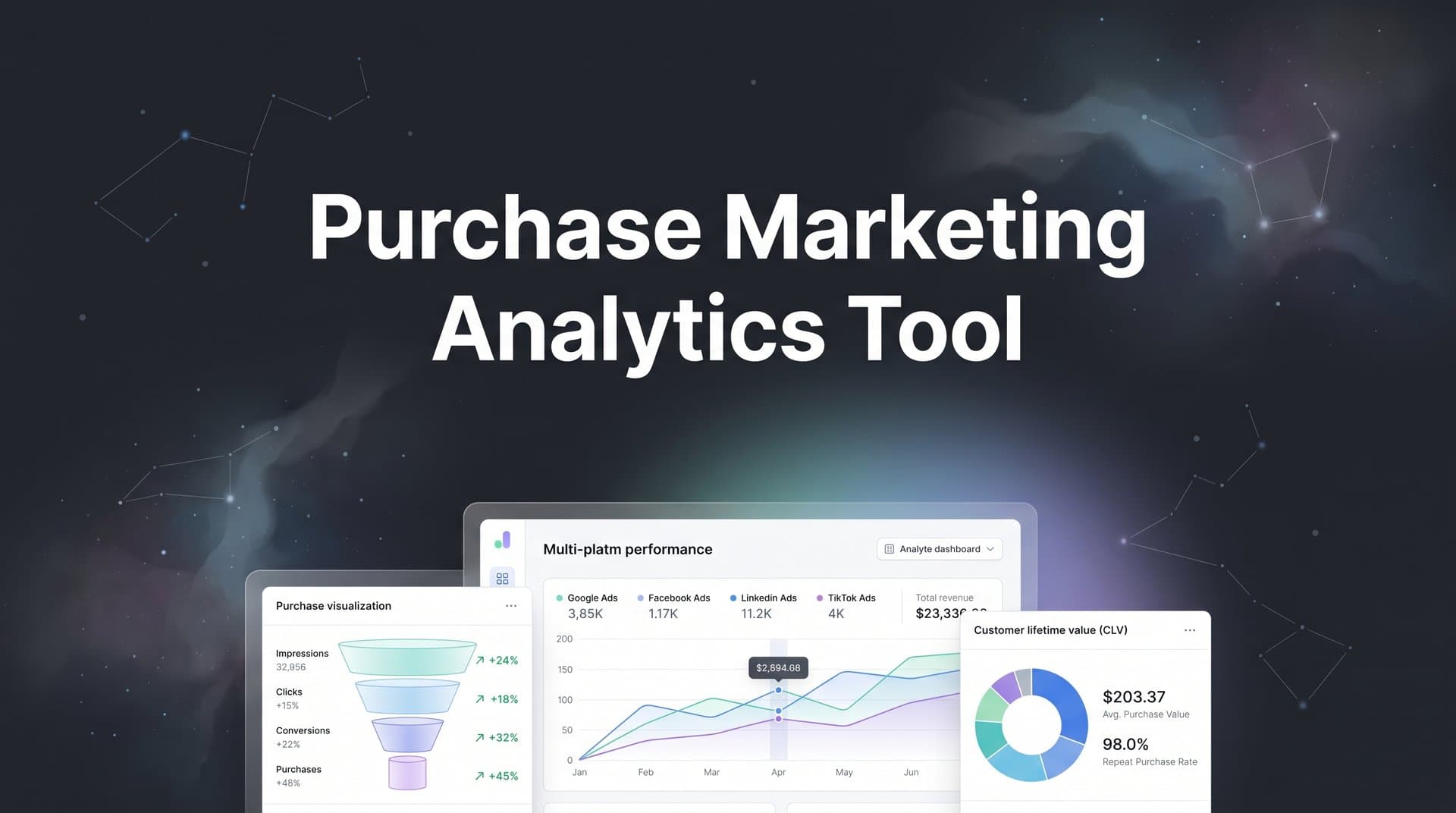
Buying a marketing analytics tool is one of the most consequential decisions a marketing team can make. The right platform gives you clear visibility into which ads, channels, and campaigns actually drive revenue. The wrong one leaves you buried in dashboards that look impressive but fail to connect spend to outcomes.
With the marketing technology landscape growing more complex every year, the purchasing process itself can feel overwhelming. There are dozens of vendors, overlapping feature sets, confusing pricing models, and internal stakeholders who all want different things from the tool.
This guide walks you through a proven, step-by-step process for evaluating and purchasing a marketing analytics tool that genuinely fits your team's needs. Whether you are a solo digital marketer scaling paid campaigns or a marketing leader building out your tech stack, these steps will help you move from initial research to confident purchase without wasting time or budget on the wrong solution.
By the end, you will know exactly how to define your requirements, evaluate vendors, run a meaningful trial, and get buy-in from your team so the tool you choose actually gets adopted and delivers results.
Step 1: Map Your Current Tracking Gaps and Pain Points
Before you look at a single vendor, you need to understand what is actually broken in your current setup. This is the step most teams skip, and it is exactly why they end up purchasing tools that solve the wrong problems.
Start with a straightforward audit of your existing analytics stack. List every platform you are currently using to track marketing performance: Google Analytics, your ad platform dashboards, your CRM, any attribution tools you already have. Then ask the harder question: what data are you actually collecting, and where are the blind spots?
Common gaps that drive teams to purchase marketing analytics tools include:
Cross-platform journey tracking: You can see clicks in Google Ads and leads in your CRM, but you cannot connect them in a way that tells you which specific campaign or ad creative drove a closed deal.
iOS attribution breakdowns: Since Apple's App Tracking Transparency changes, browser-based tracking has become significantly less reliable. Many teams are working with incomplete conversion data and do not realize how much they are missing. Understanding these attribution challenges in marketing analytics is essential before selecting a new tool.
Disconnected ad and CRM data: Your sales team closes deals in HubSpot or Salesforce, but that revenue data never makes it back to your ad platform reporting. You are optimizing campaigns based on leads, not revenue.
Manual reporting bottlenecks: Someone on your team spends hours each week pulling data from multiple platforms and stitching it together in spreadsheets. That is time that should go toward actual optimization.
The most useful exercise here is to write down the marketing questions you currently cannot answer. Questions like: which ad actually drove this closed deal? Which channel has the highest cost per acquired customer, not just cost per lead? How does our attribution look when a prospect touches five different channels before converting?
Once you have your list, prioritize these gaps by business impact. Some gaps are frustrating but manageable. Others are costing you real money through misallocated budget. Separate your must-solve problems from your nice-to-solve ones.
One important tip: do not do this exercise alone. Bring in the marketers who run daily campaigns and the leadership team who needs revenue reporting. Each group will surface different pain points, and you need both perspectives to build a requirements list that actually reflects how the tool will be used across your organization.
Step 2: Define Your Must-Have Features and Evaluation Criteria
Now that you have a clear picture of your gaps, it is time to translate those pain points into a concrete feature requirements list. This is the foundation you will use to evaluate every vendor you consider.
The key here is specificity. "Better attribution" is not a requirement. "Multi-touch attribution that connects ad clicks to CRM revenue across Meta, Google, and TikTok" is a requirement. The more specific you are, the easier it becomes to disqualify tools that are not the right fit and identify the ones that are.
Organize your features into three tiers:
Must-have features are non-negotiable. If a tool does not have these, it does not make your shortlist. Examples might include server-side tracking for accurate data collection, multi-touch attribution modeling, direct integration with your specific ad platforms, and CRM connectivity.
Important features are capabilities you want but could potentially work around. Things like AI-powered optimization recommendations, automated anomaly detection, or custom reporting dashboards often fall into this category depending on your team's sophistication. Learning how to leverage analytics for marketing strategy can help you determine which features matter most for your goals.
Nice-to-have features are bonuses that would add value but would not drive your decision. These help you break ties between otherwise equal tools.
Beyond features, evaluate non-feature criteria that often determine whether a tool succeeds or fails inside your organization:
Ease of implementation: Does the tool require weeks of developer work to set up, or can your marketing team handle onboarding independently? Implementation complexity is a real cost that rarely appears on pricing pages.
Data accuracy methodology: How does the vendor handle browser tracking limitations? Do they offer server-side tracking? How do they approach attribution modeling, and is their methodology transparent?
Scalability: Will this tool still work well when your ad spend doubles or your team grows? Look at how pricing scales and whether the platform is built to handle your future state, not just your current one.
Onboarding and support: What does the implementation process look like? Is there a dedicated onboarding specialist, or are you handed a documentation library and left to figure it out?
Create a simple scoring rubric or spreadsheet before you start talking to vendors. Assign weights to each criterion based on your priorities. This gives you a consistent framework to evaluate every tool against the same standard, rather than letting the best sales pitch win.
Step 3: Research and Shortlist Vendors That Fit Your Needs
With your requirements defined, you are ready to start researching the market. The goal at this stage is to move from a broad field of potential tools down to a focused shortlist of three to four vendors worth evaluating seriously.
Start by casting a wide net. Identify eight to ten potential tools through a combination of search research, peer recommendations, review platforms like G2 and Capterra, and industry communities. Do not commit to anything at this stage. You are just gathering options. Our roundup of the best marketing analytics tools is a great starting point for building your initial list.
Then apply your must-have criteria as a filter. Any tool that clearly cannot meet your non-negotiable requirements gets removed immediately. This alone will often cut your list in half without requiring a single sales call.
As you dig deeper into the remaining candidates, look beyond the feature lists on their marketing pages. Pay attention to:
Attribution modeling approach: Many analytics tools still default to last-click attribution, which systematically undervalues upper-funnel channels like paid social and content. If multi-touch attribution is on your must-have list, verify how the vendor actually implements it, not just whether they claim to offer it. A detailed look at marketing attribution analytics can help you understand the differences between modeling approaches.
Data accuracy methodology: With browser-based tracking becoming less reliable, server-side tracking has become an important differentiator. Tools that rely entirely on client-side pixels will give you incomplete data, especially for audiences using privacy-focused browsers or ad blockers.
Conversion syncing capability: This is an emerging capability worth paying close attention to. The best tools do not just report on conversions. They feed accurate, enriched conversion data back to ad platforms like Meta and Google, which improves the ad platform's own algorithm performance. Better data in means better targeting and optimization out. This directly impacts your ROAS in ways that reporting-only tools simply cannot match.
Vendor specialization: Some platforms are built for enterprise-level business intelligence and happen to include marketing data. Others are purpose-built for paid ad attribution and optimization. The latter will typically go deeper on the capabilities that matter most to performance marketers. Make sure you are evaluating tools designed for your use case, not tools that can technically accommodate it.
When reading reviews, look for companies at a similar scale and in a similar industry to yours. A tool that works beautifully for an enterprise with a dedicated data team may be overkill for a lean marketing team managing campaigns across two or three platforms. Conversely, a lightweight tool built for small businesses may not scale to meet your needs.
By the end of this step, you should have three to four vendors you are genuinely excited to evaluate in depth.
Step 4: Run Hands-On Trials and Ask the Right Questions
This is where many purchasing processes go wrong. Teams sit through polished demos with sample data, get impressed by the interface, and make a decision without ever testing the tool against their actual marketing reality. Do not make that mistake.
Request demos or free trials from each of your shortlisted vendors and insist on testing with your real data. Connect your actual ad accounts. Pull in your real CRM data. Run the attribution reports against campaigns you already know the outcomes of. This is the only way to know whether the tool actually works for your specific setup.
During vendor demos, go beyond the standard walkthrough and ask pointed questions that reveal how the platform handles the hard problems:
On attribution accuracy: How does your attribution model handle cross-device journeys where a user clicks an ad on mobile but converts on desktop? How do you address the data loss from iOS privacy changes? What is your methodology when UTM parameters break or are missing?
On revenue connection: Can you show me how this tool connects a specific ad click to a closed deal in a CRM like HubSpot or Salesforce? How does the data flow from ad impression to revenue, and where are the potential gaps in that chain?
On data freshness: How close to real-time is the reporting? If I launch a new campaign this morning, when will I see conversion data in the platform? Understanding which marketing analytics platforms offer real-time conversion data can help you benchmark vendor responses.
Pay close attention to the user experience during your trial. A tool that requires a dedicated analyst to interpret reports will not get used by the marketers who need it daily. The best platforms make it easy for anyone on the team to pull insights without needing to build custom queries or understand complex data models.
Look specifically for AI-powered features that go beyond reporting. Automated recommendations for budget reallocation, anomaly detection that flags underperforming campaigns before you catch them manually, and AI-driven insights that surface optimization opportunities are the capabilities that save real time and improve campaign performance. Understanding the power of AI marketing analytics will help you evaluate which vendors offer genuinely useful intelligence versus surface-level automation.
After each trial, score the vendor against your rubric from Step 2. Your gut reaction to a polished demo is not a reliable signal. Your rubric score after testing with real data is.
Step 5: Build the Business Case and Get Stakeholder Buy-In
You have done the technical evaluation. Now you need to make the case internally. Even if you are the decision-maker, getting alignment from finance, leadership, and your own team before purchasing will make implementation significantly smoother.
Start by quantifying the cost of your current tracking gaps. This does not require fabricated statistics. Think through your own situation: how much ad spend is being allocated to campaigns based on last-click attribution that may be misrepresenting channel value? How many hours per week does your team spend manually pulling and reconciling data from multiple platforms? What decisions have you made with incomplete data that you later realized were wrong?
Frame the purchase in terms of ROI, not just cost. The conversation should not be "this tool costs X per month." It should be "accurate attribution data will allow us to reallocate budget away from underperforming channels and toward the ones that actually drive revenue, and here is what that is worth to us." Reviewing how marketing and analytics impact business success can provide useful framing for your internal presentation.
Prepare a concise comparison of your top two vendors. One page is ideal. Include pricing, key differentiators, implementation timeline, and the specific pain points each tool addresses from your Step 1 audit. Leadership does not need to understand every feature. They need to see a clear, evidence-based recommendation with a rationale.
Anticipate and address common objections before they come up:
Overlap with existing tools: Be specific about which current tools the new platform replaces or improves upon. If you can consolidate three separate tools into one, that is a cost and complexity reduction, not an addition.
Implementation disruption: Show that you have thought through the implementation process. Reference the onboarding support the vendor provides and give a realistic timeline for getting the tool fully operational.
Time to value: This is often the biggest concern. Include a pilot plan that defines exactly what success looks like in the first 30 to 60 days. Specific metrics, specific milestones. This reduces the perceived risk of the purchase by showing you have a plan to measure whether it is working.
Step 6: Negotiate, Purchase, and Plan Your Implementation
You have done the evaluation. You have built the business case. Now it is time to close the deal and set your implementation up for success.
Before you sign anything, make sure you fully understand the pricing model. Marketing analytics tools use a variety of pricing structures: per user, per event volume, flat monthly rate, or tiered pricing based on ad spend. Each model has different implications depending on how your team uses the platform and how your ad spend scales over time. Our guide on choosing a marketing analytics platform covers pricing considerations in more detail.
Negotiate based on your actual usage. If you are committing to an annual contract, ask for better pricing, additional onboarding support, or extended trial access before the contract begins. Most vendors have more flexibility than their published pricing suggests, especially for annual commitments.
Ask specifically about:
Contract flexibility: What are the cancellation terms if the tool does not perform as expected? Can you start monthly and move to annual once you have validated the value?
Pricing as you scale: If your ad spend doubles in the next 12 months, what happens to your pricing? Understand the ceiling before you commit.
Implementation support: Is onboarding included, or is it an additional cost? Will you have a dedicated specialist, or is support handled through a general helpdesk?
Once the contract is signed, create a structured implementation checklist before your first day of access. If you are also evaluating marketing tracking software alongside your analytics platform, align both implementation timelines to avoid duplicate setup work. A solid implementation plan typically includes:
1. Connect all ad platforms: Meta, Google, TikTok, LinkedIn, and any others in your stack. Verify that data is flowing correctly and that historical data is being imported where available.
2. Set up CRM integration: Connect HubSpot, Salesforce, or your CRM of choice so that revenue and pipeline data flows back into your attribution reporting. This is what transforms the tool from a traffic analytics platform into a revenue attribution platform.
3. Implement server-side tracking: If the platform supports it, prioritize server-side tracking setup over client-side pixel tracking. This gives you more accurate, complete data that is not subject to browser-based blocking or iOS limitations.
4. Configure conversion syncing: Set up the connection that feeds your verified conversion data back to ad platforms. This is one of the highest-leverage actions you can take early in implementation, as it immediately begins improving the quality of data the ad platform algorithms use for targeting and optimization.
5. Train your team: Schedule onboarding sessions for every team member who will use the platform regularly. Even the best tool delivers no value if the people who need it do not know how to use it.
Finally, define your 90-day success metrics before you go live. What does a successful implementation look like? Maybe it is having clean attribution data across all ad platforms within two weeks, or seeing your first AI-generated budget recommendation within 30 days. Specific milestones give you an objective way to evaluate whether the tool is delivering on its promise.
Your Next Steps: From Research to Revenue Clarity
Purchasing a marketing analytics tool does not have to be a gamble. By following these six steps, you move from guesswork to a structured, evidence-based decision that your entire team can stand behind.
Start by understanding your tracking gaps. Define what you actually need. Research vendors who specialize in solving your specific problems. Test with real data. Build a business case that speaks to ROI. Then negotiate and implement with a clear plan.
The marketing teams that consistently scale their campaigns are the ones with accurate, real-time data connecting every ad click to actual revenue. Without that visibility, you are making budget decisions based on incomplete information and leaving optimization opportunities on the table.
A platform like Cometly is built for exactly this purpose. It offers multi-touch attribution that connects every touchpoint to conversions, server-side tracking for accurate data collection, AI-powered recommendations that surface optimization opportunities across every ad channel, and conversion syncing that feeds enriched data back to Meta, Google, and other ad platforms to improve targeting and ROAS.
If you are ready to see which ads and channels truly drive your revenue, put these steps into action today. Get your free demo and start capturing every touchpoint to maximize your conversions.



