

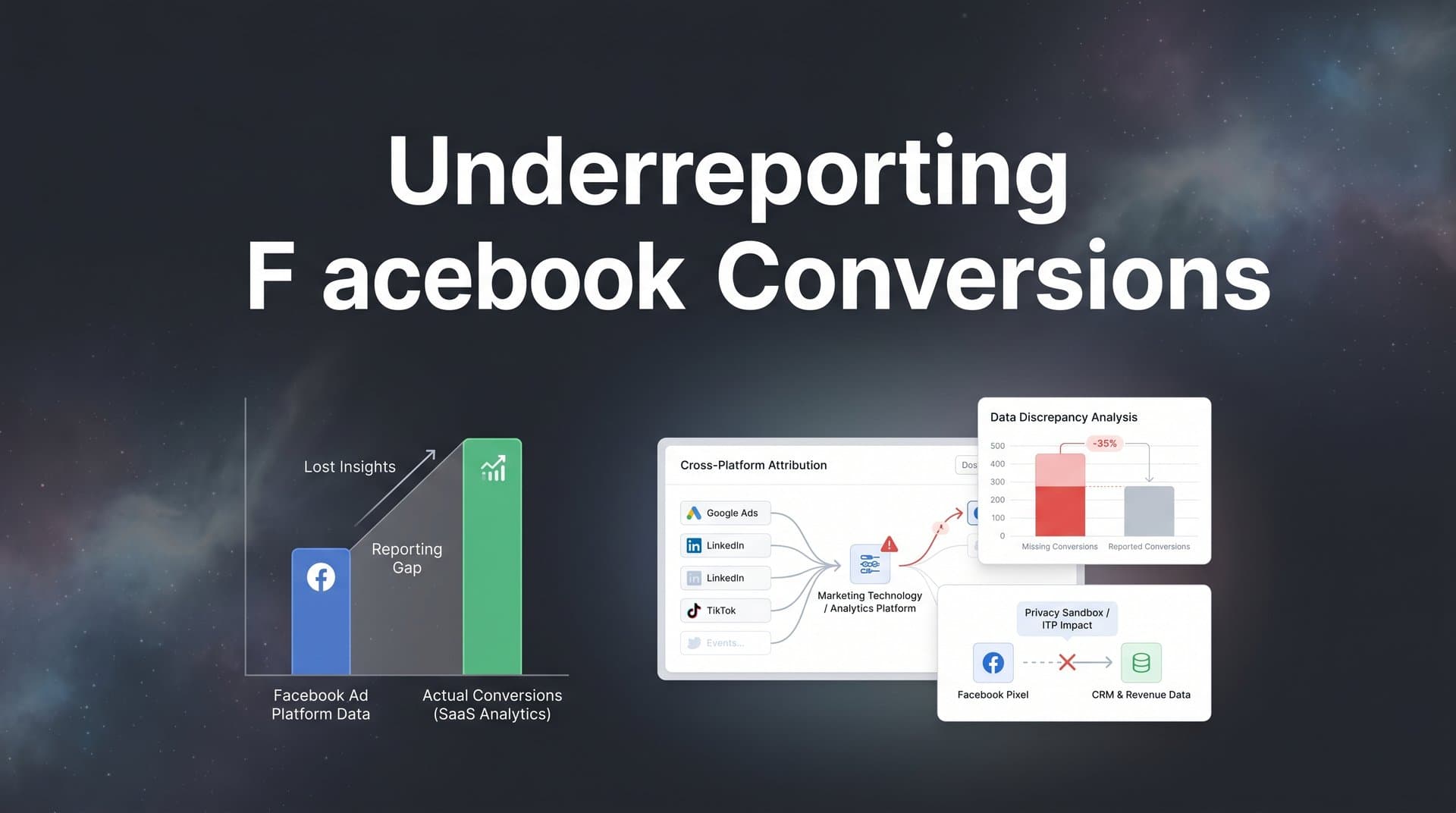
You check Facebook Ads Manager and see 15 conversions from yesterday's campaign. Then you open your CRM and count 40 actual sales that came from Facebook traffic. The numbers don't match. Not even close.
This isn't a glitch. It's not a tracking error on your end. This is the new reality of Facebook advertising: widespread conversion underreporting that's costing marketers millions in misallocated budgets and missed opportunities.
When Facebook can't see your conversions, its algorithm can't optimize for them. You're essentially flying blind, making scaling decisions based on incomplete data while your best-performing campaigns appear to underperform. The result? You cut budgets on winners and double down on losers, all because the platform is missing critical conversion signals.
This article breaks down exactly why Facebook underreports conversions, how this impacts your campaign performance, and what you can do to capture the complete picture. We'll cover the technical realities behind missing data, the cascading effects on your ad performance, and the layered approach to fixing it—from server-side tracking to enriched conversion events that feed Facebook's algorithm the data it needs to scale your campaigns effectively.
What's Actually Breaking Your Facebook Conversion Tracking
The biggest culprit behind missing Facebook conversions isn't a technical failure. It's a fundamental shift in how user privacy works on the internet, and it started with a single iOS update.
When Apple released iOS 14.5 in April 2021, they introduced App Tracking Transparency (ATT). This feature requires every app to explicitly ask users for permission before tracking their activity across other apps and websites. The result? Most users decline. Studies from 2025 show that opt-in rates remain below 25% in most regions, meaning Facebook loses visibility into roughly three out of four iOS users' conversion paths. Understanding post-iOS14 Facebook advertising strategies has become essential for modern marketers.
But iOS restrictions are just the beginning. Browser-based tracking faces its own gauntlet of privacy features designed to block cross-site tracking. Safari's Intelligent Tracking Prevention (ITP) aggressively limits cookie lifespans and blocks third-party cookies entirely. Firefox's Enhanced Tracking Protection does the same. Even Chrome, despite delaying its third-party cookie deprecation multiple times, has introduced privacy-focused features that restrict tracking capabilities.
Then there's the ad blocker problem. Current estimates suggest that 30-40% of desktop users and 15-20% of mobile users actively run ad blocking software. These tools don't just block ads from displaying—they also block the tracking pixels that fire when users convert. Your Facebook pixel never loads, the conversion never gets recorded, and Facebook's algorithm never learns that this user converted.
Facebook's own attribution window changes compounded these issues. In 2021, the platform shifted from a 28-day default attribution window to just 7 days. This means that if someone clicks your ad today but converts 10 days later, Facebook doesn't count that conversion. For products with longer consideration cycles—software subscriptions, high-ticket services, B2B solutions—this window misses a substantial portion of legitimate conversions.
The technical reality is straightforward: Facebook's pixel-based tracking relies on browser cookies and client-side JavaScript. When browsers block cookies, users disable tracking, or ad blockers prevent pixel fires, those conversion signals simply vanish. Facebook never receives the data, so it can't attribute the conversion to your campaign. This is why so many advertisers experience Facebook pixel missing conversions on a daily basis.
This creates a systematic underreporting problem that affects virtually every advertiser. The severity varies based on your audience demographics (iOS users are more privacy-conscious), your industry (B2B typically has longer sales cycles), and your tracking setup quality. But make no mistake: if you're relying solely on Facebook's pixel for conversion tracking, you're missing conversions. The only question is how many.
The Hidden Cost of Incomplete Conversion Data
Missing conversion data doesn't just mean your reports look worse than reality. It fundamentally breaks how Facebook's algorithm optimizes your campaigns.
Facebook's machine learning system learns from conversion events. When someone converts after clicking your ad, the algorithm analyzes that person's characteristics, behaviors, and interests to find more people like them. This is how Facebook scales campaigns—by identifying patterns in converting users and targeting similar audiences.
But here's the problem: if Facebook only sees 15 conversions when you actually generated 40, it's learning from an incomplete and potentially biased sample. The algorithm thinks it knows what a converting customer looks like, but it's only seeing the customers whose conversions weren't blocked by privacy features. This skewed learning leads to skewed targeting. Many advertisers wonder why their Facebook ads conversions are dropping without realizing this is the root cause.
The consequences cascade through every optimization decision. Facebook might conclude that a campaign targeting iOS users isn't working, when in reality it's converting well—the platform just can't see those conversions. You cut the budget. The campaign dies. You just killed a winner based on bad data.
Budget allocation becomes a guessing game. Your highest-performing campaigns might show mediocre results in Ads Manager while your actual losers look decent because they happen to target audiences where tracking works better. You're optimizing for the wrong metrics, scaling the wrong campaigns, and leaving money on the table.
The compounding effect is what really hurts. Poor data leads to poor optimization decisions. Poor optimization leads to worse campaign performance. Worse performance leads to more budget cuts and conservative bidding. You enter a downward spiral where incomplete data creates a self-fulfilling prophecy of underperformance.
This affects more than just your current campaigns. Facebook's Lookalike Audiences, automated bidding strategies, and campaign budget optimization all rely on accurate conversion data. When that data is incomplete, every automated feature works with one hand tied behind its back. Your Lookalike Audiences are built from a biased sample. Your automated bidding can't find the optimal bid because it doesn't know the true conversion rate. Your budget optimization shifts spend to campaigns that appear to perform better, not campaigns that actually perform better.
The business impact is straightforward: you're making million-dollar decisions based on incomplete information. Should you scale this campaign? Should you test this new creative? Should you expand to this new audience? Every strategic decision relies on accurate performance data, and when Facebook ads report wrong conversions, you're essentially guessing.
How Server-Side Tracking Captures What Pixels Miss
The fundamental problem with pixel-based tracking is that it happens in the user's browser—a hostile environment filled with privacy features, ad blockers, and tracking restrictions. Server-side tracking solves this by moving conversion tracking to your server, where none of those browser limitations apply.
Here's how it works: when someone converts on your website, your server captures that conversion event and sends it directly to Facebook through the Conversions API (CAPI). This happens server-to-server, completely bypassing the user's browser. No pixel needs to load. No cookie needs to be set. No JavaScript needs to run. The conversion signal reaches Facebook regardless of the user's privacy settings or browser restrictions. Understanding the Conversion API vs Facebook pixel differences is crucial for implementing this correctly.
The Conversions API isn't a replacement for the Facebook pixel—it's a complement. The pixel still captures data where it can, but CAPI fills in the gaps where browser-based tracking fails. When both work together, you get a more complete picture of your conversion data. Facebook receives signals from users who opted out of app tracking, users running ad blockers, and users whose browsers block third-party cookies.
Implementation requires technical setup but the payoff is substantial. You need to configure your server to capture conversion events and send them to Facebook with the proper event parameters and user identifiers. The key is matching server-side events to the users who triggered them, typically using hashed email addresses, phone numbers, or Facebook's click IDs (fbclid parameters). If you're struggling with setup, learning how to fix Facebook Conversion API issues can save you significant time.
The quality of your server-side data matters enormously. Facebook's algorithm performs better when you send rich, detailed conversion events rather than bare-minimum data. Include event parameters like purchase value, product categories, customer lifetime value predictions, and any other relevant business metrics. The more context you provide, the better Facebook can optimize.
Server-side tracking also solves attribution window problems. Since you control when events are sent, you can attribute conversions that happen weeks or months after the initial ad click, as long as you maintain the connection between the user and their original Facebook click ID. This is particularly valuable for high-consideration purchases where customers research extensively before converting.
The catch is that server-side tracking requires infrastructure and technical capability. You need a server that can capture conversion events, process them, and send them to Facebook's API. You need to handle user matching, event deduplication (so conversions aren't counted twice when both pixel and CAPI fire), and error handling. For many businesses, this means either building custom integration or using a platform that handles server-side tracking for you.
Connecting Every Touchpoint for True Attribution
Server-side tracking captures more conversions, but it doesn't solve the complete attribution challenge. To truly understand what's driving revenue, you need to connect data from every touchpoint in the customer journey: your ad platforms, your website, your CRM, your email marketing, and any other channel where customers interact with your brand.
The problem with looking only at Facebook's data is that you're seeing a single channel in isolation. A customer might click your Facebook ad, visit your website, leave, see a Google ad, come back, read your email newsletter, and finally convert. Facebook wants to take credit for that conversion because the customer clicked a Facebook ad. Google wants credit because they clicked a Google ad. Your email platform wants credit because they opened an email. Who's right? This Google Ads and Facebook Ads attribution conflict is one of the biggest challenges marketers face.
Multi-touch attribution models solve this by assigning credit to every touchpoint that influenced the conversion. Instead of giving 100% credit to the last click (which is what Facebook's default attribution does), you can see the full journey and understand how different channels work together. Maybe Facebook introduces customers to your brand, Google captures them during research mode, and email closes the deal. All three channels deserve credit.
Building this complete picture requires connecting your data sources. Your CRM holds the truth about which customers actually converted and how much revenue they generated. Your ad platforms show which ads were clicked and when. Your website analytics reveal how users navigate your site and what content they engage with. When you unify this data, you can track individual customer journeys from first touch to final conversion. Using an attribution tool for Facebook Ads can simplify this process significantly.
First-party data becomes your most valuable asset in this setup. Unlike third-party cookies that browsers block, first-party data comes directly from your customers: email addresses, phone numbers, account IDs, purchase history. This data isn't subject to privacy restrictions because customers shared it directly with you. When someone converts, you can match that conversion back to their earlier touchpoints using these persistent identifiers.
The technical implementation involves creating a unified customer identifier that connects data across platforms. When someone clicks a Facebook ad, you capture their Facebook click ID. When they visit your website, you associate that click ID with their session. When they provide their email address, you link it to the session. When they convert in your CRM, you tie the conversion back to the email address. Now you have a complete chain from ad click to revenue.
This approach reveals insights that single-platform reporting can't show. You might discover that Facebook ads rarely get last-click credit but are essential for introducing customers who later convert through other channels. Or you might find that certain audience segments have much longer consideration cycles, meaning you need to extend your attribution window beyond Facebook's 7-day default. These insights change how you allocate budget and measure success.
Turning Better Data Into Better Ad Performance
Capturing complete conversion data is only half the solution. The real value comes from feeding that enriched data back to Facebook's algorithm so it can optimize more effectively.
When you send conversion events back to Facebook through the Conversions API, you're not just correcting your reports—you're training the algorithm. Every conversion signal you send helps Facebook understand what a successful outcome looks like. The algorithm learns which audiences convert, which creative resonates, which placements drive results, and which bidding strategies work best. Learning how to sync conversions to Facebook Ads properly is essential for this optimization loop.
High-quality conversion data includes more than just "a conversion happened." Facebook's algorithm performs better when you send rich event parameters: purchase values, product categories, customer segments, predicted lifetime value, and any other relevant business metrics. This additional context helps the algorithm distinguish between high-value conversions and low-value ones, allowing it to optimize for revenue rather than just conversion volume.
The feedback loop works like this: you send enriched conversion data to Facebook, the algorithm uses that data to refine its targeting and bidding, campaign performance improves, you capture more conversions, you send more data back to Facebook, and the cycle continues. Over time, this creates a compounding effect where your campaigns get progressively better at finding and converting your ideal customers.
This is particularly powerful for automated campaign types like Advantage+ Shopping Campaigns or campaign budget optimization. These features rely heavily on Facebook's algorithm making smart decisions about budget allocation and targeting. When the algorithm has complete, accurate data, those automated decisions improve dramatically. You can trust the automation to scale winners and cut losers because it's working with real performance data. Discover how to improve Facebook Ads performance with data to maximize these automated features.
The quality difference is measurable. Campaigns with enriched conversion tracking consistently show better return on ad spend, lower cost per acquisition, and more stable performance compared to campaigns relying solely on pixel-based tracking. The algorithm simply works better when it can see the full picture.
Making Confident Decisions With Complete Data
Facebook conversion underreporting isn't a minor reporting discrepancy. It's a systematic problem that breaks campaign optimization, misallocates budgets, and prevents you from scaling winners. The root causes—iOS privacy features, browser tracking restrictions, ad blockers, and shortened attribution windows—aren't going away. If anything, privacy protections will only get stronger.
The solution requires a layered approach. Server-side tracking through the Conversions API captures conversions that pixel-based tracking misses. Multi-touch attribution connects data across platforms to reveal the complete customer journey. Enriched conversion events feed Facebook's algorithm the detailed data it needs to optimize effectively. Together, these approaches transform incomplete, unreliable data into a complete, actionable view of your ad performance.
The business impact goes beyond seeing better numbers in your reports. When you capture every conversion and feed that data back to Facebook, you can make confident scaling decisions. You know which campaigns actually drive revenue. You understand which audiences convert best. You can trust the algorithm to optimize effectively because it's working with complete information. This confidence translates directly into better performance: higher budgets on winners, faster scaling, and ultimately more revenue.
The marketers who solve attribution now have a massive advantage. While competitors make decisions based on incomplete Facebook data, you're operating with a complete view of what drives results. You're feeding Facebook's algorithm the data it needs to find your best customers. You're scaling with confidence instead of guessing.
Ready to elevate your marketing game with precision and confidence? Discover how Cometly's AI-driven recommendations can transform your ad strategy—Get your free demo today and start capturing every touchpoint to maximize your conversions.



