YouTube advertising has become a serious growth channel for B2B SaaS companies. But unlike search ads where intent is clear and clicks are direct, YouTube operates differently. Viewers watch, skip, and convert on their own timeline, often days or weeks after first seeing your ad.
That gap between exposure and conversion creates a major attribution challenge. Without the right tracking strategies in place, your marketing team is essentially flying blind, unable to connect ad spend to pipeline or revenue. The result is wasted budget, undervalued campaigns, and poor optimization decisions.
This guide covers seven proven YouTube ad attribution tracking strategies that help B2B SaaS marketers close that gap. Whether you are running skippable in-stream ads, bumper ads, or YouTube-connected TV campaigns, these strategies will give you a clearer picture of what is actually driving results.
Each approach builds on the last, moving from foundational setup to advanced multi-touch analysis. By the end, you will have a practical framework for attributing YouTube ad performance to real business outcomes, including leads, pipeline, and closed-won revenue.
1. Build a Solid UTM Parameter Framework for YouTube Campaigns
The Challenge It Solves
Without consistent UTM tagging, YouTube traffic often gets lumped together in your analytics as a single undifferentiated source. Skippable in-stream ads, bumper ads, and discovery ads all look the same in your data, making it impossible to know which format or creative is actually driving conversions. You end up optimizing based on incomplete information.
The Strategy Explained
A UTM parameter framework is the foundation of accurate YouTube ad attribution tracking. It means building a consistent naming convention that captures campaign, ad group, ad format, and creative variation in every URL you use. Think of UTMs as the labels on filing folders. Without them, everything ends up in one messy pile.
For YouTube campaigns, your UTM structure should distinguish between ad formats using the utm_medium parameter (for example, "video-instream" versus "video-bumper"), campaign objectives using utm_campaign, and specific creatives using utm_content. This granularity lets you trace conversions back to the exact ad that influenced them. Understanding what UTM tracking is and how it helps your marketing is essential before building out your full framework.
Implementation Steps
1. Define a naming convention document that your entire team follows, covering all YouTube ad formats and campaign types.
2. Build UTM parameters into every final URL before launching any YouTube campaign, using a consistent structure across utm_source, utm_medium, utm_campaign, utm_content, and utm_term.
3. Audit existing campaigns to identify any URLs missing UTM tags or using inconsistent naming, and update them before your next reporting cycle.
4. Connect your UTM data to your analytics platform so you can segment performance by format, creative, and campaign without manual reconciliation.
Pro Tips
Use lowercase consistently across all UTM values. Mixed case creates duplicate entries in analytics tools and splits your data. Also, document your naming convention in a shared team resource so new hires and agency partners follow the same structure from day one. Consistency compounds over time into cleaner, more actionable data.
2. Implement Server-Side Conversion Tracking to Capture What Pixels Miss
The Challenge It Solves
Browser-based pixel tracking has significant blind spots. Ad blockers, browser privacy settings, and the deprecation of third-party cookies all prevent pixels from firing accurately. For YouTube specifically, view-through conversions often happen in a different session or on a different device than the original ad exposure, making browser-level tracking even less reliable.
The Strategy Explained
Server-side conversion tracking bypasses browser limitations entirely by sending conversion data directly from your server to the ad platform. Google Enhanced Conversions and server-to-server event tracking are the two primary approaches for YouTube campaigns running through Google Ads.
Instead of relying on a JavaScript pixel to fire in the browser, your server sends hashed first-party data (such as email addresses or phone numbers) directly to Google when a conversion occurs. This approach is significantly more durable and accurate, especially as privacy restrictions continue to tighten across browsers and operating systems. Learning why server-side tracking is more accurate than pixel-based methods will help you make the case for this investment internally.
For B2B SaaS companies, this matters even more because your conversion events (demo requests, free trial signups, form completions) are high-value and relatively low-volume. Missing even a small percentage of conversions can meaningfully distort your optimization signals and attribution models.
Implementation Steps
1. Enable Google Enhanced Conversions in your Google Ads account and configure it to send hashed first-party customer data alongside standard conversion events.
2. Set up server-to-server event tracking by connecting your backend systems to Google's Ads API, sending conversion events when they occur on your server rather than in the browser.
3. Validate your implementation by comparing server-side conversion counts against browser-based tracking to identify the gap you were previously missing.
4. Use a platform like Cometly to centralize server-side event tracking across all ad channels, ensuring consistent conversion data flows to every platform simultaneously.
Pro Tips
Run both browser-based and server-side tracking in parallel during your initial setup phase. This lets you measure the lift in conversion capture before fully transitioning. Many teams discover they were undercounting conversions by a meaningful margin, which changes how they evaluate YouTube campaign performance entirely.
3. Leverage View-Through Attribution Windows Strategically
The Challenge It Solves
YouTube is primarily an awareness and consideration channel for B2B SaaS. Most viewers will not click your ad and convert immediately. They will watch, continue their day, research your product later, and eventually convert through a different channel or session. If your attribution window is too narrow, YouTube gets zero credit for conversions it genuinely influenced.
The Strategy Explained
View-through attribution (VTA) assigns conversion credit to a YouTube ad that was viewed but not clicked, within a defined time window. The key is choosing a window length that reflects your actual B2B sales cycle rather than defaulting to the platform's standard settings. Understanding what attribution window performance means for your campaigns will help you make more informed decisions about the right settings.
For B2B SaaS companies with longer evaluation cycles, view-through windows of 14 to 30 days are often more appropriate than the default 1-day window. This gives YouTube appropriate credit when a prospect watches your ad, researches your product over the following weeks, and then converts through a direct visit or branded search.
The goal is not to inflate YouTube's attributed conversions but to set a window that accurately reflects how your buyers actually behave. That requires knowing your average time-to-conversion from first touch, which your CRM data can help you calculate.
Implementation Steps
1. Analyze your CRM data to determine the average time between first marketing touchpoint and conversion for your target audience segments.
2. Set your view-through attribution window in Google Ads to match that average time-to-conversion, adjusting separately for different campaign types (awareness versus retargeting).
3. Compare conversion volume under different window settings (1-day, 7-day, 14-day, 30-day) to understand how much influence YouTube is having at each stage of the buyer journey.
4. Review your VTA settings quarterly and adjust as your sales cycle data evolves.
Pro Tips
Use shorter view-through windows for retargeting campaigns targeting prospects already in your pipeline, and longer windows for top-of-funnel brand awareness campaigns reaching cold audiences. A one-size-fits-all window setting will either over-attribute or under-attribute depending on the campaign type.
4. Apply Multi-Touch Attribution Models to YouTube Touchpoints
The Challenge It Solves
Last-click attribution is particularly damaging for YouTube campaigns. Because YouTube operates at the top and middle of the funnel, it rarely gets the final click before conversion. Under last-click, YouTube looks like it contributes nothing, even when it played a critical role in introducing a prospect to your brand or accelerating their consideration.
The Strategy Explained
Multi-touch attribution models distribute conversion credit across all touchpoints in the customer journey rather than awarding everything to the last click. For B2B SaaS companies, this is essential for understanding YouTube's true role in the buyer journey. Reviewing a detailed multi-touch attribution models guide can help you choose the right approach for your sales cycle and data volume.
There are several model options worth considering. Linear attribution distributes equal credit to every touchpoint, which is a reasonable starting point. Time-decay attribution gives more credit to touchpoints closer to conversion, which works well for shorter sales cycles. Data-driven attribution uses machine learning to assign fractional credit based on actual conversion path data, making it the most accurate option when you have sufficient conversion volume.
The right model depends on your sales cycle length, conversion volume, and how you want to weight upper-funnel influence. The key is moving away from any single-touch model that systematically ignores YouTube's contribution.
Implementation Steps
1. Audit your current attribution settings across Google Ads and your analytics platform to understand which model you are currently using.
2. Enable data-driven attribution in Google Ads if your account has sufficient conversion volume to support it, as this model provides the most accurate credit distribution.
3. Compare YouTube campaign performance under last-click versus multi-touch models to quantify how much credit YouTube is currently losing. A side-by-side comparison of attribution models will reveal exactly how much YouTube's contribution changes depending on the model you apply.
4. Use a dedicated attribution platform like Cometly to apply consistent multi-touch models across all channels, not just within Google Ads, for a unified view of YouTube's cross-channel impact.
Pro Tips
Do not switch attribution models mid-campaign without documenting the change. Model switches create apparent performance swings in your data that can mislead optimization decisions. Always note when and why you changed models so your team can interpret historical data accurately.
5. Track the Full Customer Journey from YouTube Ad to Closed Revenue
The Challenge It Solves
Many B2B marketing teams measure YouTube performance at the lead level and stop there. But leads are not revenue. A YouTube campaign that generates a high volume of leads that never close tells a very different story than one that generates fewer leads with strong pipeline conversion rates. Without connecting ad data to CRM and revenue data, you cannot tell the difference.
The Strategy Explained
Revenue attribution connects YouTube ad touchpoints to downstream CRM data, pipeline stages, and closed-won revenue. This gives you a complete picture of YouTube's business impact beyond surface-level metrics like views, clicks, and even lead volume. For B2B SaaS specifically, B2B revenue attribution in SaaS requires connecting marketing data all the way through to closed deals, whether you run a sales-led or product-led growth motion.
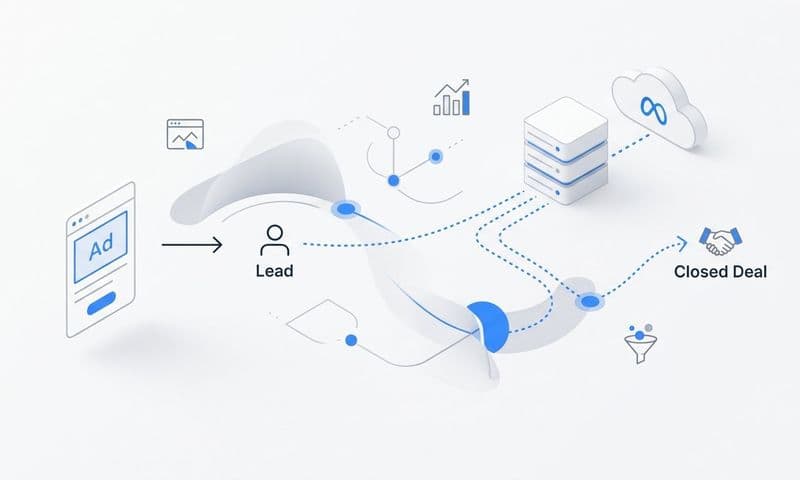
The practical approach involves passing UTM parameters and ad identifiers through your lead capture forms into your CRM, then tracking each lead's progression through the pipeline. When a deal closes, that revenue gets attributed back to the original YouTube touchpoint that started or influenced the journey.
This is where the real insight lives. You may discover that YouTube-influenced leads have a higher close rate than other channels, or that certain ad formats attract prospects with larger deal sizes. That kind of intelligence changes how you allocate budget and what you optimize for.
Implementation Steps
1. Configure your lead capture forms to pass hidden UTM fields into your CRM so that every new lead carries its original attribution data.
2. Map your CRM pipeline stages to marketing touchpoints so you can track how YouTube-sourced or YouTube-influenced leads progress through the funnel.
3. Connect your Stripe or billing data to your attribution platform to bring closed-won revenue into your marketing analytics, creating a direct line from YouTube ad spend to revenue generated.
4. Use Cometly's pipeline and revenue attribution features to visualize this end-to-end journey without manually reconciling data across systems.
Pro Tips
Report on pipeline influenced, not just pipeline sourced. YouTube often influences deals that were originally sourced through other channels. Influenced pipeline gives you a fuller picture of YouTube's business contribution and is often the metric that justifies increased video ad investment to leadership.
6. Use Audience Segmentation Data to Refine Attribution Analysis
The Challenge It Solves
Aggregated YouTube attribution data hides important differences between audience segments. A remarketing campaign targeting existing website visitors behaves very differently from a cold audience campaign targeting in-market buyers. When you report on YouTube performance as a single number, you lose the signal that tells you which targeting strategies are actually worth scaling.
The Strategy Explained
Audience segmentation in attribution analysis means breaking down your conversion data by the audience type that was targeted in each campaign. YouTube's targeting options, including remarketing lists, in-market audiences, custom intent audiences, and customer match lists, produce distinct conversion behaviors that deserve separate analysis. This connects directly to the broader challenge of attribution challenges in marketing analytics that arise when aggregated data masks the performance differences between audience types.
When you segment attribution by audience type, you can identify which targeting strategies drive real conversions versus which ones generate views without business impact. This also helps you send better optimization signals back to Google's ad platform AI, because you are feeding it data about which audiences actually convert rather than aggregated noise.
For B2B SaaS specifically, you will often find that remarketing campaigns targeting visitors who viewed your pricing or features pages convert at meaningfully higher rates than broad awareness campaigns. That insight should directly influence how you allocate budget across audience segments.
Implementation Steps
1. Ensure each YouTube audience segment is structured as a separate campaign or ad group so you can isolate performance data by targeting type.
2. Apply consistent UTM tagging that includes audience segment identifiers, allowing your analytics platform to segment conversion data by audience type.
3. Build audience-specific attribution reports that compare conversion rates, cost per lead, and pipeline contribution across remarketing, in-market, and custom intent audiences.
4. Use high-converting audience segments to create lookalike audiences and feed conversion event data back to Google Ads to improve automated targeting recommendations.
Pro Tips
Avoid combining remarketing and prospecting audiences in the same campaign. The performance difference between these audience types is typically significant, and mixing them together makes it impossible to optimize either effectively. Keep them separate from the start so your attribution data stays clean and actionable.
7. Centralize YouTube Attribution Data in a Single Marketing Analytics Platform
The Challenge It Solves
Most B2B marketing teams pull YouTube data from Google Ads, website data from Google Analytics 4, and pipeline data from their CRM, then try to reconcile it all manually in a spreadsheet. This approach is slow, error-prone, and produces inconsistent attribution conclusions depending on which tool you look at first. Data silos kill attribution accuracy.
The Strategy Explained
Centralizing YouTube attribution data means integrating your ad platforms, CRM, website analytics, and revenue data into a single attribution platform that applies consistent models across all channels. This eliminates the need to manually reconcile data across systems and ensures that YouTube's contribution is measured using the same methodology as every other channel in your stack. Evaluating the best marketing attribution tools for B2B SaaS companies will help you identify which platforms offer the native integrations and cross-channel modeling your team needs.
A unified attribution platform also enables AI-driven optimization recommendations. When your YouTube data lives alongside your LinkedIn, Google Search, and email data in one place, the platform can identify patterns across channels that would be invisible when each data source is analyzed in isolation. You might discover, for example, that prospects who see your YouTube ad before clicking a Google Search ad convert at a higher rate than those who click search ads without prior YouTube exposure.
This kind of cross-channel insight is only possible when all your data flows through a single source of truth.
Implementation Steps
1. Audit your current marketing technology stack to identify every system that holds attribution-relevant data: ad platforms, CRM, analytics tools, and billing systems.
2. Select an attribution platform with native integrations to your existing tools, covering both your ad channels and your CRM and revenue data.
3. Connect Cometly to your YouTube campaigns, CRM, and Stripe data to create a unified view of the entire customer journey from first ad impression to closed-won revenue.
4. Configure consistent attribution models across all channels within the platform so YouTube and every other channel are evaluated using the same rules.
Pro Tips
Prioritize platforms with server-side data ingestion capabilities rather than those that rely solely on JavaScript tracking. Server-side data collection is more reliable and future-proof as browser privacy restrictions continue to evolve. The quality of your attribution is only as good as the completeness of the data flowing into it.
Putting It All Together
Accurate YouTube ad attribution tracking is not a one-time setup. It is an ongoing process that requires the right technical foundation, the right attribution models, and a unified view of your entire marketing stack.
Start by locking in your UTM framework and server-side tracking so your data is clean and complete from the moment a viewer sees your ad. Then layer in multi-touch attribution models and view-through windows that reflect how B2B buyers actually engage with video content over time.
From there, connect everything to pipeline and revenue so YouTube's real business impact becomes visible beyond lead counts and click-through rates. Segment your attribution analysis by audience type to identify which targeting strategies deserve more budget, and centralize all of your data in a single platform so you can make cross-channel decisions with confidence.
When these seven strategies work together, you stop guessing about YouTube performance and start making data-driven decisions about where to scale. The gap between ad exposure and conversion becomes something you can measure and act on rather than something you have to ignore.
Platforms like Cometly are built for exactly this kind of end-to-end attribution, connecting your YouTube ad spend to every touchpoint across the customer journey and tying it all back to closed-won revenue. If you are ready to move beyond surface-level metrics and see which ads are actually driving growth, the strategies in this guide are your starting point.
Ready to elevate your marketing game with precision and confidence? Discover how Cometly's AI-driven recommendations can transform your ad strategy. Get your free demo today and start capturing every touchpoint to maximize your conversions.