You're spending thousands on ads every month, but when your CFO asks which campaigns actually drive revenue, you're left piecing together fragmented data from five different dashboards. Sound familiar? Most marketing teams operate in this fog—they see clicks and impressions, but the connection between ad spend and actual customers remains frustratingly unclear.
Attribution tracking setup changes everything. It's the infrastructure that captures every customer touchpoint from their first ad click through to final purchase, giving you a complete map of what's working and what's wasting budget. Instead of guessing which channels deserve more investment, you'll have concrete data showing exactly how customers discover, evaluate, and convert through your marketing funnel.
This guide walks you through the six essential steps to implement a fully functional attribution tracking system. Whether you're building this internally with your team or evaluating service providers to handle the technical complexity, these steps provide the foundation for accurate marketing measurement. By the end, you'll understand how to connect your ad platforms, CRM, and website into a unified attribution system that answers the questions keeping you up at night: Which campaigns are profitable? Where should I allocate budget? How do customers actually move through my funnel?
The reality is that attribution tracking has become significantly more complex in recent years. Privacy changes like iOS App Tracking Transparency and the gradual deprecation of third-party cookies have broken many traditional tracking methods. But with the right setup approach, you can build a resilient attribution system that works despite these limitations.
Let's get started.
Step 1: Audit Your Current Marketing Stack and Data Sources
Before you can fix attribution, you need to understand exactly what you're working with. This audit phase reveals where your data lives, how it flows between systems, and where the gaps exist that prevent you from seeing the full customer journey.
Start by creating a comprehensive inventory spreadsheet. List every ad platform you're actively running campaigns on—Meta, Google Ads, TikTok, LinkedIn, YouTube, whatever channels you're using. For each platform, document what tracking is currently in place. Are you using their standard pixel? Do you have conversion tracking configured? Write down the specific conversion events each platform is currently measuring.
Next, map out your CRM system and how it captures lead and sales data. Most teams use platforms like HubSpot, Salesforce, or Pipedrive. Document how leads enter your CRM—through form submissions, direct sales outreach, or automated integrations. Identify which fields capture source information. Does your CRM record where leads came from? If so, how granular is that data? Does it capture the specific ad campaign, or just generic labels like "Facebook" or "Google"? For teams using HubSpot specifically, understanding HubSpot attribution tracking capabilities is essential for this mapping exercise.
Now comes the critical part: identifying your tracking gaps. Look for disconnects between systems. Can you trace a customer from their initial ad click all the way through to closed deal in your CRM? For most teams, the answer is no. Common gaps include:
Website visitors who don't convert immediately: Your ad platform shows clicks, but you can't see what happened next unless they filled out a form right away.
Offline conversions: Sales that happen through phone calls or in-person meetings often never get connected back to the original ad that started the conversation.
Cross-device journeys: A customer clicks your ad on mobile but converts days later on desktop—most tracking systems lose this connection.
Multi-touch paths: Someone might interact with your brand through five different touchpoints before converting, but you only see the last click.
Document your current UTM parameter conventions if you're using them. Are they consistent across campaigns? Many teams discover that different team members use different naming schemes, making it impossible to aggregate data accurately. If you're not using UTMs at all, note that as a gap to address.
Finally, review any existing tracking pixels or scripts on your website. Check your website's code or tag manager to see what's actually firing. Sometimes teams think they have tracking set up, but pixels were never properly implemented or broke during a website redesign.
Success indicator: You should finish this step with a complete spreadsheet showing every marketing touchpoint, what data each system captures, and specific gaps where customer journey information gets lost. This inventory becomes your roadmap for the implementation steps ahead.
Step 2: Define Your Attribution Goals and Model Requirements
Attribution isn't one-size-fits-all. The model you choose depends on your sales cycle, business goals, and what questions you need answered. This step ensures you're building an attribution system that actually serves your decision-making needs rather than just generating more data you won't use.
Start by identifying the specific business questions attribution needs to answer for your team. Write these down explicitly. Common questions include: Which ad campaigns are profitable when measured against actual revenue? How should we allocate budget across channels? What's the typical customer journey before conversion? How many touchpoints does it take before someone becomes a customer? Which content or ad creative resonates at different stages?
These questions guide which attribution model makes sense for your business. Let's break down the options:
First-touch attribution: Credits the initial touchpoint that started the customer relationship. This model works well if you're primarily focused on top-of-funnel awareness and lead generation. It answers "What gets people into our ecosystem?" but ignores everything that happens afterward.
Last-touch attribution: Gives all credit to the final interaction before conversion. This is what most ad platforms use by default. It's simple but misleading for longer sales cycles where multiple touchpoints influence the decision.
Linear attribution: Distributes credit equally across all touchpoints in the customer journey. This provides a more balanced view but doesn't account for the reality that some interactions matter more than others.
Multi-touch attribution: Uses weighted models to assign different credit values to touchpoints based on their position in the funnel or their influence on conversion. This is the most sophisticated approach and particularly valuable for B2B companies or any business with sales cycles longer than a few days. Understanding the nuances of multi-touch attribution models helps you select the right approach for your business.
For most businesses running complex marketing operations, multi-touch attribution provides the most actionable insights. It shows you which channels excel at awareness versus which ones close deals. But it also requires more sophisticated tracking infrastructure to capture all those touchpoints accurately. If you're unsure which approach fits your needs, exploring the difference between single source attribution and multi-touch attribution models provides valuable clarity.
Next, define your key conversion events. These are the specific actions that matter to your business. Don't just track everything—focus on events that indicate real progress toward revenue. Common examples include demo requests, trial sign-ups, purchases, qualified leads (based on specific criteria), add-to-cart actions, and high-value content downloads.
For each conversion event, determine its value. If you're tracking purchases, the value is straightforward. For lead-based businesses, calculate the average value of a qualified lead based on your close rate and average deal size. This valuation lets you measure true ROI rather than just counting conversions.
Document all of this in an attribution requirements document. Include your chosen model, the specific conversion events you'll track, how you'll value each event, and the key reports or dashboards you need to see. This document serves as your specification when configuring your attribution platform.
Success indicator: You have a written requirements document that clearly states your attribution model, defines each conversion event with its business value, and lists the specific marketing questions your attribution system needs to answer.
Step 3: Implement Server-Side Tracking Infrastructure
Here's where attribution setup gets technical, but it's also where you solve the biggest tracking challenges facing modern marketers. Server-side tracking is the foundation that makes accurate attribution possible in an era of privacy restrictions and browser limitations.
Traditional client-side tracking relies on pixels and scripts that run in the user's browser. This approach breaks down for several reasons. iOS users who've opted out of tracking through App Tracking Transparency won't fire your pixels. Browser extensions that block trackers prevent your scripts from running. Third-party cookies that used to track users across sites are being phased out by major browsers. Ad blockers strip out tracking parameters from URLs.
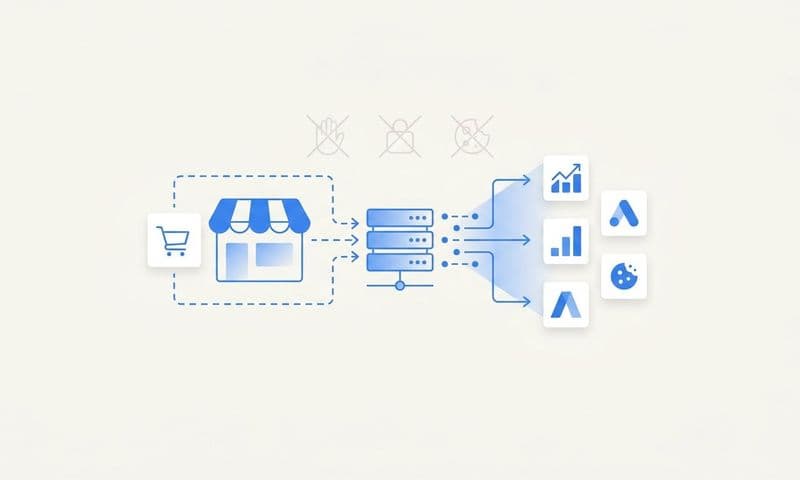
Server-side tracking solves these problems by collecting data through your own infrastructure rather than relying on the user's browser. When someone clicks your ad and visits your website, their interaction data gets sent to your server first, then forwarded to your attribution platform and ad platforms through secure server-to-server connections. This approach bypasses browser restrictions because the data collection happens on infrastructure you control. For a deeper understanding of why this matters, compare Google Analytics vs server side tracking approaches.
The implementation starts with setting up first-party data collection through your domain. Instead of loading tracking scripts from external domains (which browsers increasingly block), you'll configure a subdomain like "track.yourdomain.com" that collects event data. This makes the tracking appear as first-party to browsers, significantly improving data accuracy. Implementing robust first-party data tracking is essential for modern attribution systems.
Most attribution platforms provide server-side tracking SDKs or APIs that handle the technical implementation. You'll need to install their tracking code on your website, but instead of sending data directly to third-party services, it sends to your tracking subdomain first. From there, your server forwards the data to your attribution platform.
The next component is configuring webhook connections between your systems. Webhooks are automated notifications that fire when specific events occur. You'll set up webhooks that trigger when:
A form is submitted on your website: This should fire a conversion event to your attribution platform with the form data and any tracking parameters associated with that visitor.
A lead progresses in your CRM: When a lead moves to "qualified" or "opportunity" stages, your CRM should send that data to your attribution system so you can track which marketing touchpoints contributed to that progression.
A purchase occurs: For e-commerce or SaaS businesses, completed purchases should trigger conversion events with revenue data.
These webhook connections create real-time data flow between your website, CRM, and attribution platform. This is how you capture the complete customer journey even when conversions happen days or weeks after the initial ad click.
You'll also need to implement persistent user identification. This typically involves generating a unique identifier for each visitor and storing it in a first-party cookie. When that visitor returns later or converts, your system can match their conversion back to their original ad click by referencing this identifier.
For businesses with offline conversions (phone calls, in-person sales), you'll need additional infrastructure to capture those events. This might involve CRM integrations that automatically send closed deals to your attribution platform, or manual upload processes for sales that happen outside your digital systems. Companies that rely heavily on phone conversions should explore marketing attribution for phone calls to ensure complete tracking coverage.
Testing is critical at this stage. Use your attribution platform's event debugging tools to verify that events are firing correctly. Click through your own ads, complete a conversion, and watch the data flow through your system in real-time. Check that the attribution platform is capturing the correct ad source, campaign details, and conversion information.
Success indicator: You can complete a test conversion on your website and see it appear in your attribution dashboard within minutes, with all the relevant campaign data (source, medium, campaign name) accurately captured. Your CRM integration is confirmed by updating a test lead's stage and seeing that event reflected in attribution.
Step 4: Connect Ad Platforms and Configure Conversion Sync
Attribution only works when you can see both sides of the equation: what you spent and what you got back. This step connects your ad platforms to pull cost data automatically and sets up conversion sync to send your enriched conversion data back to improve ad platform optimization.
Start by integrating each ad platform through API connections. Most attribution platforms provide native integrations with major ad networks. You'll authenticate each platform by logging in and granting permission for the attribution system to access your ad account data. This creates an automated data pipeline that pulls campaign performance metrics, cost data, and attribution information daily.
For each platform, verify that the integration is pulling the correct ad accounts. If you manage multiple clients or business units, ensure you're connecting the right accounts to avoid data mixing. Configure the data refresh frequency—most platforms offer hourly or daily updates. For high-spend accounts where you need real-time budget decisions, choose more frequent updates.
Now comes the powerful part: conversion sync. This is where you send your attribution data back to ad platforms to improve their optimization algorithms. Here's why this matters: ad platforms like Meta and Google use machine learning to optimize your campaigns, but they can only optimize based on the conversion data they receive. If they're missing conversions due to iOS tracking limitations or delayed purchases, their algorithms make decisions based on incomplete information.
Conversion sync solves this by sending your complete conversion data back to ad platforms through their Conversion APIs. For Meta, this is the Conversions API (CAPI). For Google, it's Enhanced Conversions. These APIs allow you to send conversion events directly from your server to the ad platform, including conversions that their standard pixels missed. Mastering Facebook attribution tracking through CAPI is particularly important given Meta's significant role in most marketing mixes.
The setup process involves configuring which conversion events you want to sync back to each platform. You'll map your attribution events to the corresponding conversion types in each ad platform. For example, your "qualified lead" event might map to Meta's "Lead" conversion type and Google's "generate_lead" conversion action.
Include as much data as possible in these conversion events. Send the conversion value, timestamp, user information (hashed for privacy), and the specific click ID that originated from that platform. Click IDs (like fbclid for Meta or gclid for Google) allow ad platforms to match your conversion back to the specific ad click, even if cookies were blocked.
Next, integrate your CRM system with your attribution platform. This connection enables full-funnel attribution by tracking leads through your sales pipeline. Most modern CRMs offer webhook capabilities or native integrations with attribution platforms. Configure the integration to sync lead creation, stage changes, and closed deals.
Map your CRM pipeline stages to attribution events. For example, when a lead moves to "SQL" (Sales Qualified Lead) in your CRM, that should trigger an attribution event so you can see which marketing touchpoints contributed to creating qualified opportunities, not just raw leads. When a deal closes, sync the revenue amount so your attribution platform can calculate true ROI. This approach to lead generation attribution tracking reveals which campaigns drive quality leads that actually convert to customers.
This CRM integration is what transforms attribution from vanity metrics to revenue intelligence. Instead of just knowing which ads drive form fills, you'll see which ads drive customers who actually buy and how much revenue they generate.
Test the two-way data flow by running a small test campaign. Create a new ad, click it yourself, convert on your website, and verify that:
1. The ad spend appears in your attribution dashboard.
2. Your conversion is captured with the correct source attribution.
3. The conversion event is sent back to the ad platform and appears in their conversion reporting.
4. If you move the test lead through your CRM stages, those events appear in your attribution timeline.
Success indicator: All active ad platforms are connected and pulling cost data automatically. Conversion sync is configured and sending events back to ad platforms. Your CRM integration is live and syncing lead stage changes. You can see the complete customer journey from ad click through CRM stages in your attribution dashboard.
Step 5: Establish UTM Standards and Tracking Parameters
Even the most sophisticated attribution platform can't organize your data if your tracking parameters are inconsistent. This step creates the naming conventions and standards that make your attribution data actually useful for decision-making.
UTM parameters are the tags you add to your campaign URLs that identify where traffic came from. They consist of five components: source (the platform), medium (the channel type), campaign (the specific campaign name), content (for A/B testing different ads), and term (for paid search keywords). When someone clicks a URL with UTM parameters, those values get captured and associated with any conversions that visitor completes.
The problem most teams face is inconsistency. One person tags Facebook ads as "utm_source=facebook" while another uses "utm_source=meta" or "utm_source=fb". This fragments your data and makes it impossible to see aggregate performance across campaigns. You need standardized conventions that everyone follows.
Create a UTM naming standards document that defines exactly how each parameter should be formatted. Here's a practical framework:
Source: Use lowercase platform names consistently. Examples: facebook, google, linkedin, tiktok, twitter. Never vary these—"facebook" and "fb" should never both exist in your data.
Medium: Identify the channel type. Common values: cpc (cost-per-click ads), social (organic social), email, referral, affiliate. Be specific enough to distinguish channels but broad enough to group similar traffic types.
Campaign: Use a consistent naming structure that includes date and objective. Example format: "2026-02_brand-awareness_video" or "q1-2026_demo-campaign_retargeting". This makes it easy to sort and filter campaigns chronologically and by goal.
Content: Differentiate between ad variations. Use descriptive labels like "carousel-testimonials" or "video-product-demo" rather than generic labels like "ad1" or "test-a".
Term: For paid search, this captures the keyword. For other channels, you can use it for additional segmentation like audience names.
Document these standards in a shared resource that everyone on your team can access. Include examples for each ad platform so there's no ambiguity about how to tag campaigns. Proper campaign attribution tracking depends entirely on consistent parameter usage across your organization.
Next, build UTM templates for each platform. Most ad platforms allow you to set URL parameters at the campaign level that automatically apply to all ads. Create templates that include your standard UTM structure with dynamic parameters that auto-populate campaign names and ad IDs. For Meta, your template might look like: "?utm_source=facebook&utm_medium=cpc&utm_campaign={{campaign.name}}&utm_content={{ad.name}}"
Beyond UTMs, implement click ID capture for platform-specific attribution. Each major ad platform appends its own click identifier to URLs: fbclid for Meta, gclid for Google, ttclid for TikTok, msclkid for Microsoft. These click IDs enable more accurate attribution than UTMs alone because they create a direct link between the ad platform's data and your conversion data.
Ensure your website or attribution platform is configured to capture and store these click IDs. When a conversion happens, your system should send the relevant click ID back to the ad platform through conversion sync, allowing them to match the conversion to the specific ad click even if cookies were blocked.
Implement a review process for new campaigns. Before any campaign launches, someone should verify that UTM parameters follow your standards. This prevents the gradual drift that happens when team members get creative with naming conventions.
For existing campaigns, conduct a cleanup audit. Export all your historical UTM data and identify inconsistencies. You might need to manually reclassify some traffic in your attribution platform to group variations of the same source (like "facebook" and "fb") under a single standardized label.
Success indicator: You have a documented UTM standards guide that everyone on your marketing team can access. All active campaigns use standardized tracking parameters. Your attribution platform shows clean, consistent source and campaign names without duplicates or variations. New campaigns go through a review process that catches UTM errors before launch.
Step 6: Validate Data Accuracy and Troubleshoot Gaps
Your attribution system is configured, but that doesn't mean it's accurate. This validation step ensures your data is trustworthy enough to base budget decisions on. Without this verification, you risk optimizing campaigns based on flawed information.
Start by running controlled test conversions through each channel. Create a small test campaign on each ad platform with a unique UTM parameter that's easy to identify. Click your own ads, complete conversions on your website, and track the data flow through your entire system. Verify that each test conversion appears in your attribution dashboard with the correct source, campaign, and conversion value.
Check the timeline for each test conversion. You should see the complete journey: initial ad click, any return visits, and the final conversion event. If gaps appear in the timeline, investigate where data is being lost. Common issues include tracking scripts that aren't firing on certain pages, form submissions that don't trigger conversion events, or CRM integrations that aren't syncing in real-time.
Now compare your attribution data against what ad platforms report. Pull conversion data from Meta, Google, and your other platforms for the same date range. Compare these numbers to what your attribution platform shows. Some discrepancy is normal—attribution platforms typically capture more conversions than ad platforms report due to better tracking capabilities. But significant gaps (more than 20-30% difference) indicate a problem. Learning how to fix attribution discrepancies in data is crucial for maintaining data integrity.
If attribution shows far fewer conversions than ad platforms report, you likely have implementation issues. Check that your conversion events are properly configured and firing on all conversion pages. Verify that your server-side tracking is working correctly and not being blocked by security settings.
If attribution shows far more conversions than ad platforms report, that's actually expected and indicates your attribution system is capturing conversions that browser-based pixels miss. This is the value of server-side tracking—you're seeing the complete picture while ad platforms only see what their limited pixel tracking can capture.
Investigate common technical issues that break attribution:
Missing UTM parameters: Check a sample of your traffic to ensure UTMs are being captured. If they're disappearing, you might have redirects on your website that strip URL parameters, or your tracking code might not be configured to preserve them.
Broken pixel fires: Use browser developer tools to verify that tracking events fire when they should. Load your conversion page and watch the network tab to confirm the tracking request completes successfully.
CRM integration delays: Test how quickly CRM events appear in your attribution platform. If there's a significant delay (more than a few minutes), check your webhook configuration or API sync frequency.
Cross-domain tracking issues: If your conversion flow spans multiple domains (like a separate checkout domain), verify that user identity persists across domains. You may need to implement cross-platform tracking configurations.
Mobile app attribution: If you're tracking mobile app installs or in-app events, verify that your attribution platform is receiving these events from your mobile measurement partner or app analytics platform.
Test edge cases that commonly cause attribution failures. What happens when someone uses an ad blocker? When they click an ad on mobile but convert on desktop days later? When they clear their cookies between visits? Your attribution system should handle these scenarios gracefully, even if it means some conversions get attributed to "direct" rather than to a specific campaign. Modern cookieless attribution tracking methods help address many of these challenges.
Review your data for logical consistency. Do your conversion rates make sense? If attribution shows a 50% conversion rate on a cold traffic campaign, something is wrong—either you're missing impression data or conversions are being double-counted. Look for patterns that seem too good to be true and investigate the underlying data.
Set up automated alerts for data anomalies. Most attribution platforms allow you to configure notifications when metrics fall outside expected ranges. Get alerted if conversion tracking suddenly drops to zero (indicating a broken integration) or if costs spike unexpectedly (suggesting a data sync issue).
Success indicator: Your test conversions flow through the entire system correctly and appear in your attribution dashboard with complete journey data. The conversion counts in your attribution platform are within reasonable variance of what ad platforms report (typically 10-40% higher due to better tracking). You've identified and documented any known limitations in your tracking setup. Your team trusts the data enough to make budget allocation decisions based on attribution insights.
Putting It All Together: Your Attribution Tracking Checklist
You've now built a complete attribution tracking system that connects your ad platforms, website, and CRM into a unified view of marketing performance. Let's recap the six-step process you've completed:
You audited your marketing stack to understand every touchpoint and data source. You defined clear attribution goals and chose the model that fits your sales cycle. You implemented server-side tracking infrastructure that overcomes browser limitations and privacy restrictions. You connected your ad platforms and configured conversion sync to improve their optimization algorithms. You established UTM standards that keep your data clean and consistent. And you validated everything to ensure the data you're seeing is accurate and trustworthy.
This foundation transforms how you make marketing decisions. Instead of guessing which campaigns work, you have concrete data showing the complete customer journey from first ad impression through final purchase. You can see which channels excel at awareness versus which ones close deals. You understand how many touchpoints it takes before someone converts. You know exactly where to allocate budget for maximum ROI.
But here's the reality: implementing and maintaining this infrastructure requires significant technical expertise and ongoing attention. Server-side tracking needs monitoring. Integrations break when platforms update their APIs. Data quality degrades without consistent governance. Many marketing teams find themselves spending more time managing attribution infrastructure than actually using the insights to improve campaigns.
This is where the decision between DIY implementation and dedicated attribution platforms becomes critical. If you have strong technical resources and the capacity to maintain complex integrations, building your own attribution stack gives you maximum control. But for most teams, the opportunity cost of internal implementation exceeds the value of that control.
Platforms like Cometly handle these technical complexities through purpose-built infrastructure. The platform captures every touchpoint through server-side tracking that works despite iOS restrictions and browser limitations. Multi-touch attribution shows you which campaigns actually drive revenue, not just clicks. Conversion sync automatically sends enriched conversion data back to Meta, Google, and other platforms, improving their targeting and optimization. And AI-powered recommendations identify which campaigns to scale and which to pause based on real revenue data.
More importantly, attribution platforms evolve with the rapidly changing privacy and tracking landscape. When Apple releases new restrictions or browsers update their cookie policies, your attribution keeps working because the platform handles the technical adaptation. Your team focuses on using insights rather than maintaining infrastructure.
Whether you choose to build internally or leverage a dedicated platform, the steps in this guide provide the foundation for accurate marketing measurement. You now understand what proper attribution tracking requires: comprehensive data collection, server-side infrastructure, platform integrations, standardized parameters, and continuous validation.
The companies that win in modern marketing are those that can confidently answer "What's working?" with data rather than assumptions. Attribution tracking is how you get there. Ready to elevate your marketing game with precision and confidence? Discover how Cometly's AI-driven recommendations can transform your ad strategy—Get your free demo today and start capturing every touchpoint to maximize your conversions.