

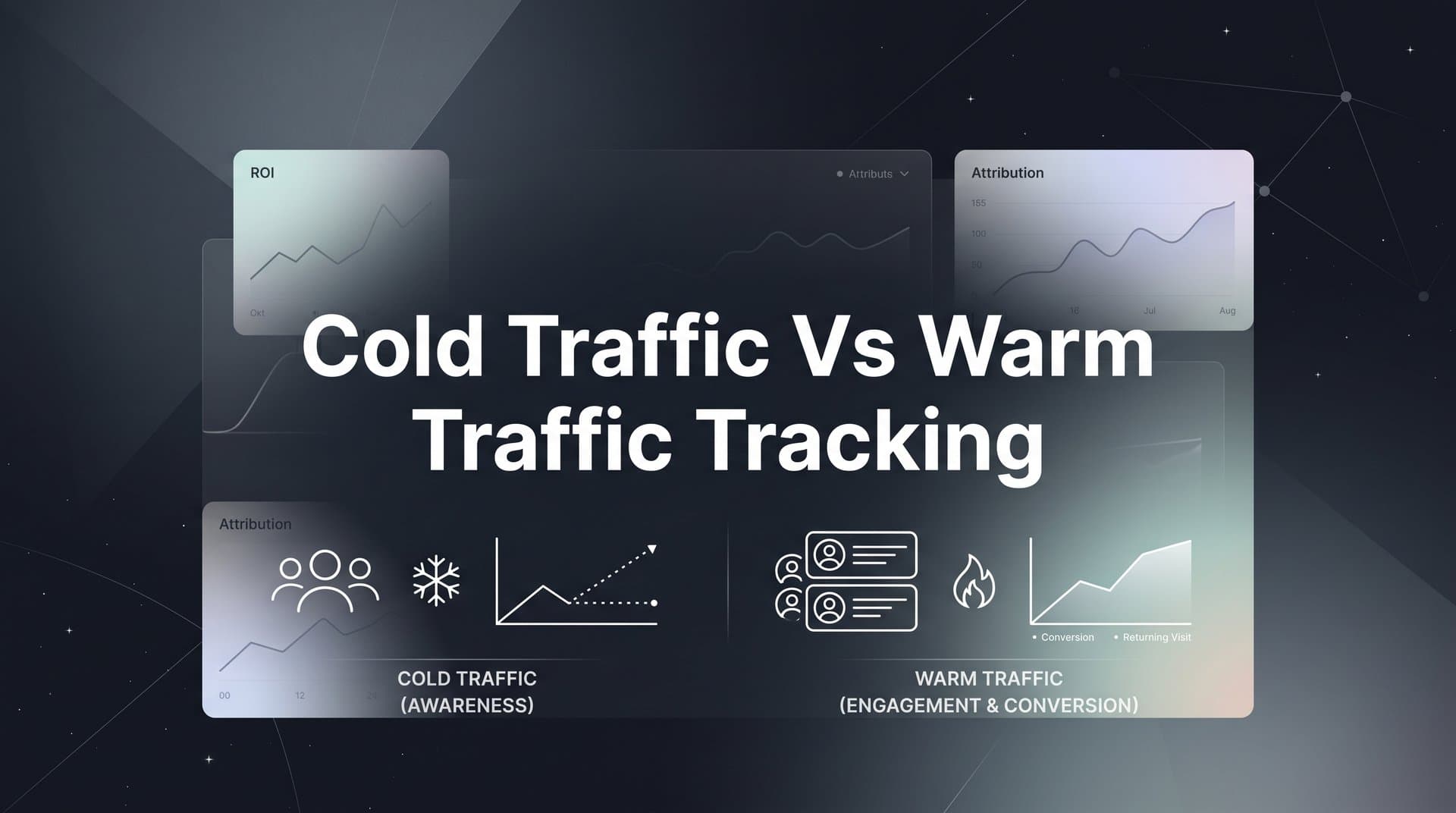
Most B2B SaaS marketing teams treat all website visitors the same way in their analytics. A prospect seeing your brand for the first time gets lumped into the same conversion funnel as someone who has already read three blog posts, attended a webinar, and downloaded a guide. That approach produces misleading data and leads to budget decisions that hurt growth.
Cold traffic and warm traffic behave differently, convert at different rates, and respond to entirely different messaging. When you track them separately, you gain a clearer picture of what is actually driving pipeline and revenue. You can identify which channels are best at generating new awareness, which retargeting campaigns are closing the gap, and where prospects are dropping off between their first touch and a closed deal.
This article covers seven actionable strategies for separating cold and warm traffic in your attribution setup, interpreting the data correctly, and using those insights to allocate budget with confidence. Whether you are running paid search, social ads, or content-driven demand generation, these strategies will help you stop making decisions based on blended averages and start optimizing each stage of your funnel independently.
1. Define Cold and Warm Audiences Before You Build Any Tracking
The Challenge It Solves
Many attribution problems start before a single UTM parameter is created. When your team has no shared definition of what makes a visitor "cold" versus "warm," your CRM fields, ad platform audiences, and analytics reports all end up using different criteria. The result is fragmented data that cannot be compared across channels or time periods.
The Strategy Explained
Before touching your tracking infrastructure, align your team on a behavioral and funnel-based definition of audience temperature. Cold traffic typically includes users with no prior brand exposure: first-time website visitors arriving from prospecting campaigns, organic search on non-branded terms, or paid social prospecting to lookalike and interest-based audiences.
Warm traffic includes users who have already interacted with your brand in a meaningful way. Think return visitors, users who engaged with a previous ad, email subscribers, webinar attendees, or anyone in a retargeting pool. The specific thresholds you use matter less than the fact that everyone on your team agrees on them and applies them consistently.
Implementation Steps
1. Document your audience temperature definitions in a shared taxonomy document that covers ad platform audiences, CRM lifecycle stages, and website behavior criteria.
2. Map each active campaign to either the cold or warm category and flag any campaigns that are currently targeting both audience types without segmentation.
3. Align your CRM team on how to tag inbound leads based on their first-touch source, so the cold vs. warm distinction carries through from first click to closed deal.
Pro Tips
Keep your definitions simple enough that a new team member can apply them without a lengthy onboarding process. Overly complex scoring systems tend to break down when team members change or campaigns scale quickly. Start with two or three clear behavioral signals and refine from there as your marketing analytics data matures.
2. Use Separate UTM Frameworks for Cold and Warm Campaigns
The Challenge It Solves
When cold and warm campaigns share the same UTM structure, your attribution platform cannot distinguish between them without manual data manipulation. You end up with blended performance reports that make prospecting look weaker than it is and retargeting look stronger than it deserves.
The Strategy Explained
Structure your UTM parameters to encode audience temperature directly at the campaign or ad set level. The most practical approach is to include a consistent audience indicator in your utm_campaign naming convention. For example, a prospecting campaign might use a prefix like "cold-" or a suffix like "-prospecting," while a retargeting campaign uses "warm-" or "-retargeting."
This convention allows any analytics platform or attribution tool to filter and segment performance by audience temperature without requiring custom event tracking or manual tagging. It also makes your data portable: if you ever switch attribution platforms, the audience classification is baked into the raw data itself.
Implementation Steps
1. Create a UTM naming convention document that specifies exactly how audience temperature should be encoded in each parameter field, and share it with every team member who builds campaigns.
2. Audit your existing active campaigns and update UTM parameters to reflect the cold vs. warm distinction where it is currently missing.
3. Build saved segments or filters in your Google Analytics 4 account and your attribution platform that isolate cold-tagged and warm-tagged traffic automatically.
Pro Tips
Enforce your UTM naming convention with a shared spreadsheet template or a UTM builder tool that includes audience temperature as a required field. Ad-hoc UTM creation is the fastest way to introduce inconsistencies that corrupt your segmentation over time. A small process investment upfront saves hours of data cleanup later.
3. Implement Server-Side Tracking to Capture the Full Cold Traffic Journey
The Challenge It Solves
Cold traffic visitors are the audience most likely to be affected by ad blockers and browser privacy restrictions. Because they have no prior first-party data relationship with your brand, their sessions are frequently missed by client-side tracking scripts. This creates a systematic blind spot in your first-touch attribution data, making cold traffic channels appear less effective than they actually are.
The Strategy Explained
Server-side tracking and Conversion API integrations bypass the browser entirely by sending conversion events directly from your server to ad platforms like Meta and Google. This approach recovers attribution data that would otherwise be lost due to ad blockers, iOS privacy changes, and cookie restrictions.
For cold traffic specifically, recovering these first-touch signals is critical. If your prospecting campaigns are systematically under-reporting conversions because client-side pixels are being blocked, you will consistently undervalue the channels doing the heaviest lifting for new pipeline generation. Platforms like Cometly support server-side tracking and Conversion API integration natively, ensuring that first-touch events from cold traffic campaigns are captured and attributed accurately.
Implementation Steps
1. Audit your current tracking setup to identify what percentage of conversions are being captured via client-side pixels versus server-side events, and estimate the gap in cold traffic attribution.
2. Set up server-side event tracking for your highest-volume cold traffic channels first, prioritizing paid social platforms where iOS privacy restrictions have the greatest impact.
3. Connect your Conversion API integrations to your attribution platform so that recovered events flow into your cold traffic funnel reports and update your channel performance data in real time.
Pro Tips
When implementing server-side tracking, deduplicate events carefully to avoid double-counting conversions that are captured by both client-side and server-side methods. Most Conversion API implementations include a deduplication key for this purpose. Skipping this step will inflate your conversion numbers and create a different kind of measurement error.
4. Apply the Right Attribution Model to Each Audience Segment
The Challenge It Solves
Using a single attribution model across both cold and warm traffic produces systematically misleading conclusions. Last-touch models over-credit warm retargeting touchpoints while ignoring the prospecting campaigns that started the journey. First-touch models do the opposite. Neither model tells the full story when applied uniformly across all traffic.
The Strategy Explained
Think of attribution models as different lenses, each designed to answer a specific question. First-touch attribution is the right lens for evaluating which cold traffic channels are best at generating new pipeline. It credits the channel that introduced a prospect to your brand, which is exactly what you want to measure when assessing prospecting campaign ROI.
For warm traffic, multi-touch or linear attribution models are more informative. These models distribute credit across all the touchpoints a prospect engaged with after their initial introduction, giving you a clearer view of which nurture campaigns, retargeting ads, and content assets are accelerating deals toward close. Cometly lets you compare attribution models side by side, so you can evaluate cold and warm performance through the appropriate lens without running separate reports in separate tools.
Implementation Steps
1. Identify the primary business question you are trying to answer for each audience segment: for cold traffic, focus on pipeline generation efficiency; for warm traffic, focus on conversion acceleration and deal velocity.
2. Configure your attribution platform to apply first-touch reporting to cold traffic segments and multi-touch reporting to warm traffic segments, and save these as separate report views.
3. Train your team to reference the correct report for each type of budget decision, so that cold channel investment decisions are never made using last-touch data.
Pro Tips
Document which attribution model is used for which decision in a simple one-page reference guide. Attribution model confusion is one of the most common sources of internal disagreement about marketing performance. When everyone knows which model applies to which question, budget conversations become more productive and less contentious.
5. Build Separate Conversion Funnels for Cold and Warm Traffic in Your Dashboard
The Challenge It Solves
A blended funnel view hides the performance differences between cold and warm audiences at every stage. When your dashboard shows a single conversion rate from visit to demo, you cannot tell whether a drop-off is happening because your prospecting campaigns are attracting low-intent visitors or because your nurture sequence is failing to move warm prospects toward a decision.
The Strategy Explained
Create segmented funnel views in your analytics dashboard that show conversion rates, drop-off points, and pipeline contribution for cold and warm audiences independently. This makes it straightforward to diagnose where each segment stalls and where to focus optimization effort.
For cold traffic funnels, pay close attention to the micro-conversion steps that indicate early engagement: first content view, email capture, or resource download. These signals tell you whether your cold traffic campaigns are attracting the right audience before those prospects reach a high-intent action. For warm traffic funnels, focus on the steps between initial re-engagement and demo request or trial signup, since this is where nurture effectiveness shows up most clearly.
Implementation Steps
1. Define the key funnel stages for each audience segment, keeping in mind that cold and warm funnels will have different entry points and different meaningful micro-conversions.
2. Build separate funnel reports in your attribution platform using your UTM-based audience segments as the filter criteria, and set them as default views for your team.
3. Review each funnel weekly and track the conversion rate at each stage over time, so you can identify whether optimization changes are improving performance at specific drop-off points.
Pro Tips
Resist the temptation to merge cold and warm funnel data when presenting results to leadership. Keeping them separate in your reporting cadence reinforces the habit of evaluating each segment on its own terms and makes it easier to justify channel-specific budget adjustments with clear, segment-level evidence.
6. Score and Segment Leads by Touchpoint History Before Passing to Sales
The Challenge It Solves
When sales receives inbound leads without context about their touchpoint history, every lead gets treated with roughly the same level of urgency. This wastes sales capacity on cold-sourced leads that need more nurturing and can slow down warm-sourced leads who are ready to move quickly. It also makes it difficult to measure deal conversion rates by audience temperature, which is one of the most valuable signals for refining your marketing investment strategy.
The Strategy Explained
Use engagement and touchpoint data from your attribution platform to classify inbound leads as cold-sourced or warm-sourced before they reach your sales team. A cold-sourced lead is one whose first meaningful interaction with your brand happened recently, with limited subsequent engagement. A warm-sourced lead has a richer touchpoint history: multiple content interactions, ad retargeting exposure, or prior email engagement before requesting a demo.
This classification should flow automatically from your attribution data into your CRM, so sales reps can see at a glance how a lead arrived and what they engaged with before converting. Cometly's pipeline and revenue attribution connects ad touchpoint data directly to CRM records, making this kind of lead context available without manual research.
Implementation Steps
1. Define the minimum touchpoint criteria that distinguish a warm-sourced lead from a cold-sourced lead in your CRM, and create a custom field or tag to store this classification.
2. Set up an automated workflow that populates the lead source classification field based on attribution data from your tracking platform when a new lead is created.
3. Work with your sales team to create follow-up sequences that are appropriate for each lead type, with warm-sourced leads receiving a faster, more direct outreach and cold-sourced leads entering a longer nurture track before a direct sales touch.
Pro Tips
Track deal conversion rates by lead source classification over time. If warm-sourced leads consistently close at higher rates than cold-sourced leads, that data becomes a powerful input for your retargeting budget allocation. It also gives you a benchmark for measuring whether your cold traffic nurture process is improving the quality of leads before they reach sales.
7. Use AI-Driven Insights to Scale What Works in Each Traffic Segment
The Challenge It Solves
Manually reviewing ad performance across cold and warm campaigns at scale is time-consuming and prone to confirmation bias. When you are managing multiple channels and dozens of campaigns simultaneously, it is easy to miss the signals that indicate which specific creatives, audiences, or placements are driving the best outcomes within each segment.
The Strategy Explained
Use AI to surface top-performing ads within cold and warm campaigns separately, then feed enriched conversion data back to ad platforms to improve targeting for each audience type. This creates a continuous feedback loop between your attribution data and your campaign optimization that compounds over time.
Cometly's AI ads manager analyzes performance across your cold and warm campaigns independently, identifying which ads and audiences are generating the highest-quality pipeline within each segment. At the same time, enriched conversion events sent back to Meta, Google, and other platforms via Conversion API give those platforms better signals to optimize their delivery algorithms for each audience type. The result is smarter prospecting targeting for cold campaigns and more precise retargeting for warm campaigns, both informed by real revenue data rather than surface-level click metrics.
Implementation Steps
1. Connect your attribution platform to your ad channels so that conversion events enriched with CRM and revenue data are flowing back to each platform's optimization algorithm in real time.
2. Use AI-driven performance analysis to identify the top-performing ads and audiences within your cold traffic campaigns and your warm traffic campaigns separately, rather than reviewing blended performance reports.
3. Create a regular optimization cadence where AI recommendations for each segment are reviewed and acted on, with budget shifted toward the highest-performing cold traffic channels and the most effective warm traffic retargeting creatives.
Pro Tips
When feeding conversion data back to ad platforms, prioritize downstream revenue events like pipeline created or deals closed rather than just top-of-funnel conversions like form fills. Ad platform algorithms optimize toward the signal you give them. If you feed them demo requests from cold traffic, they will find more demo requesters. If you feed them closed-won revenue, they will find more buyers.
Putting It All Together
Tracking cold and warm traffic separately is not a nice-to-have for B2B SaaS marketing teams. It is the foundation of accurate attribution and confident budget decisions. Without this separation, you are optimizing based on blended averages that obscure what is actually working at each stage of your funnel.
Here is a practical order of operations for implementing these strategies. Start by defining your audience temperature criteria and building that taxonomy into your UTM structure and CRM. From there, layer in server-side tracking to recover lost first-touch data and ensure your cold traffic channels are being measured accurately. Apply the right attribution model to each segment, build dashboards that show funnel performance by audience type, and use touchpoint history to improve how leads are classified before reaching sales.
Once that foundation is in place, the final step is connecting AI-driven insights to the loop. When your attribution platform can surface top-performing ads by segment and feed enriched conversion data back to ad platforms, your campaigns get smarter over time without requiring proportionally more manual effort.
Cometly brings all of this together in one platform, connecting your ad channels, CRM, and website to give you a real-time, complete view of every customer journey from the first ad impression to closed-won revenue. If your current analytics setup is blending cold and warm traffic into a single view, you are making budget decisions based on noise. These seven strategies give you a clear path to fix that.
Ready to see exactly which cold traffic sources are generating your highest-value customers and which warm traffic campaigns are accelerating deals? Get your free demo today and start capturing every touchpoint with the precision your pipeline decisions deserve.



